2014 NISSAN JUKE light
[x] Cancel search: lightPage 97 of 402
2-22Instruments and controls
SETUP FUNCTION
While in the Drive mode, the following items can
be set up by pressing the SETUP button.
.Display Brightness
. Button Brightness
. Clock Time Setting
. Select Language
. Select Units
. Auto Interior Illumination
. Selective Door unlock
. Auto Headlight Sensitivity (if so equipped)
. CLIMATE ECO
NOTE:
. The SETUP function cannot be ad-
justed while driving.
. When the battery is disconnected, the
SETUP memory is erased and reverts to
the default settings. If necessary, reset
the SETUP memory after reconnecting
the battery.
SIC4617
Setting Display Brightness and Button
Brightness
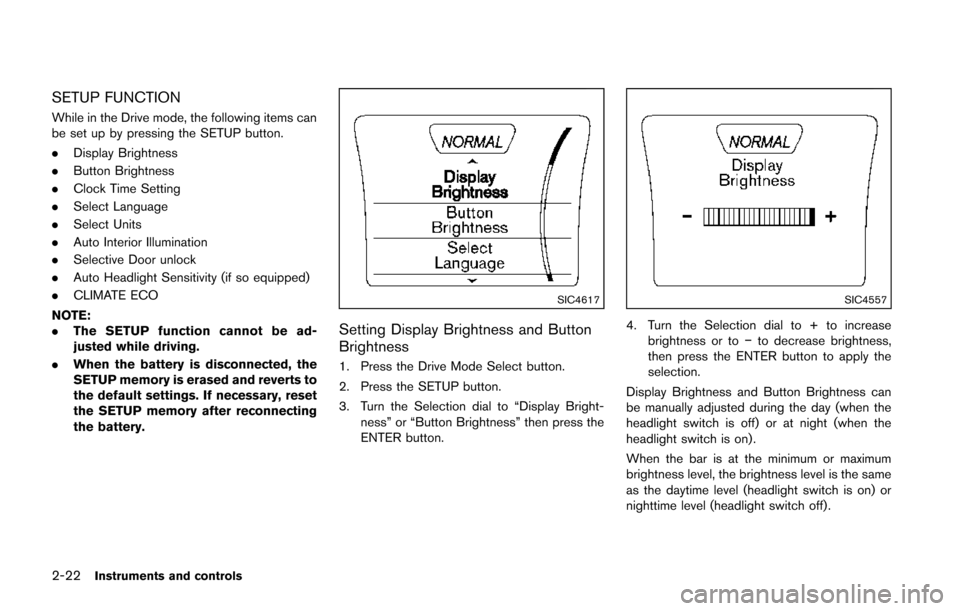
1. Press the Drive Mode Select button.
2. Press the SETUP button.
3. Turn the Selection dial to “Display Bright-
ness” or “Button Brightness” then press the
ENTER button.
SIC4557
4. Turn the Selection dial to + to increasebrightness or to −to decrease brightness,
then press the ENTER button to apply the
selection.
Display Brightness and Button Brightness can
be manually adjusted during the day (when the
headlight switch is off) or at night (when the
headlight switch is on) .
When the bar is at the minimum or maximum
brightness level, the brightness level is the same
as the daytime level (headlight switch is on) or
nighttime level (headlight switch off) .
Page 100 of 402
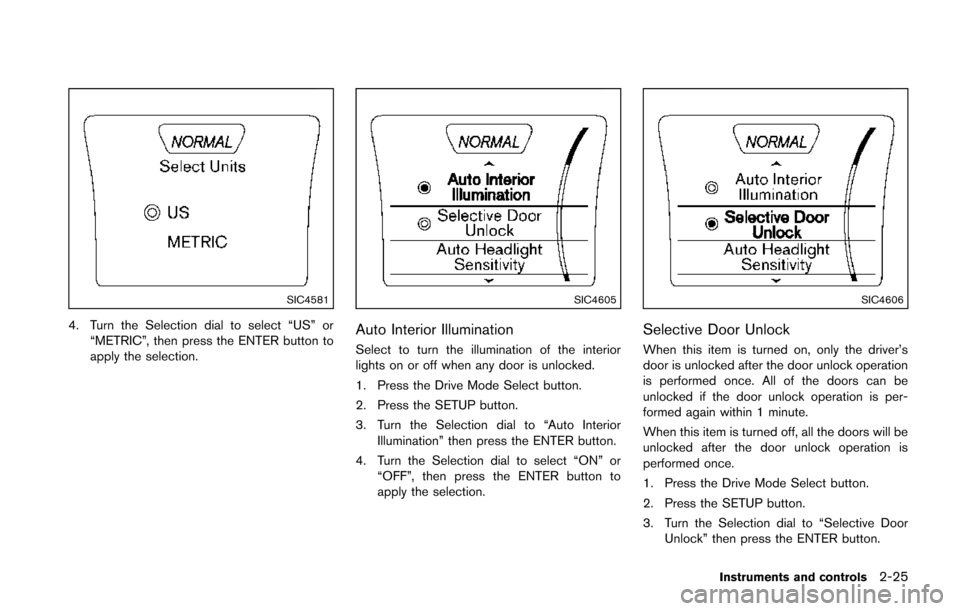
SIC4581
4. Turn the Selection dial to select “US” or“METRIC”, then press the ENTER button to
apply the selection.
SIC4605
Auto Interior Illumination
Select to turn the illumination of the interior
lights on or off when any door is unlocked.
1. Press the Drive Mode Select button.
2. Press the SETUP button.
3. Turn the Selection dial to “Auto InteriorIllumination” then press the ENTER button.
4. Turn the Selection dial to select “ON” or “OFF”, then press the ENTER button to
apply the selection.
SIC4606
Selective Door Unlock
When this item is turned on, only the driver’s
door is unlocked after the door unlock operation
is performed once. All of the doors can be
unlocked if the door unlock operation is per-
formed again within 1 minute.
When this item is turned off, all the doors will be
unlocked after the door unlock operation is
performed once.
1. Press the Drive Mode Select button.
2. Press the SETUP button.
3. Turn the Selection dial to “Selective DoorUnlock” then press the ENTER button.
Instruments and controls2-25
Page 101 of 402
2-26Instruments and controls
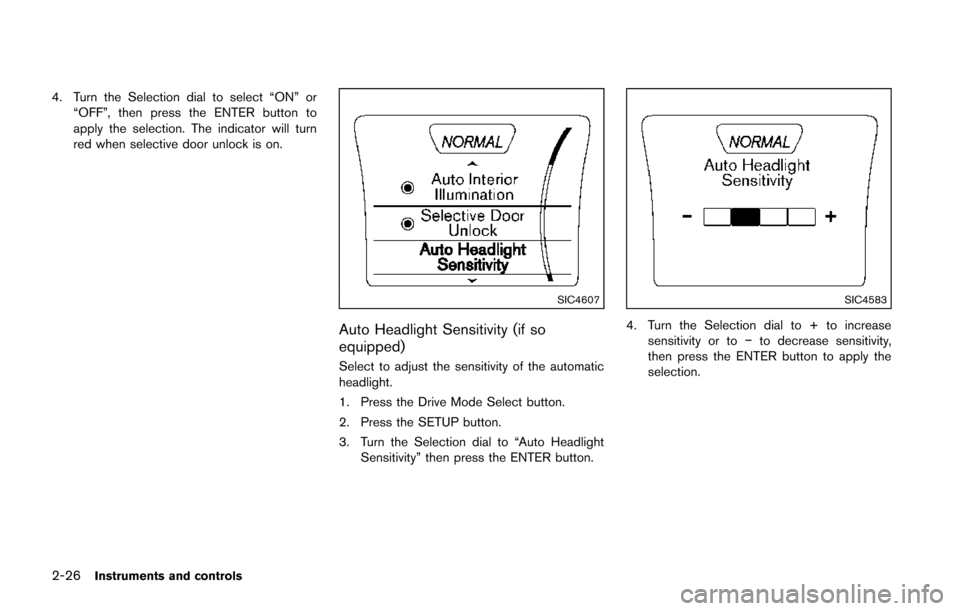
4. Turn the Selection dial to select “ON” or“OFF”, then press the ENTER button to
apply the selection. The indicator will turn
red when selective door unlock is on.
SIC4607
Auto Headlight Sensitivity (if so
equipped)
Select to adjust the sensitivity of the automatic
headlight.
1. Press the Drive Mode Select button.
2. Press the SETUP button.
3. Turn the Selection dial to “Auto HeadlightSensitivity” then press the ENTER button.
SIC4583
4. Turn the Selection dial to + to increase
sensitivity or to −to decrease sensitivity,
then press the ENTER button to apply the
selection.
Page 104 of 402
Weekly Reset
Records of up to the past 4 weeks of each
week’s fuel consumption can be shown on the
display.
NOTE:
When the clock is not set, the ECO
information (daily and weekly) cannot be
used.
Reset at Start
Records of up to the past 4 times of each time of
ignition switch ON fuel consumption can be
shown on the display.
Manual Reset
Records of up to the past 4 times of resetting
fuel consumption can be shown on the display.
The displayed ECO INFO can be reset by
pushing the ENTER button for longer than 1
second.
SIC4543
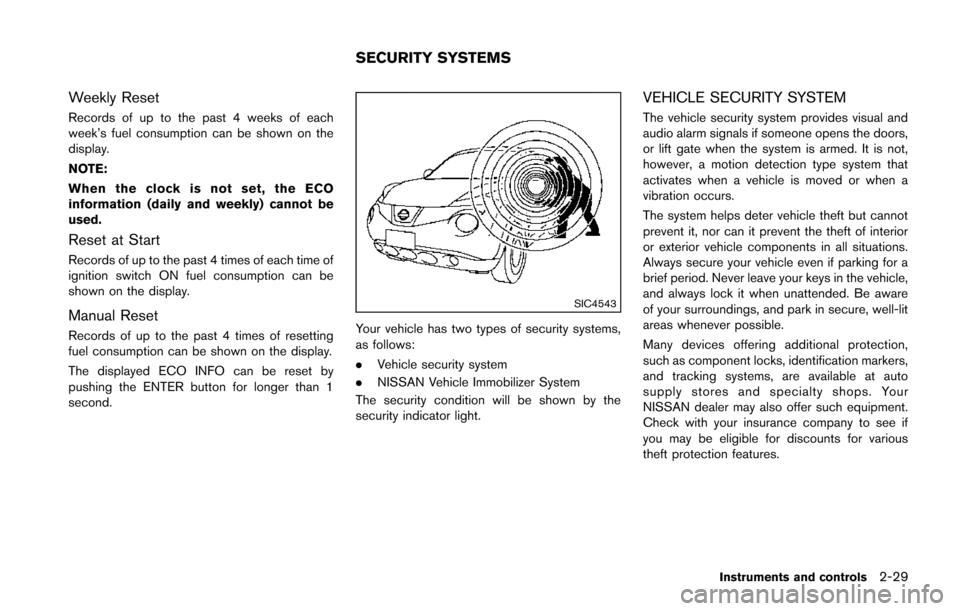
Your vehicle has two types of security systems,
as follows:
.Vehicle security system
. NISSAN Vehicle Immobilizer System
The security condition will be shown by the
security indicator light.
VEHICLE SECURITY SYSTEM
The vehicle security system provides visual and
audio alarm signals if someone opens the doors,
or lift gate when the system is armed. It is not,
however, a motion detection type system that
activates when a vehicle is moved or when a
vibration occurs.
The system helps deter vehicle theft but cannot
prevent it, nor can it prevent the theft of interior
or exterior vehicle components in all situations.
Always secure your vehicle even if parking for a
brief period. Never leave your keys in the vehicle,
and always lock it when unattended. Be aware
of your surroundings, and park in secure, well-lit
areas whenever possible.
Many devices offering additional protection,
such as component locks, identification markers,
and tracking systems, are available at auto
supply stores and specialty shops. Your
NISSAN dealer may also offer such equipment.
Check with your insurance company to see if
you may be eligible for discounts for various
theft protection features.
Instruments and controls2-29
SECURITY SYSTEMS
Page 105 of 402
2-30Instruments and controls
SIC2045
How to arm the vehicle security system
1. Close all windows.The system can be armed even if the
windows are open.
2. Models with Intelligent Key system: Place the ignition switch in the OFF position
and remove the Intelligent Key from the
vehicle.
Models without Intelligent Key system:
Place the ignition switch in the LOCK
position and remove the key. 3. Close all doors. Lock all doors. The doors
can be locked with:
.the LOCKbutton on the keyfob or
Intelligent Key (if so equipped)
.any request switch (Intelligent Key equipped model)
.the power door lock switch.the key — master or mechanical (Intelli- gent Key equipped model)
4. Confirm that the security indicator light illuminates. The security indicator light stays
on for about 30 seconds. The vehicle
security system is now pre-armed. After
about 30 seconds the vehicle security
system automatically shifts into the armed
phase. The security light begins to flash
once every approximately 3 seconds. If,
during this 30-second pre-arm time period,
the door is unlocked, or the ignition switch is
placed in the ACC or ON position, the
system will not arm.
Even when the driver and/or passengers
are in the vehicle, the system will activate
with all doors locked with the ignition
switch in the LOCK position. When turning
the ignition switch to the ACC or ON
position, the system will be released.
Vehicle security system activation
The vehicle security system will give the follow-
ing alarm:
. The headlights blink and the horn sounds
intermittently.
. The alarm automatically turns off after
approximately 50 seconds. However, the
alarm reactivates if the vehicle is tampered
with again.
The alarm is activated by:
. Unlocking the door without using the keyfob,
the Intelligent Key (if so equipped) the
request switch (if so equipped) or the key.
(Even if the door is opened by releasing the
door inside lock knob, the alarm will
activate.)
How to stop an activated alarm
The alarm will stop by unlocking a door by
pushing the UNLOCKbutton on the keyfob
or Intelligent Key, pushing the request switch or
using the key. The alarm will not stop if the
ignition switch is placed in the ACC or ON
position.
If the system does not operate as de-
scribed above, have it checked by a
NISSAN dealer.
Page 106 of 402
NISSAN VEHICLE IMMOBILIZER SYS-
TEM
The NISSAN Vehicle Immobilizer System will not
allow the engine to start without the use of the
registered key.
If the engine fails to start using the registered
key, it may be due to interference caused by
another registered key, an automated toll road
device or automated payment device on the key
ring. Restart the engine using the following
procedures:
1. Leave the ignition switch in the ON positionfor approximately 5 seconds.
2. Place the ignition switch in the OFF or LOCK position and wait approximately 10
seconds.
3. Repeat step 1 and 2 again.
4. Restart the engine while holding the device (which may have caused the interference)
separate from the registered key.
If this procedure allows the engine to start,
NISSAN recommends placing the regis-
tered key on a separate key ring to avoid
interference from other devices.
Statement related to section 15 of FCC
rules for NISSAN Vehicle Immobilizer
System (CONT ASSY-BCM. ANT ASSY-
IMMOBILISER) FCC Notice:
For USA:
This device complies with Part 15 of the
FCC Rules. Operation is subject to the
following two conditions: (1) This device
may not cause harmful interference, and
(2) this device must accept any interfer-
ence received, including interference that
may cause undesired operation.
Note: Changes or modifications not ex-
pressly approved by the party responsible
for compliance could void the user’s
authority to operate the equipment.
For Canada:
This device complies with RSS-210 of
Industry Canada. Operation is subject to
the following two conditions: (1) this
device may not cause interference, and
(2) this device must accept any interfer-
ence, including interference that may
cause undesired operation of the device.
SIC2045
Security indicator light
The security indicator light is located on the
meter panel. It indicates the status of the
NISSAN Vehicle Immobilizer System.
The light blinks whenever the ignition switch is in
the LOCK, OFF or ACC position. This function
indicates the security systems equipped on the
vehicle are operational.
If the NISSAN Vehicle Immobilizer System is
malfunctioning, this light will remain on while the
ignition switch is in the ON position.
If the light still remains on and/or the
engine will not start, see a NISSAN dealer
for NISSAN Vehicle Immobilizer System
Instruments and controls2-31
Page 110 of 402
SIC4520Type A
SIC4519Type B
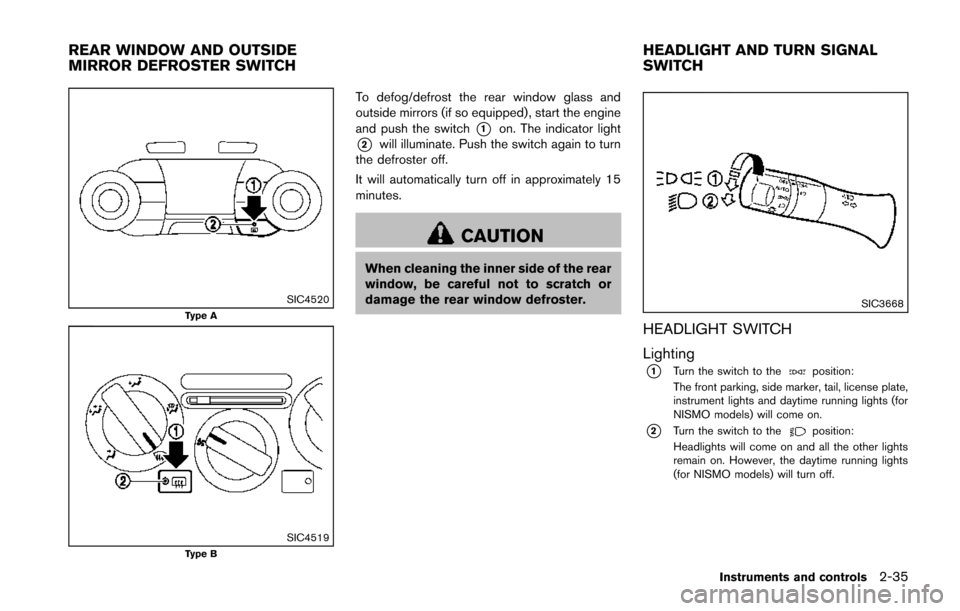
To defog/defrost the rear window glass and
outside mirrors (if so equipped), start the engine
and push the switch
*1on. The indicator light
*2will illuminate. Push the switch again to turn
the defroster off.
It will automatically turn off in approximately 15
minutes.
CAUTION
When cleaning the inner side of the rear
window, be careful not to scratch or
damage the rear window defroster.
SIC3668
HEADLIGHT SWITCH
Lighting
*1Turn the switch to theposition:
The front parking, side marker, tail, license plate,
instrument lights and daytime running lights (for
NISMO models) will come on.
*2Turn the switch to theposition:
Headlights will come on and all the other lights
remain on. However, the daytime running lights
(for NISMO models) will turn off.
Instruments and controls2-35
REAR WINDOW AND OUTSIDE
MIRROR DEFROSTER SWITCH HEADLIGHT AND TURN SIGNAL
SWITCH
Page 111 of 402
2-36Instruments and controls
SIC3669
Autolight system (if so equipped)
The autolight system allows the headlights to be
set so they turn on and off automatically.
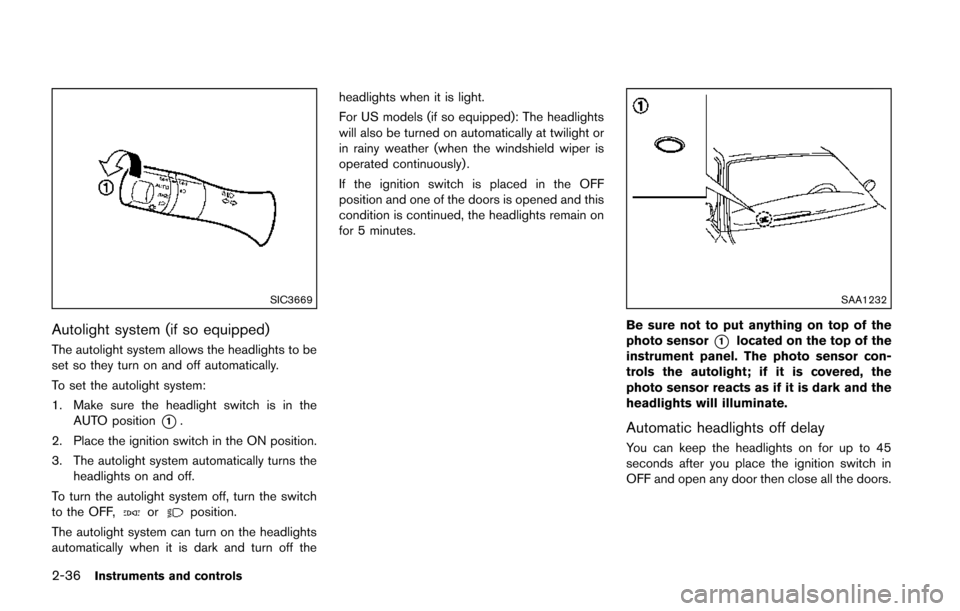
To set the autolight system:
1. Make sure the headlight switch is in theAUTO position
*1.
2. Place the ignition switch in the ON position.
3. The autolight system automatically turns the headlights on and off.
To turn the autolight system off, turn the switch
to the OFF,
orposition.
The autolight system can turn on the headlights
automatically when it is dark and turn off the headlights when it is light.
For US models (if so equipped): The headlights
will also be turned on automatically at twilight or
in rainy weather (when the windshield wiper is
operated continuously) .
If the ignition switch is placed in the OFF
position and one of the doors is opened and this
condition is continued, the headlights remain on
for 5 minutes.
SAA1232
Be sure not to put anything on top of the
photo sensor
*1located on the top of the
instrument panel. The photo sensor con-
trols the autolight; if it is covered, the
photo sensor reacts as if it is dark and the
headlights will illuminate.
Automatic headlights off delay
You can keep the headlights on for up to 45
seconds after you place the ignition switch in
OFF and open any door then close all the doors.