Page 103 of 434
2 Instruments and controls
Instrument panel...................................2-2
Meters and gauges ................................2-3
Speedometer and odometer . . ...................2-4
Tachometer ....................................2-6
Engine coolant temperature gauge ...............2-6
Fuel gauge ....................................2-7
Engine oil pressure gauge (if so equipped) ........2-8
Voltmeter (if so equipped) .......................2-8
Trip computer (if so equipped) ...................2-9
Compass and outside temperature display
(if so equipped) .................................. 2-10
Outside temperature display . . ..................2-10
Compass display .............................. 2-11
Warning/indicator lights and audible reminders ......2-14
Checking bulbs ............................... 2-15
Warning lights ................................ 2-15
Indicator lights ................................ 2-20
Audible reminders ............................. 2-23
Security systems (if so equipped) ..................2-24
Vehicle security system (if so equipped) ..........2-24
NISSAN vehicle immobilizer system
(if so equipped) ............................... 2-25
Windshield wiper and washer switch ...............2-26Switch operation
.............................. 2-26
Rear window and outside mirror defroster switch
(if so equipped) .................................. 2-27
Headlight and turn signal switch ....................2-28
Headlight control switch ........................ 2-28
Daytime running light system (Canada only) ......2-30
Instrument brightness control ...................2-31
Turn signal switch ............................. 2-31
Fog light switch (if so equipped) ................2-32
Horn ............................................ 2-32
Cargo lamp switch ................................ 2-32
Heated seats (if so equipped) ......................2-33
Vehicle Dynamic Control (VDC) off switch ...........2-34
Hill descent control switch (if so equipped) ..........2-34
Electronic locking rear differential (E-Lock) system
switch (if so equipped) ............................ 2-35
Clutch interlock (clutch start) switch
(if so equipped) .................................. 2-36
Rear
sonar system off switch (if so equipped) ........2-37
Power outlet ..................................... 2-37
Storage ......................................... 2-38
Storage trays ................................. 2-38
Under-seat storage bins ........................ 2-40
Console box .................................. 2-41
Page 104 of 434
Glove box.................................... 2-42
Sunglasses holder (if so equipped) ..............2-42
Map pockets .................................. 2-43
Seat pocket (if so equipped) ....................2-44
Cup holders .................................. 2-44
Roof rack (if so equipped) ......................2-46
Windows ........................................ 2-47
Power windows (if so equipped) ................2-47
Manual windows (if so equipped) ................2-49
Rear sliding window (if so equipped) ............2-50
Moonroof (if so equipped) ......................... 2-50
Interior lights ..................................... 2-52Map lights (if so equipped)
........................2-53
HomeLink® universal transceiver (if so equipped) ....2-54
Programming HomeLink® ......................2-54
Programming HomeLink® for Canadian
customers and gate openers ....................2-56
Operating the HomeLink® universal
transceiver .................................... 2-56
Programming trouble-diagnosis .................2-56
Clearing the programmed information ............2-57
Reprogramming a single HomeLink® button ......2-57
If your vehicle is stolen ......................... 2-57
Page 105 of 434
1. Vents (P. 4-15)
2. Headlight/fog light (if so equipped)/turnsignal switch (P. 2-28)
3. Steering wheel switch for audio control
(if so equipped)/Bluetooth® Hands-
Free Phone System (if so equipped)
(P. 4-63, P.4-59)
4. Driver supplemental air bag/horn
(P. 1-65, P. 2-32)
5. Meters, gauges and warning/indicator
lights (P. 2-3, 2-14)
6. Cruise control main/set switches
(if so equipped) (P. 5-21)
7. Windshield wiper/washer switch
(P. 2-26)
8. Storage (P. 2-38)
9. Audio system controls (if so equipped)
(P. 4-35)
10. Front passenger supplemental air bag
(P. 1-65)
11. Upper and lower glove box (P. 2-42)
12. Passenger air bag status light (P. 1-74)
13. Power outlet (P. 2-37)
14. Power outlet (P. 2-37)
LIC2471
INSTRUMENT PANEL
2-2Instruments and controls
Page 106 of 434
15. Electronic locking rear differential(E-Lock) system switch (if so
equipped) (P.2-35)
Heated seat switch (if so equipped)
(P. 2-33)
Rear sonar switch (if so equipped)
(P. 2-37)
Vehicle Dynamic Control (VDC) OFF
switch (P. 2-34)
16. Shift lever (P. 5-13, 5-18)
17. 4WD shift switch (if so equipped)
(P. 5-26)
18. Climate controls (P. 4-16, P.4-23)
19. Hazard warning flasher switch (P. 6-3)
20. Ignition switch (P. 5-10)
21. Tilt steering wheel control (if so
equipped) (P. 3-13)
22. Cargo lamp switch (P. 2-32)
23. Clutch interlock (clutch start) switch
(if so equipped) (P. 2-36)/Hill descent
control switch (if so equipped)
(P. 2-34)
24. Outside mirror controls (if so equipped)
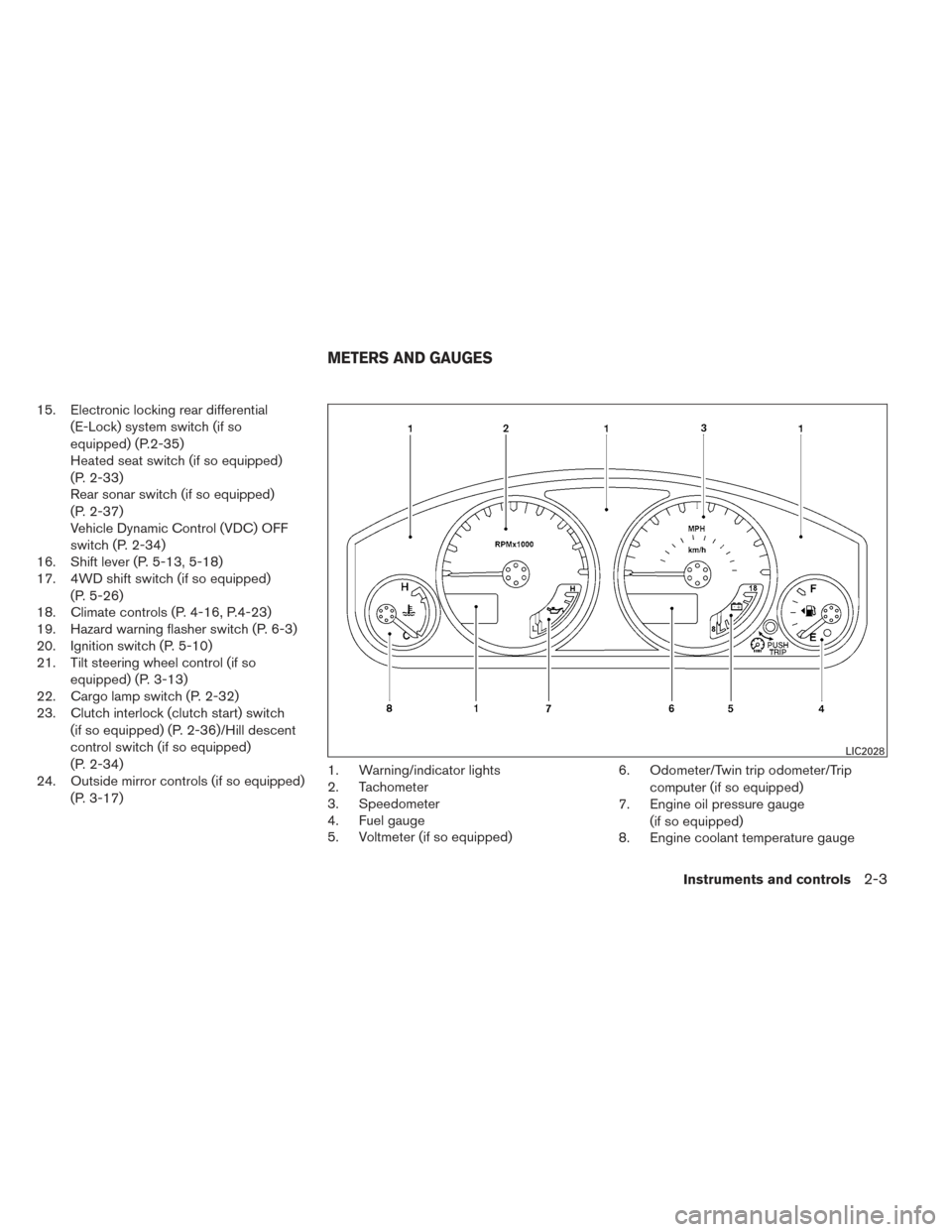
(P. 3-17) 1. Warning/indicator lights
2. Tachometer
3. Speedometer
4. Fuel gauge
5. Voltmeter (if so equipped) 6. Odometer/Twin trip odometer/Trip
computer (if so equipped)
7. Engine oil pressure gauge
(if so equipped)
8. Engine coolant temperature gauge
LIC2028
METERS AND GAUGES
Instruments and controls2-3
Page 108 of 434
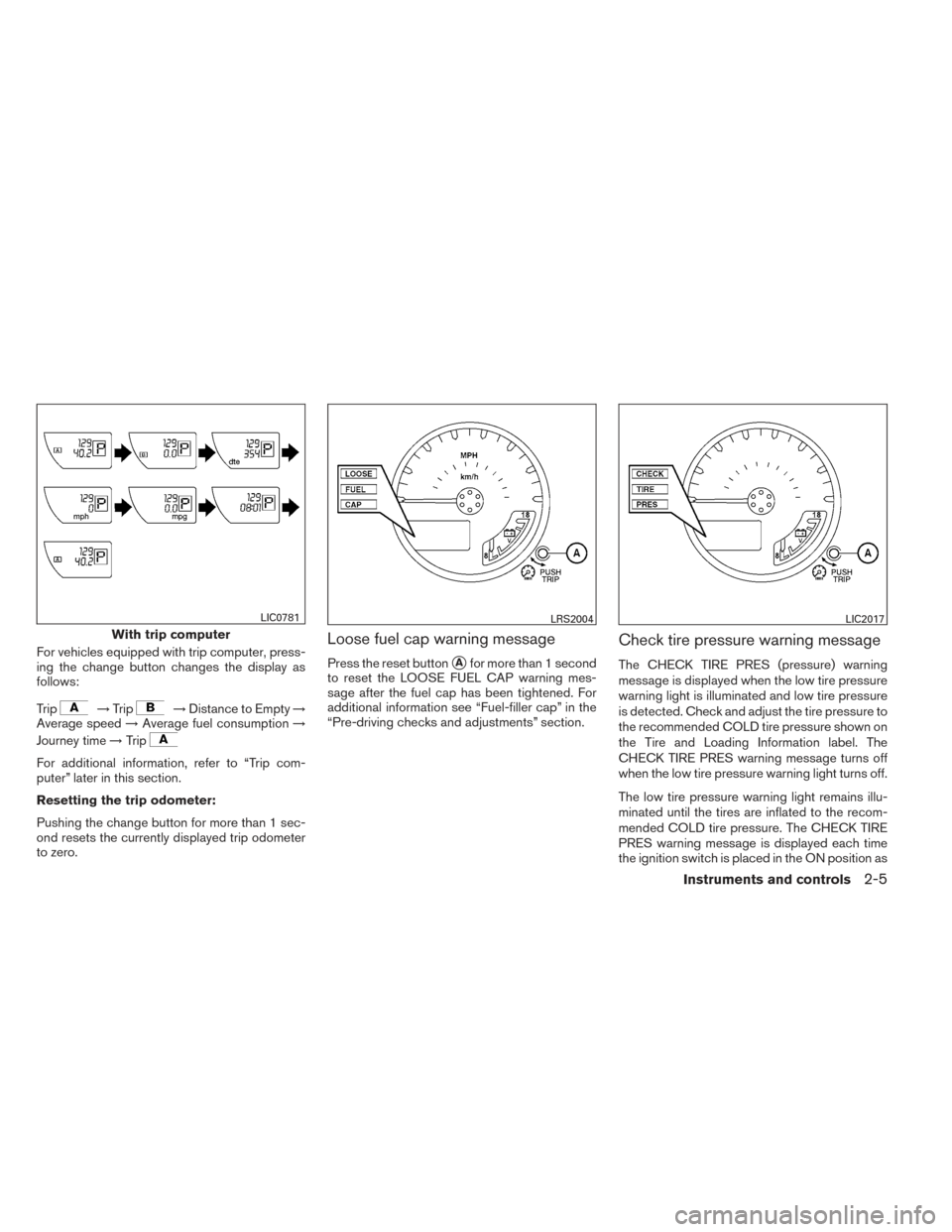
For vehicles equipped with trip computer, press-
ing the change button changes the display as
follows:
Trip
→Trip→Distance to Empty →
Average speed →Average fuel consumption →
Journey time →Trip
For additional information, refer to “Trip com-
puter” later in this section.
Resetting the trip odometer:
Pushing the change button for more than 1 sec-
ond resets the currently displayed trip odometer
to zero.
Loose fuel cap warning message
Press the reset button�Afor more than 1 second
to reset the LOOSE FUEL CAP warning mes-
sage after the fuel cap has been tightened. For
additional information see “Fuel-filler cap” in the
“Pre-driving checks and adjustments” section.
Check tire pressure warning message
The CHECK TIRE PRES (pressure) warning
message is displayed when the low tire pressure
warning light is illuminated and low tire pressure
is detected. Check and adjust the tire pressure to
the recommended COLD tire pressure shown on
the Tire and Loading Information label. The
CHECK TIRE PRES warning message turns off
when the low tire pressure warning light turns off.
The low tire pressure warning light remains illu-
minated until the tires are inflated to the recom-
mended COLD tire pressure. The CHECK TIRE
PRES warning message is displayed each time
the ignition switch is placed in the ON position as
With trip computer
LIC0781LRS2004LIC2017
Instruments and controls2-5
Page 109 of 434
long as the low tire pressure warning light re-
mains illuminated. For more information see “Low
tire pressure warning light” in the “Instruments
and controls” section, “Tire Pressure Monitoring
System (TPMS)” in the “Starting and driving” and
“Wheels and tires” section in the “Maintenance
and do-it-yourself” section of this Owner’s
Manual.
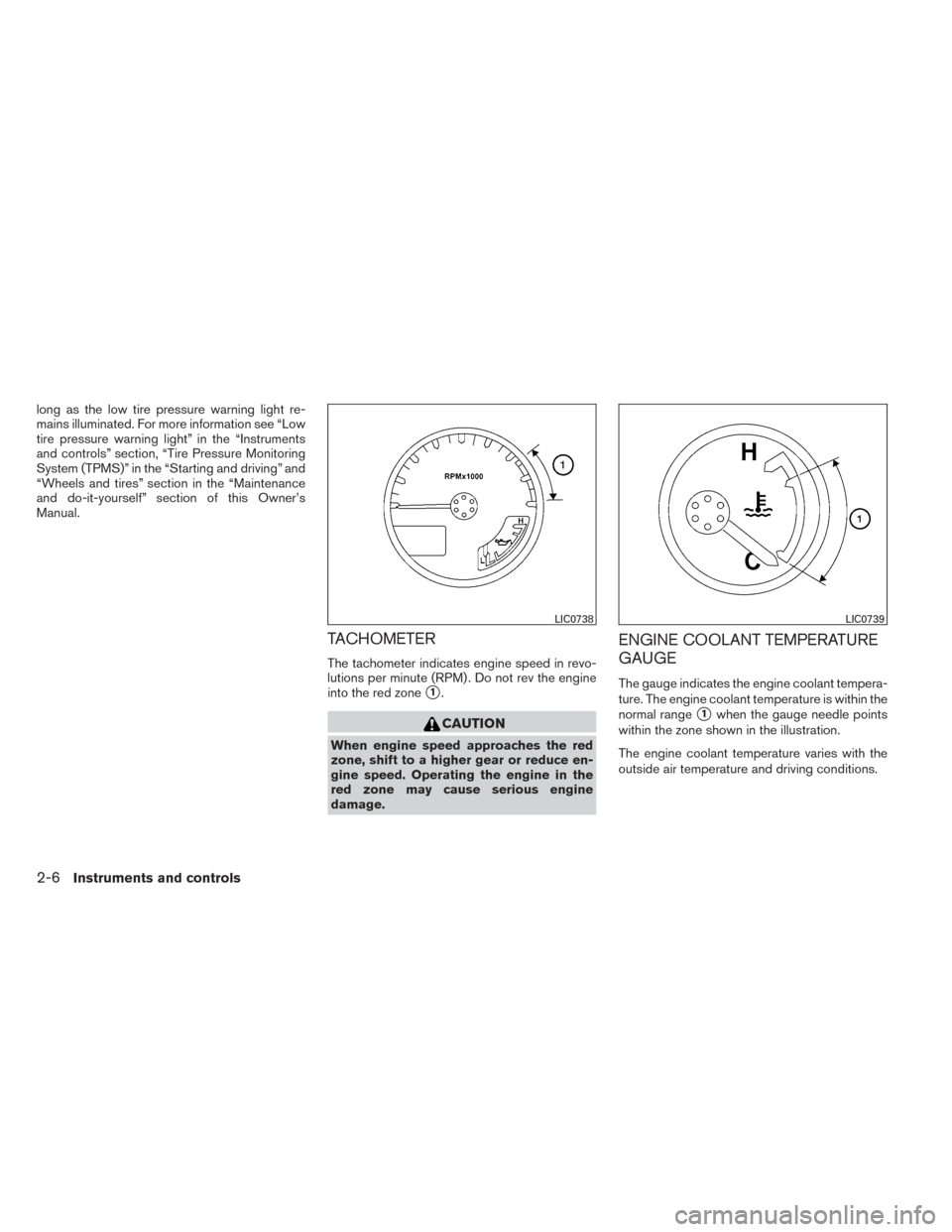
TACHOMETER
The tachometer indicates engine speed in revo-
lutions per minute (RPM) . Do not rev the engine
into the red zone
�1.
CAUTION
When engine speed approaches the red
zone, shift to a higher gear or reduce en-
gine speed. Operating the engine in the
red zone may cause serious engine
damage.
ENGINE COOLANT TEMPERATURE
GAUGE
The gauge indicates the engine coolant tempera-
ture. The engine coolant temperature is within the
normal range
�1when the gauge needle points
within the zone shown in the illustration.
The engine coolant temperature varies with the
outside air temperature and driving conditions.
LIC0738LIC0739
2-6Instruments and controls
Page 110 of 434
CAUTION
If the gauge indicates coolant tempera-
ture near the hot (H) end of the normal
range, reduce vehicle speed to decrease
temperature. If the gauge is over the nor-
mal range, stop the vehicle as soon as
safely possible. If the engine is over-
heated, continued operation of the vehicle
may seriously damage the engine. See “If
your vehicle overheats” in the “In case of
emergency” section for immediate action
required.
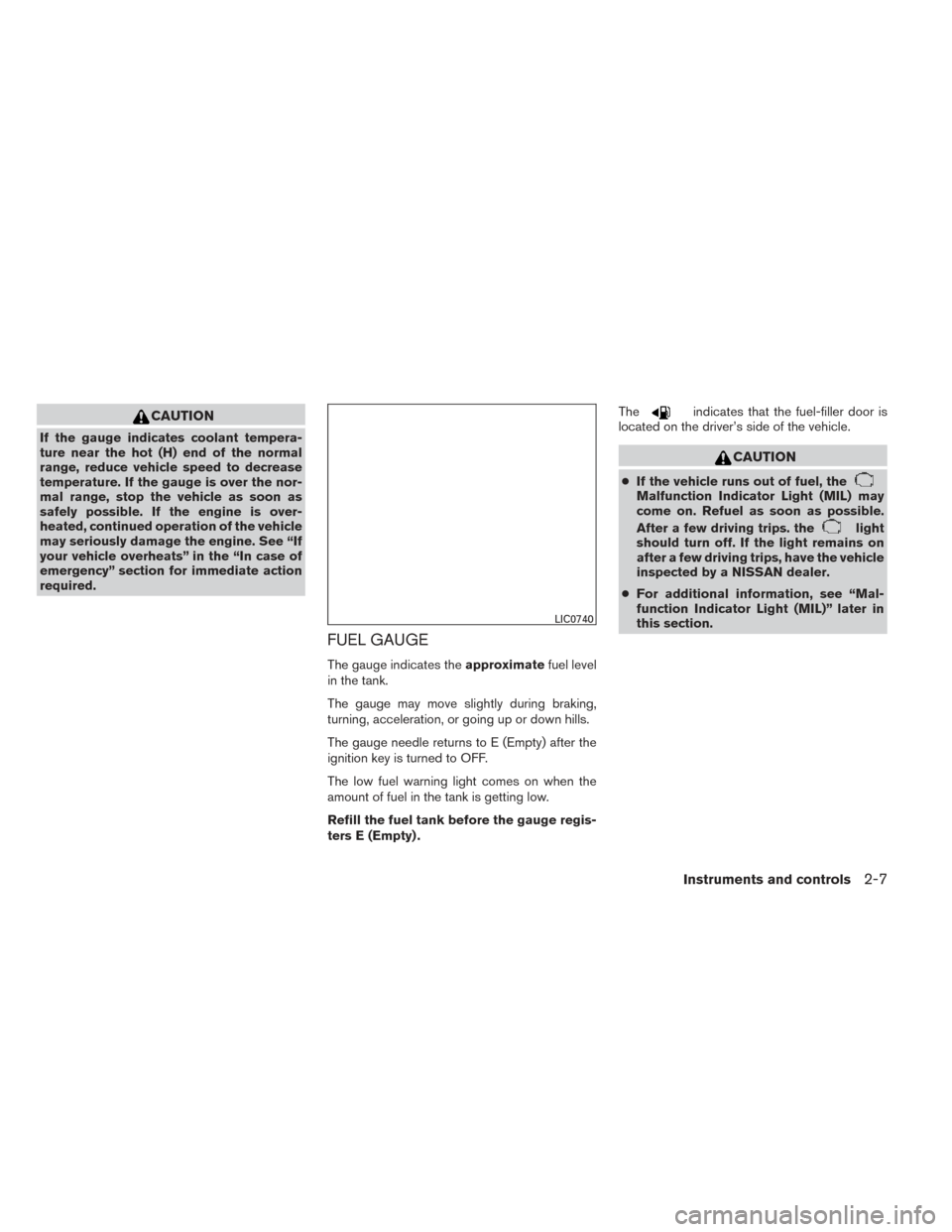
FUEL GAUGE
The gauge indicates theapproximatefuel level
in the tank.
The gauge may move slightly during braking,
turning, acceleration, or going up or down hills.
The gauge needle returns to E (Empty) after the
ignition key is turned to OFF.
The low fuel warning light comes on when the
amount of fuel in the tank is getting low.
Refill the fuel tank before the gauge regis-
ters E (Empty) . The
indicates that the fuel-filler door is
located on the driver’s side of the vehicle.
CAUTION
● If the vehicle runs out of fuel, theMalfunction Indicator Light (MIL) may
come on. Refuel as soon as possible.
After a few driving trips. the
light
should turn off. If the light remains on
after a few driving trips, have the vehicle
inspected by a NISSAN dealer.
● For additional information, see “Mal-
function Indicator Light (MIL)” later in
this section.
LIC0740
Instruments and controls2-7
Page 113 of 434
This unit has the following functions:● Measures terrestrial magnetism and indi-
cates heading direction of vehicle
● Indicates outside air temperature (if so
equipped)
With the ignition switch in the ON position, press
the
orbutton as described in the
charts below to activate various features of the
automatic anti-glare rearview mirror.
Type A
Push and hold
the
button for about: Feature:
(Push button again for about 1 sec-
ond to change settings)
1 second Compass display toggles on/off
8 seconds Automatic anti-glare/indicator light
toggles on/off
11 seconds Compass zone can be changed to
correct false compass readings
13 seconds Compass enters calibration mode
Type B
Push and hold
the
button for about: Feature:
(Push button again for about 1 sec-
ond to change settings)
1 second Compass display toggles on/off
8 seconds Compass zone can be changed to
correct false compass readings
10 seconds Compass enters calibration mode
For information about the automatic anti-glare
feature, refer to “Automatic anti-glare rearview
mirror” in the “Pre-driving checks and adjust-
ments” section.
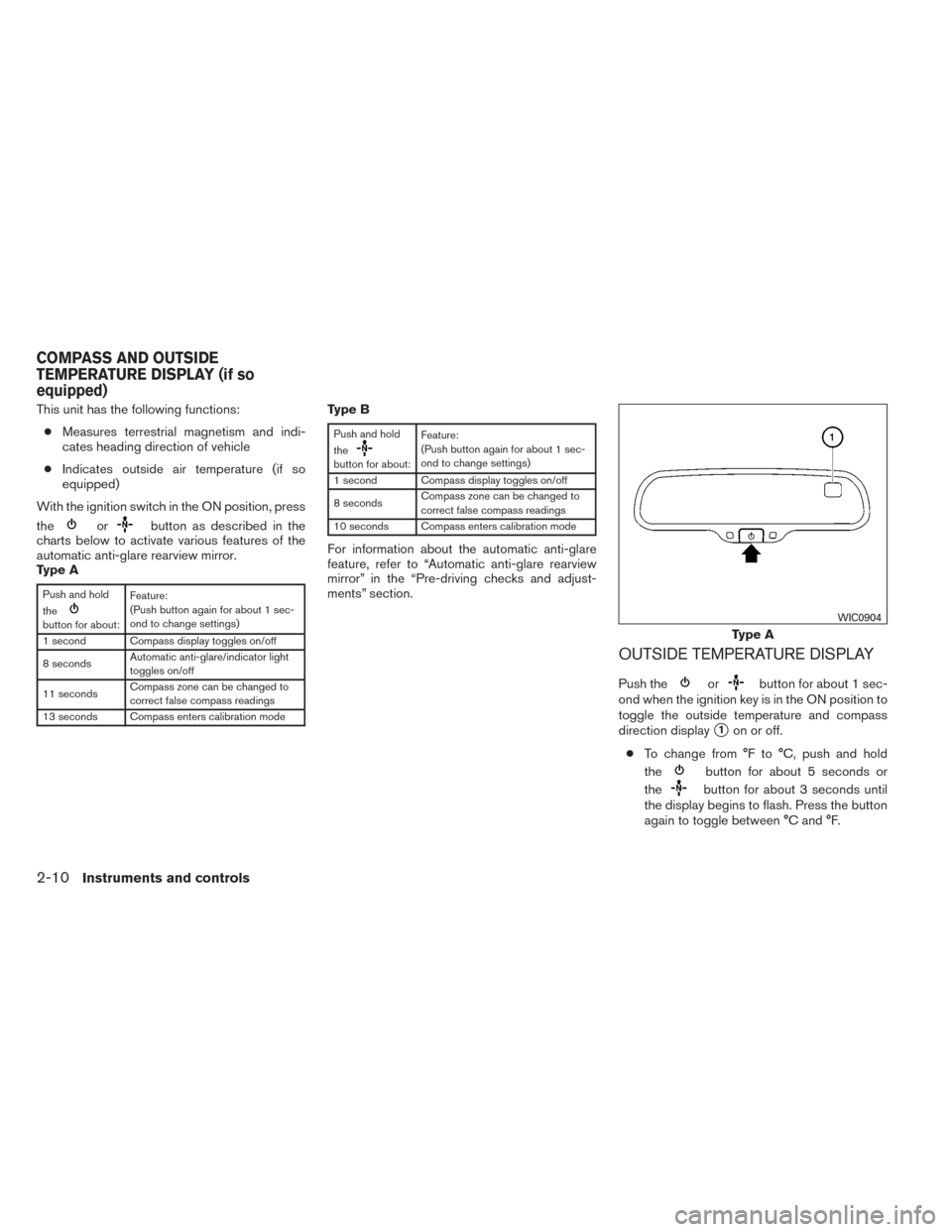
OUTSIDE TEMPERATURE DISPLAY
Push theorbutton for about 1 sec-
ond when the ignition key is in the ON position to
toggle the outside temperature and compass
direction display
�1on or off.
● To change from °F to °C, push and hold
the
button for about 5 seconds or
the
button for about 3 seconds until
the display begins to flash. Press the button
again to toggle between °C and °F.
Type A
WIC0904
COMPASS AND OUTSIDE
TEMPERATURE DISPLAY (if so
equipped)
2-10Instruments and controls