2014 NISSAN CUBE temperature
[x] Cancel search: temperaturePage 116 of 332
SPA2406
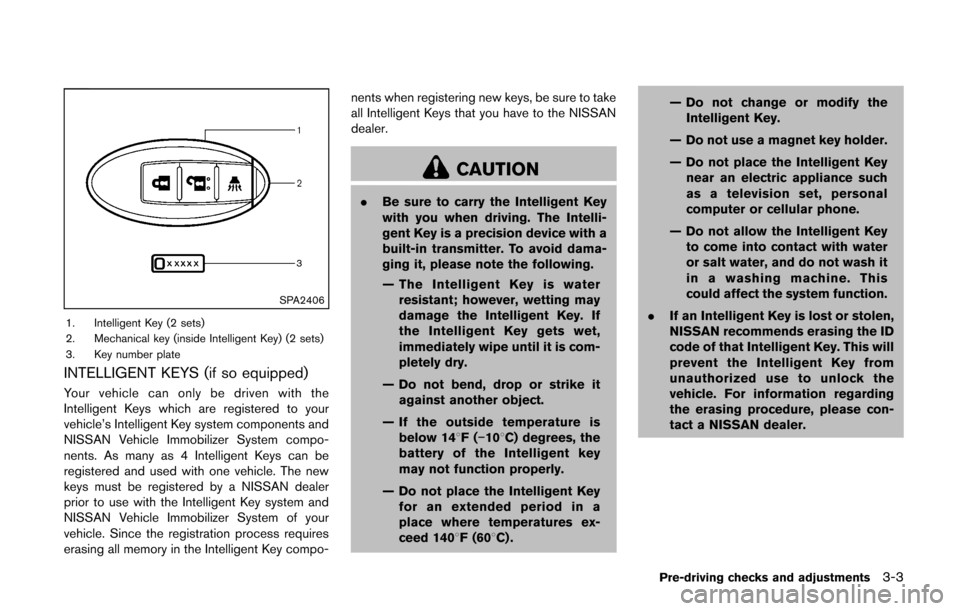
1. Intelligent Key (2 sets)
2. Mechanical key (inside Intelligent Key) (2 sets)
3. Key number plate
INTELLIGENT KEYS (if so equipped)
Your vehicle can only be driven with the
Intelligent Keys which are registered to your
vehicle’s Intelligent Key system components and
NISSAN Vehicle Immobilizer System compo-
nents. As many as 4 Intelligent Keys can be
registered and used with one vehicle. The new
keys must be registered by a NISSAN dealer
prior to use with the Intelligent Key system and
NISSAN Vehicle Immobilizer System of your
vehicle. Since the registration process requires
erasing all memory in the Intelligent Key compo-nents when registering new keys, be sure to take
all Intelligent Keys that you have to the NISSAN
dealer.
CAUTION
.
Be sure to carry the Intelligent Key
with you when driving. The Intelli-
gent Key is a precision device with a
built-in transmitter. To avoid dama-
ging it, please note the following.
— The Intelligent Key is water
resistant; however, wetting may
damage the Intelligent Key. If
the Intelligent Key gets wet,
immediately wipe until it is com-
pletely dry.
— Do not bend, drop or strike it against another object.
— If the outside temperature is below 148F( −108C) degrees, the
battery of the Intelligent key
may not function properly.
— Do not place the Intelligent Key for an extended period in a
place where temperatures ex-
ceed 1408F (608C) . — Do not change or modify the
Intelligent Key.
— Do not use a magnet key holder.
— Do not place the Intelligent Key near an electric appliance such
as a television set, personal
computer or cellular phone.
— Do not allow the Intelligent Key to come into contact with water
or salt water, and do not wash it
in a washing machine. This
could affect the system function.
. If an Intelligent Key is lost or stolen,
NISSAN recommends erasing the ID
code of that Intelligent Key. This will
prevent the Intelligent Key from
unauthorized use to unlock the
vehicle. For information regarding
the erasing procedure, please con-
tact a NISSAN dealer.
Pre-driving checks and adjustments3-3
Page 120 of 332
It is possible to lock/unlock all doors (including
the back door), and activate the panic alarm by
using the keyfob from outside the vehicle.
Before locking the doors, make sure the
key is not left in the vehicle.
The keyfob can operate at a distance of
approximately 33 ft (10 m) from the vehicle.
(The effective distance depends upon the
conditions around the vehicle.)
As many as 5 keyfobs can be used with one
vehicle. For information concerning the pur-
chase and use of additional keyfobs, contact a
NISSAN dealer.
The keyfob will not function:
.When the keyfob is not within the opera-
tional range.
. When the doors are open or not closed
securely.
. When the key is in the ignition switch.
. When the battery is discharged.
WARNING
The remote keyless entry keyfob trans-
mits radio waves when the buttons are
pushed. The FAA advises that the radio
waves may affect aircraft navigation
and communication systems. Do not operate the keyfob while on an air-
plane. Make sure the buttons are not
operated unintentionally when the unit
is stored during a flight.
CAUTION
The following conditions or occur-
rences will damage the keyfob.
.
Do not allow the keyfob to become
wet.
. Do not drop the keyfob.
. Do not strike the keyfob sharply
against another object.
. If the outside temperature is below
148F( −108C) degrees, the battery of
the Intelligent key may not function
properly.
. Do not place the keyfob for an
extended period in an area where
temperatures exceed 1408F (608C) .
If a keyfob is lost or stolen, NISSAN
recommends erasing the ID code of that
keyfob. This will prevent the keyfob
from unauthorized use to unlock the
vehicle. For information regarding the erasing procedure, please contact a
NISSAN dealer.
If the indicator light on the keyfob does not
illuminate when pushing the buttons, the keyfob
battery may be discharged.
For information regarding the replacement of a
battery, see “Key battery replacement” (P.8-23) .
Pre-driving checks and adjustments3-7
REMOTE KEYLESS ENTRY SYSTEM
(if so equipped)
Page 124 of 332
the system function.
. Do not drop the Intelligent Key.
. Do not strike the Intelligent Key
sharply against another object.
. Do not change or modify the Intel-
ligent Key.
. Wetting may damage the Intelligent
Key. If the Intelligent Key gets wet,
immediately wipe until it is comple-
tely dry.
. If the outside temperature is below
148F( −108C) degrees, the battery of
the Intelligent key may not function
properly.
. Do not place the Intelligent Key for
an extended period in an area where
temperatures exceed 1408F (608C) .
. Do not attach the Intelligent Key
with a key holder that contains a
magnet.
. Do not place the Intelligent Key near
equipment that produces a mag-
netic field, such as a TV, audio
equipment, personal computers or
cellular phone.
If an Intelligent Key is lost or stolen, NISSAN
recommends erasing the ID code of that Intelligent Key from the vehicle. This may prevent
the unauthorized use of the Intelligent Key to
operate the vehicle. For information regarding
the erasing procedure, contact a NISSAN deal-
er.
The Intelligent Key function can be disabled. For
information about disabling the Intelligent Key
function, contact a NISSAN dealer.
Pre-driving checks and adjustments3-11
Page 129 of 332
3-16Pre-driving checks and adjustments
HOW TO USE REMOTE KEYLESS
ENTRY FUNCTION
WARNING
.Radio waves could adversely affect
electric medical equipment. Those
who use a pacemaker should con-
tact the electric medical equipment
manufacturer for the possible influ-
ences before use.
. The Intelligent Key transmits radio
waves when the buttons are
pushed. The FAA advises that the
radio waves may affect aircraft na-
vigation and communication sys-
tems. Do not operate the
Intelligent Key while on an airplane.
Make sure the buttons are not
operated unintentionally when the
unit is stored during a flight.
CAUTION
.Do not allow the Intelligent Key,
which contains electrical compo-
nents, to come into contact with
water or salt water. This could affect the system function.
. Do not drop the Intelligent Key.
. Do not strike the Intelligent Key
sharply against another object.
. Do not change or modify the Intel-
ligent Key.
. Wetting may damage the Intelligent
Key. If the Intelligent Key gets wet,
immediately wipe until it is comple-
tely dry.
. If the outside temperature is below
148F( −108C) degrees, the battery of
the Intelligent key may not function
properly.
. Do not place the Intelligent Key for
an extended period in an area where
temperatures exceed 140 8F (608C) .
. Do not attach the Intelligent Key
with a key holder that contains a
magnet.
. Do not place the Intelligent Key near
equipment that produces a mag-
netic field, such as a TV, audio
equipment, personal computers or
cellular phone.
The remote keyless entry function can operate
all door locks using the remote keyless entry function of the Intelligent Key. The remote
keyless entry function can operate at a distance
of approximately 33 ft (10 m) from the vehicle.
(The operating distance depends upon the
conditions around the vehicle.)
The remote keyless entry function will not
operate:
.
When the Intelligent Key is not within the
operational range.
. When the doors are open or not closed
securely.
. When the Intelligent Key battery is dis-
charged.
The remote keyless entry function can also
operate the vehicle alarm.
Page 143 of 332
4-2Center display, heater, air conditioner, audio and phone systems
WARNING
.Do not disassemble or modify this
system. If you do, it may result in
accidents, fire, or electric shock.
. Do not use this system if you notice
any abnormality, such as a frozen
screen or lack of sound. Continued
use of the system may result in
accident, fire or electric shock.
. In case you notice any foreign
object in the system hardware, spill
liquid on it, or notice smoke or smell
coming from it, stop using the
system immediately and contact
your nearest NISSAN dealer. Ignor-
ing such conditions may lead to
accidents, fire, or electric shock.
CAUTION
Do not use this system if you notice any
abnormality, such as a frozen screen or
lack of sound. Continued use of the
system may result in an accident, fire or
electric shock. Do not attempt to operate the system in
extreme temperature conditions [below
−
48F( −208 C) and above 1588 F (708C)].
Operating this system under these condi-
tions may result in system malfunctions.
SAFETY NOTE
Page 154 of 332
course.
HOW TO ADJUST THE SCREEN
The brightness can be adjusted by performing
the following procedure.
1. Push the SETUP button and then select the“System” key.
2. Select the “Display” key. The “Brightness” key is displayed.
3. Select the preferred brightness level.
OPERATING TIPS
. When the shift lever is shifted to the R
(Reverse) position, the monitor screen auto-
matically changes to the RearView Monitor
mode. However, the radio can be heard.
. When the view is switched, the display
images on the screen may be displayed with
some delay.
. When the temperature is extremely high or
low, the screen may not clearly display
objects. This is not a malfunction.
. When strong light is directly coming on the
camera, objects may not be displayed
clearly. This is not a malfunction.
. Vertical lines may be seen in objects on the
screen. This is due to strong reflected light
from the bumper. This is not a malfunction. .
The screen may flicker under fluorescent
light. This is not a malfunction.
. The colors of objects on the RearView
Monitor may differ somewhat from the actual
color of objects. This is not a malfunction.
. Objects on the monitor may not be clear in a
dark environment. This is not a malfunction.
. If dirt, rain or snow accumulates on the
camera, the RearView Monitor may not
display object clearly. Clean the camera.
. Do not use alcohol, benzine or thinner to
clean the camera. This will cause discolora-
tion. To clean the camera, wipe with a cloth
dampened with diluted mild cleaning agent
and then wipe with a dry cloth.
. Do not damage the camera as the monitor
screen may be adversely affected.
. Do not use wax on the camera window.
Wipe off any wax with a clean cloth
dampened with mild detergent diluted with
water.
SAA2343
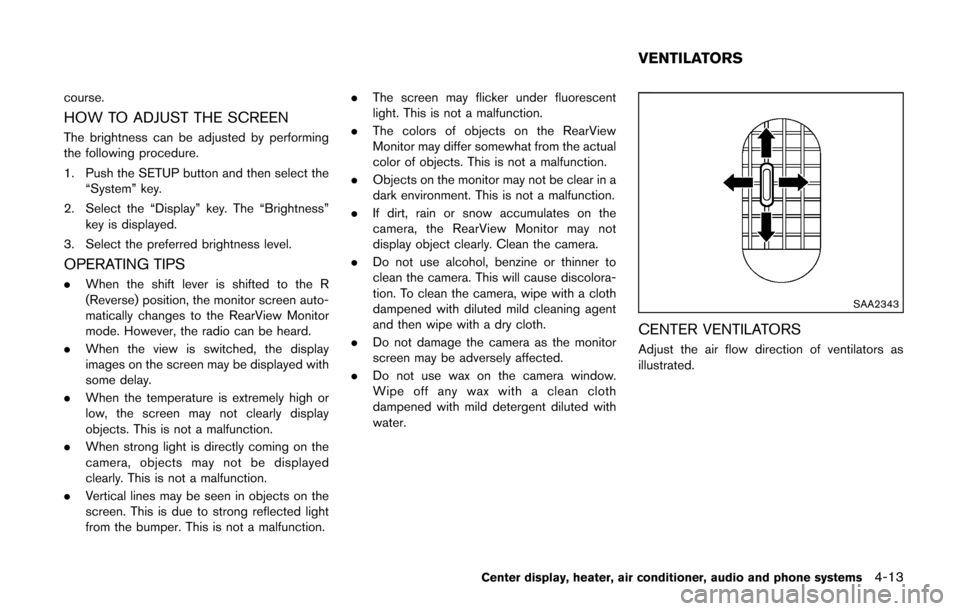
CENTER VENTILATORS
Adjust the air flow direction of ventilators as
illustrated.
Center display, heater, air conditioner, audio and phone systems4-13
VENTILATORS
Page 155 of 332
4-14Center display, heater, air conditioner, audio and phone systems
SAA2344
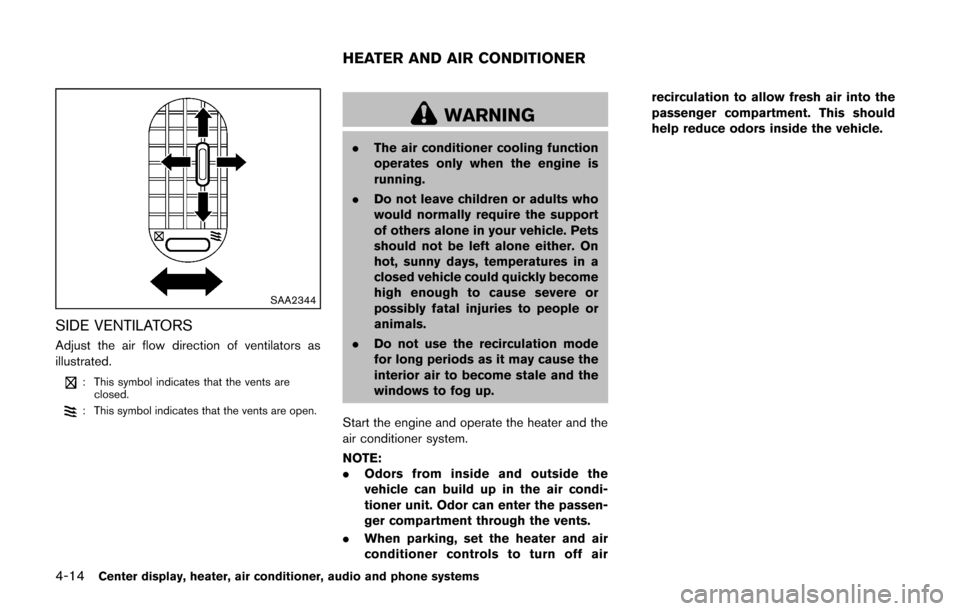
SIDE VENTILATORS
Adjust the air flow direction of ventilators as
illustrated.
: This symbol indicates that the vents areclosed.
: This symbol indicates that the vents are open.
WARNING
. The air conditioner cooling function
operates only when the engine is
running.
. Do not leave children or adults who
would normally require the support
of others alone in your vehicle. Pets
should not be left alone either. On
hot, sunny days, temperatures in a
closed vehicle could quickly become
high enough to cause severe or
possibly fatal injuries to people or
animals.
. Do not use the recirculation mode
for long periods as it may cause the
interior air to become stale and the
windows to fog up.
Start the engine and operate the heater and the
air conditioner system.
NOTE:
. Odors from inside and outside the
vehicle can build up in the air condi-
tioner unit. Odor can enter the passen-
ger compartment through the vents.
. When parking, set the heater and air
conditioner controls to turn off air recirculation to allow fresh air into the
passenger compartment. This should
help reduce odors inside the vehicle.
HEATER AND AIR CONDITIONER
Page 156 of 332
SAA2345
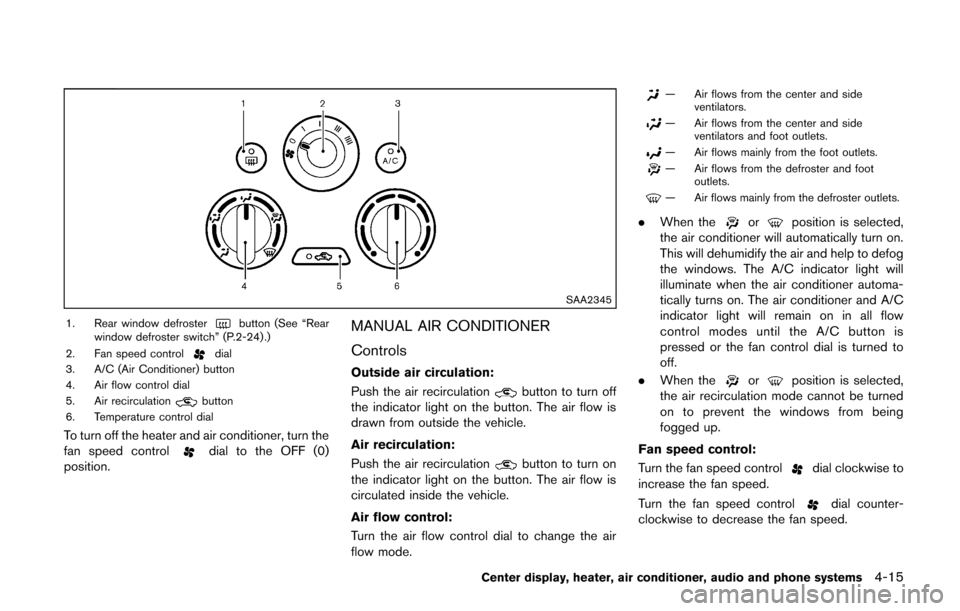
1. Rear window defrosterbutton (See “Rear
window defroster switch” (P.2-24) .)
2. Fan speed control
dial
3. A/C (Air Conditioner) button
4. Air flow control dial
5. Air recirculation
button
6. Temperature control dial
To turn off the heater and air conditioner, turn the
fan speed controldial to the OFF (0)
position.
MANUAL AIR CONDITIONER
Controls
Outside air circulation:
Push the air recirculation
button to turn off
the indicator light on the button. The air flow is
drawn from outside the vehicle.
Air recirculation:
Push the air recirculation
button to turn on
the indicator light on the button. The air flow is
circulated inside the vehicle.
Air flow control:
Turn the air flow control dial to change the air
flow mode.
— Air flows from the center and side ventilators.
— Air flows from the center and sideventilators and foot outlets.
— Air flows mainly from the foot outlets.
— Air flows from the defroster and footoutlets.
— Air flows mainly from the defroster outlets.
.When theorposition is selected,
the air conditioner will automatically turn on.
This will dehumidify the air and help to defog
the windows. The A/C indicator light will
illuminate when the air conditioner automa-
tically turns on. The air conditioner and A/C
indicator light will remain on in all flow
control modes until the A/C button is
pressed or the fan control dial is turned to
off.
. When the
orposition is selected,
the air recirculation mode cannot be turned
on to prevent the windows from being
fogged up.
Fan speed control:
Turn the fan speed control
dial clockwise to
increase the fan speed.
Turn the fan speed control
dial counter-
clockwise to decrease the fan speed.
Center display, heater, air conditioner, audio and phone systems4-15