2014 MITSUBISHI OUTLANDER wheel
[x] Cancel search: wheelPage 143 of 451
Automatic transaxle (if so equipped)
Features and controls 5-65
5
This position is for dr
iving up very steep hills
and for engine braking at low speeds when driving down steep hills.
N00514401430
While the vehicle is stopped or being drivenwith the selector lever in the “D” (DRIVE) or “L” (LOW) position manual shifting can be selected by pulling one of the shift paddlestowards you.“L” LOW
WA R N I N G this position can be used for maximum engine braking. Be very careful not to shift into “L” (LOW) suddenly.Sudden engine braking may cause the tires to skid. Select this position according to the roadconditions and vehicle speed.
Sports mode
NOTE
For vehicles equipped
with the sportronic
steering wheel paddle sh
ifter, sports mode
can be selected by shifting gears even whenthe selector lever is in the “D” (DRIVE) or “L” (LOW) position. Also, you can return to the “D” operation inany of following ways. When returning to “D” operation, the selec- tor lever position displa
y will change to “D”
(DRIVE) position. • Pull the +(SHIFT UP)
side sportronic steer-
ing wheel paddle shif
ter forward (toward
the driver) for over 2 seconds. • Stop the vehicle When the paddle shifter is operated with the selector lever in the “L” (LOW) position, gear is not shifted
because the selectable
shift range is limited. When the selector lever is in the “L” (LOW) position and sports mode is selected, thevehicle will stay in
sports mode and not
return to “L” (LOW) driving even if the vehicle is stopped.
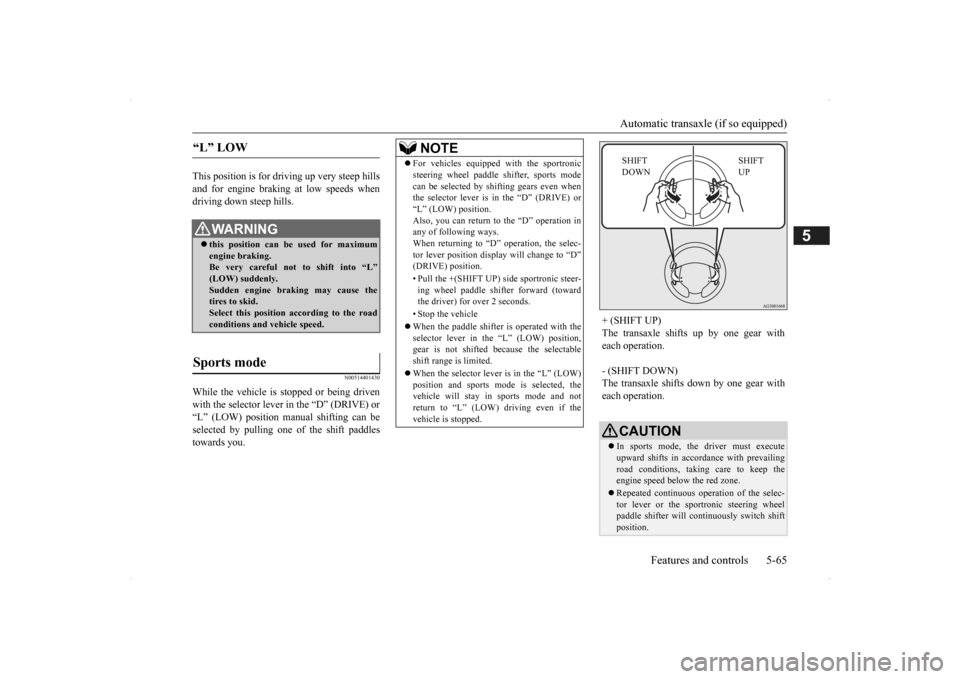
+ (SHIFT UP) The transaxle shifts up by one gear with each operation. - (SHIFT DOWN) The transaxle shifts
down by one gear with
each operation.
CAUTION In sports mode, the driver must execute upward shifts in accordance with prevailing road conditions, taking care to keep theengine speed below the red zone. Repeated continuous ope
ration of the selec-
tor lever or the sportronic steering wheel paddle shifter will co
ntinuously switch shift
position.
SHIFT UP
SHIFT DOWN
BK0200500US.book 65 ページ 2013年2月12日 火曜日 午前9時46分
Page 144 of 451
Automatic transaxle (if so equipped) 5-66 Features and controls
5
N00538801180
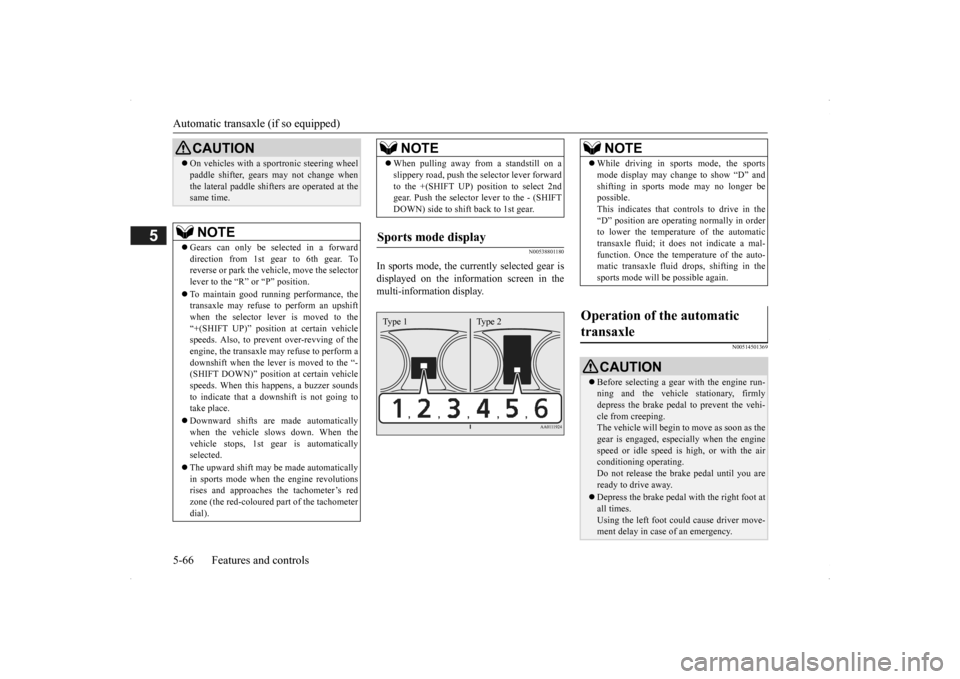
In sports mode, the curre
ntly selected gear is
displayed on the information screen in the multi-information display.
N00514501369
On vehicles with a s
portronic steering wheel
paddle shifter, gears
may not change when
the lateral paddle shifters are operated at thesame time. NOTE
Gears can only be selected in a forward direction from 1st gear to 6th gear. To reverse or park the vehi
cle, move the selector
lever to the “R” or “P” position. To maintain good running performance, the transaxle may refuse to perform an upshiftwhen the selector lever is moved to the “+(SHIFT UP)” positi
on at certain vehicle
speeds. Also, to prevent over-revving of theengine, the transaxle may refuse to perform a downshift when the lever is moved to the “- (SHIFT DOWN)” position
at certain vehicle
speeds. When this happens, a buzzer sounds to indicate that a dow
nshift is not going to
take place. Downward shifts are made automatically when the vehicle slows down. When thevehicle stops, 1st ge
ar is automatically
selected. The upward shift may be
made automatically
in sports mode when the engine revolutions rises and approaches
the tachometer’s red
zone (the red-coloured
part of the tachometer
dial).CAUTION
When pulling away from a standstill on a slippery road, push the
selector lever forward
to the +(SHIFT UP) pos
ition to select 2nd
gear. Push the selector lever to the - (SHIFT DOWN) side to shift back to 1st gear.
Sports mode display
NOTE
Type 1 Type 2
NOTE
While driving in sports mode, the sports mode display may change to show “D” andshifting in sports
mode may no longer be
possible. This indicates that controls to drive in the “D” position are operati
ng normally in order
to lower the temperature of the automatic transaxle fluid; it doe
s not indicate a mal-
function. Once the temperature of the auto-matic transaxle fluid drops, shifting in the sports mode will be possible again.
Operation of the automatic transaxle
CAUTION Before selecting a gear
with the engine run-
ning and the vehicle
stationary, firmly
depress the brake pedal to prevent the vehi-cle from creeping. The vehicle will begin to
move as soon as the
gear is engaged, espe
cially when the engine
speed or idle speed is
high, or with the air
conditioning operating. Do not release the br
ake pedal until you are
ready to drive away. Depress the brake pedal with the right foot at all times.Using the left foot c
ould cause driver move-
ment delay in case of an emergency.
BK0200500US.book 66 ページ 2013年2月12日 火曜日 午前9時46分
Page 151 of 451
Continuously variable transmission (CVT) (if so equipped)
Features and controls 5-73
5
+ (SHIFT UP) Transmission shifts up once by each opera-tion. - (SHIFT DOWN) Transmission shifts down once by each oper- ation.
N00560901067
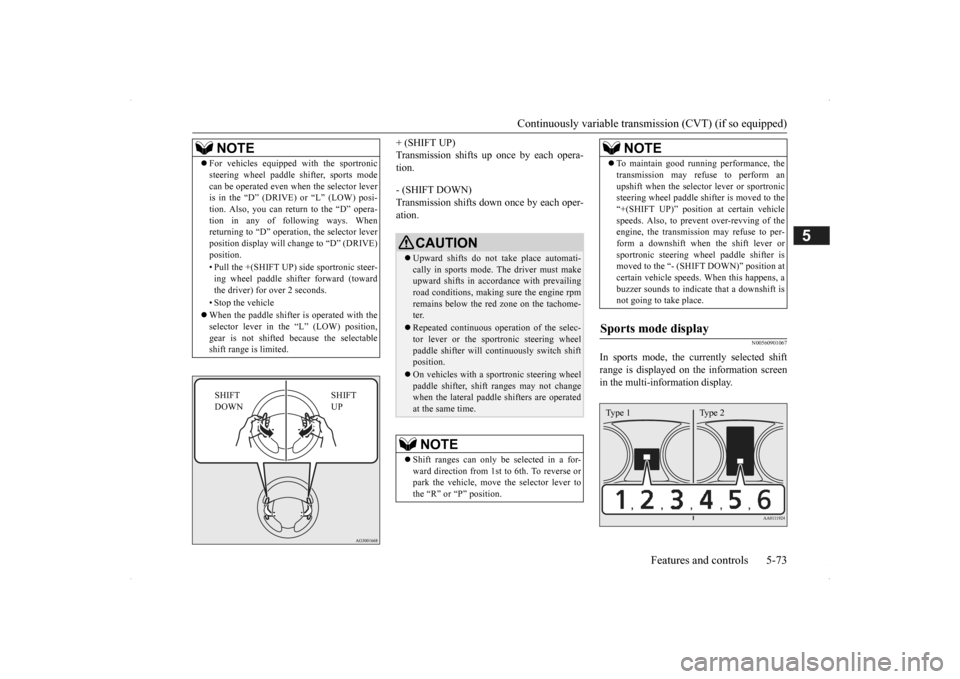
In sports mode, the currently selected shiftrange is displayed on
the information screen
in the multi-information display.
NOTE
For vehicles equipped
with the sportronic
steering wheel paddle sh
ifter, sports mode
can be operated even wh
en the selector lever
is in the “D” (DRIVE) or “L” (LOW) posi- tion. Also, you can return to the “D” opera- tion in any of following ways. Whenreturning to “D” operati
on, the selector lever
position display will ch
ange to “D” (DRIVE)
position. • Pull the +(SHIFT UP) side sportronic steer- ing wheel paddle shifter forward (towardthe driver) for over 2 seconds. • Stop the vehicle When the paddle shifter is operated with the selector lever in th
e “L” (LOW) position,
gear is not shifted
because the selectable
shift range is limited.
SHIFT UP
SHIFT DOWN
CAUTION Upward shifts do not take place automati- cally in sports mode. The driver must make upward shifts in accordance with prevailing road conditions, making
sure the engine rpm
remains below the red zone on the tachome- ter. Repeated continuous op
eration of the selec-
tor lever or the spor
tronic steering wheel
paddle shifter will cont
inuously switch shift
position. On vehicles with a s
portronic steering wheel
paddle shifter, shift ranges may not change when the lateral paddle shifters are operated at the same time.NOTE
Shift ranges can only be
selected in a for-
ward direction from 1st to 6th. To reverse orpark the vehicle, move
the selector lever to
the “R” or “P” position.
To maintain good running performance, the transmission may refuse to perform anupshift when the select
or lever or sportronic
steering wheel pa
ddle shifter is moved to the
“+(SHIFT UP)” positi
on at certain vehicle
speeds. Also, to prevent over-revving of theengine, the transmission
may refuse to per-
form a downshift when the shift lever or sportronic steering wh
eel paddle shifter is
moved to the “- (SHIFT DOWN)” position at certain vehicle speeds.
When this happens, a
buzzer sounds to
indicate that a downshift is
not going to take place.
Sports mode display
NOTE
Type 1 Type 2
BK0200500US.book 73 ページ 2013年2月12日 火曜日 午前9時46分
Page 153 of 451

Electronically controlled 4WD system (if so equipped)
Features and controls 5-75
5
To park the vehicle, fi
rst bring it to a com-
plete stop, fully engage the parking brake, and then move the sele
ctor lever to the “P”
(PARK) position. If the CVT does not shift while driving, or your vehicle does not pick up enough speed when starting on an uphill slope, it may be that there is something unusual happening inthe transmission, causi
ng a safety device to
activate. Have your ve
hicle checked at an
authorized Mitsubishi Motors dealer or arepair facility of your c
hoice as soon as possi-
ble.
N00548301029
The electronically controlled 4WD systemhelps improve accelera
tion and vehicle stabil-
ity by controlling the fr
ont-rear distribution of
driving torque using th
e electronic control
coupling in the rear differential assembly.
Select the drive mode from the following 3 types to suit the driving conditions.
Parking
When the CVT makes no speed change
NOTE
[For vehicles equipped with mono-color liq- uid crystal display meter]When the selector le
ver position indicator
blinks while you are driving, there could be a malfunction in the automatic transmission system or CVT fluid
temperature becomes
abnormally high. [For vehicles equipped with color liquid crystal display meter] When the warning display and “SLOW DOWN” or the wa
rning display and
“SERVICE REQUIRED” appear on the information screen in the multi-informationdisplay, there could be
a malfunction in the
CVT. Refer to “Continuously variable trans- mission (CVT): Warning display” on page5-70.
Electronically controlled 4WD system
(if so equipped)
NOTE
If the parking brake lever is pulled up while the vehicle is moving, the front-rear distribu-tion of driving torque control will turn OFFwhich will allow the rear wheels to lock eas- ier.
Drive mode
Drive mode
Function
4WD ECO
this is most fuel efficient modeNormal operation is 2WD, but 4WD will engage in the event of wheel slip.
4WD AUTO
All driving is in 4WD and the distribution of traction torque to each wheel is automatically controlled depending on the driving conditions.
BK0200500US.book 75 ページ 2013年2月12日 火曜日 午前9時46分
Page 154 of 451
Electronically controlled 4W
D system (if so equipped)
5-76 Features and controls
5
4-wheel drive operation requires special driv- ing skills.Carefully read the “4-wheel drive operation” section on page 5-81 and take care to drive safely.
N00548401020
The drive mode can be switched by pressingthe drive mode switch while the ignition is in the “ON” position or
the operation mode in
ON.
If you press the switch, you can change the drive mode in the order of 4WD ECO, 4WDAUTO, 4WD LOCK, 4WD ECO.
N00549401027
Normally the indicator illuminates when the operation mode put in ON, and then the drive mode is displayed a few seconds after theengine is started. The status of each drive mode display is as follows. On vehicles with color liquid crystal display meter, the drive mode is displayed as an inter- rupt display on the information screen in themulti information display when the drive mode is switched. After a few seconds, th
e information screen
returns from the drive mode display to the previous screen.
4WD LOCK
This mode is for driving in slippery conditions, such as snow covered roads or on sand. Large traction torque is dis-tributed to the rear wheels to assist in getting out of slip- pery areas.
Drive mode-selector
Drive mode
Function
CAUTION Do not operate the dr
ive mode-selector with
the front wheels spinning on a snowy road or in similar conditions.
The vehicle could
lunge in an unexpe
cted direction.
Driving on dry, paved roads in “4WD LOCK” mode causes increased fuel con-sumption and noise.NOTE
The drive mode can be switched while driv- ing or stopped.
Drive mode indicator
Drive Mode
Drive mode indicatorcolor liquid crystal dis-play meter
mono-color liquid crys- tal display meter
4WD ECO 4WD ECO 4WD-E 4WD AUTO 4WD AUTO — 4WD LOCK 4WD LOCK LOCK
BK0200500US.book 76 ページ 2013年2月12日 火曜日 午前9時46分
Page 156 of 451
S-AWC (Super-All Wheel Control) (if so equipped) 5-78 Features and controls
5
N00541301059
S-AWC is an integrated vehicle dynamics control system that helps enhance drivingperformance, cornering performance, and vehicle stability over a wide range of driving conditions through integr
ated management of
the electronically cont
rolled 4WD, the AYC
(Active Yaw Control), the ABS and the ASC. The electronically controlled 4WD is a sys- tem that improves acceleration performance and stability performance by controlling front-rear distribution of
driving torque with
operating the electronic control coupling arranged in the rear differential assembly. The AYC is a system, with a left-right differ- ential limiting function
and yaw control func-
tion, that controls the left-right driving/braking force by managing the AFD*(Active Front Differential), the brake, the EPS. *: AFD (Active Front Differential)The Differential assembly that limits the front left-right differential
speed by operating elec-
tronic control clutch arranged in the transferassembly.
The left-right differen
tial limiting function is
a function that enhances driving performance and vehicle stability by preventing idle spin- ning of a wheel when driving on slipperyroad or when the road surfaces of left and right wheels are different. The yaw control function is a function that enhances vehicle corn
ering performance and
vehicle stability with
management of vehicle
turning power (yaw moment) by controlling the drive power difference of the left andright wheels and the braking force when the vehicle does not turn in
response to steering
input, such as when the steering wheel isturned quickly or when driving on slippery road.
N00542401060
Select the control mode from the followingfour types to suit the driving conditions.
S-AWC (Super-All Wheel Control)
(if so equipped)
CAUTION Do not over-rely on the S-AWC. Even the S- AWC cannot prevent the natural laws of physics from acting on the vehicle. This sys-tem, like any other sy
stem, has limits and
cannot help you to main
tain traction and con-
trol of the vehicle in
all circumstances. Reck-
less driving can lead to
accidents. It is the
driver’s responsibility to drive carefully. This means taking into account the traffic,road and environmental conditions.
Electronically Controlled 4WD
NOTE
If the parking brake lever is pulled up while the vehicle is moving, the front-rear distribu- tion of driving torque control will turn OFF which will allow the rear wheels to lock eas-ier.
Active Yaw Control (AYC)
CAUTION Control of the braking force does not enhance the stopping performance of thevehicle, therefore, pa
y careful attention to
the safety of your surroundings when driv- ing.
Left-right differential limiting function
Yaw control function
S-AWC control mode
BK0200500US.book 78 ページ 2013年2月12日 火曜日 午前9時46分
Page 157 of 451
S-AWC (Super-All Wheel Co
ntrol) (if so equipped)
Features and controls 5-79
5
4-wheel drive operation requires special driv- ing skills.Carefully read the “4-wheel drive operation” section on page 5-81 and take care to drive safety.
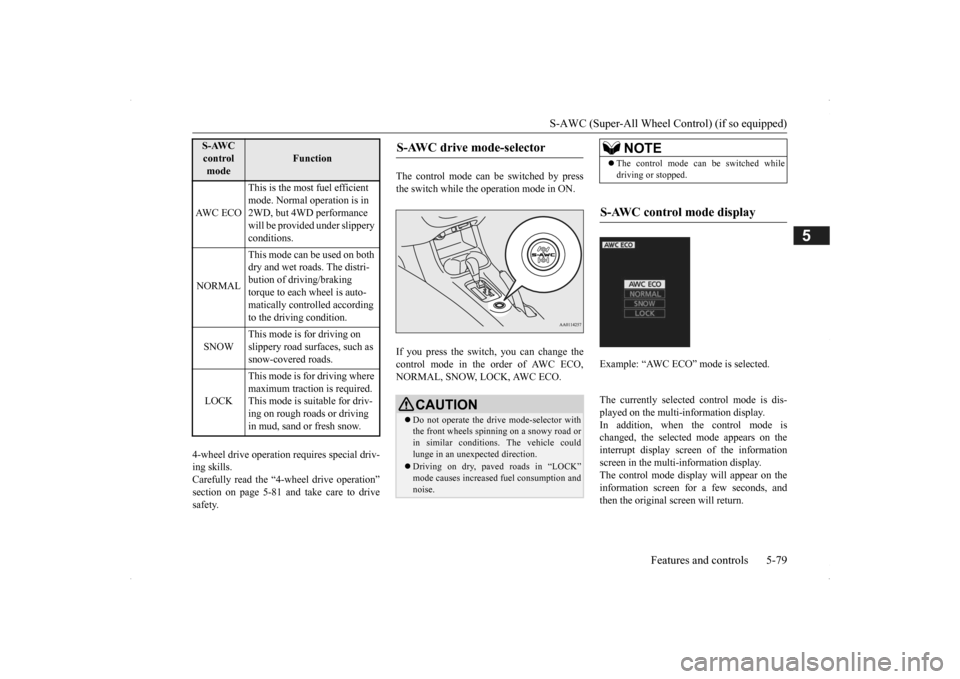
The control mode can
be switched by press
the switch while the operation mode in ON. If you press the switch, you can change the control mode in the order of AWC ECO,NORMAL, SNOW, LOCK, AWC ECO.
The currently selected control mode is dis- played on the multi-
information display.
In addition, when the control mode ischanged, the selected mode appears on the interrupt display screen of the information screen in the multi-information display.The control mode displa
y will appear on the
information screen for a few seconds, and then the original screen will return.
S-AWC control mode
Function
AW C E C O
This is the most fuel efficient mode. Normal operation is in 2WD, but 4WD performance will be provided under slippery conditions.
NORMAL
This mode can be used on both dry and wet roads. The distri- bution of driving/braking torque to each wheel is auto-matically controlled according to the driving condition.
SNOW
This mode is for driving on slippery road surfaces, such as snow-covered roads.
LOCK
This mode is for driving where maximum traction is required. This mode is suitable for driv-ing on rough roads or driving in mud, sand or fresh snow.
S-AWC drive mode-selector
CAUTION Do not operate the drive mode-selector with the front wheels spinning on a snowy road or in similar conditions
. The vehicle could
lunge in an unexpected direction. Driving on dry, paved roads in “LOCK” mode causes increased fuel consumption andnoise.
NOTE
The control mode can be switched while driving or stopped.
S-AWC control mode display
Example: “AWC ECO” mode is selected.
BK0200500US.book 79 ページ 2013年2月12日 火曜日 午前9時46分
Page 158 of 451

S-AWC (Super-All Wheel Control) (if so equipped) 5-80 Features and controls
5
Warning display Warning display
N00542501058
The S-AWC operation status can be displayed on the information screen in the multi-infor- mation display. To display the status, press the multi-informa-tion meter switch to change the information screen. Refer to “Information screen (when the oper-ation mode in ON)” on page 5-126. The S-AWC operation status is displayed.
CAUTION If the selected drive mode indicator begins blinking, the drive m
ode will automatically
switch to protect the drive-system compo-nents. A warning will
also be displayed in
the information screen in the multi informa- tion display.Reduce speed and, if the indicator stops blinking, you may resume normal driving.CAUTION If the selected drive mode indicator (4WD) is blinking, a problem has occurred with theelectronically controll
ed 4WD. A warning
will also be displayed in the information screen in the multi information display. Haveyour vehicle inspected by an authorized Mit- subishi Motors dealer.
CAUTION Make sure that all four tires are the same specified size, type, a
nd brand, and have no
significant difference in the amount of wearfor all 4 wheels. Otherwise, the S-AWC sys- tem may not work properly, and a 4WD sys- tem warning (overh
eating or service
required) may
be displayed.
S-AWC operation display
Display example
Yaw control function display The amount of the yaw moment is displayed as a bar graph. A, D- Clockwise yaw moment about the
vehicle’s center of gravity
B, C- Counterclockwise yaw moment
about the vehicle’s
center of gravity
Differential limiting
function display
The strength of the differential limitingoperation (between front-rear wheels and between left-right whee
ls) is displayed in
section E of the me
ter as a bar graph.
WA R N I N GAlways concentrate on
your driving first.
Keep your eyes and mi
nd on the road. Dis-
tractions while driving
can lead to an acci-
dent.
BK0200500US.book 80 ページ 2013年2月12日 火曜日 午前9時46分