2014 MERCEDES-BENZ S-Class lock
[x] Cancel search: lockPage 56 of 278

X
Call up vehicle settings ( Ypage 50).
X To select Interior Lighting Delayed
Interior Lighting Delayed
Switch-off
Switch-off: turn and press the controller.
The setting element is active.
X To change the delayed switch-off time: turn
the controller.
You can find further information in the vehicle
Operator's Manual.
Exterior lighting delayed switch-off The surround lighting is activated for the
duration of the delayed switch-off time when
the vehicle is unlocked using the remote
control key.
X Call up vehicle settings ( Ypage 50).
X To select Exterior Lighting Delayed
Exterior Lighting Delayed
Switch-off
Switch-off: turn and press the controller.
The setting element is active.
X To change the delayed switch-off time: turn
the controller.
You can find further information in the vehicle
Operator's Manual. Arming/deactivating the tow-away
alarm
An audible and visual alarm is triggered if your
vehicle's angle of inclination is altered while
the tow-away alarm is armed. This can occur
if the vehicle is jacked up on one side, for
example.
X Call up vehicle settings ( Ypage 50).
X To select Tow-away Alarm Tow-away Alarm : turn and press
the controller.
The function switches on or off, depending
on the previous setting. Arming/deactivating the interior
motion sensor
When the interior motion sensor is armed, a
visual and audible alarm is triggered if
movement is detected in the vehicle interior.
This can occur if someone reaches into the
vehicle interior without authorization, for
example. 54
Vehicle settingsVehicle functions
Page 65 of 278

Changing the pre-set time:
X
Call up the climate control menu
(Y page 59).
X To select Auxiliary Heating Auxiliary Heating: turn and
press the controller.
X To select the departure time that will be
changed: turn and press the controller.
A menu for changing the time opens. X
To select the required setting element
(analog clock, hours or minutes): slide 0052
0097 and 00520096the controller.
X To change the setting: turn the controller.
X To exit the menu: press the controller. Child-proof locks
Switching the rear compartment
displays on/off 0043
Unlocked left rear compartment display
0044 Control to lock/unlock the display
0087 Control to switch the display on/off The function serves to switch the rear
compartment display on/off as well as to
lock/unlock it.
X
Press the 00D4button.
The Vehicle menu appears.
X To select Parental Control
Parental Control: turn and
press the controller.
The menu to select the side in the rear
compartment is activated.
X Select Rear Left Rear Left orRear Right
Rear Right.
X To switch Display
Displayon/off: turn the
controller.
Exiting the vehicle settings:
X To select 0039: slide 005200C5and press the
controller. Locking/unlocking rear
compartment displays
X Press the 00D4button.
The Vehicle menu appears.
X To select Parental Control
Parental Control: turn and
press the controller.
The menu to select the side in the rear
compartment is activated.
X Select Rear Left Rear Left orRear Right
Rear Right.
X To select Lock
Lockto lock/unlock the rear
compartment displays: slide 00520096and press
the controller.
The display is locked, a corresponding
message with 0037appears on the screen.
Unlock Unlock appears in the display.
Exiting the vehicle settings:
X To select 0039: slide 005200C5and press the
controller.
i The volume can still be adjusted if you
have locked the rear compartment display.
It can also be switched on/off using the
integrated switch. Child-proof locks
63Vehicle functions
Page 67 of 278

previously selected display as soon as you
shift out of reverse gear.
You can find further information about the
rear view camera in the vehicle Operator's
Manual.
X Switch on COMAND (Y page 23).
X Press the 00D4button.
The vehicle menu is displayed.
X Slide 00520064the controller.
X To select System Settings
System Settings: turn and
press the controller.
X Select Rear View Camera Rear View Camera .
The rear view camera menu appears.
X Select Activation by R gear
Activation by R gear.
The function is switched on 0073or off 0053,
depending on the previous status.
When you start the vehicle and engage
reverse gear, the camera cover opens
automatically if the function is activated.
The area behind the vehicle is shown in the
COMAND display with guide lines (see the
vehicle Operator's Manual).
The rear view camera can detect moving and
stationary objects. If, for example, a
pedestrian or another vehicle is detected,
these objects are marked with bars. The
system is only able to detect and mark
stationary objects when your vehicle is
moving. By contrast, stationary objects will
always be detected and marked.
Switching object detection on/off
X To select Object Detection
Object Detection in the rear
view camera menu: turn and press the
controller.
The function is switched on 0073or off 0053,
depending on the previous status.
Opening the camera cover for cleaning
X To select Open Camera Cover
Open Camera Cover in the rear
view camera menu: turn and press the
controller.
The Please Please Wait...
Wait... message appears for
approximately three seconds. The camera cover opens. The camera cover
closes automatically when you lock the
vehicle or pull away. Rear view camera
65Vehicle functions
Page 77 of 278

Destination input
Important safety notes
G
WARNING
If you operate information systems and communication equipment integrated in the vehicle while
driving, you will be distracted from traffic conditions. You could also lose control of the vehicle.
There is a risk of an accident.
Only operate the equipment when the traffic situation permits. If you are not sure that this is
possible, park the vehicle paying attention to traffic conditions and operate the equipment when
the vehicle is stationary.
You must observe the legal requirements for the country in which you are currently driving
when operating COMAND.
i Destination entry may be blocked while driving, depending on the country specifications. As an address
Calling up the address entry menu X
To switch to navigation mode: press the00BEbutton.
X To show the menu: press the controller.
X To select Destination Destination: turn and press the controller.
X Select Address Entry
Address Entry.
Address entry options Examples of how you can enter an address:
R
city/zip code, street, house number
R city/zip code, street
R city/zip code, center
R city/zip code, street, intersection R
street, city/zip code, house number
R street, city/zip code, intersection
i Entering the street before the city is
useful if the address has an unusual street
name. Destination input
75Navigation Z
Page 87 of 278

Using map
0043
Crosshair
0044 Distance of crosshair position from current vehicle position
X To switch to navigation mode: press the00CBbutton.
X To show the menu: press the controller.
X To select Destination
Destination: turn and press the controller.
X Select Using Map
Using Map.
The map with crosshair is shown.
X To move the map: slide009500520096, 009700520064or009100520078 the controller.
X To change the map scale: turn the controller until the desired map scale is selected.
The scale is displayed at the bottom. Turning clockwise zooms out from the map; turning
counter-clockwise zooms in.
X To select a destination: press the controller.
If the digital map provides navigable address data, you will see the destination address in
the address entry menu. If not, the Destination from Map
Destination from Map entry is shown.
If there are multiple destinations around the crosshair, a selection list will appear.
X To select a destination from the selection list: turn and press the controller.
X To start route calculation: selectStart
Start. Entering way points
Introduction You can also map the route to the destination
yourself by entering up to four way points. The
sequence of the way points can be changed
at any time.
COMAND provides a selection of predefined
destinations in eight categories for this
purpose, e.g. GAS STATION GAS STATION orCOFFEE SHOP
COFFEE SHOP .You can also use the destination entry
options to enter way points. Destination input
85Navigation Z
Page 96 of 278
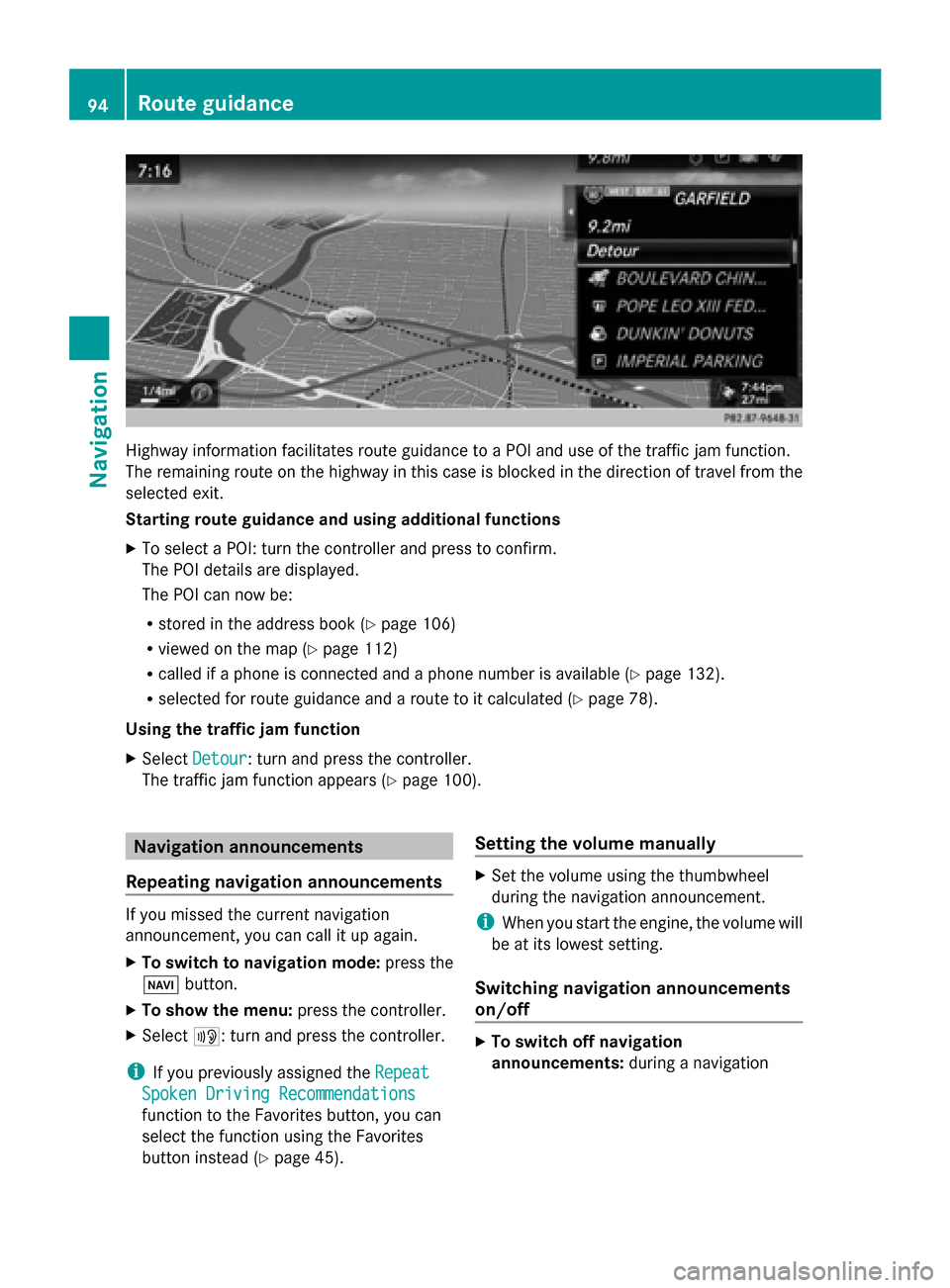
Highway information facilitates route guidance to a POI and use of the traffic jam function.
The remaining route on the highway in this case is blocked in the direction of travel from the
selected exit.
Starting route guidance and using additional functions
X To select a POI: turn the controller and press to confirm.
The POI details are displayed.
The POI can now be:
R stored in the address book (Y page 106)
R viewed on the map (Y page 112)
R called if a phone is connected and a phone number is available (Y page 132).
R selected for route guidance and a route to it calculated (Y page 78).
Using the traffic jam function
X Select Detour
Detour: turn and press the controller.
The traffic jam function appears (Y page 100).Navigation announcements
Repeating navigation announcements If you missed the current navigation
announcement, you can call it up again.
X To switch to navigation mode: press the
00BE button.
X To show the menu: press the controller.
X Select 006A: turn and press the controller.
i If you previously assigned the Repeat Repeat
Spoken Driving Recommendations Spoken Driving Recommendations
function to the Favorites button, you can
select the function using the Favorites
button instead (Y page 45). Setting the volume manually X
Set the volume using the thumbwheel
during the navigation announcement.
i When you start the engine, the volume will
be at its lowest setting.
Switching navigation announcements
on/off X
To switch off navigation
announcements: during a navigation94
Route guidanceNavigation
Page 104 of 278

Real-time traffic reports on the map
0043
Icon indicating an incident on the route (traffic jam icon)
0044 Icon delimiting the section of the route affected (color lines)
0087 Map scale
COMAND can show certain traffic incidents on the map. Traffic reports are shown on the map
at scales of 0.05 mi to 20 mi.
X To hide the menu: slide00970052and press the controller.
The map can be seen in the full-screen display.
X To set the map scale: turn the controller until the desired map scale is selected.0043
Traffic jam on the route
0044 Slow-moving traffic on the route
0087 Road blocked
0085 Traffic disruption
0083 Traffic warning
0084 Dashed red and white line delimiting the traffic warning
006B Road block (crosses along the affected road) 102
Real-time traffic reportsNavigation
Page 116 of 278

Avoiding an area
General information COMAND enables you to avoid areas you do not wish to drive through.
If you activate or deactivate a route block while route guidance is active, COMAND will
calculate a new route. If you activate or deactivate a route block while route guidance is
inactive, COMAND will use the new setting for the next route guidance.
The calculated route may contain an area to be avoided if the destination is in such an area.
i Highways within blocked areas are always taken into consideration in the route calculation.
Avoiding a new area X
To switch to navigation mode: press the00CBbutton.
X To show the menu: press the controller.
X To select Options
Options: turn and press the controller.
X Select Route Settings
Route Settings.
X Select Avoid/Use Options Avoid/Use Options.
X Select Avoid Area
Avoid Area.
X Select Avoid New Area
Avoid New Area.
A menu appears.
X Select Using Map
Using Map orAddress Entry
Address Entry.
If you select Using Map
Using Map , the map with crosshair appears.
If you select Address Entry
Address Entry, the address entry menu appears where you can enter the
address ( Ypage 75). The map appears with the crosshair after the address is entered.
X To select an area: when the map with crosshair appears, press the controller.
A red square appears on the map, symbolizing the area to be blocked.
X To change the size of the area, turn the controller.
The map scale is shown at the bottom of the display. The needle is on the map scale currently
selected.
X When the desired size is set, press the controller.
The area is entered into the list. 114
Map functionsNavigation