2014 MERCEDES-BENZ GL-Class Display
[x] Cancel search: DisplayPage 153 of 462
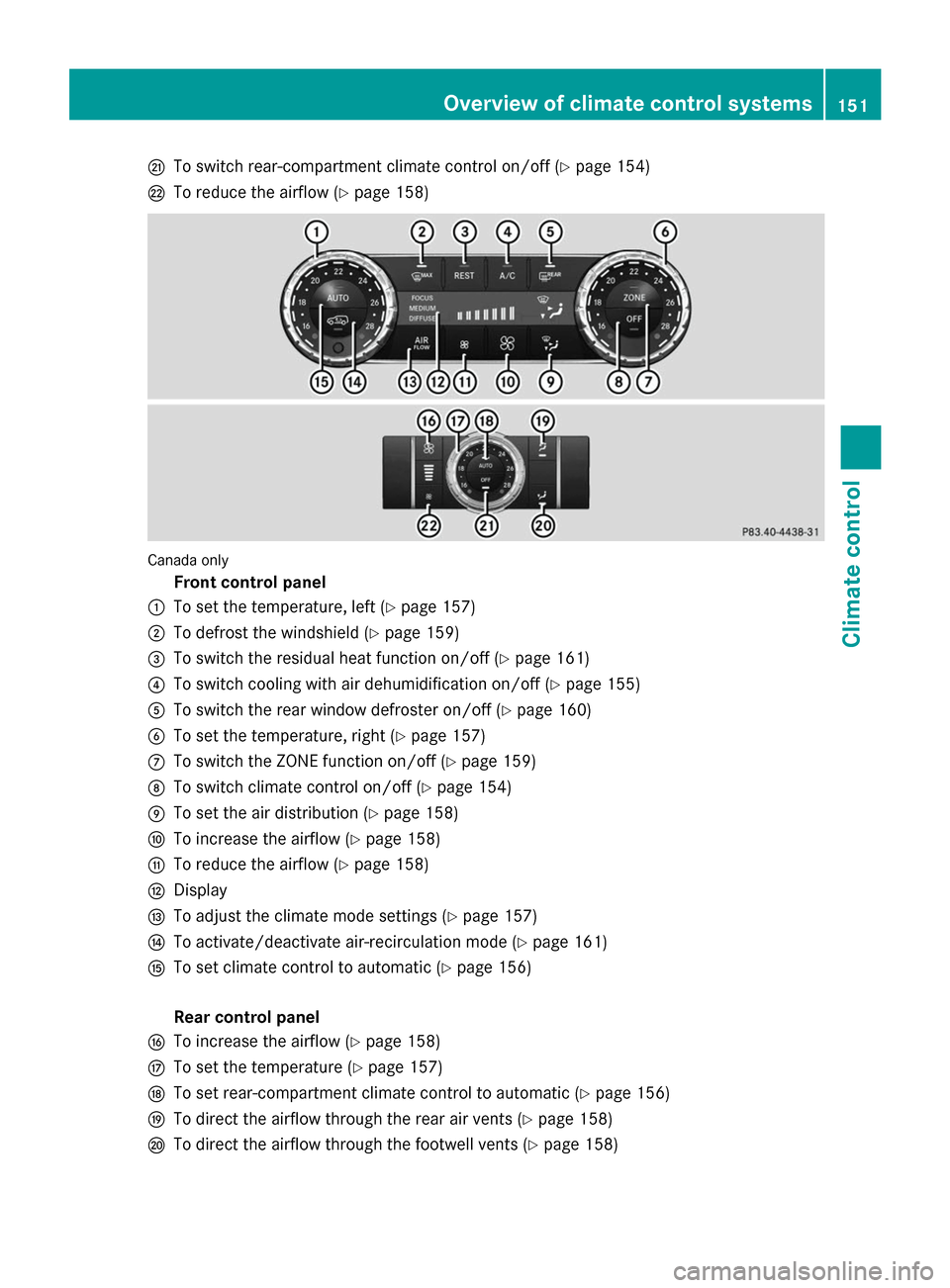
Q
To switch rear-compartment climate control on/off (Y page 154)
R To reduce the airflow (Y page 158)Canada only
Front control panel
: To set the temperature, left (Y page 157)
; To defrost the windshield (Y page 159)
= To switch the residual heat function on/off (Y page 161)
? To switch cooling with air dehumidification on/off (Y page 155)
A To switch the rear window defroster on/off (Y page 160)
B To set the temperature, right (Y page 157)
C To switch the ZONE function on/off (Y page 159)
D To switch climate control on/off (Y page 154)
E To set the air distribution (Y page 158)
F To increase the airflow (Y page 158)
G To reduce the airflow (Y page 158)
H Display
I To adjust the climate mode settings (Y page 157)
J To activate/deactivate air-recirculation mode (Y page 161)
K To set climate control to automatic (Y page 156)
Rear control panel
L To increase the airflow (Y page 158)
M To set the temperature (Y page 157)
N To set rear-compartment climate control to automatic (Y page 156)
O To direct the airflow through the rear air vents (Y page 158)
P To direct the airflow through the footwell vents (Y page 158) Overview of climate control systems
151Climate control
Page 154 of 462
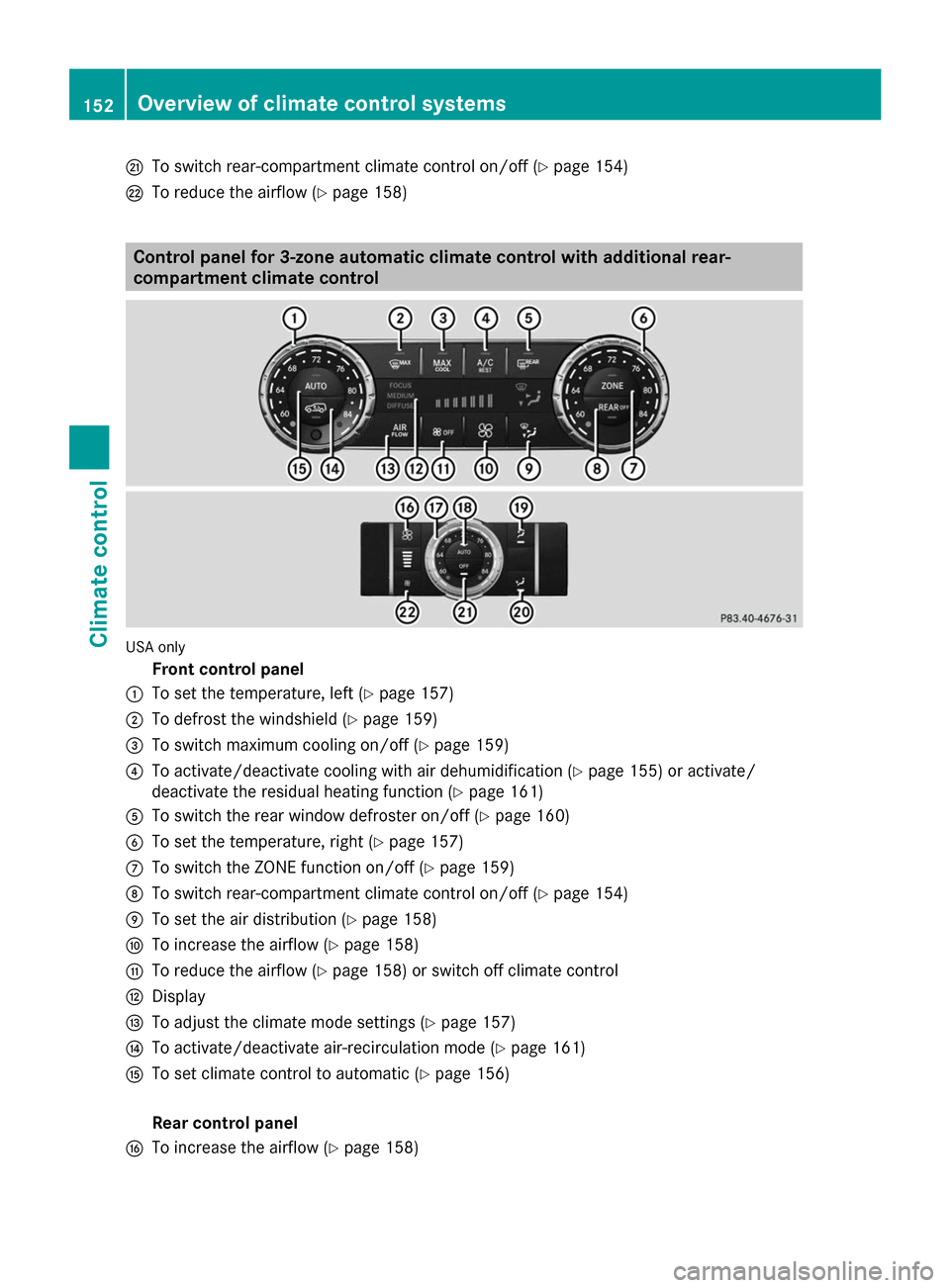
Q
To switch rear-compartment climate control on/off (Y page 154)
R To reduce the airflow (Y page 158)Control panel for 3-zone automatic climate control with additional rear-
compartment climate control USA only
Front control panel
: To set the temperature, left (Y page 157)
; To defrost the windshield (Y page 159)
= To switch maximum cooling on/off (Y page 159)
? To activate/deactivate cooling with air dehumidification (Y page 155) or activate/
deactivate the residual heating function (Y page 161)
A To switch the rear window defroster on/off (Y page 160)
B To set the temperature, right (Y page 157)
C To switch the ZONE function on/off (Y page 159)
D To switch rear-compartment climate control on/off (Y page 154)
E To set the air distribution (Y page 158)
F To increase the airflow (Y page 158)
G To reduce the airflow (Y page 158) or switch off climate control
H Display
I To adjust the climate mode settings (Y page 157)
J To activate/deactivate air-recirculation mode (Y page 161)
K To set climate control to automatic (Y page 156)
Rear control panel
L To increase the airflow (Y page 158)152
Overview of climate control systemsClimate control
Page 155 of 462
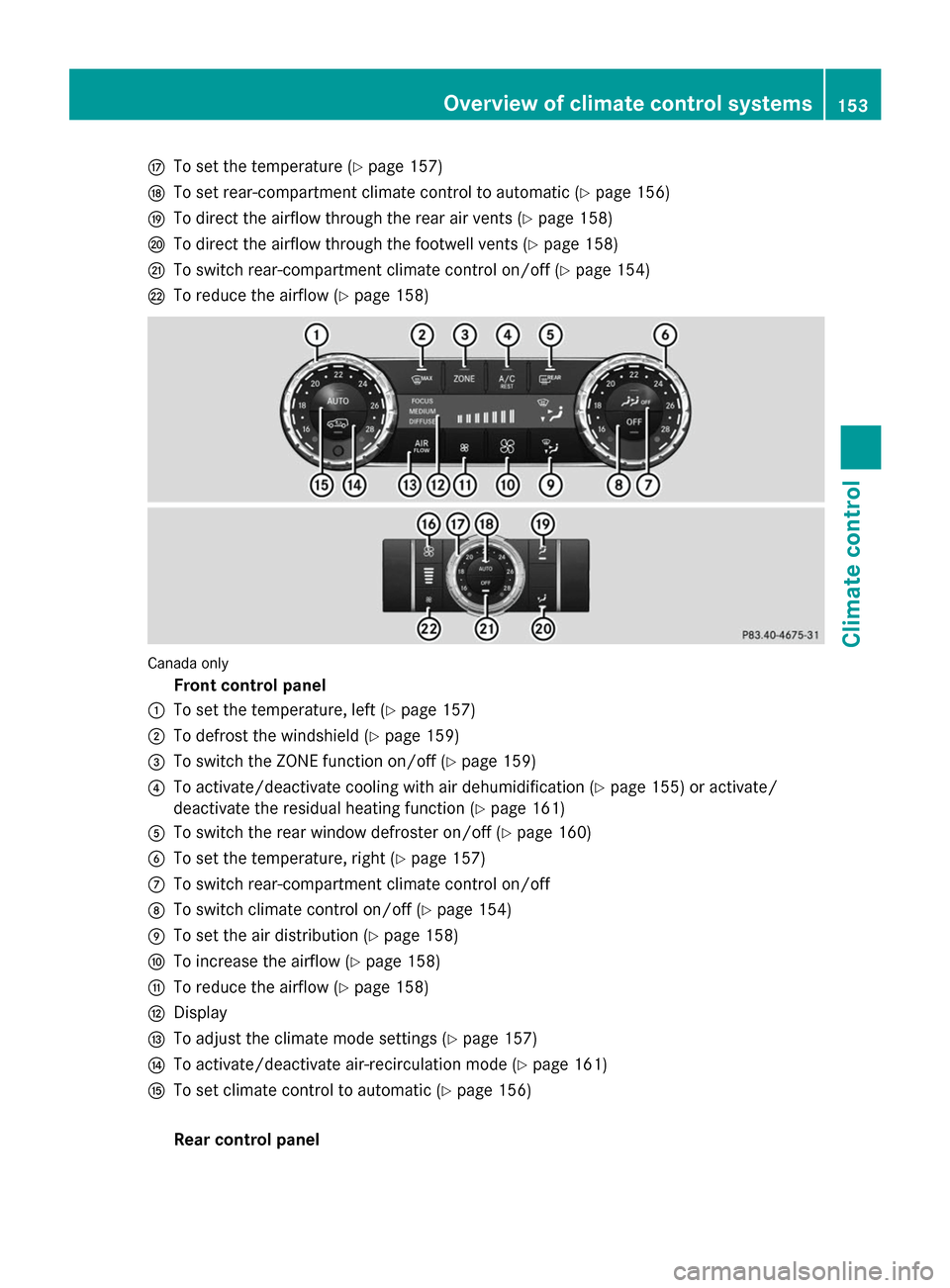
M
To set the temperature (Y page 157)
N To set rear-compartment climate control to automatic (Y page 156)
O To direct the airflow through the rear air vents (Y page 158)
P To direct the airflow through the footwell vents (Y page 158)
Q To switch rear-compartment climate control on/off (Y page 154)
R To reduce the airflow (Y page 158)Canada only
Front control panel
: To set the temperature, left (Y page 157)
; To defrost the windshield (Y page 159)
= To switch the ZONE function on/off (Y page 159)
? To activate/deactivate cooling with air dehumidification (Y page 155) or activate/
deactivate the residual heating function (Y page 161)
A To switch the rear window defroster on/off (Y page 160)
B To set the temperature, right (Y page 157)
C To switch rear-compartment climate control on/off
D To switch climate control on/off (Y page 154)
E To set the air distribution (Y page 158)
F To increase the airflow (Y page 158)
G To reduce the airflow (Y page 158)
H Display
I To adjust the climate mode settings (Y page 157)
J To activate/deactivate air-recirculation mode (Y page 161)
K To set climate control to automatic (Y page 156)
Rear control panel Overview of climate control systems
153Climate control
Page 156 of 462
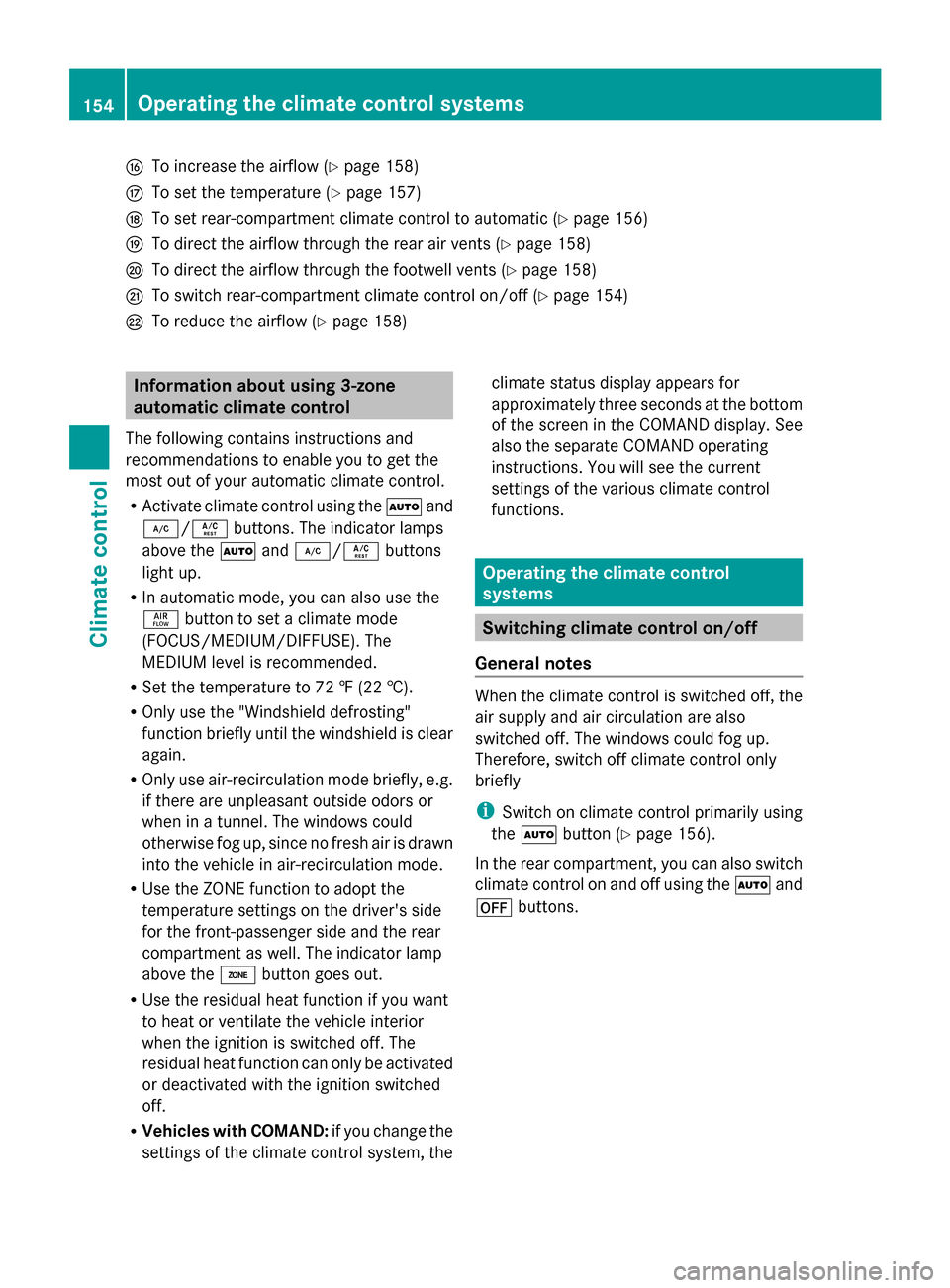
L
To increase the airflow (Y page 158)
M To set the temperature (Y page 157)
N To set rear-compartment climate control to automatic (Y page 156)
O To direct the airflow through the rear air vents (Y page 158)
P To direct the airflow through the footwell vents (Y page 158)
Q To switch rear-compartment climate control on/off (Y page 154)
R To reduce the airflow (Y page 158)Information about using 3-zone
automatic climate control
The following contains instructions and
recommendations to enable you to get the
most out of your automatic climate control.
R Activate climate control using the Ãand
¿/Á buttons. The indicator lamps
above the Ãand¿/Á buttons
light up.
R In automatic mode, you can also use the
ñ button to set a climate mode
(FOCUS/MEDIUM/DIFFUSE). The
MEDIUM level is recommended.
R Set the temperature to 72 ‡ (22 †).
R Only use the "Windshield defrosting"
function briefly until the windshield is clear
again.
R Only use air-recirculation mode briefly, e.g.
if there are unpleasant outside odors or
when in a tunnel. The windows could
otherwise fog up, since no fresh air is drawn
into the vehicle in air-recirculation mode.
R Use the ZONE function to adopt the
temperature settings on the driver's side
for the front-passenger side and the rear
compartment as well. The indicator lamp
above the ábutton goes out.
R Use the residual heat function if you want
to heat or ventilate the vehicle interior
when the ignition is switched off. The
residual heat function can only be activated
or deactivated with the ignition switched
off.
R Vehicles with COMAND: if you change the
settings of the climate control system, the climate status display appears for
approximately three seconds at the bottom
of the screen in the COMAND display. See
also the separate COMAND operating
instructions. You will see the current
settings of the various climate control
functions.
Operating the climate control
systems
Switching climate control on/off
General notes When the climate control is switched off, the
air supply and air circulation are also
switched off. The windows could fog up.
Therefore, switch off climate control only
briefly
i
Switch on climate control primarily using
the à button (Y page 156).
In the rear compartment, you can also switch
climate control on and off using the Ãand
^ buttons. 154
Operating the climate control systemsClimate control
Page 159 of 462
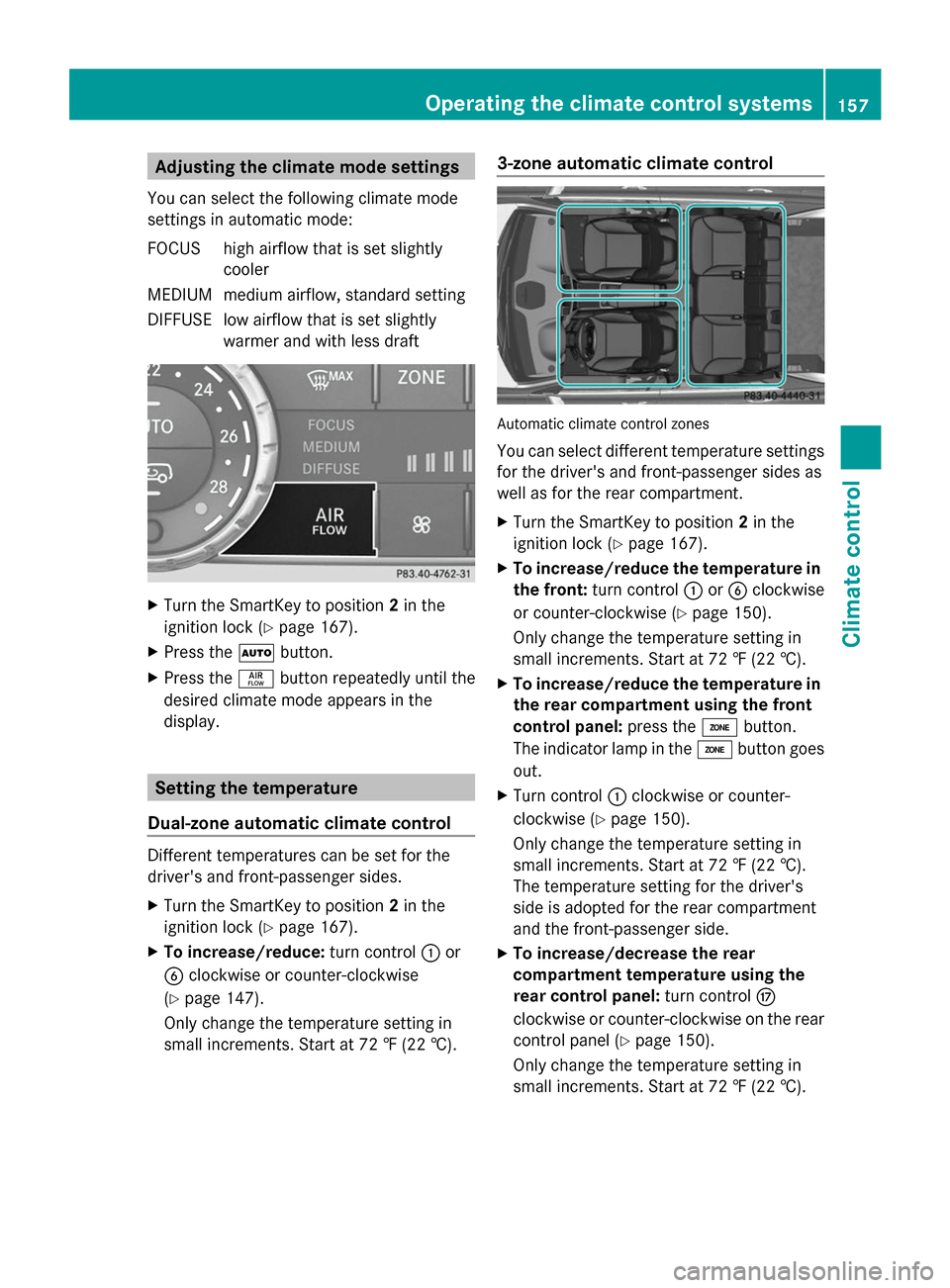
Adjusting the climate mode settings
You can select the following climate mode
settings in automatic mode:
FOCUS high airflow that is set slightly cooler
MEDIUM medium airflow, standard setting
DIFFUS Elow airflow that is set slightly
warmer and with less draft X
Turn the SmartKey to position 2in the
ignition lock (Y page 167).
X Press the Ãbutton.
X Press the ñbutton repeatedly until the
desired climate mode appears in the
display. Setting the temperature
Dual-zone automatic climate control Different temperatures can be set for the
driver's and front-passenger sides.
X
Turn the SmartKey to position 2in the
ignition lock (Y page 167).
X To increase/reduce: turn control:or
B clockwise or counter-clockwise
(Y page 147).
Only change the temperature setting in
small increments. Start at 72 ‡ (22 †). 3-zone automatic climate control
Automatic climate control zones
You can select different temperature settings
for the driver's and front-passenger sides as
well as for the rear compartment.
X
Turn the SmartKey to position 2in the
ignition lock (Y page 167).
X To increase/reduce the temperature in
the front: turn control :orB clockwise
or counter-clockwise (Y page 150).
Only change the temperature setting in
small increments. Start at 72 ‡ (22 †).
X To increase/reduce the temperature in
the rear compartment using the front
control panel: press theábutton.
The indicator lamp in the ábutton goes
out.
X Turn control :clockwise or counter-
clockwise (Y page 150).
Only change the temperature setting in
small increments. Start at 72 ‡ (22 †).
The temperature setting for the driver's
side is adopted for the rear compartment
and the front-passenger side.
X To increase/decrease the rear
compartment temperature using the
rear control panel: turn controlM
clockwise or counter-clockwise on the rear
control panel (Y page 150).
Only change the temperature setting in
small increments. Start at 72 ‡ (22 †). Operating the climate control systems
157Climate control
Page 160 of 462
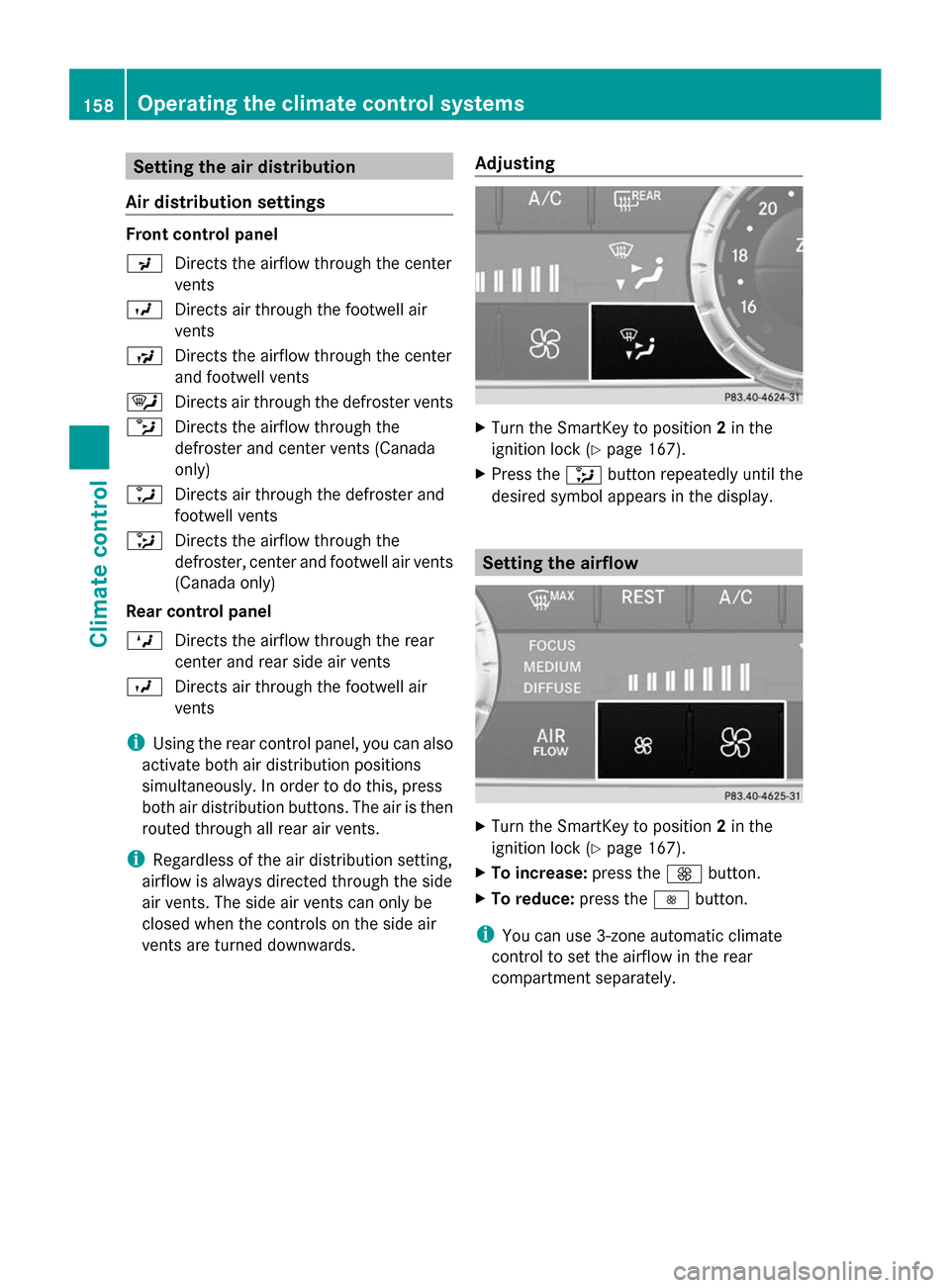
Setting the air distribution
Air distribution settings Front control panel
P
Directs the airflow through the center
vents
O Directs air through the footwell air
vents
S Directs the airflow through the center
and footwell vents
¯ Directs air through the defroster vents
b Directs the airflow through the
defroster and center vents (Canada
only)
a Directs air through the defroster and
footwell vents
_ Directs the airflow through the
defroster, center and footwell air vents
(Canada only)
Rear control panel
M Directs the airflow through the rear
center and rear side air vents
O Directs air through the footwell air
vents
i Using the rear control panel, you can also
activate both air distribution positions
simultaneously. In order to do this, press
both air distribution buttons. The air is then
routed through all rear air vents.
i Regardless of the air distribution setting,
airflow is always directed through the side
air vents. The side air vents can only be
closed when the controls on the side air
vents are turned downwards. Adjusting X
Turn the SmartKey to position 2in the
ignition lock (Y page 167).
X Press the _button repeatedly until the
desired symbol appears in the display. Setting the airflow
X
Turn the SmartKey to position 2in the
ignition lock (Y page 167).
X To increase: press theKbutton.
X To reduce: press theIbutton.
i You can use 3-zone automatic climate
control to set the airflow in the rear
compartment separately. 158
Operating the climate control systemsClimate control
Page 162 of 462
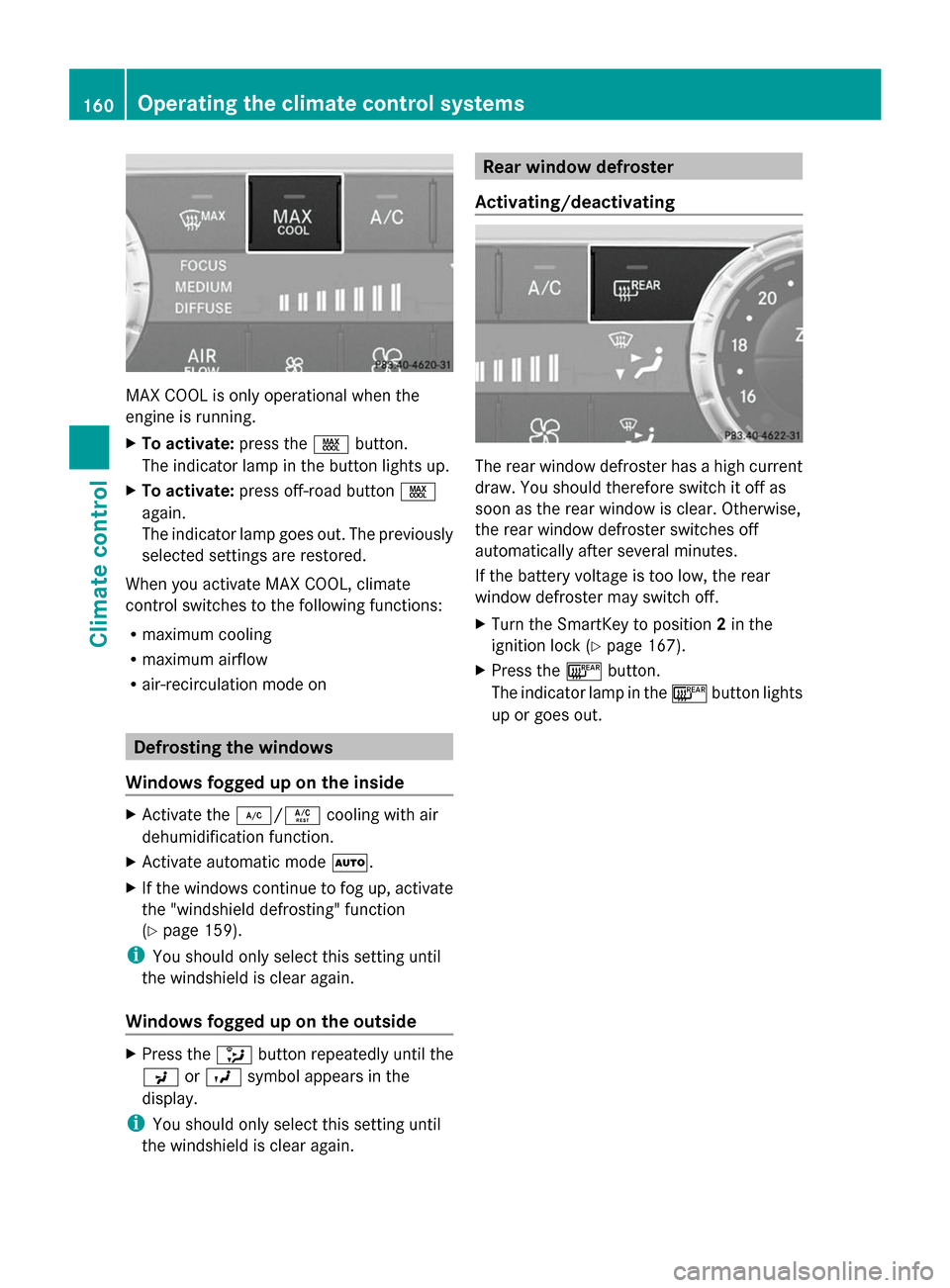
MAX COOL is only operational when the
engine is running.
X To activate: press theÙbutton.
The indicator lamp in the button lights up.
X To activate: press off-road button Ù
again.
The indicator lamp goes out. The previously
selected settings are restored.
When you activate MAX COOL, climate
control switches to the following functions:
R maximum cooling
R maximum airflow
R air-recirculation mode on Defrosting the windows
Windows fogged up on the inside X
Activate the ¿/Ácooling with air
dehumidification function.
X Activate automatic mode Ã.
X If the windows continue to fog up, activate
the "windshield defrosting" function
(Y page 159).
i You should only select this setting until
the windshield is clear again.
Windows fogged up on the outside X
Press the _button repeatedly until the
P orO symbol appears in the
display.
i You should only select this setting until
the windshield is clear again. Rear window defroster
Activating/deactivating The rear window defroster has a high current
draw. You should therefore switch it off as
soon as the rear window is clear. Otherwise,
the rear window defroster switches off
automatically after several minutes.
If the battery voltage is too low, the rear
window defroster may switch off.
X Turn the SmartKey to position 2in the
ignition lock (Y page 167).
X Press the ¤button.
The indicator lamp in the ¤button lights
up or goes out. 160
Operating the climate control systemsClimate control
Page 171 of 462

Start/Stop button
=
USA only
? Canada only Starting the engine
Important safety notes G
WARNING
If children are left unsupervised in the vehicle,
they could:
R open the doors, thus endangering other
people or road users.
R get out and disrupt traffic.
R operate the vehicle's equipment.
Additionally, children could set the vehicle in
motion if, for example, they:
R release the parking brake.
R shifting the automatic transmission out of
park position P
R Start the engine.
There is a risk of an accident and injury.
When leaving the vehicle, always take the
SmartKey with you and lock the vehicle. Never
leave children or animals unattended in the
vehicle. Always keep the SmartKey out of
reach of children. G
WARNING
Combustion engines emit poisonous exhaust
gases such as carbon monoxide. Inhaling
these exhaust gases leads to poisoning. There
is a risk of fatal injury. Therefore never leave the engine running in enclosed spaces
without sufficient ventilation.
G
WARNING
Flammable materials introduced through
environmental influence or by animals can
ignite if in contact with the exhaust system or
parts of the engine that heat up. There is a risk
of fire.
Carry out regular checks to make sure that
there are no flammable foreign materials in
the engine compartment or in the exhaust
system.
i Vehicles with a gasoline engine: the
catalytic converter is preheated for up
30 seconds after a cold start. The sound of
the engine may change during this time.
Automatic transmission X
Shift the transmission to position P
(Y page 173).
The transmission position display in the
multifunction display shows P
(Y page 173).
i You can also start the engine when the
transmission is in position N.
Starting procedure with the SmartKey X
To start a gasoline engine: turn the
SmartKey to position 3in the ignition lock
(Y page 167) and release it as soon as the
engine is running.
X To start a diesel engine: turn the
SmartKey to position 2in the ignition lock
(Y page 167).
The % preglow indicator lamp in the
instrument cluster lights up.
X When the %preglow indicator lamp
goes out, turn the SmartKey to position 3
(Y page 167) and release it as soon as the
engine is running.
i You can start the engine without preglow
if the engine is warm. Driving
169Driving and parking Z