2014 MERCEDES-BENZ C-CLASS ESTATE coolant temperature
[x] Cancel search: coolant temperaturePage 11 of 489
Information about using
THERMATIC automatic climate
control (2
‑zone) .............................1 56
Information on using
THERMOTRONIC automatic cli-
mate control .................................. 160
Ionisation ....................................... 172
Overview of systems ..................... .152
Perfume atomizer .......................... 170
Pre-entry climate control via key ... 172
Problem with the rear window
heating .......................................... 168
Problems with cooling with air
dehumidification ............................ 162
Rear control panel ......................... 158
Remote activation of heating/
ventilation systems ........................ 174
Setting the air distribution ............. 164
Setting the air vents ..................... .181
Setting the airflow ......................... 165
Setting the climate mode .............. .163
Setting the temperature ................ 163
Switching air-recirculation mode
on/off ............................................ 168
Switching on/off ........................... 160
Switching residual heat on/off ...... 169
Switching the rear window heat-
ing on/off ...................................... 167
Switching the synchronisation
function on and off ........................ 165
THERMATIC automatic climate
control (1-zone) ............................ .153
THERMATIC automatic climate
control (2-zone) ............................ .155
THERMOTRONIC (3-zone) auto-
matic climate control ..................... 158
Coat hooks ......................................... 379
Cockpit
Overview .......................................... 32
Collapsible emergency spare
wheel
see Emergency spare wheel
COLLISION PREVENTION ASSIST
PLUS
Activating/deactivating ................. 310
Display message ............................ 324
Operation/notes .............................. 78 COMAND display
Cleaning ......................................... 406
Combination switch .......................... 137
Combined luggage cover and net .... 377
Consumption statistics (on-board
computer) .......................................... 301
Convenience closing feature ............ 108
Convenience opening feature .......... 108
Convenience opening/closing (air-
recirculation mode) ........................... 168
Coolant (engine)
Checking the level ......................... 397
Display message ............................ 335
Important safety notes .................. 476
Temperature display in the instru-
ment cluster .................................. 295
Temperature display in the on-
board computer ............................ .309
Warning lamp ................................. 362
Cooling
see Climate control
Copyright ............................................. 29
Cornering light function
Display message ............................ 331
Function/notes ............................ .138
Crash-responsive emergency light-
ing ....................................................... 141
Crosswind Assist ................................. 83
Cruise control
Cruise control lever ....................... 220
Deactivating ................................... 222
Display message ............................ 344
Driving system ............................... 220
Important safety notes .................. 220
LIM indicator lamp ......................... 220
Selecting ........................................ 221
Setting a speed .............................. 222
Storing and maintaining current
speed ............................................. 221
Cup holder
Centre console .............................. 381
Important safety notes .................. 381
Rear compartment ......................... 382 D
Data see Technical data 8
Index
Page 24 of 489
Telephone compartment ................3
72
Temperature
Coolant (display in the instrumentcluster) .......................................... 295
Coolant (display in the on-board
computer) ...................................... 309
Outside temperature ..................... .295
Setting (climate control) ................ 163
TEMPOMAT
Function/notes ............................ .220
TIREFIT kit .......................................... 414
Top Tether ............................................ 65
Total distance recorder .................... 300
Tow-away protection
Activating ......................................... 88
Deactivating ..................................... 88
Function .......................................... .87
Tow-starting
Emergency engine starting ............ 428
Important safety notes .................. 424
Towing
Important safety notes .................. 424
Notes for 4MATIC vehicles ............ 427
With the rear axle raised ................ 426
Towing a trailer
Active Blind Spot Assist ................. 269
Active Lane Keeping Assist ............ 272
Active Parking Assist ..................... 243
Axle load, permissibl e.................... 482
Bulb failure indicator for LED
lamps ............................................. 290
ESP® (Electronic Stability Pro-
gram) ............................................... 83
General notes ................................ 287
Pulling away with a traile r.............. 189
Trailer tow hitch display message .. 349
Towing away
Fitting the towing eye .................... 426
Removing the towing eye ............... 426
With both axles on the ground ....... 427
Towing eye ......................................... 411
Traffic Sign Assist
Activating ....................................... 261
Activating/deactivating the warn-
ing function .................................... 310
Display message ............................ 342
Function/note s............................. 260
Important safety notes .................. 261 Instrument cluster display ............. 261
Trailer coupling
see Towing a trailer
Trailer towing
7-pin connecto r............................. 290
Blind Spot Assist ............................ 264
Cleaning the trailer tow hitch ......... 406
Coupling up a traile r...................... 288
Decoupling a trailer ....................... 289
Driving tip s.................................... 287
Folding in the ball coupling ............ 289
Folding out the ball coupling .......... 288
Important safety notes .................. 286
Lights display message .................. 331
Mounting dimensions .................... 478
Parktronic ...................................... 240
Power supply ................................. 290
Problem (fault) ............................... 292
Trailer load s................................... 480
Transfer case ..................................... 204
Transmission
see Automatic transmission
see Manual transmission
Transmission position display ......... 199
Transmission position display
(DIRECT SELECT lever) ...................... 199
Transporting the vehicle .................. 427
Trim pieces (cleaning instruc-
tions) .................................................. 407
Trip computer (on-board com-
puter) .................................................. 301
Trip meter
Calling up ....................................... 300
Resetting (on-board computer) ...... 301
Turn signals
Changing bulbs (front) ................... 144
Changing bulbs (rear) .................... 144
Switching on/of f........................... 137
TV
Operating (on-board computer) ..... 306
Two-way radio
Frequencies ................................... 468
Installation ..................................... 468
Transmission output (maximum) .... 468
Type identification plate
see Vehicle identification plate Index
21
Page 37 of 489
Instrument cluster
Displays
i
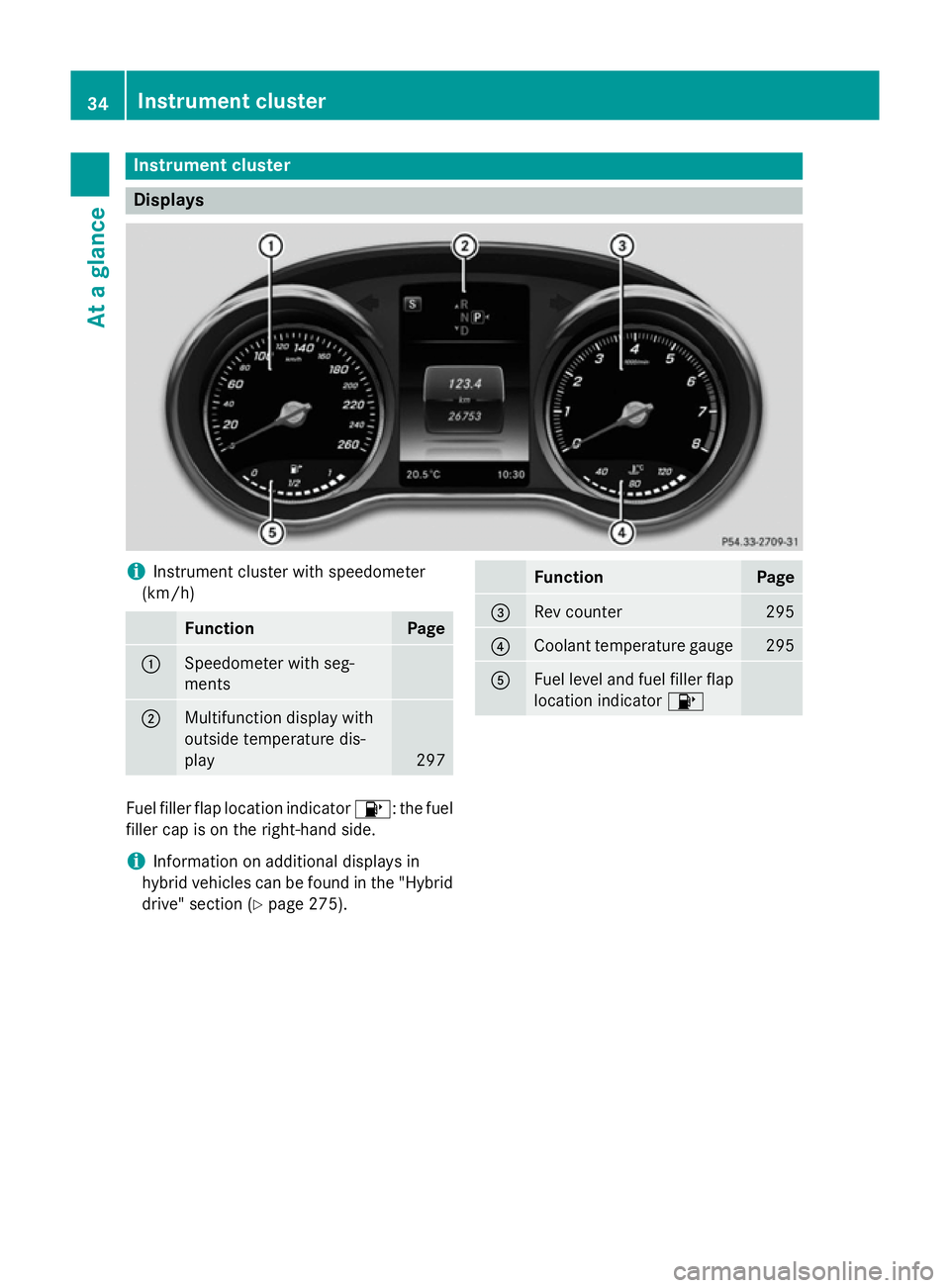
Instrument cluster with speedometer
(km/h) Function Page
:
Speedometer with seg-
ments
;
Multifunction display with
outside temperature dis-
play
297 Function Page
=
Rev counter 295
?
Coolant temperature gauge 295
A
Fuel level and fuel filler flap
location indicator 8Fuel filler flap location indicator
8: the fuel
filler cap is on the right-hand side.
i Information on additional displays in
hybrid vehicles can be found in the "Hybrid drive" section (Y page 275).34
Instrument clusterAt a glance
Page 197 of 489
Problem
Possible causes/consequences and
M
MSolutions Vehicles with a petrol
engine:
The engine is not run-
ning smoothly and is
misfiring. There is a malfunction in the engine electronics or in a mechanical
component of the engine management system.
X Only depress the accelerator pedal slightly.
Otherwise, non-combusted fuel may get into the catalytic con-
verter and damage it.
X Have the cause rectified immediately at a qualified specialist
workshop. The coolant tempera-
ture display is showing
more than 120 †. A
display message may
also appear in the mul-
tifunction display and a warning tone may
sound. The coolant level is too low. The coolant is too hot and the engine
is no longer being cooled sufficiently.
X Stop as soon as possible and allow the engine and the coolant to
cool down.
X Check the coolant level (Y page 397). Observe the warning
notes as you do so and top up the coolant if necessary. If the coolant level is correct, the engine radiator fan may be faulty.
The coolant is too hot and the engine is no longer being cooled
sufficiently.
X If the coolant temperature is below 120 †, you can continue
driving to the nearest qualified specialist workshop.
X Avoid heavy loads on the engine as you do so, e.g. driving in
mountainous terrain and stop-start traffic. Manual transmission
Gear lever
! Only engage gear when the clutch pedal is
depressed.
! When shifting between
5thand 6thgear,
you should always push the gear lever all
the way to the right. Otherwise, you could
shift unintentionally into 3rdor4th gear
and damage the transmission.
If you shift down at too high a speed (trans-
mission braking), this can cause the engine to overrev, leading to engine damage.
Do not use the clutch bite point to keep the
vehicle stationary on uphill gradients.
There is otherwise a risk of damaging the
clutch.
! On long and steep downhill gradients,
especially if the vehicle is laden or towing a trailer, you must shift into gear
1, 2or3in
good time. This uses the engine's braking
effect. This relieves the load on the brake
system and prevents the brakes from over- heating and wearing too quickly. k
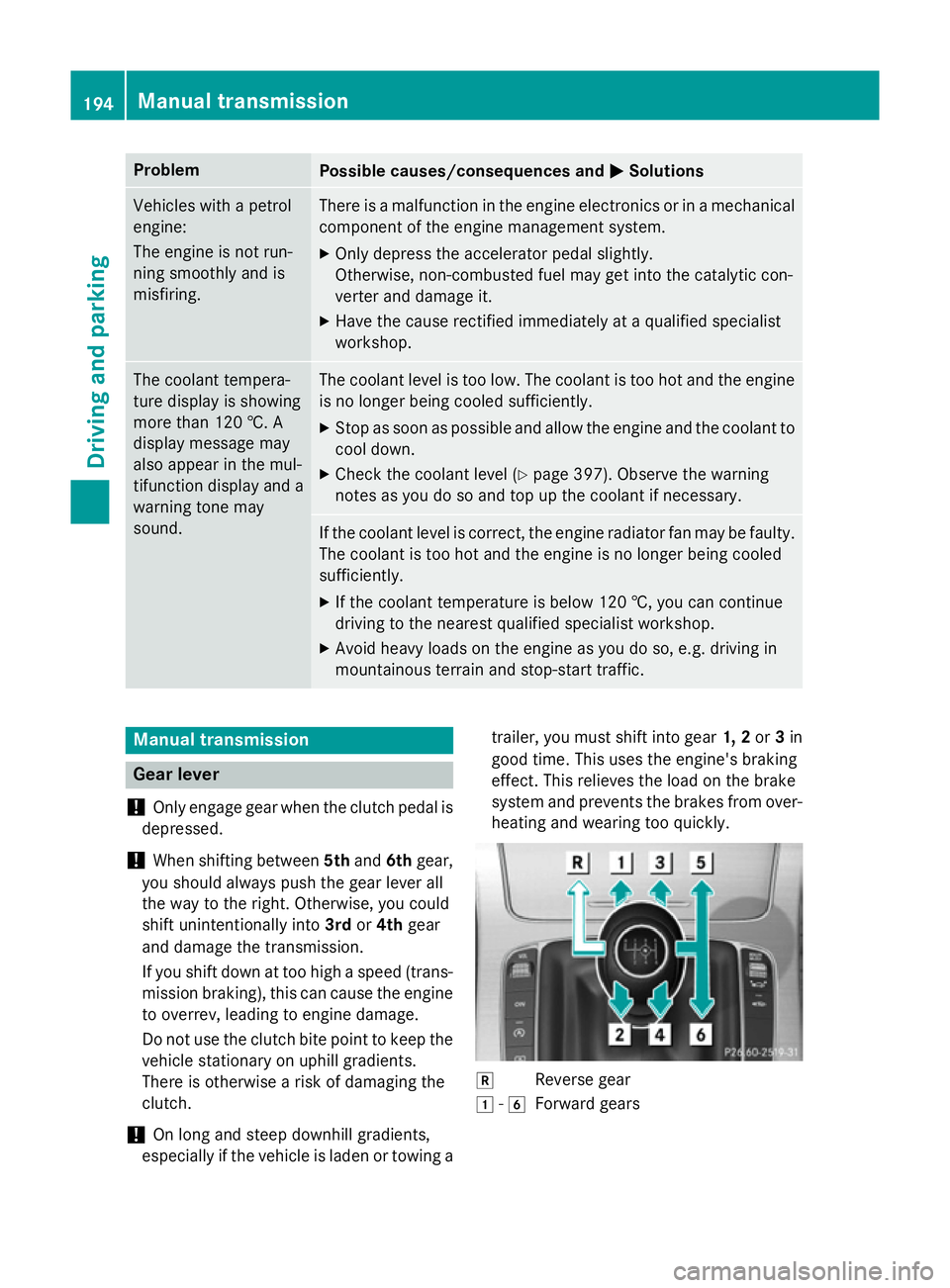
Reverse gear
1 -6
Forward gears 194
Manual transmissionDriving and parking
Page 278 of 489
Instrument cluster
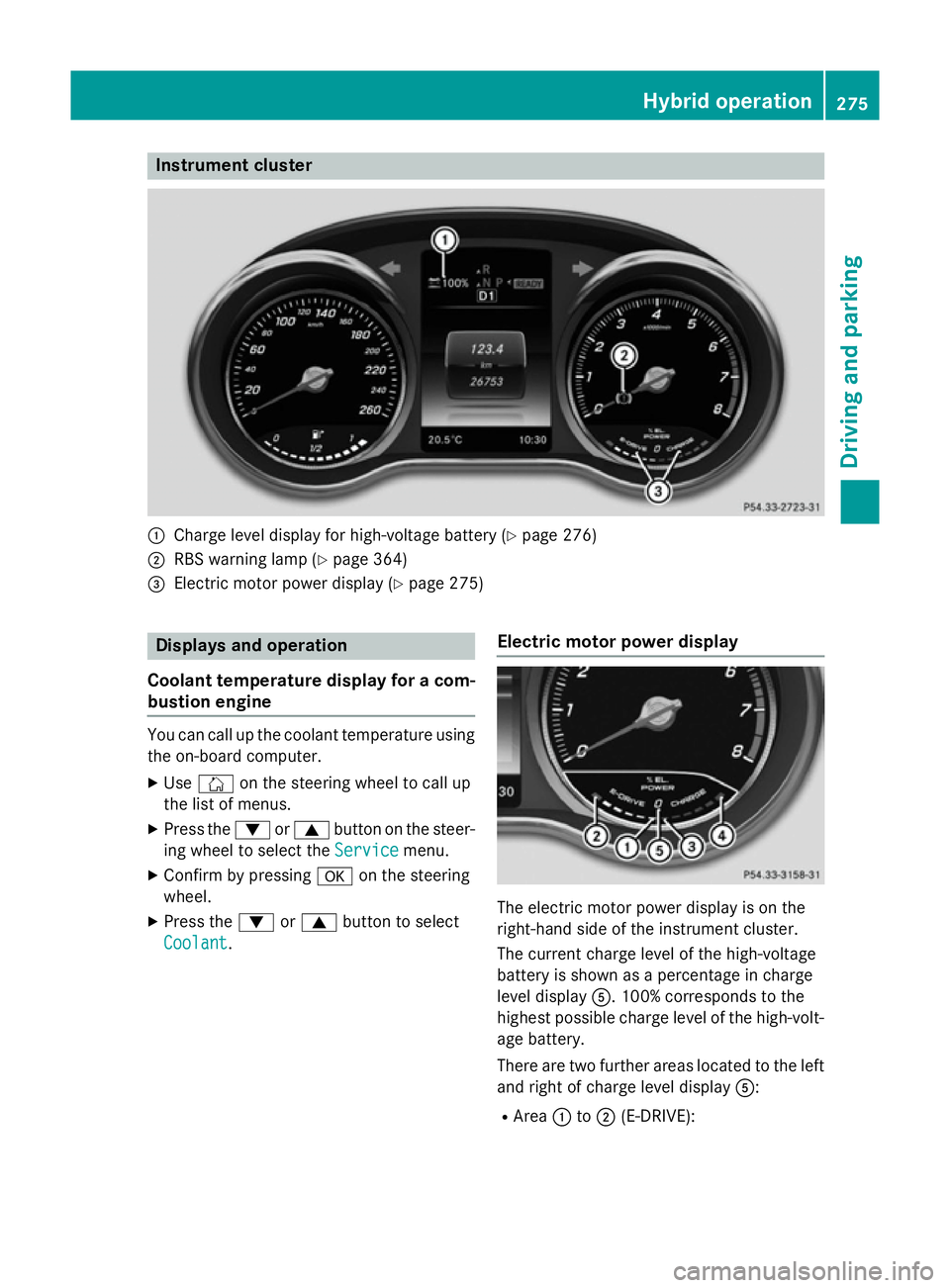
:
Charge level display for high-voltage battery (Y page 276)
; RBS warning lamp (Y page 364)
= Electric motor power display (Y page 275)Displays and operation
Coolant temperature display for a com- bustion engine You can call up the coolant temperature using
the on-board computer.
X Use Ñ on the steering wheel to call up
the list of menus.
X Press the :or9 button on the steer-
ing wheel to select the Service
Service menu.
X Confirm by pressing aon the steering
wheel.
X Press the :or9 button to select
Coolant
Coolant. Electric motor power display The electric motor power display is on the
right-hand side of the instrument cluster.
The current charge level of the high-voltage
battery is shown as a percentage in charge
level display
A. 100% corresponds to the
highest possible charge level of the high-volt- age battery.
There are two further areas located to the left
and right of charge level display A:
R Area :to; (E-DRIVE): Hybrid operation
275Driving and parking Z
Page 298 of 489
The segments light up from the stored
speed to the maximum speed.
R Variable SPEEDTRONIC activated
(Y page 223):
The segments light up from the start of the
scale to the selected limit speed.
R DISTRONIC PLUS activated (Y page 226):
One or two segments in the set speed
range light up.
R DISTRONIC PLUS detects a vehicle in front
that is driving at a slower speed than the
stored speed:
The segments between the speed of the
vehicle in front and the stored speed light
up. Rev counter
! Do not drive in the overrevving range.
Doing so will damage the engine.
The red band in the rev counter indicates the engine's overrevving range.
The fuel supply is interrupted to protect the
engine when the red band is reached. Outside temperature display
You should pay special attention to road con- ditions when temperatures are around the
freezing point.
Bear in mind that the outside temperature
display indicates the temperature measured
and does not record the road temperature.
The outside temperature display is in the mul-
tifunction display (Y page 297).
Changes in the outside temperature are dis-
played after a short delay. Coolant temperature gauge
G
WARNING
If you open the bonnet while the engine is
overheating or while there is a fire in the
engine compartment, you could come into contact with hot gases or other leaking ser-
vice products. There is a danger of injury.
Allow an overheating engine to cool down
before opening the bonnet. If there is a fire in
the engine compartment, leave the bonnet
closed and notify the fire brigade.
The analogue coolant temperature gauge is in
the instrument cluster on the right-hand side (Y page 34).
In the on-board computer in the Service Service
menu there is a digital coolant temperature
gauge (Y page 309).
Under normal operating conditions and with
the specified coolant level, the coolant tem-
perature may rise to 120 †.
At high outside temperatures and when driv-
ing uphill, the coolant temperature may rise
to the end of the scale. Operating the on-board computer
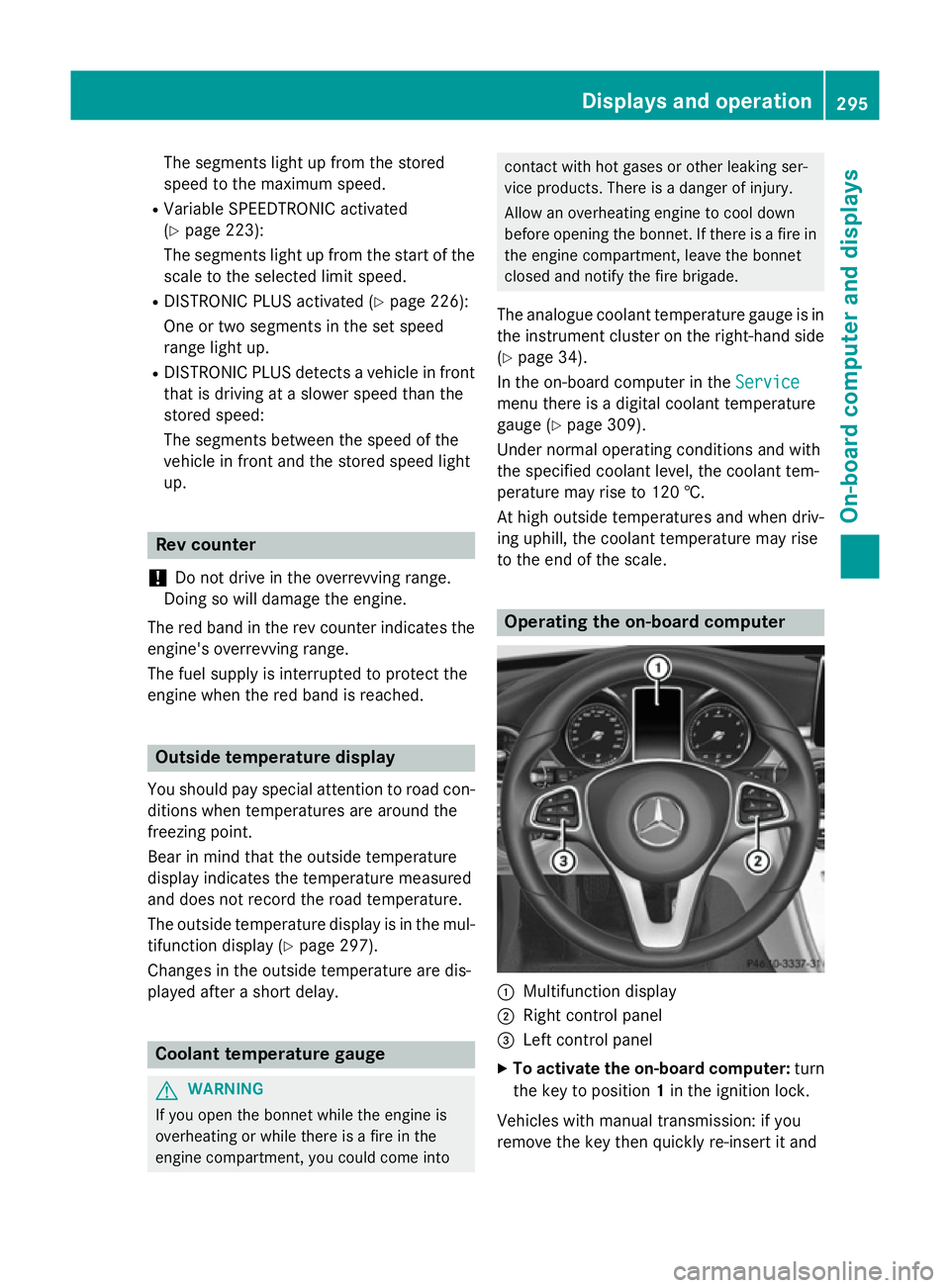
:
Multifunction display
; Right control panel
= Left control panel
X To activate the on-board computer: turn
the key to position 1in the ignition lock.
Vehicles with manual transmission: if you
remove the key then quickly re-insert it and Displays and operation
295On-board computer and displays Z
Page 311 of 489
Redialling
The on-board computer saves the last names
or numbers dialled in the redial memory.
X Use ò on the steering wheel to call up
the list of menus.
X Press :or9 on the steering wheel
to select the Telephone
Telephone menu.
X Confirm by pressing aon the steering
wheel.
X Press the 6button to switch to the
redial memory.
X Press the :or9 button to select the
desired name or number.
X Press the 6ora button to start dial-
ling.
or
X To exit the redial memory: press the
~ or% button. Assistance graphic menu
X
Use ò on the steering wheel to call up
the list of menus.
X Press the :or9 button on the steer-
ing wheel to select the Assistance
Assistance
graphic
graphic menu.
X Confirm by pressing aon the steering
wheel.
The multifunction display shows the
DISTRONIC PLUS distance display in the
assistance graphic.
X Press :to display the ATTEN-
TION ASSIST assessment. The assistance graphic shows you the status
of and/or information from the following driv-ing systems or driving safety systems:
R DISTRONIC PLUS (Y page 232)
R Traffic Sign Assist (Y page 260)
R Distance warning function and autono-
mous braking system of COLLISION PRE-
VENTION ASSIST PLUS (Y page 310)
R PRE-SAFE ®
Brake (Y page 84)
R Blind Spot Assist (Y page 263) or Active
Blind Spot Assist (Y page 266)
R ATTENTION ASSIST (Y page 258)
R Lane Keeping Assist (Y page 265)or Active
Lane Keeping Assist (Y page 269)
R Rear window wiper (Y page 147) Service menu
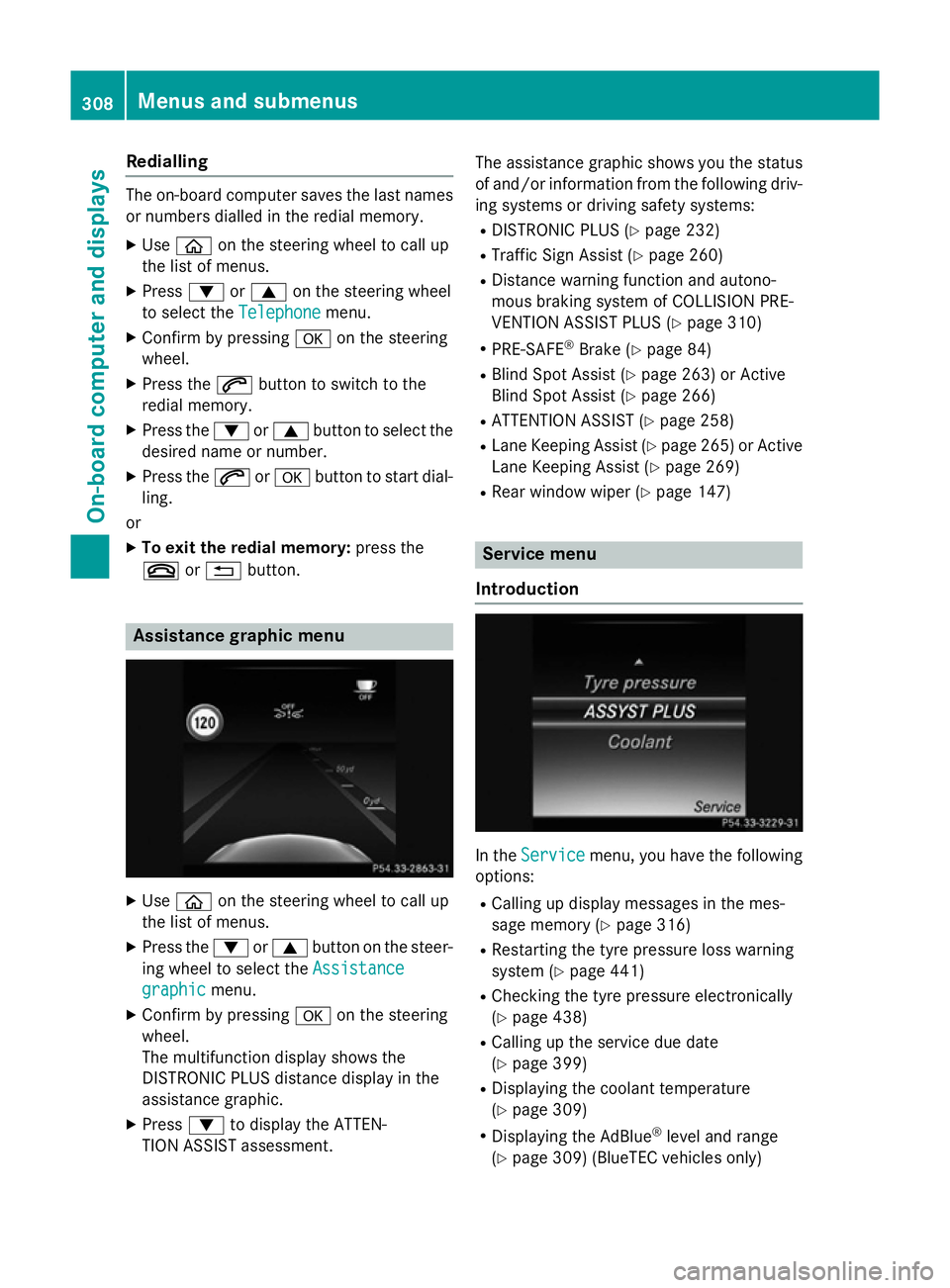
Introduction In the
Service Service menu, you have the following
options:
R Calling up display messages in the mes-
sage memory (Y page 316)
R Restarting the tyre pressure loss warning
system (Y page 441)
R Checking the tyre pressure electronically
(Y page 438)
R Calling up the service due date
(Y page 399)
R Displaying the coolant temperature
(Y page 309)
R Displaying the AdBlue ®
level and range
(Y page 309) (BlueTEC vehicles only) 308
Menus and submenusOn-board computer and displays
Page 312 of 489
Displaying the coolant temperature
The coolant temperature is also shown in the
instrument cluster in the rev counter.
Observe the notes on coolant temperature
(Y page 295).
X Use ò on the steering wheel to call up
the list of menus.
X Press the :or9 button on the steer-
ing wheel to select the Service Servicemenu.
X Confirm by pressing aon the steering
wheel.
X Use : or9 to select the Coolant Coolant
submenu.
X Press ato confirm your selection.
The coolant temperature is shown in a bar
display.
Displaying AdBlue ®
level and range This menu is only available in BlueTEC vehi-
cles.
X Use ò on the steering wheel to call up
the list of menus.
X Press the :or9 button on the steer-
ing wheel to select the Service
Service menu.
X Confirm by pressing aon the steering
wheel.
X Select the AdBlue AdBluesubmenu using :or
9.
X Press ato confirm your selection.
The range and AdBlue ®
level appear in a bar
graph in the multifunction display.
Observe the information and notes on "Refu- elling" (Y page 208). Settings menu
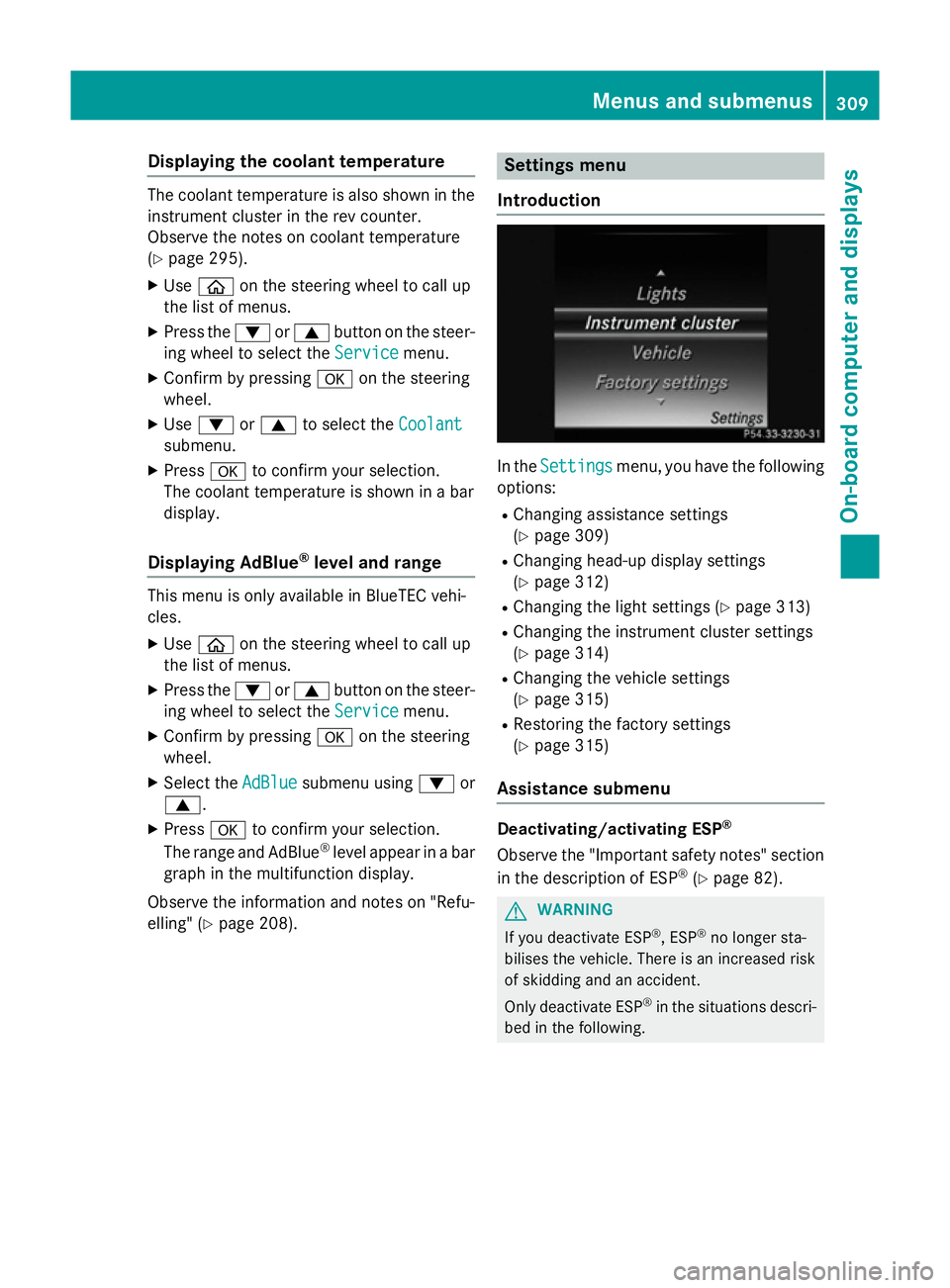
Introduction In the
Settings
Settings menu, you have the following
options:
R Changing assistance settings
(Y page 309)
R Changing head-up display settings
(Y page 312)
R Changing the light settings (Y page 313)
R Changing the instrument cluster settings
(Y page 314)
R Changing the vehicle settings
(Y page 315)
R Restoring the factory settings
(Y page 315)
Assistance submenu Deactivating/activating ESP
®
Observe the "Important safety notes" section
in the description of ESP ®
(Y page 82). G
WARNING
If you deactivate ESP ®
, ESP ®
no longer sta-
bilises the vehicle. There is an increased risk
of skidding and an accident.
Only deactivate ESP ®
in the situations descri-
bed in the following. Menus and submenus
309On-boardcompu ter and displays Z