2014 MERCEDES-BENZ B-CLASS SPORTS window
[x] Cancel search: windowPage 133 of 360
If the battery voltage is too low, the rear
window defroster may switch off.
Activating/deactivating
X
Turn the SmartKey to position 2in the
ignition lock (Y page 137).
X Press the 001Abutton.
The indicator lamp in the 001Abutton lights
up or goes out. Operating the climatec
ontrol systems
131Climate control
Page 134 of 360
Problems with the rear window defroster
Problem Possible causes/consequences and
000B Solutions
The rear window
defroster has
deactivated
prematurely or cannot
be activated. The battery has not been sufficiently charged.
X
Switch off any consumers that are not required, e.g. reading
lamps, interior lighting or the seat heating.
When the battery is sufficiently charged, the rear window
defroster can be activated again. Activating/deactivating air-
recirculation mode
General notes You can deactivate the flow of fresh air if
unpleasant odors are enteringt
he vehicle
from outside. The air already inside the
vehicle will then be recirculated.
If you switch on air-recirculation mode, the
windows can fog up more quickly, in
particular at low temperatures. Only use air-
recirculation mode briefly to prevent the
windows from fogging up.
The operation of air-recirculation mode is the
same for all control panels.
Activating/deactivating X
Turn the SmartKey to position 2in the
ignition lock (Y page 137).
X To activate: press the0019button.
The indicator lamp in the 0019button lights
up.
i Air-recirculation mode is activated
automatically at high outside
temperatures. When air-recirculation mode
is activated automatically ,the indicator
lamp in the 0019button is not lit.
Outside air is added after about
30 minutes.
X To deactivate: press the0019button.
The indicator lamp in the 0019button goes
out. i
Air-recirculation mode deactivates
automatically:
R after approximately five minutes at
outside temperatures below about 5†
R after approximately fiv eminute sifthe
"Coolin gwitha ir dehumidification"
function is deactivated
R after approximately 30 minute sat
outside temperatures above
approximately 5†ifthe "Cooling with
air dehumidification" function is
activated Activating/deactivating the residual
heat function
General notes The residual heat function is only available in
vehicles for Canada with automatic climate
control.
It is possible to make use of the residual heat
of the engine to continue heating the vehicle
for approximately 30 minutes after the engine
has been switched off. The heating time
depends on the temperature that has been
set.
i
The blower will run at alow speed
regardless of the airflow setting.
i If you activate the residual heat function
at high temperatures, only the ventilation
will be activated. The blower runs at
medium speed. 132
Operating the climate control systemsClimatec
ontrol
Page 135 of 360
Activating/deactivating
X
Turn th eSmartKey to position 0in the
ignition loc korremove it (Y page 137).
X To activate: press the0016button.
The indicator lamp in the 0016buttonlights
up.
X To deactivate: press the0016button.
The indicator lamp in the 0016button goes
out.
i Residual heat is deactivated
automatically:
R after approximately 30 minutes
R when the ignition is switched on
R if the battery voltage drops Setting th
eair vents Important safety notes
G
WARNING
Very hot or very cold air can flow fro mthe air
vents. This could result in burns or frostbite in
the immediate vicinity of the air vents. There
is ar isk of injury.
Make sure that all vehicle occupants always
maintain asufficient distance to the air
outlets. If necessary, redirect the airflow to
another area of the vehicle interior.
In order to ensure the direct flow of fresh air
through the air ventsi nto the vehicle interior,
please observe the following notes:
R keep the air inlet between the windshield
and the hood free of blockages, such as ice,
snow or leaves.
R never cover the air ventsora ir intake grilles
in the vehicle interior.
i You can move the adjusters for the air
ventsv ertically or horizontally to set the
direction of the airflow.
i For optimal climate control in the vehicle,
open the air ventsc ompletely and set the
adjusters to the central position. Setting the center air vents
X
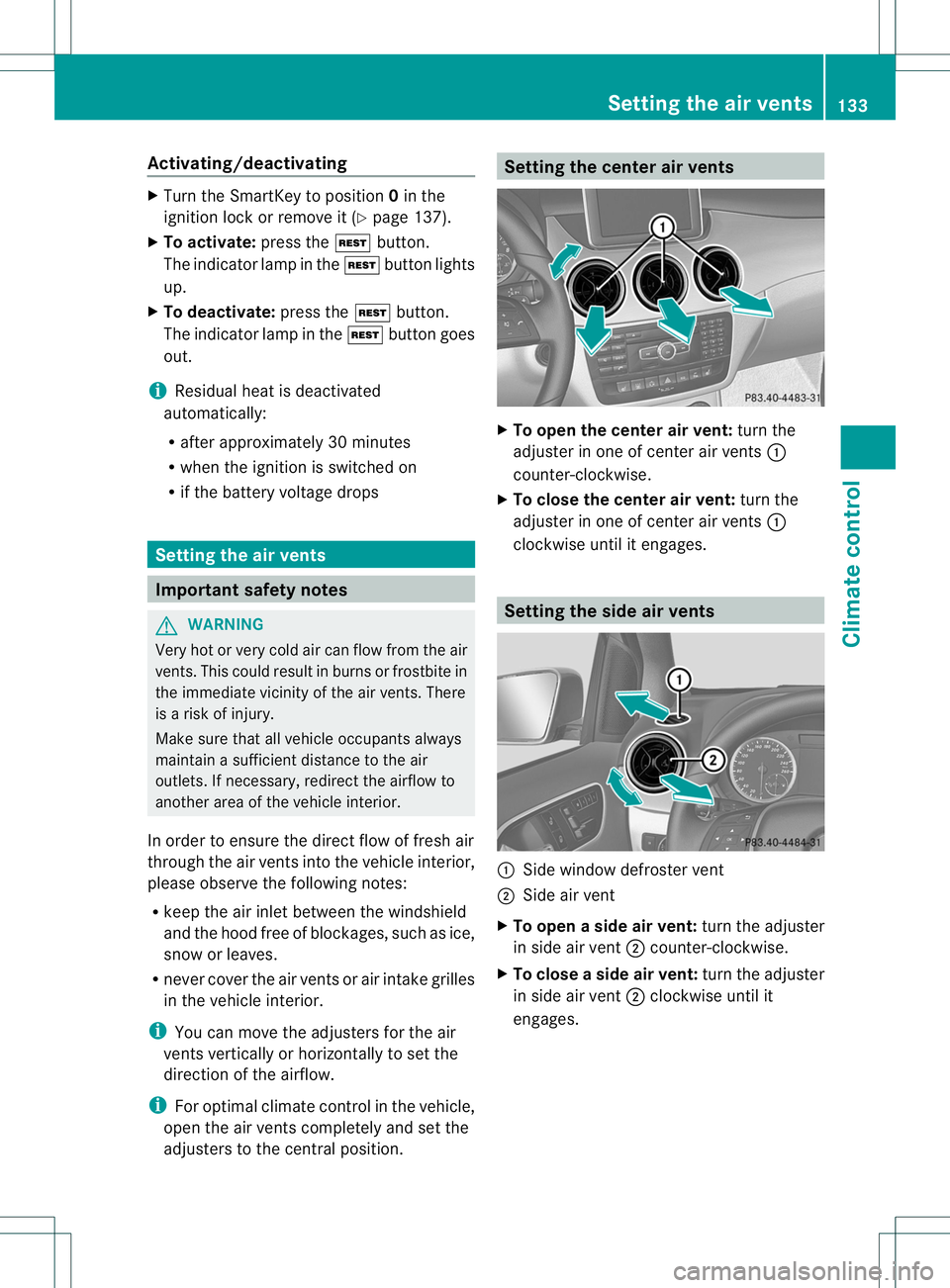
To open the center air vent: turn the
adjuster in one of center air vents 001A
counter-clockwise.
X To close the center air vent: turn the
adjuster in one of center air vents 001A
clockwise until it engages. Setting the side air vents
001A
Side window defroster vent
0010 Side air vent
X To open aside air vent: turn the adjuster
in side air vent 0010counter-clockwise.
X To close aside air vent: turn the adjuster
in side air vent 0010clockwise until it
engages. Setting thea
ir vents
133Climatecontrol Z
Page 201 of 360
X
Press the 0006or000C button to start
dialing.
or
X If you do not want to makeac all:press
the 0008 or0002 button. Assistance menu
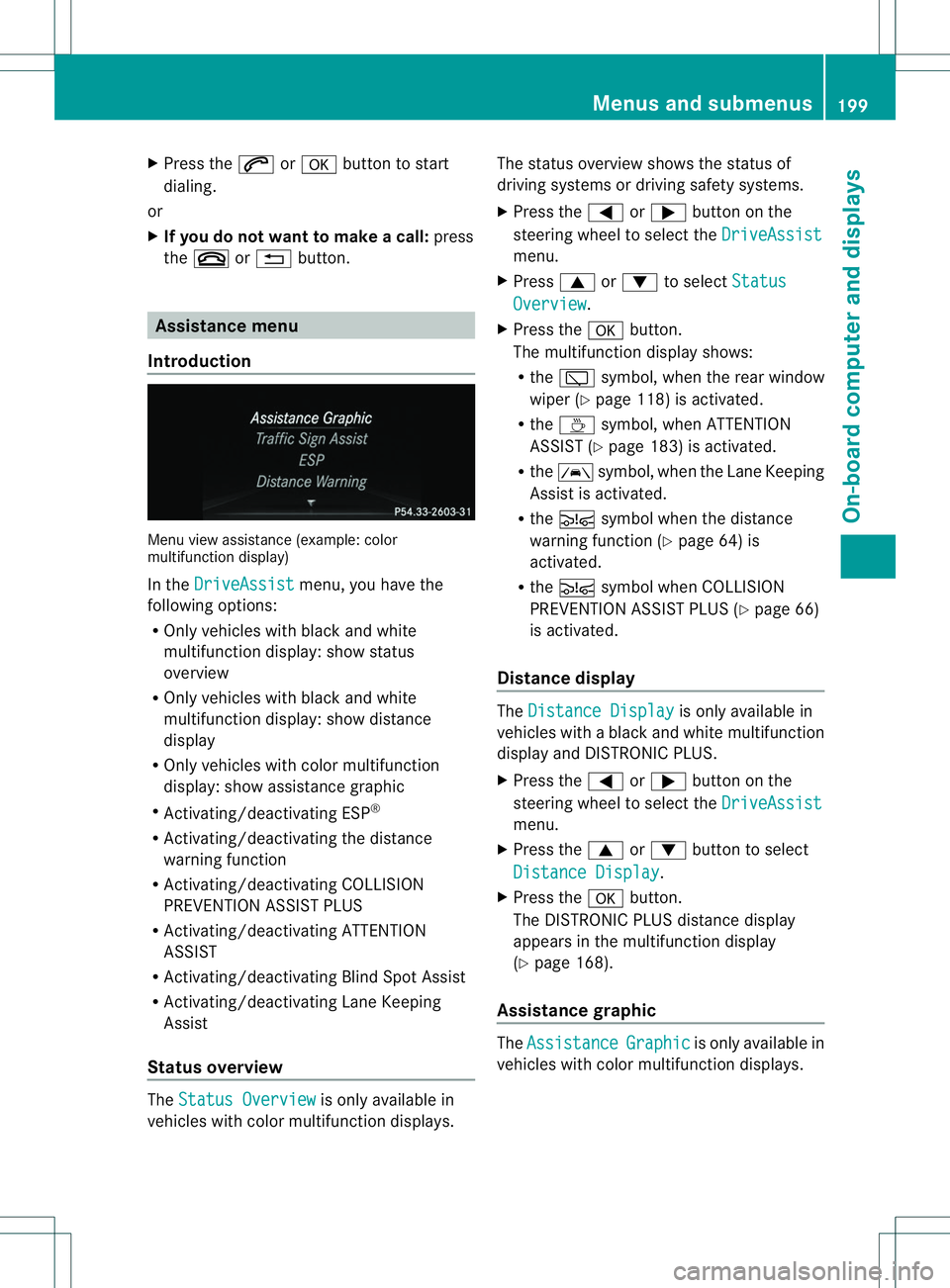
Introduction Menu view assistanc
e(example: color
multifunction display)
In the DriveAssist menu, you have the
following options:
R Only vehicles with black and white
multifunction display: show status
overview
R Only vehicles with black and white
multifunction display: show distance
display
R Only vehicles with color multifunction
display: show assistanc egraphic
R Activating/deactivating ESP ®
R Activating/deactivating the distance
warning function
R Activating/deactivating COLLISION
PREVENTION ASSIST PLUS
R Activating/deactivating ATTENTION
ASSIST
R Activating/deactivatin gBlind Spot Assist
R Activating/deactivating Lane Keeping
Assist
Status overview The
Status Overview is only availabl
ein
vehicles with color multifunction displays. The status overview shows the status of
driving systems or driving safety systems.
X
Press the 000Aor0004 button on the
steerin gwheel to select the DriveAssist menu.
X Press 0006or0005 to select Status Overview .
X Press the 000Cbutton.
The multifunction display shows:
R the 001B symbol, when the rear window
wiper (Y page 118) is activated.
R the 0001 symbol, when ATTENTION
ASSIST (Y page 183) is activated.
R the 0002 symbol, when the Lane Keeping
Assist is activated.
R the 000E symbol when the distance
warning function (Y page 64) is
activated.
R the 000E symbol when COLLISION
PREVENTION ASSIST PLUS (Y page 66)
is activated.
Distance display The
Distance Display is only availabl
ein
vehicles with ablack and white multifunction
display and DISTRONIC PLUS.
X Press the 000Aor0004 button on the
steerin gwheel to select the DriveAssist menu.
X Press the 0006or0005 button to select
Distance Display .
X Press the 000Cbutton.
The DISTRONIC PLUS distanc edisplay
appears in the multifunction display
(Y page 168).
Assistance graphic The
Assistance Graphic is only availabl
ein
vehicles with color multifunction displays. Menus and submenus
199On-board computer and displays Z
Page 202 of 360
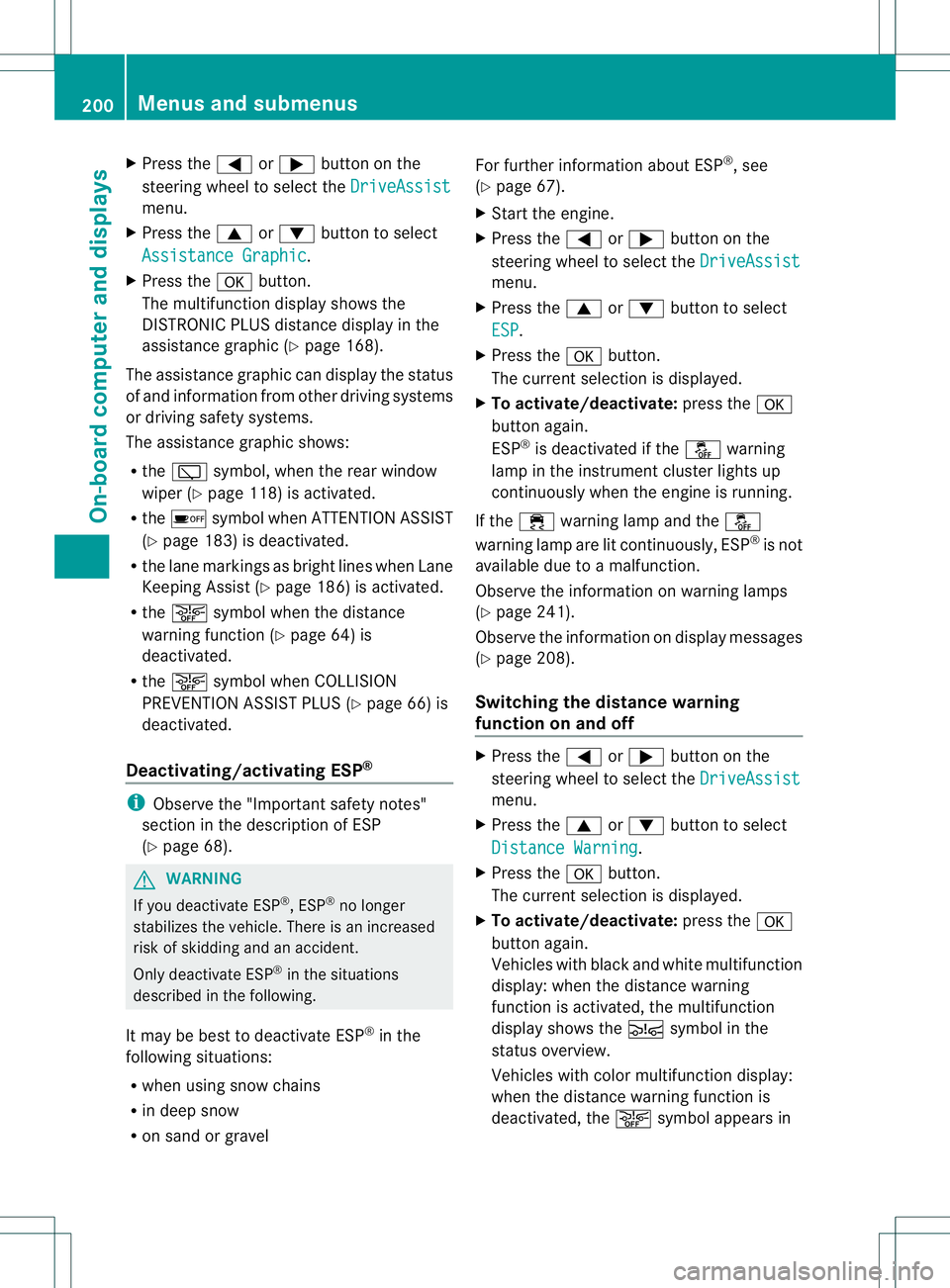
X
Press the 000Aor0004 button on the
steerin gwheel to select the DriveAssist menu.
X Press the 0006or0005 button to select
Assistanc eGraphic .
X Press the 000Cbutton.
The multifunction display shows the
DISTRONIC PLUS distanc edisplay in the
assistanc egraphic (Y page 168).
The assistanc egraphic can display the status
of and information from other driving systems
or driving safety systems.
The assistanc egraphic shows:
R the 001B symbol, when the rear window
wiper (Y page 118) is activated.
R the 0001 symbol when ATTENTION ASSIST
(Y page 183) is deactivated.
R the lane markings as bright lines when Lane
Keeping Assist (Y page 186) is activated.
R the 0002 symbol when the distance
warning function (Y page 64) is
deactivated.
R the 0002 symbol when COLLISION
PREVENTION ASSIST PLUS (Y page 66) is
deactivated.
Deactivating/activating ESP ®i
Observe the "Importan tsafet ynotes"
sectio ninthedescription of ESP
(Y page 68). G
WARNING
If you deactivate ESP ®
,E SP ®
no longer
stabilizes th evehicle .There is an increased
risk of skidding and an accident.
Only deactivate ESP ®
in the situations
described in the following.
It may be best to deactivate ESP ®
in the
following situations:
R when using snow chains
R in deep snow
R on sand or gravel For further information about ESP
®
,s ee
(Y page 67).
X Start the engine.
X Press the 000Aor0004 button on the
steering wheel to select the DriveAssist menu.
X Press the 0006or0005 button to select
ESP .
X Press the 000Cbutton.
The current selection is displayed.
X To activate/deactivate: press the000C
button again.
ESP ®
is deactivated if the 0004warning
lamp in the instrumentc luster lightsup
continuously when the engine is running.
If the 000A warnin glamp and the 0004
warnin glamp are lit continuously, ESP ®
is not
available due to amalfunction.
Observe the information on warnin glamps
(Y page 241).
Observe the information on display messages
(Y page 208).
Switching th edistance warning
function on and off X
Press the 000Aor0004 button on the
steerin gwheel to selec tthe DriveAssist menu.
X Press the 0006or0005 button to select
Distance Warning .
X Press the 000Cbutton.
The current selection is displayed.
X To activate/deactivate: press the000C
button again.
Vehicles with black and white multifunction
display: when the distance warning
function is activated, the multifunction
displays hows the 000Esymbol in the
status overview.
Vehicles with color multifunction display:
when the distance warning function is
deactivated, the 0002symbol appears in 200
Menus and submenusOn-board computer and displays
Page 219 of 360
Display messages Possible causes/consequences and
000B Solutions
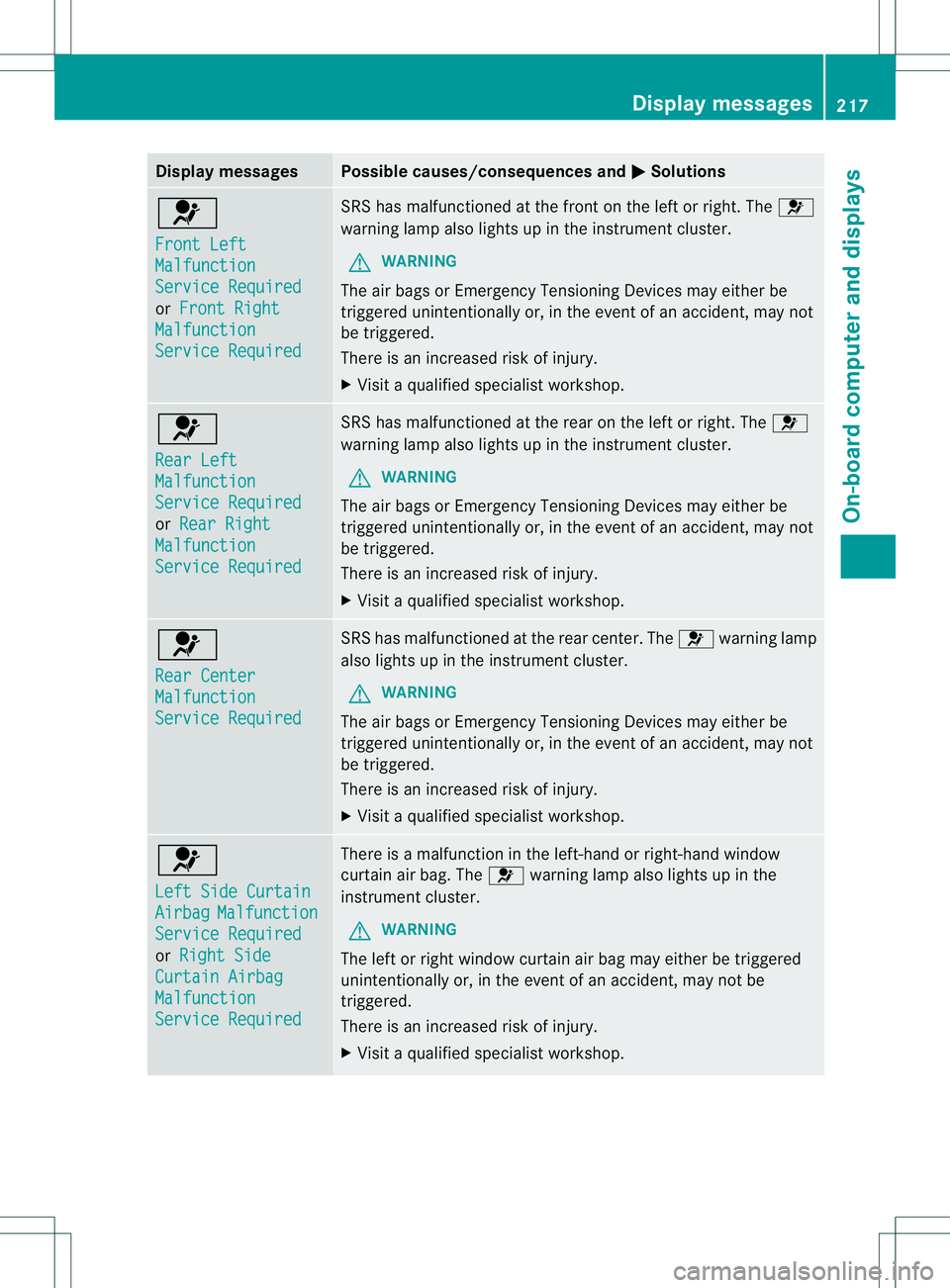
0021
Front Left
Malfunction
Servic
eRequired or
Front Right Malfunction
Servic
eRequired SRS has malfunctioned at th
efront on th eleftorr ight.The 0021
warnin glamp also lights up in th einstrument cluster.
G WARNING
Th ea ir bags or Emergency Tensionin gDevices may either be
triggere dunintentionally or, in the even tofanaccident,may not
be triggered.
There is an increased risk of injury.
X Visit aqualified specialist workshop. 0021
Rear Left
Malfunction
Service Required
or
Rear Right Malfunction
Service Required SRS has malfunctione
datthe rea ronthe left or right. The 0021
warning lamp also lights up in the instrument cluster.
G WARNING
Th ea ir bags or Emer gencyTensioning Devices may either be
triggered unintentionally or, in th eevent of an accident, may not
be triggered.
Ther eisani ncreased ris kofinjury.
X Visi taq ualified specialist workshop. 0021
Rear Center
Malfunction
Servic
eRequired SRS has malfunctioned at the rear center. The
0021warning lamp
also lights up in the instrument cluster.
G WARNING
The air bags or Emergenc yTensioning Devices may either be
triggered unintentionally or, in the event of an accident, may not
be triggered.
There is an increased risk of injury.
X Visit aqualified specialist workshop. 0021
Left Side Curtain
Airbag Malfunction
Servic
eRequired or
Right Side Curtai
nAirbag Malfunction
Servic
eRequired There is
amalfunction in the left-hand or right-han dwindow
curtain air bag. The 0021warning lamp also lights up in the
instrument cluster.
G WARNING
The left or right window curtain air bag may either be triggered
unintentionally or, in the event of an accident, may not be
triggered.
There is an increased risk of injury.
X Visit aqualified specialist workshop. Display messages
217On-boardcomputer and displays Z
Page 260 of 360
Cargo compartment cover
Important safety notes G
WARNING
On its own ,the cargo compartmen tcover
canno tsecure or restrain heav yobjects,
items of luggag eand heav yloads .You could
be hit by an unsecured load during sudden
changes in direction ,braking or in the event
of an accident .There is an increased risk of
injury or even fatal injury.
Always store object ssothat they cannot be
flung around. Secure objects, luggage or
loads against slipping or tipping over, e.g. by
using tie downs, even if you are using the
cargo compartment cover.
! When loading the vehicle, make sure that
you do not stack the load in the cargo
compartment higher than the lower edge of
the side windows. Do not place heavy
object sontop of the cargo compartment
cover.
! When removing and installing the cargo
compartment cover, ensure that its end
caps do not scrape the light-colored parts
of the vehicle.
The cargo compartment cover is located
behind the rear bench seat backrest.
Extending/retracting the cargo
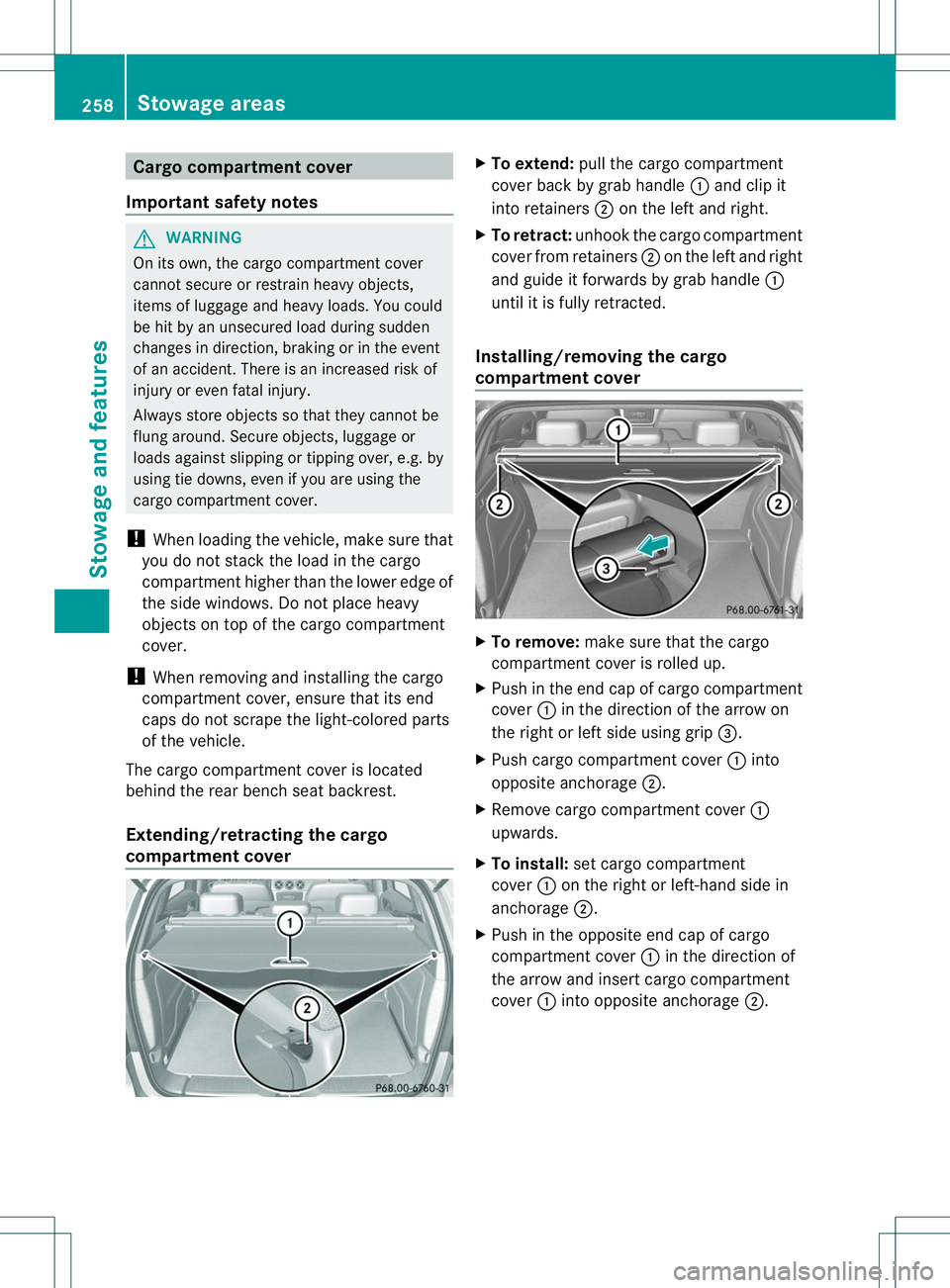
compartment cover X
To extend: pull the cargo compartment
cover back by grab handle 001Aand clip it
into retainers 0010on the left and right.
X To retract: unhook the cargo compartment
cover from retainers 0010on the left and right
and guide it forwards by grab handle 001A
until it is fully retracted.
Installing/removing the cargo
compartment cover X
To remove: make sure that the cargo
compartment cover is rolled up.
X Push in the end cap of cargo compartment
cover 001Ain the direction of the arrow on
the right or left side using grip 0023.
X Push cargo compartment cover 001Ainto
opposite anchorage 0010.
X Remove cargo compartment cover 001A
upwards.
X To install: set cargo compartment
cover 001Aon the right or left-hand side in
anchorage 0010.
X Push in the opposite end cap of cargo
compartment cover 001Ain the direction of
the arrow and insert cargo compartment
cover 001Ainto opposite anchorage 0010.258
Stowage areasStowage and features
Page 272 of 360
i
The destination download function can
only be used if the vehicle is equipped with
an avigation system.
Route Assistance
This service is part of the mbrace PLUS
Package and cannot be purchased
separately.
i You can also use the Route Assistance
function if your vehicle is not equipped with
an avigation system.
Within the framework of this service, you
receive aprofessional and reliable form of
navigation support without having to leave
your vehicle.
The customer service representative finds a
suitable route depending on your vehicle's
curren tposition and the desired destination.
You will then be guided live through the
current route section.
Search &Send General notes
i
To use "Search &Send", your vehicle
must be equipped with mbrace and a
navigation system. Additionally, an mbrace
servic esubscription must be completed.
"Search &Send" is adestination entry
service. Adestination address which is found
on Google Maps ®
can be transferred via
mbrace directly to your vehicle's navigation
system.
Specifying and sending the destination
address
X Go to the website http://
www.maps.google.com and enter a
destination address intot he entry field.
X To send the destination address to the
e-mail address of your mbrace
account: click on the corresponding
button on the website.
i Example: If you select 'Sen
dtovehicle' and then
'Mercedes-Benz', the destination address
will be sent to your vehicle.
X When the "Send" dialog window appears:
Enter the e-mail address you specified
when setting up your mbrace accoun tinto
the correspondin gfield.
X Click "Send".
i Information on specific commands such
as "Address entry" or "Send" can be found
on the website.
Calling up destination addresses
X Switc hont he ignition.
The destination address is loaded intot he
vehicle's navigation system.
Ad isplay message appears, asking
whether navigation should be started.
X Select Yes by turning
0004000C000Bor sliding
0003000C0009 the COMAND controller and press
000E to confirm.
The system calculates the rout eand
subsequently starts the rout eguidance
wit hthe address entered.
i If you select No ,t
he address can be saved
in th eaddress book.
i If you have sen tmoret hano ne
destination address ,eachi ndividual
destination must be confirmed separately.
i Destination addresses are loaded in the
same order as th eorder in whic htheyw ere
sent.
If you own multiple Mercedes-Benz
vehicles wit hmbrace and activated mbrace
accounts:
If multiple vehicles are registere dunder the
same e-mail address ,the destination will
be sen ttoall the vehicles.
Vehicle remoteo pening You can use the vehicle remote opening if you
have unintentionally locked your vehicle and
ar
eplacement SmartKey is not available. 270
FeaturesStowage and features