Page 213 of 468

A
B
A
B
E165517
Alert
A
AidB
Alert + Aid – Provides an assistance
steering torque input toward the lane
center. If the vehicle continues drifting
out of the lane, a steering wheel
vibration is provided.
Note: The alert and aid diagrams are
meant to illustrate general zone
coverage. They are not intended to
provide the exact zone parameters.
Intensity: This setting affects the
intensity of the steering wheel
vibration used for the alert and alert
+ aid modes. This setting does not
impact the aid mode.
•Low
• Medium
• High System DisplayE151660
When the system is turned on, an
overhead graphic of a vehicle with
lane markings will be displayed in the
information display. If the aid mode is
selected when the system is turned
on, a separate white icon will also
appear in the instrument cluster or in
some vehicles arrows will be
displayed with the lane markings.
When the system is turned off, the
lane marking graphics will not be
displayed.
Note:
The overhead vehicle graphic
may still be displayed if adaptive cruise
control is enabled.
While the system is on, the color of
the lane markings will change to
indicate the system status.
Gray: Indicates that the system is
temporarily unable to provide a
warning or intervention on the
indicated side(s). This may be
because:
• the vehicle is under the activation speed
• the turn indicator is active
210
Driving Aids
Page 214 of 468

• the vehicle is in a dynamicmaneuver
• the road has no or poor lane markings in the camera
field-of-view
• the camera is obscured or unable to detect the lane markings due to
environmental conditions (e.g.
significant sun angles or shadows,
snow, heavy rain, fog), traffic
conditions (e.g. following a large
vehicle that is blocking or
shadowing the lane), or vehicle
conditions (e.g. poor headlamp
illumination).
See Troubleshooting for additional
information. Green: Indicates that the system is
available or ready to provide a
warning or intervention, on the
indicated side(s).
Yellow: Indicates that the system is
providing or has just provided a lane
keeping aid intervention.
Red: Indicates that the system is
providing or has just provided a lane
keeping alert warning.
The system can be temporarily
suppressed at any time by the
following:
• Quick braking
• Fast acceleration
• Using the turn signal indicator
• Evasive steering maneuver
Troubleshooting
Why is the feature not available (line markings are gray) when I can see the lane markings on the road?
Vehicle speed is outside the operational range of the feature
Sun is shining directly into the camera lens
Quick intentional lane change
Staying too close to the lane marking
Driving at high speeds in curves
Previous feature activation happened within the last one second
Ambiguous lane markings (mainly in construction zones)
Rapid transition from light to dark or vice versa
Sudden offset in lane markings
ABS or AdvanceTrac activation
211
Driving Aids
Page 216 of 468

BLIND SPOT MONITOR
Blind Spot Information System
(BLIS®) with Cross Traffic
Alert
(If Equipped)
WARNING
To help avoid injuries, NEVER use
the BLIS as a replacement for
using the interior and exterior mirrors
and looking over your shoulder before
changing lanes. BLIS is not a
replacement for careful driving and
only an assist.
A
A
E124788
BLIS aids you in detecting vehicles
that may have entered the blind spot
zone (A). The detection area is on
both sides of the vehicle, extending
rearward from the exterior mirrors to
approximately 10 feet (3 meters)
beyond the bumper. The system alerts
you if certain vehicles enter the blind
spot zone while driving.
Cross traffic alert warns you of
vehicles approaching from the sides
when the transmission is in R
(Reverse). Note:
BLIS is not designed to prevent
contact with other vehicles or objects;
or to detect parked vehicles, people,
animals or infrastructure (fences,
guardrails, trees, etc.). It is designed to
alert the driver to vehicles in the blind
zones.
Note: When a vehicle passes quickly
through the blind zone, typically fewer
than two seconds, the system does not
trigger.
Using the Systems
BLIS turns on when the vehicle is
started and is driven forward above 5
mph (8 km/h); it remains on while the
transmission is in D (Drive) and N
(Neutral). If shifted out of D (Drive) or
N (Neutral), the system enters cross
traffic alert mode. Once shifted back
into D (Drive), BLIS turns back on
when the vehicle is driven above 5
mph (8 km/h).
Note: BLIS does not function in R
(Reverse) or P (Park) or provide any
additional warning when a turn signal
is on.
Note: Cross traffic alert detects
approaching vehicles from up to 45
feet (14 meters) away though coverage
decreases when the sensors are
blocked. Reversing slowly helps
increase the coverage area and
effectiveness.
213
Driving Aids
Page 217 of 468
WARNING
To help avoid personal injury,
NEVER use the cross traffic alert
system as a replacement for using the
interior and exterior mirrors and
looking over your shoulder before
backing out of a parking space. Cross
traffic alert is not a replacement for
careful driving and only an assist.
E142440
In this first example, the left sensor is
only partially obstructed; zone
coverage is nearly ma ximized.
214
Driving Aids
Page 218 of 468

E142441
Zone coverage also decreases when
parking at shallow angles. Here, the
left sensor is mostly obstructed; zone
coverage on that side is severely
limited.
System Lights and Messages
E142442
The BLIS and cross traffic alert
systems illuminate a yellow alert
indicator in the outside mirror on the
side of the vehicle the approaching
vehicle is coming from. Note:
The alert indicator dims when
nighttime darkness is detected.
Cross traffic alert also sounds an
audible warning and a message
appears in the information display
indicating a vehicle is coming from the
right or left. Cross traffic alert works
with the reverse sensing system which
sounds its own series of tones. See
Parking Aid (page 187).
System Sensors
WARNING
Just prior to the system
recognizing a blocked condition
and alerting the driver, the number of
missed objects will increase. To help
avoid injuries, NEVER use the BLIS as
a replacement for using the side and
rear view mirrors and looking over your
shoulder before changing lanes. BLIS
is not a replacement for careful driving
and only an assist.
215
Driving Aids
Page 219 of 468

Note:It is possible to get a blockage
warning with no blockage present; this
is rare and known as a false blockage
warning. A false blocked condition
either self-corrects or clears after a key
cycle.
E142443
The system uses radar sensors which
are located behind the bumper fascia
on each side of your vehicle. Do not
allow these areas to become
obstructed by mud, snow or bumper
stickers, as this can cause degraded
system performance.
If the system detects a degraded
performance condition, a message
warning of a blocked sensor or a
message warning of low visibility will
appear in the information display and
the alert indicator illuminates in the
appropriate mirror(s). The information
display warning can be cleared but
the alert indicator remains
illuminated.
When the blockage is removed, the
system can be reset in two ways:
• when at least two objects are detected while driving, or
• turn the ignition from on to off, then back on. If the blockage is still present after the
key cycle, the system senses again
that it is blocked after driving in traffic.
Reasons for messages being
displayed
Clean the fascia area infront of the radar or
remove the obstruction.
The radar
surface is dirty or
obstructed
Drive normally in trafficfor a few minutes to
allow the radar to detect
passing vehicles so it can clear the blocked state.
The radar
surface is not dirty or
obstructed
No action required. Thesystem automatically
resets to an unblocked
state once the rainfall or snowfall rate decreases
or stops. Do not use BLIS or cross traffic alert in these conditions.
Heavy
rainfall/
snowfall
interferes with the radar
signals
System Limitations
The BLIS and cross traffic alert
systems do have their limitations;
situations such as severe weather
conditions or debris build-up on the
sensor area may limit vehicle
detection.
216
Driving Aids
Page 221 of 468

COLLISION WARNING
SYSTEM
PRINCIPLE OF OPERATION (If
Equipped)
WARNINGS
This system is designed to be a
supplementary driving aid. It is
not intended to replace the driver’s
attention, and judgment, or the need
to apply the brakes. This system does
NOT activate the brakes
automatically. Failure to press the
brake pedal to activate the brakes
may result in a collision.
The collision warning system
with brake support cannot help
prevent all collisions. Do not rely on
this system to replace driver judgment
and the need to maintain distance
and speed.
Note: The system does not detect,
warn or respond to potential collisions
with vehicles to the rear or sides of the
vehicle.
Note: The collision warning system is
active at speeds above approximately
5 mph (8 km/h).
E156130
This system is designed to alert the
driver of certain collision risks. A radar
detects if your vehicle is rapidly
approaching another vehicle traveling
in the same direction as yours.
E156131
If it is, a red warning light illuminates
and an audible warning chime sounds.
The brake support system assists the
driver in reducing the collision speed
by charging the brakes. If the risk of
collision further increases after the
warning light illuminates, the brake
support prepares the brake system
for rapid braking. This may be
apparent to the driver. The system
does not automatically activate the
brakes but, if the brake pedal is
pressed, full force braking is applied
even if the brake pedal is lightly
pressed.
Using the Collision Warning
System
WARNING
The collision warning system’s
brake support can only help
reduce the speed at which a collision
occurs if the driver applies the
vehicle’s brakes. The brake pedal
must be pressed just like any typical
braking situation.
218
Driving Aids
Page 222 of 468
The warning system sensitivity can be
adjusted to one of three possible
settings by using the information
display control. See General
Information (page 101).
Note:If the system cannot be turned
off in a vehicle equipped with MyKey®,
Note: If collision warnings are
perceived as being too frequent or
disturbing then the warning sensitivity
can be reduced, though the
manufacturer recommends using the
highest sensitivity setting where
possible. Setting lower sensitivity
would lead to fewer and later system
warnings. See General Information
(page 101). Blocked Sensors
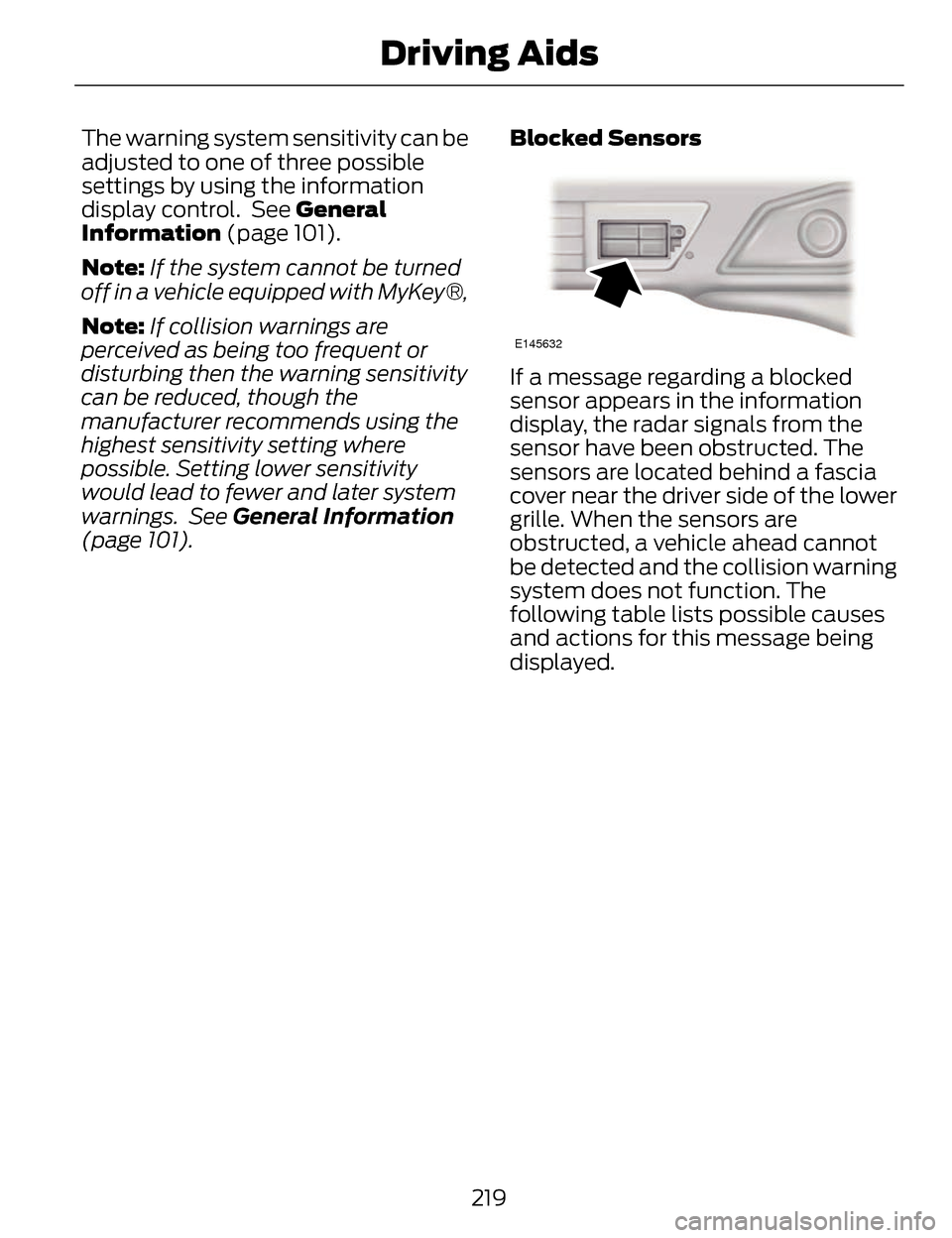
E145632
If a message regarding a blocked
sensor appears in the information
display, the radar signals from the
sensor have been obstructed. The
sensors are located behind a fascia
cover near the driver side of the lower
grille. When the sensors are
obstructed, a vehicle ahead cannot
be detected and the collision warning
system does not function. The
following table lists possible causes
and actions for this message being
displayed.
219
Driving Aids
