Page 492 of 918
491
ES350_300h_OM_OM33A60U_(U)
5-3. Using the Lexus Display Audio system
5
Interior features
Bluetooth® settings
Registered devices settings
Connecting telephone
Connecting audio player
Detailed Bluetooth
® settings
To display the screen shown above, follow the steps below. Press the “MENU” button on the Lexus Display Audio controller.
Select “Setup” on the “Menu” screen.
Select “Bluetooth
*” on the “Setup” screen.
*: Bluetooth is a registered trademark of Bluetooth SIG, Inc.
You can set the Bluetooth® system to your desired settings.
1
2
3
4
1
2
3
Page 493 of 918
492
ES350_300h_OM_OM33A60U_(U)
5-3. Using the Lexus Display Audio system
■Registering a Bluetooth® device
Bluetooth
® devices compatible with phones (HFP) and portable audio
players (AVP) can be registered simultaneously. You can register up to
5 Bluetooth
® devices.
Display the “Bluetooth
* Settings” screen. ( →P. 4 9 1 )
Select “Registered Devices” on the “Bluetooth
* Settings” screen.
Select “Add New”.
*: Bluetooth is a registered trademark of Bluetooth SIG, Inc.
Registered devices settings
1
2
3
Page 494 of 918

ES350_300h_OM_OM33A60U_(U)
4935-3. Using the Lexus Display Audio system
5
Interior features
When this screen is displayed,
input the passcode displayed
on the screen into your
Bluetooth
® device.
For the operation of the Bluetooth®
device, see the manual that comes
with your Bluetooth
® device.
Depending on the type of phone,
further phone operations may be
required after inputting the pass-
code (for example to confirm if
connection is to be received or not)
when registering a phone.
Passcodes are not required for SSP
(Secure Simple Pairing) compati-
ble Bluetooth
® devices. Depend-
ing on the phone, you may need to
select “Yes” to register, or “No” to
cancel on your cellular phone.
If you want to cancel it, select “Can-
cel”.
If a completion message is dis-
played, registration is complete.
If an error message is displayed,
follow the guidance on the screen
to try again.
■Removing a Bluetooth® device
Display the “Bluetooth
* Settings” screen. ( →P. 4 9 1 )
Select “Registered Devices” on the “Bluetooth
* Settings” screen.
*: Bluetooth is a registered trademark of Bluetooth SIG, Inc.
4
1
2
Page 496 of 918
ES350_300h_OM_OM33A60U_(U)
4955-3. Using the Lexus Display Audio system
5
Interior features
Select the device.
Following screen is displayed:Display device name
Display device address
Display your telephone
number
The number may not be dis-
played depending on the
phones.
Display compatibility profile
of the device
Change connection method
(→ P. 496)
Restore default settings
When you complete settings, select “OK”.
4
5
1
2
3
4
5
6
6
Page 497 of 918
496
ES350_300h_OM_OM33A60U_(U)
5-3. Using the Lexus Display Audio system
●Changing connection methodSelect “Connection Method” on the “Device Details” screen.
Select “From Vehicle” or
“From Audio Player”.
“From Vehicle”: Connect the audio
system to the portable audio player.
“From Audio Player”: Connect the
portable audio player to the audio
system.
If multiple Bluetooth® devices are registered, follow the procedure below
to select the Bluetooth
® device to be used. You may only use one device
at a time.
Display the “Bluetooth
* Settings” screen. ( →P. 4 9 1 )
Select “Connect Phone” on the “Bluetooth
* Settings” screen.
Select the device to connect.
“Add New”: Registering a Bluetooth®
device. ( →P. 4 9 2 )
The selection indicator is displayed on
left side of the selected device name.
The Bluetooth
® mark is displayed
when you connected the device.
*: Bluetooth is a registered trademark of Bluetooth SIG, Inc.
1
2
Selecting the Bluetooth® phone
1
2
3
Page 499 of 918
498
ES350_300h_OM_OM33A60U_(U)
5-3. Using the Lexus Display Audio system
You can confirm and change the detailed Bluetooth® settings.
Display the “Bluetooth
* Settings” screen. ( →P. 4 9 1 )
Select “Detailed Bluetooth
* Settings” on the “Bluetooth* Settings”
screen.
Following screen is displayed:
Change Bluetooth
® power
on/off
You can change Bluetooth® func-
tion to “On” or “Off”
Display device name
Change passcode
(→ P. 4 9 9 )
Display device address
Restore default settings
Display compatibility profile of
the system
Change displaying telephone
status on/off
You can set the system to show the
status confirmation display when
connecting telephone
Change displaying audio
player status on/off
You can set the system to show the
status confirmation display when
connecting audio player
When you complete settings, select “Save”.
*: Bluetooth is a registered trademark of Bluetooth SIG, Inc.
Detailed Bluetooth® settings
1
2
3
1
2
3
4
5
6
7
8
4
Page 500 of 918
ES350_300h_OM_OM33A60U_(U)
4995-3. Using the Lexus Display Audio system
5
Interior features
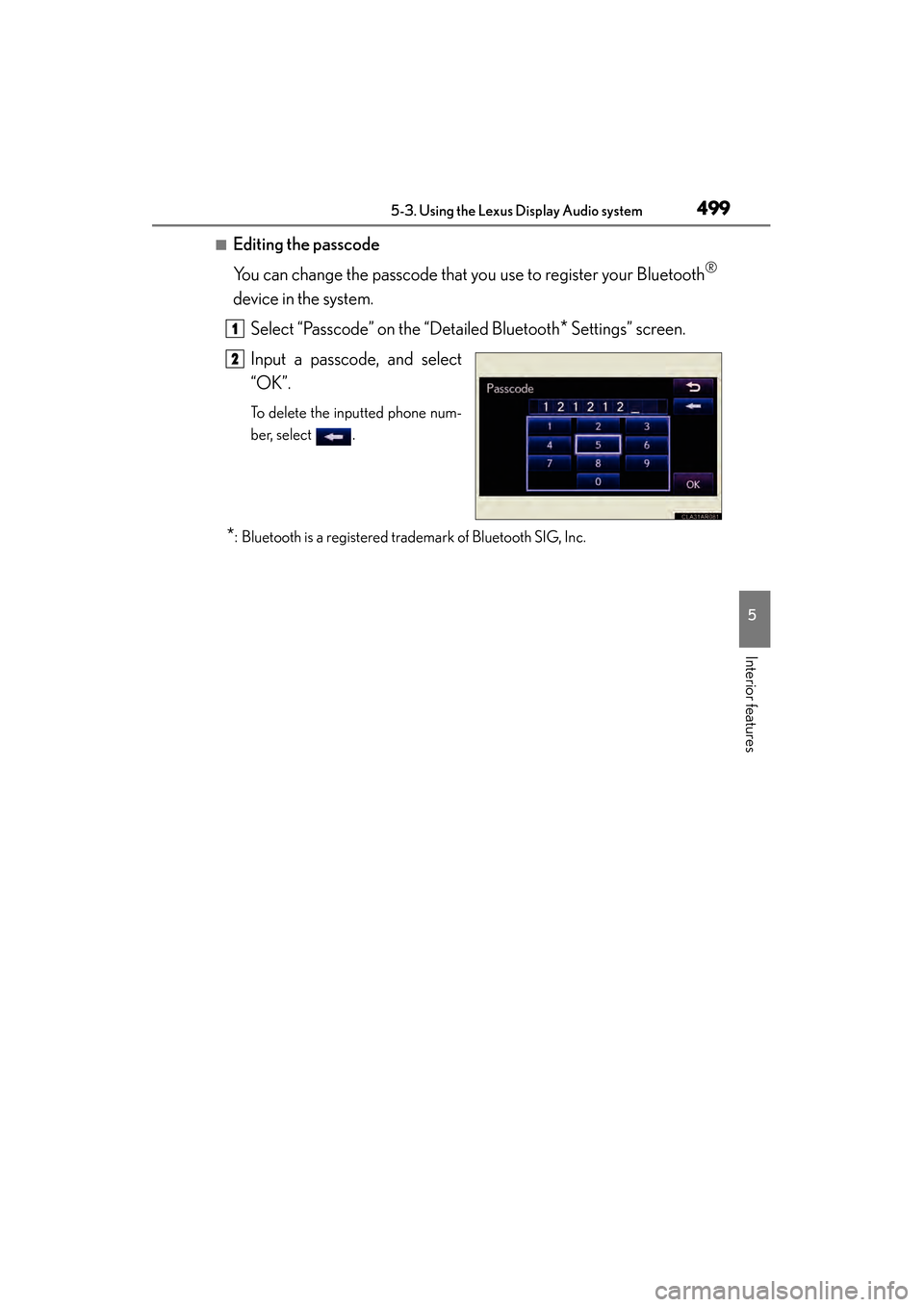
■Editing the passcode
You can change the passcode that you use to register your Bluetooth
®
device in the system.Select “Passcode” on the “Detailed Bluetooth
* Settings” screen.
Input a passcode, and select
“OK”.
To delete the inputted phone num-
ber, select .
*: Bluetooth is a registered trademark of Bluetooth SIG, Inc.
1
2
Page 502 of 918
ES350_300h_OM_OM33A60U_(U)
5015-4. Using the audio system
5
Interior features
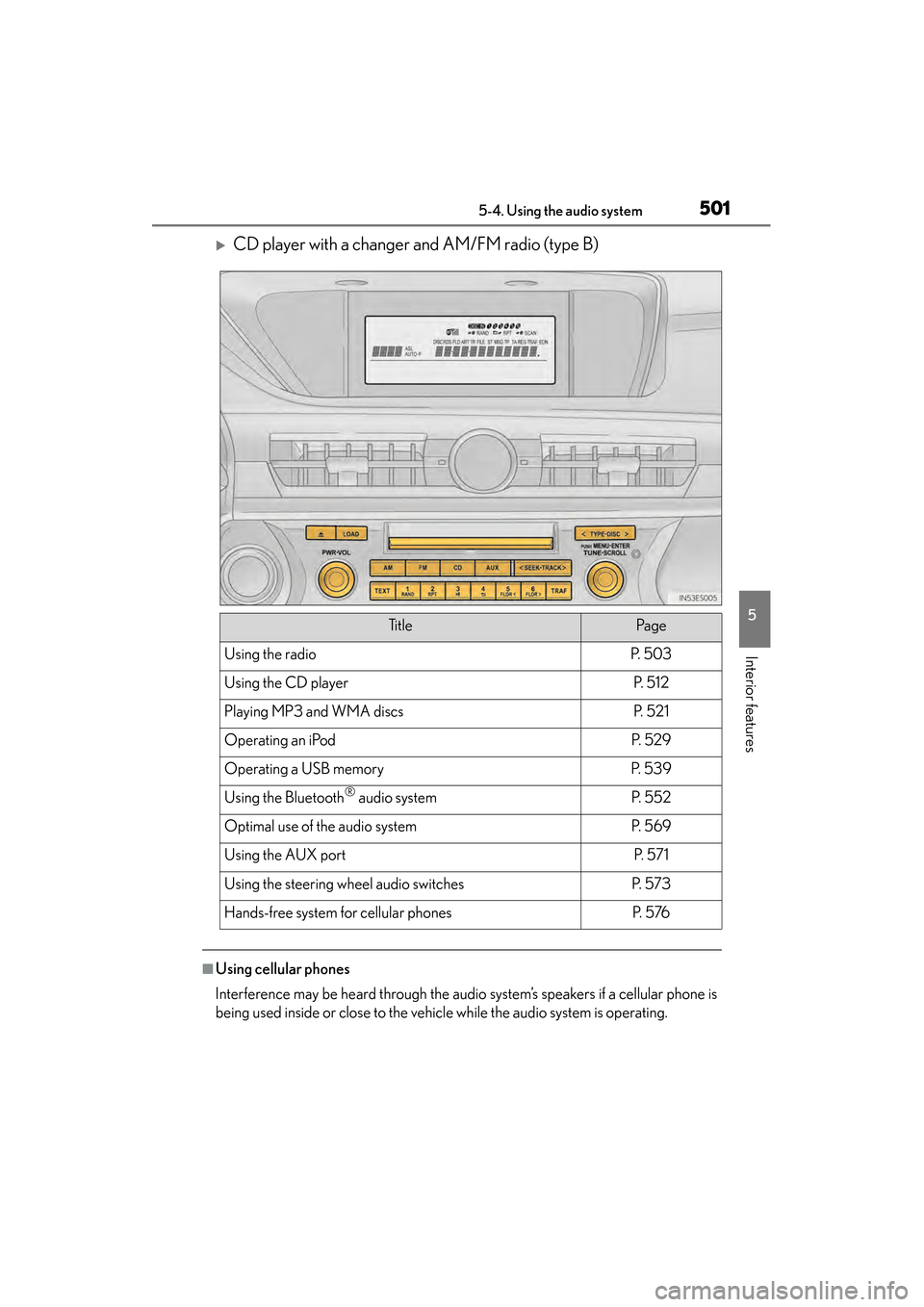
XCD player with a changer and AM/FM radio (type B)
■Using cellular phones
Interference may be heard through the audio system’s speakers if a cellular phone is
being used inside or close to the vehicle while the audio system is operating.
Ti t l ePa g e
Using the radioP. 5 0 3
Using the CD playerP. 5 1 2
Playing MP3 and WMA discsP. 5 2 1
Operating an iPodP. 5 2 9
Operating a USB memoryP. 5 3 9
Using the Bluetooth® audio systemP. 5 5 2
Optimal use of the audio systemP. 5 6 9
Using the AUX portP. 5 7 1
Using the steering wheel audio switchesP. 5 7 3
Hands-free system for cellular phonesP. 5 76