Page 340 of 918
ES350_300h_OM_OM33A60U_(U)
3395-1. Lexus Display Audio system
5
Interior features
To display the “Menu” screen, press the “MENU” button on the Lexus Dis-
play Audio controller.
“Menu” screen
ButtonFunction
“Climate”Automatic air conditioning system
(→ P. 3 5 3 )
“Phone”Hands-free system ( →P. 4 5 1 )
“Car ”Vehicle information ( →P. 1 1 0 )
“Setup”Setup menu ( →P. 3 4 5 )
“Display”Display settings ( →P. 3 4 3 )
Page 342 of 918
ES350_300h_OM_OM33A60U_(U)
3415-1. Lexus Display Audio system
5
Interior features
■Using the Lexus Display Audio controllerSelect: Turn or move the con-
troller.
Enter: Push the controller.
■Basic screen operation
When a list is displayed, use the appropriate button to scroll through
the list. : This indicator turn on whenthe list box is selected.
:
To scroll to the next or previous
page.
:
To return to the previous screen.
Lexus Display Audio system operation
1
2
Page 344 of 918
343
ES350_300h_OM_OM33A60U_(U)
5-1. Lexus Display Audio system
5
Interior features
Display settings
Turns off screen
The screen is turned off. To turn it on,
press the “AUDIO” or “MENU” but-
ton on the Lexus Display Audio con-
troller.
Changes to day mode
(→P. 343)
Adjusts screen contrast/bright-
ness ( →P. 3 4 4 )
Adjusts screen contrast/bright-
ness of rear view monitor camera
(→ P. 3 4 4 )
When the headlights are turned on, the screen dims.
However, the screen can be switched to day mode by selecting “Day
Mode”.
If the screen is set in day mode with the headlight switch turned on, this condition
is memorized even with the “START STOP ENGINE” <“POWER”> switch is
turned off.
You can adjust the contrast and brightness of the screen and also turn
the display off.
To display the “Display Settings” screen, press the “MENU” button on
the Lexus Display Audio controller and then select “Display” on the
“Menu” screen.
1
2
3
4
Changing between day mode and night mode
Page 346 of 918
345
ES350_300h_OM_OM33A60U_(U)
5-1. Lexus Display Audio system
5
Interior features
Setup menu
*: Bluetooth is a registered trademark of Bluetooth SIG, Inc.
You can change the Lexus Display Audio system to your desired set-
ting.
To display the “Setup” screen, press the “MENU” button on the Lexus
Display Audio controller and then select “Setup” on the “Menu”
screen.
ButtonPa g e
“General”P. 3 4 6
“Voice”P. 3 5 0
“Bluetooth*”P. 4 5 9
“Phone”P. 4 7 8
“A u d i o ”P. 3 4 9
“Vehicle”P. 3 4 8
Page 348 of 918
ES350_300h_OM_OM33A60U_(U)
3475-1. Lexus Display Audio system
5
Interior features
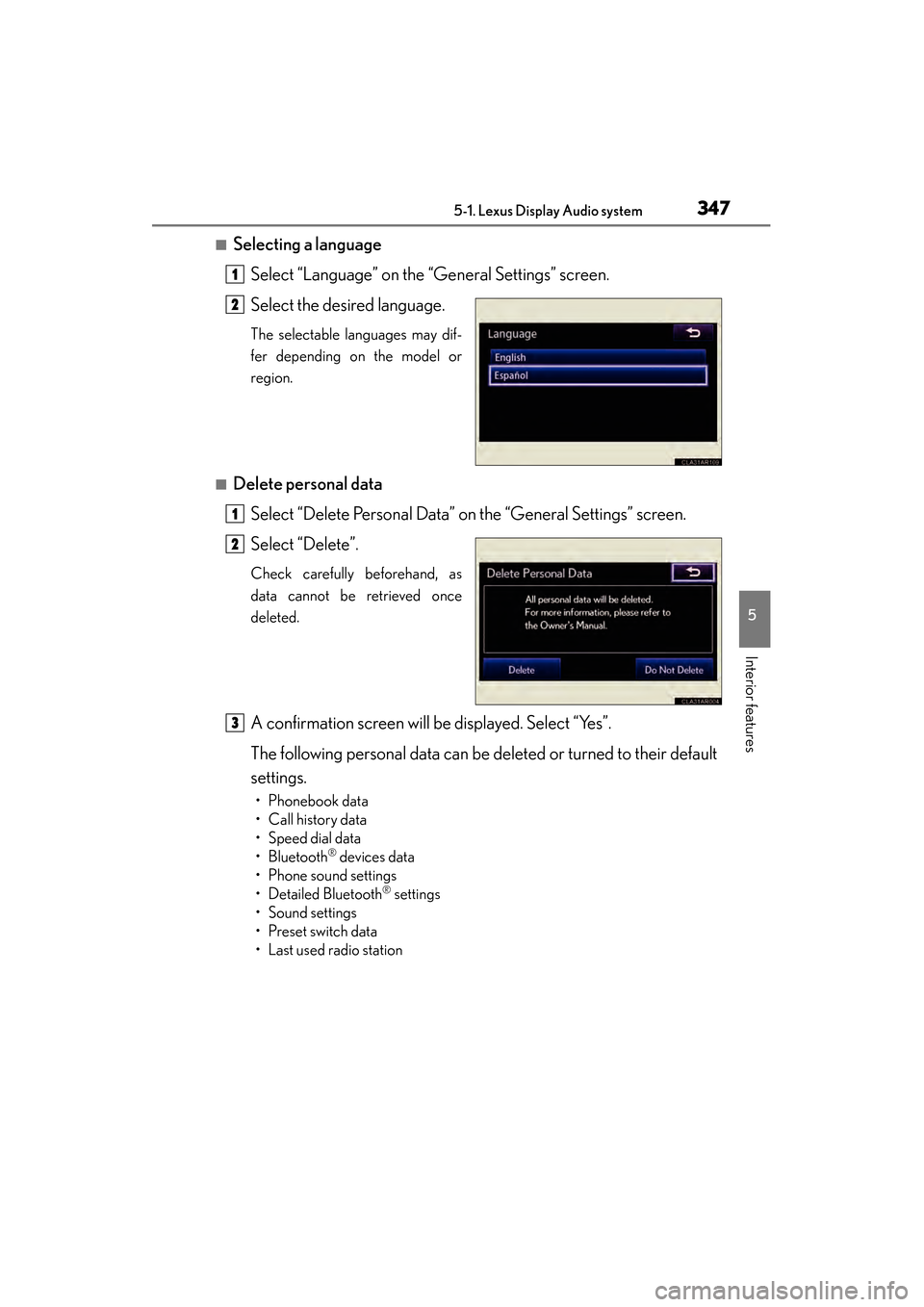
■Selecting a languageSelect “Language” on the “General Settings” screen.
Select the desired language.
The selectable languages may dif-
fer depending on the model or
region.
■Delete personal dataSelect “Delete Personal Data” on the “General Settings” screen.
Select “Delete”.
Check carefully beforehand, as
data cannot be retrieved once
deleted.
A confirmation screen will be displayed. Select “Yes”.
The following personal data can be deleted or turned to their default
settings.
• Phonebook data
•Call history data
• Speed dial data
•Bluetooth
® devices data
• Phone sound settings
• Detailed Bluetooth
® settings
•Sound settings
• Preset switch data
• Last used radio station
1
2
1
2
3
Page 350 of 918
ES350_300h_OM_OM33A60U_(U)
3495-1. Lexus Display Audio system
5
Interior features
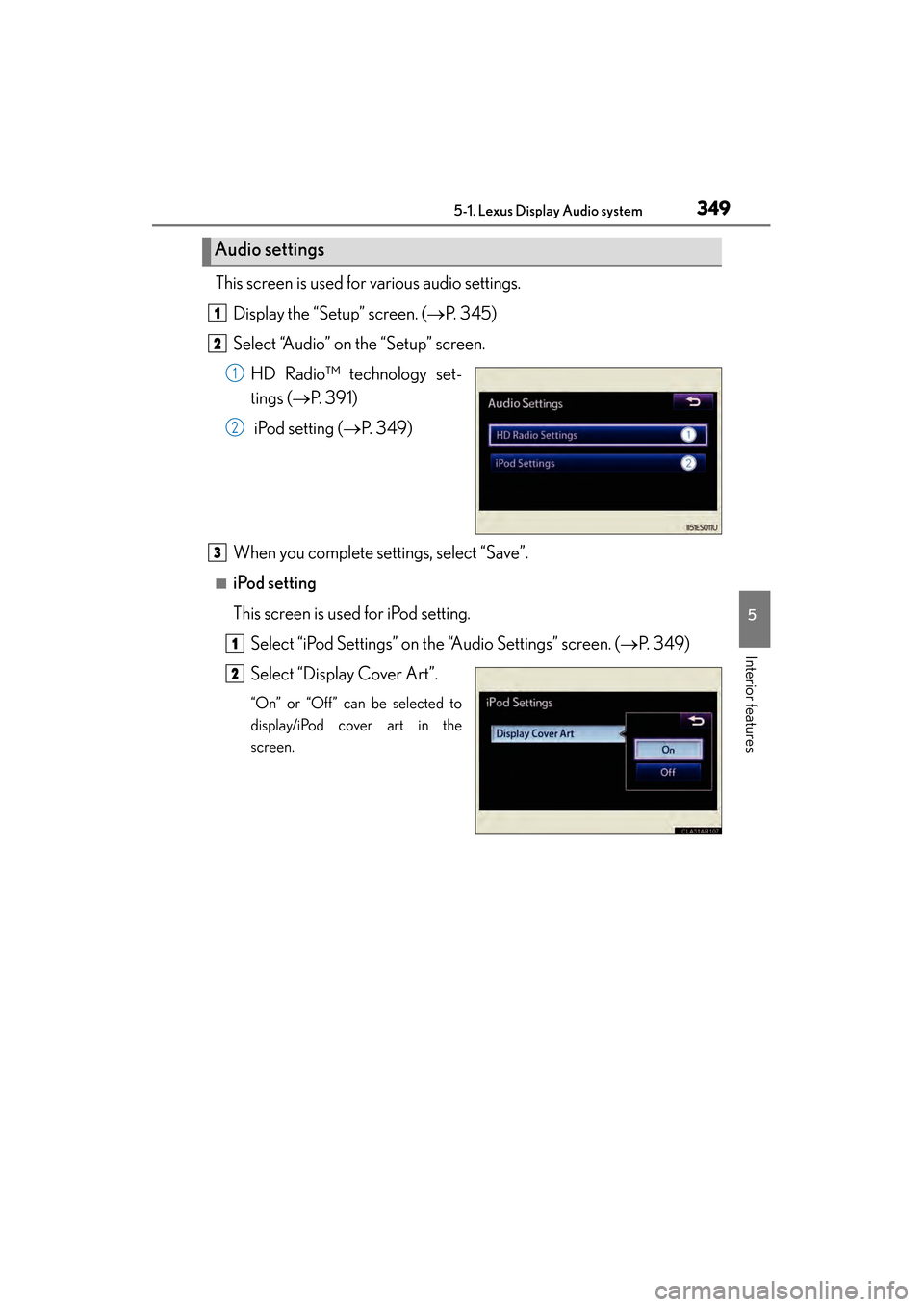
This screen is used for various audio settings.Display the “Setup” screen. ( →P. 345)
Select “Audio” on the “Setup” screen.
HD Radio™ technology set-
tings ( →P. 391)
iPod setting ( →P. 3 4 9 )
When you complete settings, select “Save”.
■iPod setting
This screen is used for iPod setting. Select “iPod Settings” on the “Audio Settings” screen. ( →P. 3 4 9 )
Select “Display Cover Art”.
“On” or “Off” can be selected to
display/iPod cover art in the
screen.
Audio settings
1
2
1
2
3
1
2
Page 352 of 918

351
ES350_300h_OM_OM33A60U_(U)
5-1. Lexus Display Audio system
5
Interior features
Mobile Assistant
Press and hold the off hook
switch until you hear the beeps
that indicate the system is listen-
ing.
The Mobile Assistant can be used
only when the neighboring
screen is displayed.
To cancel the Mobile Assistant, select
“Cancel”, or press and hold the off
hook switch.
To restart the Mobile Assistant for
additional commands, press the off
hook switch. Mobile Assistant can
only be restarted after the system
responds to a voice command. After
some phone and music commands,
the Mobile Assistant feature will auto-
matically end to complete the
requested action.
■Adjusting the volume
The volume of the Mobile Assistant can be adjusted using the “PWR•VOL” knob or
steering wheel volume switches. The Mobile Assistant and phone call volumes are
synchronized.
The Mobile Assistant feature on this system allows the activation of
Apple’s Siri
® Eyes Free mode via the steering wheel switches. To oper-
ate the Mobile Assistant, a compat ible cellular phone must be regis-
tered and connected to this system via Bluetooth
®. ( → P. 4 5 9 )
1
2
Page 354 of 918
353
ES350_300h_OM_OM33A60U_(U)
5-2. Using the air conditioning system and defogger
5
Interior features
Automatic air conditioning system (with the Lexus
Display Audio system)
XVehicles with a navigation system
Owners of models equipped with a navigation system should refer to
the “Navigation System Owner’s Manual”.
XVehicles without a navigation system or the Lexus Display Audio sys-
tem
→P. 365
Air outlets and fan speed are automat ically adjusted according to the
temperature setting.
To display the air conditioning operation screen, press the “MENU”
button on the Lexus Display Audio co ntroller and then select “Cli-
mate”.