Page 514 of 918
ES350_300h_OM_OM33A60U_(U)
5135-4. Using the audio system
5
Interior features
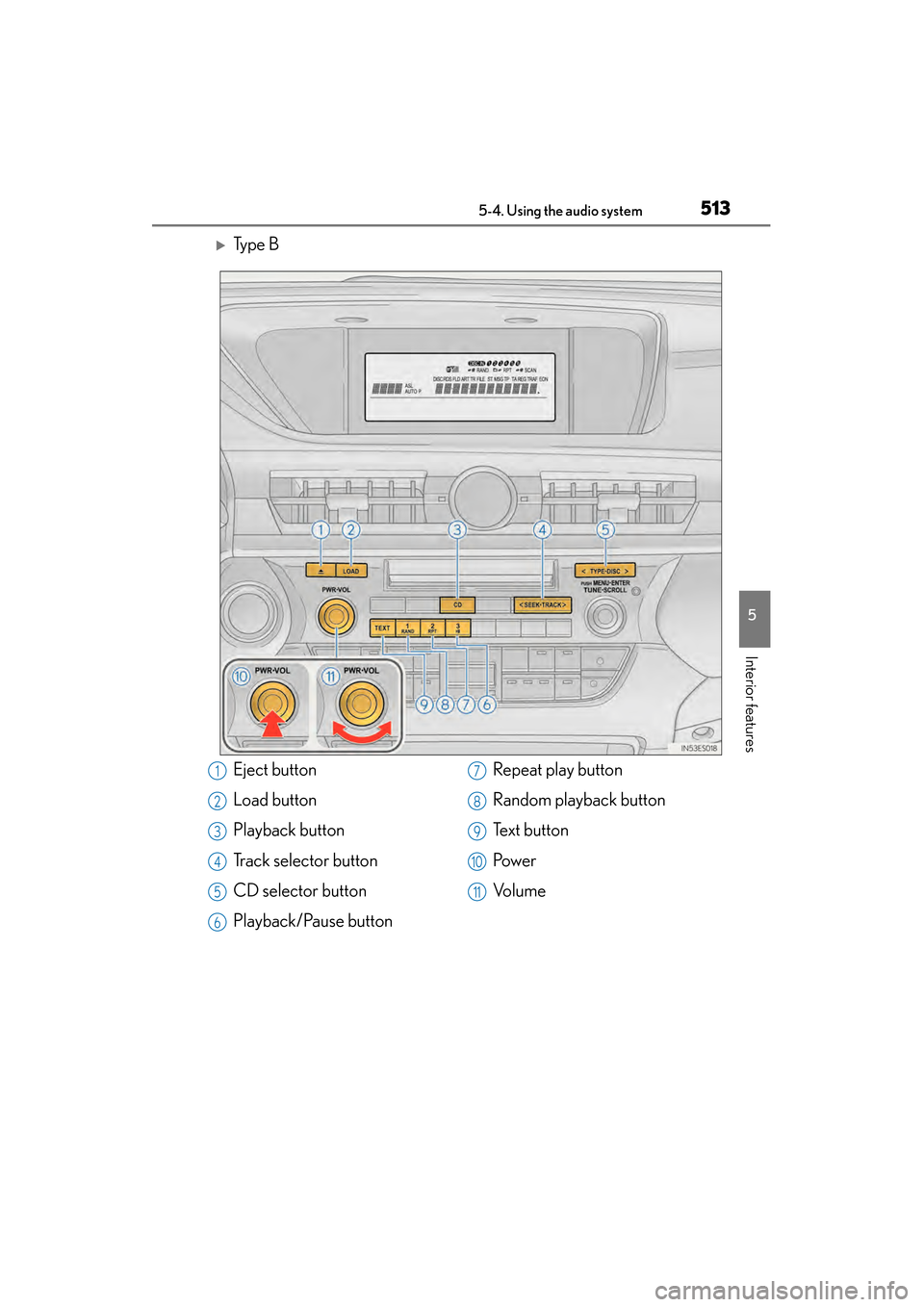
XTy p e B
Eject button
Load button
Playback button
Track selector button
CD selector button
Playback/Pause buttonRepeat play button
Random playback button
Te x t b u t t o n
Pow e r
Vo l u m e1
2
3
4
5
6
7
8
9
10
11
Page 516 of 918
ES350_300h_OM_OM33A60U_(U)
5155-4. Using the audio system
5
Interior features
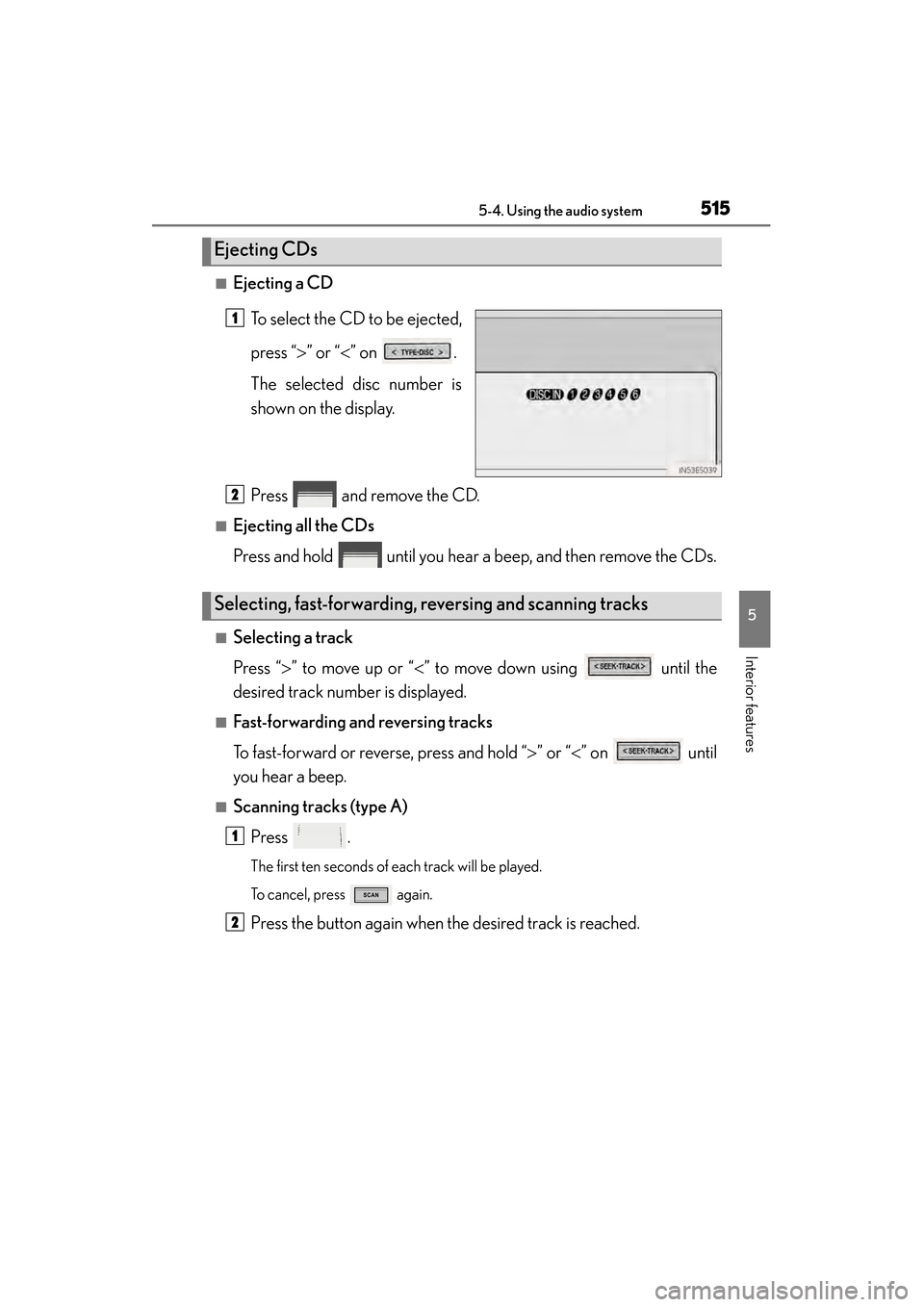
■Ejecting a CDTo select the CD to be ejected,
press “ >” or “ <” on .
The selected disc number is
shown on the display.
Press and remove the CD.
■Ejecting all the CDs
Press and hold until you hear a beep, and then remove the CDs.
■Selecting a track
Press “ >” to move up or “ <” to move down using until the
desired track number is displayed.
■Fast-forwarding and reversing tracks
To fast-forward or reverse, press and hold “ >” or “ <” on until
you hear a beep.
■Scanning tracks (type A)
Press .
The first ten seconds of each track will be played.
To cancel, press again.
Press the button again when the desired track is reached.
Ejecting CDs
1
Selecting, fast-forwarding, reversing and scanning tracks
2
1
2
Page 518 of 918
ES350_300h_OM_OM33A60U_(U)
5175-4. Using the audio system
5
Interior features
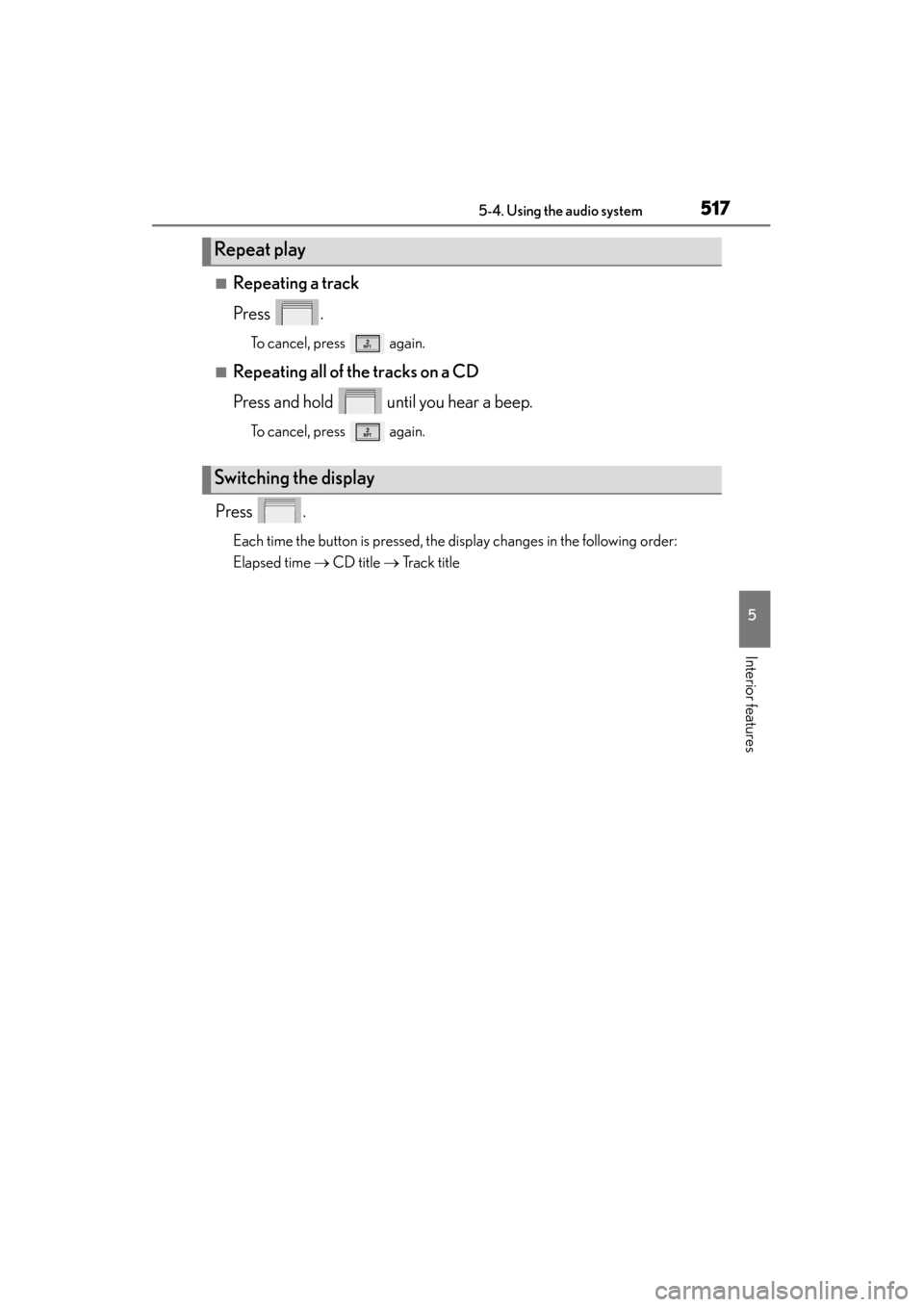
■Repeating a track
Press .
To cancel, press again.
■Repeating all of the tracks on a CD
Press and hold until you hear a beep.
To cancel, press again.
Press .
Each time the button is pressed, the display changes in the following order:
Elapsed time → CD title → Track title
Repeat play
Switching the display
Page 520 of 918
ES350_300h_OM_OM33A60U_(U)
5195-4. Using the audio system
5
Interior features
NOTICE
■CDs and adapters that cannot be used
Do not use the following types of CDs.
Also, do not use 3 in. (8 cm) CD adapters, DualDiscs or printable discs.
Doing so may damage the CD player and/or the CD load/eject function.
●CDs that have a diameter that is not 4.7 in.
(12 cm)
●Low-quality and deformed CDs
●CDs with a transparent or translucent
recording area
●CDs that have had tape, stickers or CD-R
labels attached to them, or that have had
the label peeled off
Page 522 of 918
521
ES350_300h_OM_OM33A60U_(U)
5-4. Using the audio system
5
Interior features
Playing MP3 and WMA discs
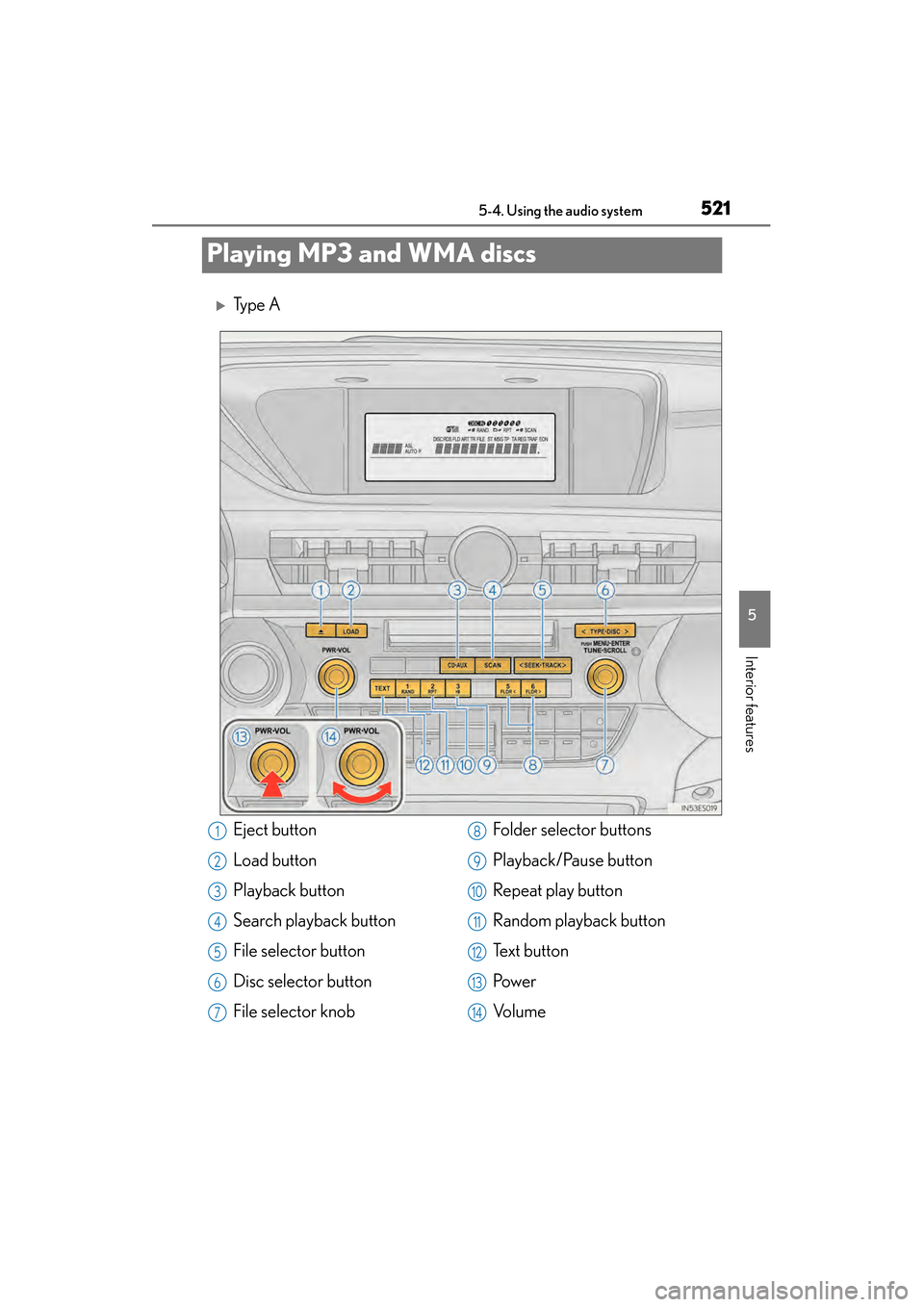
XTy p e A
Eject button
Load button
Playback button
Search playback button
File selector button
Disc selector button
File selector knobFolder selector buttons
Playback/Pause button
Repeat play button
Random playback button
Te x t b u t t o n
Pow e r
Vo l u m e1
2
3
4
5
6
7
8
9
10
11
12
13
14
Page 524 of 918
ES350_300h_OM_OM33A60U_(U)
5235-4. Using the audio system
5
Interior features
→P. 514, 515
→ P. 5 1 6
■Selecting a folder one at a time
Press or to select the desired folder.
■Returning to the first folder
Press and hold until you hear a beep.
■Scanning the first file of all the folders (type A)
Press and hold until you hear a beep.
The first ten seconds of the first file in each folder will be played.
When the desired folder is reached, press again.
To fast-forward or reverse, press and hold “ >” or “< ” on until
you hear a beep.
Loading and ejecting MP3 and WMA discs
Selecting MP3 and WMA discs
Selecting and scanning a folder
Fast-forwarding and reversing files
1
2
Page 526 of 918
ES350_300h_OM_OM33A60U_(U)
5255-4. Using the audio system
5
Interior features
■Repeating a file
Press .
To cancel, press again.
■Repeating all the files in a folder
Press and hold until you hear a beep.
To cancel, press again.
Press .
Each time the button is pressed, the display changes in the following order: Folder
no./File no./Elapsed time → Folder name → File name → Album title (MP3
only) → Track title → Artist name
Repeat play
Switching the display
Page 528 of 918

ES350_300h_OM_OM33A60U_(U)
5275-4. Using the audio system
5
Interior features
●WMA file compatibility
• Compatible standardsWMA Ver. 7, 8, 9
• Compatible sampling frequencies 32, 44.1, 48 (kHz)
• Compatible bit rates (only compatible with 2-channel playback) Ver. 7, 8: CBR 48, 64, 80, 96, 128, 160, 192 (kbps)
Ver. 9: CBR 48, 64, 80, 96, 128, 160, 192, 256, 320 (kbps)
●Compatible media
Media that can be used for MP3 and WMA playback are CD-Rs and CD-RWs.
Playback in some instances may not be possible if the CD-R or CD-RW is not
finalized. Playback may not be possible or the audio may jump if the disc is
scratched or marked with fingerprints.
●Compatible disc formats
The following disc formats can be used:
• Disc formats: CD-ROM Mode 1 and Mode 2CD-ROM XA Mode 2, Form 1 and Form 2
• File formats: ISO9660 Level 1, Level 2, (Romeo, Joliet) MP3 and WMA files written in any format other than those listed above may not
play correctly, and their file names and folder names may not be displayed cor-
rectly.
Items related to standards and limitations are as follows:
• Maximum directory hierarchy: 8 levels (including the root)
• Maximum length of folder names/file names: 32 characters
• Maximum number of folders: 192 (including the root)
• Maximum number of files per disc: 255
●File names
The only files that can be recognized as MP3/WMA and played are those with
the extension .mp3 or .wma.
●Discs containing multi-session recordings
As the audio system is compatible with multi-sessions, it is possible to play discs
that contain MP3 and WMA files. However, only the first session can be played.
●ID3 and WMA tags
ID3 tags can be added to MP3 files, making it possible to record the track title,
artist name, etc.
The system is compatible with ID3 Ver. 1.0, 1.1, and Ver. 2.2, 2.3 ID3 tags. (The
number of characters is based on ID3 Ver. 1.0 and 1.1.)
WMA tags can be added to WMA files, making it possible to record the track title
and artist name in the same way as with ID3 tags.