Page 498 of 918
ES350_300h_OM_OM33A60U_(U)
4975-3. Using the Lexus Display Audio system
5
Interior features
If multiple Bluetooth® devices are registered, follow the procedure below
to select the Bluetooth
® device to be used. You may only use one device
at a time.
Display the “Bluetooth
* Settings” screen. ( →P. 4 9 1 )
Select “Connect Audio Player” on the “Bluetooth
* Settings” screen.
Select the device to connect.
“Add New”: Registering a Bluetooth®
device. ( →P. 4 9 2 )
The selection indicator is displayed on
left side of the selected device name.
The Bluetooth
® mark is displayed
when you connected the device.
*: Bluetooth is a registered trademark of Bluetooth SIG, Inc.
Selecting the audio player
1
2
3
Page 500 of 918
ES350_300h_OM_OM33A60U_(U)
4995-3. Using the Lexus Display Audio system
5
Interior features
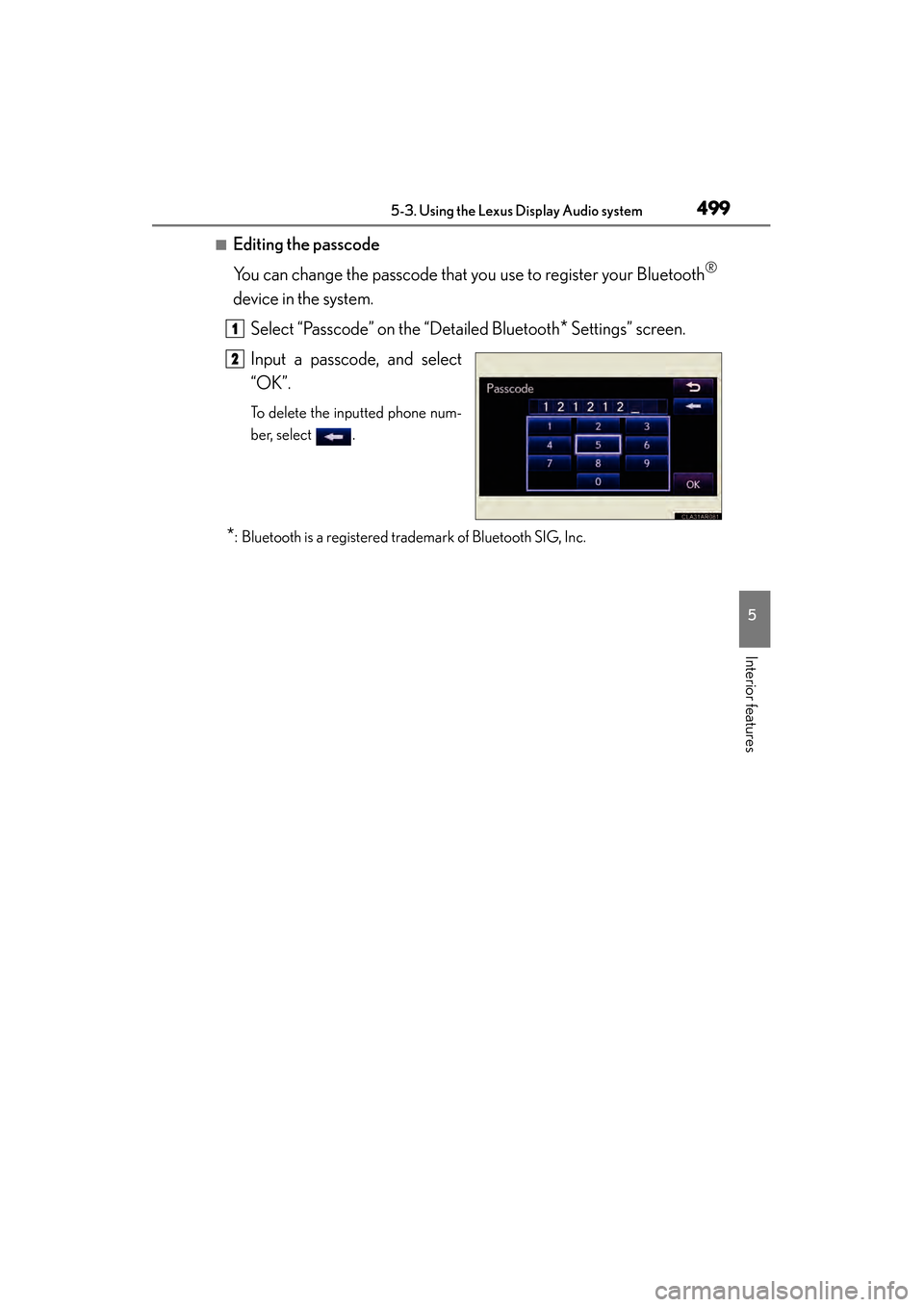
■Editing the passcode
You can change the passcode that you use to register your Bluetooth
®
device in the system.Select “Passcode” on the “Detailed Bluetooth
* Settings” screen.
Input a passcode, and select
“OK”.
To delete the inputted phone num-
ber, select .
*: Bluetooth is a registered trademark of Bluetooth SIG, Inc.
1
2
Page 502 of 918
ES350_300h_OM_OM33A60U_(U)
5015-4. Using the audio system
5
Interior features
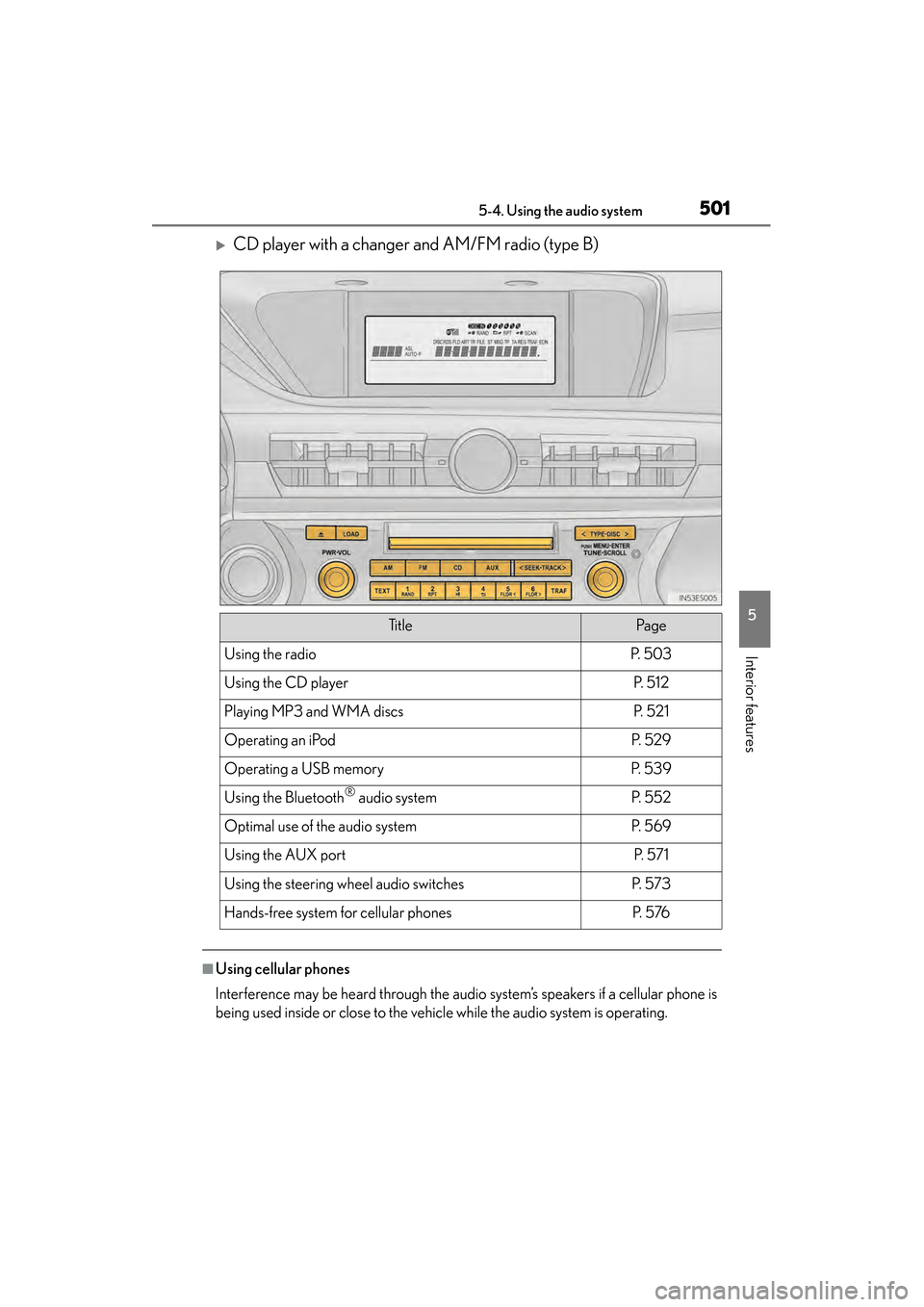
XCD player with a changer and AM/FM radio (type B)
■Using cellular phones
Interference may be heard through the audio system’s speakers if a cellular phone is
being used inside or close to the vehicle while the audio system is operating.
Ti t l ePa g e
Using the radioP. 5 0 3
Using the CD playerP. 5 1 2
Playing MP3 and WMA discsP. 5 2 1
Operating an iPodP. 5 2 9
Operating a USB memoryP. 5 3 9
Using the Bluetooth® audio systemP. 5 5 2
Optimal use of the audio systemP. 5 6 9
Using the AUX portP. 5 7 1
Using the steering wheel audio switchesP. 5 7 3
Hands-free system for cellular phonesP. 5 76
Page 504 of 918
503
ES350_300h_OM_OM33A60U_(U)
5-4. Using the audio system
5
Interior features
Using the radio
XTy p e A
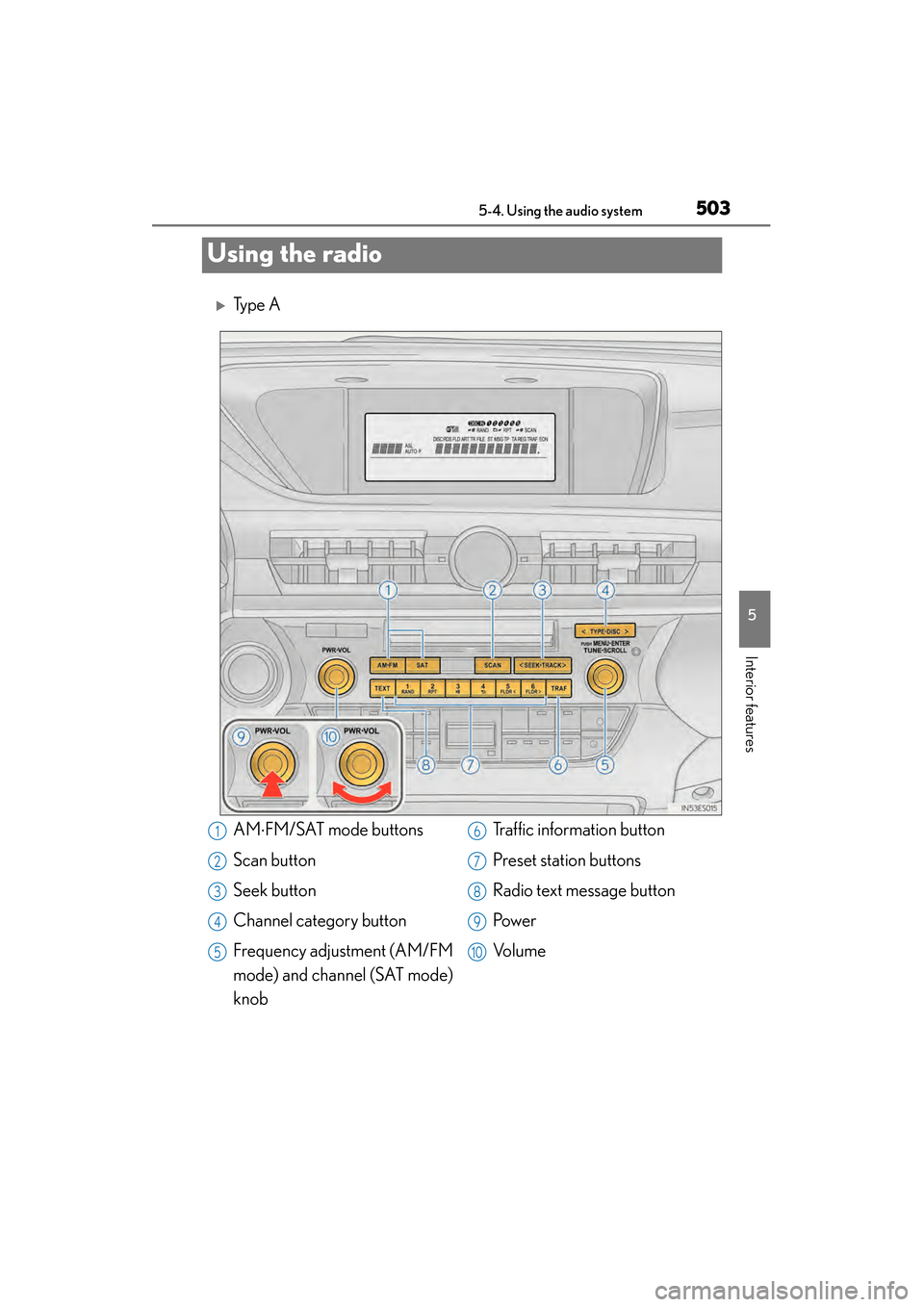
AM⋅FM/SAT mode buttons
Scan button
Seek button
Channel category button
Frequency adjustment (AM/FM
mode) and channel (SAT mode)
knob Traffic information button
Preset station buttons
Radio text message button
Pow e r
Vo l u m e1
2
3
4
5
6
7
8
9
10
Page 506 of 918
ES350_300h_OM_OM33A60U_(U)
5055-4. Using the audio system
5
Interior features
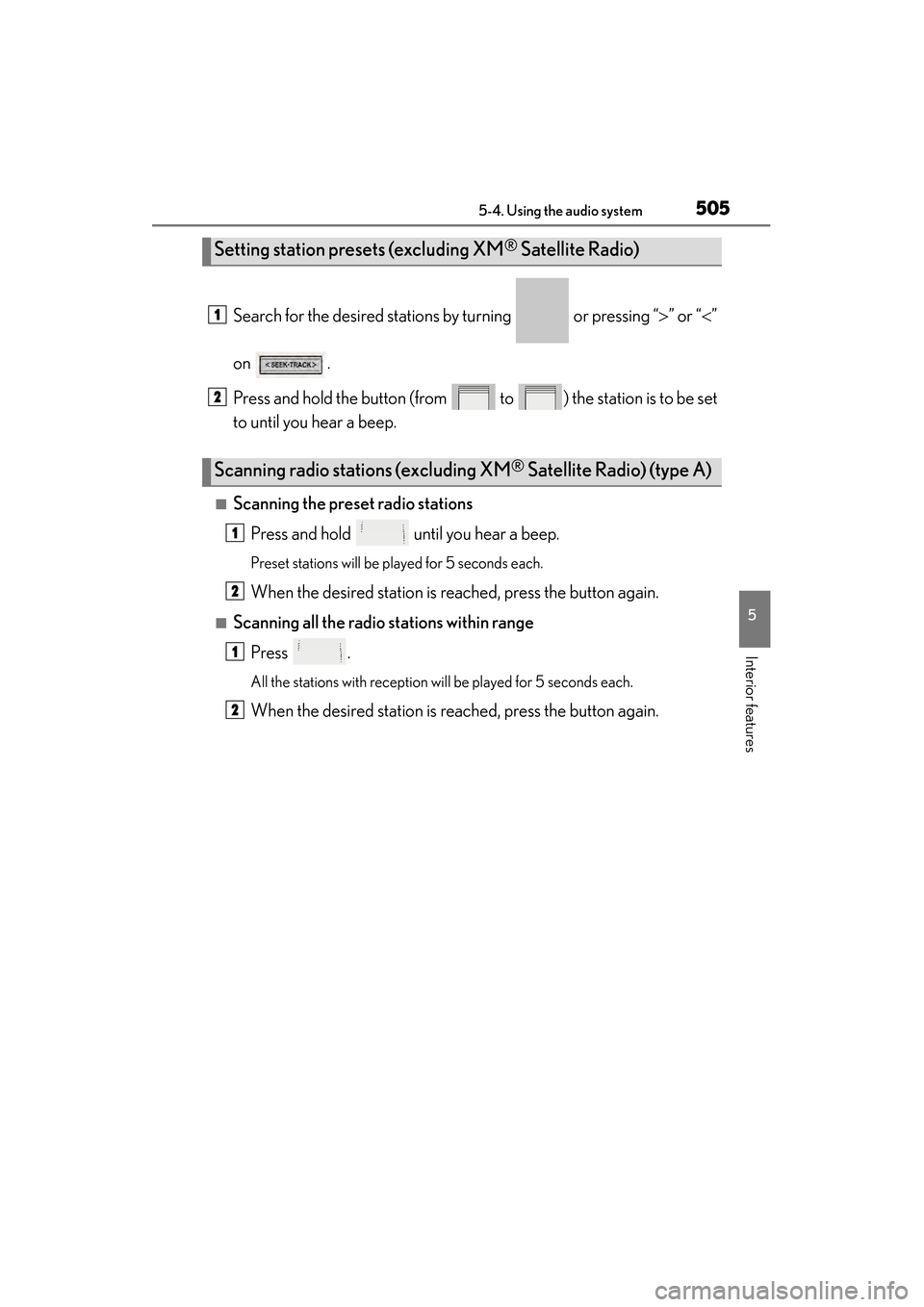
Search for the desired stations by turning or pressing “>” or “< ”
on .
Press and hold the button (from to ) the station is to be set
to until you hear a beep.
■Scanning the preset radio stations Press and hold until you hear a beep.
Preset stations will be played for 5 seconds each.
When the desired station is reached, press the button again.
■Scanning all the radio st ations within range
Press .
All the stations with reception will be played for 5 seconds each.
When the desired station is reached, press the button again.
Setting station presets (excluding XM® Satellite Radio)
Scanning radio stations (excluding XM® Satellite Radio) (type A)
1
2
1
2
1
2
Page 508 of 918
ES350_300h_OM_OM33A60U_(U)
5075-4. Using the audio system
5
Interior features
■Receiving XM® Satellite Radio
Press .
The display changes as follows each time the button is pressed:
“SAT1” → “SAT2” → “SAT3”
Turn to select the desired channel in all the categories or
press “ >” or “ <” on to select the desired channel in the
current category.
■Setting XM® Satellite Radio channel presets
Select the desired channel. Press and hold the button (from to ) the channel is to be set to until you hear a beep.
■Changing the channel category
Press “>” or “ <” on .
XM® Satellite Radio (type A)
1
2
Page 510 of 918
ES350_300h_OM_OM33A60U_(U)
5095-4. Using the audio system
5
Interior features
■When the 12-volt battery is disconnected
All preset stations are erased.
■Reception sensitivity
●Cargo loaded on the roof luggage carrier, especially metal objects, may adversely
affect the reception of XM® Satellite Radio.
●It is difficult to maintain perfect radio reception at all times due to the continually
changing position of the antenna, differences in signal strength and surrounding
objects, such as trains and transmitters.
●The radio antenna is mounted inside the trunk and the rear window. To maintain
clear radio reception, do not attach metallic window tinting or other metallic
objects to the antenna wire mounted inside the rear window.
■Receiving XM® Satellite Radio
An XM
® Satellite Radio is a tuner designed exclusively to receive broadcasts pro-
vided under a separate subscription. Availability is limited to the 48 contiguous
states and 10 Canadian provinces.
●XM® subscriptions
For detailed information about XM® Satellite Radio or to subscribe:
U.S.A.
Visit on the web at www.siriusxm.com
or call 1-866-635-2349.
Canada
Visit on the web at www.xmradio.ca
or call 1-877-438-9677.
●Radio ID
You will need the radio ID when activating XM
® service or reporting a problem.
Select “CH000” using , and the receiver’s 8-character ID number will
appear.
●Satellite tuner
The tuner supports only Audio Services (Music and Talk) and the accompanying
Te x t I n f o r m a t i o n o f X M
® Satellite Radio.
Page 512 of 918
ES350_300h_OM_OM33A60U_(U)
5115-4. Using the audio system
5
Interior features
■Certifications for XM® Satellite Radio
This device complies with RSS-310 of Industry Canada. Operation is subject to the
condition that this device does not cause harmful interference.
Cet appareil est conforme au CNR-310 d’Industrie Canada. Son exploitation est
autorisée sous réserve que l’appareil ne cause pas de brouillage préjudiciable.