2014 KIA Sportage phone
[x] Cancel search: phonePage 100 of 457
Features of your vehicle
84
D020200AAM-EU
Transmitter precautions
✽
✽NOTICE
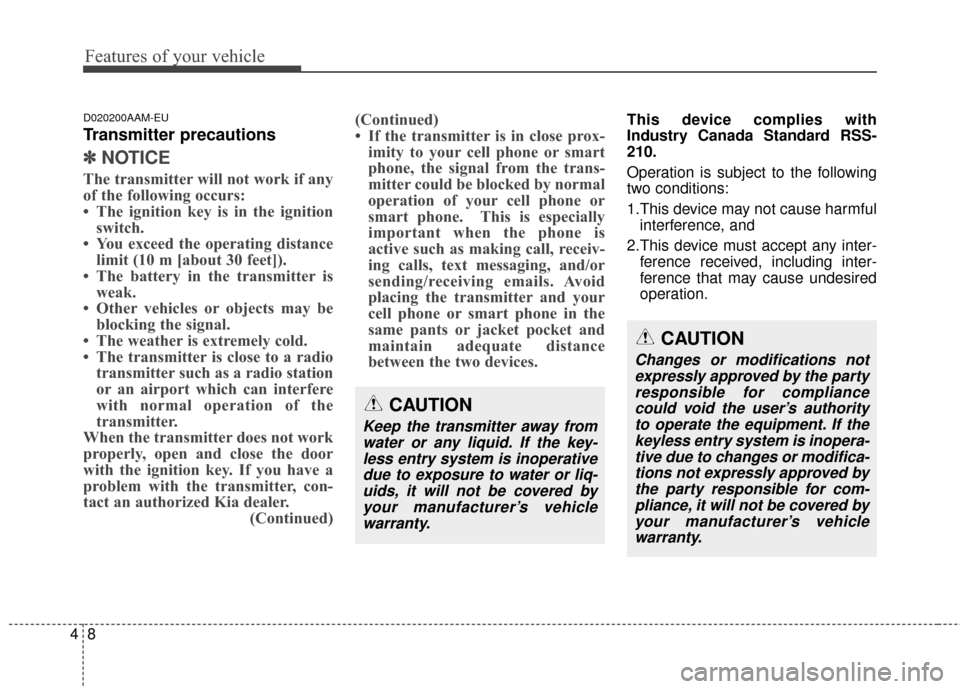
The transmitter will not work if any
of the following occurs:
• The ignition key is in the ignition
switch.
• You exceed the operating distance limit (10 m [about 30 feet]).
• The battery in the transmitter is weak.
• Other vehicles or objects may be blocking the signal.
• The weather is extremely cold.
• The transmitter is close to a radio transmitter such as a radio station
or an airport which can interfere
with normal operation of the
transmitter.
When the transmitter does not work
properly, open and close the door
with the ignition key. If you have a
problem with the transmitter, con-
tact an authorized Kia dealer. (Continued)(Continued)
• If the transmitter is in close prox-
imity to your cell phone or smart
phone, the signal from the trans-
mitter could be blocked by normal
operation of your cell phone or
smart phone. This is especially
important when the phone is
active such as making call, receiv-
ing calls, text messaging, and/or
sending/receiving emails. Avoid
placing the transmitter and your
cell phone or smart phone in the
same pants or jacket pocket and
maintain adequate distance
between the two devices.
This device complies with
Industry Canada Standard RSS-
210.
Operation is subject to the following
two conditions:
1.This device may not cause harmful
interference, and
2.This device must accept any inter- ference received, including inter-
ference that may cause undesired
operation.
CAUTION
Changes or modifications notexpressly approved by the partyresponsible for compliancecould void the user’s authorityto operate the equipment. If thekeyless entry system is inopera-tive due to changes or modifica-tions not expressly approved bythe party responsible for com-pliance, it will not be covered byyour manufacturer’s vehiclewarranty.
CAUTION
Keep the transmitter away fromwater or any liquid. If the key-less entry system is inoperativedue to exposure to water or liq-uids, it will not be covered byyour manufacturer’s vehiclewarranty.
Page 104 of 457
Features of your vehicle
12
4
D040102AEN-EU
Unlocking
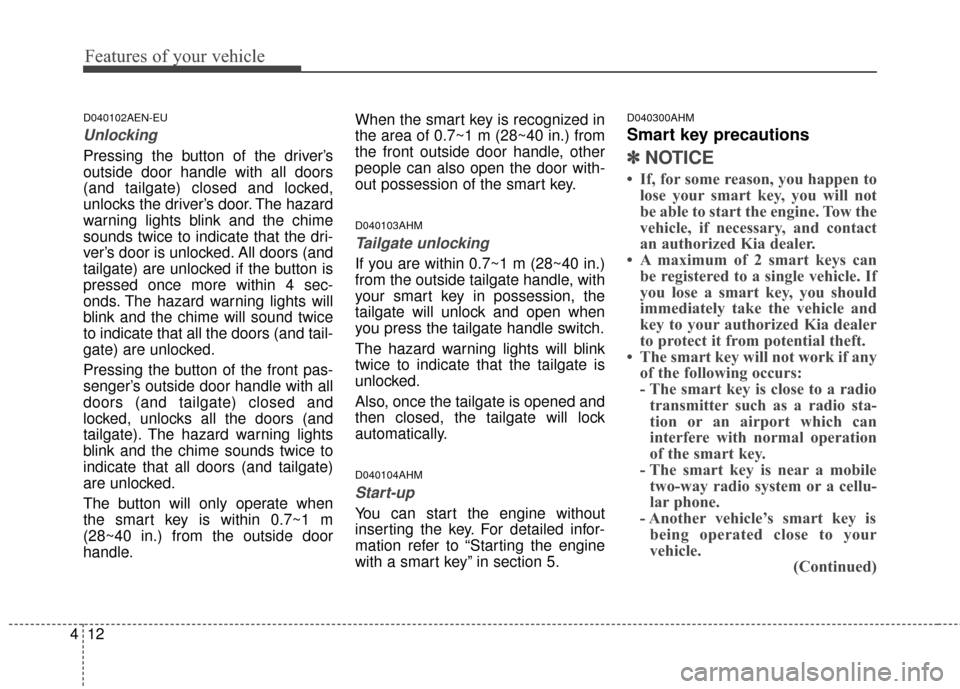
Pressing the button of the driver’s
outside door handle with all doors
(and tailgate) closed and locked,
unlocks the driver’s door. The hazard
warning lights blink and the chime
sounds twice to indicate that the dri-
ver’s door is unlocked. All doors (and
tailgate) are unlocked if the button is
pressed once more within 4 sec-
onds. The hazard warning lights will
blink and the chime will sound twice
to indicate that all the doors (and tail-
gate) are unlocked.
Pressing the button of the front pas-
senger’s outside door handle with all
doors (and tailgate) closed and
locked, unlocks all the doors (and
tailgate). The hazard warning lights
blink and the chime sounds twice to
indicate that all doors (and tailgate)
are unlocked.
The button will only operate when
the smart key is within 0.7~1 m
(28~40 in.) from the outside door
handle. When the smart key is recognized in
the area of 0.7~1 m (28~40 in.) from
the front outside door handle, other
people can also open the door with-
out possession of the smart key.
D040103AHM
Tailgate unlocking
If you are within 0.7~1 m (28~40 in.)
from the outside tailgate handle, with
your smart key in possession, the
tailgate will unlock and open when
you press the tailgate handle switch.
The hazard warning lights will blink
twice to indicate that the tailgate is
unlocked.
Also, once the tailgate is opened and
then closed, the tailgate will lock
automatically.
D040104AHM
Start-up
You can start the engine without
inserting the key. For detailed infor-
mation refer to “Starting the engine
with a smart key” in section 5.
D040300AHM
Smart key precautions
✽ ✽
NOTICE
• If, for some reason, you happen to
lose your smart key, you will not
be able to start the engine. Tow the
vehicle, if necessary, and contact
an authorized Kia dealer.
• A maximum of 2 smart keys can be registered to a single vehicle. If
you lose a smart key, you should
immediately take the vehicle and
key to your authorized Kia dealer
to protect it from potential theft.
• The smart key will not work if any of the following occurs:
- The smart key is close to a radiotransmitter such as a radio sta-
tion or an airport which can
interfere with normal operation
of the smart key.
- The smart key is near a mobile two-way radio system or a cellu-
lar phone.
- Another vehicle’s smart key is being operated close to your
vehicle. (Continued)
Page 105 of 457
413
Features of your vehicle
(Continued)When the smart key does not work
properly, open and close the door
with the mechanical key. If you
have a problem with the smart
key, contact an authorized Kia
dealer.
• If the smart key is in close proxim- ity to your cell phone or smart
phone, the signal from the smart
key could be blocked by normal
operation of your cell phone or
smart phone. This is especially
important when the phone is
active such as making call, receiv-
ing calls, text messaging, and/or
sending/receiving emails. Avoid
placing the smart key and your
cell phone or smart phone in the
same pants or jacket pocket and
maintain adequate distance
between the two devices. This device complies with
Industry Canada Standard RSS-
210.
Operation is subject to the following
two conditions:
1.This device may not cause harmful
interference, and
2.This device must accept any inter- ference received, including inter-
ference that may cause undesired
operation.CAUTION
Keep the smart key away fromwater or any liquid. If the key-less entry system is inoperativedue to exposure to water or liq-uids, it will not be covered byyour manufacturer’s vehiclewarranty.
WARNING
Changes or modifications not
expressly approved by the party
responsible for compliance
could void the user's authority
to operate the equipment.
Page 126 of 457
Features of your vehicle
34
4
(Continued)
When using an approved
portable fuel container, be
sure to place the container on
the ground prior to refueling.
Static electricity discharge
from the container can ignite
fuel vapors causing a fire.
Once refueling has begun,
contact with the vehicle
should be maintained until the
filling is complete.
Use only approved portable
plastic fuel containers
designed to carry and store
gasoline.
Do not use cellular phones while refueling. Electric cur-
rent and/or electronic interfer-
ence from cellular phones can
potentially ignite fuel vapors
causing a fire.
(Continued)(Continued)
When refueling, always shutthe engine off. Sparks pro-
duced by electrical compo-
nents related to the engine
can ignite fuel vapors causing
a fire. Once refueling is com-
plete, check to make sure the
filler cap and filler door are
securely closed, before start-
ing the engine.
DO NOT use matches or a lighter and DO NOT SMOKE or
leave a lit cigarette in your
vehicle while at a gas station
especially during refueling.
Automotive fuel is highly
flammable and can, when
ignited, result in fire.
If a fire breaks out during refu- eling, leave the vicinity of the
vehicle, and immediately con-
tact the manager of the gas
station and then contact the
local fire department. Follow
any safety instructions they
provide.CAUTION
Make sure to refuel your vehi- cle according to the “Fuelrequirements” suggested insection 1.
If the fuel filler cap requires replacement, use only a gen-uine Kia cap or the equivalentspecified for your vehicle. Anincorrect fuel filler cap canresult in a serious malfunctionof the fuel system or emissioncontrol system.
Do not spill fuel on the exteri- or surfaces of the vehicle. Anytype of fuel spilled on paintedsurfaces may damage thepaint.
After refueling, make sure the fuel cap is installed securelyto prevent fuel spillage in theevent of an accident.
Page 169 of 457
477
Features of your vehicle
This system will activate when theindicator on the rear parking assist
OFF button is not illuminated. If
you desire to deactivate the Back-
up warning system, press the rear
parking assist OFF button. (The
indicator on the button will illumi-
nate.) To turn the system on, press
the button again. (The indicator on
the button will go off.)
The sensing distance while the Back-up warning system is in oper-
ation is approximately 120 cm (47
in.).
When more than two objects are sensed at the same time, the clos-
est one will be recognized first.Types of warning sound
When an object is 120 cm to 81 cm(47 in. to 32 in.) from the rear
bumper: Buzzer beeps intermit-
tently.
When an object is 80 cm to 41 cm (31 in. to 16 in.) from the rear
bumper: Buzzer beeps more fre-
quently.
When an object is within 40 cm (15 in.) of the rear bumper:
Buzzer sounds continuously.
Non-operational conditions of
Back-up warning system
The Back-up warning system may
not operate properly when:
1.Moisture is frozen to the sensor. (Itwill operate normally when the
moisture has been cleared.)
2.The sensor is covered with foreign matter, such as snow or water, or
the sensor cover is blocked. (It will
operate normally when the materi-
al is removed or the sensor is no
longer blocked.)
3.Driving on uneven road surfaces (unpaved roads, gravel, bumps,
gradient).
4.Objects generating excessive noise (vehicle horns, loud motorcy-
cle engines, or truck air brakes) are
within range of the sensor.
5.Heavy rain or water spray exists.
6.Wireless transmitters or mobile phones are within range of the
sensor.
7.The sensor is covered with snow.
8.Trailer towing
Page 211 of 457
4119
Features of your vehicle
The ticket holder (5) is provided for
holding a tollgate ticket. (if equipped)
* The actual sunvisor lamp in thevehicle may differ from the illustra-
tion.
D280500AEN
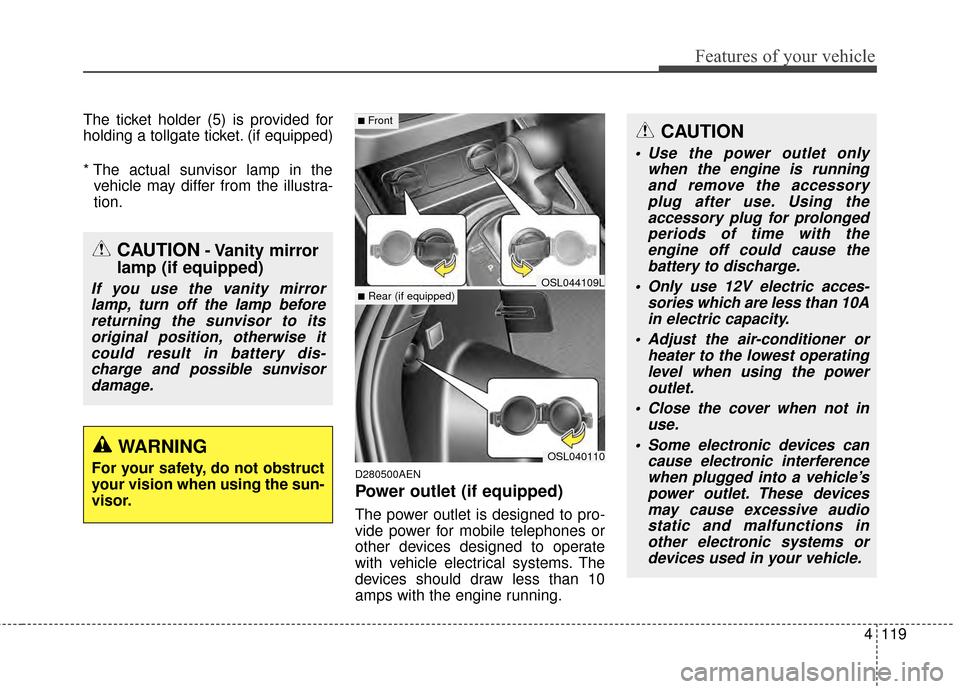
Power outlet (if equipped)
The power outlet is designed to pro-
vide power for mobile telephones or
other devices designed to operate
with vehicle electrical systems. The
devices should draw less than 10
amps with the engine running.
CAUTION- Vanity mirror
lamp (if equipped)
If you use the vanity mirror
lamp, turn off the lamp beforereturning the sunvisor to itsoriginal position, otherwise itcould result in battery dis-charge and possible sunvisordamage.
OSL040110
■Front
■Rear (if equipped)OSL044109L
CAUTION
Use the power outlet only when the engine is runningand remove the accessoryplug after use. Using theaccessory plug for prolongedperiods of time with theengine off could cause thebattery to discharge.
Only use 12V electric acces- sories which are less than 10Ain electric capacity.
Adjust the air-conditioner or heater to the lowest operatinglevel when using the poweroutlet.
Close the cover when not in use.
Some electronic devices can cause electronic interferencewhen plugged into a vehicle’spower outlet. These devicesmay cause excessive audiostatic and malfunctions inother electronic systems ordevices used in your vehicle.
WARNING
For your safety, do not obstruct
your vision when using the sun-
visor.
Page 220 of 457
Features of your vehicle
128
4
D300205AHM
MUTE (4)
Press the button to mute the
sound.
Press the button to turn off the microphone during a telephone
call.
Detailed information for audio control
buttons is described in the following
pages in this section.
D300600AHM-EE
Aux, USB and iPod®* port
(if equipped)
If your vehicle has an aux and/or
USB(universal serial bus) port or
iPod
®port, you can use an aux port
to connect audio devices and an
USB port to plug in an USB and also
an iPod
®port to plug in an iPod®.
✽ ✽ NOTICE
When using a portable audio device
connected to the power outlet, noise
may occur during playback. If this
happens, use the power source of the
portable audio device.
*iPod®is a trademark of Apple Inc.
D300800AHM
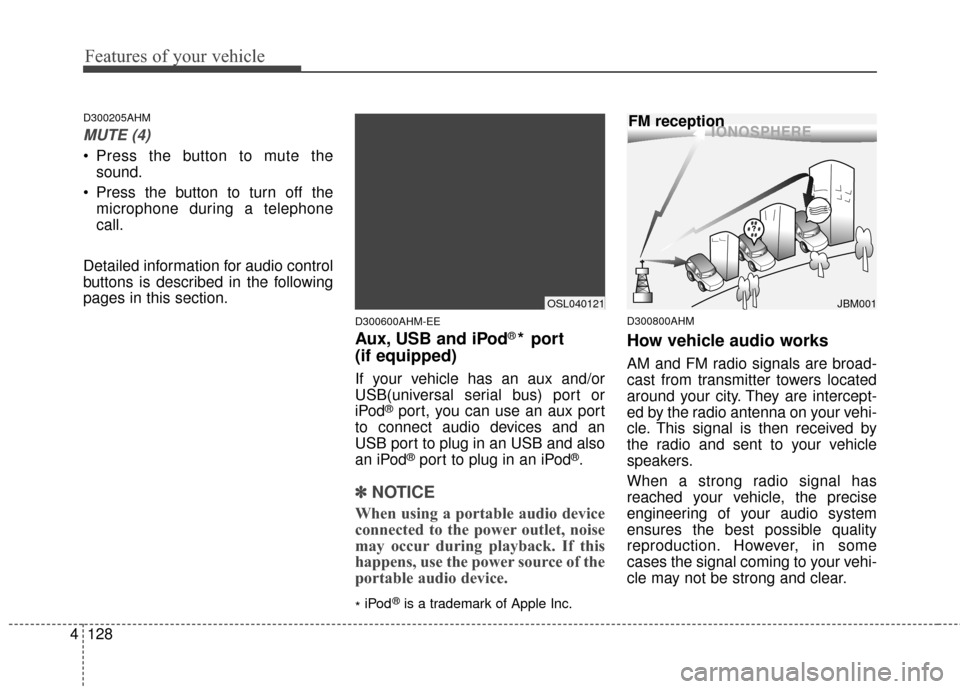
How vehicle audio works
AM and FM radio signals are broad-
cast from transmitter towers located
around your city. They are intercept-
ed by the radio antenna on your vehi-
cle. This signal is then received by
the radio and sent to your vehicle
speakers.
When a strong radio signal has
reached your vehicle, the precise
engineering of your audio system
ensures the best possible quality
reproduction. However, in some
cases the signal coming to your vehi-
cle may not be strong and clear.
¢¢¢
JBM001
FM reception
OSL040121
Page 223 of 457
4131
Features of your vehicle
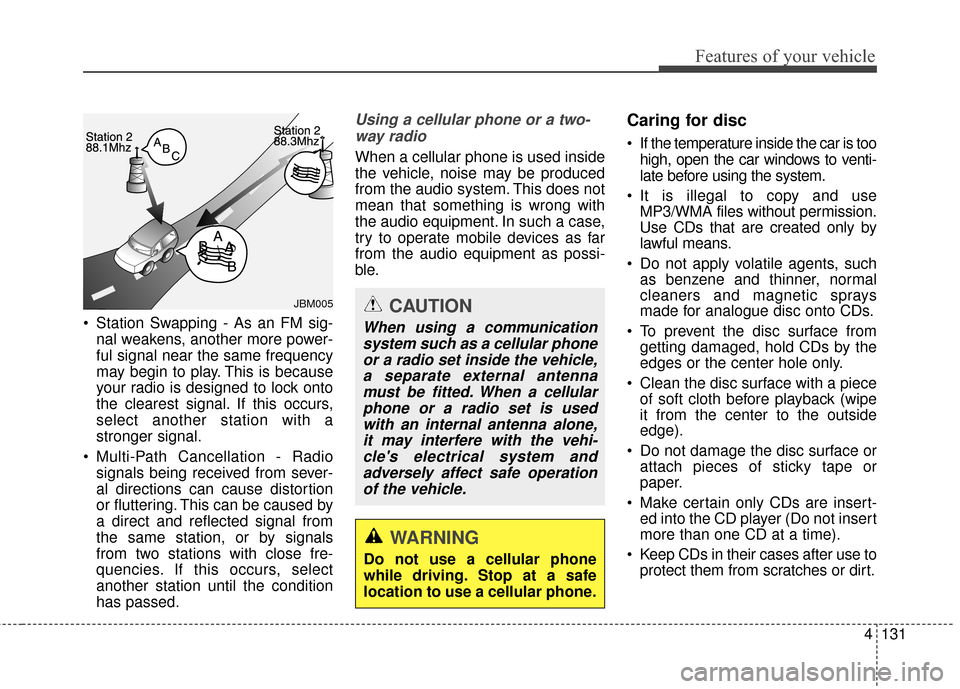
Station Swapping - As an FM sig-nal weakens, another more power-
ful signal near the same frequency
may begin to play. This is because
your radio is designed to lock onto
the clearest signal. If this occurs,
select another station with a
stronger signal.
Multi-Path Cancellation - Radio signals being received from sever-
al directions can cause distortion
or fluttering. This can be caused by
a direct and reflected signal from
the same station, or by signals
from two stations with close fre-
quencies. If this occurs, select
another station until the condition
has passed.
Using a cellular phone or a two-
way radio
When a cellular phone is used inside
the vehicle, noise may be produced
from the audio system. This does not
mean that something is wrong with
the audio equipment. In such a case,
try to operate mobile devices as far
from the audio equipment as possi-
ble.
Caring for disc
If the temperature inside the car is too high, open the car windows to venti-
late before using the system.
It is illegal to copy and use MP3/WMA files without permission.
Use CDs that are created only by
lawful means.
Do not apply volatile agents, such as benzene and thinner, normal
cleaners and magnetic sprays
made for analogue disc onto CDs.
To prevent the disc surface from getting damaged, hold CDs by the
edges or the center hole only.
Clean the disc surface with a piece of soft cloth before playback (wipe
it from the center to the outside
edge).
Do not damage the disc surface or attach pieces of sticky tape or
paper.
Make certain only CDs are insert- ed into the CD player (Do not insert
more than one CD at a time).
Keep CDs in their cases after use to protect them from scratches or dirt.
WARNING
Do not use a cellular phone
while driving. Stop at a safe
location to use a cellular phone.
JBM005CAUTION
When using a communication
system such as a cellular phoneor a radio set inside the vehicle,a separate external antennamust be fitted. When a cellularphone or a radio set is usedwith an internal antenna alone,it may interfere with the vehi-cle's electrical system andadversely affect safe operationof the vehicle.