2014 KIA Sportage check engine
[x] Cancel search: check enginePage 314 of 457
537
Driving your vehicle
E070500AHM-EU
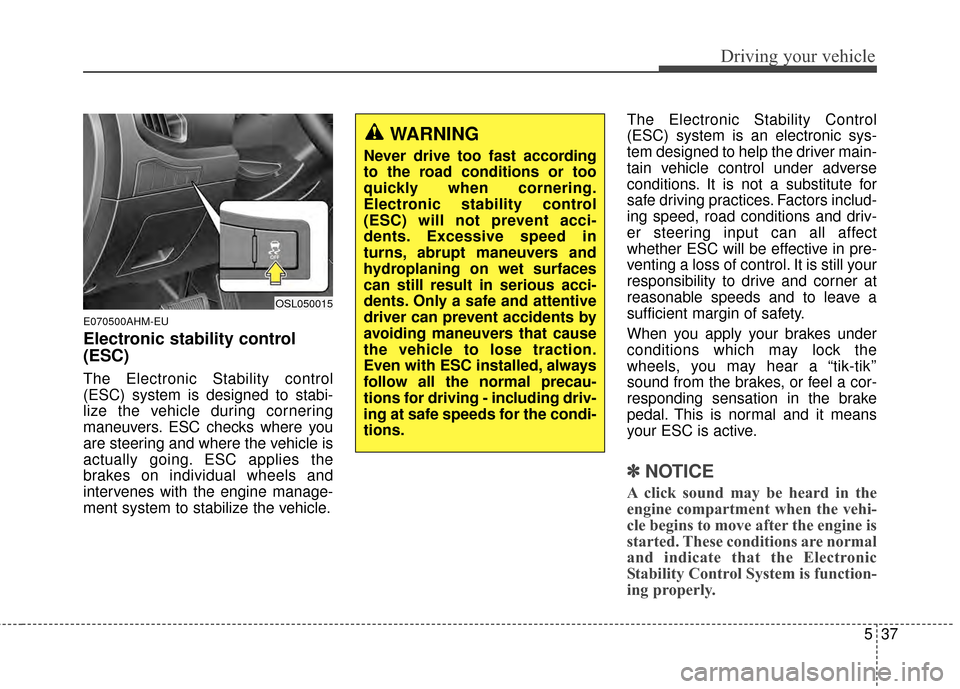
Electronic stability control
(ESC)
The Electronic Stability control
(ESC) system is designed to stabi-
lize the vehicle during cornering
maneuvers. ESC checks where you
are steering and where the vehicle is
actually going. ESC applies the
brakes on individual wheels and
intervenes with the engine manage-
ment system to stabilize the vehicle.The Electronic Stability Control
(ESC) system is an electronic sys-
tem designed to help the driver main-
tain vehicle control under adverse
conditions. It is not a substitute for
safe driving practices. Factors includ-
ing speed, road conditions and driv-
er steering input can all affect
whether ESC will be effective in pre-
venting a loss of control. It is still your
responsibility to drive and corner at
reasonable speeds and to leave a
sufficient margin of safety.
When you apply your brakes under
conditions which may lock the
wheels, you may hear a “tik-tik’’
sound from the brakes, or feel a cor-
responding sensation in the brake
pedal. This is normal and it means
your ESC is active.
✽ ✽
NOTICE
A click sound may be heard in the
engine compartment when the vehi-
cle begins to move after the engine is
started. These conditions are normal
and indicate that the Electronic
Stability Control System is function-
ing properly.
OSL050015
WARNING
Never drive too fast according
to the road conditions or too
quickly when cornering.
Electronic stability control
(ESC) will not prevent acci-
dents. Excessive speed in
turns, abrupt maneuvers and
hydroplaning on wet surfaces
can still result in serious acci-
dents. Only a safe and attentive
driver can prevent accidents by
avoiding maneuvers that cause
the vehicle to lose traction.
Even with ESC installed, always
follow all the normal precau-
tions for driving - including driv-
ing at safe speeds for the condi-
tions.
Page 315 of 457
Driving your vehicle
38
5
E070501AUN-EU
ESC operation
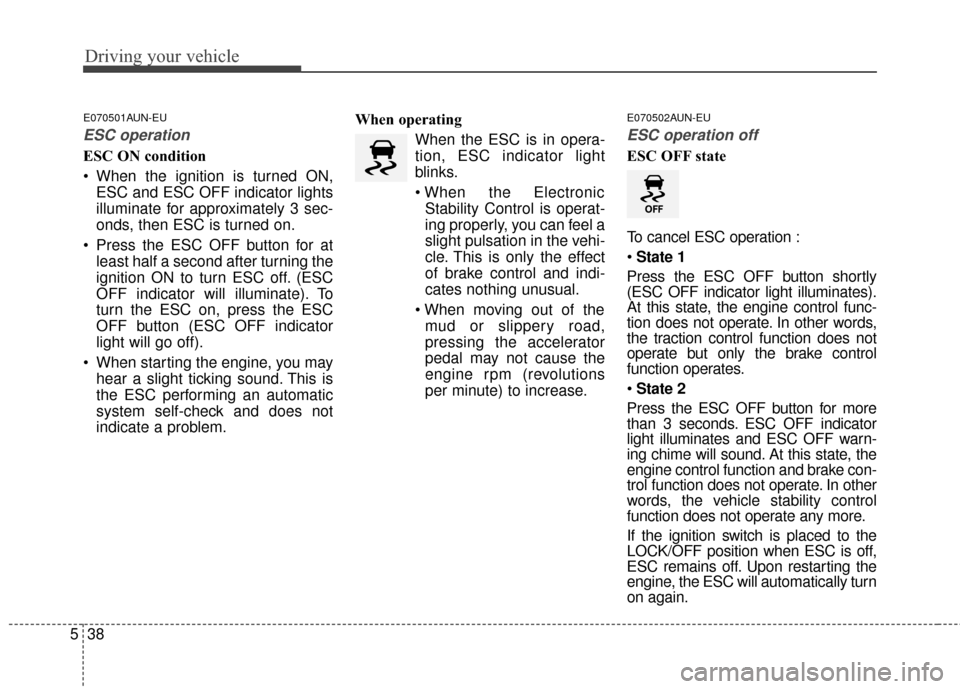
ESC ON condition
When the ignition is turned ON,
ESC and ESC OFF indicator lights
illuminate for approximately 3 sec-
onds, then ESC is turned on.
Press the ESC OFF button for at least half a second after turning the
ignition ON to turn ESC off. (ESC
OFF indicator will illuminate). To
turn the ESC on, press the ESC
OFF button (ESC OFF indicator
light will go off).
When starting the engine, you may hear a slight ticking sound. This is
the ESC performing an automatic
system self-check and does not
indicate a problem. When operating
When the ESC is in opera-
tion, ESC indicator light
blinks.
Stability Control is operat-
ing properly, you can feel a
slight pulsation in the vehi-
cle. This is only the effect
of brake control and indi-
cates nothing unusual.
mud or slippery road,
pressing the accelerator
pedal may not cause the
engine rpm (revolutions
per minute) to increase.
E070502AUN-EU
ESC operation off
ESC OFF state
To cancel ESC operation :
State 1
Press the ESC OFF button shortly
(ESC OFF indicator light illuminates).
At this state, the engine control func-
tion does not operate. In other words,
the traction control function does not
operate but only the brake control
function operates.
State 2
Press the ESC OFF button for more
than 3 seconds. ESC OFF indicator
light illuminates and ESC OFF warn-
ing chime will sound. At this state, the
engine control function and brake con-
trol function does not operate. In other
words, the vehicle stability control
function does not operate any more.
If the ignition switch is placed to the
LOCK/OFF position when ESC is off,
ESC remains off. Upon restarting the
engine, the ESC will automatically turn
on again.
Page 320 of 457
543
Driving your vehicle
✽
✽NOTICE
• The DBC does not turn ON in the
P (Park) position.
• The DBC may not activate if the ESC (or BAS) is activated.
• Noise or vibration may occur from the brakes when the DBC is acti-
vated.
• The rear stop light comes on when the DBC is activated.
• In a very steep hill even though the brake pedal or accelerator pedal is
depressed the DBC may not deac-
tivate.
• Always turn OFF the DBC on nor- mal roads. The DBC might acti-
vate from the standby mode when
abrupt corning or driving through
speed bumps.
• DBC may activate and cause the engine to stop in vehicles with
manual transaxle if you drive in
3rd gear (or above) with DBC on.
Do not turn on DBC when driving
in 3rd gear (or above).
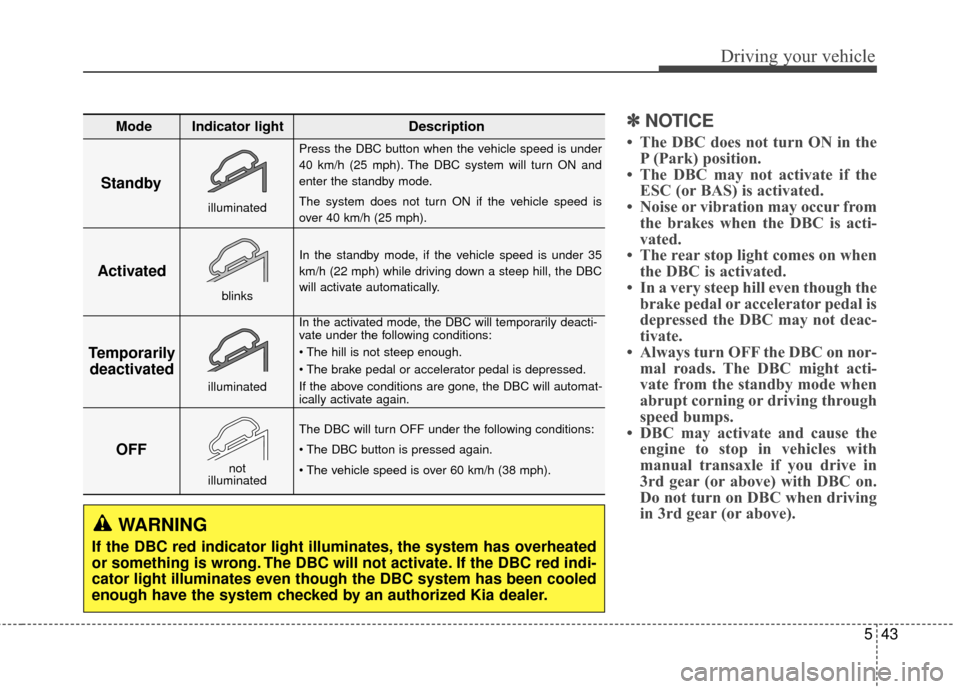
Standby
Press the DBC button when the vehicle speed is under
40 km/h (25 mph). The DBC system will turn ON and
enter the standby mode.
The system does not turn ON if the vehicle speed is
over 40 km/h (25 mph).
In the standby mode, if the vehicle speed is under 35
km/h (22 mph) while driving down a steep hill, the DBC
will activate automatically.
In the activated mode, the DBC will temporarily deacti-
vate under the following conditions:
If the above conditions are gone, the DBC will automat-
ically activate again.
The DBC will turn OFF under the following conditions:
Activated
Temporarily deactivated
OFF
Mode Indicator light Description
blinks
illuminated
not
illuminated
illuminated
WARNING
If the DBC red indicator light illuminates, the system has overheated
or something is wrong. The DBC will not activate. If the DBC red indi-
cator light illuminates even though the DBC system has been cooled
enough have the system checked by an authorized Kia dealer.
Page 321 of 457
Driving your vehicle
44
5
E070600AAM
Good braking practices
Check to be sure the parking brake
is not engaged and the parking
brake indicator light is out before
driving away.
Driving through water may get the brakes wet. They can also get wet
when the vehicle is washed. Wet
brakes can be dangerous! Your
vehicle will not stop as quickly if the
brakes are wet. Wet brakes may
cause the vehicle to pull to one
side.
To dry the brakes, apply the brakes
lightly until the braking action
returns to normal, taking care to
keep the vehicle under control at
all times. If the braking action does
not return to normal, stop as soon
as it is safe to do so and call an
authorized Kia dealer for assis-
tance. Don't coast down hills with the
vehicle out of gear. This is extreme-
ly hazardous. Keep the vehicle in
gear at all times, use the brakes to
slow down, then shift to a lower
gear so that engine braking will
help you maintain a safe speed.
Don't "ride" the brake pedal. Resting your foot on the brake
pedal while driving can be danger-
ous because the brakes might
overheat and lose their effective-
ness. It also increases the wear of
the brake components.
If a tire goes flat while you are driv- ing, apply the brakes gently and
keep the vehicle pointed straight
ahead while you slow down. When
you are moving slowly enough for it
to be safe to do so, pull off the road
and stop in a safe place.
WARNING
Whenever you leave or parkyour vehicle, always set the
parking brake as far as possi-
ble and shift the vehicle to 1st
(First) gear or R (Reverse) for
manual transaxle, or P (Park)
for automatic transaxle. If the
parking brake is not fully
engaged, the vehicle may
move inadvertently and injure
yourself and others.
All vehicles should always have the parking brake fully
engaged when parking to
avoid inadvertent movement
of the vehicle which can injure
occupants or pedestrians.
Page 324 of 457
547
Driving your vehicle
✽
✽NOTICE
• During normal cruise control
operation, when the SET switch is
activated or reactivated after
applying the brakes, the cruise
control will energize after approx-
imately 3 seconds. The delay is
normal.
• To activate cruise control, depress the brake pedal at least once after
turning the ignition switch to the
ON position or starting the engine.
This is to check if the brake switch
which is important part to cancel
cruise control is in normal condi-
tion.
E090100AUN-KM
To set cruise control speed:
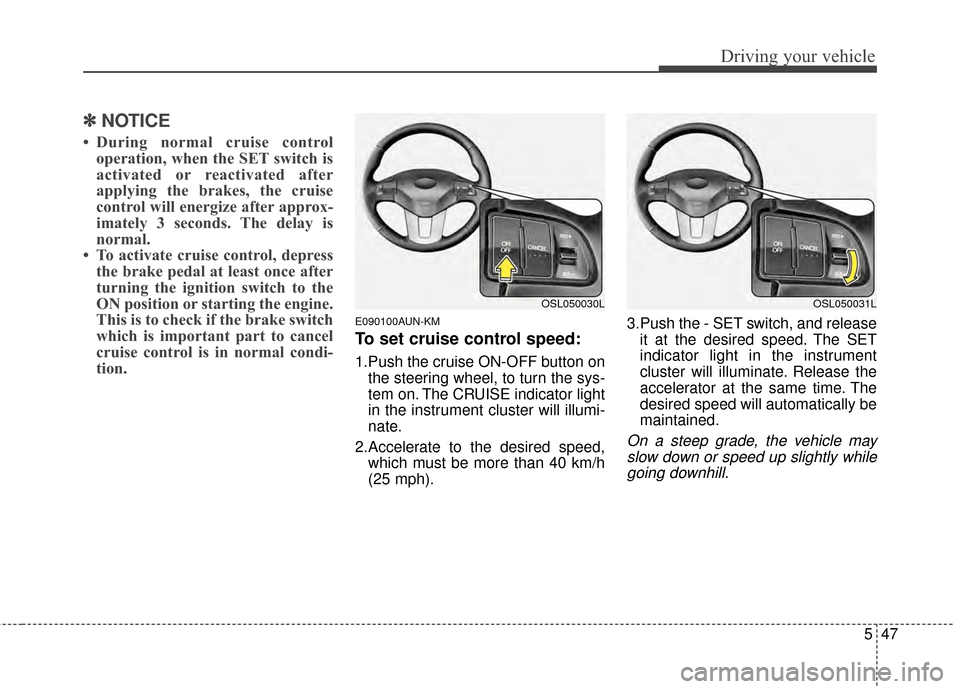
1.Push the cruise ON-OFF button on
the steering wheel, to turn the sys-
tem on. The CRUISE indicator light
in the instrument cluster will illumi-
nate.
2.Accelerate to the desired speed, which must be more than 40 km/h
(25 mph). 3.Push the - SET switch, and release
it at the desired speed. The SET
indicator light in the instrument
cluster will illuminate. Release the
accelerator at the same time. The
desired speed will automatically be
maintained.
On a steep grade, the vehicle mayslow down or speed up slightly whilegoing downhill.
OSL050030LOSL050031L
Page 328 of 457
551
Driving your vehicle
Limitation of Active ECO oper-
ation:
If the following conditions occur while
Active ECO is operating, the system
operation is limited even though
there is no change in the ECO indi-
cator.
When the coolant temperature islow: The system will be limited until
engine performance becomes nor-
mal.
When driving up a hill: The system will be limited to gain power when
driving uphill because the engine
torque is restricted.
When using sports mode: The sys- tem will be limited according to the
shift location.
When the accelerator pedal is deeply depressed for a few sec-
onds: The system will be limited,
judging that the driver wants to
speed up.
E100000AHM-EU
Your vehicle's fuel economy depends
mainly on your style of driving, where
you drive and when you drive.
Each of these factors affects how
many kilometers (miles) you can get
from a liter (gallon) of fuel. To operate
your vehicle as economically as pos-
sible, use the following driving sug-
gestions to help save money in both
fuel and repairs:
Drive smoothly. Accelerate at amoderate rate. Don't make "jack-
rabbit" starts or full-throttle shifts
and maintain a steady cruising
speed. Don't race between stop-
lights. Try to adjust your speed to
the traffic so you don't have to
change speeds unnecessarily.
Avoid heavy traffic whenever pos-
sible. Always maintain a safe dis-
tance from other vehicles so you
can avoid unnecessary braking.
This also reduces brake wear.
Drive at a moderate speed. The faster you drive, the more fuel your
vehicle uses. Driving at a moderate
speed, especially on the highway,
is one of the most effective ways to
reduce fuel consumption. Don't "ride" the brake pedal. This
can increase fuel consumption and
also increase wear on these com-
ponents. In addition, driving with
your foot resting on the brake pedal
may cause the brakes to overheat,
which reduces their effectiveness
and may lead to more serious con-
sequences.
Take care of your tires. Keep them inflated to the recommended pres-
sure. Incorrect inflation, either too
much or too little, results in unnec-
essary tire wear. Check the tire
pressures at least once a month.
Be sure that the wheels are aligned correctly. Improper align-
ment can result from hitting curbs
or driving too fast over irregular
surfaces. Poor alignment causes
faster tire wear and may also result
in other problems as well as
greater fuel consumption.
ECONOMICAL OPERATION
Page 335 of 457
Driving your vehicle
58
5
Fuel, engine coolant and engine
oil
High speed travel consumes more
fuel than urban motoring. Do not for-
get to check both the engine coolant
and engine oil.
Drive belt
A loose or damaged drive belt may
result in overheating of the engine.
WARNING
Underinflated or overinflated tires can cause poor handling,
loss of vehicle control, and
sudden tire failure leading to
accidents, injuries, and even
death. Always check tires for
proper inflation before driv-
ing. For proper tire pressures,
refer to “Tires and wheels” in
section 8.
Driving on tires with no or insufficient tread is danger-
ous. Worn-out tires can result
in loss of vehicle control, col-
lisions, injury, and even death.
Worn-out tires should be
replaced as soon as possible
and should never be used for
driving. Always check the tire
tread before driving your car.
For further information and
tread limits, refer to “Tires and
wheels” in section 7.
Page 336 of 457
559
Driving your vehicle
WINTER DRIVING
E120000ASA
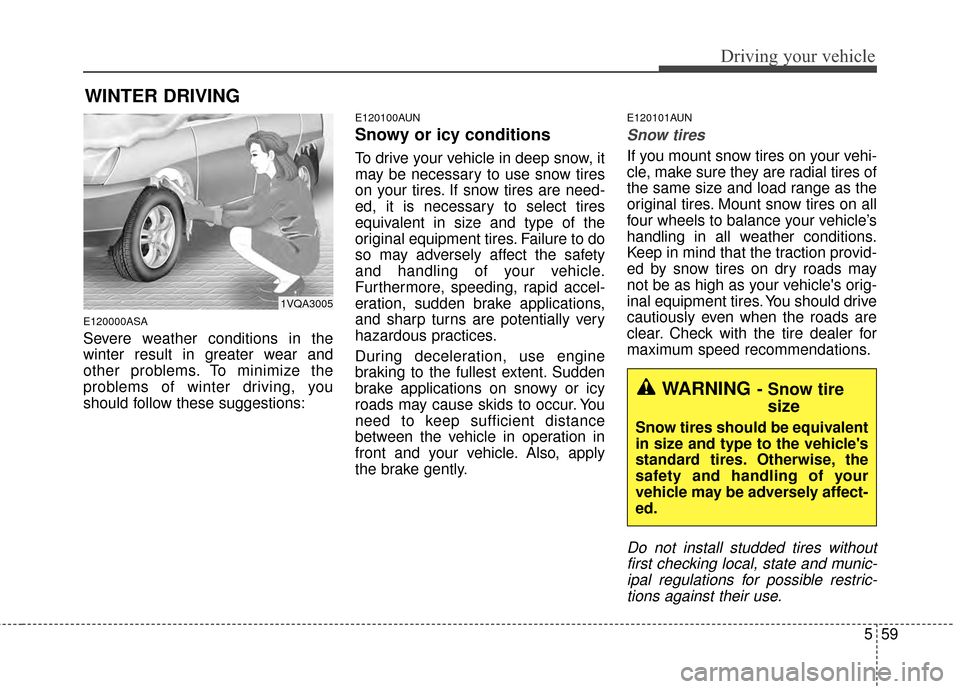
Severe weather conditions in the
winter result in greater wear and
other problems. To minimize the
problems of winter driving, you
should follow these suggestions:
E120100AUN
Snowy or icy conditions
To drive your vehicle in deep snow, it
may be necessary to use snow tires
on your tires. If snow tires are need-
ed, it is necessary to select tires
equivalent in size and type of the
original equipment tires. Failure to do
so may adversely affect the safety
and handling of your vehicle.
Furthermore, speeding, rapid accel-
eration, sudden brake applications,
and sharp turns are potentially very
hazardous practices.
During deceleration, use engine
braking to the fullest extent. Sudden
brake applications on snowy or icy
roads may cause skids to occur. You
need to keep sufficient distance
between the vehicle in operation in
front and your vehicle. Also, apply
the brake gently.
E120101AUN
Snow tires
If you mount snow tires on your vehi-
cle, make sure they are radial tires of
the same size and load range as the
original tires. Mount snow tires on all
four wheels to balance your vehicle’s
handling in all weather conditions.
Keep in mind that the traction provid-
ed by snow tires on dry roads may
not be as high as your vehicle's orig-
inal equipment tires. You should drive
cautiously even when the roads are
clear. Check with the tire dealer for
maximum speed recommendations.
Do not install studded tires withoutfirst checking local, state and munic-ipal regulations for possible restric-tions against their use.
WARNING- Snow tire size
Snow tires should be equivalent
in size and type to the vehicle's
standard tires. Otherwise, the
safety and handling of your
vehicle may be adversely affect-
ed.
1VQA3005