2014 KIA Sportage Start
[x] Cancel search: StartPage 164 of 457
Features of your vehicle
72
4
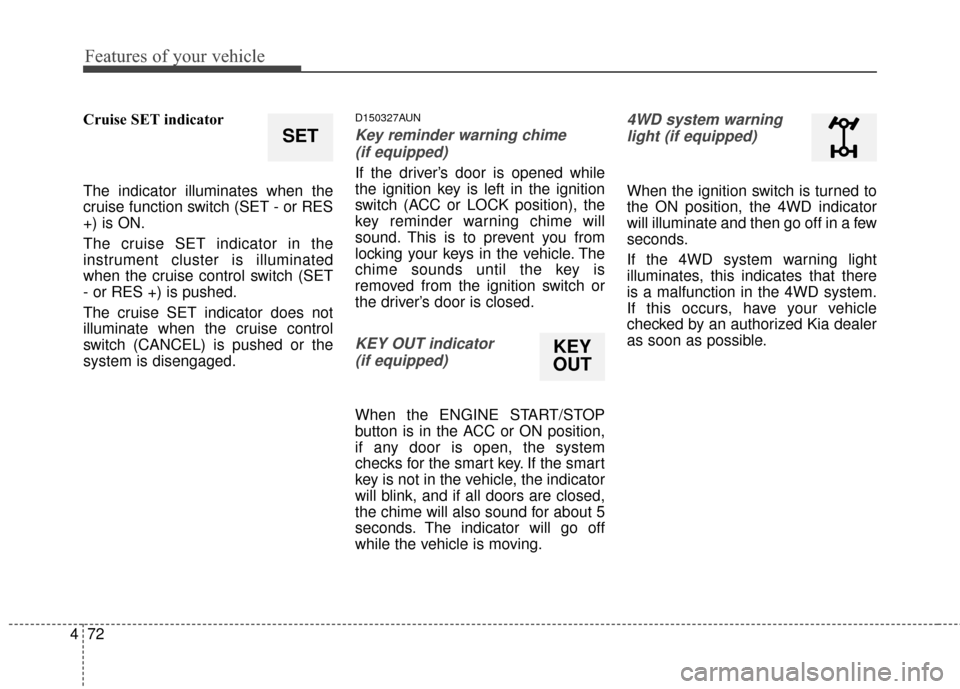
Cruise SET indicator
The indicator illuminates when the
cruise function switch (SET - or RES
+) is ON.
The cruise SET indicator in the
instrument cluster is illuminated
when the cruise control switch (SET
- or RES +) is pushed.
The cruise SET indicator does not
illuminate when the cruise control
switch (CANCEL) is pushed or the
system is disengaged.D150327AUN
Key reminder warning chime
(if equipped)
If the driver’s door is opened while
the ignition key is left in the ignition
switch (ACC or LOCK position), the
key reminder warning chime will
sound. This is to prevent you from
locking your keys in the vehicle. The
chime sounds until the key is
removed from the ignition switch or
the driver’s door is closed.
KEY OUT indicator (if equipped)
When the ENGINE START/STOP
button is in the ACC or ON position,
if any door is open, the system
checks for the smart key. If the smart
key is not in the vehicle, the indicator
will blink, and if all doors are closed,
the chime will also sound for about 5
seconds. The indicator will go off
while the vehicle is moving.
4WD system warninglight (if equipped)
When the ignition switch is turned to
the ON position, the 4WD indicator
will illuminate and then go off in a few
seconds.
If the 4WD system warning light
illuminates, this indicates that there
is a malfunction in the 4WD system.
If this occurs, have your vehicle
checked by an authorized Kia dealer
as soon as possible.
SET
KEY
OUT
Page 165 of 457
473
Features of your vehicle
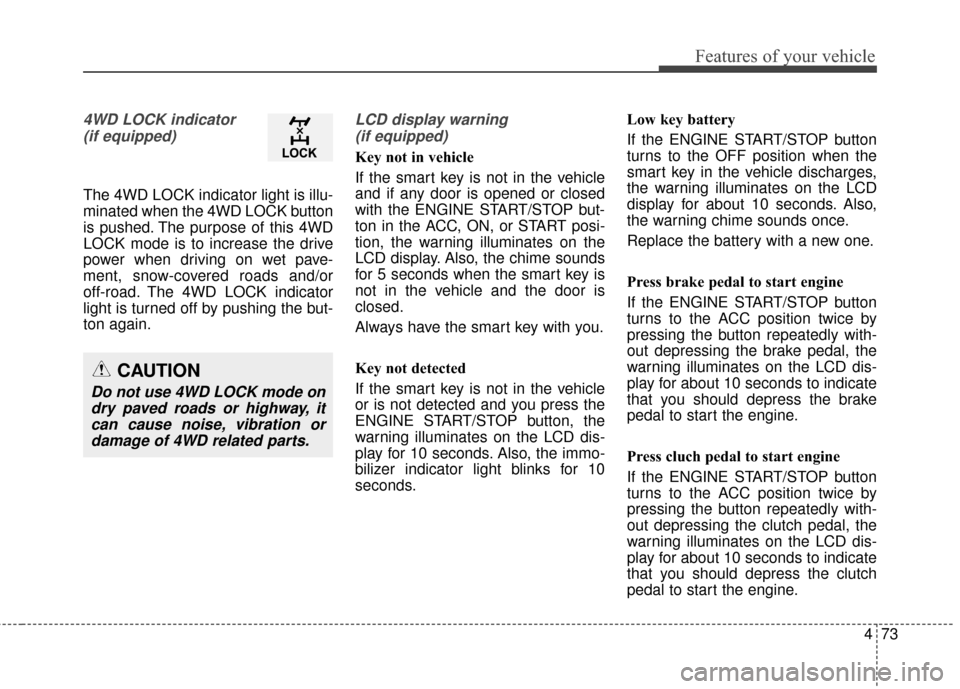
4WD LOCK indicator (if equipped)
The 4WD LOCK indicator light is illu-
minated when the 4WD LOCK button
is pushed. The purpose of this 4WD
LOCK mode is to increase the drive
power when driving on wet pave-
ment, snow-covered roads and/or
off-road. The 4WD LOCK indicator
light is turned off by pushing the but-
ton again.
LCD display warning (if equipped)
Key not in vehicle
If the smart key is not in the vehicle
and if any door is opened or closed
with the ENGINE START/STOP but-
ton in the ACC, ON, or START posi-
tion, the warning illuminates on the
LCD display. Also, the chime sounds
for 5 seconds when the smart key is
not in the vehicle and the door is
closed.
Always have the smart key with you.
Key not detected
If the smart key is not in the vehicle
or is not detected and you press the
ENGINE START/STOP button, the
warning illuminates on the LCD dis-
play for 10 seconds. Also, the immo-
bilizer indicator light blinks for 10
seconds. Low key battery
If the ENGINE START/STOP button
turns to the OFF position when the
smart key in the vehicle discharges,
the warning illuminates on the LCD
display for about 10 seconds. Also,
the warning chime sounds once.
Replace the battery with a new one.
Press brake pedal to start engine
If the ENGINE START/STOP button
turns to the ACC position twice by
pressing the button repeatedly with-
out depressing the brake pedal, the
warning illuminates on the LCD dis-
play for about 10 seconds to indicate
that you should depress the brake
pedal to start the engine.
Press cluch pedal to start engine
If the ENGINE START/STOP button
turns to the ACC position twice by
pressing the button repeatedly with-
out depressing the clutch pedal, the
warning illuminates on the LCD dis-
play for about 10 seconds to indicate
that you should depress the clutch
pedal to start the engine.
CAUTION
Do not use 4WD LOCK mode on
dry paved roads or highway, itcan cause noise, vibration ordamage of 4WD related parts.
Page 166 of 457
Features of your vehicle
74
4
Shift to "P" position
If you try to turn off the engine with-
out the shift lever in the P (Park)
position, the ENGINE START/STOP
button will turn to the ACC position. If
the button is pressed once more it
will turn to the ON position. The
warning illuminates on the LCD dis-
play for about 10 seconds to indicate
that you should press the ENGINE
START/STOP button with the shift
lever in the P (Park) position to turn
off the engine.
Also, the warning chime sounds for
about 10 seconds. (if equipped)
Check stop lamp fuse
When the stop lamp fuse is discon-
nected, the warning illuminates for
10 seconds on the LCD display.
Replace the fuse with a new one. If
that is not possible you can start the
engine by pressing the engine
start/stop button for 10 seconds with
the engine start/stop button in ACC. Press start button again
If you can not operate the ENGINE
START/STOP button when there is a
problem with the ENGINE
START/STOP button system, the
warning illuminates for 10 seconds
and the chime sounds continuously
to indicate that you could start the
engine by pressing the ENGINE
START/STOP button once more.
The chime will stop if the ENGINE
START/STOP button system works
normally or the theft alarm system is
armed.
If the warning illuminates each time
you press the ENGINE
START/STOP button, take your vehi-
cle to an authorized Kia dealer and
have the system checked.
Shift to "P" or "N" to start the engine
If you try to start the engine with the
shift lever not in the P (Park) or N
(Neutral) position, the warning illumi-
nates for about 10 seconds on the
LCD display.
You can also start the engine with
the shift lever in the N (Neutral) posi-
tion, but for your safety start the
engine with the shift lever in the P
(Park) position.
Low washer liquid
This warning light indicates the
washer fluid reservoir is near empty.
Refill the washer fluid as soon as
possible.
Page 167 of 457
475
Features of your vehicle
Align Steering Wheel (left aligned)
If you start the engine when the
wheel is steered to the left at an
angle over 90 degrees, "Align
Steering Wheel" message will
appear on the instrument cluster for
5 seconds after a few seconds of
system check. In this condition, the
warning message will disappear if
the left steered angle comes down to
less than 30 degrees.
Align Steering Wheel (right aligned)
If you start the engine when the
wheel is steered to the right at an
angle over 90 degrees, "Align
Steering Wheel" message will
appear on the instrument cluster for
5 seconds after a few seconds of
system check. In this condition, the
warning message will disappear if
the right steered angle comes down
to less than 30 degrees.Complete
When the steering wheel is aligned
within 30 degrees (left/right) less
than 5 seconds after the "Align
Steering Wheel" message is dis-
played, "Complete" message will
appear for 2 seconds.
Sunroof open
If driver removes the ignition key
(Smart key : turns off the engine) and
opens the driver-side door when the
sunroof is not fully closed, warning
message will appear on the LCD dis-
play. Also, the warning chime sounds
for approximately 7 seconds.
Page 179 of 457
487
Features of your vehicle
Auto control (if equipped)
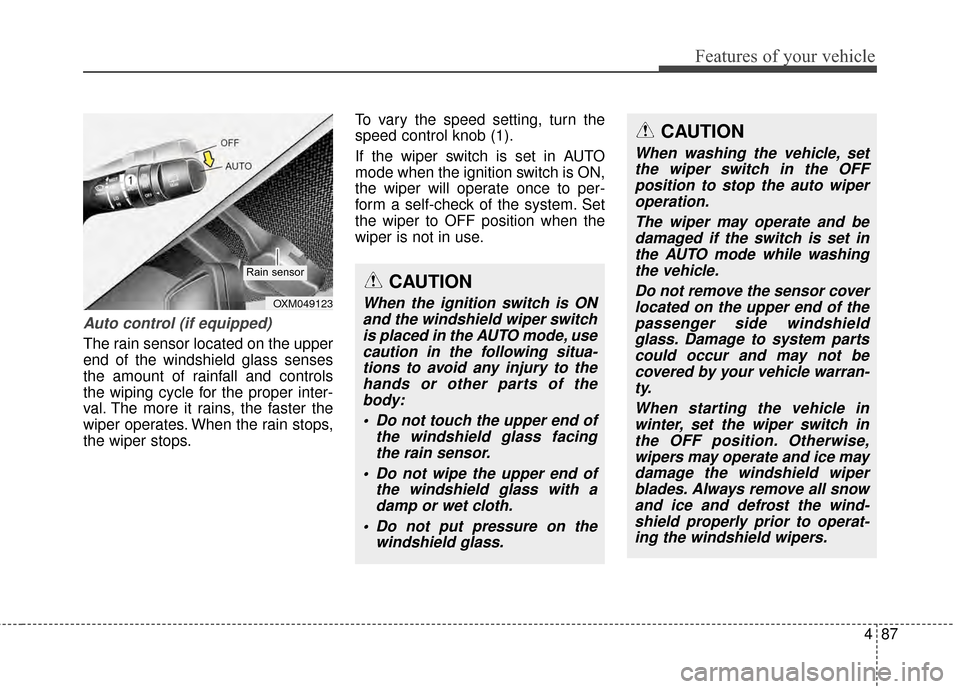
The rain sensor located on the upper
end of the windshield glass senses
the amount of rainfall and controls
the wiping cycle for the proper inter-
val. The more it rains, the faster the
wiper operates. When the rain stops,
the wiper stops.To vary the speed setting, turn the
speed control knob (1).
If the wiper switch is set in AUTO
mode when the ignition switch is ON,
the wiper will operate once to per-
form a self-check of the system. Set
the wiper to OFF position when the
wiper is not in use.
CAUTION
When the ignition switch is ON
and the windshield wiper switchis placed in the AUTO mode, usecaution in the following situa-tions to avoid any injury to thehands or other parts of thebody:
Do not touch the upper end of the windshield glass facingthe rain sensor.
Do not wipe the upper end of the windshield glass with adamp or wet cloth.
Do not put pressure on the windshield glass.OXM049123
Rain sensor
CAUTION
When washing the vehicle, setthe wiper switch in the OFFposition to stop the auto wiperoperation.
The wiper may operate and bedamaged if the switch is set inthe AUTO mode while washingthe vehicle.
Do not remove the sensor coverlocated on the upper end of thepassenger side windshieldglass. Damage to system partscould occur and may not becovered by your vehicle warran-ty.
When starting the vehicle inwinter, set the wiper switch inthe OFF position. Otherwise,wipers may operate and ice maydamage the windshield wiperblades. Always remove all snowand ice and defrost the wind-shield properly prior to operat-ing the windshield wipers.
Page 186 of 457
Features of your vehicle
94
4
Heating and air conditioning
1.Start the engine.
2.Set the mode to the desired posi-
tion.
For improving the effectiveness of
heating and cooling;
- Heating:
- Cooling:
3.Set the temperature control to the desired position.
4.Set the air intake control to the out- side (fresh) air position (if
equipped).
5.Set the fan speed control to the desired speed.
6.If air conditioning is desired, turn the air conditioning system (if
equipped) on.
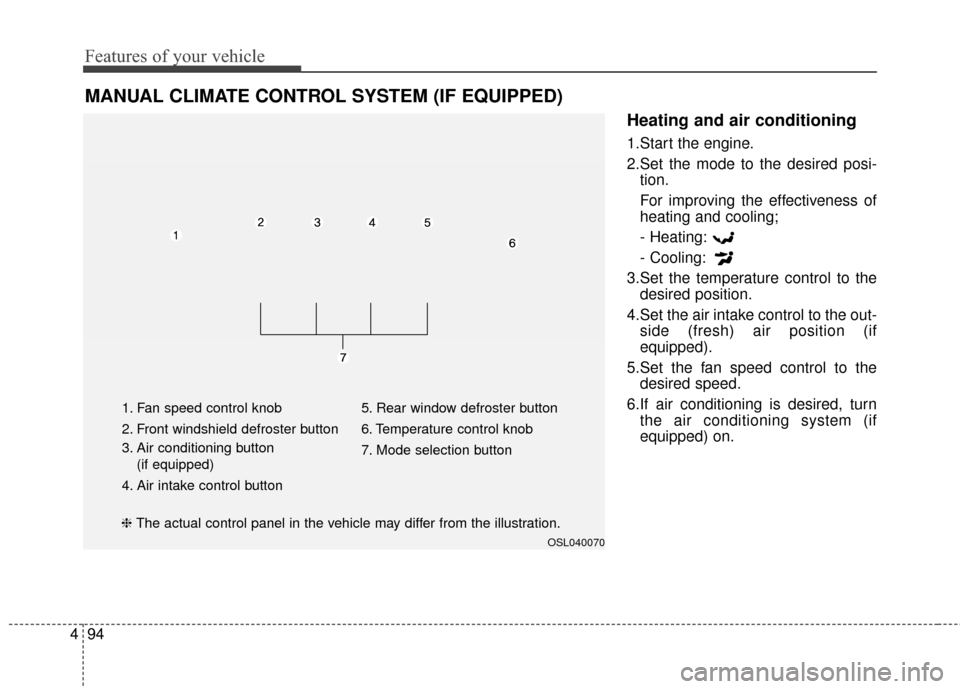
MANUAL CLIMATE CONTROL SYSTEM (IF EQUIPPED)
OSL040070
1. Fan speed control knob
2. Front windshield defroster button
3. Air conditioning button
(if equipped)
4. Air intake control button 5. Rear window defroster button
6. Temperature control knob
7. Mode selection button
❈
The actual control panel in the vehicle may differ from the illustration.
Page 192 of 457
Features of your vehicle
100
4
Operation Tips
To keep dust or unpleasant fumes
from entering the vehicle through
the ventilation system, temporarily
set the air intake control to the
recirculated air position. Be sure to
return the control to the fresh air
position when the irritation has
passed to keep fresh air in the
vehicle. This will help keep the driv-
er alert and comfortable.
Air for the heating/cooling system is drawn in through the grilles just
ahead of the windshield. Care
should be taken that these are not
blocked by leaves, snow, ice or
other obstructions.
To prevent interior fog on the wind- shield, set the air intake control to
the fresh air position and fan speed
to the desired position, turn on the
air conditioning system, and adjust
the temperature control to desired
temperature.Air conditioning
Kia Air Conditioning Systems are
filled with environmentally friendly
R-134a refrigerant.
1.Start the engine. Press the air con-ditioning button.
2.Set the mode to the position.
3.Set the air intake control to the out- side air or recirculated air position.
4.Adjust the fan speed control and temperature control to maintain
maximum comfort.
When maximum cooling is desired, set the temperature control to the
extreme left position, set the mode
control to the MAX A/C position,
then set the fan speed control to
the highest speed.
✽ ✽ NOTICE
• When using the air conditioning
system, monitor the temperature
gauge closely while driving up
hills or in heavy traffic when out-
side temperatures are high. Air
conditioning system operation
may cause engine overheating.
Continue to use the blower fan but
turn the air conditioning system
off if the temperature gauge indi-
cates engine overheating.
• When opening the windows in humid weather air conditioning
may create water droplets inside
the vehicle. Since excessive water
droplets may cause damage to
electrical equipment, air condi-
tioning should only be used with
the windows closed.
Page 197 of 457
4105
Features of your vehicle
✽
✽NOTICE
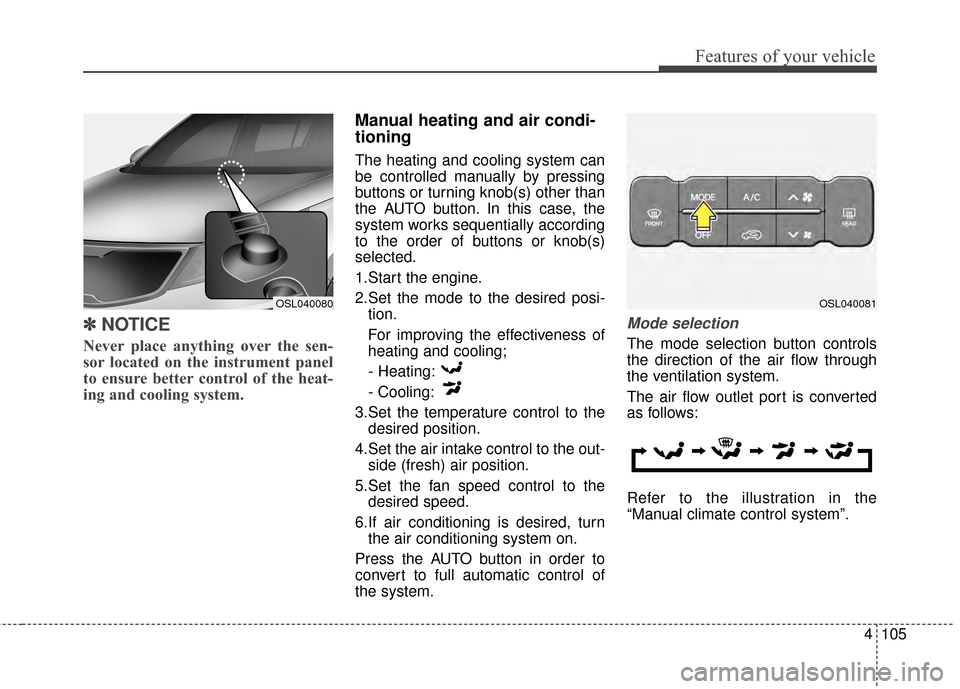
Never place anything over the sen-
sor located on the instrument panel
to ensure better control of the heat-
ing and cooling system.
Manual heating and air condi-
tioning
The heating and cooling system can
be controlled manually by pressing
buttons or turning knob(s) other than
the AUTO button. In this case, the
system works sequentially according
to the order of buttons or knob(s)
selected.
1.Start the engine.
2.Set the mode to the desired posi-
tion.
For improving the effectiveness of
heating and cooling;
- Heating:
- Cooling:
3.Set the temperature control to the desired position.
4.Set the air intake control to the out- side (fresh) air position.
5.Set the fan speed control to the desired speed.
6.If air conditioning is desired, turn the air conditioning system on.
Press the AUTO button in order to
convert to full automatic control of
the system.
Mode selection
The mode selection button controls
the direction of the air flow through
the ventilation system.
The air flow outlet port is converted
as follows:
Refer to the illustration in the
“Manual climate control system”.
OSL040081OSL040080