Page 221 of 508

Features of your vehicle130
4Air Conditioning refrigerant
label❈ The actual Air Conditioning refrigerant
label in the vehicle may differ from the
illustration.
Each symbols and specification on
air conditioning refrigerant label
means as below ;
1. Classification of refrigerant
2. Amount of refrigerant
3. Classification of Compressor lubri- cant
You can find out which air condition-
ing refrigerant is applied your vehicle
at the label inside of the engine room.
Refer to section 8 for more detail
location of air conditioning refrigerant
label.
Checking the amount of air
conditioner refrigerant and
compressor lubricantWhen the amount of refrigerant is
low, the performance of the air con-
ditioning is reduced. Overfilling also
has a negative influence on the air
conditioning system.
Therefore, if abnormal operation is
found, have the system inspected by
an authorized Kia dealer.
OXM063009
WARNING
Because the refriger-
ant is at very high
pressure, the air con-
ditioning system
should only be serv-
iced by trained and certified
technicians. It is important that
the correct type and amount of
oil and refrigerant is used, oth-
erwise damage to the vehicle
and personal injury may occur.
XM(FL) CAN(ENG) 4a(~158).QXP 1/23/2013 3:53 PM Page 130
Page 222 of 508
4 131
Features of your vehicle
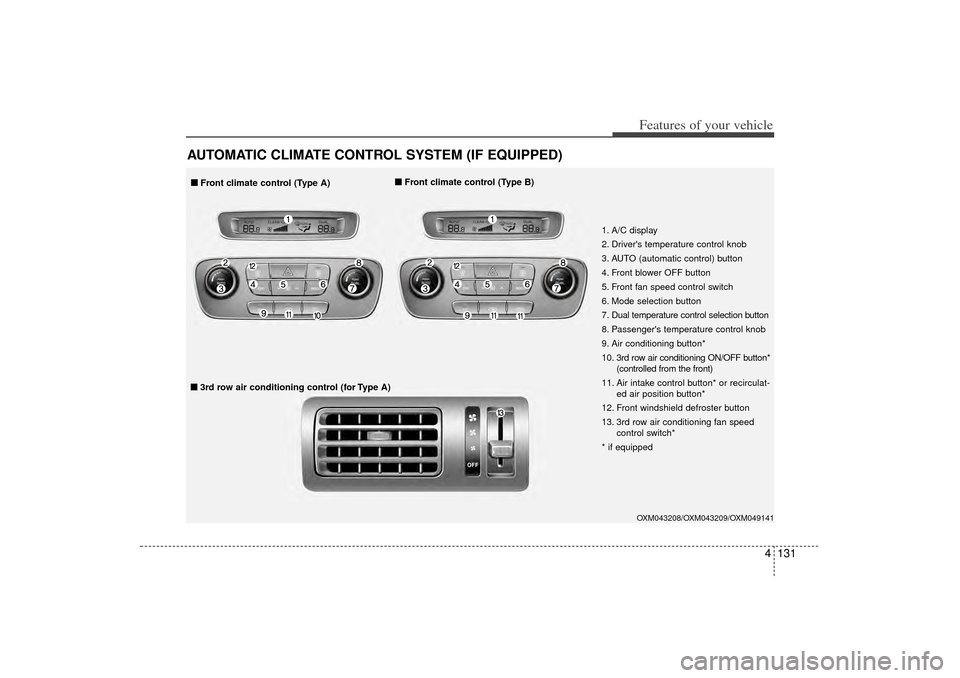
AUTOMATIC CLIMATE CONTROL SYSTEM (IF EQUIPPED)
OXM043208/OXM043209/OXM049141
1. A/C display
2. Driver's temperature control knob
3. AUTO (automatic control) button
4. Front blower OFF button
5. Front fan speed control switch
6. Mode selection button
7. Dual temperature control selection button
8. Passenger's temperature control knob
9. Air conditioning button*
10. 3rd row air conditioning ON/OFF button*(controlled from the front)
11. Air intake control button* or recirculat- ed air position button*
12. Front windshield defroster button
13. 3rd row air conditioning fan speed control switch*
* if equipped
■
■ Front climate control (Type A) ■
■
Front climate control (Type B)■
■3rd row air conditioning control (for Type A)
XM(FL) CAN(ENG) 4a(~158).QXP 1/23/2013 3:54 PM Page 131
Page 223 of 508
Features of your vehicle132
4
OXM043064/OXM043063/OXM049141
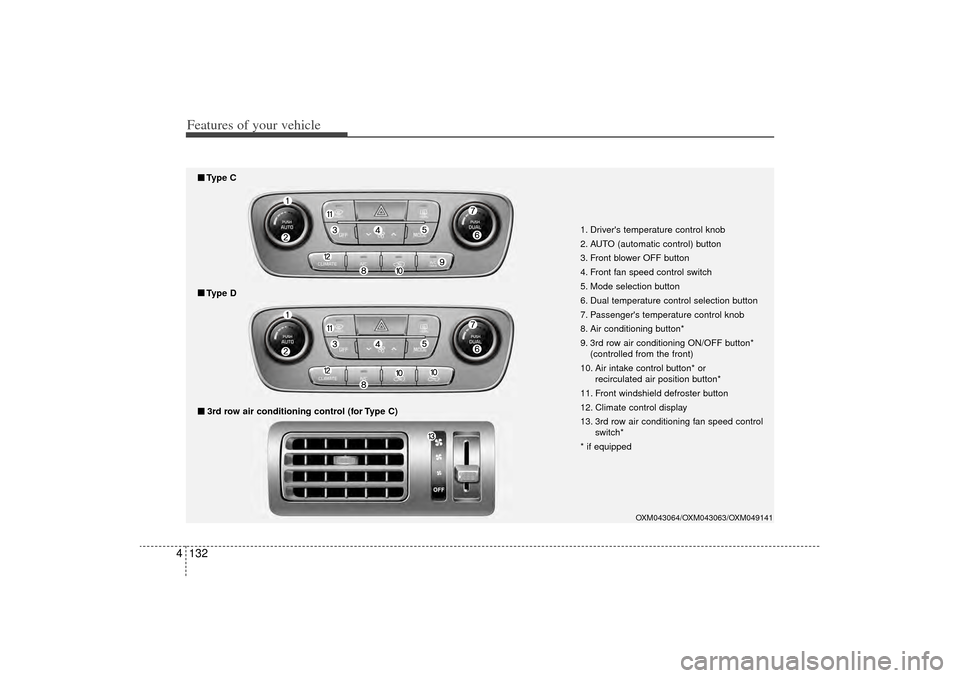
1. Driver's temperature control knob
2. AUTO (automatic control) button
3. Front blower OFF button
4. Front fan speed control switch
5. Mode selection button
6. Dual temperature control selection button
7. Passenger's temperature control knob
8. Air conditioning button*
9. 3rd row air conditioning ON/OFF button*
(controlled from the front)
10. Air intake control button* or recirculated air position button*
11. Front windshield defroster button
12. Climate control display
13. 3rd row air conditioning fan speed control switch*
* if equipped
■
■ 3rd row air conditioning control (for Type C)■
■Type D■
■Type C
XM(FL) CAN(ENG) 4a(~158).QXP 1/23/2013 3:54 PM Page 132
Page 224 of 508
4 133
Features of your vehicle
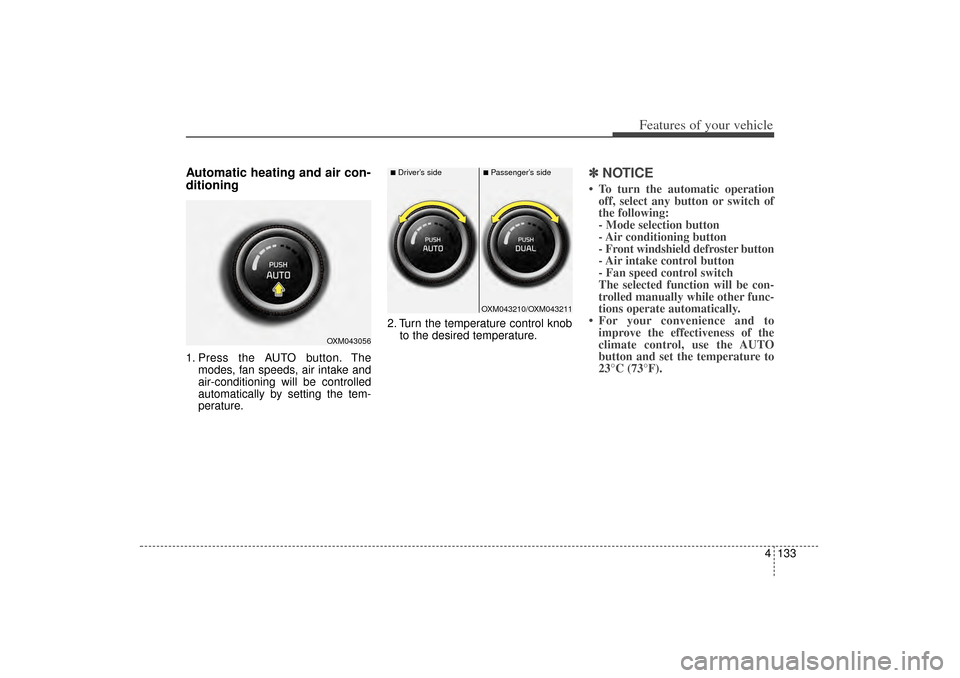
Automatic heating and air con-
ditioning1. Press the AUTO button. Themodes, fan speeds, air intake and
air-conditioning will be controlled
automatically by setting the tem-
perature. 2. Turn the temperature control knob
to the desired temperature.
✽ ✽NOTICE• To turn the automatic operation
off, select any button or switch of
the following:
- Mode selection button
- Air conditioning button
- Front windshield defroster button
- Air intake control button
- Fan speed control switch
The selected function will be con-
trolled manually while other func-
tions operate automatically.
• For your convenience and to improve the effectiveness of the
climate control, use the AUTO
button and set the temperature to
23°C (73°F).
OXM043056
OXM043210/OXM043211
■Driver’s side
■Passenger’s side
XM(FL) CAN(ENG) 4a(~158).QXP 1/23/2013 3:54 PM Page 133
Page 225 of 508
Features of your vehicle134
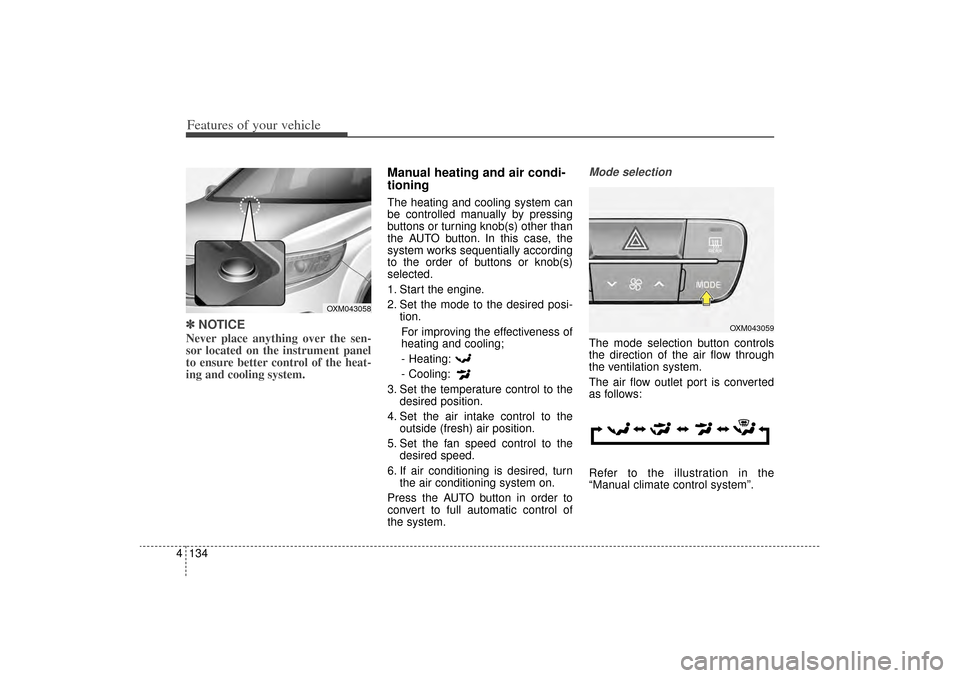
4✽
✽
NOTICENever place anything over the sen-
sor located on the instrument panel
to ensure better control of the heat-
ing and cooling system.
Manual heating and air condi-
tioningThe heating and cooling system can
be controlled manually by pressing
buttons or turning knob(s) other than
the AUTO button. In this case, the
system works sequentially according
to the order of buttons or knob(s)
selected.
1. Start the engine.
2. Set the mode to the desired posi-
tion.
For improving the effectiveness of
heating and cooling;- Heating:
- Cooling:
3. Set the temperature control to the desired position.
4. Set the air intake control to the outside (fresh) air position.
5. Set the fan speed control to the desired speed.
6. If air conditioning is desired, turn the air conditioning system on.
Press the AUTO button in order to
convert to full automatic control of
the system.
Mode selectionThe mode selection button controls
the direction of the air flow through
the ventilation system.
The air flow outlet port is converted
as follows:
Refer to the illustration in the
“Manual climate control system”.
OXM043058
OXM043059
XM(FL) CAN(ENG) 4a(~158).QXP 1/23/2013 3:54 PM Page 134
Page 229 of 508
Features of your vehicle138
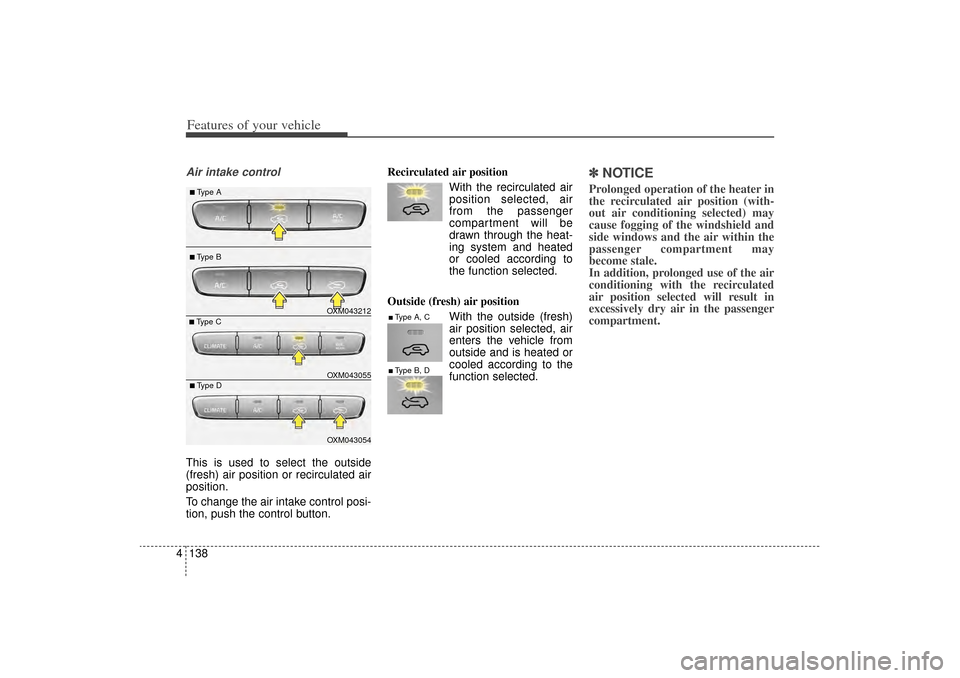
4Air intake controlThis is used to select the outside
(fresh) air position or recirculated air
position.
To change the air intake control posi-
tion, push the control button. Recirculated air position
With the recirculated airposition selected, air
from the passenger
compartment will be
drawn through the heat-
ing system and heated
or cooled according to
the function selected.
Outside (fresh) air position With the outside (fresh)
air position selected, air
enters the vehicle from
outside and is heated or
cooled according to the
function selected.
✽ ✽NOTICEProlonged operation of the heater in
the recirculated air position (with-
out air conditioning selected) may
cause fogging of the windshield and
side windows and the air within the
passenger compartment may
become stale.
In addition, prolonged use of the air
conditioning with the recirculated
air position selected will result in
excessively dry air in the passenger
compartment.
■Type A, C■Type B, D
OXM043212OXM043054 OXM043055
■Type A■Type B■Type C■Type D
XM(FL) CAN(ENG) 4a(~158).QXP 1/23/2013 3:55 PM Page 138
Page 230 of 508
4 139
Features of your vehicle
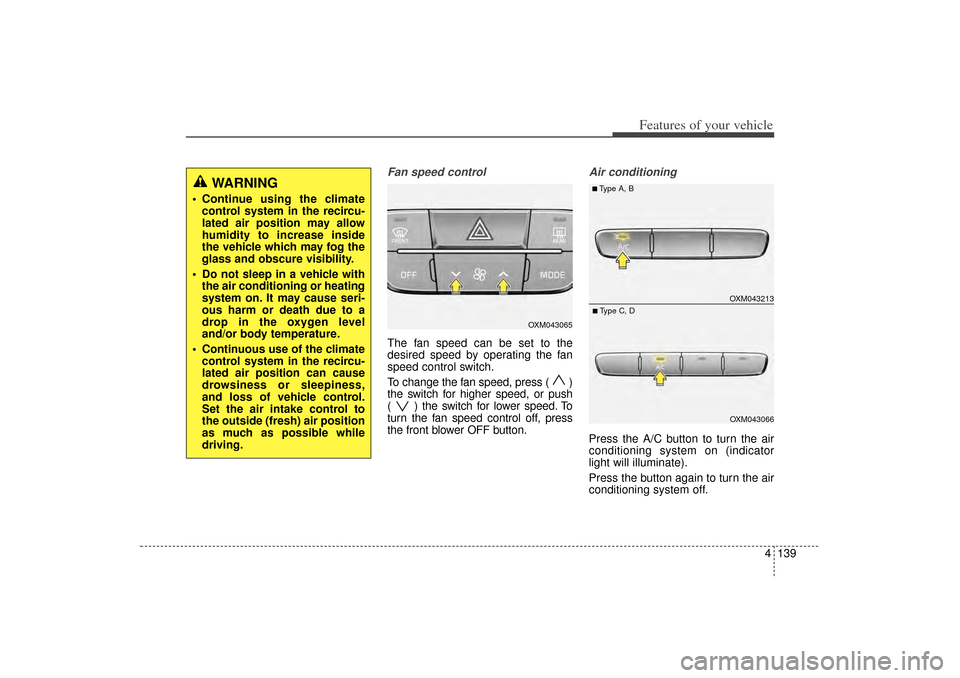
Fan speed controlThe fan speed can be set to the
desired speed by operating the fan
speed control switch.
To change the fan speed, press ( )
the switch for higher speed, or push
( ) the switch for lower speed. To
turn the fan speed control off, press
the front blower OFF button.
Air conditioningPress the A/C button to turn the air
conditioning system on (indicator
light will illuminate).
Press the button again to turn the air
conditioning system off.
WARNING
Continue using the climatecontrol system in the recircu-
lated air position may allow
humidity to increase inside
the vehicle which may fog the
glass and obscure visibility.
Do not sleep in a vehicle with the air conditioning or heating
system on. It may cause seri-
ous harm or death due to a
drop in the oxygen level
and/or body temperature.
Continuous use of the climate control system in the recircu-
lated air position can cause
drowsiness or sleepiness,
and loss of vehicle control.
Set the air intake control to
the outside (fresh) air position
as much as possible while
driving.
OXM043065
OXM043213OXM043066
■Type A, B■Type C, D
XM(FL) CAN(ENG) 4a(~158).QXP 1/23/2013 3:55 PM Page 139
Page 231 of 508
Features of your vehicle140
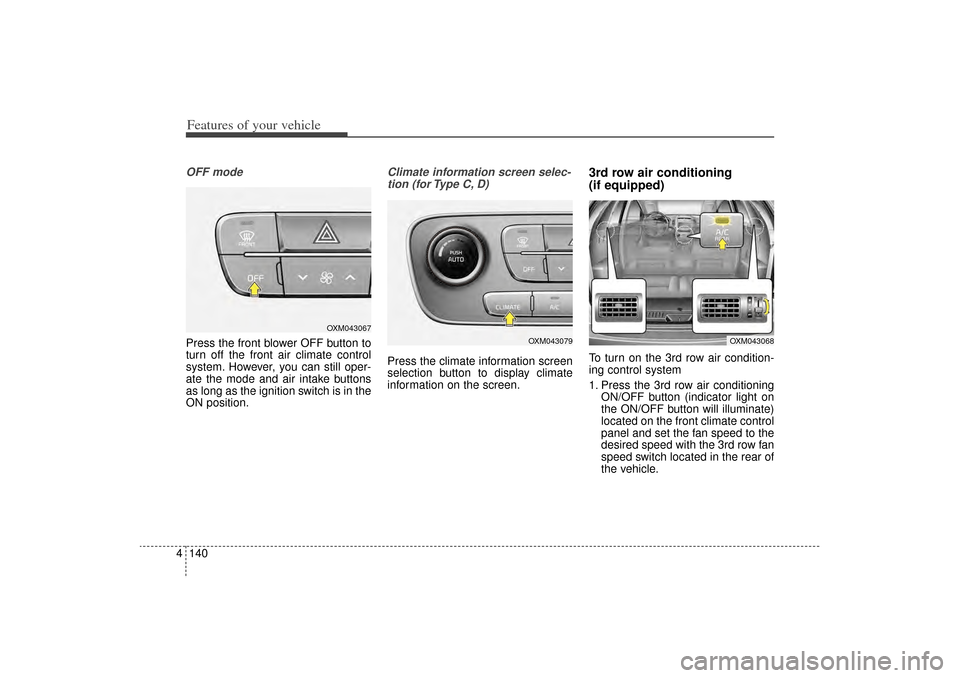
4OFF modePress the front blower OFF button to
turn off the front air climate control
system. However, you can still oper-
ate the mode and air intake buttons
as long as the ignition switch is in the
ON position.
Climate information screen selec-
tion (for Type C, D)Press the climate information screen
selection button to display climate
information on the screen.
3rd row air conditioning
(if equipped)To turn on the 3rd row air condition-
ing control system
1. Press the 3rd row air conditioning ON/OFF button (indicator light on
the ON/OFF button will illuminate)
located on the front climate control
panel and set the fan speed to the
desired speed with the 3rd row fan
speed switch located in the rear of
the vehicle.
OXM043067
OXM043079
OXM043068
XM(FL) CAN(ENG) 4a(~158).QXP 1/23/2013 3:55 PM Page 140