Page 229 of 382
Features of your vehicle
220
3
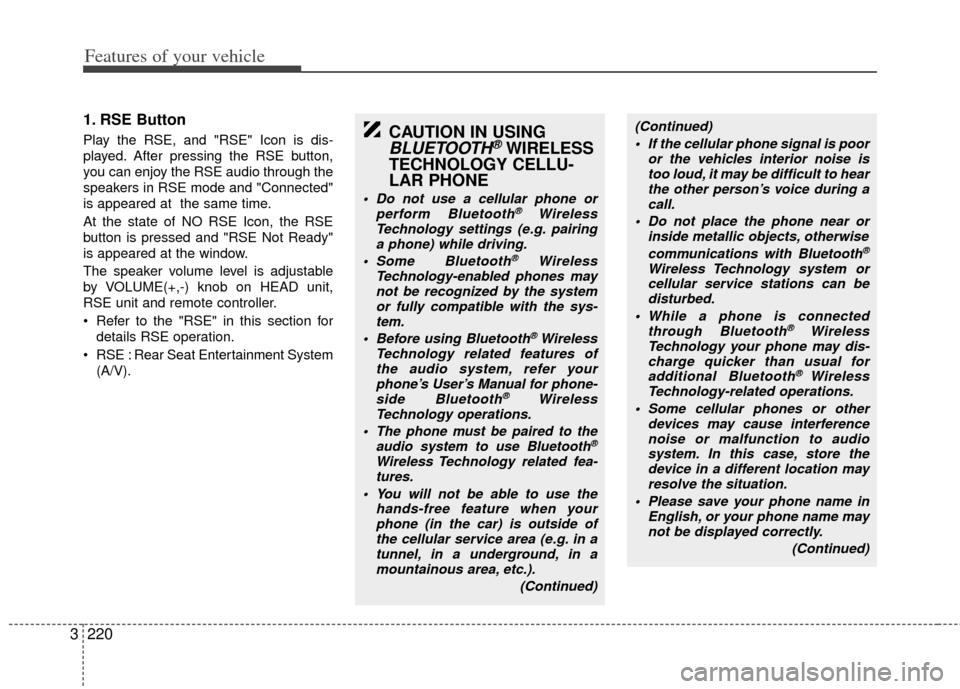
1. RSE Button
Play the RSE, and "RSE" Icon is dis-
played. After pressing the RSE button,
you can enjoy the RSE audio through the
speakers in RSE mode and "Connected"
is appeared at the same time.
At the state of NO RSE Icon, the RSE
button is pressed and "RSE Not Ready"
is appeared at the window.
The speaker volume level is adjustable
by VOLUME(+,-) knob on HEAD unit,
RSE unit and remote controller.
Refer to the "RSE" in this section for
details RSE operation.
RSE : Rear Seat Entertainment System (A/V).CAUTION IN USING
BLUETOOTH®WIRELESS
TECHNOLOGY CELLU-
LAR PHONE
Do not use a cellular phone or
perform Bluetooth®Wireless
Technology settings (e.g. pairing a phone) while driving.
Some Bluetooth
® Wireless
Technology-enab led phones may
not be recognized by the system or fully compatible with the sys-tem.
Before using Bluetooth
®Wireless
Technology related features of the audio system, refer yourphone’s User’s Manual for phone-side Bluetooth
®Wireless
Technology operations.
The phone must be paired to the audio system to use Bluetooth®
Wireless Technologyrelated fea-
tures.
You will not be able to use the hands-free feature when yourphone (in the car) is outside of the cellular service area (e.g. in atunnel, in a underground, in amountainous area, etc.).
(Continued)
(Continued) If the cellular phone signal is poor or the vehicles interior noise istoo loud, it may be difficult to hearthe other person’s voice during a call.
Do not place the phone near or inside metallic objects, otherwise
communications with Bluetooth
®
Wireless Technology system orcellular service stations can bedisturbed.
While a phone is connected through Bluetooth
®Wireless
Technology your phone may dis- charge quicker than usual for additional Bluetooth
® Wireless
Technology-related operations.
Some cellular phones or other devices may cause interferencenoise or malfunction to audio system. In this case, store thedevice in a different location may resolve the situation.
Please save your phone name in English, or your phone name maynot be displayed correctly.
(Continued)
Page 233 of 382
Features of your vehicle
224
3
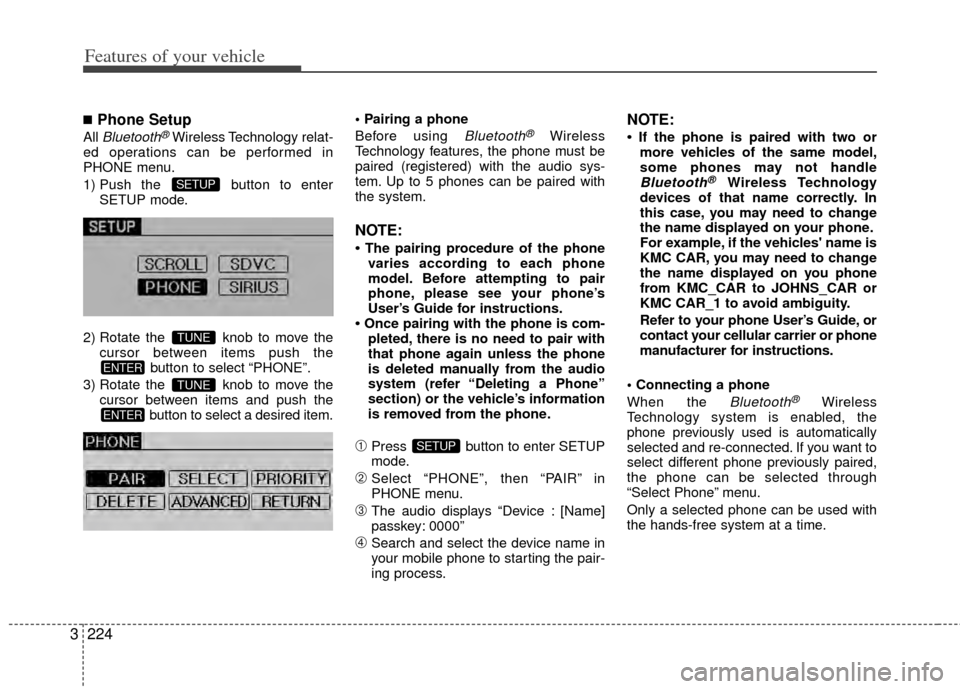
■Phone Setup
All Bluetooth®Wireless Technology relat-
ed operations can be performed in
PHONE menu.
1) Push the button to enter SETUP mode.
2) Rotate the knob to move the cursor between items push the button to select “PHONE”.
3) Rotate the knob to move the cursor between items and push the button to select a desired item.
Before using Bluetooth®Wireless
Technology features, the phone must be
paired (registered) with the audio sys-
tem. Up to 5 phones can be paired with
the system.
NOTE:
• The pairing procedure of the phone varies according to each phone
model. Before attempting to pair
phone, please see your phone’s
User’s Guide for instructions.
• Once pairing with the phone is com- pleted, there is no need to pair with
that phone again unless the phone
is deleted manually from the audio
system (refer “Deleting a Phone”
section) or the vehicle’s information
is removed from the phone.
➀Press button to enter SETUP
mode.
➁Select “PHONE”, then “PAIR” in
PHONE menu.
\bThe audio displays “Device : [Name]
passkey: 0000”
➃Search and select the device name in
your mobile phone to starting the pair-
ing process.
NOTE:
• If the phone is paired with two ormore vehicles of the same model,
some phones may not handle
Bluetooth®Wireless Technology
devices of that name correctly. In
this case, you may need to change
the name displayed on your phone.
For example, if the vehicles' name is
KMC CAR, you may need to change
the name displayed on you phone
from KMC_CAR to JOHNS_CAR or
KMC CAR_1 to avoid ambiguity.
Refer to your phone User’s Guide, or
contact your cellular carrier or phone
manufacturer for instructions.
When the
Bluetooth®Wireless
Technology system is enabled, the
phone previously used is automatically
selected and re-connected. If you want to
select different phone previously paired,
the phone can be selected through
“Select Phone” menu.
Only a selected phone can be used with
the hands-free system at a time.
SETUP
ENTER
TUNE
ENTER
TUNE
SETUP
Page 234 of 382
3225
Features of your vehicle
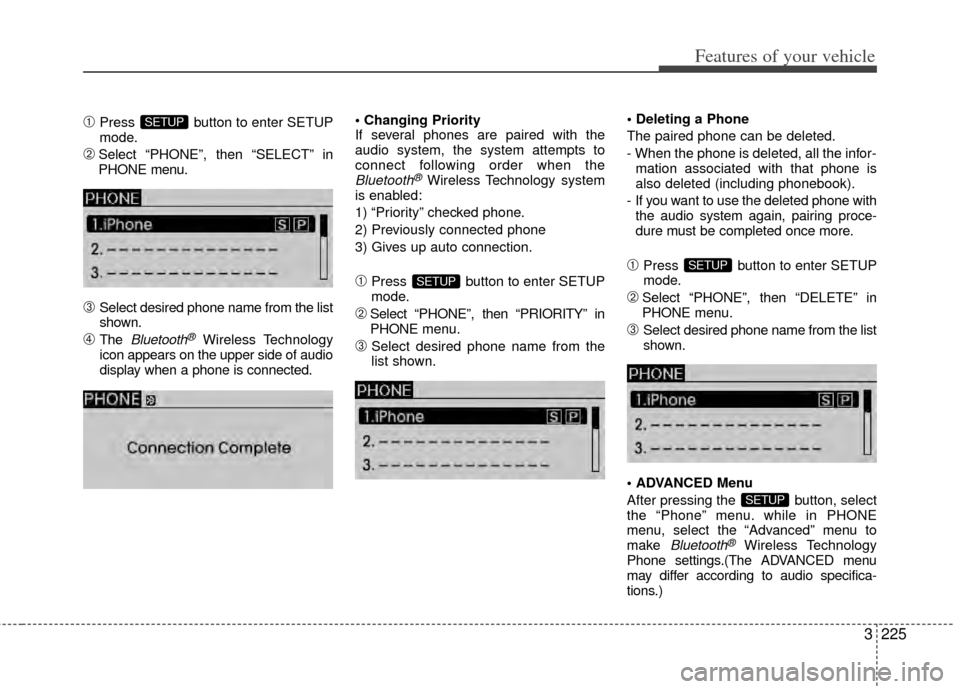
➀Press button to enter SETUP
mode.
➁Select “PHONE”, then “SELECT” in
PHONE menu.
\bSelect desired phone name from the list
shown.
➃The Bluetooth®Wireless Technology
icon appears on the upper side of audio
display when a phone is connected.
If several phones are paired with the
audio system, the system attempts to
connect following order when the
Bluetooth®Wireless Technology system
is enabled:
1) “Priority” checked phone.
2) Previously connected phone
3) Gives up auto connection.
➀Press button to enter SETUP
mode.
➁Select “PHONE”, then “PRIORITY” in
PHONE menu.
\bSelect desired phone name from the
list shown.
The paired phone can be deleted.
- When the phone is deleted, all the infor-
mation associated with that phone is
also deleted (including phonebook).
- If you want to use the deleted phone with the audio system again, pairing proce-
dure must be completed once more.
➀Press button to enter SETUP
mode.
➁Select “PHONE”, then “DELETE” in
PHONE menu.
\bSelect desired phone name from the list
shown.
Menu
After pressing the button, select
the “Phone” menu. while in PHONE
menu, select the “Advanced” menu to
make
Bluetooth®Wireless Technology
Phone settings.(The ADVANCED menu
may differ according to audio specifica-
tions.)
SETUP
SETUP
SETUP
SETUP