2014 KIA CEED audio
[x] Cancel search: audioPage 533 of 1206

775
Maintenance
No.Fuse ratingSymbolFuse NameProtected component
367.5AINDA/BAG INDInstrument Cluster
3710AMODULE1MODULE 1BCM, Tire Pressure Monitoring Module, AT Lever,
Audio, Adaptive Front Lighting Module, LDWS Unit
3815AA/BAGSRS Control Module
JD eng 7.QXP 5/6/2013 9:50 AM Page 75
Page 592 of 1206

Index
2
I
Active ECO system . . . . . . . . . . . . . . . . . . . . . . . . . . . 5-32
Adaptive Front Lighting System (AFLS) . . . . . . . . 4-118
Air bag warning label . . . . . . . . . . . . . . . . . . . . . . . . . 3-65
Air bag warning light . . . . . . . . . . . . . . . . . . . . . . . . . 3-45
Air bags . . . . . . . . . . . . . . . . . . . . . . . . . . . . . . . . . . . . 3-42
Air bag warning label . . . . . . . . . . . . . . . . . . . . . . . 3-65
Air bag warning light . . . . . . . . . . . . . . . . . . . . . . . . 3-45
Curtain air bag . . . . . . . . . . . . . . . . . . . . . . . . . . . . . 3-56
Driver's and passenger's front air bag . . . . . . . . . . 3-50
Passenger’s front air bag ON/OFF indicator. . . . . 3-46
Passenger’s front air bag ON/OFF switch . . . . . . . 3-52
Side impact air bag. . . . . . . . . . . . . . . . . . . . . . . . . . 3-55
SRS components and functions . . . . . . . . . . . . . . . . 3-47
Air cleaner . . . . . . . . . . . . . . . . . . . . . . . . . . . . . . . . . . 7-45
Air conditioner compressor label . . . . . . . . . . . . . . . 8-12
Air conditioning system . . . . . . . . . . . . . . . . . . . . . . . . 8-4
Alarm system. . . . . . . . . . . . . . . . . . . . . . . . . . . . . . . . 4-14
Aiming . . . . . . . . . . . . . . . . . . . . . . . . . . . . . . . . . . . . . 7-94
Anti-lock brake system (ABS) . . . . . . . . . . . . . . . . . . 5-41
Appearance care Exterior care . . . . . . . . . . . . . . . . . . . . . . . . . . . . . . 7-110
Interior care. . . . . . . . . . . . . . . . . . . . . . . . . . . . . . . 7-115
Armrest (Rear seat) . . . . . . . . . . . . . . . . . . . . . . . . . . 3-15
Ashtray. . . . . . . . . . . . . . . . . . . . . . . . . . . . . . . . . . . . 4-156 Audio remote control . . . . . . . . . . . . . . . . . . . . . . . . 4-173
Audio system . . . . . . . . . . . . . . . . . . . . . . . . . . . . . . . 4-172
Audio remote control . . . . . . . . . . . . . . . . . . . . . . . 4-173
Roof antenna . . . . . . . . . . . . . . . . . . . . . . . . . . . . . . 4-172
Auto defogging system . . . . . . . . . . . . . . . . . . . . . . . 4-150
Auto light/AFLS position . . . . . . . . . . . . . . . . . . . . . 4-113
Automatic climate control system . . . . . . . . . . . . . . 4-137 Air conditioning . . . . . . . . . . . . . . . . . . . . . . . . . . . 4-146
Automatic heating and air conditioning . . . . . . . 4-138
Climate control air filter . . . . . . . . . . . . . . . . . . . . 4-147
Manual heating and air conditioning . . . . . . . . . . 4-140
Automatic transaxle / Double clutch transmission. . 5-23
DS mode. . . . . . . . . . . . . . . . . . . . . . . . . . . . . . . . . . . 5-27
Paddle shifter . . . . . . . . . . . . . . . . . . . . . . . . . . . . . . 5-28
Shift lock system . . . . . . . . . . . . . . . . . . . . . . . . . . . . 5-29
Sports mode. . . . . . . . . . . . . . . . . . . . . . . . . . . . . . . . 5-27
Automatic transaxle shift position indicator (Normal vision) . . . . . . . . . . . . . . . . . . . . . . . . . . . . . 4-49
Automatic transaxle shift position indicator (Super vision) . . . . . . . . . . . . . . . . . . . . . . . . . . . . . . 4-64
Aux, USB and iPod . . . . . . . . . . . . . . . . . . . . . . . . . . 4-160
Barrier net . . . . . . . . . . . . . . . . . . . . . . . . . . . . . . . . . 4-163
Battery . . . . . . . . . . . . . . . . . . . . . . . . . . . . . . . . . . . . . 7-52
Battery replacement (Remote keyless entry) . . . . . . . 4-9
A
B
JD eng Index.QXP 5/6/2013 10:37 AM Page 2
Page 616 of 1206

25
Your vehicle at a glance
INSTRUMENT PANEL OVERVIEW
OJD012004R❈ The actual shape may differ from the illustration. 1. Instrument cluster .....................4-46, 4-59
2. Horn ...................................................4-39
3. Steering wheel audio control............4-173
4. Cruise control switch ..........................5-51
Speed limiter control switch ...............5-56
Cluster display mode conversion
switch .................................................4-61
5. Driver’s air bag ...................................3-50
6. Ignition switch or ENGINE START/STOP button ......5-5, 5-9
7. Hazard warning switch .....................4-110
8. Audio ................................................4-172
9. Seat warmer .......................................3-12
10. Central door lock switch ...................4-19
11. ESC OFF button...............................5-44
12. Climate control system .......4-128, 4-137
13. Cigar lighter ....................................4-156
14. Aux, USB and iPod port .................4-160
15. Power outlet ...................................4-159
16. Front passenger’s air bag ................3-50
17. Glove box .......................................4-153
JD RHD 2.QXP 4/30/2013 6:27 PM Page 5
Page 844 of 1206

Features of your vehicle
160
4
Aux, USB and iPod ®
You can use an aux port to connect audio
devices and an USB port to plug in an
USB and also an iPod ®
port to plug in an
iPod.
✽✽ NOTICE
When using a portable audio device
connected to the power outlet, noise may
occur during playback. If this happens,
use the power source of the portableaudio device.
❈ iPod ®
is a trademark of Apple Inc.
OJD042141R
WARNING
Do not put a finger or a foreign ele-
ment (pin, etc.) into a power outlet
and do not touch with a wet hand.
You may get electrocuted or fire
may occur.
CAUTION
Use power outlet only when the engine is running and remove the
accessory plug after use. Usingthe accessory plug for prolongedperiods of time with the engine off could cause the battery to dis-
charge.
Do not use an electric accessory or equipment the power con-sumption of which is greater than
12V (10A). It may cause damageto the power outlet or vehiclewiring harness.
Only use 12V electric accessories which are less than 10A in elec-tric capacity.
Adjust the air-conditioner or heater to the lowest operatinglevel when using the power outlet.
Close the cover when not in use. Some electronic devices can cause electronic interferencewhen plugged into a vehicle’spower outlet. These devices may cause excessive audio static and
malfunctions in other electronicsystems or devices used in your vehicle.
(Continued)
(Continued) Make sure that the electric devices are plugged in securely. Ifnot, it could cause a malfunctionof electric systems.
If you use an electric device with a battery, electric current mayflow from the electric device into the vehicle and may cause a mal-
function of electric systems. Only use electric devices which couldprevent flowing of current into thevehicle.
JD RHD 4a(~171).QXP 4/29/2013 12:06 PM Page 160
Page 857 of 1206

4 173
Features of your vehicle
Audio remote control (if equipped)
The steering wheel audio remote control
button is installed to promote safe driving.
VOL (+/ -) (1)
• Push up the lever to increase volume.
Push down the lever to decrease vol-ume.
SEEK ( / ) (2)
The SEEK/PRESET button has different
functions base on the system mode. For
the following functions the button should
be pressed for 0.8 seconds or more. RADIO mode
It will function as the AUTO SEEK select
button.
CDP mode
It will function as the FF/REW button.
If the SEEK button is pressed for less
than 0.8 second, it will work as follows in
each mode. RADIO mode
It will function as the PRESET STATION
select buttons.
CDP mode
It will function as the TRACK UP/DOWN
button.
Detailed information for audio control
buttons are described in the followingpages in this section.
MUTE (3)
Press the MUTE button to cancel the
sound.
Press the MUTE button again to acti- vate the sound.
MODE (4)
Press the button to select Radio or CD (compact disc).
CAUTION
Do not operate the audio remote
control buttons simultaneously.
OJD042149
■
■■■TTTTyyyyppppeeee BBBBOJD042147
■
Type A
JD RHD 4b(172~).QXP 4/29/2013 11:49 AM Page 173
Page 858 of 1206

Features of your vehicle
174
4
How car audio works
AM and FM radio signals are broadcast
from transmitter towers located around your
city. They are intercepted by the radio anten-
na on your car. This signal is then received
by the radio and sent to your car speakers.
When a strong radio signal has reached
your vehicle, the precise engineering of
your audio system ensures the best pos-
sible quality reproduction. However, in
some cases the signal coming to your
vehicle may not be strong and clear. This
can be due to factors such as the dis-
tance from the radio station, closeness of
other strong radio stations or the pres-
ence of buildings, bridges or other large
obstructions in the area. AM broadcasts can be received at
greater distances than FM broadcasts.
This is because AM radio waves are
transmitted at low frequencies. These
long, low frequency radio waves can fol-
low the curvature of the earth rather than
travelling straight out into the atmos-
phere. In addition, they curve around
obstructions so that they can provide bet-
ter signal coverage.
FM broadcasts are transmitted at high
frequencies and do not bend to follow the
earth's surface. Because of this, FM
broadcasts generally begin to fade at
short distances from the station. Also,
FM signals are easily affected by build-
ings, mountains, or other obstructions.These can result in certain listening con-
ditions which might lead you to believe a
problem exists with your radio. The fol-
lowing conditions are normal and do not
indicate radio trouble:
JBM001JBM002JBM003
FM reception AM reception FM radio station
JD RHD 4b(172~).QXP 4/29/2013 11:49 AM Page 174
Page 859 of 1206

4 175
Features of your vehicle
Fading - As your car moves away fromthe radio station, the signal will weaken
and sound will begin to fade. When this
occurs, we suggest that you selectanother stronger station.
Flutter/Static - Weak FM signals or large obstructions between the trans-
mitter and your radio can disturb the
signal causing static or fluttering nois-
es to occur. Reducing the treble level
may lessen this effect until the distur-
bance clears. Station Swapping - As a FM signal
weakens, another more powerful sig-
nal near the same frequency may
begin to play. This is because your
radio is designed to lock onto the clear-
est signal. If this occurs, select anoth-er station with a stronger signal.
Multi-Path Cancellation - Radio signals being received from several directions
can cause distortion or fluttering. This
can be caused by a direct and reflect-
ed signal from the same station, or by
signals from two stations with close
frequencies. If this occurs, selectanother station until the condition haspassed.
Using a cellular phone or a two-wayradio
When a cellular phone is used inside the
vehicle, noise may be produced from the
audio equipment. This does not meanthat something is wrong with the audio
equipment. In such a case, use the cellu-
lar phone at a place as far as possiblefrom the audio equipment.
JBM004JBM005
CAUTION
When using a communication sys-
tem such a cellular phone or a radio set inside the vehicle, a separateexternal antenna must be fitted.
When a cellular phone or a radio setis used with an internal antenna alone, it may interfere with the vehi-cle's electrical system and adverse-
ly affect safe operation of the vehi- cle.
WARNING
Don't use a cellular phone when
you are driving. You must stop at a
safe place to use a cellular phone.
JD RHD 4b(172~).QXP 4/29/2013 11:49 AM Page 175
Page 860 of 1206
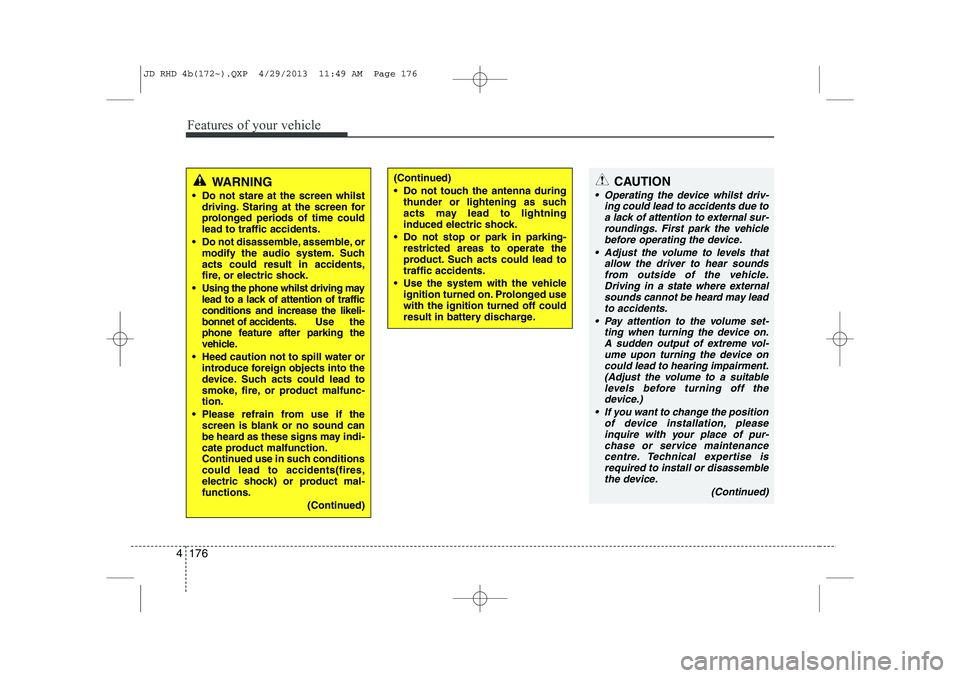
Features of your vehicle
176
4
CAUTION
Operating the device whilst driv-
ing could lead to accidents due to
a lack of attention to external sur- roundings. First park the vehiclebefore operating the device.
Adjust the volume to levels that allow the driver to hear soundsfrom outside of the vehicle. Driving in a state where external sounds cannot be heard may lead
to accidents.
Pay attention to the volume set- ting when turning the device on.A sudden output of extreme vol-
ume upon turning the device oncould lead to hearing impairment. (Adjust the volume to a suitablelevels before turning off the
device.)
If you want to change the position of device installation, pleaseinquire with your place of pur-chase or service maintenance
centre. Technical expertise isrequired to install or disassemble the device.
(Continued)
WARNING
Do not stare at the screen whilst driving. Staring at the screen for
prolonged periods of time couldlead to traffic accidents.
Do not disassemble, assemble, or modify the audio system. Suchacts could result in accidents,
fire, or electric shock.
Using the phone whilst driving may lead to a lack of attention of trafficconditions and increase the likeli-
bonnet of accidents. Use the
phone feature after parking the
vehicle.
Heed caution not to spill water or introduce foreign objects into the
device. Such acts could lead to
smoke, fire, or product malfunc-tion.
Please refrain from use if the screen is blank or no sound can
be heard as these signs may indi-
cate product malfunction.
Continued use in such conditionscould lead to accidents(fires,
electric shock) or product mal-functions.
(Continued)(Continued)
Do not touch the antenna duringthunder or lightening as such
acts may lead to lightning
induced electric shock.
Do not stop or park in parking- restricted areas to operate the
product. Such acts could lead totraffic accidents.
Use the system with the vehicle ignition turned on. Prolonged usewith the ignition turned off could
result in battery discharge.
JD RHD 4b(172~).QXP 4/29/2013 11:49 AM Page 176