4229
Features of your vehicle
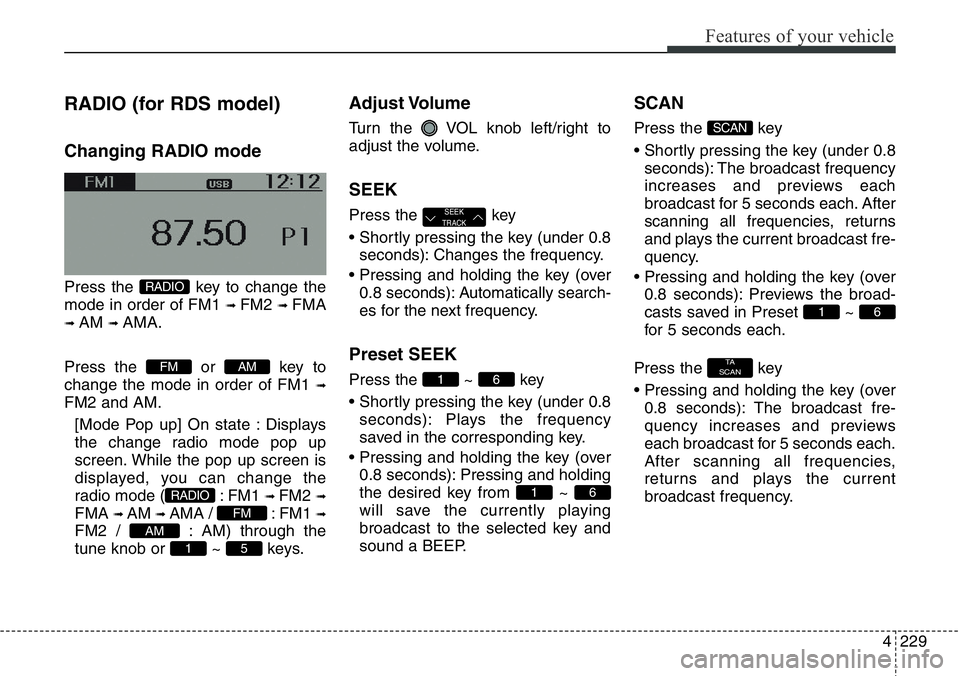
RADIO (for RDS model)
Changing RADIO mode
Press the key to change the
mode in order of FM1
➟ FM2 ➟ FMA
➟ AM ➟ AMA.
Press the or key to
change the mode in order of FM1
➟
FM2 and AM.
[Mode Pop up] On state : Displays
the change radio mode pop up
screen. While the pop up screen is
displayed, you can change the
radio mode ( : FM1
➟ FM2 ➟
FMA ➟ AM ➟ AMA / : FM1 ➟
FM2 / : AM) through the
tune knob or ~ keys.
Adjust Volume
Turn the VOL knob left/right to
adjust the volume.
SEEK
Press the key
• Shortly pressing the key (under 0.8
seconds): Changes the frequency.
• Pressing and holding the key (over
0.8 seconds): Automatically search-
es for the next frequency.
Preset SEEK
Press the ~ key
• Shortly pressing the key (under 0.8
seconds): Plays the frequency
saved in the corresponding key.
• Pressing and holding the key (over
0.8 seconds): Pressing and holding
the desired key from ~
will save the currently playing
broadcast to the selected key and
sound a BEEP.
SCAN
Press the key
• Shortly pressing the key (under 0.8
seconds): The broadcast frequency
increases and previews each
broadcast for 5 seconds each. After
scanning all frequencies, returns
and plays the current broadcast fre-
quency.
• Pressing and holding the key (over
0.8 seconds): Previews the broad-
casts saved in Preset ~
for 5 seconds each.
Press the key
• Pressing and holding the key (over
0.8 seconds): The broadcast fre-
quency increases and previews
each broadcast for 5 seconds each.
After scanning all frequencies,
returns and plays the current
broadcast frequency.
TA
SCAN
61
SCAN
61
61
SEEK
TRACK
51
AM
FM
RADIO
AMFM
RADIO
Page 331 of 711
Features of your vehicle
230 4
Selecting through manual
search
Turn the TUNE knob left/right to
adjust the frequency.
• AM104DMEE/ AM114DMEE
- FM : Changes by 50KHz
- AM : Changes by 9khz
Traffic Announcement (TA)
Shortly pressing the key
(under 0.8 seconds): Set /
TA Traffic Announcement) mode.
PTY Up/Down
• Press the key when
searching PTY in RDS Broadcasting
Program Type selection.
MENU
Within key are the A.Store
(Auto Store) and Info functions.
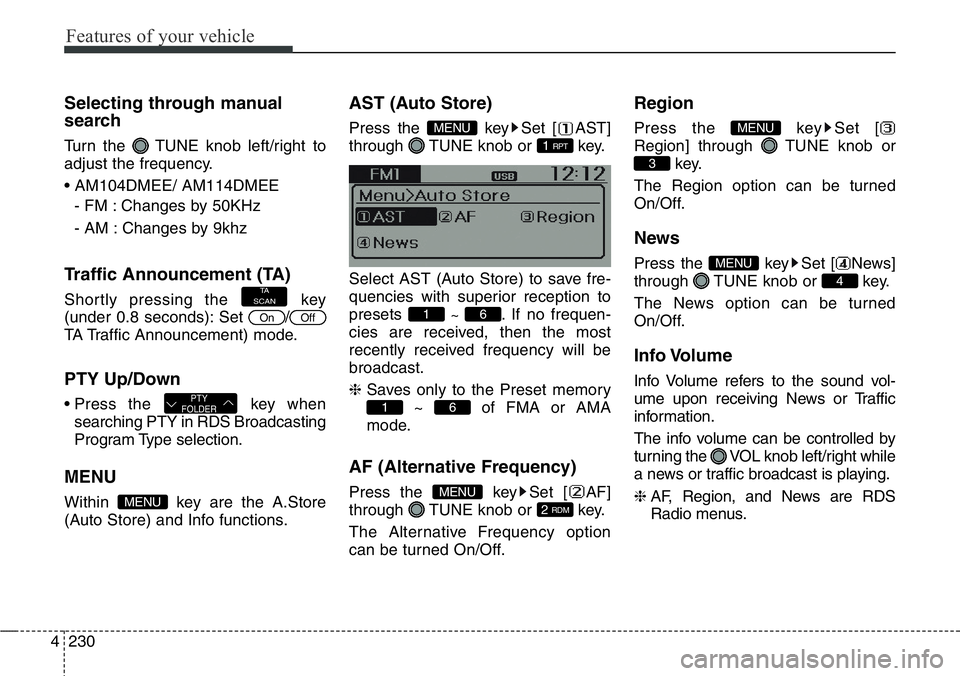
AST (Auto Store)
Press the key Set [ AST]
through TUNE knob or key.
Select AST (Auto Store) to save fre-
quencies with superior reception to
presets
~ . If no frequen-
cies are received, then the most
recently received frequency will be
broadcast.
❈ Saves only to the Preset memory
~ of FMA or AMA
mode.
AF (Alternative Frequency)
Press the key Set [ AF]
through TUNE knob or key.
The Alternative Frequency option
can be turned On/Off.
Region
Press the key Set [
Region] through TUNE knob or
key.
The Region option can be turned
On/Off.
News
Press the key Set [ News]
through TUNE knob or key.
The News option can be turned
On/Off.
Info Volume
Info Volume refers to the sound vol-
ume upon receiving News or Traffic
information.
The info volume can be controlled by
turning the VOL knob left/right while
a news or traffic broadcast is playing.
❈ AF, Region, and News are RDS
Radio menus.
4
MENU
3
MENU
2 RDM
MENU
61
61
1 RPT
MENU
MENU
PTY
FOLDER
OffOn
TA
SCAN
Page 332 of 711
4231
Features of your vehicle
RADIO
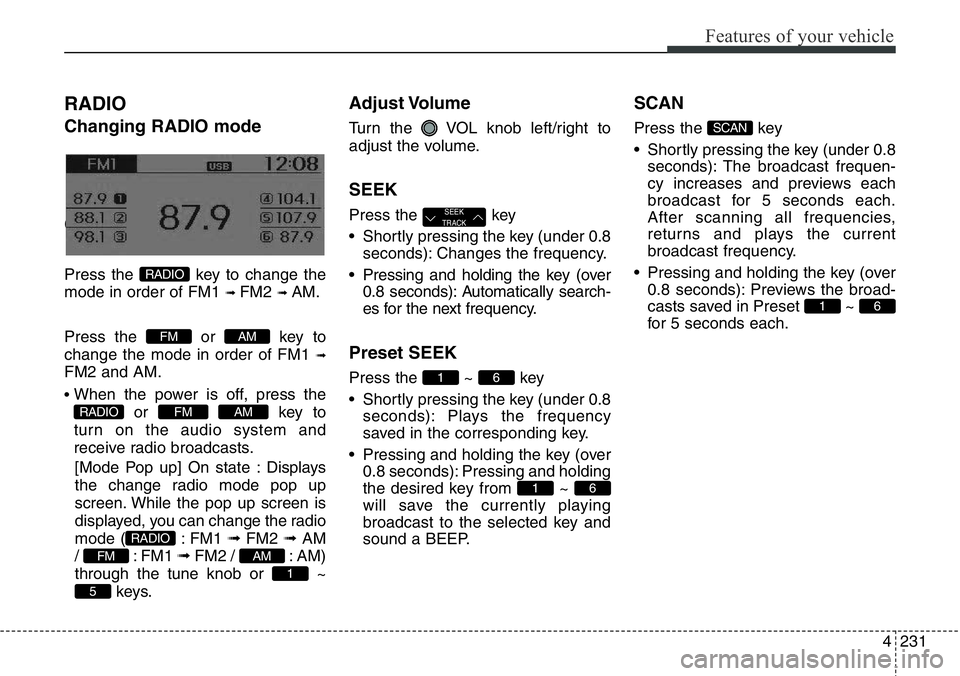
Changing RADIO mode
Changing RADIO mode
Press the key to change the
mode in order of FM1
➟ FM2 ➟ AM.
Press the or key to
change the mode in order of FM1
➟
FM2 and AM.
• When the power is off, press the
or key to
turn on the audio system and
receive radio broadcasts.
[Mode Pop up] On state : Displays
the change radio mode pop up
screen. While the pop up screen is
displayed, you can change the radio
mode ( : FM1 ➟ FM2 ➟ AM
/ : FM1 ➟FM2 / : AM)
through the tune knob or ~
keys.
Adjust Volume
Turn the VOL knob left/right to
adjust the volume.
SEEK
Press the key
• Shortly pressing the key (under 0.8
seconds): Changes the frequency.
• Pressing and holding the key (over
0.8 seconds): Automatically search-
es for the next frequency.
Preset SEEK
Press the ~ key
• Shortly pressing the key (under 0.8
seconds): Plays the frequency
saved in the corresponding key.
• Pressing and holding the key (over
0.8 seconds): Pressing and holding
the desired key from ~
will save the currently playing
broadcast to the selected key and
sound a BEEP.
SCAN
Press the key
• Shortly pressing the key (under 0.8
seconds): The broadcast frequen-
cy increases and previews each
broadcast for 5 seconds each.
After scanning all frequencies,
returns and plays the current
broadcast frequency.
• Pressing and holding the key (over
0.8 seconds): Previews the broad-
casts saved in Preset ~
for 5 seconds each.
61
SCAN
61
61
SEEK
TRACK
5
1
AMFM
RADIO
AMFMRADIO
AMFM
RADIO
Page 334 of 711
4233
Features of your vehicle
BASIC METHOD OF USE :
Audio CD / MP3 CD / USB /
iPod / My Music
Press the key to change the
mod mode in order of CD ➟ USB(iPod)
➟ AUX ➟ My Music ➟ BT Audio.
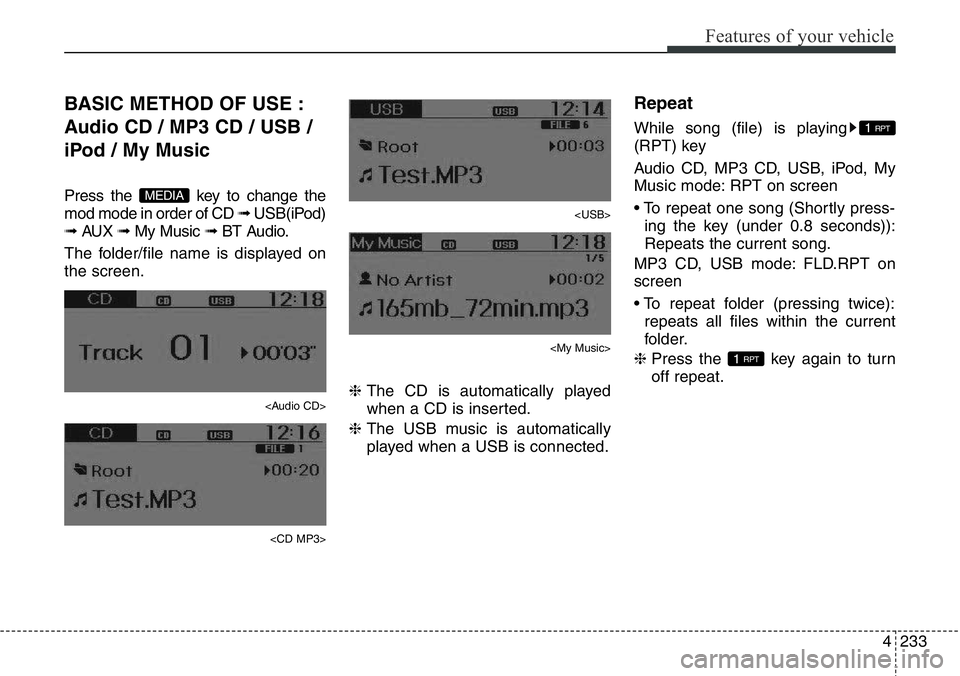
The folder/file name is displayed on
the screen.
Page 335 of 711
Features of your vehicle
234 4
Random
While song (file) is playing
(RDM) key
Audio CD, My Music mode: RDM on
screen
• Random (Shortly pressing the key
(under 0.8 seconds)): Plays all
songs in random order.
MP3 CD, USB mode: FLD.RDM on
screen
• Folder Random (Shortly pressing
the key (under 0.8 seconds)): Plays
all files within the current folder in
random order.
iPod mode: ALB RDM on screen
• Album Random (Shortly pressing
the key (under 0.8 seconds)): Plays
all files within albums of the current
category in random order.
MP3 CD, USB, iPod mode: ALL RDM
on screen
• All Random (pressing twice): Plays
all files in random order.
❈ Press the key again to turn
off repeat.
Changing Song/File
While song (file) is playing
key
• Shortly pressing the key (under 0.8
seconds): Plays the current song
from the beginning.
❈ If the key is pressed again
within 1 second, the previous song
is played.
• Pressing and holding the key (over
0.8 seconds): Rewinds the song.
While song (file) is playing
key
• Shortly pressing the key (under 0.8
seconds): Plays the next song.
• Pressing and holding the key (over
0.8 seconds): Fast forwards the
song.
Scan (for RDS model)
While song (file) is playing
key
• Pressing and holding the key (over
0.8 seconds) : Scans all songs for
10 seconds starting from the next
song.
❈ Pressing and holding the
key again to turn off.
Scan
While song (file) is playing
key
• Shortly pressing the key (under 0.8
seconds) : Scans all songs from
the next song for 10 seconds each.
❈ Press the key again to turn
off.
❈ The SCAN function is not support-
ed in iPod mode.
SCAN
SCAN
TA
SCAN
TA
SCAN
SEEK
TRACK
SEEK
TRACK
SEEK
TRACK
2RDM
2 RDM
Page 342 of 711
4241
Features of your vehicle
PHONE (if equipped)
Before using the Bluetooth®Wireless
Technology
phone features
• In order to use
Bluetooth®Wireless
Technology
phone, you must first
pair and connect the
Bluetooth®
Wireless Technologymobile phone.
• If the mobile phone is not paired or
connected, it is not possible to
enter Phone mode. Once a phone
is paired or connected, the guid-
ance screen will be displayed.
• If Priority is set upon vehicle igni-
tion (IGN/ACC ON), the
Bluetooth®
Wireless Technologyphone will be
automatically connected. Even if
you are outside, the
Bluetooth®
Wireless Technologyphone will be
automatically connected once you
are in the vicinity of the vehicle. If you
do not want automatic
Bluetooth®
Wireless Technologyphone connec-
tion, set the
Bluetooth®Wireless
Technology
power to OFF.
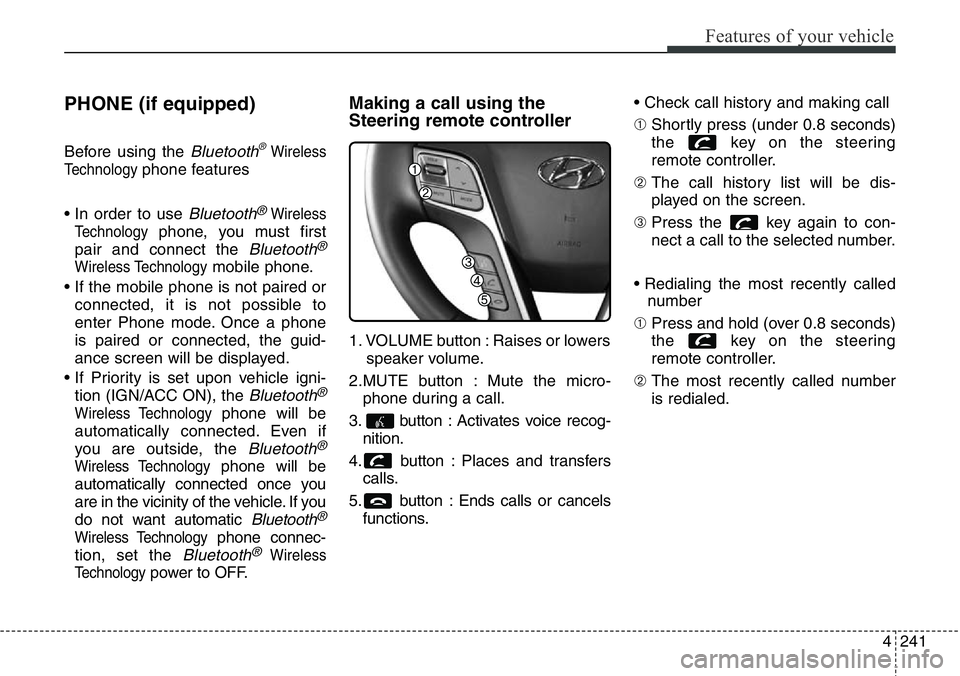
Making a call using the
Steering remote controller
1. VOLUME button : Raises or lowers
speaker volume.
2.MUTE button : Mute the micro-
phone during a call.
3. button : Activates voice recog-
nition.
4. button : Places and transfers
calls.
5. button : Ends calls or cancels
functions.• Check call history and making call
➀ Shortly press (under 0.8 seconds)
the key on the steering
remote controller.
➁ The call history list will be dis-
played on the screen.
➂ Press the key again to con-
nect a call to the selected number.
• Redialing the most recently called
number
➀ Press and hold (over 0.8 seconds)
the key on the steering
remote controller.
➁ The most recently called number
is redialed.
Page 348 of 711
4247
Features of your vehicle
VOICE COMMAND
(if equipped)
Starting Voice Command
• To start voice command, shortly
press the key on the steering
wheel remote controller.
• If voice command is in [Normal
Mode], then the system will say
“Please say a command. Beep”
❈ If voice command is in [Expert
Mode], then the system will only
say a “Beep-”
❈ Setting Voice command [Normal
Mode]/[Expert Mode]:
Press the key Select
[System] through the TUNE
knob or key Select [Voice
Command Mode] through the
TUNE knob Set [Normal
Mode]/[Expert Mode]
• Say the voice command.
✽NOTICE
For proper voice recognition, say the
voice command after the guidance
message and the “Beep” sound.
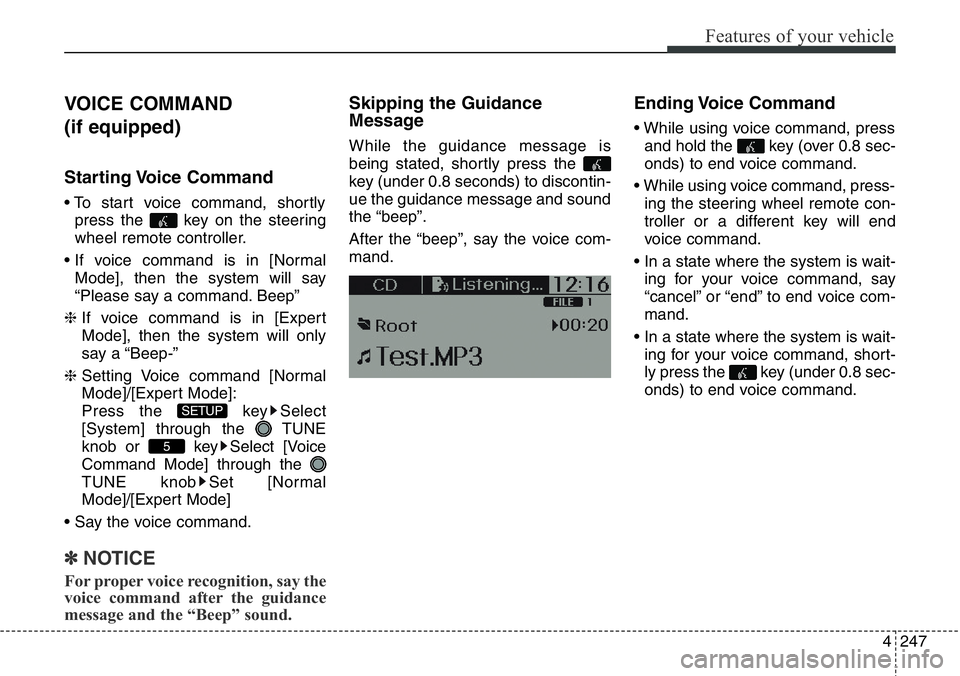
Skipping the Guidance
Message
While the guidance message is
being stated, shortly press the
key (under 0.8 seconds) to discontin-
ue the guidance message and sound
the “beep”.
After the “beep”, say the voice com-
mand.
Ending Voice Command
• While using voice command, press
and hold the key (over 0.8 sec-
onds) to end voice command.
• While using voice command, press-
ing the steering wheel remote con-
troller or a different key will end
voice command.
• In a state where the system is wait-
ing for your voice command, say
“cancel” or “end” to end voice com-
mand.
• In a state where the system is wait-
ing for your voice command, short-
ly press the key (under 0.8 sec-
onds) to end voice command.
5
SETUP
Page 357 of 711
Features of your vehicle
256 4
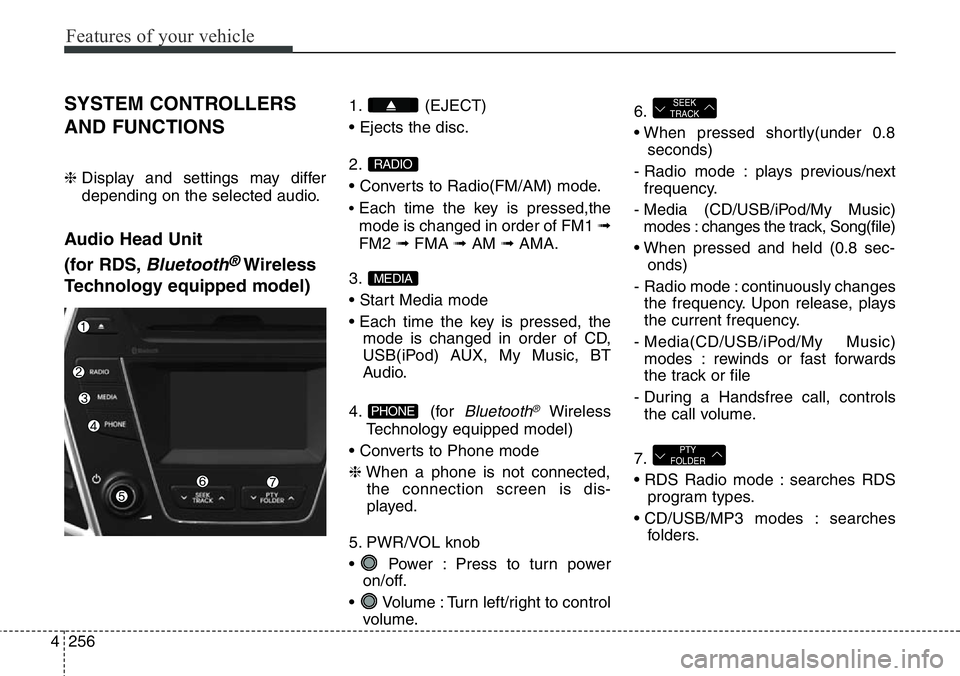
SYSTEM CONTROLLERS
AND FUNCTIONS
❈ Display and settings may differ
depending on the selected audio.
Audio Head Unit
(for RDS,
Bluetooth®Wireless
Technology equipped model)
1. (EJECT)
• Ejects the disc.
2.
• Converts to Radio(FM/AM) mode.
•Each time the key is pressed,the
mode is changed in order of FM1 ➟
FM2 ➟FMA ➟AM ➟AMA.
3.
• Start Media mode
• Each time the key is pressed, the
mode is changed in order of CD,
USB(iPod) AUX, My Music, BT
Audio.
4. (for
Bluetooth®Wireless
Technology equipped model)
• Converts to Phone mode
❈When a phone is not connected,
the connection screen is dis-
played.
5. PWR/VOL knob
• Power : Press to turn power
on/off.
• Volume : Turn left/right to control
volume.6.
• When pressed shortly(under 0.8
seconds)
- Radio mode : plays previous/next
frequency.
- Media (CD/USB/iPod/My Music)
modes : changes the track, Song(file)
• When pressed and held (0.8 sec-
onds)
- Radio mode : continuously changes
the frequency. Upon release, plays
the current frequency.
- Media(CD/USB/iPod/My Music)
modes : rewinds or fast forwards
the track or file
- During a Handsfree call, controls
the call volume.
7.
• RDS Radio mode : searches RDS
program types.
• CD/USB/MP3 modes : searches
folders.
PTY
FOLDER
SEEK
TRACK
PHONE
MEDIA
RADIO