Page 1061 of 1534
355
Safety features of your vehicle
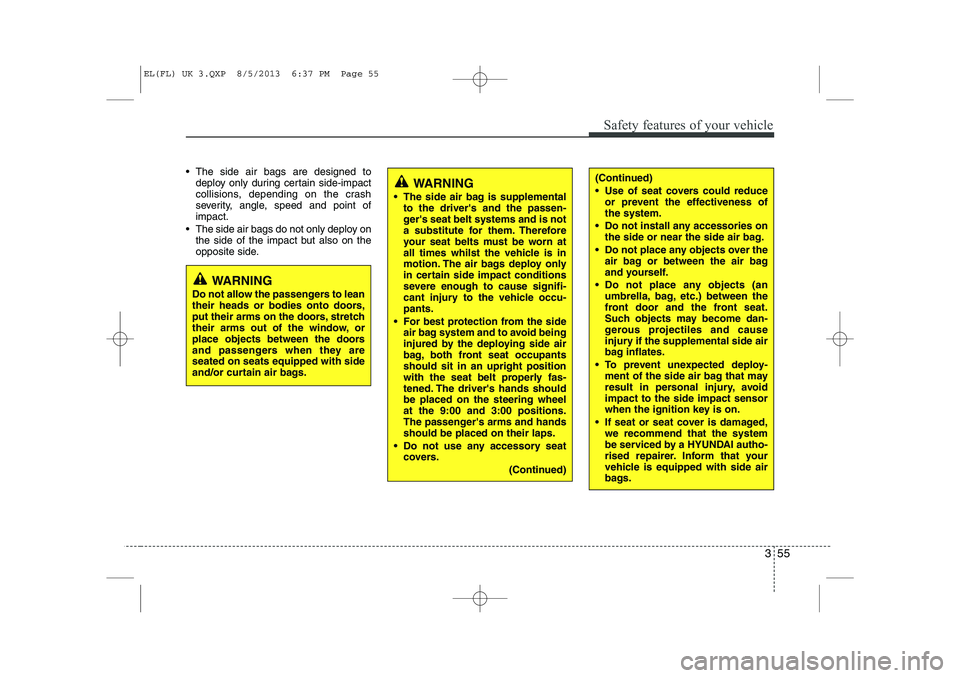
• The side air bags are designed todeploy only during certain side-impact
collisions, depending on the crash
severity, angle, speed and point ofimpact.
The side air bags do not only deploy on the side of the impact but also on the
opposite side.(Continued)
• Use of seat covers could reduceor prevent the effectiveness of the system.
Do not install any accessories on the side or near the side air bag.
Do not place any objects over the air bag or between the air bag
and yourself.
Do not place any objects (an umbrella, bag, etc.) between the
front door and the front seat.
Such objects may become dan-
gerous projectiles and cause
injury if the supplemental side air
bag inflates.
To prevent unexpected deploy- ment of the side air bag that may
result in personal injury, avoidimpact to the side impact sensor
when the ignition key is on.
If seat or seat cover is damaged, we recommend that the system
be serviced by a HYUNDAI autho-
rised repairer. Inform that your
vehicle is equipped with side air
bags.WARNING
The side air bag is supplemental to the driver's and the passen-
ger's seat belt systems and is not
a substitute for them. Therefore
your seat belts must be worn at
all times whilst the vehicle is in
motion. The air bags deploy only
in certain side impact conditions
severe enough to cause signifi-
cant injury to the vehicle occu-pants.
For best protection from the side air bag system and to avoid being
injured by the deploying side air
bag, both front seat occupantsshould sit in an upright position
with the seat belt properly fas-
tened. The driver's hands shouldbe placed on the steering wheelat the 9:00 and 3:00 positions.
The passenger's arms and handsshould be placed on their laps.
Do not use any accessory seat covers.
(Continued)
WARNING
Do not allow the passengers to lean
their heads or bodies onto doors,
put their arms on the doors, stretch
their arms out of the window, or
place objects between the doors
and passengers when they areseated on seats equipped with side
and/or curtain air bags.
EL(FL) UK 3.QXP 8/5/2013 6:37 PM Page 55
Page 1064 of 1534
Safety features of your vehicle
58
3
Air bag system operation (deploy-
ment/non deployment)
There are many types of situations in
which an air bag would not provide
additional protection to the vehicleoccupants.
These include rear impacts, second or
third collisions in multiple impact
accidents, low speed impacts, offset
collisions and vehicle roll over.
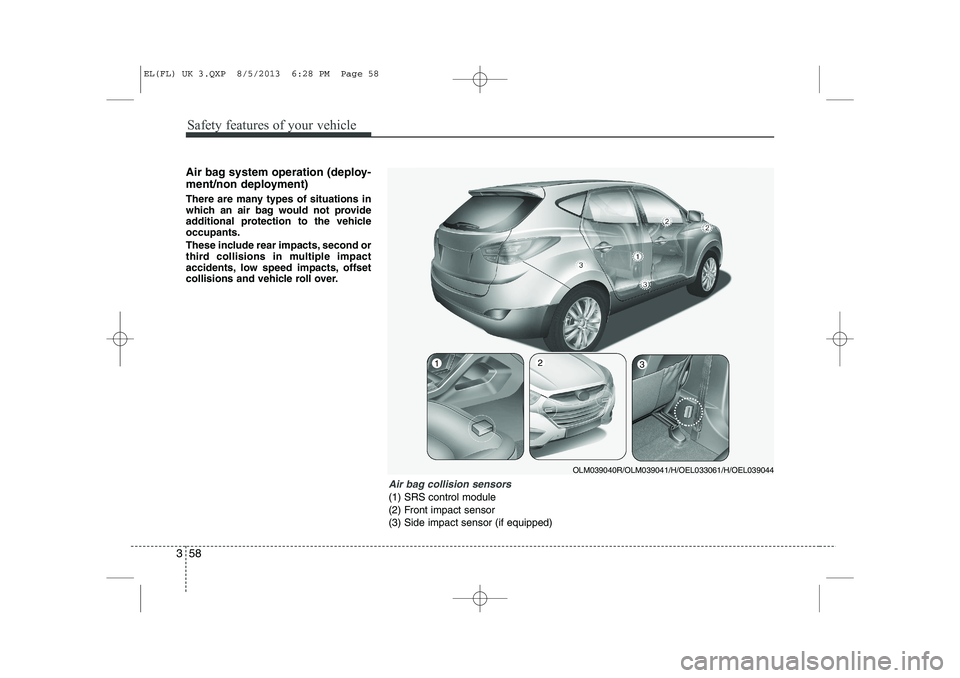
Air bag collision sensors
(1) SRS control module
(2) Front impact sensor
(3) Side impact sensor (if equipped)
OLM039040R/OLM039041/H/OEL033061/H/OEL039044
123
EL(FL) UK 3.QXP 8/5/2013 6:28 PM Page 58
Page 1065 of 1534
359
Safety features of your vehicle
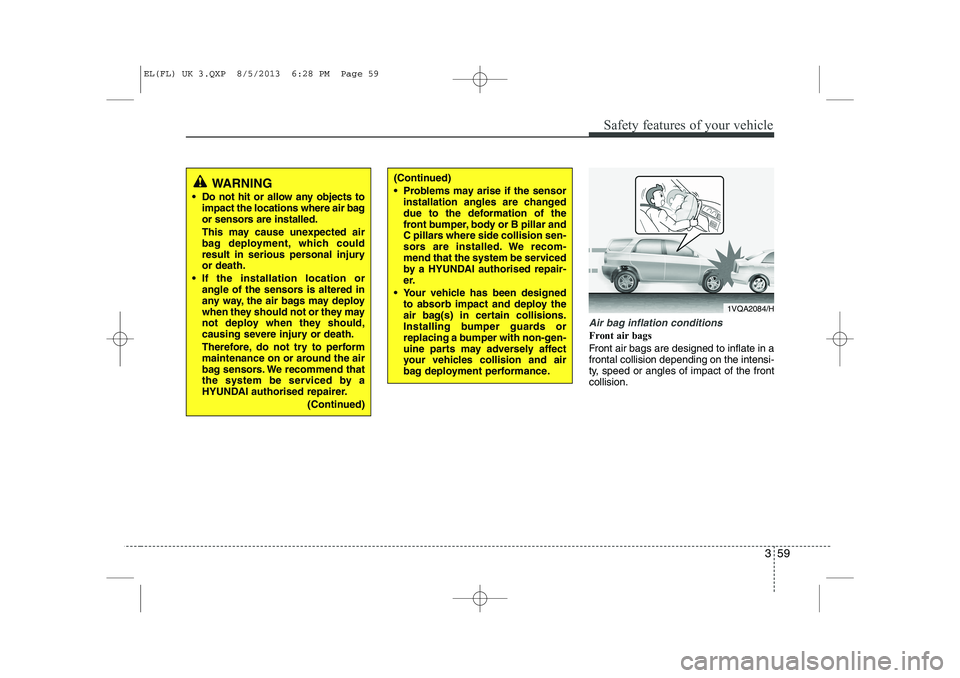
Air bag inflation conditions
Front air bags
Front air bags are designed to inflate in a frontal collision depending on the intensi-
ty, speed or angles of impact of the frontcollision.
WARNING
Do not hit or allow any objects to impact the locations where air bag
or sensors are installed.
This may cause unexpected air
bag deployment, which could
result in serious personal injuryor death.
If the installation location or angle of the sensors is altered in
any way, the air bags may deploy
when they should not or they may
not deploy when they should,
causing severe injury or death.
Therefore, do not try to perform
maintenance on or around the air
bag sensors. We recommend that
the system be serviced by a
HYUNDAI authorised repairer.
(Continued)(Continued)
Problems may arise if the sensorinstallation angles are changed
due to the deformation of the
front bumper, body or B pillar and
C pillars where side collision sen-
sors are installed. We recom-
mend that the system be serviced
by a HYUNDAI authorised repair-
er.
Your vehicle has been designed to absorb impact and deploy the
air bag(s) in certain collisions.
Installing bumper guards or
replacing a bumper with non-gen-
uine parts may adversely affect
your vehicles collision and air
bag deployment performance.
1VQA2084/H
EL(FL) UK 3.QXP 8/5/2013 6:28 PM Page 59
Page 1066 of 1534
Safety features of your vehicle
60
3
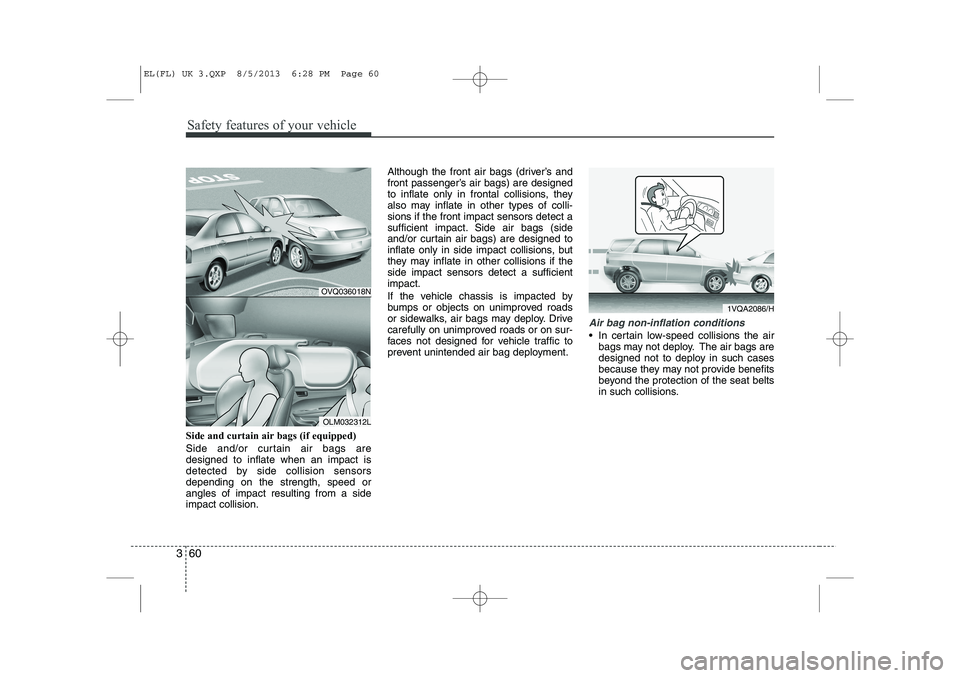
Side and curtain air bags (if equipped)
Side and/or curtain air bags are designed to inflate when an impact is
detected by side collision sensorsdepending on the strength, speed orangles of impact resulting from a sideimpact collision. Although the front air bags (driver’s and
front passenger’s air bags) are designed
to inflate only in frontal collisions, they
also may inflate in other types of colli-sions if the front impact sensors detect a
sufficient impact. Side air bags (side
and/or curtain air bags) are designed to
inflate only in side impact collisions, but
they may inflate in other collisions if theside impact sensors detect a sufficientimpact.
If the vehicle chassis is impacted by
bumps or objects on unimproved roads
or sidewalks, air bags may deploy. Drive
carefully on unimproved roads or on sur-
faces not designed for vehicle traffic to
prevent unintended air bag deployment.
Air bag non-inflation conditions
In certain low-speed collisions the air
bags may not deploy. The air bags are
designed not to deploy in such cases
because they may not provide benefits
beyond the protection of the seat belts
in such collisions.
1VQA2086/H
OVQ036018N
OLM032312L
EL(FL) UK 3.QXP 8/5/2013 6:28 PM Page 60
Page 1067 of 1534
361
Safety features of your vehicle
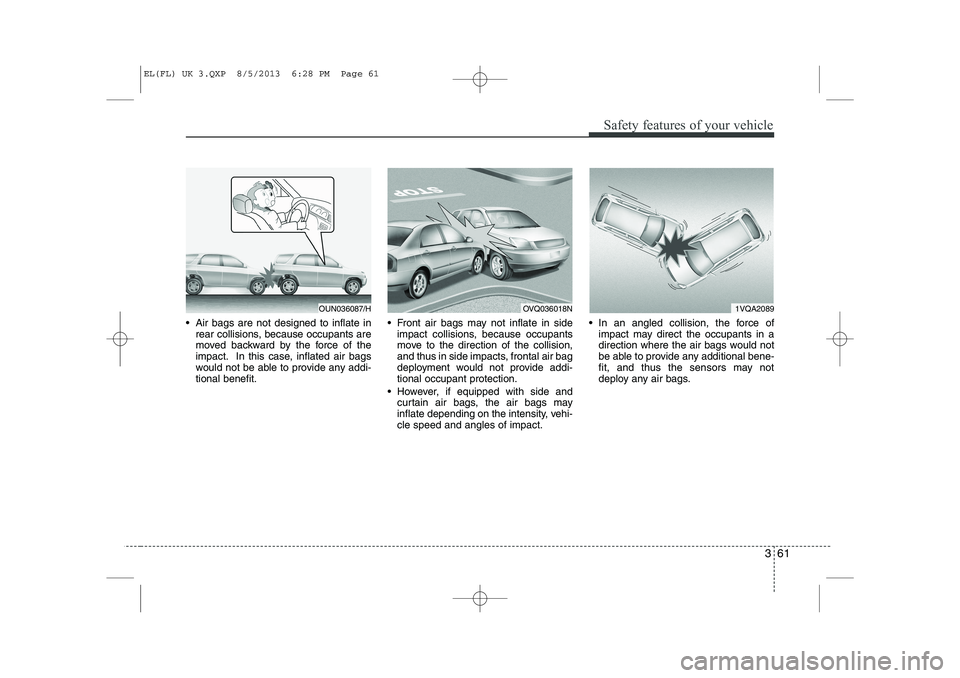
Air bags are not designed to inflate inrear collisions, because occupants are
moved backward by the force of the
impact. In this case, inflated air bags
would not be able to provide any addi-tional benefit. Front air bags may not inflate in side
impact collisions, because occupants
move to the direction of the collision,
and thus in side impacts, frontal air bag
deployment would not provide addi-tional occupant protection.
However, if equipped with side and curtain air bags, the air bags may
inflate depending on the intensity, vehi-cle speed and angles of impact. In an angled collision, the force of
impact may direct the occupants in a
direction where the air bags would not
be able to provide any additional bene-
fit, and thus the sensors may not
deploy any air bags.
1VQA2089OVQ036018NOUN036087/H
EL(FL) UK 3.QXP 8/5/2013 6:28 PM Page 61
Page 1068 of 1534
Safety features of your vehicle
62
3
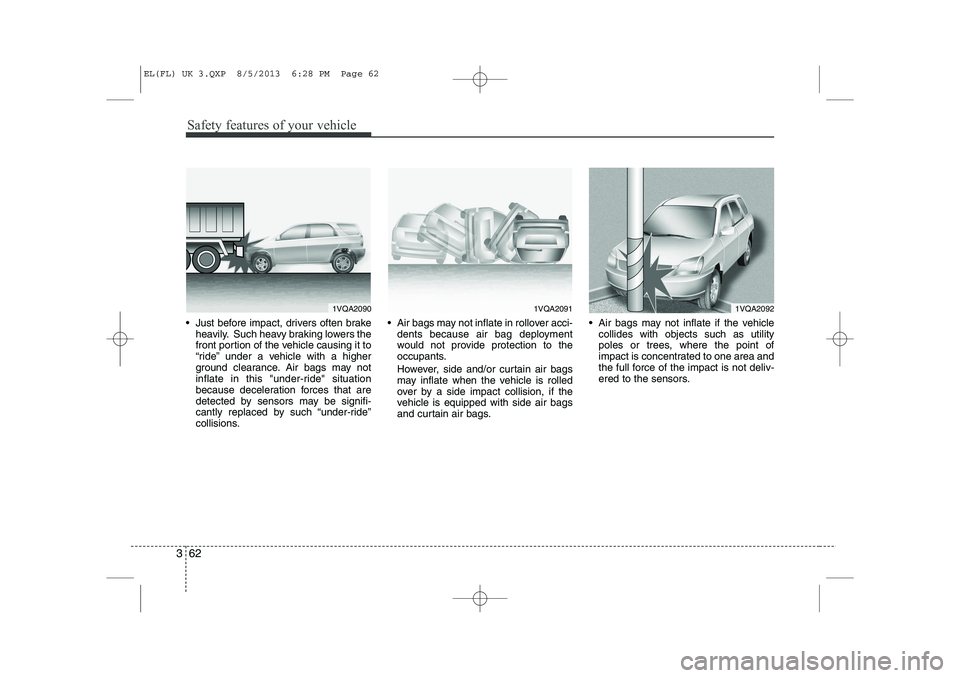
Just before impact, drivers often brake
heavily. Such heavy braking lowers the
front portion of the vehicle causing it to
“ride” under a vehicle with a higher
ground clearance. Air bags may not
inflate in this "under-ride" situation
because deceleration forces that are
detected by sensors may be signifi-
cantly replaced by such “under-ride”
collisions. Air bags may not inflate in rollover acci-
dents because air bag deployment
would not provide protection to the
occupants.
However, side and/or curtain air bags may inflate when the vehicle is rolled
over by a side impact collision, if the
vehicle is equipped with side air bags
and curtain air bags. Air bags may not inflate if the vehicle
collides with objects such as utility
poles or trees, where the point of
impact is concentrated to one area and
the full force of the impact is not deliv-
ered to the sensors.
1VQA20901VQA20911VQA2092
EL(FL) UK 3.QXP 8/5/2013 6:28 PM Page 62
Page 1110 of 1534
439
Features of your vehicle
Inside rearview mirror
Adjust the rearview mirror to centre on
the view through the rear window. Make
this adjustment before you start driving.
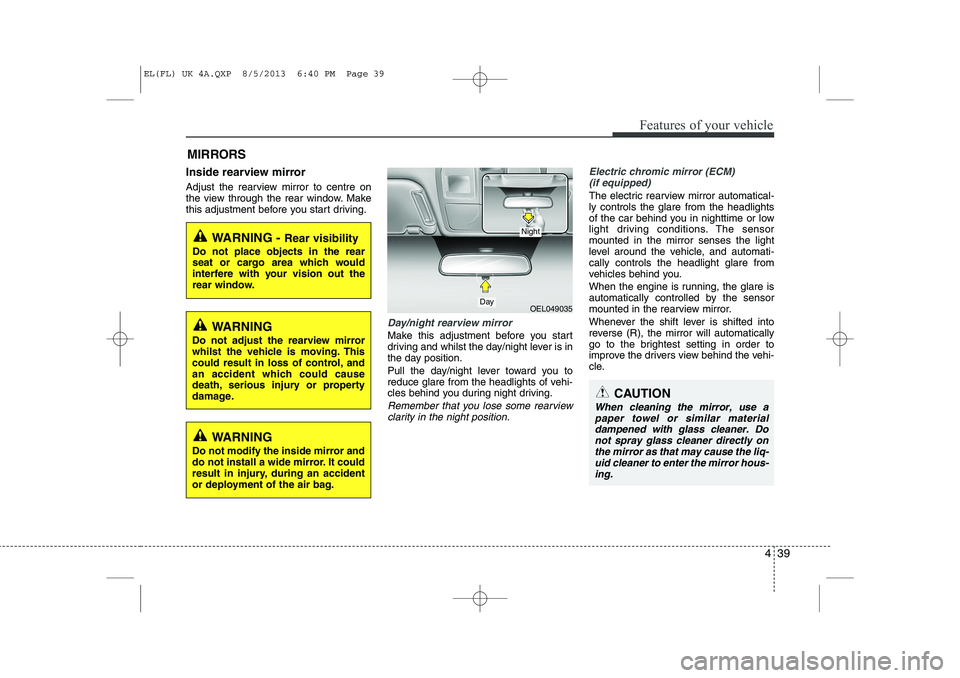
Day/night rearview mirror
Make this adjustment before you start
driving and whilst the day/night lever is in
the day position.
Pull the day/night lever toward you to
reduce glare from the headlights of vehi-
cles behind you during night driving.
Remember that you lose some rearviewclarity in the night position.
Electric chromic mirror (ECM) (if equipped)
The electric rearview mirror automatical- ly controls the glare from the headlights
of the car behind you in nighttime or low
light driving conditions. The sensormounted in the mirror senses the light
level around the vehicle, and automati-cally controls the headlight glare from
vehicles behind you.
When the engine is running, the glare is
automatically controlled by the sensor
mounted in the rearview mirror.
Whenever the shift lever is shifted into
reverse (R), the mirror will automatically
go to the brightest setting in order to
improve the drivers view behind the vehi-
cle.
MIRRORS
WARNING -
Rear visibility
Do not place objects in the rear
seat or cargo area which would
interfere with your vision out the
rear window.
OEL049035
CAUTION
When cleaning the mirror, use a paper towel or similar materialdampened with glass cleaner. Do not spray glass cleaner directly on
the mirror as that may cause the liq- uid cleaner to enter the mirror hous-ing.
Day
Night
WARNING
Do not adjust the rearview mirror
whilst the vehicle is moving. This
could result in loss of control, and
an accident which could cause
death, serious injury or property
damage.
WARNING
Do not modify the inside mirror and
do not install a wide mirror. It could
result in injury, during an accident
or deployment of the air bag.
EL(FL) UK 4A.QXP 8/5/2013 6:40 PM Page 39
Page 1111 of 1534
Features of your vehicle
40
4
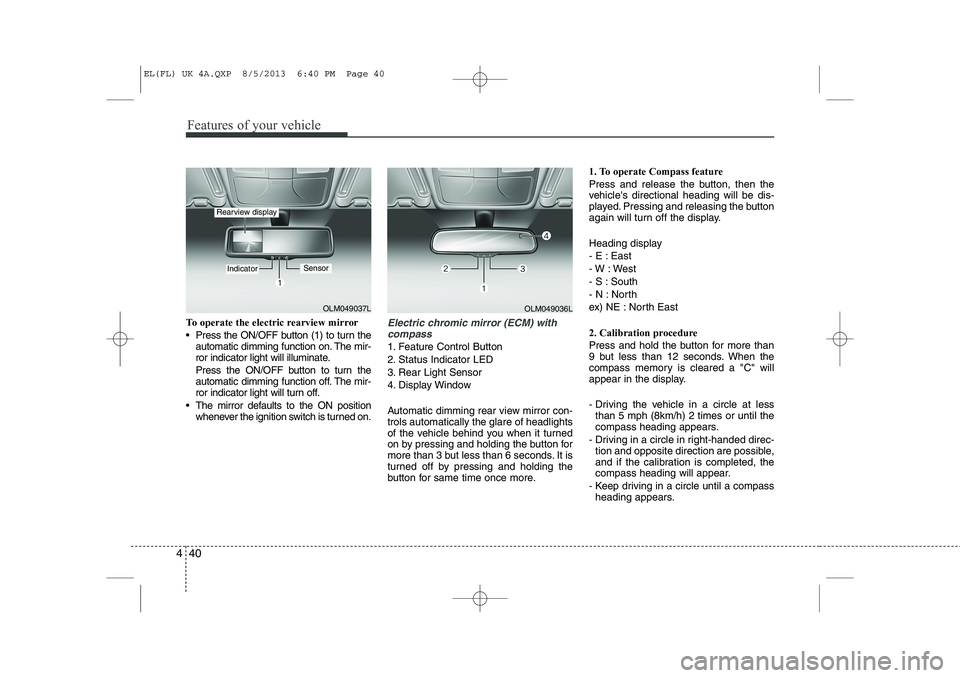
To operate the electric rearview mirror
Press the ON/OFF button (1) to turn the
automatic dimming function on. The mir-
ror indicator light will illuminate.
Press the ON/OFF button to turn the
automatic dimming function off. The mir-
ror indicator light will turn off.
The mirror defaults to the ON position whenever the ignition switch is turned on.Electric chromic mirror (ECM) with
compass
1. Feature Control Button
2. Status Indicator LED
3. Rear Light Sensor
4. Display Window
Automatic dimming rear view mirror con- trols automatically the glare of headlights
of the vehicle behind you when it turned
on by pressing and holding the button for
more than 3 but less than 6 seconds. It is
turned off by pressing and holding the
button for same time once more. 1. To operate Compass feature
Press and release the button, then the
vehicle's directional heading will be dis-
played. Pressing and releasing the button
again will turn off the display.
Heading display
- E : East
- W : West
- S : South
- N : North
ex) NE : North East
2. Calibration procedure
Press and hold the button for more than
9 but less than 12 seconds. When the
compass memory is cleared a "C" will
appear in the display.
- Driving the vehicle in a circle at less
than 5 mph (8km/h) 2 times or until the
compass heading appears.
- Driving in a circle in right-handed direc- tion and opposite direction are possible,
and if the calibration is completed, the
compass heading will appear.
- Keep driving in a circle until a compass heading appears.
OLM049037L
IndicatorSensor
Rearview display
OLM049036L
EL(FL) UK 4A.QXP 8/5/2013 6:40 PM Page 40