Page 1126 of 1534
455
Features of your vehicle
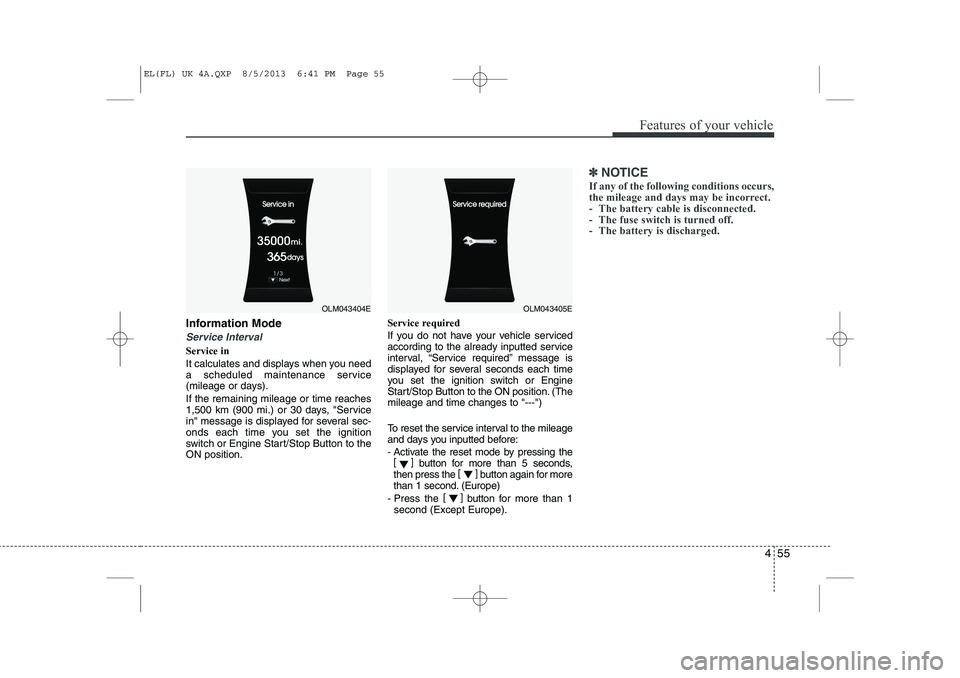
Information Mode
Service Interval
Service in
It calculates and displays when you need
a scheduled maintenance service
(mileage or days). If the remaining mileage or time reaches
1,500 km (900 mi.) or 30 days, "Service
in" message is displayed for several sec-
onds each time you set the ignition
switch or Engine Start/Stop Button to theON position.Service required
If you do not have your vehicle serviced
according to the already inputted service
interval, “Service required” message is
displayed for several seconds each time
you set the ignition switch or Engine
Start/Stop Button to the ON position. (Themileage and time changes to "---")
To reset the service interval to the mileage
and days you inputted before:
- Activate the reset mode by pressing the
[] button for more than 5 seconds,
then press the []
button again for more
than 1 second. (Europe)
- Press the []
button for more than 1
second (Except Europe).
✽✽ NOTICE
If any of the following conditions occurs,
the mileage and days may be incorrect.
- The battery cable is disconnected.
- The fuse switch is turned off.
- The battery is discharged.
OLM043404EOLM043405E
EL(FL) UK 4A.QXP 8/5/2013 6:41 PM Page 55
Page 1129 of 1534
Features of your vehicle
58
4
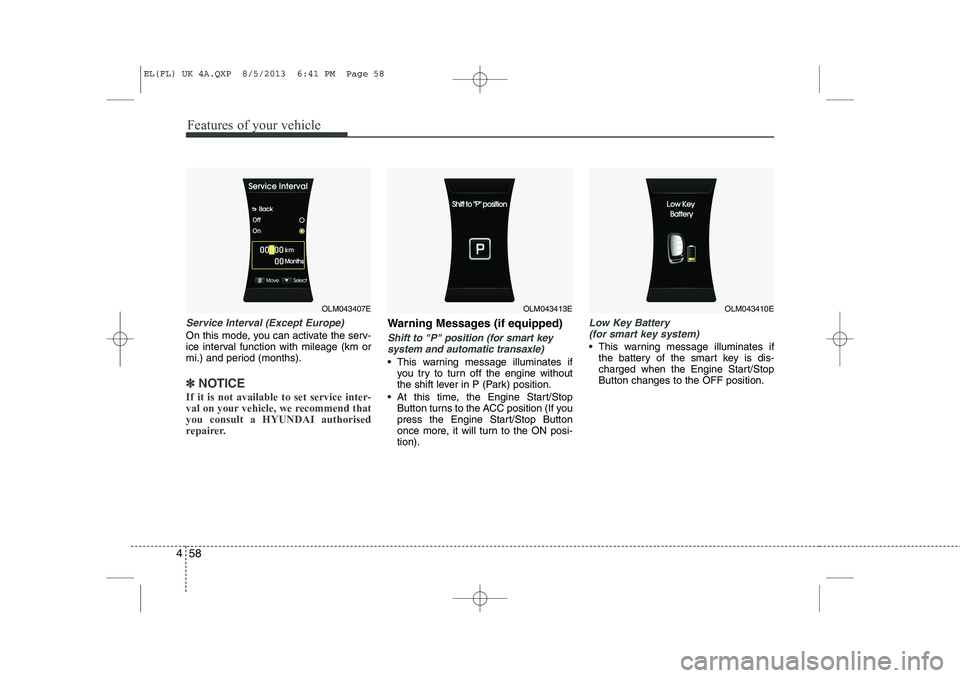
Service Interval (Except Europe)
On this mode, you can activate the serv-
ice interval function with mileage (km or
mi.) and period (months).
✽✽
NOTICE
If it is not available to set service inter-
val on your vehicle, we recommend thatyou consult a HYUNDAI authorised
repairer.
Warning Messages (if equipped)
Shift to "P" position (for smart key system and automatic transaxle)
This warning message illuminates if you try to turn off the engine without
the shift lever in P (Park) position.
At this time, the Engine Start/Stop Button turns to the ACC position (If you
press the Engine Start/Stop Button
once more, it will turn to the ON posi-tion).
Low Key Battery
(for smart key system)
This warning message illuminates if the battery of the smart key is dis-
charged when the Engine Start/StopButton changes to the OFF position.
OLM043407EOLM043413EOLM043410E
EL(FL) UK 4A.QXP 8/5/2013 6:41 PM Page 58
Page 1135 of 1534
Features of your vehicle
64
4
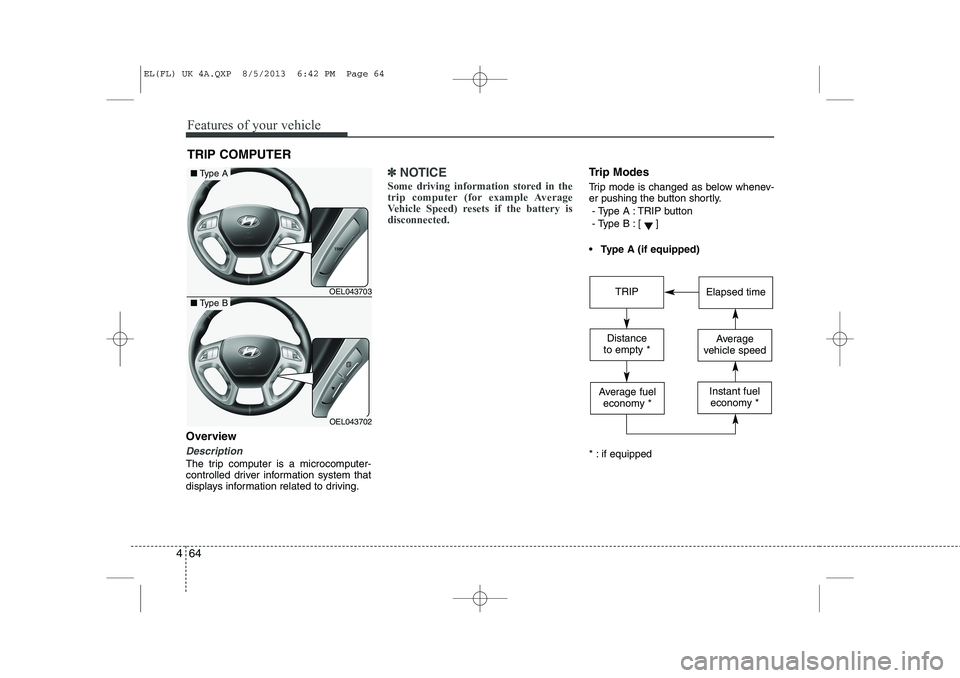
Overview
Description
The trip computer is a microcomputer-
controlled driver information system that
displays information related to driving.
✽✽
NOTICE
Some driving information stored in the
trip computer (for example Average
Vehicle Speed) resets if the battery isdisconnected.Trip Modes
Trip mode is changed as below whenev-
er pushing the button shortly.
- Type A : TRIP button
- Type B :
[]
Type A (if equipped)
* : if equipped
TRIP COMPUTER
OEL043703
OEL043702
■ Type A
■Type BTRIPElapsed time
Distance
to empty *Average
vehicle speed
Average fuel economy *Instant fueleconomy *
EL(FL) UK 4A.QXP 8/5/2013 6:42 PM Page 64
Page 1136 of 1534
465
Features of your vehicle
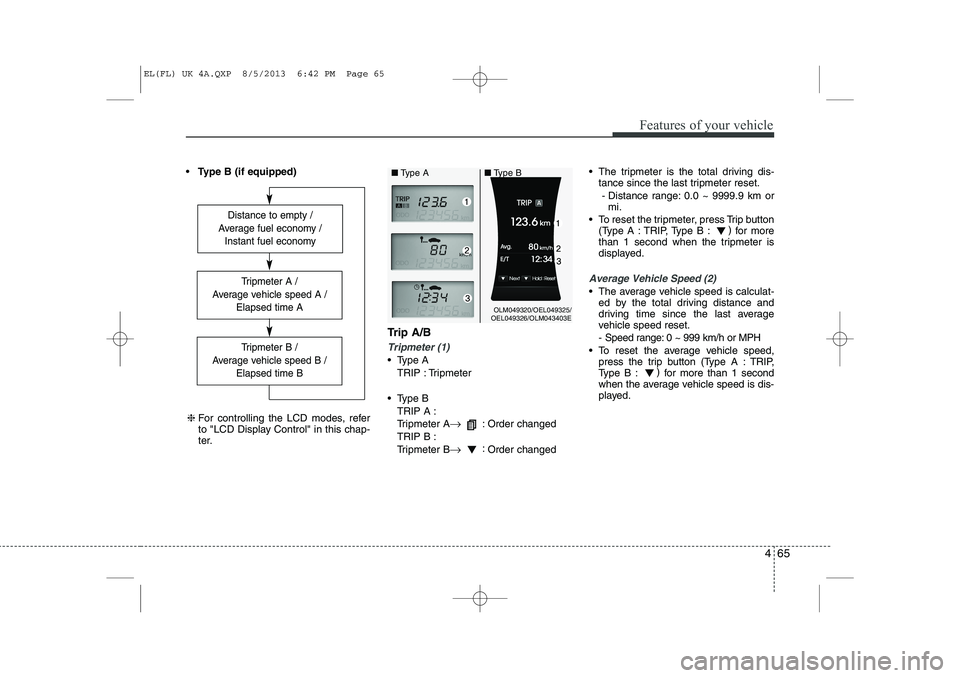
Type B (if equipped)
Trip A/B
Tripmeter (1)
Type ATRIP : Tripmeter
Type B TRIP A :
Tripmeter A →
: Order changed
TRIP B :
Tripmeter B →:
Order changed The tripmeter is the total driving dis-
tance since the last tripmeter reset.
- Distance range: 0.0 ~ 9999.9 km or mi.
To reset the tripmeter, press Trip button (Type A : TRIP, Type B : )
for more
than 1 second when the tripmeter is
displayed.
Average Vehicle Speed (2)
The average vehicle speed is calculat- ed by the total driving distance and
driving time since the last average
vehicle speed reset.
- Speed range: 0 ~ 999 km/h or MPH
To reset the average vehicle speed, press the trip button (Type A : TRIP,
Type B : )
for more than 1 second
when the average vehicle speed is dis-
played.
Distance to empty /
Average fuel economy / Instant fuel economy
Tripmeter B /
Average vehicle speed B / Elapsed time B
Tripmeter A /
Average vehicle speed A / Elapsed time A
❈For controlling the LCD modes, refer
to "LCD Display Control" in this chap-
ter.
OLM049320/OEL049325/
OEL049326/OLM043403E
■
Type A ■Type B
EL(FL) UK 4A.QXP 8/5/2013 6:42 PM Page 65
Page 1138 of 1534
467
Features of your vehicle
Average Fuel Economy (2)
The average fuel economy is calculat-ed by the total driving distance and fuel
consumption since the last average fuel
economy reset.
- Fuel economy range: 0.0 ~ 99.9L/100km or MPG
The average fuel economy can be reset both manually and automatically.
Manual reset
To clear the average fuel economy manu-
ally, press the trip b utton (Type A : TRIP,
Type B : )
for more than 1 second
when the average fuel economy is dis-
played. Automatic reset
The average fuel economy will be
cleared to zero (---) when the vehicle
speed exceeds 1 km/h after refuellingmore than 6 litres (1.6 gallons).
✽✽
NOTICE
The average fuel economy is not dis-
played for more accurate calculation if
the vehicle does not drive more than 10
seconds or 50 meters (0.03 miles) since
the ignition switch or Engine Start/Stopbutton is turned to ON.
Instant Fuel Economy (3)
This mode displays the instant fuel economy during the last few seconds
when the vehicle speed is more than10 km/h (6.2 MPH).
- Fuel economy range:
Type A : 0 ~ 99.9 L/100 km or MPG
Type B : 0 ~ 30 L/100 km or 0 ~ 50 MPG
EL(FL) UK 4A.QXP 8/5/2013 6:42 PM Page 67
Page 1144 of 1534
473
Features of your vehicle
TPMS (Tyre Pressure MonitoringSystem) indicator (if equipped)
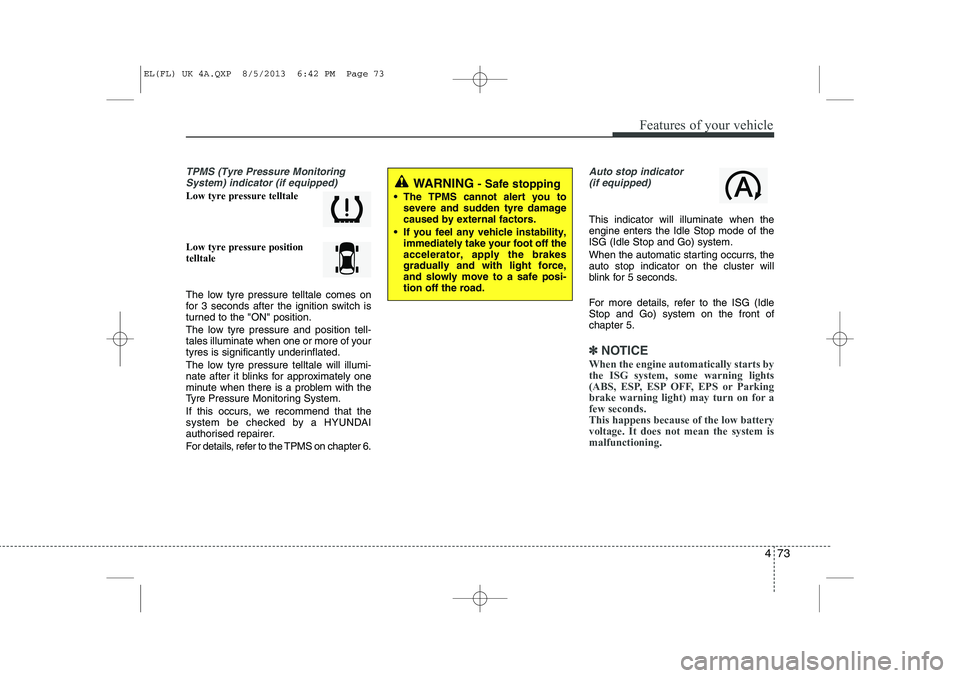
Low tyre pressure telltale Low tyre pressure position telltale
The low tyre pressure telltale comes on
for 3 seconds after the ignition switch is
turned to the "ON" position.
The low tyre pressure and position tell-
tales illuminate when one or more of your
tyres is significantly underinflated.
The low tyre pressure telltale will illumi-
nate after it blinks for approximately one
minute when there is a problem with the
Tyre Pressure Monitoring System.
If this occurs, we recommend that the
system be checked by a HYUNDAI
authorised repairer.
For details, refer to the TPMS on chapter 6.
Auto stop indicator(if equipped)
This indicator will illuminate when the engine enters the Idle Stop mode of theISG (Idle Stop and Go) system.
When the automatic starting occurrs, the auto stop indicator on the cluster will
blink for 5 seconds.
For more details, refer to the ISG (Idle Stop and Go) system on the front ofchapter 5.
✽✽ NOTICE
When the engine automatically starts by
the ISG system, some warning lights
(ABS, ESP, ESP OFF, EPS or Parking
brake warning light) may turn on for afew seconds. This happens because of the low batteryvoltage. It does not mean the system ismalfunctioning.
WARNING - Safe stopping
The TPMS cannot alert you to severe and sudden tyre damage caused by external factors.
If you feel any vehicle instability, immediately take your foot off theaccelerator, apply the brakesgradually and with light force,and slowly move to a safe posi-tion off the road.
EL(FL) UK 4A.QXP 8/5/2013 6:42 PM Page 73
Page 1151 of 1534
Features of your vehicle
80
4
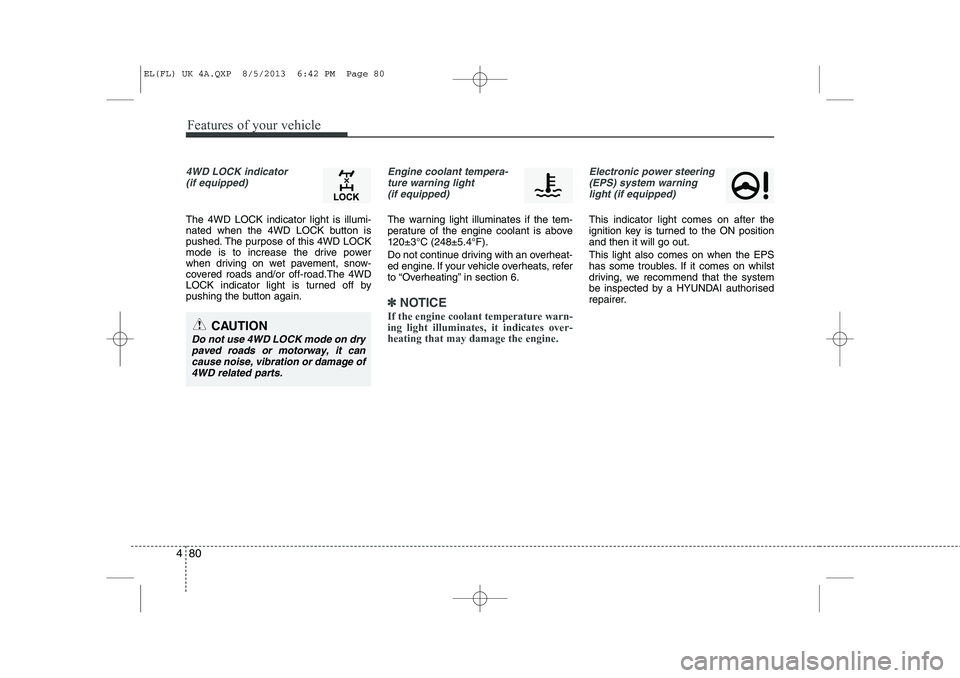
4WD LOCK indicator
(if equipped)
The 4WD LOCK indicator light is illumi-
nated when the 4WD LOCK button is
pushed. The purpose of this 4WD LOCK
mode is to increase the drive power
when driving on wet pavement, snow-
covered roads and/or off-road.The 4WD
LOCK indicator light is turned off by
pushing the button again.
Engine coolant tempera-ture warning light (if equipped)
The warning light illuminates if the tem-
perature of the engine coolant is above120±3°C (248±5.4°F).
Do not continue driving with an overheat-
ed engine. If your vehicle overheats, refer
to “Overheating” in section 6.
✽✽ NOTICE
If the engine coolant temperature warn- ing light illuminates, it indicates over-heating that may damage the engine.
Electronic power steering (EPS) system warninglight (if equipped)
This indicator light comes on after the
ignition key is turned to the ON positionand then it will go out. This light also comes on when the EPS
has some troubles. If it comes on whilst
driving, we recommend that the system
be inspected by a HYUNDAI authorised
repairer.
CAUTION
Do not use 4WD LOCK mode on drypaved roads or motorway, it can cause noise, vibration or damage of4WD related parts.
EL(FL) UK 4A.QXP 8/5/2013 6:42 PM Page 80
Page 1163 of 1534
Features of your vehicle
92
4
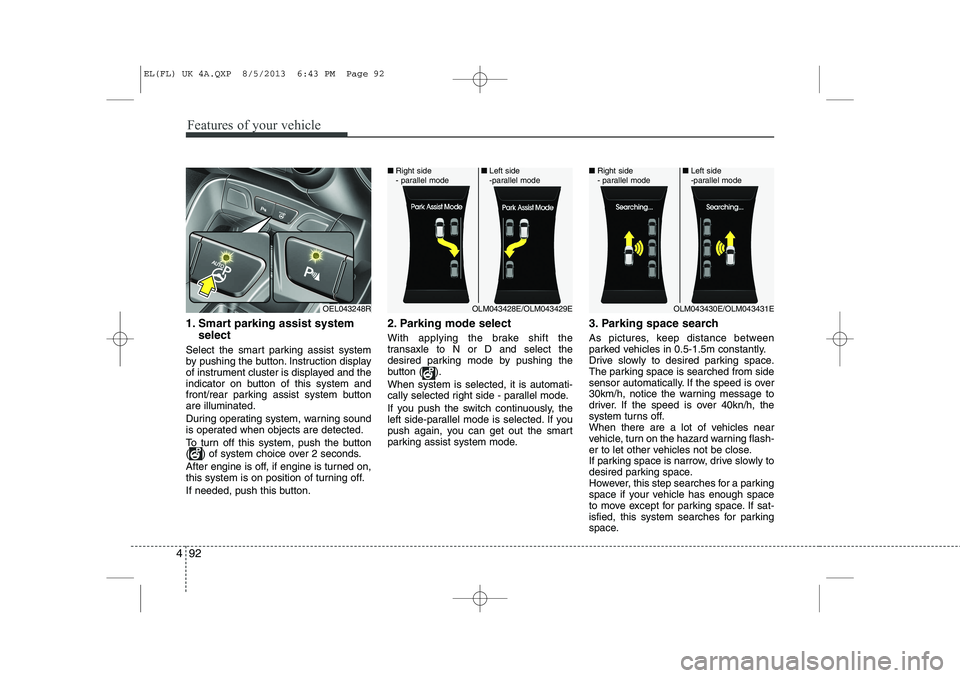
1. Smart parking assist system
select
Select the smart parking assist system
by pushing the button. Instruction display
of instrument cluster is displayed and the
indicator on button of this system and
front/rear parking assist system buttonare illuminated.
During operating system, warning sound
is operated when objects are detected.
To turn off this system, push the button
( ) of system choice over 2 seconds.
After engine is off, if engine is turned on,
this system is on position of turning off.
If needed, push this button. 2. Parking mode select
With applying the brake shift the
transaxle to N or D and select the
desired parking mode by pushing the
button ( ). When system is selected, it is automati-
cally selected right side - parallel mode.
If you push the switch continuously, the
left side-parallel mode is selected. If you
push again, you can get out the smart
parking assist system mode.
3. Parking space search
As pictures, keep distance between
parked vehicles in 0.5-1.5m constantly.
Drive slowly to desired parking space.
The parking space is searched from side
sensor automatically. If the speed is over
30km/h, notice the warning message to
driver. If the speed is over 40kn/h, the
system turns off.
When there are a lot of vehicles near
vehicle, turn on the hazard warning flash-
er to let other vehicles not be close.
If parking space is narrow, drive slowly to
desired parking space.
However, this step searches for a parking
space if your vehicle has enough space
to move except for parking space. If sat-
isfied, this system searches for parking
space.
OEL043248ROLM043428E/OLM043429E
■
Right side
- parallel mode ■
Left side
-parallel modeOLM043430E/OLM043431E
■
Right side
- parallel mode ■
Left side
-parallel mode
EL(FL) UK 4A.QXP 8/5/2013 6:43 PM Page 92