Page 699 of 1534
4 209
Features of your vehicle
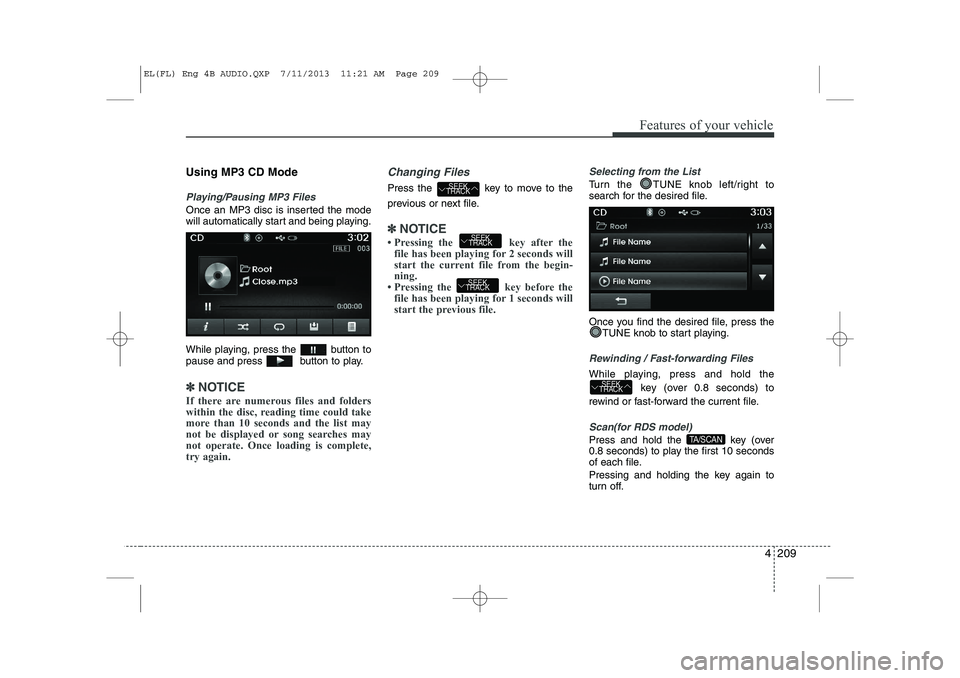
Using MP3 CD Mode
Playing/Pausing MP3 Files
Once an MP3 disc is inserted the mode
will automatically start and being playing.
While playing, press the button to
pause and press button to play.
✽✽NOTICE
If there are numerous files and folders
within the disc, reading time could take
more than 10 seconds and the list may
not be displayed or song searches maynot operate. Once loading is complete,try again.
Changing Files
Press the key to move to the
previous or next file.
✽✽ NOTICE
Page 718 of 1534
Features of your vehicle
228
4
Rewinding / Fast-forwarding Files
While playing, press and hold the
key (over 0.8 seconds) to
rewind or fast-forward the current file.
Scan(for RDS model)
Press and hold the key (over
0.8 seconds) to play the first 10 seconds
of each file.
Pressing and holding the key again to
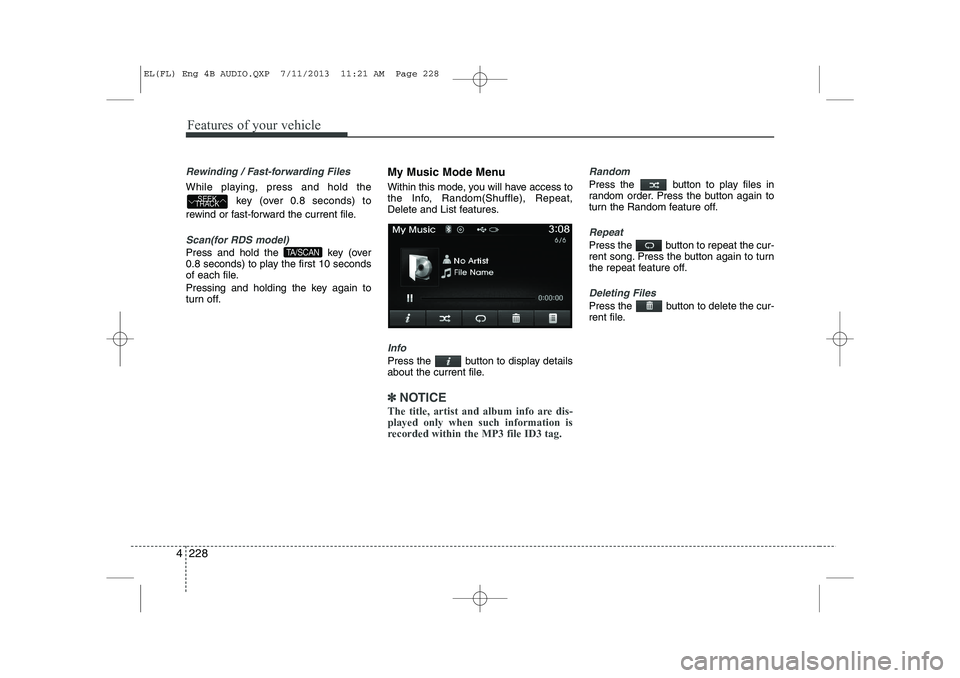
turn off. My Music Mode Menu
Within this mode, you will have access to
the Info, Random(Shuffle), Repeat,
Delete and List features.
Info
Press the button to display details
about the current file.
✽✽
NOTICE
The title, artist and album info are dis- played only when such information is
recorded within the MP3 file ID3 tag.
Random
Press the button to play files in
random order. Press the button again to
turn the Random feature off.
Repeat
Press the button to repeat the cur-
rent song. Press the button again to turn
the repeat feature off.
Deleting Files
Press the button to delete the cur-
rent file.
TA/SCAN
SEEK
TRACK
EL(FL) Eng 4B AUDIO.QXP 7/11/2013 11:21 AM Page 228
Page 735 of 1534
4 245
Features of your vehicle
VOICE RECOGNITION
Using Voice Recognition
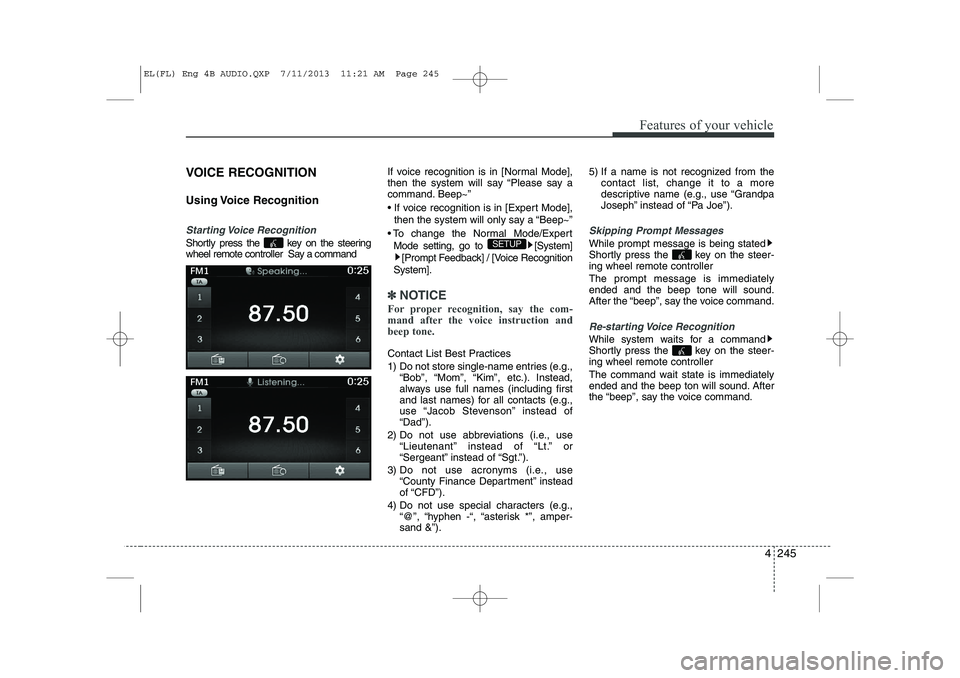
Starting Voice Recognition
Shortly press the key on the steering
wheel remote controller Say a commandIf voice recognition is in [Normal Mode],
then the system will say “Please say a
command. Beep~”
If voice recognition is in [Expert Mode],
then the system will only say a “Beep~”
To change the Normal Mode/Expert Mode setting, go to [System] [Prompt Feedback] / [Voice Recognition
System].
✽✽ NOTICE
For proper recognition, say the com-
mand after the voice instruction andbeep tone.
Contact List Best Practices
1) Do not store single-name entries (e.g., “Bob”, “Mom”, “Kim”, etc.). Instead,
always use full names (including first
and last names) for all contacts (e.g.,
use “Jacob Stevenson” instead of“Dad”).
2) Do not use abbreviations (i.e., use “Lieutenant” instead of “Lt.” or
“Sergeant” instead of “Sgt.”).
3) Do not use acronyms (i.e., use “County Finance Department” insteadof “CFD”).
4) Do not use special characters (e.g., “@”, “hyphen -“, “asterisk *”, amper-sand &”). 5) If a name is not recognized from the
contact list, change it to a more
descriptive name (e.g., use “Grandpa
Joseph” instead of “Pa Joe”).
Skipping Prompt Messages
While prompt message is being stated
Shortly press the key on the steer-
ing wheel remote controller The prompt message is immediately ended and the beep tone will sound.
After the “beep”, say the voice command.
Re-starting Voice Recognition
While system waits for a command
Shortly press the key on the steer-
ing wheel remote controller
The command wait state is immediately
ended and the beep ton will sound. After
the “beep”, say the voice command.
SETUP
EL(FL) Eng 4B AUDIO.QXP 7/11/2013 11:21 AM Page 245
Page 752 of 1534
Features of your vehicle
262
4
System Setting
Memory Information
Press the key Select [System]
Select [Memory Information]
This feature displays information related
to system memory.
1) Using : Displays capacity currently in
use
2) Capacity : Displays total capacity
Voice Recognition Mode Setting
Press the key Select
[System] Select [Voice RecognitionSystem]
This feature is used to select the desired
prompt feedback option from Normal and
Expert.
1) Normal : When using voice recogni- tion, provides detailed guidance prompts
2) Expert : When using voice recognition, omits some guidance prompts
✽✽NOTICE
Voice Recognition is depend on the Audio System.
Language
Press the key Select
[System] Select [Language]
This feature is used to change the sys-
tem and voice recognition language. If the language is changed, the system
will restart and apply the selected lan-
guage. ❈ Language support by regionSETUP SETUP
SETUP
EL(FL) Eng 4B AUDIO.QXP 7/11/2013 11:21 AM Page 262
Page 769 of 1534
515
Driving your vehicle
Your vehicle may be equipped with the ISG system, which reduces fuel con-
sumption by automatically shutting down
the engine, when the vehicle is at a
standstill. (For example : red light, stop
sign and traffic jam)
The engine starts automatically as soon
as the starting conditions are met.
The ISG system is ON whenever the
engine is running.
✽✽NOTICE
When the engine automatically starts by
the ISG system, some warning lights
(ABS, ESC, ESC OFF, EPS or Parking
brake warning light) may turn on for afew seconds.This happens because of low batteryvoltage. It does not mean the system ismalfunctioning.
Auto stop
To stop the engine in idle stop mode
1. Decrease the vehicle speed to less than 5 km/h.
2. Shift into N (Neutral) position.
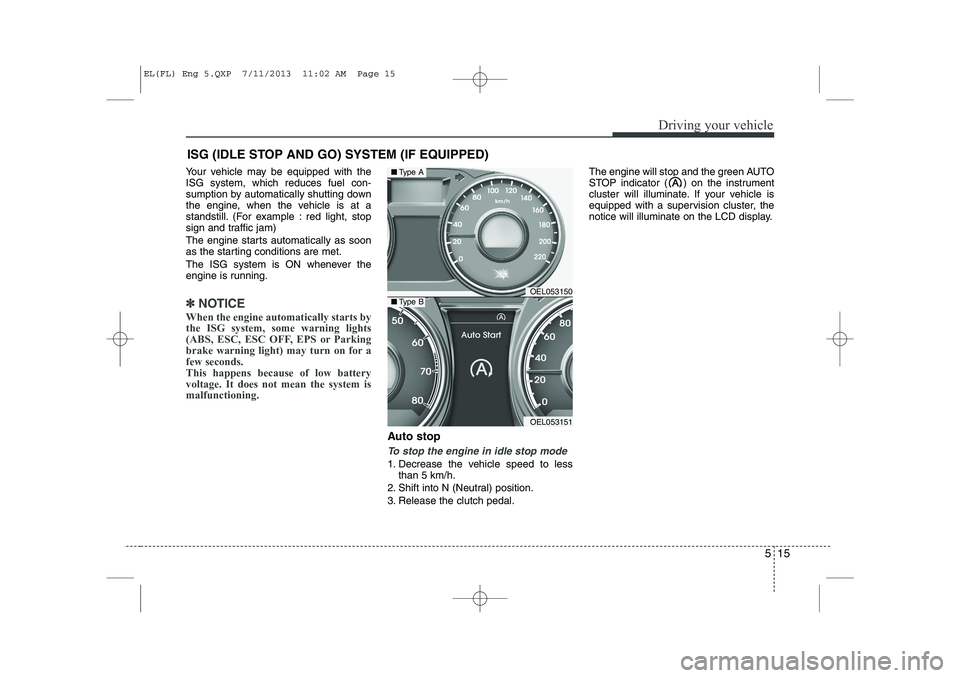
3. Release the clutch pedal. The engine will stop and the green AUTO
STOP indicator ( ) on the instrument
cluster will illuminate. If your vehicle is
equipped with a supervision cluster, the
notice will illuminate on the LCD display.
ISG (IDLE STOP AND GO) SYSTEM (IF EQUIPPED)
OEL053150
OEL053151
■
Type A
■Type B
EL(FL) Eng 5.QXP 7/11/2013 11:02 AM Page 15
Page 785 of 1534

531
Driving your vehicle
You must consciously take the effort tolearn how to corner in a 4WD vehicle.
Do not rely on your experience in con-
ventional 2WD vehicles in choosing
safe cornering speed in 4WD mode.
For starters, you must drive more slow-
ly in 4WD.
Drive carefully off-road because your vehicle may be damaged by rocks or
roots of trees. Become familiar with the
off-road conditions where you are
going to drive before you begin driving.
Always hold the steering wheel firmlywhen you are driving off-road.
Make sure all passengers are wearing seat belts. If you need to drive in the water, stop
your vehicle, set your transfer to the
4WD LOCK mode and drive at lessthan 8 km/h (5 mph).
WARNING - Steering wheel
Do not grab the inside of the steer-
ing wheel when you are driving off-
road. You may hurt your arm by a
sudden steering maneuver or fromsteering wheel rebound due to
impact with objects on the ground.
You could lose control of the steer-ing wheel.
WARNING - Wind danger
If you are driving in heavy wind, the
vehicle's higher center of gravity
decreases your steering control
capacity and requires you to drive
more slowly.
WARNING - Driving
through water
Drive slowly. If you are driving too
fast in water, the water can get into
the engine compartment and wet
the ignition system, causing your
vehicle to suddenly stop. If this
happens and your vehicle is in a
tilted position, your vehicle may roll
over.
OLM059022L
WARNING - 4WD
Reduce speed when you turn cor-
ners. The center of gravity of 4WD
vehicles is higher than that of con-
ventional 2WD vehicles, making
them more likely to roll over when
you turn corners too fast.
EL(FL) Eng 5.QXP 7/11/2013 11:03 AM Page 31
Page 800 of 1534
Driving your vehicle
46
5
Downhill brake control (DBC) (if equipped)
The Downhill Brake Control (DBC) sup-
ports the driver come down a steep hill
without the driver depressing the brake
pedal. It slows down the vehicle under 8km/h (5mph) with the automatic
transaxle or 8 km/h (5 mph) with the
manual transaxle and lets the driver con-
centrate on steering the vehicle.
DBC defaults to the OFF position when-
ever the ignition is turned on.
The DBC can be turned on or off by
pushing the button.
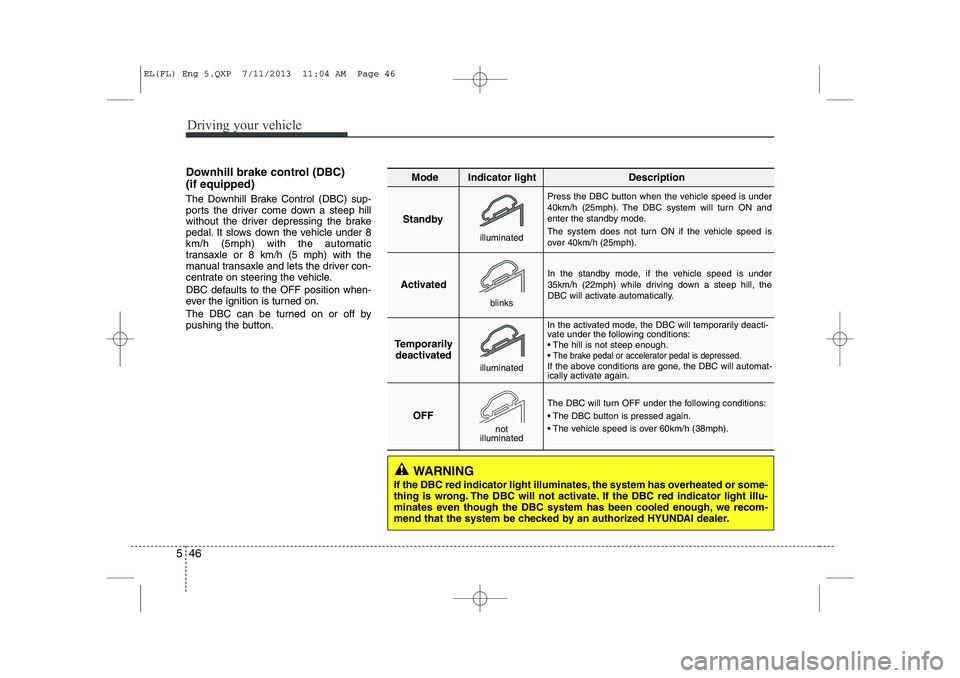
Standby Press the DBC button when the vehicle speed is under
40km/h (25mph). The DBC system will turn ON and
enter the standby mode.
The system does not turn ON if the vehicle speed is
over 40km/h (25mph).
In the standby mode, if the vehicle speed is under
35km/h (22mph) while driving down a steep hill, the
DBC will activate automatically.
In the activated mode, the DBC will temporarily deacti-
vate under the following conditions:
The hill is not steep enough.
The brake pedal or accelerator pedal is depressed.If the above conditions are gone, the DBC will automat-
ically activate again.
The DBC will turn OFF under the following conditions:
The DBC button is pressed again.
The vehicle speed is over 60km/h (38mph).
Activated
Temporarily deactivated
OFF
Mode Indicator light Description
blinks
illuminated
not
illuminated
illuminated
WARNING
If the DBC red indicator light illuminates, the system has overheated or some-
thing is wrong. The DBC will not activate. If the DBC red indicator light illu-
minates even though the DBC system has been cooled enough, we recom-
mend that the system be checked by an authorized HYUNDAI dealer.
EL(FL) Eng 5.QXP 7/11/2013 11:04 AM Page 46
Page 808 of 1534
Driving your vehicle
54
5
Active ECO operation
Active ECO helps improve fuel efficiency
by controlling the engine, transaxle and
air conditioner. But fuel-efficiency can be
changed by the driver's driving habits
and road conditions.
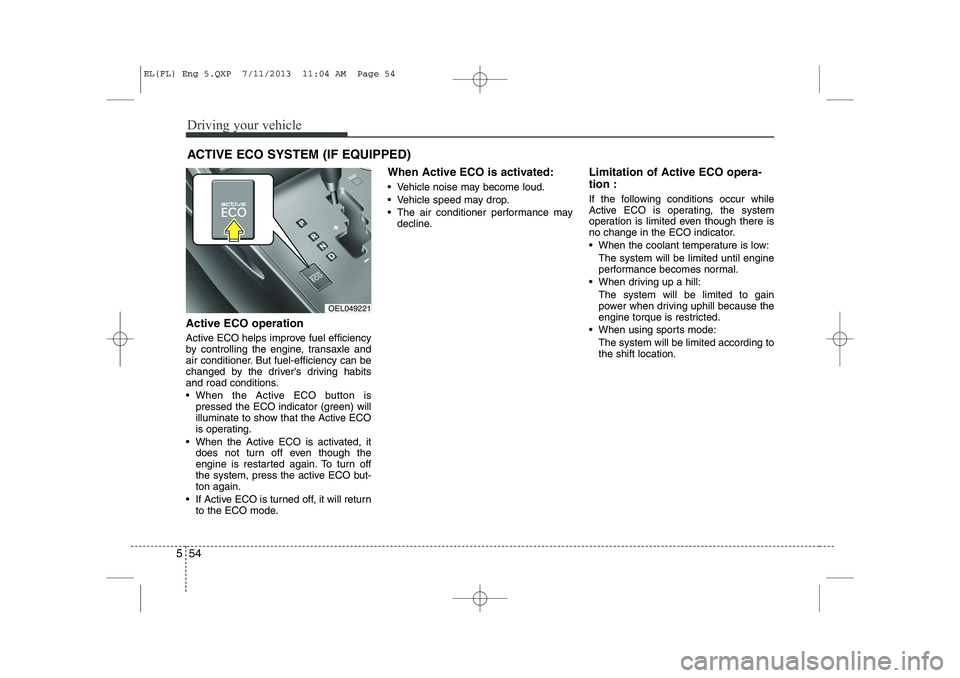
When the Active ECO button is
pressed the ECO indicator (green) will
illuminate to show that the Active ECO
is operating.
When the Active ECO is activated, it does not turn off even though the
engine is restarted again. To turn off
the system, press the active ECO but-ton again.
If Active ECO is turned off, it will return to the ECO mode. When Active ECO is activated:
Vehicle noise may become loud.
Vehicle speed may drop.
The air conditioner performance may
decline. Limitation of Active ECO opera- tion :
If the following conditions occur while
Active ECO is operating, the system
operation is limited even though there is
no change in the ECO indicator.
When the coolant temperature is low:
The system will be limited until engine
performance becomes normal.
When driving up a hill: The system will be limited to gain
power when driving uphill because the
engine torque is restricted.
When using sports mode: The system will be limited according tothe shift location.
ACTIVE ECO SYSTEM (IF EQUIPPED)
OEL049221
EL(FL) Eng 5.QXP 7/11/2013 11:04 AM Page 54
![HYUNDAI IX35 2014 Owners Manual Features of your vehicle
262
4
System Setting
Memory Information
Press the key Select [System]
Select [Memory Information]
This feature displays information related
to system memory.
1) Using : Dis](/manual-img/35/56237/w960_56237-751.png "HYUNDAI IX35 2014 Owners Manual Features of your vehicle
262
4
System Setting
Memory Information
Press the key Select [System]
Select [Memory Information]
This feature displays information related
to system memory.
1) Using : Dis")