2014 HYUNDAI IX35 warning light
[x] Cancel search: warning lightPage 1209 of 1534
Features of your vehicle
138
4
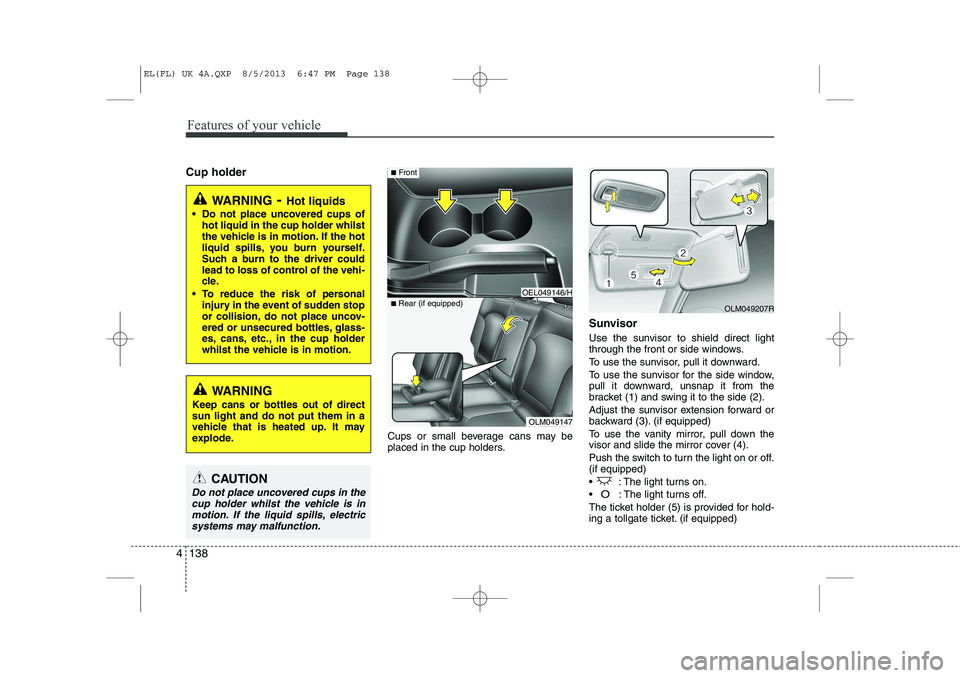
Cup holder
Cups or small beverage cans may be
placed in the cup holders.Sunvisor
Use the sunvisor to shield direct light
through the front or side windows.
To use the sunvisor, pull it downward.
To use the sunvisor for the side window,
pull it downward, unsnap it from the
bracket (1) and swing it to the side (2).
Adjust the sunvisor extension forward or
backward (3). (if equipped)
To use the vanity mirror, pull down the
visor and slide the mirror cover (4).
Push the switch to turn the light on or off. (if equipped)
: The light turns on.
O: The light turns off.
The ticket holder (5) is provided for hold-
ing a tollgate ticket. (if equipped)
OLM049147
■
Rear (if equipped)
OEL049146/H
■Front
OLM049207R
CAUTION
Do not place uncovered cups in the
cup holder whilst the vehicle is inmotion. If the liquid spills, electric systems may malfunction.
WARNING
Keep cans or bottles out of direct sun light and do not put them in a
vehicle that is heated up. It may
explode.
WARNING - Hot liquids
Do not place uncovered cups of hot liquid in the cup holder whilst
the vehicle is in motion. If the hot
liquid spills, you burn yourself.
Such a burn to the driver could
lead to loss of control of the vehi-
cle.
To reduce the risk of personal injury in the event of sudden stop
or collision, do not place uncov-
ered or unsecured bottles, glass-
es, cans, etc., in the cup holder
whilst the vehicle is in motion.
EL(FL) UK 4A.QXP 8/5/2013 6:47 PM Page 138
Page 1221 of 1534
Features of your vehicle
150
4
WARNING
Do not stare at the screen while driving. Staring at the screen for
prolonged periods of time couldlead to traffic accidents.
Do not disassemble, assemble, or modify the audio system. Suchacts could result in accidents,
fire, or electric shock.
Using the phone while driving may lead to a lack of attention oftraffic conditions and increase
the likelihood of accidents. Use
the phone feature after parking
the vehicle.
Heed caution not to spill water or introduce foreign objects into the
device. Such acts could lead to
smoke, fire, or product malfunc-tion.
(Continued)(Continued)
Driving while distracted canresult in a loss of vehicle control
that may lead to an accident,
severe personal injury, and death.
The driver’s primary responsibili-
ty is in the safe and legal opera-
tion of a vehicle, and use of any
handheld devices, other equip-
ment, or vehicle systems which
take the driver’s eyes, attention
and focus away from the safe
operation of a vehicle or which
are not permissible by law should
never be used during operation
of the vehicle.(Continued)
Please refrain from use if thescreen is blank or no sound can
be heard as these signs may indi-
cate product malfunction.
Continued use in such conditionscould lead to accidents(fires,
electric shock) or product mal-functions.
Do not touch the antenna during thunder or lightening as such
acts may lead to lightning
induced electric shock.
Do not stop or park in parking- restricted areas to operate the
product. Such acts could lead totraffic accidents.
Use the system with the vehicle ignition turned on. Prolonged usewith the ignition turned off could
result in battery discharge.
(Continued)
EL(FL) UK 4B AUDIO.QXP 7/15/2013 10:20 AM Page 150
Page 1338 of 1534
Driving your vehicle
4
5
Before entering vehicle
• Be sure that all windows, outside mir-
ror(s), and outside lights are clean.
Check the condition of the tyres.
Check under the vehicle for any sign of leaks.
Be sure there are no obstacles behind you if you intend to back up. Necessary inspections
Fluid levels, such as engine oil, engine
coolant, brake fluid, and washer fluid
should be checked on a regular basis,
with the exact interval depending on thefluid.
Before starting
Close and lock all doors.
Position the seat so that all controls are
easily reached.
Adjust the inside and outside rearview mirrors.
Be sure that all lights work.
Check all gauges.
Check the operation of warning lights when the ignition switch is turned to the ON position.
Release the parking brake and make sure the brake warning light goes out.
For safe operation, be sure you are famil-
iar with your vehicle and its equipment.
BEFORE DRIVING
WARNING
All passengers must be properly
belted whenever the vehicle is mov-
ing. Refer to “Seat belts” in section
3 for more information on their
proper use.
WARNING
Always check the surrounding
areas near your vehicle for people,
especially children, before putting a
vehicle into “Drive” or “Reverse”.
WARNING
Driving whilst distracted can result
in a loss of vehicle control, that
may lead to an accident, severe
personal injury, and death. The dri-
ver’s primary responsibility is in
the safe and legal operation of a
vehicle, and use of any handheld
devices, other equipment, or vehi-
cle systems which take the driver’s
eyes, attention and focus away
from the safe operation of a vehicle
or which are not permissible by law
should never be used during oper-
ation of the vehicle.
EL(FL) UK 5.QXP 8/5/2013 6:56 PM Page 4
Page 1339 of 1534
55
Driving your vehicle
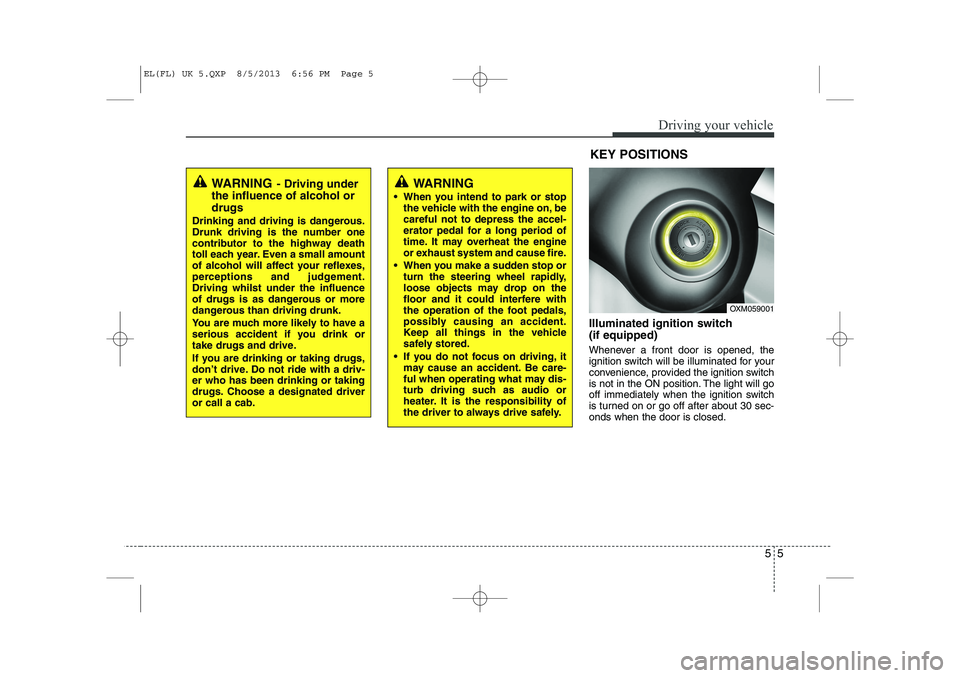
Illuminated ignition switch (if equipped)
Whenever a front door is opened, the
ignition switch will be illuminated for your
convenience, provided the ignition switch
is not in the ON position. The light will go
off immediately when the ignition switch
is turned on or go off after about 30 sec-onds when the door is closed.
OXM059001
WARNING- Driving under
the influence of alcohol or drugs
Drinking and driving is dangerous.
Drunk driving is the number one
contributor to the highway death
toll each year. Even a small amount
of alcohol will affect your reflexes,
perceptions and judgement.Driving whilst under the influence
of drugs is as dangerous or more
dangerous than driving drunk.
You are much more likely to have a
serious accident if you drink or
take drugs and drive.
If you are drinking or taking drugs,
don’t drive. Do not ride with a driv-er who has been drinking or taking
drugs. Choose a designated driveror call a cab.
KEY POSITIONS
WARNING
When you intend to park or stop the vehicle with the engine on, be careful not to depress the accel-
erator pedal for a long period of
time. It may overheat the engine
or exhaust system and cause fire.
When you make a sudden stop or turn the steering wheel rapidly,
loose objects may drop on the
floor and it could interfere with
the operation of the foot pedals,
possibly causing an accident.
Keep all things in the vehicle
safely stored.
If you do not focus on driving, it may cause an accident. Be care-
ful when operating what may dis-
turb driving such as audio or
heater. It is the responsibility of
the driver to always drive safely.
EL(FL) UK 5.QXP 8/5/2013 6:56 PM Page 5
Page 1340 of 1534
Driving your vehicle
6
5
Ignition switch position
LOCK
The steering wheel locks to protect
against theft. The ignition key can be
removed only in the LOCK position.
When turning the ignition switch to the
LOCK position, push the key inward at
the ACC position and turn the key towardthe LOCK position.
ACC (Accessory)
The steering wheel is unlocked and elec-
trical accessories are operative.
✽✽
NOTICE
If difficulty is experienced turning the
ignition switch to the ACC position, turnthe key whilst turning the steering wheel
right and left to release the tension.
ON
The warning lights can be checked
before the engine is started. This is the
normal running position after the engine
is started.
Do not leave the ignition switch ON if the engine is not running to prevent battery discharge.
START
Turn the ignition key to the START posi-
tion to start the engine. The engine will
crank until you release the key; then it
returns to the ON position. The brake
warning lamp can be checked in thisposition.
WARNING - Ignition key
Never turn the ignition switch to LOCK or ACC whilst the vehicle is
moving. This would result in loss
of directional control and braking
function, which could cause anaccident.
The anti-theft steering column lock is not a substitute for the parking
brake. Before leaving the driver’s
seat, always make sure the shift
lever is engaged in 1 st
gear for the
manual transaxle or P (Park) for
the automatic transaxle, set the
parking brake fully and shut the
engine off. Unexpected and sud-
den vehicle movement may occurif these precautions are not taken.
Never reach for the ignition switch, or any other controls through the
steering wheel whilst the vehicle is
in motion. The presence of yourhand or arm in this area could
cause a loss of vehicle control, an
accident and serious bodily injuryor death.
Do not place any movable objects around the driver’s seat as they
may move whilst driving, interferewith the driver and lead to an acci-dent.
EL(FL) UK 5.QXP 8/5/2013 6:56 PM Page 6
Page 1347 of 1534
513
Driving your vehicle
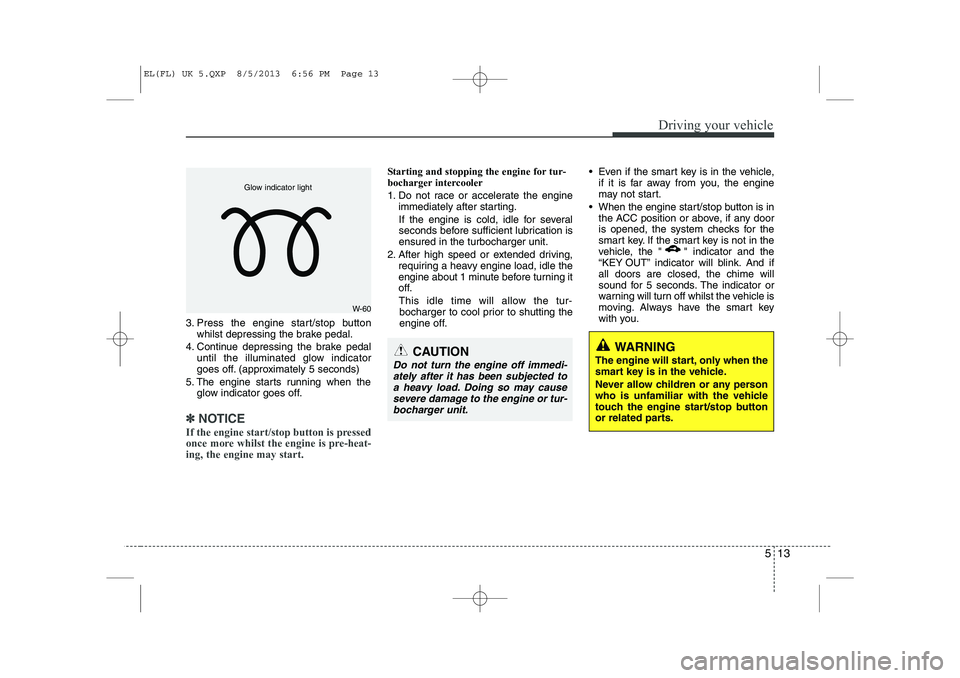
3. Press the engine start/stop buttonwhilst depressing the brake pedal.
4. Continue depressing the brake pedal until the illuminated glow indicator
goes off. (approximately 5 seconds)
5. The engine starts running when the glow indicator goes off.
✽✽
NOTICE
If the engine start/stop button is pressed
once more whilst the engine is pre-heat-ing, the engine may start.
Starting and stopping the engine for tur-
bocharger intercooler
1. Do not race or accelerate the engine immediately after starting.
If the engine is cold, idle for several
seconds before sufficient lubrication isensured in the turbocharger unit.
2. After high speed or extended driving, requiring a heavy engine load, idle the
engine about 1 minute before turning it
off.
This idle time will allow the tur- bocharger to cool prior to shutting the
engine off. Even if the smart key is in the vehicle,
if it is far away from you, the engine
may not start.
When the engine start/stop button is in the ACC position or above, if any door
is opened, the system checks for the
smart key. If the smart key is not in the
vehicle, the " " indicator and the
“KEY OUT” indicator will blink. And ifall doors are closed, the chime will
sound for 5 seconds. The indicator or
warning will turn off whilst the vehicle is
moving. Always have the smart key
with you.
WARNING
The engine will start, only when the
smart key is in the vehicle.
Never allow children or any person
who is unfamiliar with the vehicle
touch the engine start/stop button
or related parts.CAUTION
Do not turn the engine off immedi- ately after it has been subjected toa heavy load. Doing so may causesevere damage to the engine or tur-
bocharger unit.
W-60
Glow indicator light
EL(FL) UK 5.QXP 8/5/2013 6:56 PM Page 13
Page 1349 of 1534
515
Driving your vehicle
ISG (IDLE STOP AND GO) SYSTEM (IF EQUIPPED)
Your vehicle may be equipped with the ISG system, which reduces fuel con-
sumption by automatically shutting down
the engine, when the vehicle is at a
standstill. (For example : red light, stop
sign and traffic jam)
The engine starts automatically as soon
as the starting conditions are met.
The ISG system is ON whenever the
engine is running.
✽✽ NOTICE
When the engine automatically starts by
the ISG system, some warning lights
(ABS, ESC, ESC OFF, EPS or Parking
brake warning light) may turn on for afew seconds.This happens because of low batteryvoltage. It does not mean the system ismalfunctioning.
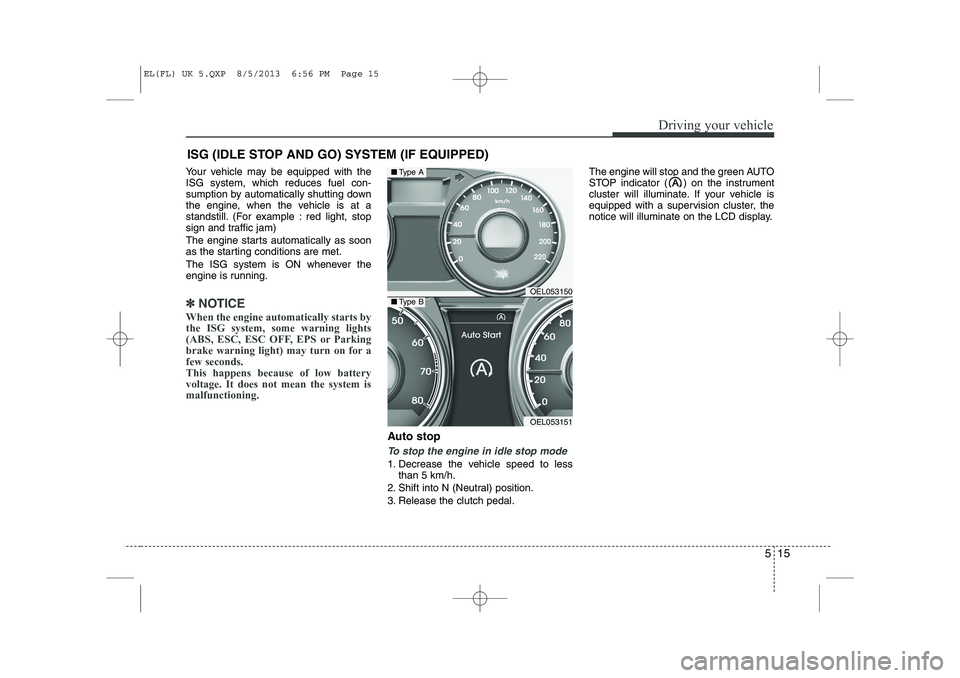
Auto stop
To stop the engine in idle stop mode
1. Decrease the vehicle speed to less than 5 km/h.
2. Shift into N (Neutral) position.
3. Release the clutch pedal. The engine will stop and the green AUTO
STOP indicator ( ) on the instrument
cluster will illuminate. If your vehicle is
equipped with a supervision cluster, the
notice will illuminate on the LCD display.
OEL053150
OEL053151
■
Type A
■Type B
EL(FL) UK 5.QXP 8/5/2013 6:56 PM Page 15
Page 1354 of 1534
Driving your vehicle
20
5
Using the clutch
The clutch should be pressed all the way
to the floor before shifting, then released
slowly. The clutch pedal should always be
fully released whilst driving. Do not rest
your foot on the clutch pedal whilst driv-
ing. This can cause unnecessary wear.
Do not partially engage the clutch to hold
the vehicle on an incline. This causes
unnecessary wear. Use the foot brake or
parking brake to hold the vehicle on an
incline. Do not operate the clutch pedal
rapidly and repeatedly.CAUTION
To avoid premature clutch wear
and damage, do not drive with
your foot resting on the clutchpedal. Also, don’t use the clutchto hold the vehicle stopped on an uphill grade, whilst waiting for a
traffic light, etc.
Do not use the shift lever as a handrest during driving, as thiscan result in premature wear of
the transaxle shift forks.
When operating the clutch pedal, press the clutch pedal down fully.If you don¡¯t press the clutch
pedal fully, the clutch may bedamaged or noise may occur.
To prevent possible damage to the clutch system, do not startwith the 2nd (second) gear
engaged except when you start on a alippery road.WARNING
Before leaving the driver’s seat, always set the parking brake fully
and shut the engine off. Thenmake sure the transaxle is shifted
into 1st gear when the vehicle is
parked on a level or uphill grade,
and shifted into R (Reverse) on a
downhill grade. Unexpected and
sudden vehicle movement canoccur if these precautions are not
followed in the order identified.
If your vehicle has a manual transaxle not equipped with a
ignition lock switch, it may moveand cause a serious accident
when starting the engine without
depressing the clutch pedalwhilst the parking brake is
released and the shift lever not inthe N(Neutral) position.
CAUTION
When operating the clutch pedal,
press the clutch pedal down fully. If
you don’t press the clutch pedal fully, the clutch may be damaged or noise may occur.
EL(FL) UK 5.QXP 8/5/2013 6:57 PM Page 20