Page 191 of 479
![Hyundai Equus 2014 Owners Manual Features of your vehicle
102 4
Lane Departure Warning
System (LDWS)
Indicator Light
(if equipped)
This indicator light illuminates:
• [Green] When you activate the lane
departure warning system by](/manual-img/35/14641/w960_14641-190.png "Hyundai Equus 2014 Owners Manual Features of your vehicle
102 4
Lane Departure Warning
System (LDWS)
Indicator Light
(if equipped)
This indicator light illuminates:
• [Green] When you activate the lane
departure warning system by")
Features of your vehicle
102 4
Lane Departure Warning
System (LDWS)
Indicator Light
(if equipped)
This indicator light illuminates:
• [Green] When you activate the lane
departure warning system by
pressing the LDWS button.
• [White] When system operating
conditions are not satisfied or
when the sensor does not detect
the lane line.
• [Yellow] When there is a malfunc-
tion with the lane departure warn-
ing system.
In this case, we recommend that
you have the vehicle inspected by
an authorized HYUNDAI dealer.
❈For more details, refer to “Lane
Departure Warning System
(LDWS)” in chapter 5.
Advanced Vehicle Safety
Management (AVSM)
OFF Indicator Light
(if equipped)
This indicator light illuminates:
• Once you set the Engine Start/Stop
Button to the ON position.
- It illuminates for approximately 3
seconds and then goes off.
• When you deactivate the AVSM sys-
tem by setting on the LCD display.
❈For more details, refer to “LCD
Display” in this chapter.
If this indicator stays on when VSM
OFF is not selected, the AVSM may
have malfunctioned.
In this case, we recommend that you
have the vehicle inspected by an
authorized HYUNDAI dealer.
❈For more details, refer to “Advanced
Vehicle Safety Management
(AVSM) System” in chapter 5.
SPORT/SNOW Mode
Indicator Light
This indicator light illuminates:
• When you select "SPORT/SNOW"
mode as drive mode.
❈For more details, refer to "Drive
mode integrated control system"
in chapter 5.
✽ NOTICE
If you activate the Driving Mode
Theme on the User Settings Mode of
the LCD display (if equipped), the
SPORT and SNOW indicators will
not turn on the instrument cluster.
VSM
OFFSPORT
Page 192 of 479

4103
Features of your vehicle
ECO Indicator Light
(if equipped)
The ECO indicator light informs you
to drive economically, and turns on
green in accordance with the driving
condition.
This indicator light illuminates:
• [Green] when you are driving eco-
nomically.
• The drive’s driving habit and road
condition can affect fuel efficiency.
• The light will not display :
- If the condition does not meet
economical driving such as P
(Park), N (Neutral), R (Reverse),
or sports mode.
- While the instant fuel Economy of
the trip computer is display on the
LCD display.
• On the "User Settings Mode" of the
LCD display, you can activate or
deactivate the ECO driving mode.❈For more details, refer to "LCD
Display" in this chapter.
Intelligent Accelerator
Pedal Indicator Light
(if equipped)
This indicator light illuminates:
• When you activate the intelligent
accelerator pedal on the "User
Setting Mode" of the LCD display.
❈For more details, refer to "LCD
Display" in this chapter.
When the ECO indicator light turns
on red, the intelligent accelerator
pedal (if equipped) becomes more
stiff to prevent a sudden accelerator.
❈For more details, refer to
"Intelligent Accelerator Pedal" in
chapter 5.
ECOECO-P
WARNING
Do not watch the ECO indicator
light while driving. This will dis-
tract you and may cause an
accident that results in severe
personal injury.
Page 193 of 479

Features of your vehicle
104 4
Description
The head up display is a transparent
display which projects a shadow of
some information of the instrument
cluster and navigation on the wind-
shield glass.• The head up display image on the
windshield glass may be invisible
when:
- Sitting posture is bad.
- Wearing a polarized sunglasses.
- There is an object on the cover of
the head up display.
- Driving on a wet road.
- An inadequate lighting is turned
on inside the vehicle.
- Any light comes from the outside.
- Wearing glasses.
• If the head up display image is not
shown well, adjust the height or
illumination of the head up display
in the LCD display.
❈For more details, refer to "LCD
Display" in this chapter.
• When the head up display needs
inspection or repair, we recom-
mend that you consult an author-
ized HYUNDAI dealer.
HEAD UP DISPLAY (HUD) (IF EQUIPPED)
OVI043412
WARNING - Head Up
Display
• Do not tint the front windshield
glass or add other types of
metallic coating. Otherwise, the
head up display image may be
invisible.
• Do not place any accessories
on the crash pad or attach any
objects on the windshield
glass.
• As the Blind Spot Detection
(BSD) system is a supplemen-
tal device for your safe driving,
it may be dangerous to rely on
only the BSD information of the
head up display image when
changing the lane. Always pay
attention to drive safely.
Page 195 of 479
Features of your vehicle
106 4
On the "User settings Mode" of the
LCD display, you can activate or
deactive the Turn By Turn (TBT) nav-
igation, Smart Cruise Control (SCC),
Lane Departure Warning System
(LDWS), and Blind Spot Detection
(BSD) system information.
✽NOTICE
If you select the Turn By Turn (TBT)
navigation information as HUD con-
tents, the Turn By Turn (TBT) navi-
gation information will not be dis-
played on the LCD Display.
Head Up Display Setting
On the LCD display, you can change
the head up display settings as fol-
lows.
1. Display height
2. Illumination
3. Font color
4. Font size
5. Contents setting
❈For more details, refer to "LCD
Display" in this chapter.
Page 210 of 479

4121
Features of your vehicle
To flash the headlamp, pull the lever
towards you. It will return to the normal
(low beam) position when released.
The headlamp switch does not need
to be on to use this flashing feature.
Turn signals and lane change
signals
The engine start/stop button must be
on for the turn signals to function. To
turn on the turn signals, move the
lever up or down (A). The green
arrow indicators on the instrument
panel indicate which turn signal is
operating.
They will self-cancel after a turn is
completed. If the indicator continues
to flash after a turn, manually return
the lever to the OFF position.
To signal a lane change, move the
turn signal lever slightly and hold it in
position (B). The lever will return to
the OFF position when released.If an indicator stays on and does not
flash or if it flashes abnormally, one of
the turn signal bulbs may be burned
out and will require replacement.
One-touch turn signal
To activate an one-touch turn signal
move the turn signal lever slightly
and then release it. The lane change
signals will blink 3, 5 or 7 times.
You can set the number of operating
times. Refer to "LCD Display" in this
chapter.
✽NOTICE
If an indicator flash is abnormally
quick or slow, a bulb may be burned
out or have a poor electrical connec-
tion in the circuit.
ODM042248
ODM042250
Page 222 of 479
4133
Features of your vehicle
AUTOMATIC CLIMATE CONTROL SYSTEM (IF EQUIPPED)
1. Driver’s temperature control knob
2. Front windshield defrost button
3. Rear window defrost button
4. AUTO (automatic control) button
5. Fan speed control button
6. OFF button
7. Air intake control button /
AQS (Air quality system) button
8. Air conditioning button
9. 3 zone (Driver, passenger and rear side)
control button
10. Passenger’s temperature control knob
11. Mode selection button
12. Climate information screen selection
button
13. Fan speed control button
14. Off button (Rear)
15. Mode selection button (Rear)
16. AUTO (automatic control) button
17. Rear side temperature control button
18. AUTO (automatic control) or off button
19. LCD display
OVI043107/OVI043423/OVI043424/OVI043421
■ Front
■ Rear
• Type A • Type B
CAUTION
Operating the blower when the
engine start/stop button is in
the ON position could cause the
battery to discharge. Operate
the blower when the engine is
running.
Page 266 of 479
59
Driving your vehicle
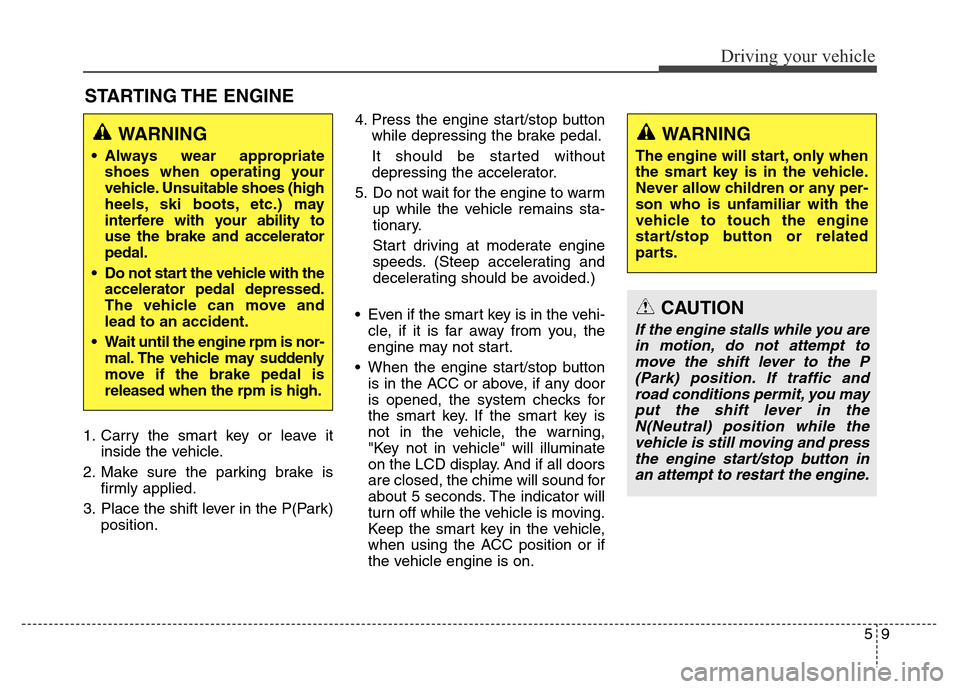
STARTING THE ENGINE
1. Carry the smart key or leave it
inside the vehicle.
2. Make sure the parking brake is
firmly applied.
3. Place the shift lever in the P(Park)
position.4. Press the engine start/stop button
while depressing the brake pedal.
It should be started without
depressing the accelerator.
5. Do not wait for the engine to warm
up while the vehicle remains sta-
tionary.
Start driving at moderate engine
speeds. (Steep accelerating and
decelerating should be avoided.)
• Even if the smart key is in the vehi-
cle, if it is far away from you, the
engine may not start.
• When the engine start/stop button
is in the ACC or above, if any door
is opened, the system checks for
the smart key. If the smart key is
not in the vehicle, the warning,
"Key not in vehicle" will illuminate
on the LCD display. And if all doors
are closed, the chime will sound for
about 5 seconds. The indicator will
turn off while the vehicle is moving.
Keep the smart key in the vehicle,
when using the ACC position or if
the vehicle engine is on.
WARNING
The engine will start, only when
the smart key is in the vehicle.
Never allow children or any per-
son who is unfamiliar with the
vehicle to touch the engine
start/stop button or related
parts.
CAUTION
If the engine stalls while you are
in motion, do not attempt to
move the shift lever to the P
(Park) position. If traffic and
road conditions permit, you may
put the shift lever in the
N(Neutral) position while the
vehicle is still moving and press
the engine start/stop button in
an attempt to restart the engine.
WARNING
• Always wear appropriate
shoes when operating your
vehicle. Unsuitable shoes (high
heels, ski boots, etc.) may
interfere with your ability to
use the brake and accelerator
pedal.
• Do not start the vehicle with the
accelerator pedal depressed.
The vehicle can move and
lead to an accident.
• Wait until the engine rpm is nor-
mal. The vehicle may suddenly
move if the brake pedal is
released when the rpm is high.
Page 289 of 479
Driving your vehicle
32 5
(Continued)
Before driving off again, press foot
brake pedal, check the surround-
ing area near your vehicle and
release parking brake manually
with the EPB switch.
• If the AUTO HOLD indicator
lights up yellow, the Auto Hold is
not working properly. We recom-
mend that you contact an author-
ized HYUNDAI dealer.
When the EPB is applied from Auto
Hold, the notice will illuminate on the
LCD display. Also warning chime
sounds once.
CAUTION
If there is a malfunction with the
driver’s door, hood or trunk
open detection system, the
AUTO HOLD may not work prop-
erly.
We recommend that you contact
an authorized HYUNDAI dealer.
OVIEDR2914


