Page 147 of 289
uuBluetooth® HandsFreeLink®
*uHFL Menus
146Features
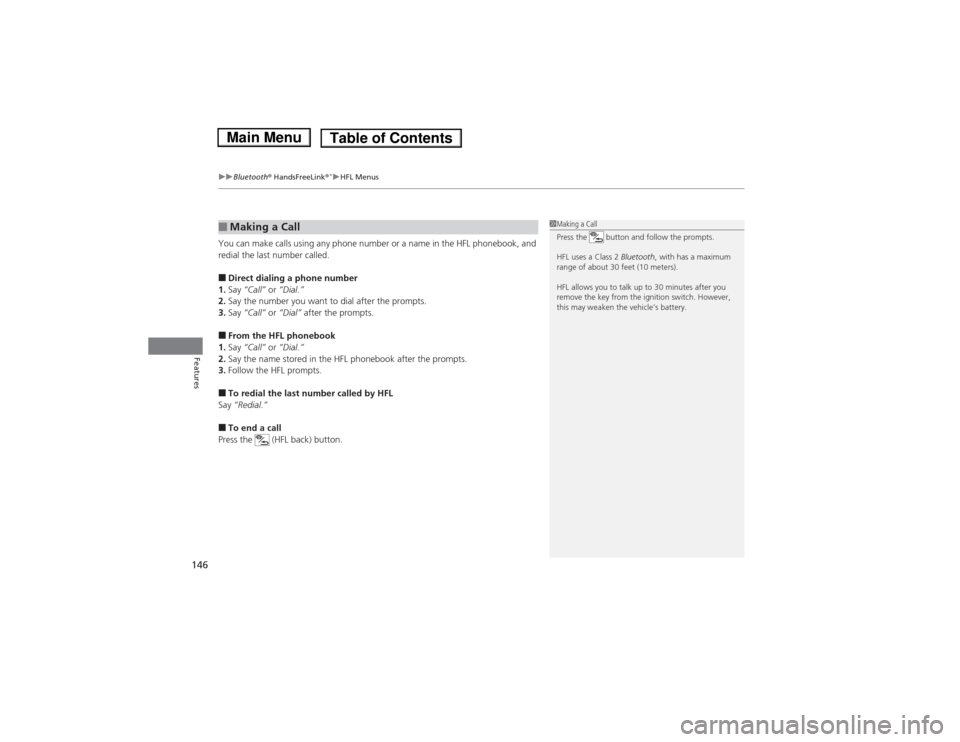
You can make calls using any phone number or a name in the HFL phonebook, and
redial the last number called.■Direct dialing a phone number
1.Say “Call” or “Dial.”
2.Say the number you want to dial after the prompts.
3.Say “Call” or “Dial” after the prompts.■From the HFL phonebook
1.Say “Call” or “Dial.”
2.Say the name stored in the HFL phonebook after the prompts.
3.Follow the HFL prompts.■To redial the last number called by HFL
Say “Redial.”■To end a call
Press the (HFL back) button.■Making a Call
1Making a Call
Press the button and follow the prompts.
HFL uses a Class 2 Bluetooth, with has a maximum
range of about 30 feet (10 meters).
HFL allows you to talk up to 30 minutes after you
remove the key from the ignition switch. However,
this may weaken the vehicle’s battery.
Page 151 of 289
uuBluetooth® HandsFreeLink®
*uHFL Menus
150Features
This command group allows you to change or customize HFL basic settings.■To set a four-digit passcode to lock the HFL system for security
1.Say “System Setup.”
2.Say “Security.”
3.Follow the HFL prompts and say the four-digit number of your choice.
4.Follow the HFL prompts and confirm the number.■To change the security passcode
1.Say “System Setup.”
2.Say “Change Passcode” after the prompts.
3.Say the new four-digit passcode after the HFL prompts.
4.Follow the HFL prompts.■To select a ring tone or a prompt as the incoming call notification
1.Say “System Setup.”
2.Say “Call Notification” after the prompts.
3.Say “Ring Tone” or “Prompt” after the prompts. For no audible notification, say
“Off.”■System Setup
1System Setup
Press the button before a command.
Once a passcode is set, you are required to enter the
passcode with every new key cycle to use HFL.
If you forget the code, go to your dealer to have the
passcode reset. You can also cancel the passcode by
clearing all the data stored in the HFL system.
2To clear the system P. 151
The default setting of the incoming notification is a
ring tone.
Page 155 of 289
154Driving
Before DrivingDriving PreparationCheck the following items before you start driving.
•Make sure there are no obstructions on the windows, door mirrors, exterior
lights, or other parts of the vehicle.
uRemove any frost, snow, or ice.
uRemove any snow on the roof, as this can slip down and obstruct your field of
vision while driving. If frozen solid, remove ice once it has softened.
uWhen removing ice from around the wheels, be sure not to damage the wheel
or wheel components.
•Make sure the hood is securely closed.
uIf the hood opens while driving, your front view will be blocked.
•Make sure the tires are in good condition.
uCheck air pressure, check for damage and excessive wear.
2Checking and Maintaining Tires P. 222
•Make sure there are no people or objects behind or around the vehicle.
uThere are blind spots from the inside.■Exterior Checks
1Exterior ChecksNOTICEWhen doors are frozen shut, use warm water around
the door edges to melt any ice. Do not try to force
them open, as this can damage the rubber trim
around the doors. When done, wipe dry to avoid
further freezing.
Do not pour warm water into the key cylinder.
You will be unable to insert key if the water freezes in
the hole.
Heat from the engine and exhaust can ignite
flammable materials left under the hood, causing a
fire. If you've parked your vehicle for an extended
period, inspect and remove any debris that may have
collected, such as dried grass and leaves that have
fallen or have been carried in for use as a nest by a
small animal. Also check under the hood for leftover
flammable materials after you or someone else has
performed maintenance on your vehicle.
Page 163 of 289
uuWhen DrivinguStarting the Engine
162Driving
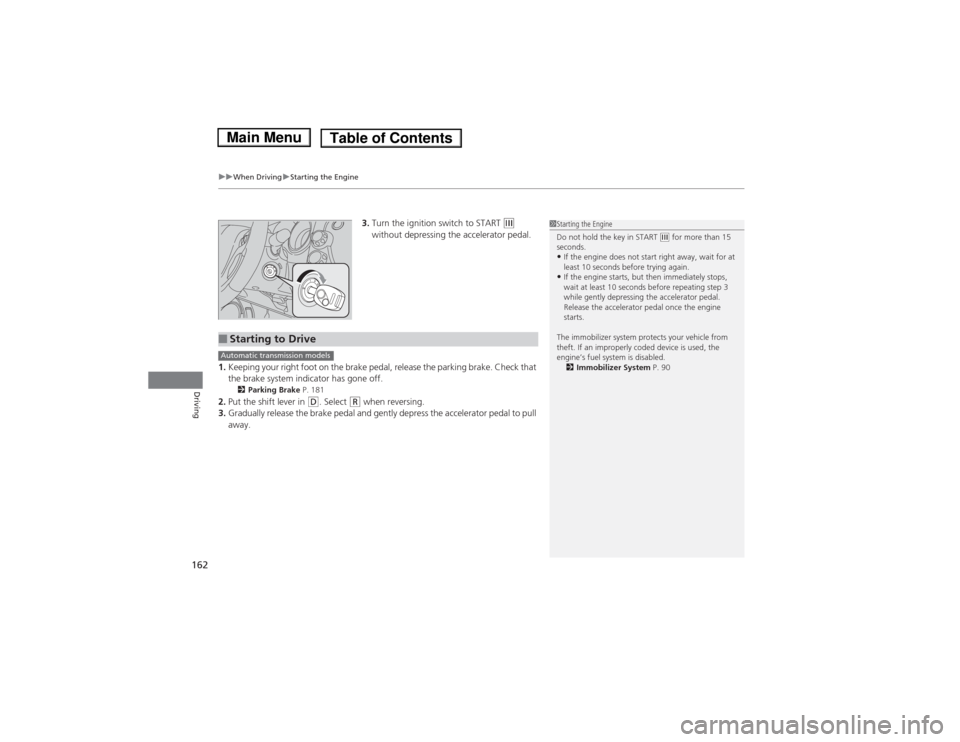
3.Turn the ignition switch to START
(e
without depressing the accelerator pedal.
1.Keeping your right foot on the brake pedal, release the parking brake. Check that
the brake system indicator has gone off.
2Parking Brake P. 181
2.Put the shift lever in
(D. Select
(R when reversing.
3.Gradually release the brake pedal and gently depress the accelerator pedal to pull
away.
1Starting the Engine
Do not hold the key in START
(e for more than 15
seconds.
•If the engine does not start right away, wait for at
least 10 seconds before trying again.•If the engine starts, but then immediately stops,
wait at least 10 seconds before repeating step 3
while gently depressing the accelerator pedal.
Release the accelerator pedal once the engine
starts.
The immobilizer system protects your vehicle from
theft. If an improperly coded device is used, the
engine’s fuel system is disabled.
2Immobilizer System P. 90
■Starting to DriveAutomatic transmission models
Page 166 of 289
165
uuWhen DrivinguShifting
Continued
Driving
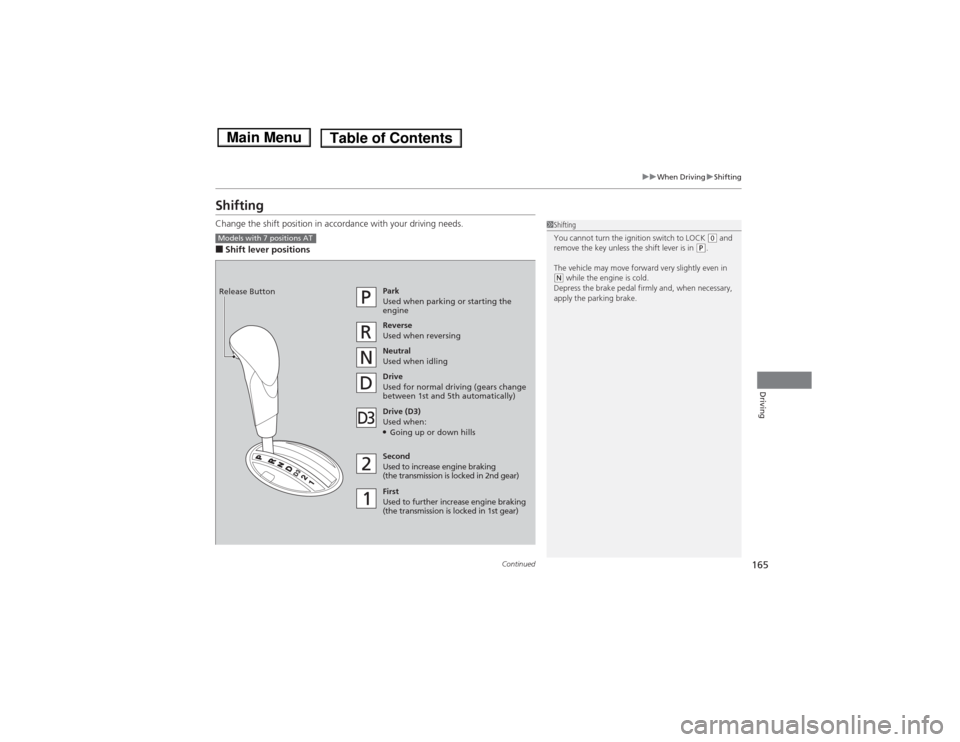
ShiftingChange the shift position in accordance with your driving needs.■Shift lever positions
1Shifting
You cannot turn the ignition switch to LOCK
(0 and
remove the key unless the shift lever is in
(P.
The vehicle may move forward very slightly even in
(N while the engine is cold.
Depress the brake pedal firmly and, when necessary,
apply the parking brake.
Models with 7 positions AT
Park
Used when parking or starting the
engine
Reverse
Used when reversing
Neutral
Used when idling
Drive
Used for normal driving (gears change
between 1st and 5th automatically)
Drive (D3)
Used when:●Going up or down hills
Second
Used to increase engine braking
(the transmission is locked in 2nd gear)
First
Used to further increase engine braking
(the transmission is locked in 1st gear) Release Button
Page 168 of 289
167
uuWhen DrivinguShifting
Continued
Driving
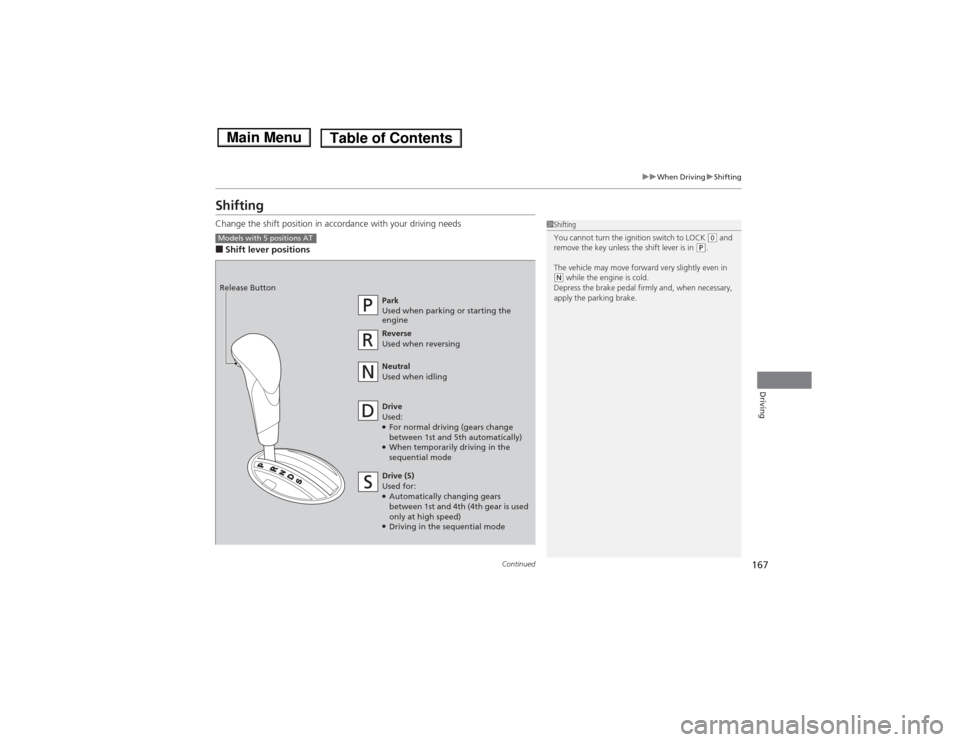
ShiftingChange the shift position in accordance with your driving needs■Shift lever positions
1Shifting
You cannot turn the ignition switch to LOCK
(0 and
remove the key unless the shift lever is in
(P.
The vehicle may move forward very slightly even in
(N while the engine is cold.
Depress the brake pedal firmly and, when necessary,
apply the parking brake.
Models with 5 positions AT
Park
Used when parking or starting the
engine
Reverse
Used when reversing
Neutral
Used when idling
Drive
Used:●For normal driving (gears change
between 1st and 5th automatically)●When temporarily driving in the
sequential mode Release Button
Drive (S)
Used for:●Automatically changing gears
between 1st and 4th (4th gear is used
only at high speed)●Driving in the sequential mode
Page 233 of 289
232Maintenance
Remote Transmitter Care
*
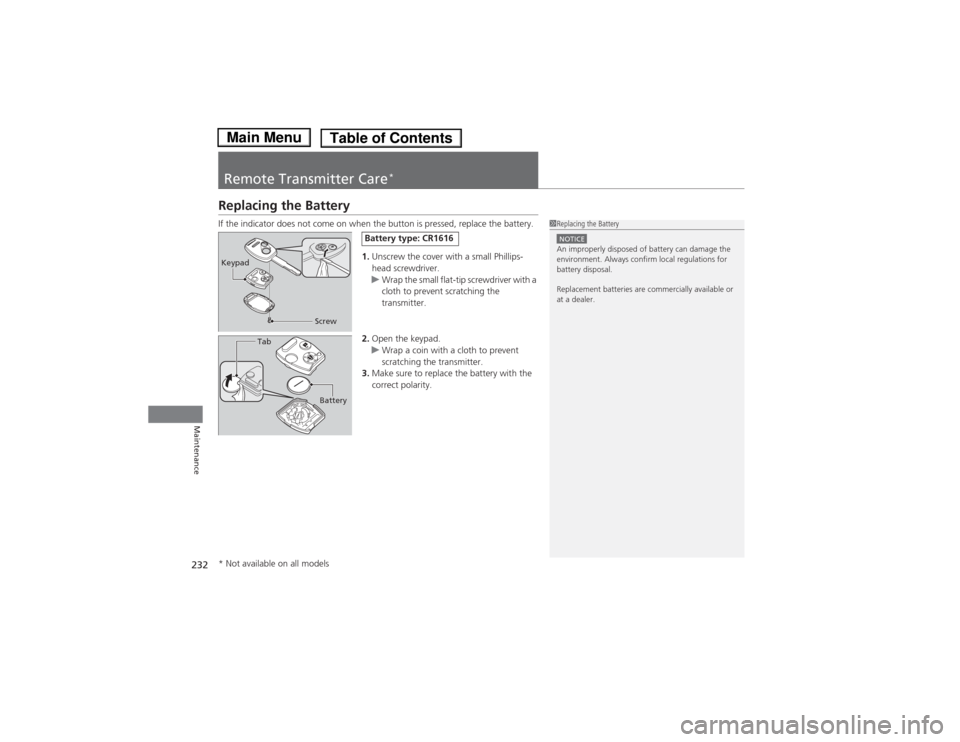
Replacing the BatteryIf the indicator does not come on when the button is pressed, replace the battery.
1.Unscrew the cover with a small Phillips-
head screwdriver.
uWrap the small flat-tip screwdriver with a
cloth to prevent scratching the
transmitter.
2.Open the keypad.
uWrap a coin with a cloth to prevent
scratching the transmitter.
3.Make sure to replace the battery with the
correct polarity.
1Replacing the BatteryNOTICEAn improperly disposed of battery can damage the
environment. Always confirm local regulations for
battery disposal.
Replacement batteries are commercially available or
at a dealer.
Keypad
Screw
Battery type: CR1616
Battery Tab
* Not available on all models
Page 254 of 289
253Handling the Unexpected
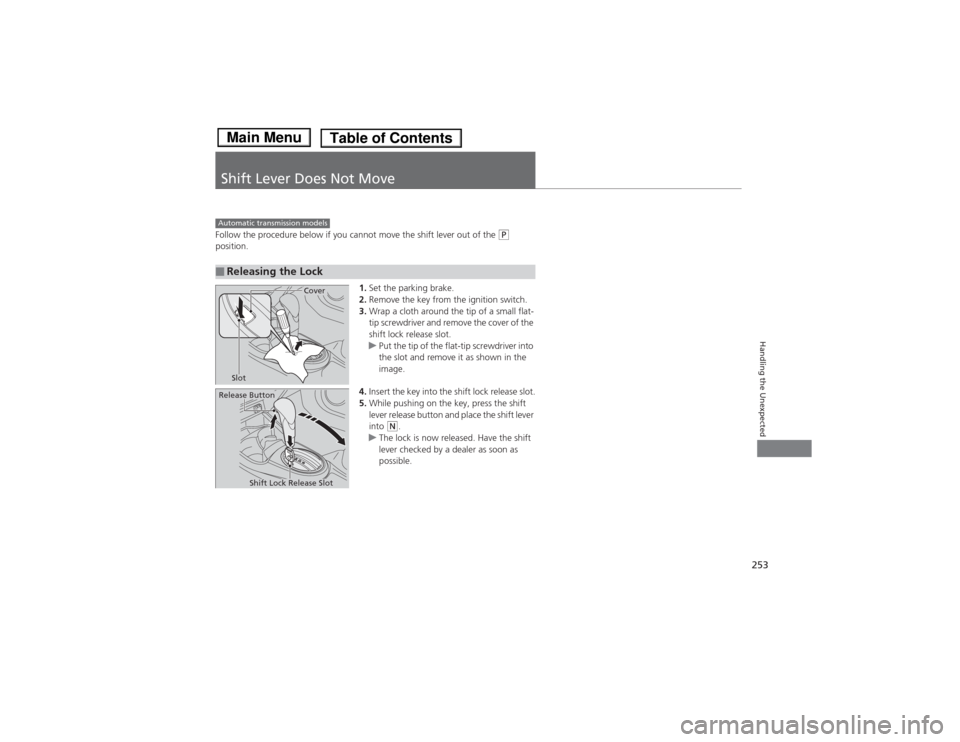
Shift Lever Does Not MoveFollow the procedure below if you cannot move the shift lever out of the
(P
position.
1.Set the parking brake.
2.Remove the key from the ignition switch.
3.Wrap a cloth around the tip of a small flat-
tip screwdriver and remove the cover of the
shift lock release slot.
uPut the tip of the flat-tip screwdriver into
the slot and remove it as shown in the
image.
4.Insert the key into the shift lock release slot.
5.While pushing on the key, press the shift
lever release button and place the shift lever
into
(N.
uThe lock is now released. Have the shift
lever checked by a dealer as soon as
possible.
■Releasing the LockAutomatic transmission models
Slot
Cover
Release Button
Shift Lock Release Slot