Page 222 of 573
221
uuAudio System Basic OperationuAudio/Information Screen
Features
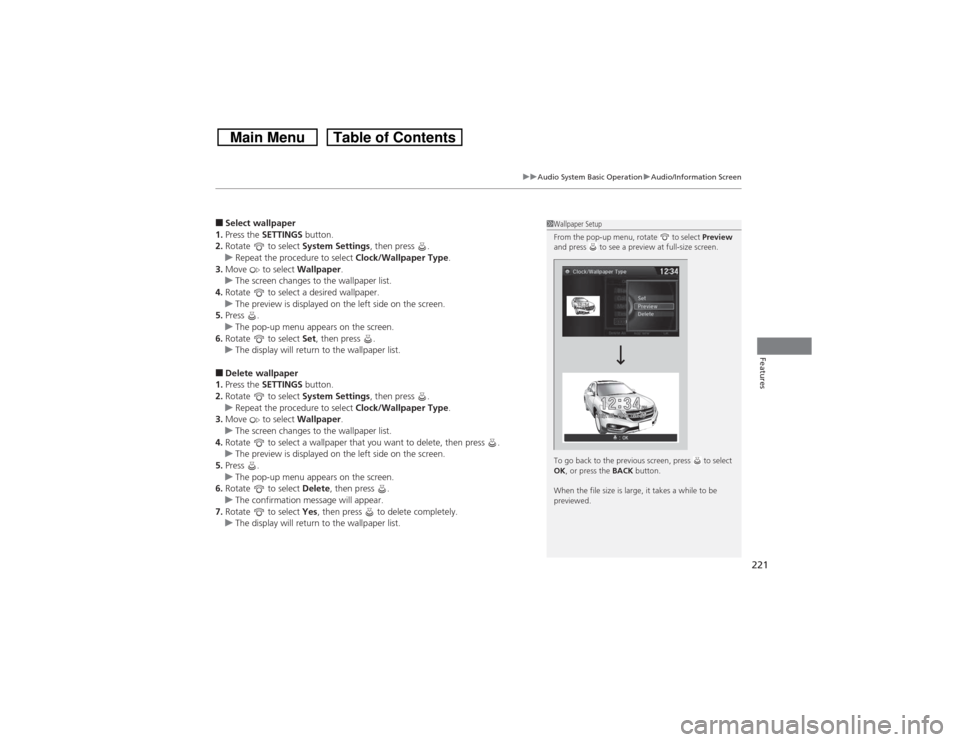
■Select wallpaper
1.Press the SETTINGS button.
2.Rotate to select System Settings, then press .
uRepeat the procedure to select Clock/Wallpaper Type.
3.Move to select Wallpaper.
uThe screen changes to the wallpaper list.
4.Rotate to select a desired wallpaper.
uThe preview is displayed on the left side on the screen.
5.Press .
uThe pop-up menu appears on the screen.
6.Rotate to select Set, then press .
uThe display will return to the wallpaper list.■Delete wallpaper
1.Press the SETTINGS button.
2.Rotate to select System Settings, then press .
uRepeat the procedure to select Clock/Wallpaper Type.
3.Move to select Wallpaper.
uThe screen changes to the wallpaper list.
4.Rotate to select a wallpaper that you want to delete, then press .
uThe preview is displayed on the left side on the screen.
5.Press .
uThe pop-up menu appears on the screen.
6.Rotate to select Delete, then press .
uThe confirmation message will appear.
7.Rotate to select Yes, then press to delete completely.
uThe display will return to the wallpaper list.
1Wallpaper Setup
From the pop-up menu, rotate to select Preview
and press to see a preview at full-size screen.
To go back to the previous screen, press to select
OK, or press the BACK button.
When the file size is large, it takes a while to be
previewed.
Page 226 of 573
225
uuAudio System Basic OperationuVoice Control Operation
Continued
Features
The system accepts these commands on the
Voice Portal screen.
•Call Your contact name
•Call Phone Number
•Find nearest POI category name
•Go home
•Route menu
•Cancel route
The system accepts these commands on any
screen.
•Call by number
•Call by name
•Call Phone Number
•Call Your contact name
Contacts that are imported from your
phone to the vehicle are all made available
by voice. Voice Tags can also be recorded
for each of your Speed Dial entries.■Voice Portal Commands■Phone Commands
2Refer to the Navigation System ManualThe system accepts these commands on any
screen.
•Trip computer
•Traffic information
•Display clock
•Display wallpaper■Navigation Commands■Info Commands
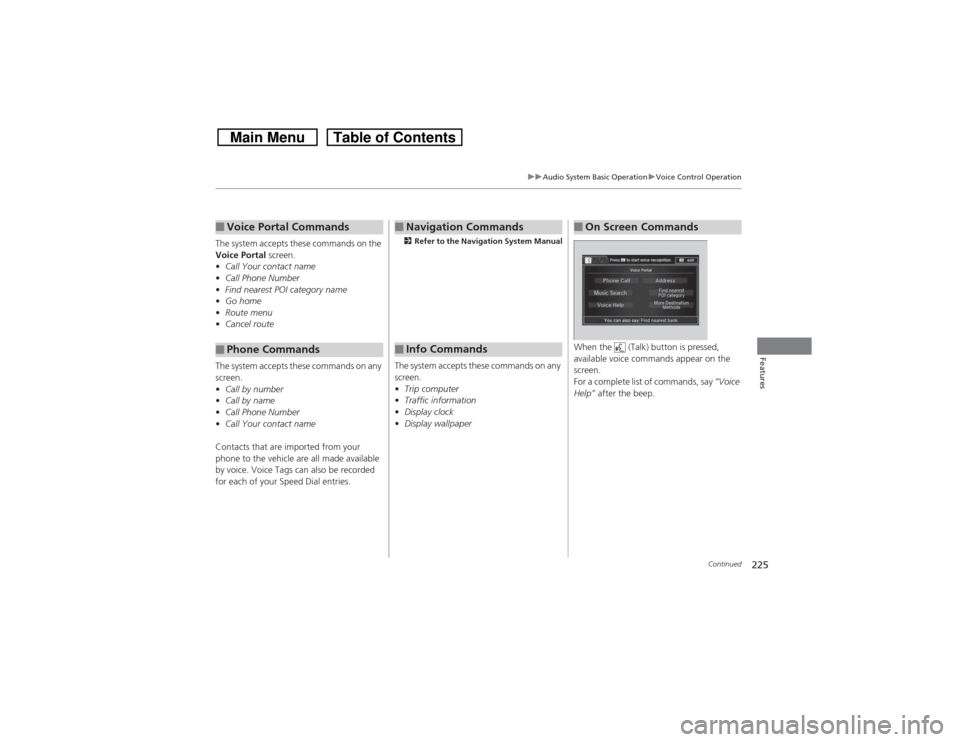
When the (Talk) button is pressed,
available voice commands appear on the
screen.
For a complete list of commands, say “Voice
Help” after the beep.■On Screen Commands
Page 284 of 573
283
uuCustomized Features
*u
Continued
Features
■Customization flowModels without navigation system
Clock FormatBackground ColorHeader Clock DisplayFactory Data ResetClock Adjustment
Press and hold the DISP button.
Language
Default
Edit Pairing Code
Bluetooth
Bluetooth Device List
BrightnessContrastBlack Level
Beep
Clock/
Wallpaper
Type
Clock TypeWallpaper
System
Settings
BluetoothDisplayClockOthers
Display Operation Restriction Tips
Voice Recognition
Page 286 of 573
285
uuCustomized Features
*u
Continued
Features
*1:May change depending on your currently selected source.
Wallpaper
Source Select Popup
Clock Type
Sound
Default
Cover Art
*1
Connect Bluetooth Audio Device
*1
Bluetooth Device List
*1
Default
Clock AdjustmentClock Format
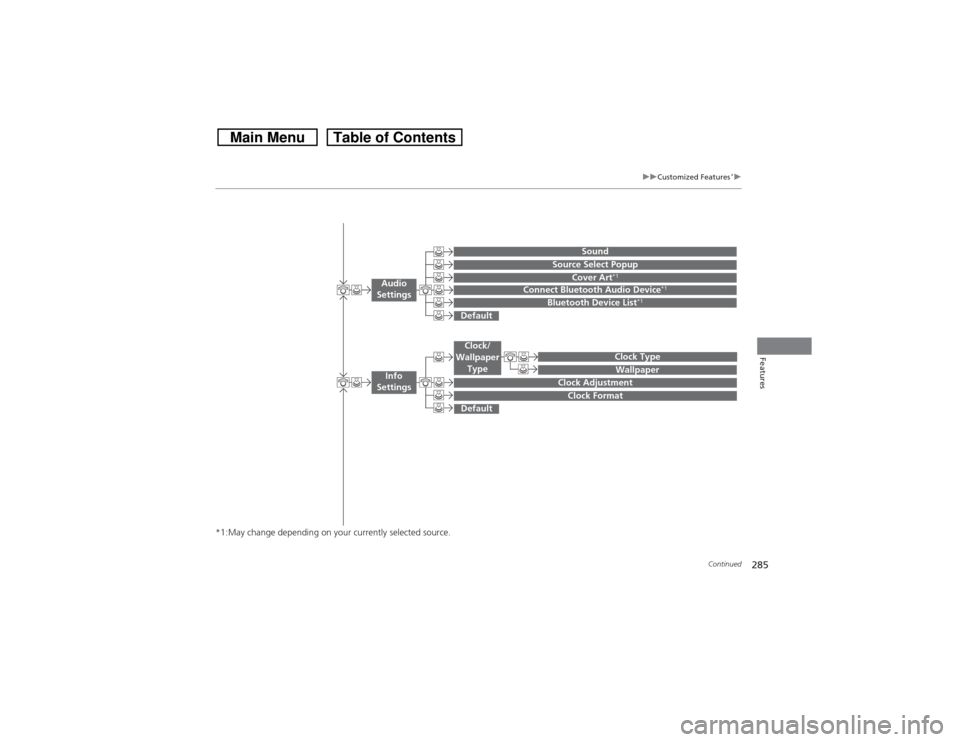
Audio
Settings
Clock/
Wallpaper
Type
Info
Settings
Page 290 of 573
289
uuCustomized Features
*u
Continued
Features
System Device Information
Factory Data Reset
Background ColorHeader Clock Display
Clock ResetAuto Time Zone
*
Auto Daylight
*
Clock
Clock AdjustmentClock Format
Clock
UnitsLanguage
Voice Command Tips
Others
Wallpaper
Clock/Wallpaper
Type
* Not available on all models
Page 294 of 573
293
uuCustomized Features
*u
Continued
Features
Auto Daylight
*
Clock Reset
Info Screen Preference
Clock FormatAuto Time Zone
*
Clock/Wallpaper TypeClock Adjustment
Clock
Default
Others
Info
SettingsNavi
Settings
See the Navigation System Manual.
* Not available on all models
Page 296 of 573
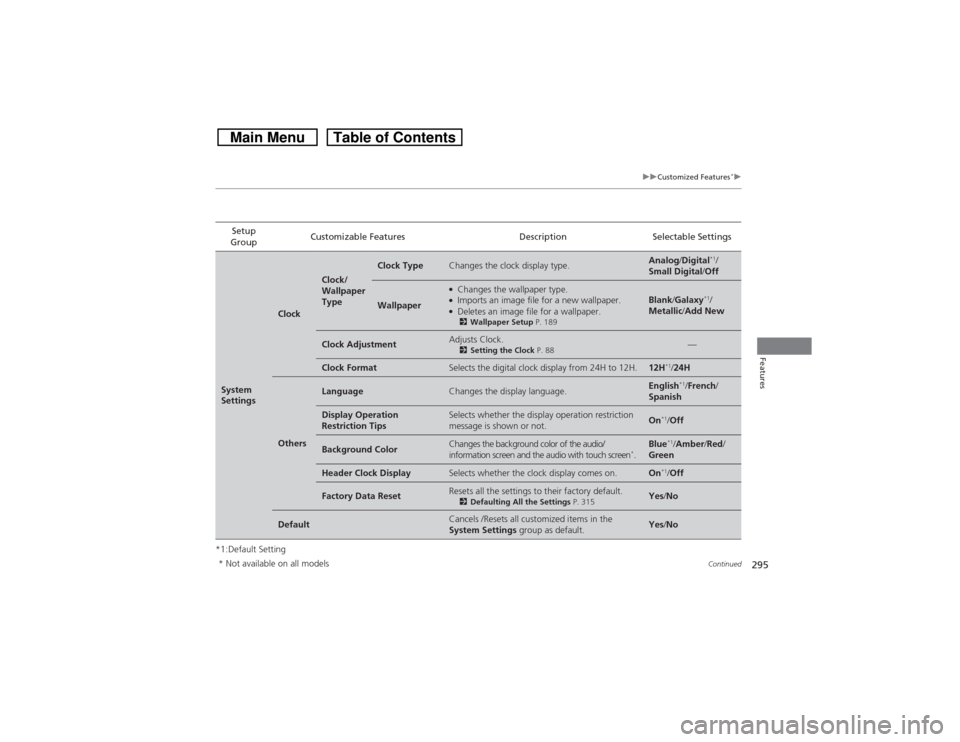
295
uuCustomized Features
*u
Continued
Features
*1:Default SettingSetup
GroupCustomizable Features Description Selectable SettingsSystem
Settings
Clock
Clock/
Wallpaper
Type
Clock Type
Changes the clock display type.
Analog/Digital
*1/
Small Digital/Off
Wallpaper
●Changes the wallpaper type.●Imports an image file for a new wallpaper.●Deletes an image file for a wallpaper.2Wallpaper Setup P. 189
Blank/Galaxy
*1/
Metallic/Add New
Clock Adjustment
Adjusts Clock.2Setting the Clock P. 88
—
Clock Format
Selects the digital clock display from 24H to 12H.
12H
*1/24H
Others
Language
Changes the display language.
English
*1/French/
Spanish
Display Operation
Restriction Tips
Selects whether the display operation restriction
message is shown or not.
On
*1/Off
Background Color
Changes the background color of the audio/
information screen and the audio with touch screen
*.
Blue
*1/Amber/Red/
Green
Header Clock Display
Selects whether the clock display comes on.
On
*1/Off
Factory Data Reset
Resets all the settings to their factory default.2Defaulting All the Settings P. 315
Yes/No
Default
Cancels /Resets all customized items in the
System Settings group as default.
Yes/No
* Not available on all models
Page 301 of 573
300
uuCustomized Features
*u
Features
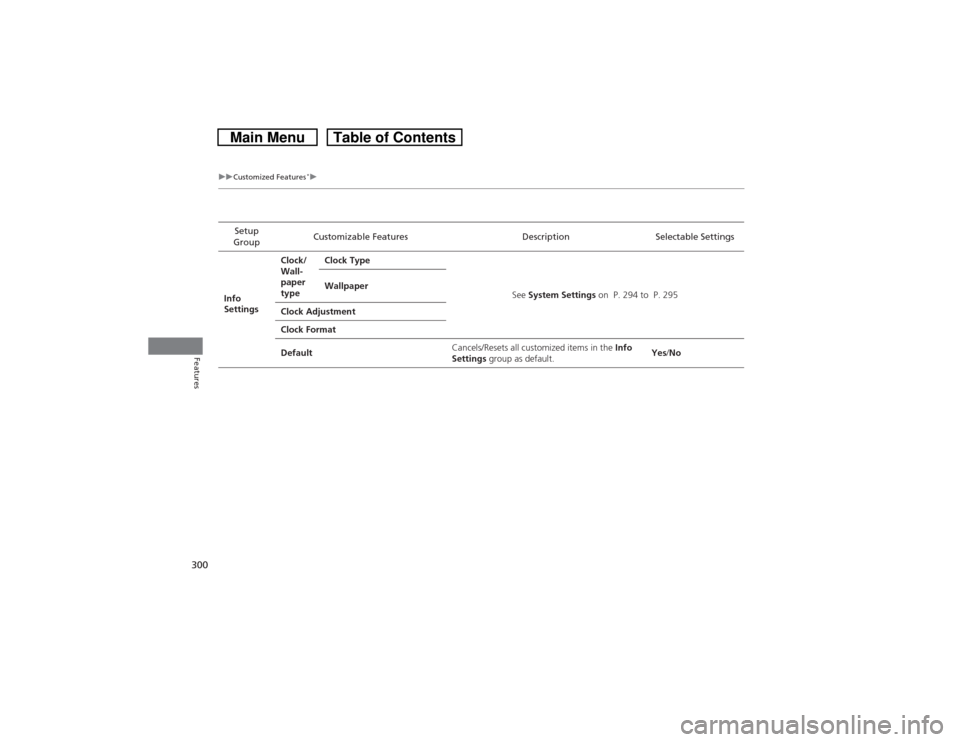
Setup
GroupCustomizable Features Description Selectable Settings
Info
SettingsClock/
Wall-
paper
typeClock Type
See System Settings on P. 294 to P. 295 Wallpaper
Clock Adjustment
Clock Format
DefaultCancels/Resets all customized items in the Info
Settings group as default.Yes/No