Page 4 of 469
3Quick Reference Guide
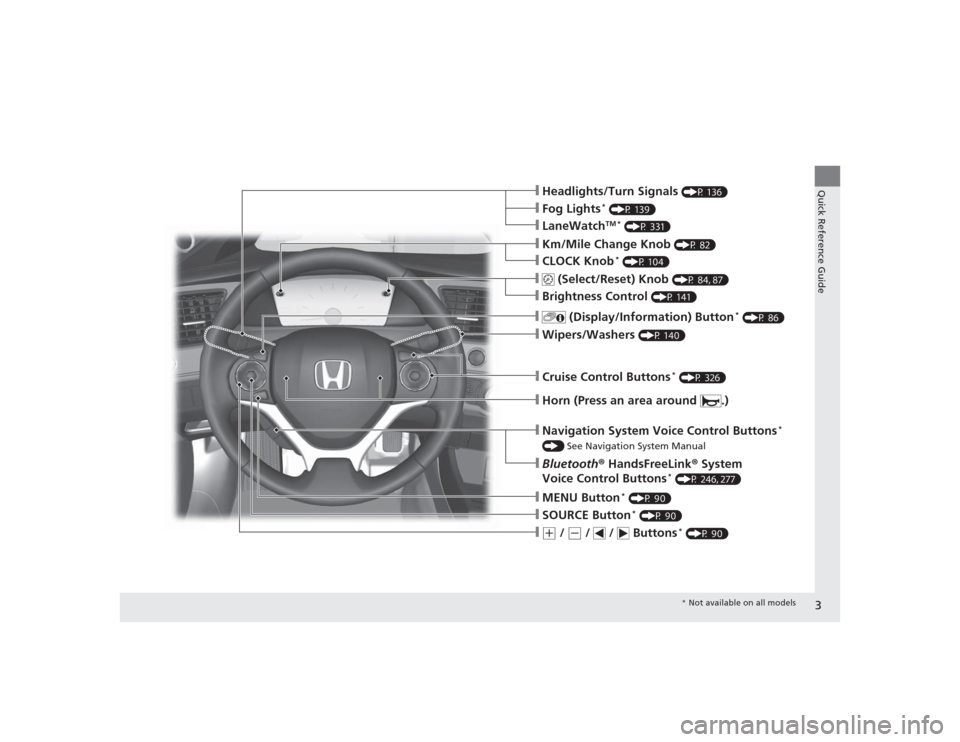
❙Headlights/Turn Signals
(P 136)
❙Wipers/Washers
(P 140)
❙Cruise Control Buttons
* (P 326)
❙Km/Mile Change Knob
(P 82)
❙CLOCK Knob
* (P 104)
❙MENU Button
* (P 90)
❙(+
/
(-
/ / Buttons
* (P 90)
❙Navigation System Voice Control Buttons
*
() See Navigation System Manual❙Bluetooth® HandsFreeLink ® System
Voice Control Buttons
* (P 246, 277)
❙
(Select/Reset) Knob
(P 84, 87)
❙SOURCE Button
* (P 90)
❙
(Display/Information) Button
* (P 86)
❙Brightness Control
(P 141)
❙Horn (Press an area around .)❙LaneWatch
TM *
(P 331)
❙Fog Lights
* (P 139)
* Not available on all models
Page 15 of 469
14Quick Reference Guide
Features
(P 169)
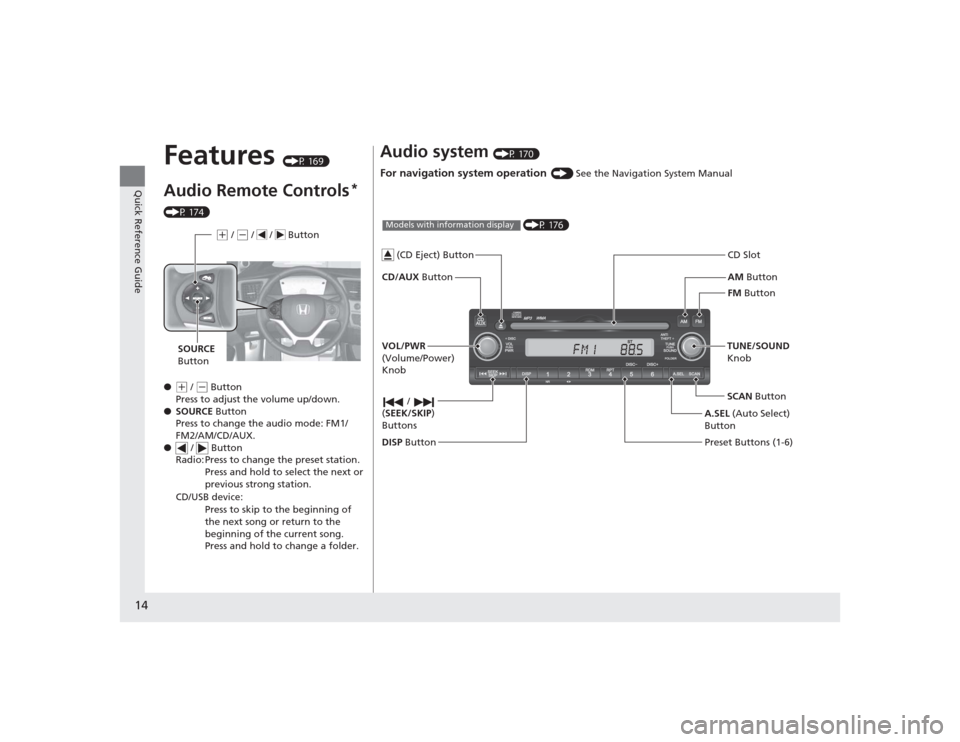
Audio Remote Controls
*
(P 174)
●
(+ / ( - Button
Press to adjust the volume up/down.
● SOURCE Button
Press to change the audio mode: FM1/
FM2/AM/CD/AUX.
● / Button
Radio: Press to change the preset station. Press and hold to select the next or
previous strong station.
CD/USB device: Press to skip to the beginning of
the next song or return to the
beginning of the current song.
Press and hold to change a folder.(+ / (- / / Button
SOURCE
Button
Audio system
(P 170)
For navigation system operation
() See the Navigation System Manual
AM Button
FM Button
CD/AUX
Button CD Slot
SCAN Button
Preset Buttons (1-6) TUNE/SOUND
Knob
/
( SEEK/SKIP )
Buttons
(P 176)
Models with information display
A.SEL (Auto Select)
Button
VOL/PWR
(Volume/Power)
Knob
DISP Button
(CD Eject) Button
Page 16 of 469
15Quick Reference Guide
002300
75°
F miles
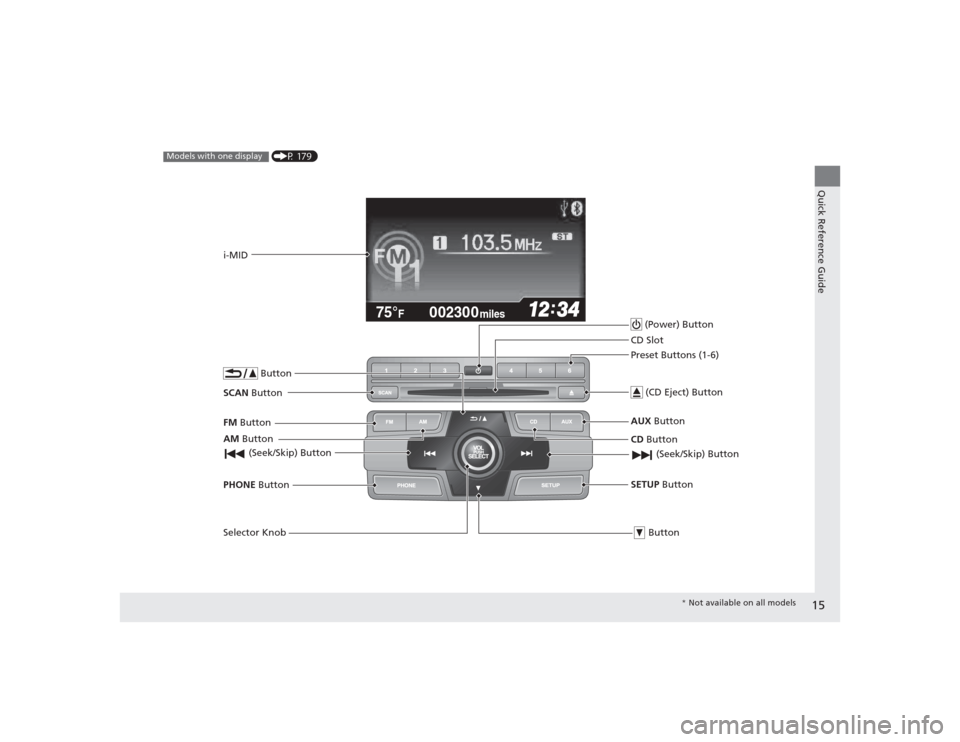
(P 179)
Models with one display
AM Button
FM
Button
SCAN Button
(Seek/Skip) ButtonSelector Knob ButtonPHONE
Buttoni-MID
(Power) Button
CD Button
AUX
Button
CD Slot
(CD Eject) ButtonPreset Buttons (1-6)
ButtonSETUP Button (Seek/Skip) Button
*
Not available on all models
Page 85 of 469
84
uuGauges and Displays uInformation Display
*
Instrument Panel
Information Display
*
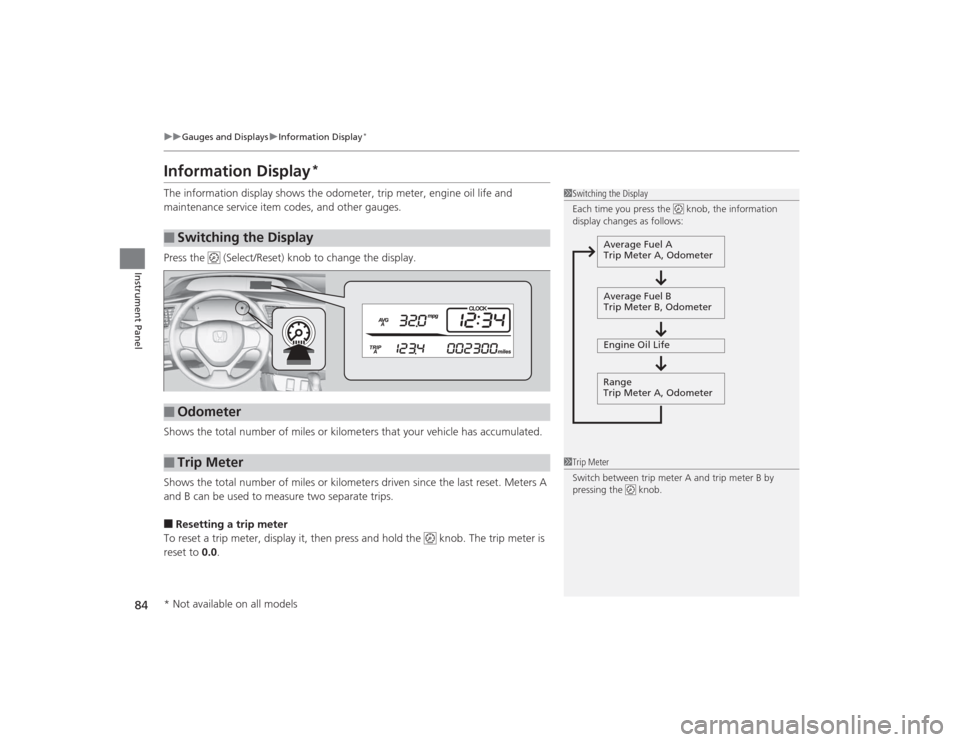
The information display shows the odometer, trip meter, engine oil life and
maintenance service item codes, and other gauges.
Press the (Select/Reset) knob to change the display.
Shows the total number of miles or kilometers that your vehicle has accumulated.
Shows the total number of miles or kilometers driven since the last reset. Meters A
and B can be used to measure two separate trips.■Resetting a trip meter
To reset a trip meter, display it, then press and hold the knob. The trip meter is
reset to 0.0 .■
Switching the Display
1Switching the Display
Each time you press the knob, the information
display changes as follows:
Average Fuel A
Trip Meter A, Odometer
Average Fuel B
Trip Meter B, Odometer
Engine Oil Life
Range
Trip Meter A, Odometer
■
Odometer
■
Trip Meter
1 Trip Meter
Switch between trip meter A and trip meter B by
pressing the knob.
* Not available on all models
Page 86 of 469
85
uuGauges and Displays uInformation Display
*
Instrument Panel
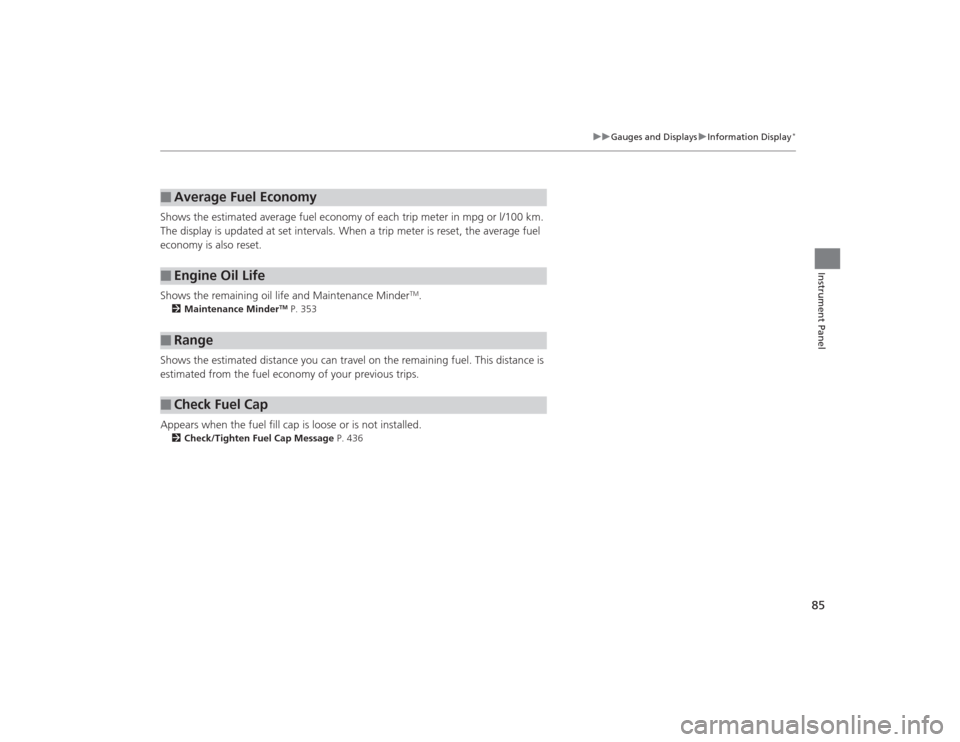
Shows the estimated average fuel economy of each trip meter in mpg or l/100 km.
The display is updated at set intervals. When a trip meter is reset, the average fuel
economy is also reset.
Shows the remaining oil life and Maintenance Minder
TM.
2 Maintenance Minder
TM P. 353
Shows the estimated distance you can travel on the remaining fuel. This distance is
estimated from the fuel economy of your previous trips.
Appears when the fuel fill cap is loose or is not installed.2Check/Tighten Fuel Cap Message P. 436■
Average Fuel Economy
■
Engine Oil Life
■
Range
■
Check Fuel Cap
Page 88 of 469
Continued
87
uuGauges and Displays uintelligent Multi-Information Display (i-MID)
*
Instrument Panel
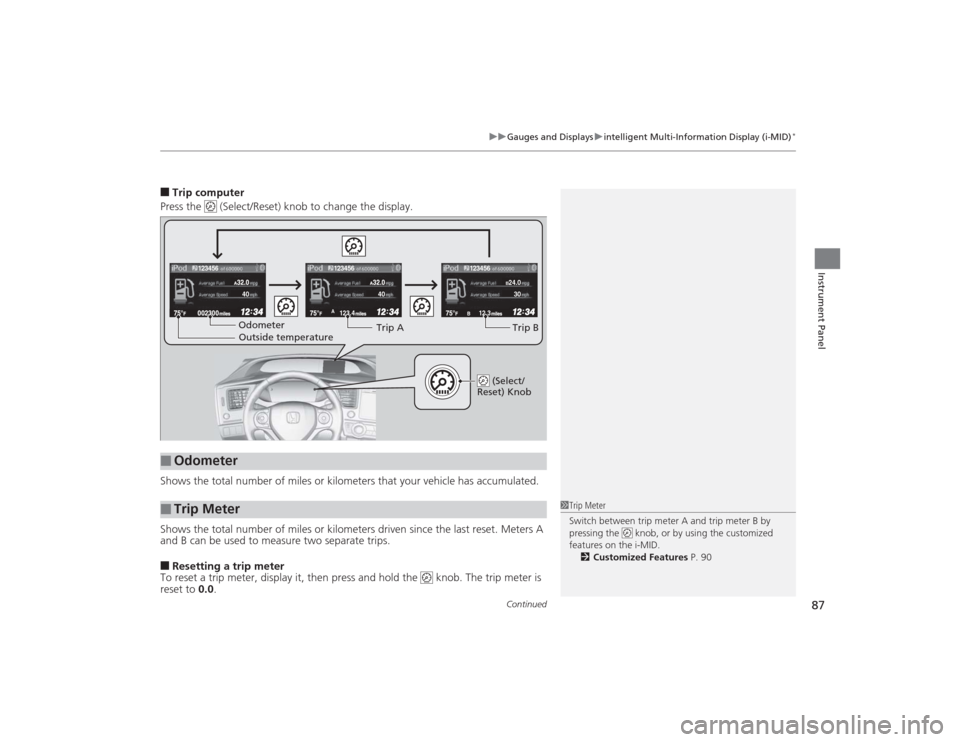
■Trip computer
Press the (Select/Reset) knob to change the display.
Shows the total number of miles or kilometers that your vehicle has accumulated.
Shows the total number of miles or kilometers driven since the last reset. Meters A
and B can be used to measure two separate trips.■Resetting a trip meter
To reset a trip meter, display it, then press and hold the knob. The trip meter is
reset to 0.0.■
Odometer
■
Trip Meter
123.4A
12.3B123456
123456
123456
B24.030
40
40Odometer
Outside temperature Trip A
Trip B
(Select/
Reset) Knob
1 Trip Meter
Switch between trip meter A and trip meter B by
pressing the knob, or by using the customized
features on the i-MID.
2 Customized Features P. 90
Page 89 of 469
uuGauges and Displays uintelligent Multi-Information Display (i-MID)
*
88Instrument Panel
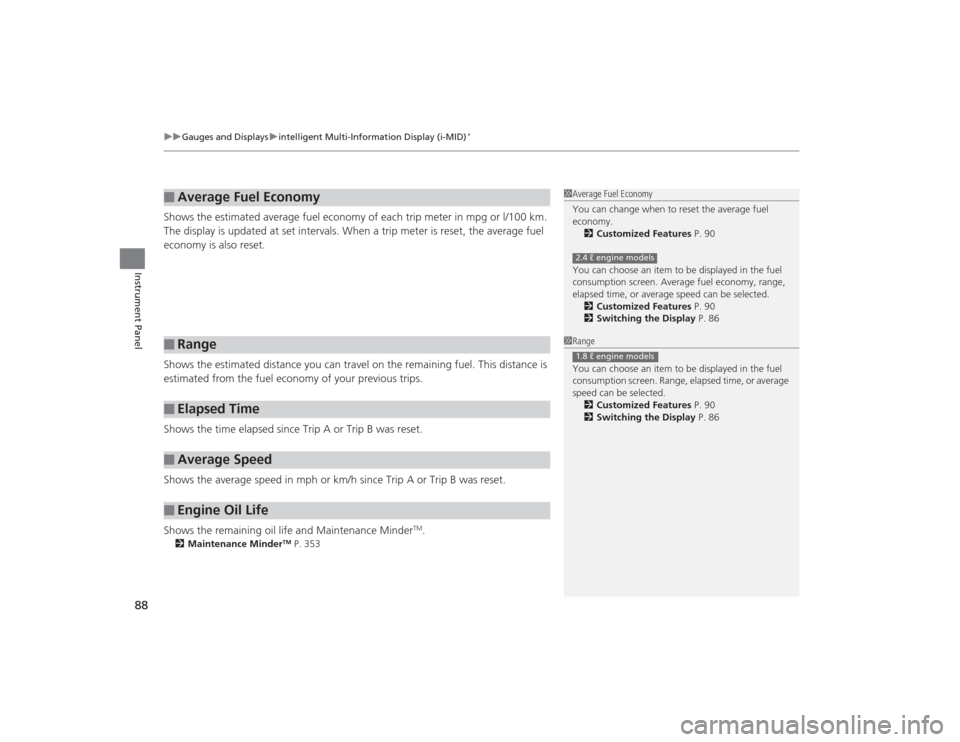
Shows the estimated average fuel economy of each trip meter in mpg or l/100 km.
The display is updated at set intervals. When a trip meter is reset, the average fuel
economy is also reset.
Shows the estimated distance you can travel on the remaining fuel. This distance is
estimated from the fuel economy of your previous trips.
Shows the time elapsed since Trip A or Trip B was reset.
Shows the average speed in mph or km/h since Trip A or Trip B was reset.
Shows the remaining oil life and Maintenance Minder
TM.
2 Maintenance Minder
TM P. 353
■
Average Fuel Economy
■
Range
■
Elapsed Time
■
Average Speed
■
Engine Oil Life
1Average Fuel Economy
You can change when to reset the average fuel
economy.
2 Customized Features P. 90
You can choose an item to be displayed in the fuel
consumption screen. Average fuel economy, range,
elapsed time, or average speed can be selected. 2 Customized Features P. 90
2 Switching the Display P. 862.4 ℓ engine models1Range
You can choose an item to be displayed in the fuel
consumption screen. Range, elapsed time, or average
speed can be selected.
2 Customized Features P. 90
2 Switching the Display P. 861.8 ℓ engine models
Page 92 of 469
91
uuGauges and Displays uintelligent Multi-Information Display (i-MID)
*
Continued
Instrument Panel
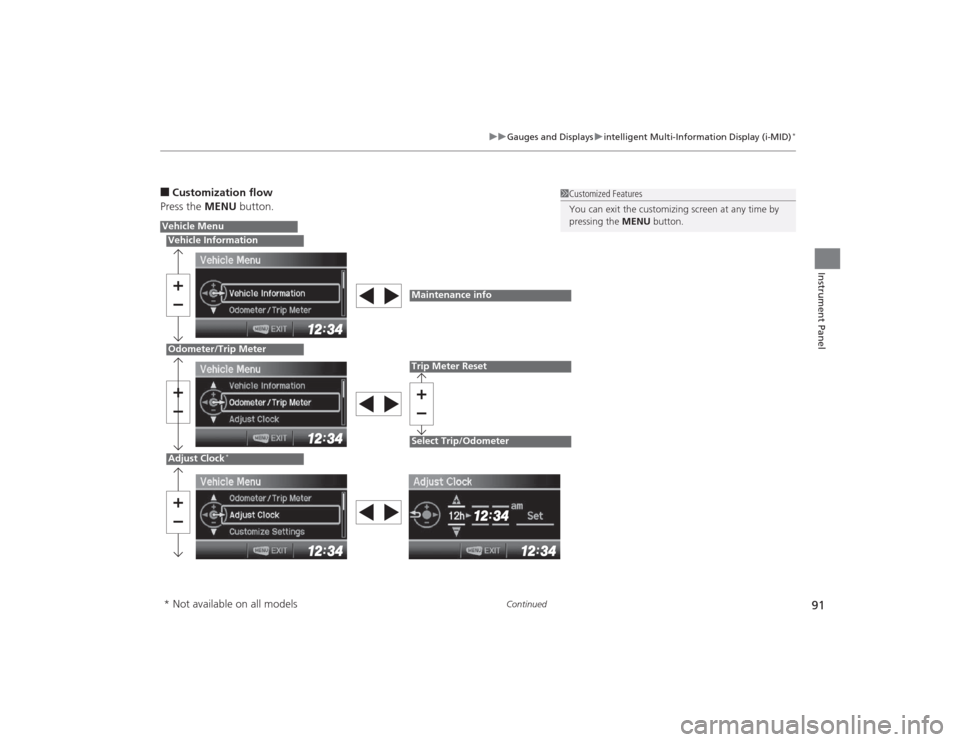
■Customization flow
Press the MENU button.
1Customized Features
You can exit the customizing screen at any time by
pressing the MENU button.
Vehicle MenuVehicle InformationOdometer/Trip MeterAdjust Clock
*
Maintenance infoTrip Meter ResetSelect Trip/Odometer
* Not available on all models