Page 133 of 469
132
uuOperating the Switches Around the Steering Wheel uENGINE START/STOP Button
*
Controls
ENGINE START/STOP Button
*
*1: Except U.S. models with automatic transmission (CVT)■
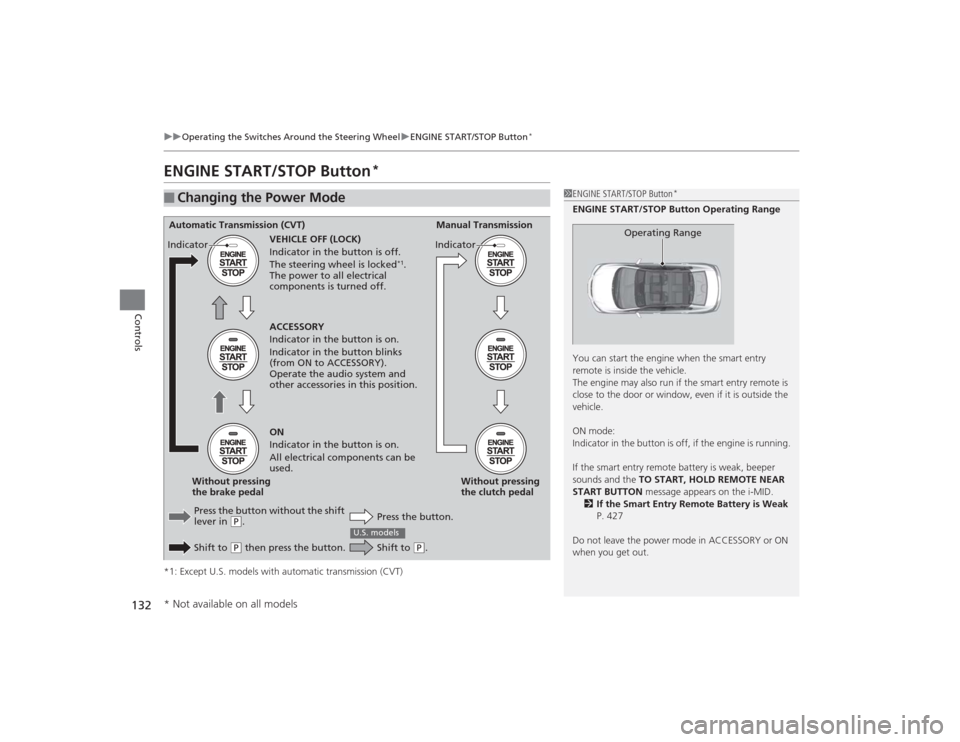
Changing the Power Mode
1ENGINE START/STOP Button
*
ENGINE START/STOP Button Operating Range
You can start the engine when the smart entry
remote is inside the vehicle.
The engine may also run if the smart entry remote is
close to the door or window, even if it is outside the
vehicle.
ON mode:
Indicator in the button is off, if the engine is running.
If the smart entry remote battery is weak, beeper
sounds and the TO START, HOLD REMOTE NEAR
START BUTTON message appears on the i-MID.
2 If the Smart Entry Remote Battery is Weak
P. 427
Do not leave the power mode in ACCESSORY or ON
when you get out.
Operating Range
Automatic Transmission (CVT) Manual Transmission
VEHICLE OFF (LOCK)
Indicator in the button is off.
The steering wheel is locked
*1.
The power to all electrical
components is turned off.
Press the button without the shift
lever in
( P.
Shift to ( P then press the button. Press the button.Without pressing
the clutch pedal
Without pressing
the brake pedal ACCESSORY
Indicator in the button is on.
Indicator in the button blinks
(from ON to ACCESSORY).
Operate the audio system and
other accessories in this position.
ON
Indicator in the button is on.
All electrical components can be
used.
Indicator
Indicator
Shift to
(
P.
U.S. models
* Not available on all models
Page 140 of 469
139
uuOperating the Switches Around the Steering Wheel uFog Lights
*
Controls
Fog Lights
*
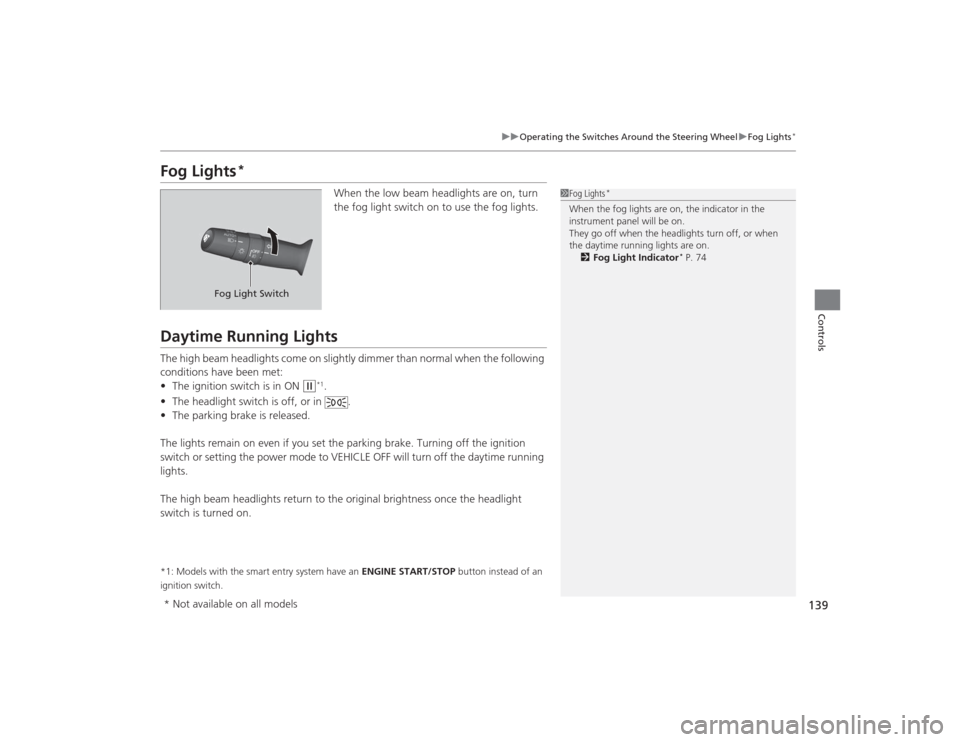
When the low beam headlights are on, turn
the fog light switch on to use the fog lights.
Daytime Running LightsThe high beam headlights come on slightly dimmer than normal when the following
conditions have been met:
• The ignition switch is in ON
(w
*1.
• The headlight switch is off, or in .
• The parking brake is released.
The lights remain on even if you set the parking brake. Turning off the ignition
switch or setting the power mode to VEHICLE OFF will turn off the daytime running
lights.
The high beam headlights return to the original brightness once the headlight
switch is turned on.
*1: Models with the smart entry system have an ENGINE START/STOP button instead of an
ignition switch.
1 Fog Lights
*
When the fog lights are on, the indicator in the
instrument panel will be on.
They go off when the headlights turn off, or when
the daytime running lights are on.
2 Fog Light Indicator
* P. 74
Fog Light Switch
* Not available on all models
Page 153 of 469

152
uuAdjusting the Seats uRear Seats
Controls
Rear Seats
1. Remove the center shoulder belt from the
guide.
2. Pull the release lever in the trunk to release
the lock.
3. Fold the seat-back down.
If the rear head restraints get caught on the
front seat-backs, remove the head restraints.2 Removing and Reinstalling the Head
Restraints P. 150
■
Folding Down the Rear Seats
1Folding Down the Rear Seats
The rear seat-back(s
*) can be folded down to
accommodate bulkier items in the trunk.
Never drive with the seat-back folded down and the
trunk lid open. 2 Exhaust Gas Hazard P. 64
To lock a seat-back upright, push it backwards until it
locks.
When returning the seat-back to its original position,
push it firmly back. Also, make sure all rear shoulder
belts are positioned in front of the seat-back, and the
center shoulder belt is re-positioned in the guide.
Make sure that the folded seat-back does not press
against the front passenger seat, as this can cause the
weight sensors in the front passenger seat to work
improperly. 2 Passenger Airbag Off Indicator P. 50
Make sure all items in the trunk or items
extending through the opening into the rear
seats are properly secured. Loose items can fly
forward if you have to brake hard.
The front seat(s) must be far enough forward so they
do not interfere with the rear seats as they fold
down.
Guide
Center
Shoulder
BeltRelease
Lever
*
Release Lever* Not available on all models
Page 222 of 469
221
uuAudio System Basic Operation uPlaying a Video Using the HDMI ®
Features
1.Select Settings to go to the Settings
screen.
2. Select Audio .
3. Select Aspect Ratio Adjustment .
4. Select the setting you want.
5. Select OK.
■
Changing the Screen Aspect
1Playing a Video Using the HDMI ®
This feature is limite d while driving. To play videos,
stop your vehicle and apply the parking brake.
Page 234 of 469
233
Continued
Features
Customized Features
*
Use the audio/information screen to customize certain features.■How to customize
While the vehicle is at a complete stop with the power mode in ON, select Settings,
then select a setting item.
1 Customized Features
*
When you customize settings:•Make sure that the vehicle is at a complete stop.•Shift to
(P.
•Set the parking brake.
To customize other features, select Settings.
2 List of customizable options P. 237Automatic transmission (CVT) modelsManual transmission models
Audio/Information Screen
* Not available on all models
Page 304 of 469
303
Driving
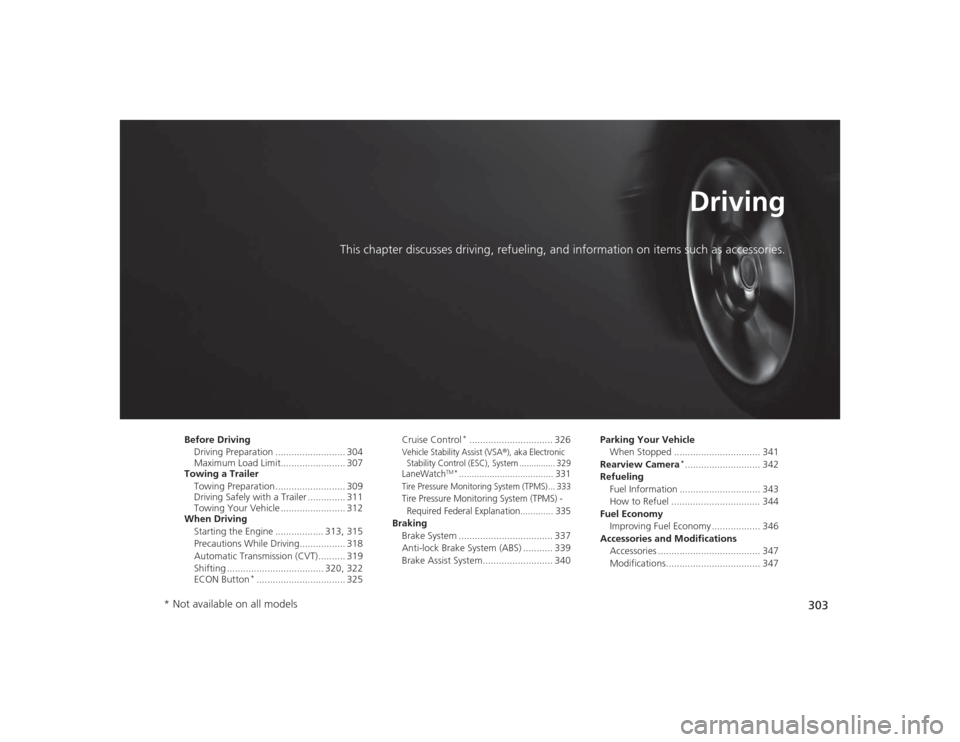
This chapter discusses driving, refueling, and information on items such as accessories.
Before DrivingDriving Preparation .......................... 304
Maximum Load Limit........................ 307
Towing a Trailer
Towing Preparation .......................... 309
Driving Safely with a Trailer .............. 311
Towing Your Vehicle ........................ 312
When Driving
Starting the Engine .................. 313, 315
Precautions While Driving................. 318
Automatic Transmission (CVT) .......... 319
Shifting .................................... 320, 322
ECON Button
*................................. 325 Cruise Control
*............................... 326
Vehicle Stability Assist (VSA
®), aka Electronic
Stability Control (ESC), System ............... 329
LaneWatch
TM*..................................... 331
Tire Pressure Monitoring System (TPMS) ... 333Tire Pressure Monitoring System (TPMS) -
Required Federal Explanation............. 335Braking Brake System ................................... 337
Anti-lock Brake System (ABS) ........... 339
Brake Assist System.......................... 340 Parking Your Vehicle
When Stopped ................................ 341
Rearview Camera
*............................ 342
Refueling Fuel Information .............................. 343
How to Refuel ................................. 344
Fuel Economy Improving Fuel Economy .................. 346
Accessories and Modifications Accessories ...................................... 347
Modifications................................... 347
* Not available on all models
Page 306 of 469
Continued
305
uuBefore Driving uDriving Preparation
Driving
• Store or secure all items on board properly.
u Carrying too much cargo, or improperly storing it, can affect your vehicle's
handling, stability, stopping distance, and tires, and make it unsafe.
2 Maximum Load Limit P. 307
•Do not pile items higher than the seat height.
u They can block your view and may be thrown forward in the event of sudden
braking.
• Do not place anything in the front seat footwells. Make sure to secure the floor
mat
*.
u An object or unsecured floor mat can interfere with your brake and accelerator
pedal operation while driving.
• If you have any animals on board, do not let them move around in the vehicle.
u They may interfere with driving and a crash could occur.
• Securely close and lock all doors and the trunk.2 Locking/Unlocking the Doors from the Inside P. 114
•Adjust your seating position properly.
u Adjust the head restraint, too.
2 Adjusting the Seats P. 146
2 Adjusting the Head Restraints P. 149
•Adjust the mirrors and steering wheel properly for your driving.
u Adjust them while sitting in the proper driving position.
2 Adjusting the Mirrors P. 144
2 Adjusting the Steering Wheel P. 143
■
Interior Checks
1Interior Checks
The headlight aim is set by the factory, and does not
need to be adjusted. However, if you regularly carry
heavy items in the trunk or tow a trailer, have the
aiming readjusted at a dealer or by a qualified
technician.
* Not available on all models
Page 311 of 469
uuTowing a Trailer uTowing Preparation
310Driving
Towing equipment varies by the size of your trailer, how mu ch load you are towing,
and where you are towing.■Hitches
The hitch must be of an approved type and properly bolted to the underbody.■Safety chains
Always use safety chains when you tow a trailer. Leave enough slack to allow the
trailer to turn corners easily, but do not allow the chains to drag on the ground.■Trailer brakes
There are two common types of trailer brakes: surge and electric. Surge brakes are
common for boat trailers, since the brakes will get wet. If you choose electric brakes,
be sure they are electronically actuated. Do not attempt to attach trailer brakes to
your vehicle's hydraulic system, as it will lower braking effectiveness and create a
potential hazard.■Additional towing equipment
Many states and provinces/territories require special outside mirrors when towing a
trailer. Even if mirrors are not required in your locale, you should install special
mirrors if visibility is restricted in any way.■Trailer light
Trailer lights and equipment must comply with federal, state, province/territory, and
local regulations. Check with your local trailer sales or rental agency for the
requirements in the area where you plan to tow.■
Towing Equipment and Accessories
1 Towing Equipment and Accessories
Make sure that all equipment is properly installed and
maintained, and that it meets federal, state, province/
territory, and local regulations.
Consult your trailer sales or rental agency if any other
items are recommended or required for your towing
situation.
The lighting and wiring of trailers can vary by type
and brand. If a connector is required, it should only
be installed by a qualified technician.