2014 HONDA CIVIC HYBRID start stop button
[x] Cancel search: start stop buttonPage 123 of 377
122
uuOperating the Switches Around the Steering Wheel uENGINE START/STOP Button
Controls
If you leave the vehicle for 30 to 60 minutes with the shift lever in (P and the power
mode in ACCESSORY, the vehicle automati cally goes into the mode similar to
VEHICLE OFF (LOCK) to avoid the battery drain.
When in this mode:
The steering wheel does not lock.
You cannot lock or unlock doors with th e remote transmitter or the smart entry
system.
Press the ENGINE START/STOP button three times to swit ch the mode to VEHICLE
OFF (LOCK).
■Automatic Power Off
Canadian models
14 CIVIC IMA-31TR26200.book 122 ページ 2013年12月23日 月曜日 午後4時9分
Page 124 of 377
123
uuOperating the Switches Around the Steering Wheel uENGINE START/STOP Button
Controls
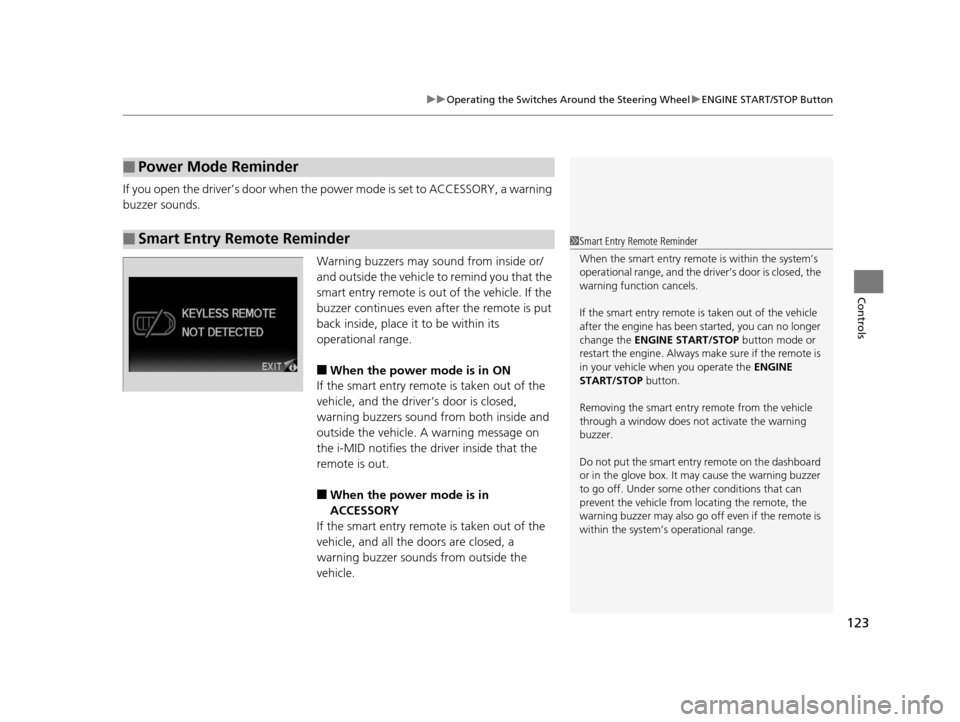
If you open the driver’s door when the power mode is set to ACCESSORY, a warning
buzzer sounds.
Warning buzzers may sound from inside or/
and outside the vehicle to remind you that the
smart entry remote is out of the vehicle. If the
buzzer continues even after the remote is put
back inside, place it to be within its
operational range.
■When the power mode is in ON
If the smart entry remote is taken out of the
vehicle, and the driver’s door is closed,
warning buzzers sound from both inside and
outside the vehicle. A warning message on
the i-MID notifies the dr iver inside that the
remote is out.
■When the power mode is in
ACCESSORY
If the smart entry remote is taken out of the
vehicle, and all the doors are closed, a
warning buzzer sounds from outside the
vehicle.
■Power Mode Reminder
■Smart Entry Remote Reminder1 Smart Entry Remote Reminder
When the smart entry remote is within the system’s
operational range, and the driv er’s door is closed, the
warning function cancels.
If the smart entry remote is taken out of the vehicle
after the engine has been started, you can no longer
change the ENGINE START/STOP button mode or
restart the engine. Always make sure if the remote is
in your vehicle when you operate the ENGINE
START/STOP button.
Removing the smart entry remote from the vehicle
through a window does not activate the warning
buzzer.
Do not put the smart entr y remote on the dashboard
or in the glove box. It may cause the warning buzzer
to go off. Under some other conditions that can
prevent the vehicle from locating the remote, the
warning buzzer may al so go off even if the remote is
within the system’s operational range.
14 CIVIC IMA-31TR26200.book 123 ページ 2013年12月23日 月曜日 午後4時9分
Page 145 of 377
144
Controls
Climate Control System
Using Automatic Climate Control
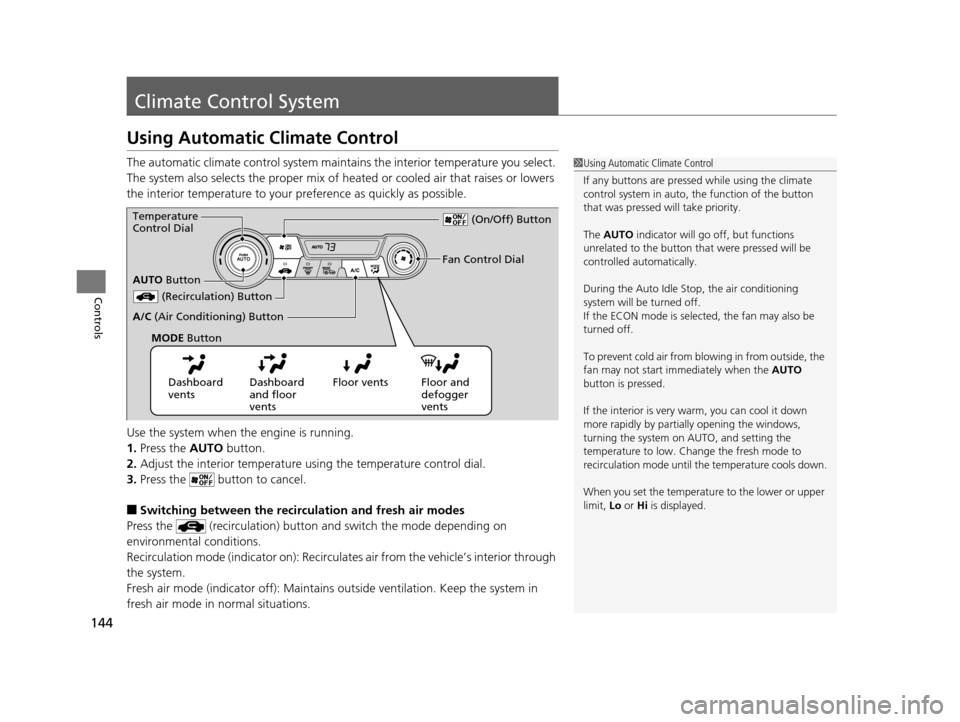
The automatic climate control system maintains the interior temperature you select.
The system also selects the proper mix of heated or cooled air that raises or lowers
the interior temperature to your preference as quickly as possible.
Use the system when the engine is running.
1. Press the AUTO button.
2. Adjust the interior temperature us ing the temperature control dial.
3. Press the butto n to cancel.
■Switching between the recirculation and fresh air modes
Press the (recirculation) button and switch the mode depending on
environmental conditions.
Recirculation mode (indicator on): Recirculat es air from the vehicle’s interior through
the system.
Fresh air mode (indicator off): Maintains out side ventilation. Keep the system in
fresh air mode in normal situations.
1 Using Automatic Climate Control
If any buttons are presse d while using the climate
control system in auto, the function of the button
that was pressed will take priority.
The AUTO indicator will go off, but functions
unrelated to the button that were pressed will be
controlled automatically.
During the Auto Idle Stop, the air conditioning
system will be turned off.
If the ECON mode is selected, the fan may also be
turned off.
To prevent cold air from bl owing in from outside, the
fan may not start i mmediately when the AUTO
button is pressed.
If the interior is very warm, you can cool it down
more rapidly by partial ly opening the windows,
turning the system on AUTO, and setting the
temperature to low. Change the fresh mode to
recirculation mode until the temperature cools down.
When you set the temperat ure to the lower or upper
limit, Lo or Hi is displayed.
Dashboard
vents Dashboard
and floor
vents Floor vents Floor and
defogger
vents
AUTO
Button
Temperature
Control Dial
(Recirculation) Button
A/C (Air Conditioning) Button Fan Control Dial
(On/Off) Button
MODE Button
14 CIVIC IMA-31TR26200.book 144 ページ 2013年12月23日 月曜日 午後4時9分
Page 232 of 377
231
Driving
This chapter discusses driving, refueling, and information on items such as accessories.
Before Driving
Driving Preparation .......................... 232
Maximum Load Limit........................ 235
Towing a Trailer Towing Your Vehicle ........................ 237
When Driving Starting the Engine .......................... 238
Precautions While Driving................. 241
Automatic Transmission (CVT) .......... 242
Shifting ............................................ 243
ECON Button ................................... 245
Auto Idle Stop .................................. 246 Cruise Control ................................. 249
Forward Collision Warning (FCW)*.. 252
Lane Departure Warning (LDW)*..... 256
Vehicle Stability Assist (VSA ®), aka Electronic
Stability Control (ESC), System ............. 259
LaneWatchTM.............................................. 261
Tire Pressure Monitori ng System (TPMS) ... 263
Tire Pressure Monitoring System (TPMS) - Required Federal Explanation ......... 265
Braking Brake System ................................... 267
Anti-lock Brake System (ABS) ........... 269 Brake Assist System ......................... 270
Parking Your Vehicle When Stopped ................................ 271
Rearview Camera ............................. 272
Refueling Fuel Information .............................. 273
How to Refuel ................................. 274
Fuel Economy Improving Fuel Economy .................. 276
Accessories and Modifications Accessories ...................................... 277
Modifications................................... 277
* Not available on all models
14 CIVIC IMA-31TR26200.book 231 ページ 2013年12月23日 月曜日 午後4時9分
Page 240 of 377
Continued239
uuWhen Driving uStarting the Engine
Driving
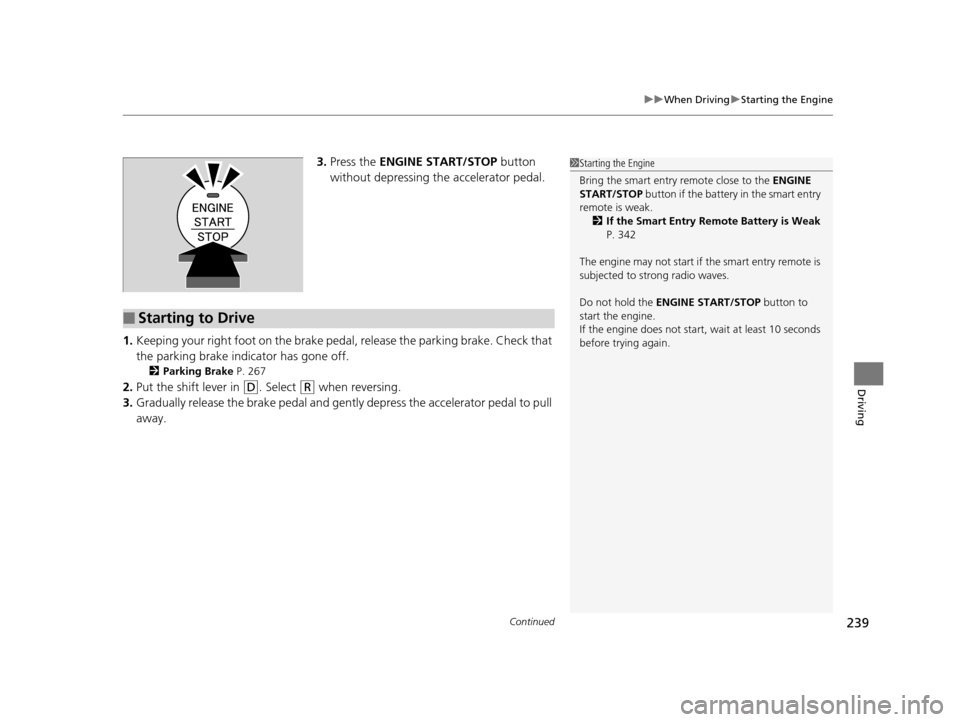
3. Press the ENGINE START/STOP button
without depressing the accelerator pedal.
1. Keeping your right foot on the brake pedal, release the parking brake. Check that
the parking brake indicator has gone off.
2 Parking Brake P. 267
2.Put the shift lever in (D. Select (R when reversing.
3. Gradually release the brake pedal and gently depress the accelerator pedal to pull
away.
1 Starting the Engine
Bring the smart entry remote close to the ENGINE
START/STOP button if the battery in the smart entry
remote is weak. 2 If the Smart Entry Remote Battery is Weak
P. 342
The engine may not start if the smart entry remote is
subjected to strong radio waves.
Do not hold the ENGINE START/STOP button to
start the engine.
If the engine does not start, wait at least 10 seconds
before trying again.
■Starting to Drive
14 CIVIC IMA-31TR26200.book 239 ページ 2013年12月23日 月曜日 午後4時9分
Page 261 of 377
uuWhen Driving uVehicle Stability Assist (VSA® ), aka Electronic Stability Control (ESC), System
260
Driving
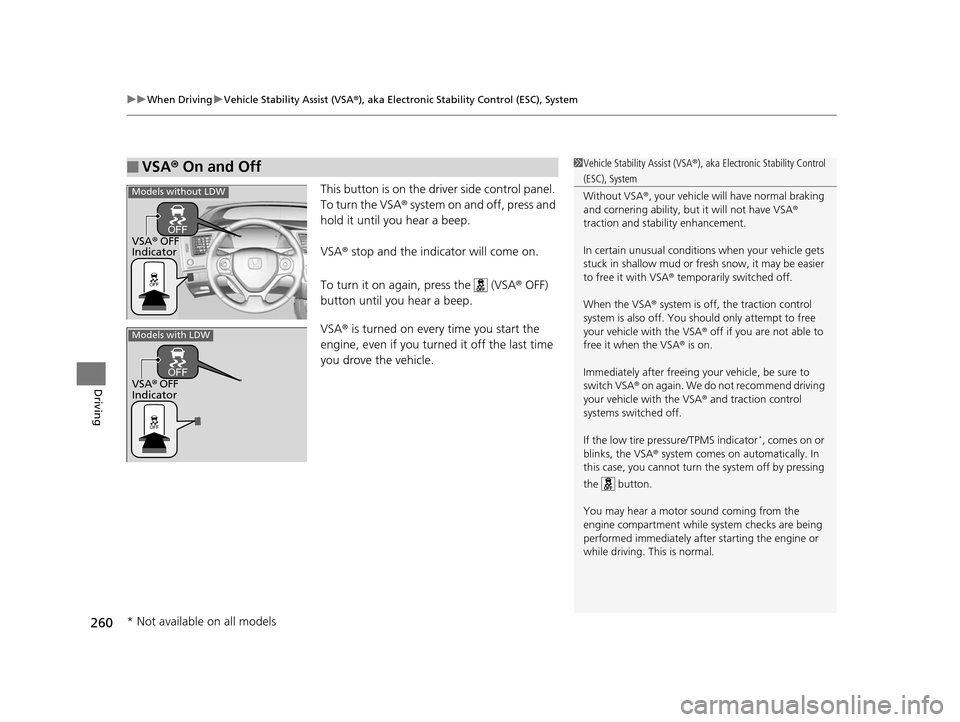
This button is on the driver side control panel.
To turn the VSA® system on and off, press and
hold it until you hear a beep.
VSA® stop and the indicator will come on.
To turn it on again, press the (VSA ® OFF)
button until you hear a beep.
VSA ® is turned on every time you start the
engine, even if you turned it off the last time
you drove the vehicle.
■VSA ® On and Off1 Vehicle Stability Assist (VSA ®), aka Electronic Stability Control
(ESC), System
Without VSA ®, your vehicle will have normal braking
and cornering ability, bu t it will not have VSA®
traction and stability enhancement.
In certain unusual conditions when your vehicle gets
stuck in shallow mud or fr esh snow, it may be easier
to free it with VSA ® temporarily switched off.
When the VSA ® system is off, the traction control
system is also off. You should only atte mpt to free
your vehicle with the VSA ® off if you ar e not able to
free it when the VSA ® is on.
Immediately after freeing your vehicle, be sure to
switch VSA ® on again. We do not recommend driving
your vehicle with the VSA ® and traction control
systems switched off.
If the low tire pressure/TPMS indicator
*, comes on or
blinks, the VSA® system comes on automatically. In
this case, you cannot turn the system off by pressing
the button.
You may hear a motor sound coming from the
engine compartment while system checks are being
performed immediately after starting the engine or
while driving. This is normal.
VSA ® OFF
Indicator
Models without LDW
Models with LDW
VSA ® OFF
Indicator
* Not available on all models
14 CIVIC IMA-31TR26200.book 260 ページ 2013年12月23日 月曜日 午後4時9分
Page 342 of 377
341
Handling the Unexpected
Engine Does Not Start
Checking the Engine
If the engine does not start, check the starter.
Starter conditionChecklist
Starter doesn’t turn or turns
over slowly.
The 12 volt battery may be dead.
Check each of the items on the
right and respond accordingly.Check for a message on the i-MID.
●If the TO START, HOLD REMOTE NEAR START BUTTON message appears
2If the Smart Entry Remote Battery is Weak P. 342
uMake sure the keyless remote is in its operating range.
2ENGINE START/STOP Button Operating Range P. 121
Check brightness of the interior lights.
Turn on the interior lights and check the brightness.
●If the interior lights are dim or do not come on at all
212 Volt Battery P. 317●If the interior lights come on normally
2Fuses P. 353
The starter turns over normally
but the engine doesn’t start.
There may be a problem with the
fuse. Check each of the items on
the right and respond accordingly. Review the engine start procedure.
Follow its instructions, and try
to start the engine again.
2Starting the Engine P. 238
Check the immobilize r system indicator.
When the immobilizer system indicator is blinking, the engine cannot be started.
2 Immobilizer System P. 117
Check the fuel level.
There should be enough fuel in the tank.
2Fuel Gauge P. 84
Check the fuse.
Check all fuses, or have the vehicle checked by a dealer.
2Inspecting and Changing Fuses P. 355
If the problem continues:
2Emergency Towing P. 356
1Checking the Engine
If you must start the vehi cle immediately, use an
assisting vehicle to jump start it.
2 Jump Starting P. 344
14 CIVIC IMA-31TR26200.book 341 ページ 2013年12月23日 月曜日 午後4時9分
Page 343 of 377
342
uuEngine Does Not Start uIf the Smart Entry Remote Battery is Weak
Handling the Unexpected
If the Smart Entry Remote Battery is Weak
If the beeper sounds, the TO START, HOLD REMO TE NEAR START BUTTON
message appears on the i-MID, the indicator on the ENGINE START/STOP button
flashes, and the engine won’t star t, start the engine as follows.
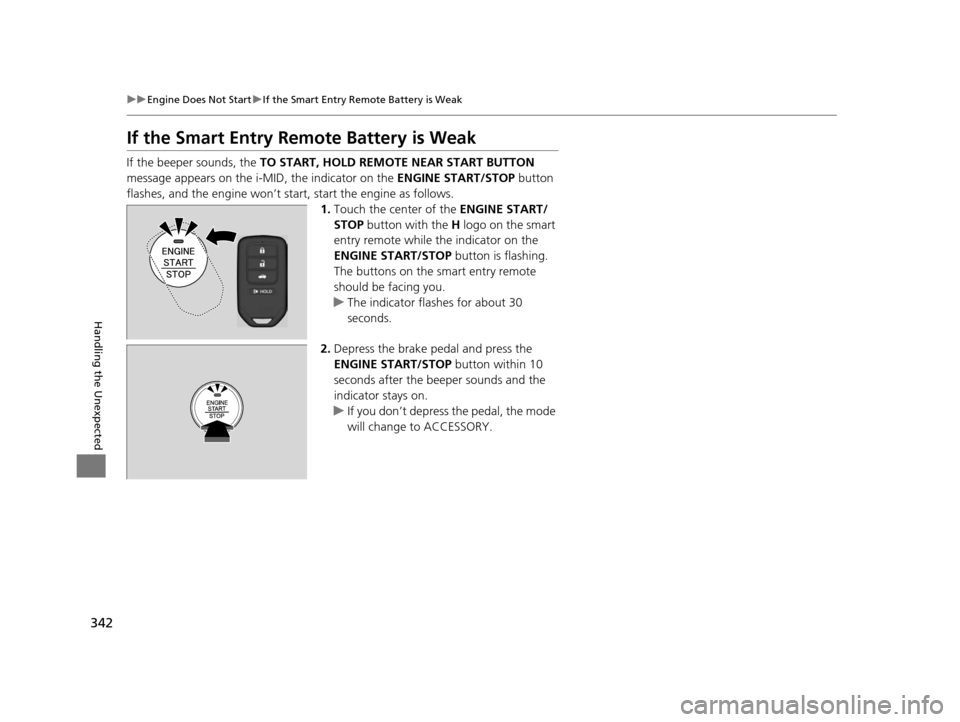
1.Touch the center of the ENGINE START/
STOP button with the H logo on the smart
entry remote while the indicator on the
ENGINE START/STOP button is flashing.
The buttons on the smart entry remote
should be facing you.
u The indicator flashes for about 30
seconds.
2. Depress the brake pedal and press the
ENGINE START/STOP button within 10
seconds after the beeper sounds and the
indicator stays on.
u If you don’t depress the pedal, the mode
will change to ACCESSORY.
14 CIVIC IMA-31TR26200.book 342 ページ 2013年12月23日 月曜日 午後4時9分