2014 FORD MONDEO AUX
[x] Cancel search: AUXPage 309 of 446

Downloaded from www.Manualslib.com manuals search engine Before giving a voice command, wait forthe system announcement to finishfollowed by a single beep. Any commandspoken before this does not register withthe system.
Speak naturally, without long pausesbetween words.
You can interrupt the system at any timewhile it is speaking by pressing the voicebutton. You can also cancel a voice sessionat any time by pressing and holding thevoice button.
Initiating a Voice Session
Press the voice button. A list ofavailable commands appears inthe display.
DescriptionCommand
Stream audio from your cell phone.Bluetooth audio
Cancel the requested action.(cancel | stop | exit)
Access the device connected to the auxil-iary input jack.((line | AV | audio video) in | AUX | audiovideo)
Make calls.(phone | Blackberry | iPhone | Mobile)
Access the device connected to your USBport.(USB [stick] | iPod | MP3 [player])
Adjust the level of voice interaction andfeedback.voice settings
Hear a list of voice commands available inthe current mode.[main menu] help
System Interaction and Feedback
The system provides feedback throughaudible tones, prompts, questions andspoken confirmations depending on thesituation and your chosen level ofinteraction. You can customize the voicerecognition system to provide more or lessinstruction and feedback.
The default setting is to a higher level ofinteraction in order to help you learn to usethe system. You can change these settingsat any time.
Adjusting the Interaction Level
Press the voice button. Whenprompted:
DescriptionCommand
Provides access to change the interaction level.voice settings
Then any of the following:
307Mondeo (CNG) Vehicles Built From: 08-09-2014 Vehicles Built Up To: 19-04-2015, CG3633en enGBR, Edition date: 10/2014, First PrintingSYNC™
Page 333 of 446
Downloaded from www.Manualslib.com manuals search engine Media Menu Features
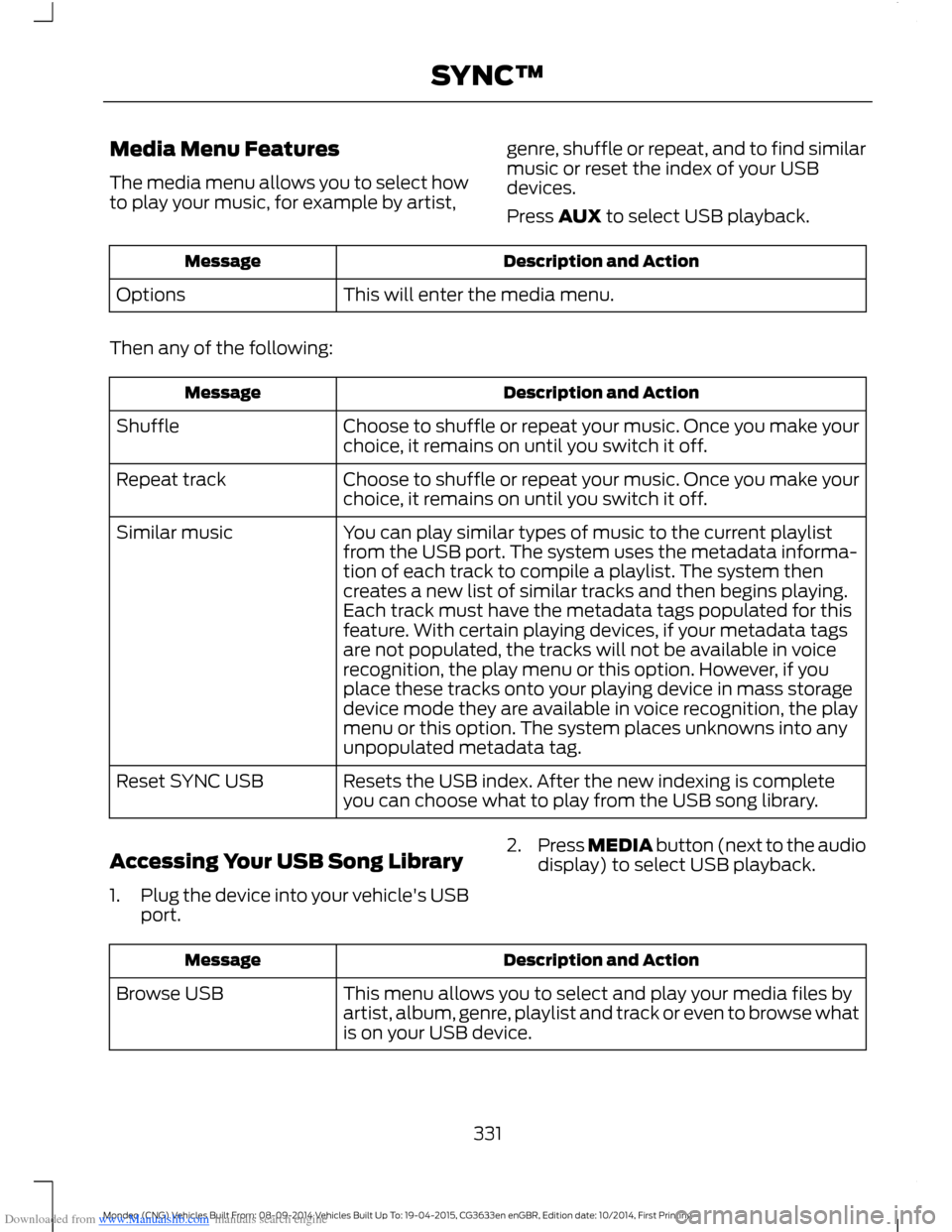
The media menu allows you to select howto play your music, for example by artist,
genre, shuffle or repeat, and to find similarmusic or reset the index of your USBdevices.
Press AUX to select USB playback.
Description and ActionMessage
This will enter the media menu.Options
Then any of the following:
Description and ActionMessage
Choose to shuffle or repeat your music. Once you make yourchoice, it remains on until you switch it off.Shuffle
Choose to shuffle or repeat your music. Once you make yourchoice, it remains on until you switch it off.Repeat track
You can play similar types of music to the current playlistfrom the USB port. The system uses the metadata informa-tion of each track to compile a playlist. The system thencreates a new list of similar tracks and then begins playing.Each track must have the metadata tags populated for thisfeature. With certain playing devices, if your metadata tags
Similar music
are not populated, the tracks will not be available in voicerecognition, the play menu or this option. However, if youplace these tracks onto your playing device in mass storagedevice mode they are available in voice recognition, the playmenu or this option. The system places unknowns into anyunpopulated metadata tag.
Resets the USB index. After the new indexing is completeyou can choose what to play from the USB song library.Reset SYNC USB
Accessing Your USB Song Library
1.Plug the device into your vehicle's USBport.
2.Press MEDIA button (next to the audiodisplay) to select USB playback.
Description and ActionMessage
This menu allows you to select and play your media files byartist, album, genre, playlist and track or even to browse whatis on your USB device.
Browse USB
331Mondeo (CNG) Vehicles Built From: 08-09-2014 Vehicles Built Up To: 19-04-2015, CG3633en enGBR, Edition date: 10/2014, First PrintingSYNC™
Page 376 of 446

Downloaded from www.Manualslib.com manuals search engine WARNINGS
against the use of any handheld devicewhile driving and encourage the use ofvoice-operated systems when possible.Make sure you are aware of all applicablelocal laws that may affect the use ofelectronic devices while driving.
For safety reasons, do not connector adjust the settings on yourportable music player while yourvehicle is moving.
Store the portable music player in asecure location, such as the centerconsole or the glove box, when yourvehicle is moving. Hard objects maybecome projectiles in a crash or suddenstop, which may increase the risk of seriousinjury. The audio extension cable must belong enough to allow the portable musicplayer to be safely stored while yourvehicle is moving.
The A/V inputs allow you to connect anauxiliary audio/video source (for examplegaming systems or a personal camcorder)by connecting RCA cords (not included)to these input jacks. The jacks are yellow,red and white and are located eitherbehind a small access door on theinstrument panel or in your center console.
You can also use the A/V inputs as anauxiliary input jack to play music from yourportable music player over your vehicle'sspeakers. Plug in your 1/8 inch (3.5millimeter) RCA adapter into the two leftA/V input jacks (red and white).
To use the auxiliary input jack feature,make sure that your portable music playeris designed for use with headphones andthat it is fully charged. You also need anaudio extension cable with stereo male1/8-inch (3.5 millimeter) connectors at oneend and a RCA jack at the other.
1.Switch off the engine, radio andportable music player. Set the parkingbrake and put the transmission inposition P.
2.Attach one end of the audio extensioncable to the headphone output of yourplayer and the other end into theadapter in one of the two left A/V inputjacks (white or red) inside the centerconsole.
3.Press the lower left corner on thetouchscreen. Select a tuned FM station.
4.Adjust the volume as desired.
5.Switch the portable music player onand adjust the volume to ½ themaximum.
6.Press the lower left corner on thetouchscreen, then select:
Menu Item
You should hear audiofrom your portable musicplayer although it may below.
A/V In
374Mondeo (CNG) Vehicles Built From: 08-09-2014 Vehicles Built Up To: 19-04-2015, CG3633en enGBR, Edition date: 10/2014, First PrintingSYNC™ 2
Page 377 of 446
Downloaded from www.Manualslib.com manuals search engine Menu Item
Adjust the sound on yourportable music player untilit reaches the level of theFM station by switchingback and forth betweenthe controls.
In order to playback video from your iPodor iPhone, you must have a specialcombination USB/RCA composite videocable (which you can buy from Apple).When you connect the cable to your iPodor iPhone, plug the other end into both theRCA jacks and the USB port.
Troubleshooting
•Do not connect the audio input jack toa line level output. The jack only workscorrectly with devices that have aheadphone output with a volumecontrol.
•Do not set the portable music player'svolume level higher than is necessaryto match the volume of the FM radioas this causes distortion and reducessound quality.
•If the music sounds distorted at lowerlistening levels, turn the portable musicplayer volume down. If the problempersists, replace or recharge thebatteries in the portable media player.
•Control the portable media player inthe same manner when used withheadphones, as the auxiliary input jackdoes not provide control (such as Playor Pause) over the attached portablemedia player.
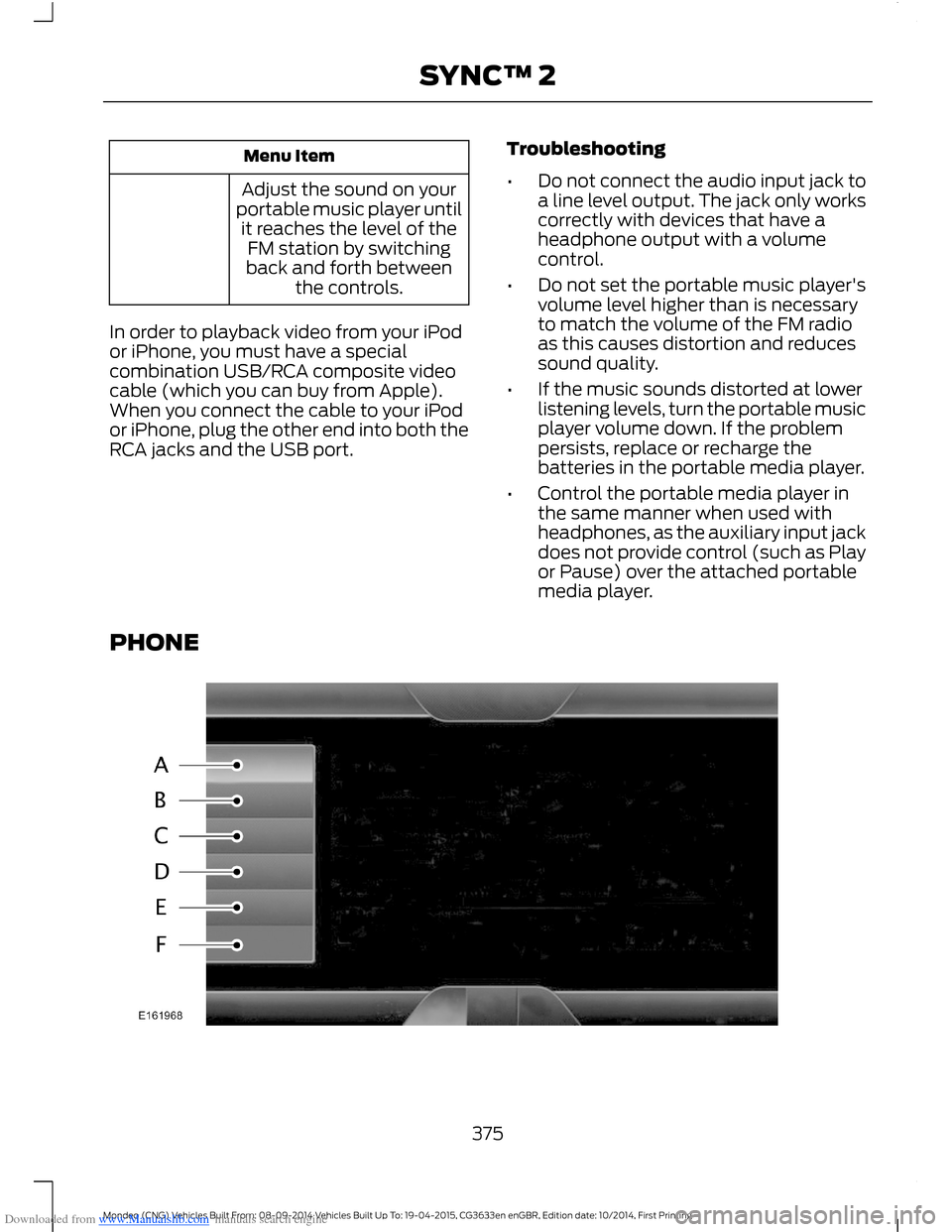
PHONE
375Mondeo (CNG) Vehicles Built From: 08-09-2014 Vehicles Built Up To: 19-04-2015, CG3633en enGBR, Edition date: 10/2014, First PrintingSYNC™ 2
Page 434 of 446
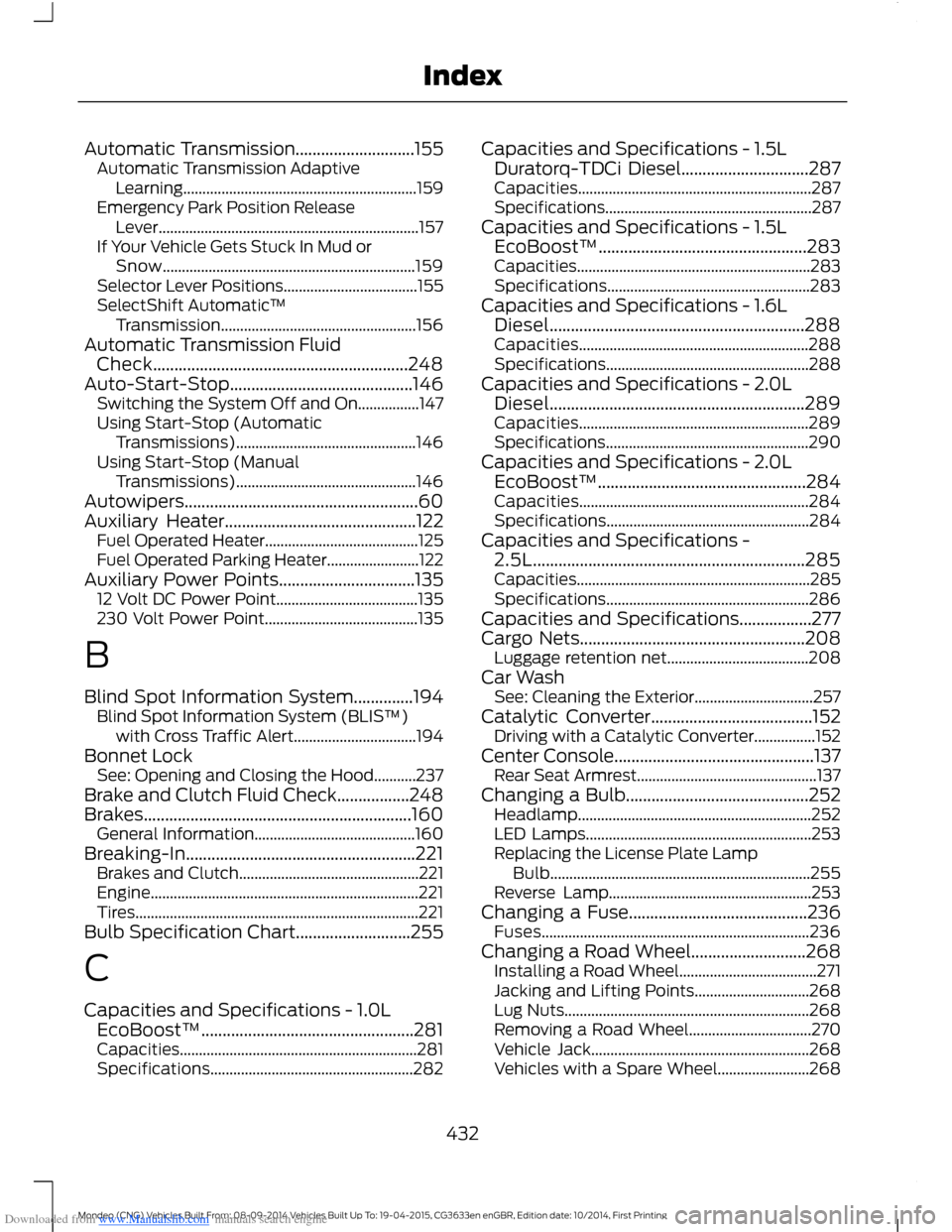
Downloaded from www.Manualslib.com manuals search engine Automatic Transmission............................155Automatic Transmission AdaptiveLearning.............................................................159Emergency Park Position ReleaseLever....................................................................157If Your Vehicle Gets Stuck In Mud orSnow..................................................................159Selector Lever Positions...................................155SelectShift Automatic™Transmission...................................................156Automatic Transmission FluidCheck............................................................248Auto-Start-Stop...........................................146Switching the System Off and On................147Using Start-Stop (AutomaticTransmissions)...............................................146Using Start-Stop (ManualTransmissions)...............................................146Autowipers.......................................................60Auxiliary Heater.............................................122Fuel Operated Heater........................................125Fuel Operated Parking Heater........................122Auxiliary Power Points................................13512 Volt DC Power Point.....................................135230 Volt Power Point........................................135
B
Blind Spot Information System..............194Blind Spot Information System (BLIS™)with Cross Traffic Alert................................194Bonnet LockSee: Opening and Closing the Hood...........237Brake and Clutch Fluid Check.................248Brakes...............................................................160General Information..........................................160Breaking-In......................................................221Brakes and Clutch...............................................221Engine......................................................................221Tires..........................................................................221Bulb Specification Chart...........................255
C
Capacities and Specifications - 1.0LEcoBoost™..................................................281Capacities..............................................................281Specifications.....................................................282
Capacities and Specifications - 1.5LDuratorq-TDCi Diesel..............................287Capacities.............................................................287Specifications......................................................287Capacities and Specifications - 1.5LEcoBoost™.................................................283Capacities.............................................................283Specifications.....................................................283Capacities and Specifications - 1.6LDiesel............................................................288Capacities............................................................288Specifications.....................................................288Capacities and Specifications - 2.0LDiesel............................................................289Capacities............................................................289Specifications.....................................................290Capacities and Specifications - 2.0LEcoBoost™.................................................284Capacities............................................................284Specifications.....................................................284Capacities and Specifications -2.5L................................................................285Capacities.............................................................285Specifications.....................................................286Capacities and Specifications.................277Cargo Nets.....................................................208Luggage retention net.....................................208Car WashSee: Cleaning the Exterior...............................257Catalytic Converter......................................152Driving with a Catalytic Converter................152Center Console...............................................137Rear Seat Armrest...............................................137Changing a Bulb...........................................252Headlamp.............................................................252LED Lamps...........................................................253Replacing the License Plate LampBulb....................................................................255Reverse Lamp.....................................................253Changing a Fuse..........................................236Fuses......................................................................236Changing a Road Wheel...........................268Installing a Road Wheel....................................271Jacking and Lifting Points..............................268Lug Nuts................................................................268Removing a Road Wheel................................270Vehicle Jack.........................................................268Vehicles with a Spare Wheel........................268
432Mondeo (CNG) Vehicles Built From: 08-09-2014 Vehicles Built Up To: 19-04-2015, CG3633en enGBR, Edition date: 10/2014, First PrintingIndex
Page 436 of 446
Downloaded from www.Manualslib.com manuals search engine E
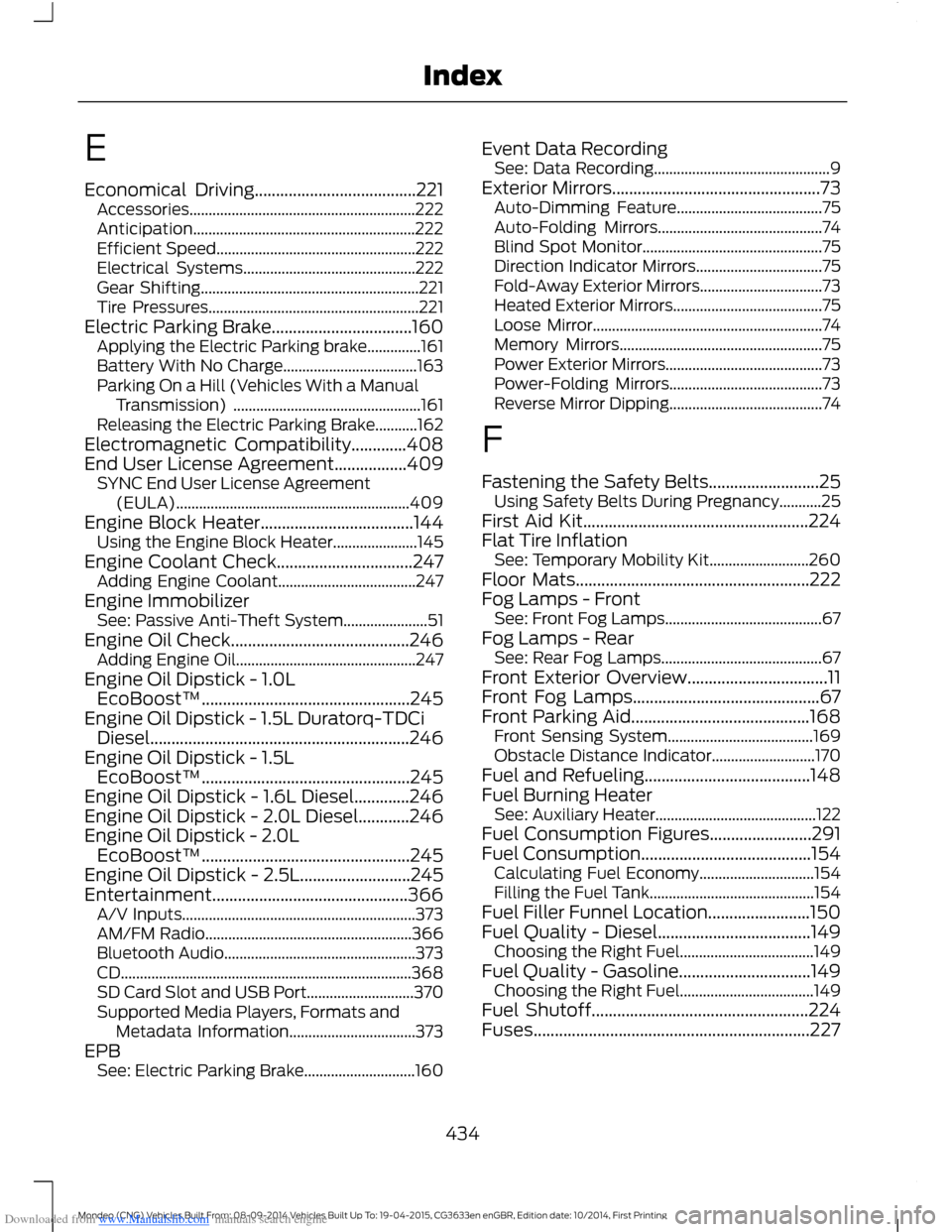
Economical Driving......................................221Accessories...........................................................222Anticipation..........................................................222Efficient Speed....................................................222Electrical Systems.............................................222Gear Shifting.........................................................221Tire Pressures.......................................................221Electric Parking Brake.................................160Applying the Electric Parking brake..............161Battery With No Charge...................................163Parking On a Hill (Vehicles With a ManualTransmission) .................................................161Releasing the Electric Parking Brake...........162Electromagnetic Compatibility.............408End User License Agreement.................409SYNC End User License Agreement(EULA).............................................................409Engine Block Heater....................................144Using the Engine Block Heater......................145Engine Coolant Check................................247Adding Engine Coolant....................................247Engine ImmobilizerSee: Passive Anti-Theft System......................51Engine Oil Check..........................................246Adding Engine Oil...............................................247Engine Oil Dipstick - 1.0LEcoBoost™.................................................245Engine Oil Dipstick - 1.5L Duratorq-TDCiDiesel.............................................................246Engine Oil Dipstick - 1.5LEcoBoost™.................................................245Engine Oil Dipstick - 1.6L Diesel.............246Engine Oil Dipstick - 2.0L Diesel............246Engine Oil Dipstick - 2.0LEcoBoost™.................................................245Engine Oil Dipstick - 2.5L..........................245Entertainment..............................................366A/V Inputs.............................................................373AM/FM Radio......................................................366Bluetooth Audio..................................................373CD............................................................................368SD Card Slot and USB Port............................370Supported Media Players, Formats andMetadata Information.................................373EPBSee: Electric Parking Brake.............................160
Event Data RecordingSee: Data Recording..............................................9Exterior Mirrors.................................................73Auto-Dimming Feature......................................75Auto-Folding Mirrors...........................................74Blind Spot Monitor...............................................75Direction Indicator Mirrors.................................75Fold-Away Exterior Mirrors................................73Heated Exterior Mirrors.......................................75Loose Mirror............................................................74Memory Mirrors.....................................................75Power Exterior Mirrors.........................................73Power-Folding Mirrors........................................73Reverse Mirror Dipping........................................74
F
Fastening the Safety Belts..........................25Using Safety Belts During Pregnancy...........25First Aid Kit.....................................................224Flat Tire InflationSee: Temporary Mobility Kit..........................260Floor Mats.......................................................222Fog Lamps - FrontSee: Front Fog Lamps.........................................67Fog Lamps - RearSee: Rear Fog Lamps..........................................67Front Exterior Overview.................................11Front Fog Lamps............................................67Front Parking Aid..........................................168Front Sensing System......................................169Obstacle Distance Indicator...........................170Fuel and Refueling.......................................148Fuel Burning HeaterSee: Auxiliary Heater..........................................122Fuel Consumption Figures........................291Fuel Consumption........................................154Calculating Fuel Economy..............................154Filling the Fuel Tank...........................................154Fuel Filler Funnel Location........................150Fuel Quality - Diesel....................................149Choosing the Right Fuel...................................149Fuel Quality - Gasoline...............................149Choosing the Right Fuel...................................149Fuel Shutoff...................................................224Fuses.................................................................227
434Mondeo (CNG) Vehicles Built From: 08-09-2014 Vehicles Built Up To: 19-04-2015, CG3633en enGBR, Edition date: 10/2014, First PrintingIndex