2014 FORD MONDEO brake light
[x] Cancel search: brake lightPage 165 of 446
Downloaded from www.Manualslib.com manuals search engine 1.Pull the switch up and hold it in thisposition.
2.Drive your vehicle, then release theswitch when you notice that the enginehas developed sufficient driving force.
Battery With No Charge
WARNING
You will not be able to apply orrelease the electric parking brake ifthe battery is low or has no charge.
If the battery is low or has no charge, usejumper cables and a booster battery.
HILL START ASSIST
WARNINGS
The system does not replace theparking brake. When you leave yourvehicle, always apply the parkingbrake. Failure to leave your vehicle securelyparked may lead to a crash or injury. SeeElectric Parking Brake (page 160).
You must remain in your vehiclewhen the system turns on. At alltimes, you are responsible forcontrolling your vehicle, supervising thesystem and intervening, if required. Failureto take care may result in the loss ofcontrol of your vehicle, serious personalinjury or death.
The system will turn off if amalfunction is apparent or if you revthe engine excessively. Failure totake care may result in the loss of controlof your vehicle, serious personal injury ordeath.
The system makes it easier to pull awaywhen your vehicle is on a slope without theneed to use the parking brake.
When the system is active, your vehicleremains stationary on the slope for two tothree seconds after you release the brakepedal. This allows time to move your footfrom the brake to the accelerator pedal.The system releases the brakesautomatically once the engine hasdeveloped sufficient drive to prevent yourvehicle from rolling down the slope. Thisis an advantage when pulling away on aslope, for example from a car park ramp,traffic lights or when reversing uphill intoa parking space.
Note:The system only functions when youbring your vehicle to a complete standstill.Shift the gearshift lever to reverse (R) whenfacing downhill and first gear (1) whenfacing uphill.
Note:There is no warning light to indicatethe system is either on or off.
Using Hill Start Assist
1.Press the brake pedal to bring yourvehicle to a complete standstill. Keepthe brake pedal pressed.
2.If the sensors detect that your vehicleis on a slope, the system activatesautomatically.
3.When you remove your foot from thebrake pedal, your vehicle remains onthe slope without rolling away forabout two to three seconds. This holdtime automatically extends if you arein the process of driving off.
4.Drive off in the normal manner. Thesystem releases the brakesautomatically.
Note:When you remove your foot from thebrake pedal and press the pedal again whenthe system is active, you will experiencesignificantly reduced brake pedal travel. Thisis normal.
163Mondeo (CNG) Vehicles Built From: 08-09-2014 Vehicles Built Up To: 19-04-2015, CG3633en enGBR, Edition date: 10/2014, First PrintingBrakes
Page 185 of 446

Downloaded from www.Manualslib.com manuals search engine Use the steering wheel controls to operatethe system.
Switching the System On
Press and release the Adaptive CruiseControl CAN/OFF button.
The cruise control indicator,SET mph(kph), the current gap setting indicatorand Standby displays in the instrumentcluster.
Setting a Speed
1.Drive to desired speed.
2.Press and release SET-.
3.The information display shows a greenindicator light, current gap setting anddesired set speed.
4.Take your foot off the acceleratorpedal.
5.When the system detects a vehicle infront of you, it will be displayed abovethe horizontal bars.
Note:When adaptive cruise control isactive, the set speed displayed in theinformation display may vary slightly fromthe speedometer.
Changing the Set Speed
•Press the accelerator or brake pedaluntil you reach the desired speed. Pressand release SET-.
•Press and hold RES+ or SET- until thedesired set speed shows on theinformation display. The vehicle speedwill gradually change to the selectedspeed.
•Press and release RES+ or SET-. Theset speed changes in 1 mph (1 km/h)increments.
The system may apply the brakes to slowthe vehicle to the new set speed. The setspeed displays continuously in theinformation display while the system isactive.
Canceling the Set Speed
Press the brake pedal or the clutch pedalfor an extended period, or press andrelease the Adaptive Cruise ControlCAN/OFF button. The last set speeddisplays with a strikethrough.
183Mondeo (CNG) Vehicles Built From: 08-09-2014 Vehicles Built Up To: 19-04-2015, CG3633en enGBR, Edition date: 10/2014, First PrintingCruise Control
Page 188 of 446
Downloaded from www.Manualslib.com manuals search engine Overriding the System
WARNING
Whenever the driver is overriding thesystem by pressing the acceleratorpedal, the system does notautomatically apply the brakes to maintainseparation from any vehicle ahead.
You can override the set speed and gap bypressing the accelerator pedal.
When you override the system,the green indicator lightilluminates and the lead vehiclegraphic does not show in theinformation display.
The system resumes operation when yourelease the accelerator pedal. The vehiclespeed decreases to the set speed, or alower speed if following a slower vehicle.
Automatic Switch Off
The system does not operate below12 mph (20 km/h). An audible warningsounds and the automatic braking releasesif the vehicle drops below this speed.
Automatic cancellation can also occur if:
•The tires lose traction.
•The engine speed is too low.
•You apply the parking brake.
Note:If the engine speed drops too low,the information display indicates low enginespeed. Shift to a lower gear (manualtransmission only) to avoid automaticcancellation.
Hilly Condition Usage
You should select a lower gear positionwhen the system is active in situationssuch as prolonged downhill driving onsteep grades, for example in mountainousareas. The system needs additional enginebraking in these situations to reduce theload on the vehicle’s regular brake systemto prevent them from overheating.
Note:An audible warning sounds and thesystem shuts down if it applies brakes foran extended period of time. This allows thebrakes to cool down. The system functionsnormally again when the brakes have cooleddown.
Detection Beam Issues
The radar sensor has a limited field ofvision. It may not detect vehicles at all ordetect a vehicle later than expected insome situations. The lead vehicle graphicdoes not illuminate if the system does notdetect a vehicle in front of you.
186Mondeo (CNG) Vehicles Built From: 08-09-2014 Vehicles Built Up To: 19-04-2015, CG3633en enGBR, Edition date: 10/2014, First PrintingCruise Control
Page 189 of 446
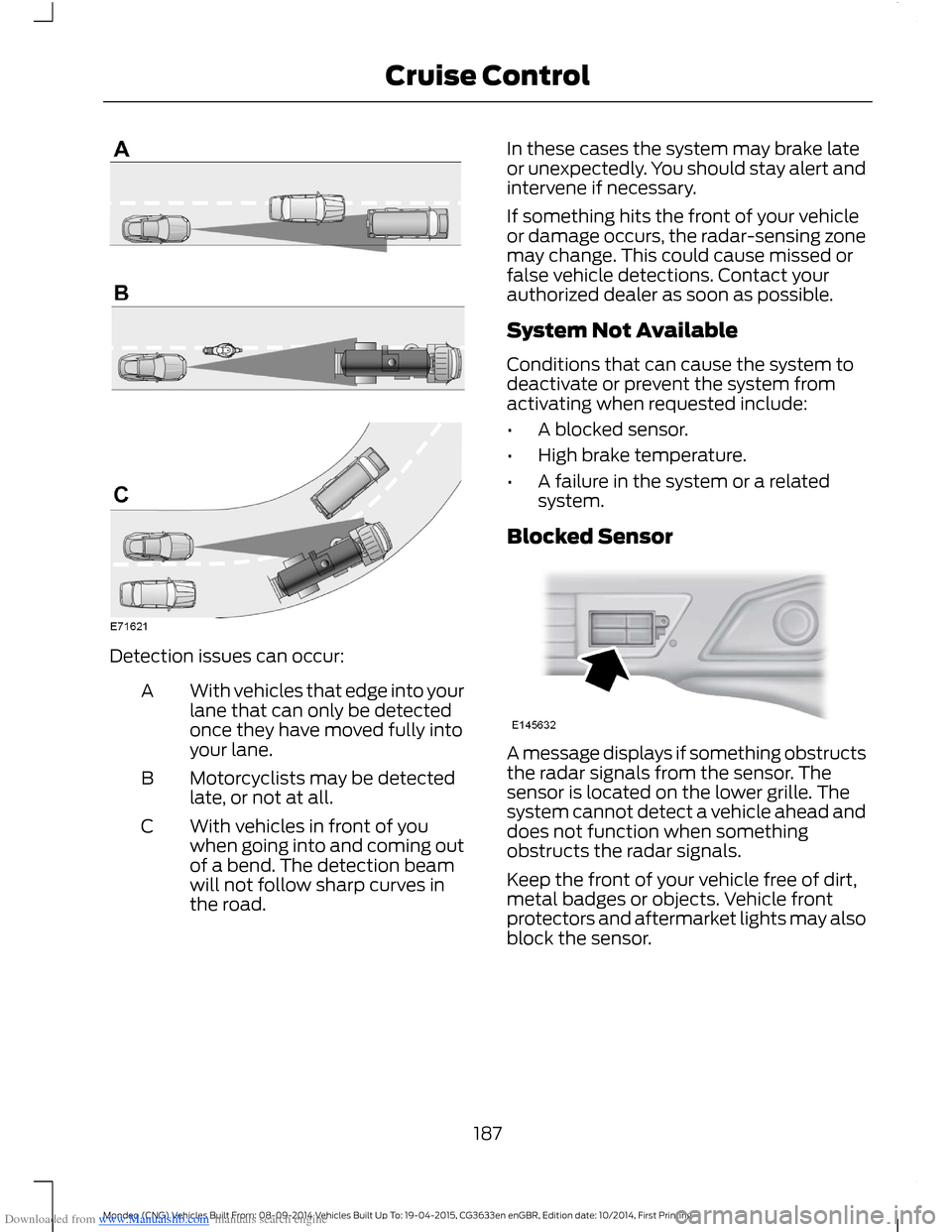
Downloaded from www.Manualslib.com manuals search engine Detection issues can occur:
With vehicles that edge into yourlane that can only be detectedonce they have moved fully intoyour lane.
A
Motorcyclists may be detectedlate, or not at all.B
With vehicles in front of youwhen going into and coming outof a bend. The detection beamwill not follow sharp curves inthe road.
C
In these cases the system may brake lateor unexpectedly. You should stay alert andintervene if necessary.
If something hits the front of your vehicleor damage occurs, the radar-sensing zonemay change. This could cause missed orfalse vehicle detections. Contact yourauthorized dealer as soon as possible.
System Not Available
Conditions that can cause the system todeactivate or prevent the system fromactivating when requested include:
•A blocked sensor.
•High brake temperature.
•A failure in the system or a relatedsystem.
Blocked Sensor
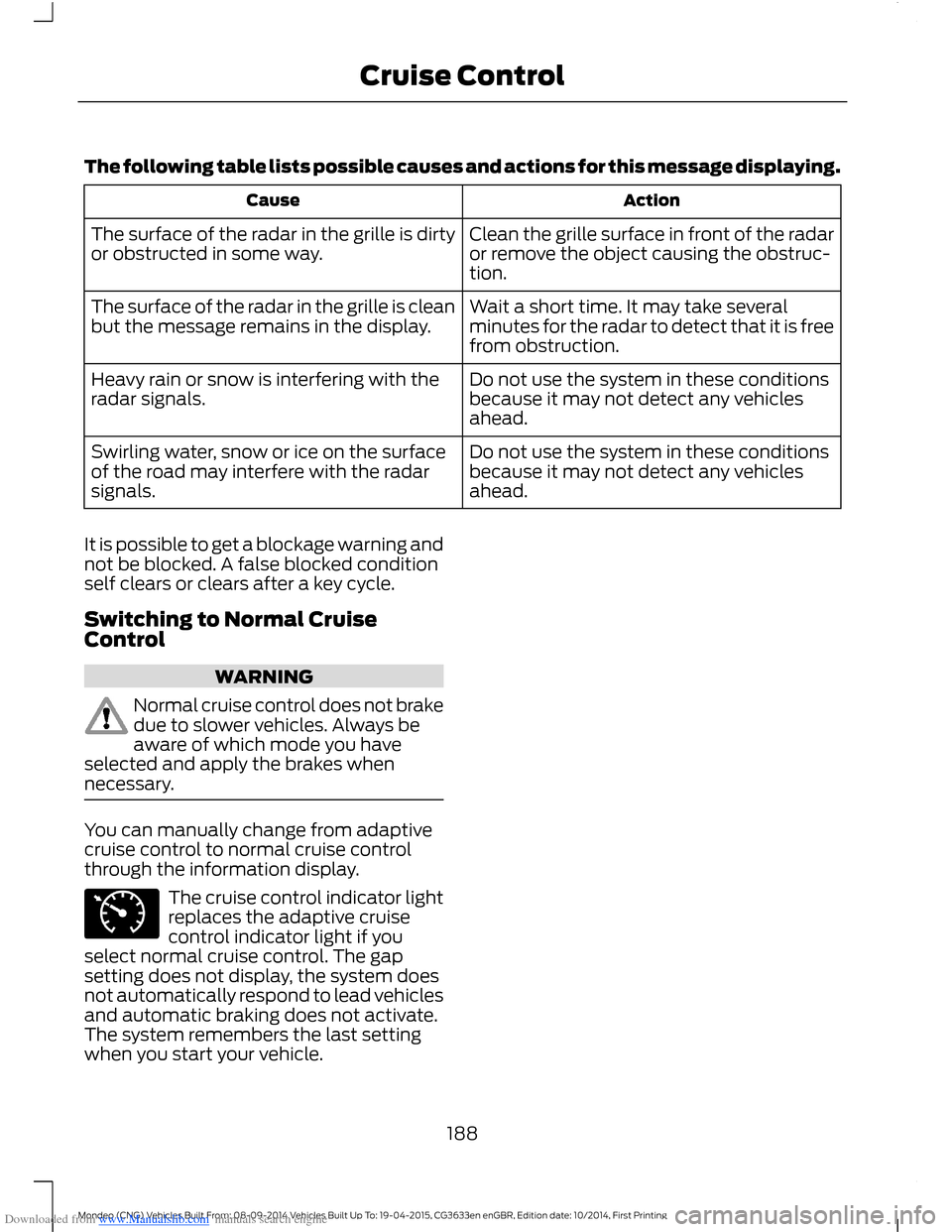
A message displays if something obstructsthe radar signals from the sensor. Thesensor is located on the lower grille. Thesystem cannot detect a vehicle ahead anddoes not function when somethingobstructs the radar signals.
Keep the front of your vehicle free of dirt,metal badges or objects. Vehicle frontprotectors and aftermarket lights may alsoblock the sensor.
187Mondeo (CNG) Vehicles Built From: 08-09-2014 Vehicles Built Up To: 19-04-2015, CG3633en enGBR, Edition date: 10/2014, First PrintingCruise Control
Page 190 of 446
Downloaded from www.Manualslib.com manuals search engine The following table lists possible causes and actions for this message displaying.
ActionCause
Clean the grille surface in front of the radaror remove the object causing the obstruc-tion.
The surface of the radar in the grille is dirtyor obstructed in some way.
Wait a short time. It may take severalminutes for the radar to detect that it is freefrom obstruction.
The surface of the radar in the grille is cleanbut the message remains in the display.
Do not use the system in these conditionsbecause it may not detect any vehiclesahead.
Heavy rain or snow is interfering with theradar signals.
Do not use the system in these conditionsbecause it may not detect any vehiclesahead.
Swirling water, snow or ice on the surfaceof the road may interfere with the radarsignals.
It is possible to get a blockage warning andnot be blocked. A false blocked conditionself clears or clears after a key cycle.
Switching to Normal CruiseControl
WARNING
Normal cruise control does not brakedue to slower vehicles. Always beaware of which mode you haveselected and apply the brakes whennecessary.
You can manually change from adaptivecruise control to normal cruise controlthrough the information display.
The cruise control indicator lightreplaces the adaptive cruisecontrol indicator light if youselect normal cruise control. The gapsetting does not display, the system doesnot automatically respond to lead vehiclesand automatic braking does not activate.The system remembers the last settingwhen you start your vehicle.
188Mondeo (CNG) Vehicles Built From: 08-09-2014 Vehicles Built Up To: 19-04-2015, CG3633en enGBR, Edition date: 10/2014, First PrintingCruise Control
Page 203 of 446
Downloaded from www.Manualslib.com manuals search engine Switching the System Off and On
In certain situations, it is advisable toswitch the system off. For example:
•Driving off road when objects maycover the windshield.
•Driving through a car wash facility.
Selectable settings for this feature are ONand OFF. The default setting for active citystop is ON.
You can switch the system off and on usingthe information display. See (page 86).
COLLISION WARNING SYSTEM
PRINCIPLE OF OPERATION
WARNINGS
You are responsible for controllingyour vehicle at all times. The systemdoes not relieve you of yourresponsibility to drive with due care andattention. Failure to take care may resultin the loss of control of your vehicle, seriouspersonal injury or death.
To achieve full system performanceyou must break in the brakingsystem. See (page 160).Failure totake care may result in the loss of controlof your vehicle, serious personal injury ordeath.
The system does not react tocyclists, animals, pedestrians atnight, or vehicles that are driving in adifferent direction. Failure to take care mayresult in the loss of control of your vehicle,serious personal injury or death.
The system does not operate duringharsh acceleration or steering. Failureto take care may lead to a crash orpersonal injury.
WARNINGS
The system may or may not operateor may operate with reducedfunction during cold or severeweather conditions. Snow, ice, rain, sprayand fog can influence the system. Keepthe front camera and radar free of snowand ice. Failure to take care may result inthe loss of control of your vehicle, seriouspersonal injury or death.
System performance may reduce insituations where the camera'sdetection capability is limited. Thesesituations include but are not limited todirect or low sunlight, vehicles at nightwithout tail lights, unconventional vehicletypes, pedestrians with complexbackgrounds, running pedestrians, partlyobscured pedestrians, or pedestrians whichcannot be distinguished from a group.Failure to take care may result in the lossof control of your vehicle, serious personalinjury or death.
The system cannot help prevent allcollisions. Do not rely on this systemto replace driver judgment and theneed to maintain distance and speed.
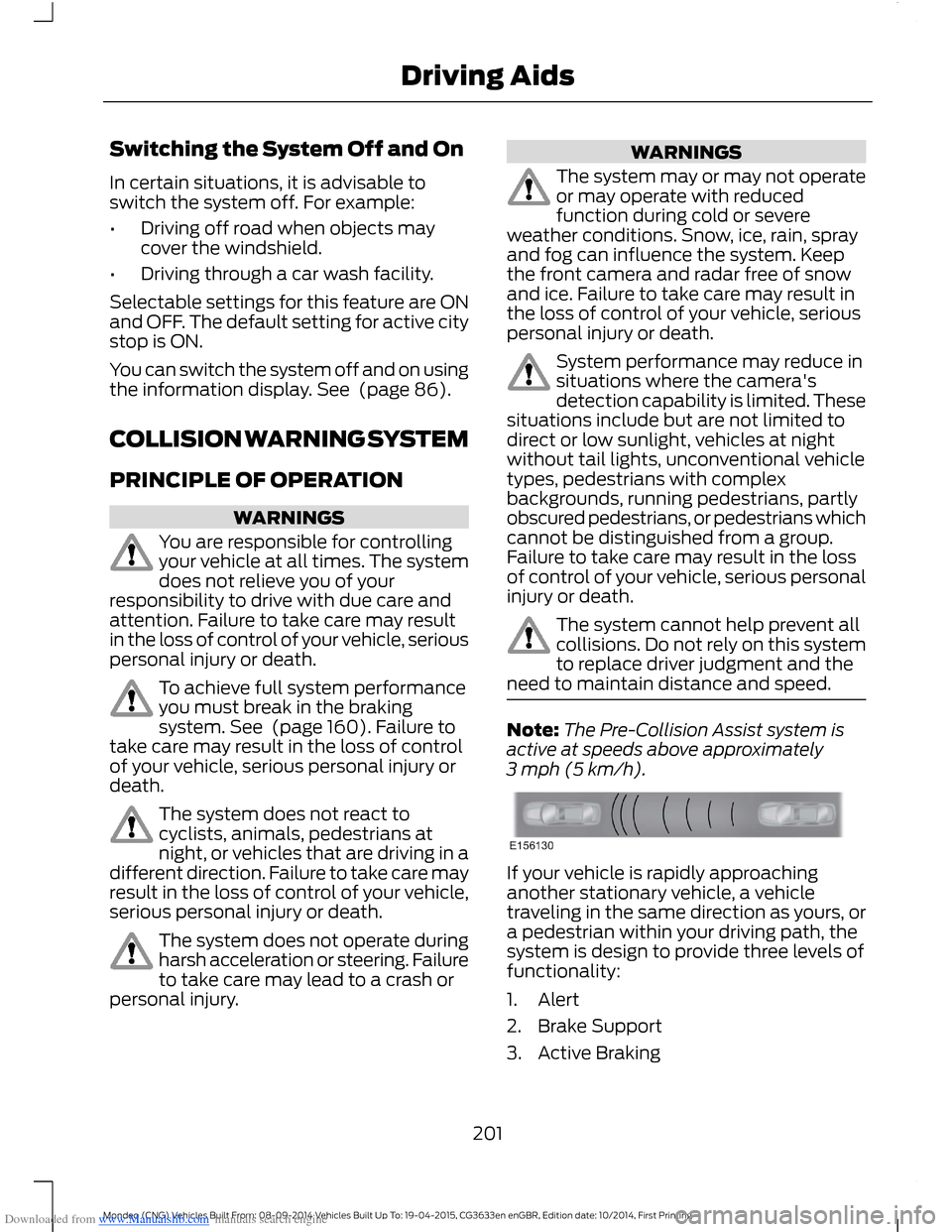
Note:The Pre-Collision Assist system isactive at speeds above approximately3 mph (5 km/h).
If your vehicle is rapidly approachinganother stationary vehicle, a vehicletraveling in the same direction as yours, ora pedestrian within your driving path, thesystem is design to provide three levels offunctionality:
1.Alert
2.Brake Support
3.Active Braking
201Mondeo (CNG) Vehicles Built From: 08-09-2014 Vehicles Built Up To: 19-04-2015, CG3633en enGBR, Edition date: 10/2014, First PrintingDriving Aids
Page 204 of 446
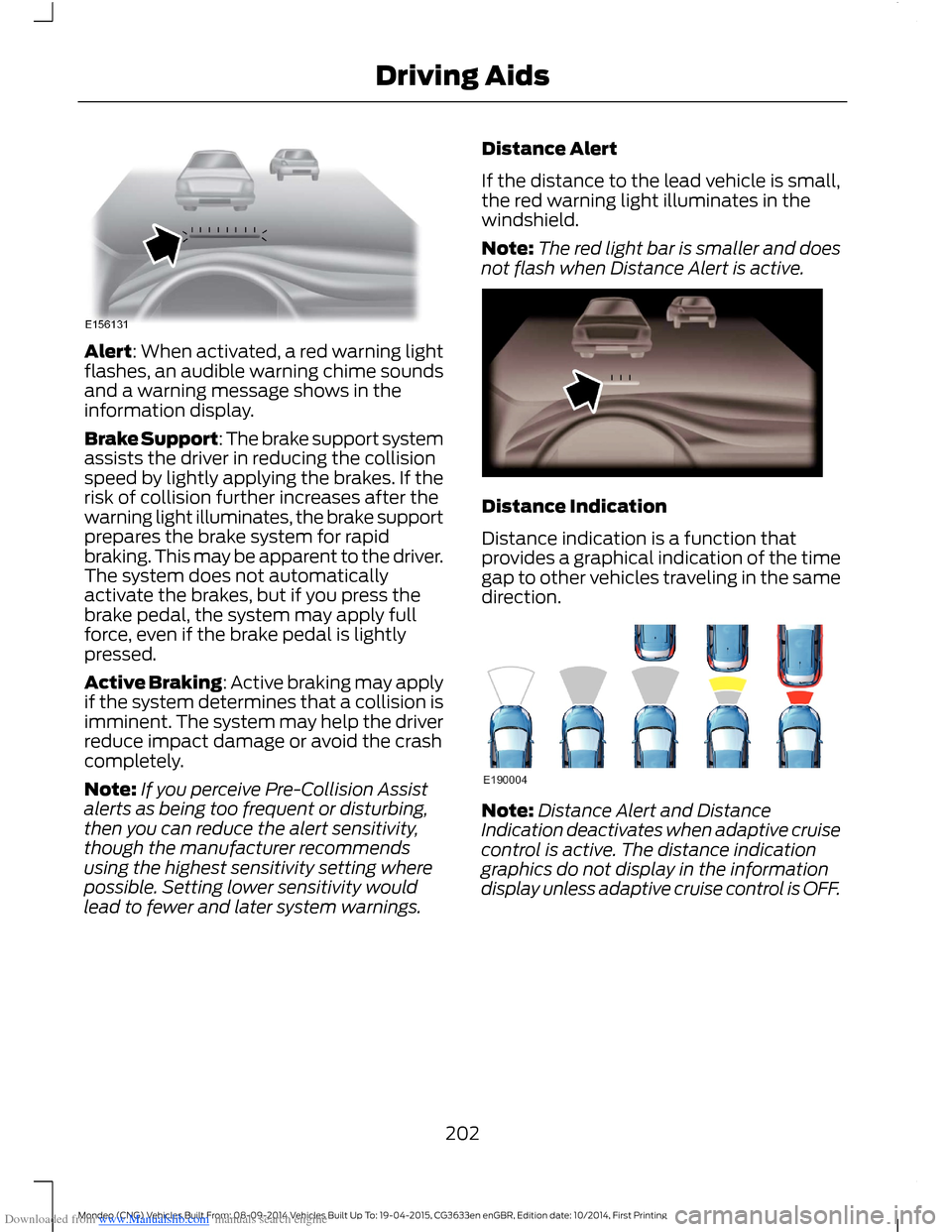
Downloaded from www.Manualslib.com manuals search engine Alert: When activated, a red warning lightflashes, an audible warning chime soundsand a warning message shows in theinformation display.
Brake Support: The brake support systemassists the driver in reducing the collisionspeed by lightly applying the brakes. If therisk of collision further increases after thewarning light illuminates, the brake supportprepares the brake system for rapidbraking. This may be apparent to the driver.The system does not automaticallyactivate the brakes, but if you press thebrake pedal, the system may apply fullforce, even if the brake pedal is lightlypressed.
Active Braking: Active braking may applyif the system determines that a collision isimminent. The system may help the driverreduce impact damage or avoid the crashcompletely.
Note:If you perceive Pre-Collision Assistalerts as being too frequent or disturbing,then you can reduce the alert sensitivity,though the manufacturer recommendsusing the highest sensitivity setting wherepossible. Setting lower sensitivity wouldlead to fewer and later system warnings.
Distance Alert
If the distance to the lead vehicle is small,the red warning light illuminates in thewindshield.
Note:The red light bar is smaller and doesnot flash when Distance Alert is active.
Distance Indication
Distance indication is a function thatprovides a graphical indication of the timegap to other vehicles traveling in the samedirection.
Note:Distance Alert and DistanceIndication deactivates when adaptive cruisecontrol is active. The distance indicationgraphics do not display in the informationdisplay unless adaptive cruise control is OFF.
202Mondeo (CNG) Vehicles Built From: 08-09-2014 Vehicles Built Up To: 19-04-2015, CG3633en enGBR, Edition date: 10/2014, First PrintingDriving Aids
Page 224 of 446
Downloaded from www.Manualslib.com manuals search engine Anticipation
Adjust your vehicle speed and the distanceto other vehicles without the need forheavy braking or acceleration.
Efficient Speed
Higher speeds use more fuel. Reduce yourcruising speed on open roads.
Accessories
Try not to add unnecessary accessories tothe exterior of your vehicle. If you use a roofrack, remember to fold it down or removeit when not in use.
Electrical Systems
Switch off all electrical systems when notin use, for example air conditioning. Makesure you unplug any accessories from theauxiliary power points when not in use.
COLD WEATHER
PRECAUTIONS
The functional operation of somecomponents and systems can be affectedat temperatures below -13°F (-25°C).
DRIVING THROUGH WATER
WARNING
Do not drive through flowing or deepwater as you may lose control of yourvehicle.
Note:Driving through standing water cancause vehicle damage.
Note:Engine damage can occur if waterenters the air filter.
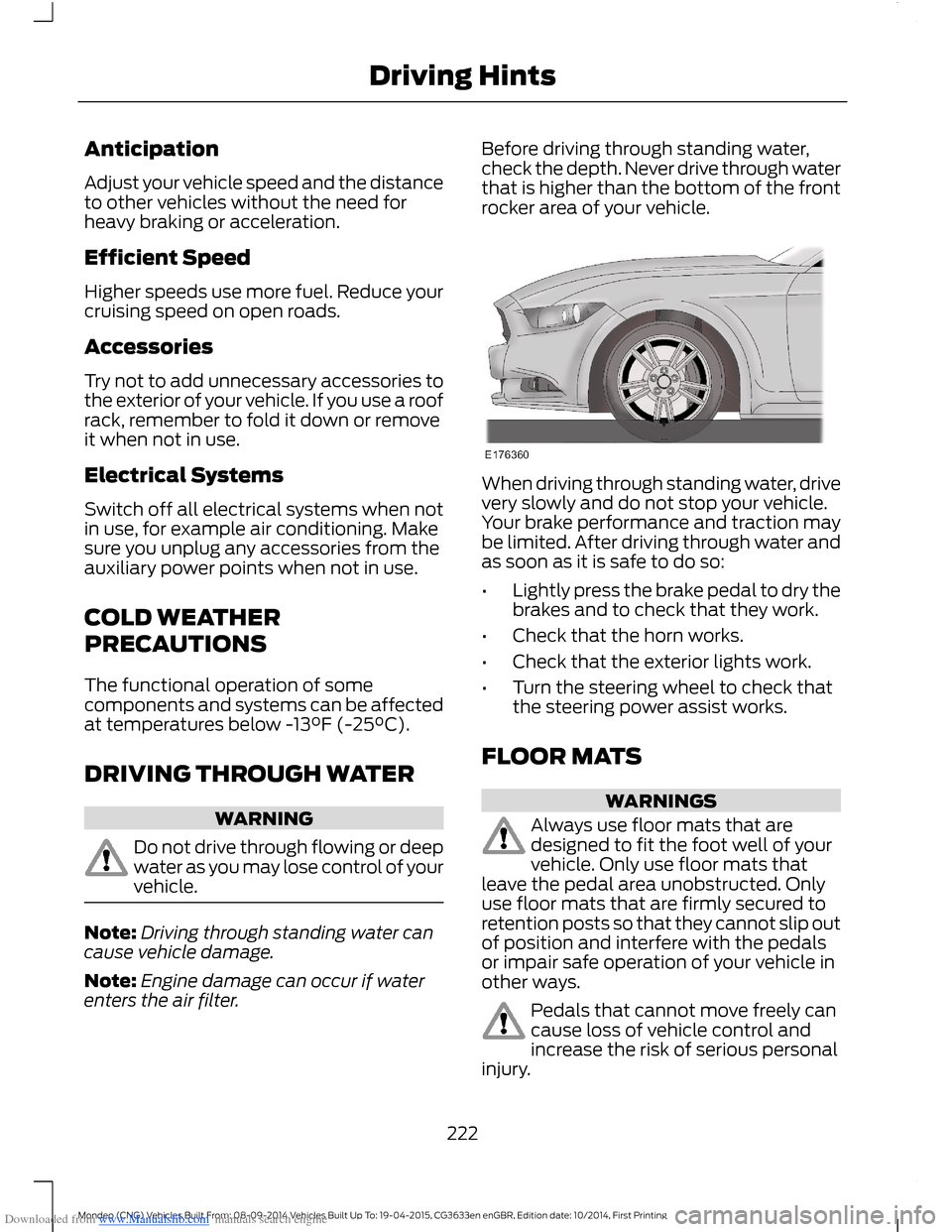
Before driving through standing water,check the depth. Never drive through waterthat is higher than the bottom of the frontrocker area of your vehicle.
When driving through standing water, drivevery slowly and do not stop your vehicle.Your brake performance and traction maybe limited. After driving through water andas soon as it is safe to do so:
•Lightly press the brake pedal to dry thebrakes and to check that they work.
•Check that the horn works.
•Check that the exterior lights work.
•Turn the steering wheel to check thatthe steering power assist works.
FLOOR MATS
WARNINGS
Always use floor mats that aredesigned to fit the foot well of yourvehicle. Only use floor mats thatleave the pedal area unobstructed. Onlyuse floor mats that are firmly secured toretention posts so that they cannot slip outof position and interfere with the pedalsor impair safe operation of your vehicle inother ways.
Pedals that cannot move freely cancause loss of vehicle control andincrease the risk of serious personalinjury.
222Mondeo (CNG) Vehicles Built From: 08-09-2014 Vehicles Built Up To: 19-04-2015, CG3633en enGBR, Edition date: 10/2014, First PrintingDriving Hints