"TEMPERATURE"
"<15.5-29.5> degrees"
"<60-85> degrees"
"High"
"Low"
"Help"
NAVIGATION (IF EQUIPPED)
Note:The navigation SD card must be inthe SD card slot to operate the navigationsystem. If you need a replacement SD card,see an authorized dealer.
Note:The SD card slot is spring-loaded. Toremove the SD card, just push the card inand release it. Do not attempt to pull thecard out to remove it; this could causedamage.
Your navigation system is comprised oftwo main features, destination mode andmap mode.
To set a destination, press the green cornerof your touchscreen, then the Dest buttonwhen it appears. See Setting adestination later in this chapter.
To view the navigation map and yourvehicle's current location, touch the greenbar in the upper right hand corner of thetouchscreen, or, press Dest, then Map. SeeMap mode later in this chapter.
Setting a Destination
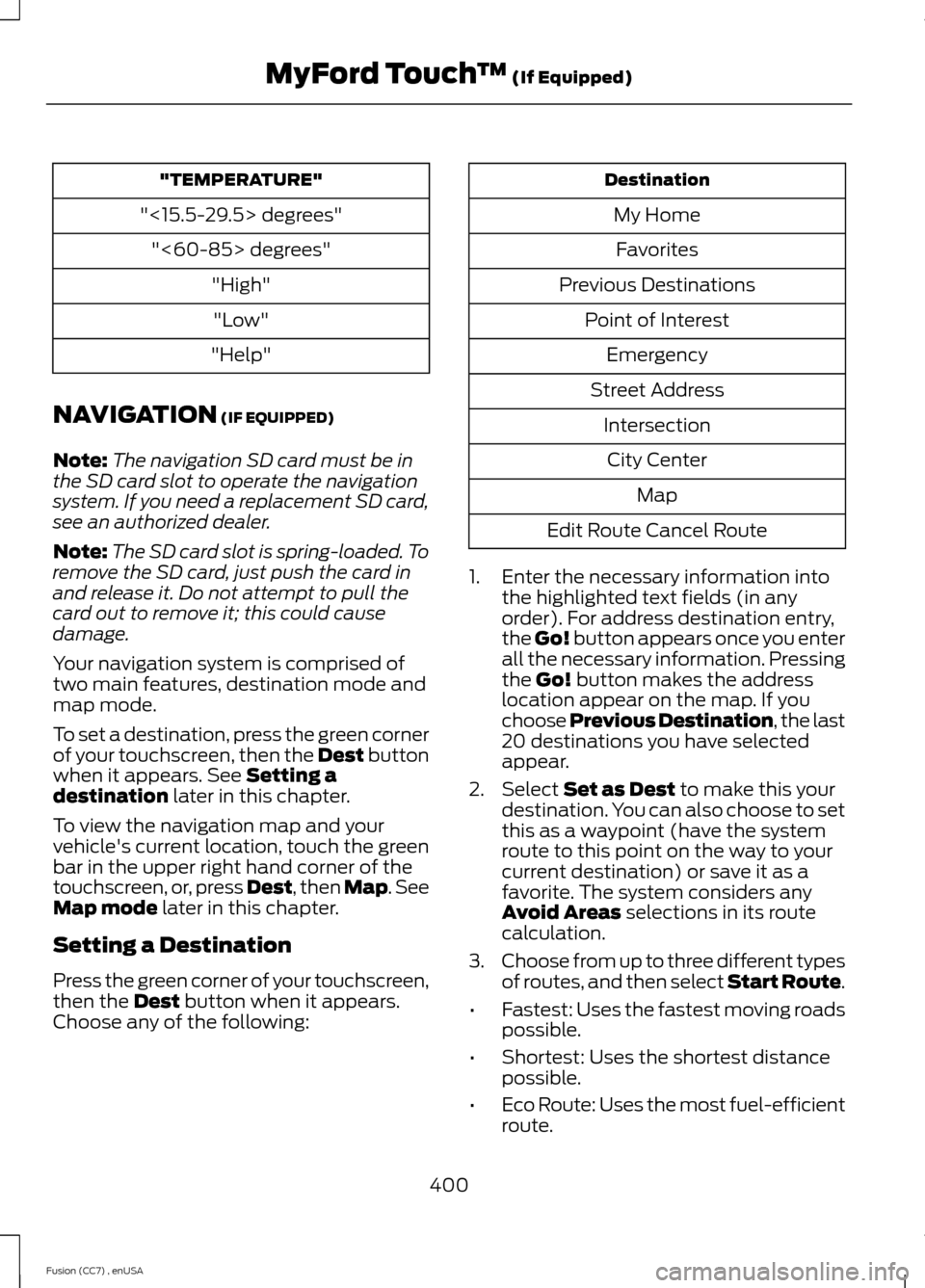
Press the green corner of your touchscreen,then the Dest button when it appears.Choose any of the following:
Destination
My Home
Favorites
Previous Destinations
Point of Interest
Emergency
Street Address
Intersection
City Center
Map
Edit Route Cancel Route
1.Enter the necessary information intothe highlighted text fields (in anyorder). For address destination entry,the Go! button appears once you enterall the necessary information. Pressingthe Go! button makes the addresslocation appear on the map. If youchoose Previous Destination, the last20 destinations you have selectedappear.
2.Select Set as Dest to make this yourdestination. You can also choose to setthis as a waypoint (have the systemroute to this point on the way to yourcurrent destination) or save it as afavorite. The system considers anyAvoid Areas selections in its routecalculation.
3.Choose from up to three different typesof routes, and then select Start Route.
•Fastest: Uses the fastest moving roadspossible.
•Shortest: Uses the shortest distancepossible.
•Eco Route: Uses the most fuel-efficientroute.
400Fusion (CC7) , enUSAMyFord Touch™ (If Equipped)
Ford Credit..........................................................11(U.S. Only).................................................................11Front Fog Lamps.............................................72Front Passenger Sensing System.............37Fuel and Refueling.......................................144Fuel Consumption.......................................149Calculating Fuel Economy..............................150Filling the Tank....................................................149Fuel Filter........................................................245Fuel Quality.....................................................145Choosing the Right Fuel (Flex FuelVehicles)...........................................................145Choosing the Right Fuel (GasolineVehicles)...........................................................145Octane Recommendations............................145Fuel Shutoff....................................................216Fuses................................................................226Fuse Specification Chart..........................226Passenger Compartment Fuse Panel........232Power Distribution Box....................................226
G
Garage Door OpenerSee: Universal Garage Door Opener............129Gauges...............................................................80Engine Coolant Temperature Gauge.............81Fuel Gauge...............................................................81Information Display............................................80Left Information Display....................................82Type 1 and 2...........................................................80Type 3.......................................................................82General Information on RadioFrequencies...................................................44Intelligent Access.................................................44General Maintenance Information.......428Multi-Point Inspection.....................................430Owner Checks and Services..........................429Protecting Your Investment...........................428Why Maintain Your Vehicle?.........................428Why Maintain Your Vehicle at YourDealership?.....................................................428Getting Assistance Outside the U.S. andCanada..........................................................223Getting the Services You Need...............220Away From Home..............................................220
Global Opening and Closing......................76Closing the Windows..........................................76Opening the Windows........................................76
H
Hazard Warning Flashers..........................216Headlamp Exit Delay......................................71Head Restraints..............................................121Adjusting the Head Restraint.........................122Tilting Head Restraints ....................................122Heated Seats..................................................127Heated Steering Wheel...............................66Heated Windows and Mirrors...................119Heated Exterior Mirror........................................119Heated Rear Window.........................................119HeatingSee: Climate Control..........................................110Hill Start Assist.............................................166Using Hill Start Assist.......................................166Hints on Controlling the InteriorClimate............................................................117Cooling the Interior Quickly.............................118General Hints.........................................................117Heating the Interior Quickly..............................117Recommended Settings for Cooling ...........118Recommended Settings for Heating...........118Side Window Defogging in ColdWeather..............................................................119Hints on Driving With Anti-LockBrakes............................................................163Hood LockSee: Opening and Closing the Hood..........236
I
Ignition Switch...............................................136In California (U.S. Only)..............................221Information Display Control.......................65Cluster Display Control Features...................66Information Displays.....................................87General Information............................................87
448Fusion (CC7) , enUSAIndex