2014 FORD FOCUS ELECTRIC ignition
[x] Cancel search: ignitionPage 126 of 403
CABIN AIR FILTER
Note:Make sure you have a cabin air filter installed at all times. This
prevents foreign objects from entering the system. Running the system
without a filter in place could result in degradation or damage to the
system.
Your cabin air filter is located under the instrument panel in the
passenger footwell area. The particulate filtration system reduces the
concentration of airborne particles such as dust, spores and pollen in
the air supplied to the interior of your vehicle. The particulate filtration
system gives you and your passengers the following benefits:
•It improves your driving comfort by reducing particle concentration.
•It improves the interior compartment cleanliness.
•It protects the climate control components from particle deposits.
Replace the filter at regular intervals. See theScheduled Maintenance
chapter.
For more information about your filter, see an authorized dealer.
REMOTE START CLIMATE OPERATION
The climate control system adjusts the cabin temperature during remote
start.
You cannot adjust the system during remote start operation. Turn the
ignition on to return the system to its previous settings. You can now
make adjustments. You will need to turn certain vehicle-dependent
features back on, such as:
•heated seats
•heated mirrors
•heated rear window.
You can adjust the settings using the information display controls.
See theInformation Displayschapter.
Climate Control125
2014 Focus Electric Vehicle(fob)
Owners Guide gf, 1st Printing, May 2013
USA(fus)
Page 140 of 403
GENERAL INFORMATION
The powertrain control system meets all Canadian interference-causing
equipment standard requirements regulating the impulse electrical field
or radio noise.
KEYLESS STARTING
Note:The keyless starting system may not function if the key is close to
metal objects or electronic devices such as cellular phones.
Note:A valid key must be located inside your vehicle to switch the
ignition on and start the vehicle.
Note:When locking your vehicle, any remote controls left inside the
vehicle may become disabled. A message may appear in the information
display indicating that there is no key detected if you try to start the
vehicle. Press the unlock button on the remote control to enable it, and
then start the vehicle.
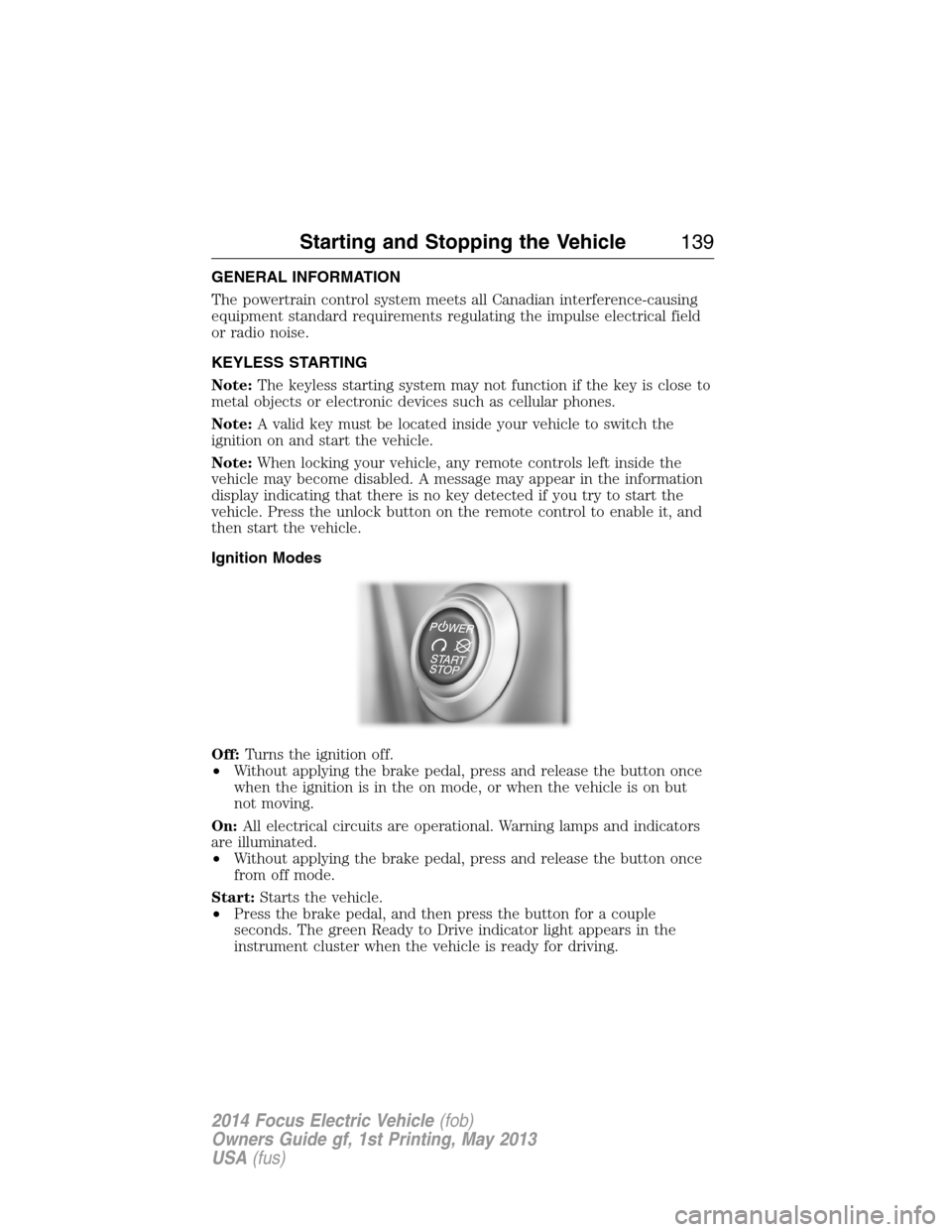
Ignition Modes
Off:Turns the ignition off.
•Without applying the brake pedal, press and release the button once
when the ignition is in the on mode, or when the vehicle is on but
not moving.
On:All electrical circuits are operational. Warning lamps and indicators
are illuminated.
•Without applying the brake pedal, press and release the button once
from off mode.
Start:Starts the vehicle.
•Press the brake pedal, and then press the button for a couple
seconds. The green Ready to Drive indicator light appears in the
instrument cluster when the vehicle is ready for driving.
Starting and Stopping the Vehicle139
2014 Focus Electric Vehicle(fob)
Owners Guide gf, 1st Printing, May 2013
USA(fus)
Page 141 of 403
STARTING YOUR VEHICLE
Before starting the vehicle, check the following:
•Make sure all occupants have fastened their safety belts.
•Make sure the headlamps and electrical accessories are off.
•Make sure the parking brake is on.
•Move the transmission selector lever to positionP.
Note:Do not touch the accelerator pedal.
1. Fully press the brake pedal.
2. Press the button.
The system does not function if:
•The key frequencies are jammed.
•The key battery has no charge.
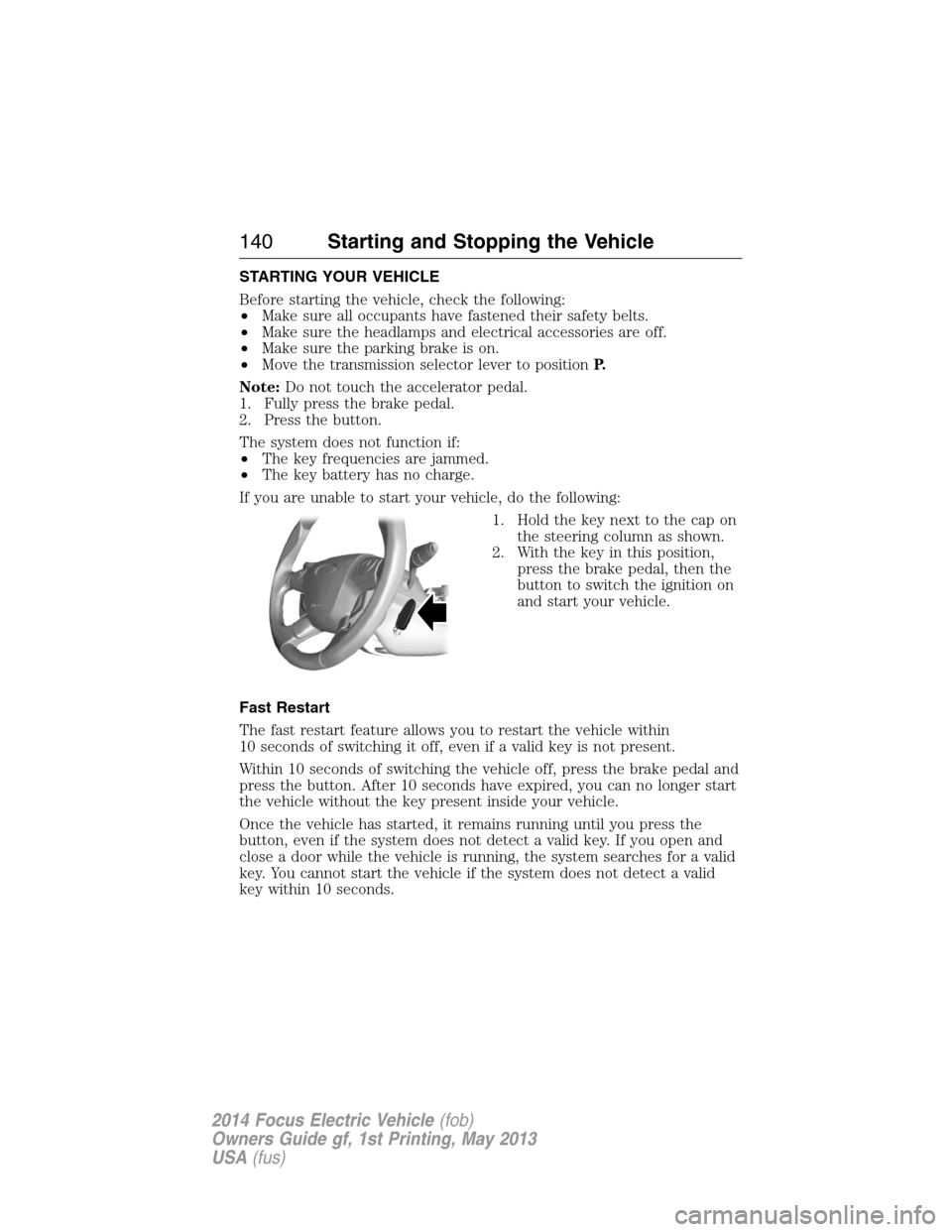
If you are unable to start your vehicle, do the following:
1. Hold the key next to the cap on
the steering column as shown.
2. With the key in this position,
press the brake pedal, then the
button to switch the ignition on
and start your vehicle.
Fast Restart
The fast restart feature allows you to restart the vehicle within
10 seconds of switching it off, even if a valid key is not present.
Within 10 seconds of switching the vehicle off, press the brake pedal and
press the button. After 10 seconds have expired, you can no longer start
the vehicle without the key present inside your vehicle.
Once the vehicle has started, it remains running until you press the
button, even if the system does not detect a valid key. If you open and
close a door while the vehicle is running, the system searches for a valid
key. You cannot start the vehicle if the system does not detect a valid
key within 10 seconds.
140Starting and Stopping the Vehicle
2014 Focus Electric Vehicle(fob)
Owners Guide gf, 1st Printing, May 2013
USA(fus)
Page 142 of 403
Stopping the Electric Vehicle’s Motor When the Vehicle Is
Stationary
1. Move the transmission selector lever to positionP.
2. Press the button once.
3. Apply the parking brake.
Note:This switches off the ignition, all electrical circuits, warning lamps
and indicators.
Stopping the Electric Vehicle’s Motor When the Vehicle Is Moving
WARNING:Switching off the vehicle when it is still moving will
result in a loss of brake and steering assistance. The steering
will not lock, but higher effort will be required. When the ignition is
switched off, some electrical circuits, warning lamps and indicators may
also be off.
1. Move the transmission selector lever to positionNand use the brakes
to bring your vehicle to a safe stop.
2. When your vehicle has stopped, move the transmission selector lever
to positionP.
3. Switch the ignition off by pressing and holding the button for one
second, or pressing it three times within two seconds.
4. Apply the parking brake.
Starting and Stopping the Vehicle141
2014 Focus Electric Vehicle(fob)
Owners Guide gf, 1st Printing, May 2013
USA(fus)
Page 151 of 403

Brake-shift interlock
This vehicle is equipped with a brake-shift interlock feature that prevents
the gearshift lever from being moved from P (Park) when the ignition is in
the on position unless the brake pedal is pressed, your charge cord may be
plugged into the vehicle, or there may be a fault with the associated
electrical system. If this is the case, you must follow the instructions in
your instrument cluster display before your vehicle will start.
If you cannot move the gearshift lever out of P (Park) with ignition on
and the brake pedal pressed, it is also possible that a fuse has blown or
the vehicle’s brake lamps are not operating properly. Refer toFuses and
relaysin theRoadside Emergencieschapter.
If your charge cord is not connected and there is not a fault with the
associated electrical system, the fuse is not blown and the brake lamps
are working properly, the following procedure will allow you to move the
gearshift lever from P (Park):
1. Apply the parking brake, turn the ignition key to the off position and
remove the key.
2. Using a screwdriver (or similar
tool), carefully pry off and remove
the passenger side access cover.
Remove the fastener, then remove
the console side panel to expose the
inside of the shifter assembly.
3. Locate the brake shift interlock lever on the passenger side of the
shifter assembly.
150Transmission
2014 Focus Electric Vehicle(fob)
Owners Guide gf, 1st Printing, May 2013
USA(fus)
Page 154 of 403
GENERAL INFORMATION
Note:Occasional brake noise is normal. If a metal-to-metal, continuous
grinding or continuous squeal sound is present, the brake linings may be
worn out. Have them inspected by an authorized dealer. If your vehicle
has continuous vibration or shudder in the steering wheel while braking,
have your vehicle inspected by an authorized dealer.
Note:Brake dust may accumulate on the wheels, even under normal
driving conditions. Some dust is inevitable as the brakes wear and does
not contribute to brake noise. See theVehicle Carechapter for wheel
cleaning instructions.
See theInstrument Clusterchapter for information on the
brake system warning light.
Wet brakes result in reduced braking efficiency. Gently press the brake
pedal a few times when driving from a car wash or standing water to dry
the brakes.
Brake Over Accelerator
In the event the accelerator pedal becomes stuck or entrapped, apply
steady and firm pressure to the brake pedal to slow the vehicle and
reduce motor power. If you experience this condition, apply the brakes
and bring your vehicle to a safe stop. Turn the motor off, shift to position
Pand apply the parking brake, then inspect the accelerator pedal for any
interferences. If none are found and the condition persists, have your
vehicle towed to the nearest authorized dealer.
Brake Assist
Brake assist detects when you brake heavily by measuring the rate at
which you press the brake pedal. It provides maximum braking efficiency
as long as you press the pedal. Brake assist can reduce stopping
distances in critical situations.
Anti-Lock Brake System
This system helps you maintain steering control during emergency stops
by keeping the brakes from locking.
This lamp momentarily illuminates when you turn the ignition
on. If the light does not illuminate during start-up, remains on
or flashes, the anti-lock brake system may be disabled and may
need to be serviced.
Brakes153
2014 Focus Electric Vehicle(fob)
Owners Guide gf, 1st Printing, May 2013
USA(fus)
Page 160 of 403
SENSING SYSTEM (IF EQUIPPED)
WARNING:To help avoid personal injury, please read and
understand the limitations of the system as contained in this
section. Sensing is only an aid for some (generally large and fixed)
objects when moving in reverse on a flat surface at parking speeds.
Traffic control systems, inclement weather, air brakes, and external
motors and fans may also affect the function of the sensing system; this
may include reduced performance or a false activation.
WARNING:To help avoid personal injury, always use caution
when the transmission is inRand when using the sensing system.
WARNING:This system is not designed to prevent contact with
small or moving objects. The system is designed to provide a
warning to assist the driver in detecting large stationary objects to
avoid damaging the vehicle. The system may not detect smaller objects,
particularly those close to the ground.
WARNING:Certain add-on devices, such as large trailer hitches,
bike or surfboard racks and any device that may block the normal
detection zone of the system, may create false beeps.
Note:
Keep the sensors (located on the bumper/fascia) free from snow, ice
and large accumulations of dirt. If the sensors are covered, the system’s
accuracy can be affected. Do not clean the sensors with sharp objects.
Note:If your vehicle sustains damage to the bumper/fascia, leaving it
misaligned or bent, the sensing zone may be altered causing inaccurate
measurement of obstacles or false alarms.
The sensing system warns the driver of obstacles within a certain range
of the bumper area. The system turns on automatically whenever the
ignition is switched on.
When receiving a detection warning, the radio volume is reduced to a
predetermined level. After the warning goes away, the radio volume
returns to the previous level.
The system can be turned off using the information display control. See
theInformation Displaychapter. If a fault is present in the system, a
warning message appears in the information display and does not allow
the driver to switch the faulted system on.
Parking Aids159
2014 Focus Electric Vehicle(fob)
Owners Guide gf, 1st Printing, May 2013
USA(fus)
Page 168 of 403
Switching Cruise Control On
Press and releaseON.
The indicator will appear in the instrument cluster.
Setting a Speed
1. Accelerate to the desired speed.
2. Press and releaseSET+.
3. Take your foot off the accelerator pedal.
Changing the Set Speed
•Press and holdSET+orSET-. Release the control when you reach
the desired speed.
•Press and releaseSET+orSET-. The set speed will change in
approximately 1 mph (2 km/h) increments.
•Press the accelerator or brake pedal until you reach the desired
speed. Press and releaseSET+.
Canceling the Set Speed
PullCANtoward you and release or tap the brake pedal. You will not
erase the set speed.
Resuming the Set Speed
PullREStoward you and release.
Switching Cruise Control Off
Note:You will erase the set speed if you switch the system off.
Press and releaseOFFor switch the ignition off.
Cruise Control167
2014 Focus Electric Vehicle(fob)
Owners Guide gf, 1st Printing, May 2013
USA(fus)