2014 FORD FOCUS ELECTRIC ECU
[x] Cancel search: ECUPage 28 of 403
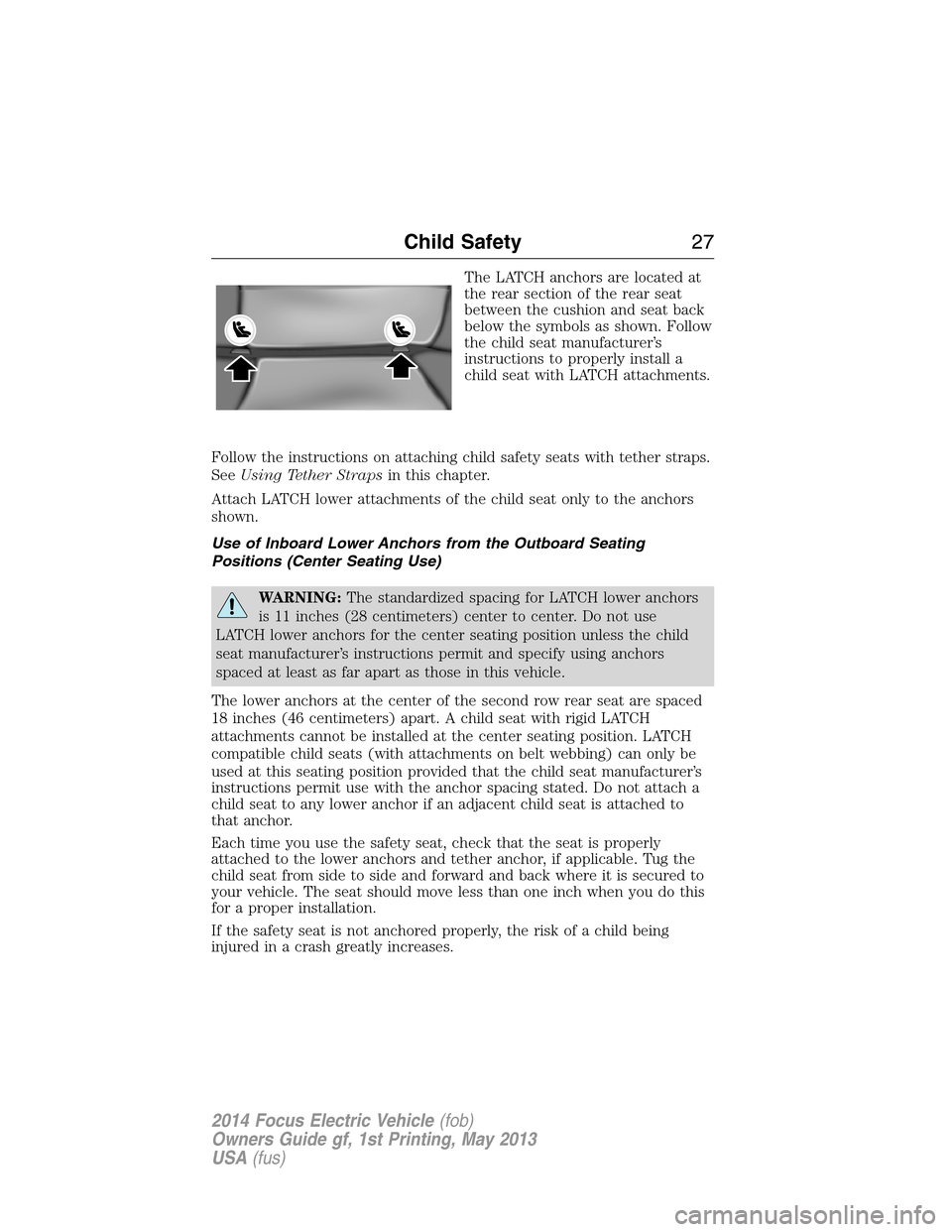
The LATCH anchors are located at
the rear section of the rear seat
between the cushion and seat back
below the symbols as shown. Follow
the child seat manufacturer’s
instructions to properly install a
child seat with LATCH attachments.
Follow the instructions on attaching child safety seats with tether straps.
SeeUsing Tether Strapsin this chapter.
Attach LATCH lower attachments of the child seat only to the anchors
shown.
Use of Inboard Lower Anchors from the Outboard Seating
Positions (Center Seating Use)
WARNING:The standardized spacing for LATCH lower anchors
is 11 inches (28 centimeters) center to center. Do not use
LATCH lower anchors for the center seating position unless the child
seat manufacturer’s instructions permit and specify using anchors
spaced at least as far apart as those in this vehicle.
The lower anchors at the center of the second row rear seat are spaced
18 inches (46 centimeters) apart. A child seat with rigid LATCH
attachments cannot be installed at the center seating position. LATCH
compatible child seats (with attachments on belt webbing) can only be
used at this seating position provided that the child seat manufacturer’s
instructions permit use with the anchor spacing stated. Do not attach a
child seat to any lower anchor if an adjacent child seat is attached to
that anchor.
Each time you use the safety seat, check that the seat is properly
attached to the lower anchors and tether anchor, if applicable. Tug the
child seat from side to side and forward and back where it is secured to
your vehicle. The seat should move less than one inch when you do this
for a proper installation.
If the safety seat is not anchored properly, the risk of a child being
injured in a crash greatly increases.
Child Safety27
2014 Focus Electric Vehicle(fob)
Owners Guide gf, 1st Printing, May 2013
USA(fus)
Page 34 of 403
FASTENING THE SAFETY BELTS
The front outboard and rear safety restraints in your vehicle are
combination lap and shoulder belts.
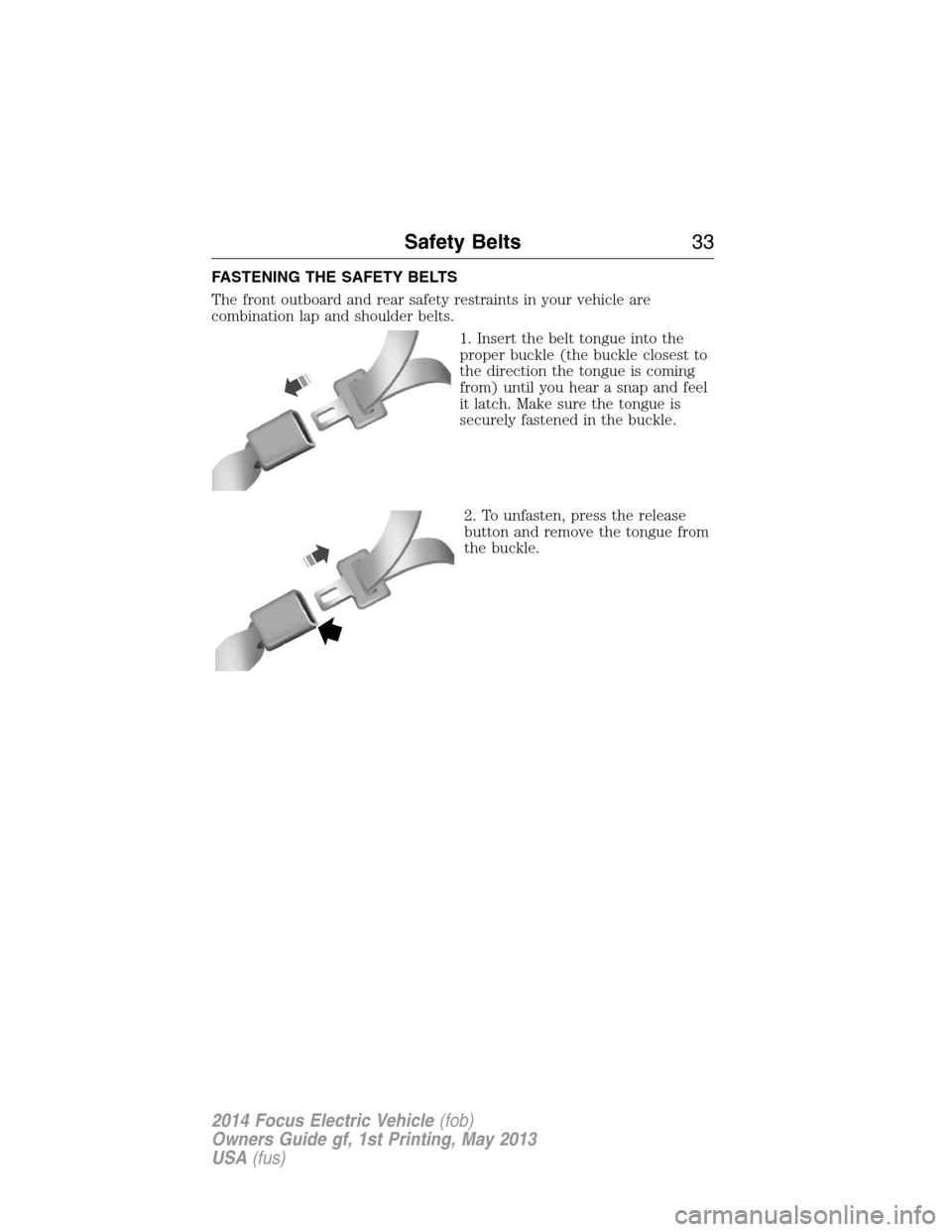
1. Insert the belt tongue into the
proper buckle (the buckle closest to
the direction the tongue is coming
from) until you hear a snap and feel
it latch. Make sure the tongue is
securely fastened in the buckle.
2. To unfasten, press the release
button and remove the tongue from
the buckle.
Safety Belts33
2014 Focus Electric Vehicle(fob)
Owners Guide gf, 1st Printing, May 2013
USA(fus)
Page 50 of 403
If objects are lodged or cargo is interfering with the seat; please take the
following steps to remove the obstruction:
•Pull the vehicle over.
•Turn the vehicle off.
•Driver or adult passengers should check for any objects lodged
underneath the front passenger seat or cargo interfering with the seat.
•Remove the obstruction(s) (if found).
•Restart the vehicle.
•Wait at least two minutes and verify that the airbag readiness lamp is
no longer illuminated
•If the airbag readiness lamp remains illuminated, this may or may not
be a problem due to the front passenger sensing system.
Do not attempt to repair or service the system. Take your vehicle
immediately to an authorized dealer.
If it is necessary to modify an advanced front airbag system to
accommodate a person with disabilities, contact the Ford Customer
Relationship Center at the phone number shown in theCustomer
Assistancesection of thisOwner’s Manual.
KNEE AIRBAG
A driver’s knee airbag is located under or within the instrument panel.
During a crash, the restraints control module may activate the driver’s
knee airbag based on crash severity and occupant conditions. Under
certain crash and occupant conditions, the driver’s knee airbag may
deploy but the driver’s front airbag may not activate. As with front and
side airbags, it is important to be properly seated and restrained to
reduce the risk of death or serious injury.
To know if the knee airbag is operating properly, seeCrash
Sensors and Airbag Indicatorin this chapter.
Supplementary Restraints System49
2014 Focus Electric Vehicle(fob)
Owners Guide gf, 1st Printing, May 2013
USA(fus)
Page 57 of 403
REMOTE CONTROL
Intelligent Access Key
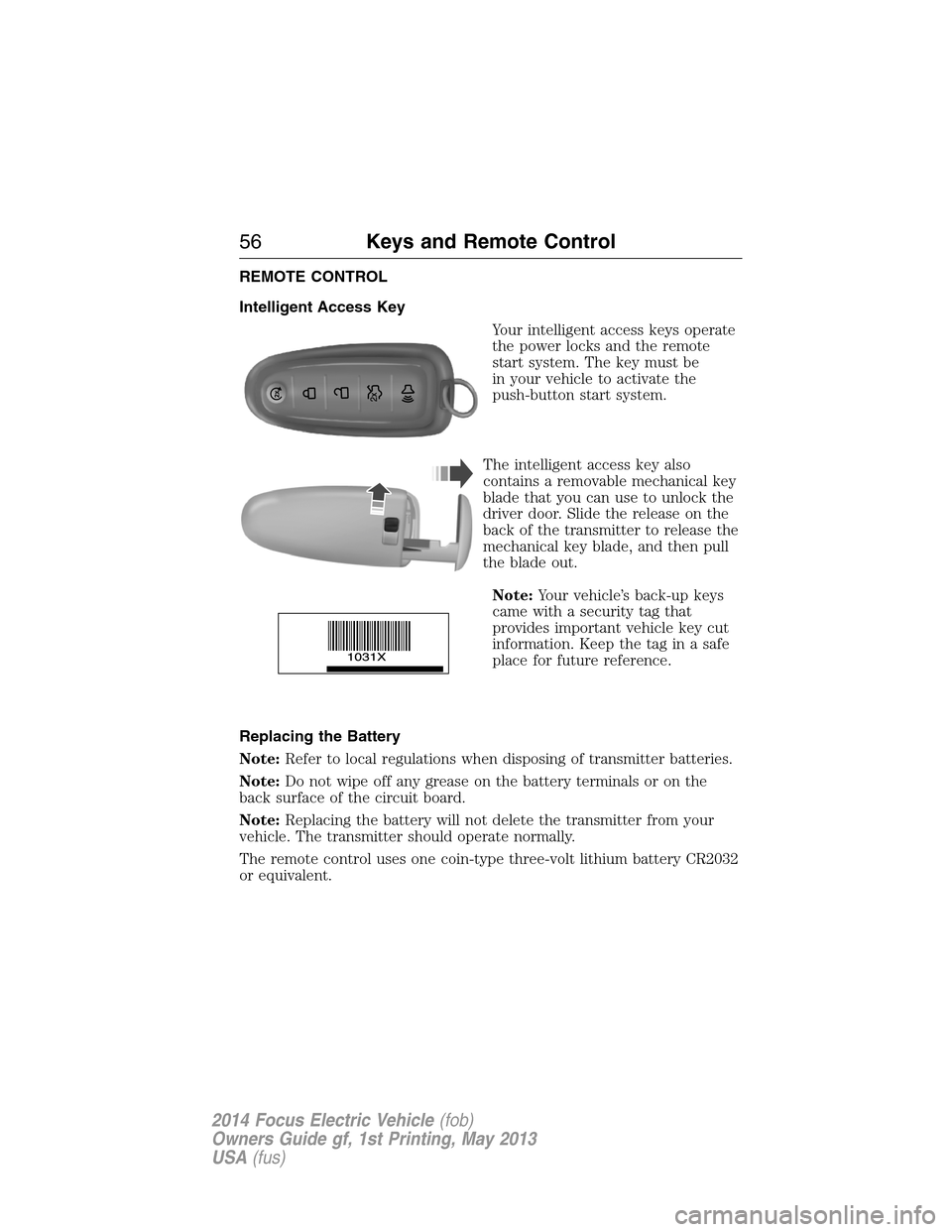
Your intelligent access keys operate
the power locks and the remote
start system. The key must be
in your vehicle to activate the
push-button start system.
The intelligent access key also
contains a removable mechanical key
blade that you can use to unlock the
driver door. Slide the release on the
back of the transmitter to release the
mechanical key blade, and then pull
the blade out.
Note:Your vehicle’s back-up keys
came with a security tag that
provides important vehicle key cut
information. Keep the tag in a safe
place for future reference.
Replacing the Battery
Note:Refer to local regulations when disposing of transmitter batteries.
Note:Do not wipe off any grease on the battery terminals or on the
back surface of the circuit board.
Note:Replacing the battery will not delete the transmitter from your
vehicle. The transmitter should operate normally.
The remote control uses one coin-type three-volt lithium battery CR2032
or equivalent.
56Keys and Remote Control
2014 Focus Electric Vehicle(fob)
Owners Guide gf, 1st Printing, May 2013
USA(fus)
Page 60 of 403

The horn will sound if the system fails to start, unless quiet start is on.
Quiet start will run the blower fan at a slower speed to reduce noise. You
can switch it on or off in the information display. See theInformation
Displayschapter.
Note:If you remote start your vehicle, you must have a programmed
intelligent access key inside your vehicle and press theSTART/STOP
button on the instrument panel once while applying the brake pedal
before driving your vehicle.
The power windows will not work during the remote start and the radio
will not turn on automatically.
The parking lamps will remain on and the vehicle will run for 5, 10, or
15 minutes, depending on the setting. See theInformation Displays
chapter to select the duration of the remote start system.
Extending the Vehicle Run Time
Repeat Steps 1 and 2 with the vehicle still running to extend the run
time for another remote start duration. If the duration is set to last
10 minutes, the system will add another 10 minutes. For example, if the
vehicle had been running from the first remote start for five minutes,
the vehicle will continue to run now for a total of 20 minutes. You can
extend the remote start up to a maximum of 30 minutes.
Wait at least five seconds before remote starting after a vehicle
shutdown.
Turning the Vehicle Off After Remote Starting
Press the button once. The parking lamps will turn off.
You may have to be closer to your vehicle than when starting due to
ground reflection and the added noise of the running vehicle.
You can disable or enable the remote start system through the
information display. Refer to theInformation Displaychapter.
REPLACING A LOST KEY OR REMOTE CONTROL
You can purchase replacement or additional keys or remote controls from
an authorized dealer. A dealer can program the transmitters to your
vehicle or you may be able to program them yourself. See theSecurity
chapter for information on programming your transmitters.
Keys and Remote Control59
2014 Focus Electric Vehicle(fob)
Owners Guide gf, 1st Printing, May 2013
USA(fus)
Page 66 of 403

Note:For vehicles with intelligent access keys (push-button start), you
cannot program the remote start system as a MyKey. Always treat the
remote start fob as you would any other admin key.
MYKEY TROUBLESHOOTING
Condition Potential causes
I cannot create a
MyKey.•The key or fob used to start the vehicle
does not have admin privileges.
•The key or fob used to start the vehicle is
the only admin key (there always has to be at
least one admin key).
•Vehicles with push button start: The
intelligent access key is not positioned
correctly next to the steering column or
placed in a backup slot. SeeStarting and
Stopping the Vehicle.
•SecuriLock passive anti-theft system is
disabled or in unlimited mode.
•The vehicle has been started using a remote
start system that is not programmed with
admin privileges. SeeUsing MyKey With
Remote Start Systems.
I cannot program the
configurable settings.•The key or fob used to start the vehicle
does not have admin privileges.
•No MyKeys are created. SeeCreating a
MyKey.
•The vehicle has been started using a remote
start system that is not programmed with
admin privileges. SeeUsing MyKey With
Remote Start Systems.
MyKey65
2014 Focus Electric Vehicle(fob)
Owners Guide gf, 1st Printing, May 2013
USA(fus)
Page 67 of 403
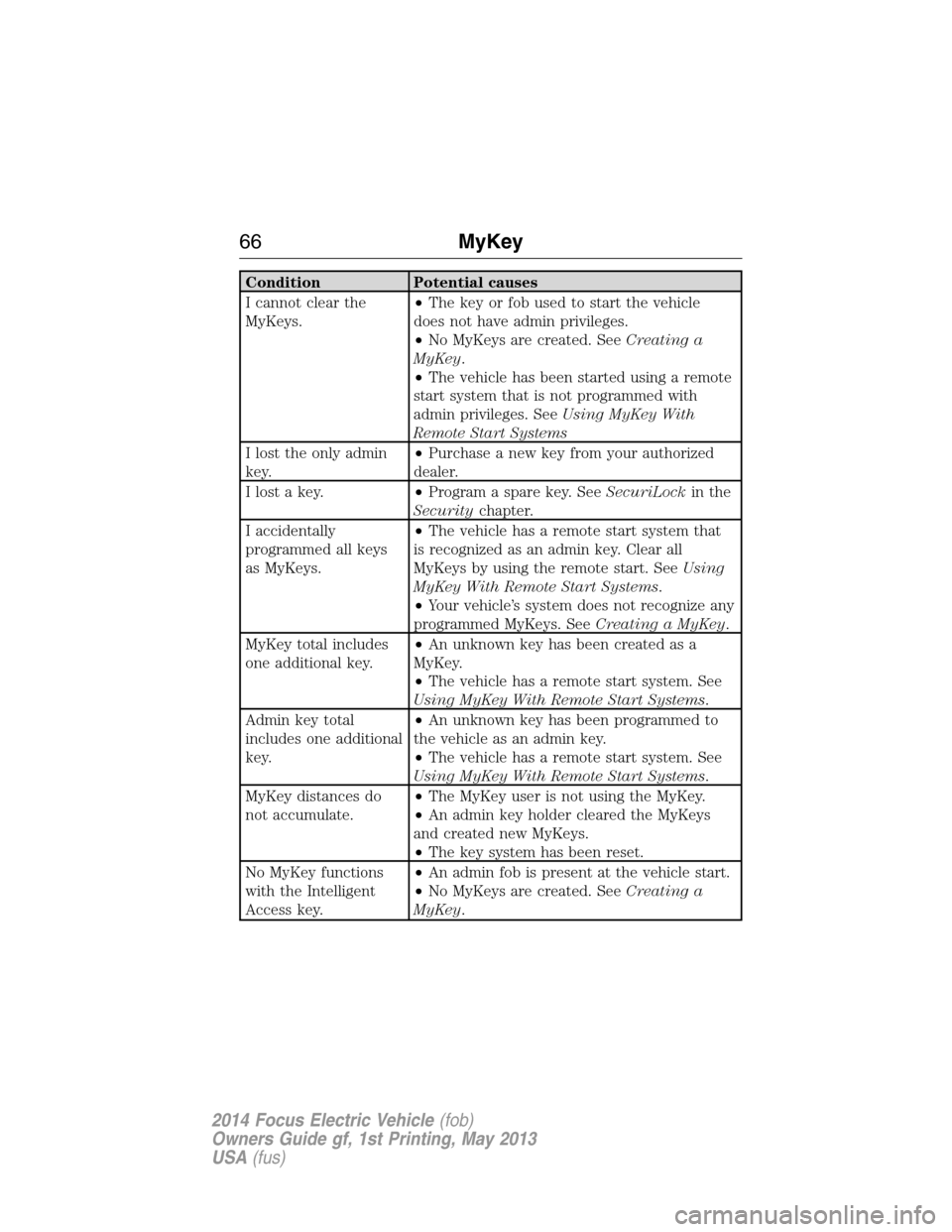
Condition Potential causes
I cannot clear the
MyKeys.•The key or fob used to start the vehicle
does not have admin privileges.
•No MyKeys are created. SeeCreating a
MyKey.
•The vehicle has been started using a remote
start system that is not programmed with
admin privileges. SeeUsing MyKey With
Remote Start Systems
I lost the only admin
key.•Purchase a new key from your authorized
dealer.
I lost a key.•Program a spare key. SeeSecuriLockin the
Securitychapter.
I accidentally
programmed all keys
as MyKeys.•The vehicle has a remote start system that
is recognized as an admin key. Clear all
MyKeys by using the remote start. SeeUsing
MyKey With Remote Start Systems.
•Your vehicle’s system does not recognize any
programmed MyKeys. SeeCreating a MyKey.
MyKey total includes
one additional key.•An unknown key has been created as a
MyKey.
•The vehicle has a remote start system. See
Using MyKey With Remote Start Systems.
Admin key total
includes one additional
key.•An unknown key has been programmed to
the vehicle as an admin key.
•The vehicle has a remote start system. See
Using MyKey With Remote Start Systems.
MyKey distances do
not accumulate.•The MyKey user is not using the MyKey.
•An admin key holder cleared the MyKeys
and created new MyKeys.
•The key system has been reset.
No MyKey functions
with the Intelligent
Access key.•An admin fob is present at the vehicle start.
•No MyKeys are created. SeeCreating a
MyKey.
66MyKey
2014 Focus Electric Vehicle(fob)
Owners Guide gf, 1st Printing, May 2013
USA(fus)
Page 74 of 403
SECURILOCK® PASSIVE ANTI-THEFT SYSTEM
Note:The system is not compatible with non-Ford aftermarket remote
start systems. Use of these systems may result in vehicle starting
problems and a loss of security protection.
Note:Metallic objects, electronic devices or a second coded key on the
same key chain may cause vehicle starting issues if they are too close to
the key when starting your vehicle. Prevent these objects from touching
the coded key while starting your vehicle. Switch the ignition off, move
all objects on the key chain away from the coded key and restart the
vehicle if a problem occurs.
Note:Do not leave a duplicate coded key in the vehicle. Always take
your keys and lock all doors when leaving the vehicle.
The system helps prevent the vehicle from starting unless you use a
coded key programmed to your vehicle. Using the wrong key may
prevent your vehicle from starting. A message may appear in the
information display.
If you are unable to start your vehicle with a correctly coded key, a
malfunction has happened and a message may appear in the information
display.
Automatic Arming
Your vehicle arms immediately after you switch the ignition off.
Automatic Disarming
Your vehicle disarms when you switch the ignition on with a coded key.
Replacement Keys
Note:Your vehicle comes with two intelligent access keys.
The intelligent access key functions as a programmed key that operates
the driver door lock and activates the intelligent access with push button
start systems, as well as a remote control.
If your intelligent access key is lost or stolen and you do not have
an extra coded key, you will need to have your vehicle towed to an
authorized dealer. The key codes need to be erased from your vehicle
and new coded keys will need to be programmed.
Store an extra programmed key away from your vehicle in a safe place to
help prevent any inconveniences. See an authorized dealer to purchase
additional spare or replacement keys.
Security73
2014 Focus Electric Vehicle(fob)
Owners Guide gf, 1st Printing, May 2013
USA(fus)