2014 FORD FIESTA display
[x] Cancel search: displayPage 145 of 396

PRINCIPLE OF OPERATION
WARNING
The system does not relieve you of
your responsibility to drive with due
care and attention.
Cruise control allows you to control your
speed using the switches on the steering
wheel. You can use cruise control when
you exceed approximately 20 mph (30
km/h).
USING CRUISE CONTROL
WARNINGS
Do not use cruise control in heavy
traffic, on winding roads or when the
road surface is slippery. This could
result in loss of vehicle control, serious
injury or death. When you are going downhill, your
speed may increase above the set
speed. The system will not apply the
brakes. Change down a gear to assist the
system in maintaining the set speed.
Failure to do so could result in loss of
vehicle control, serious injury or death. Note:
Cruise control will disengage if your
vehicle speed decreases more than 10 mph
(16 km/h) below your set speed while
driving uphill. The cruise controls are located on the
steering wheel.
Switching Cruise Control On
Press and release ON.
The indicator will display in the
instrument cluster.
Setting a Speed
1. Accelerate to the desired speed.
2. Press and release
SET+.
3. Take your foot off the accelerator pedal.
Changing the Set Speed
• Press and hold SET+ or SET-. Release
the control when you reach the desired
speed.
• Press and release
SET+ or SET-. The
set speed will change in approximately
1 mph (2 km/h) increments.
• Press the accelerator or brake pedal
until you reach the desired speed. Press
and release
SET+.
Canceling the Set Speed
Press and release
CAN, or tap the brake
pedal. The set speed will not be erased.
142
Fiesta (CCT) Cruise Control
(If Equipped)E102679 E71340
Page 147 of 396
STEERING
Electric Power Steering
WARNING
Obtain immediate service if a system
error is detected. You may not notice
any difference in the feel of your
steering, but a serious condition may exist.
Failure to do so may result in loss of
steering control. Note:
Your vehicle is equipped with an
electric power-assisted steering system.
There is no fluid reservoir to check or fill.
The electric power steering system has
diagnostic checks that continuously
monitor the system to ensure proper
operation of the electronic system. When
an electronic error is detected, a message
will be displayed in the information display.
If this happens, stop the vehicle in a safe
place, and turn off the engine. After at least
10 seconds, reset the system by restarting
the engine, and watch the information
display for a steering message. If a steering
message returns, or returns while driving,
take the vehicle to your dealer to have it
checked.
If your vehicle loses electrical power while
you are driving (or if the ignition is turned
off), you can steer the vehicle manually,
but it takes more effort. Extreme
continuous steering may increase the effort
it takes for you to steer. This occurs to
prevent internal overheating and
permanent damage to your steering
system. If this should occur, you will neither
lose the ability to steer the vehicle
manually nor will it cause permanent
damage. Typical steering and driving
maneuvers will allow the system to cool
and steering assist will return to normal. Steering Tips
If the steering wanders or pulls, check for:
•
an improperly inflated tire
• uneven tire wear
• loose or worn suspension components
• loose or worn steering components
• improper vehicle alignment
A high crown in the road or high crosswinds
may also make the steering seem to
wander or pull.
Adaptive Learning
The EPS system adaptive learning helps
correct for road irregularities and improves
overall handling and steering feel. It
communicates with the vehicle's brake
system to help operate advanced stability
control and accident avoidance systems.
Additionally, whenever the battery is
disconnected or a new battery installed,
the vehicle must be driven a short distance
before the strategy is relearned and all
systems are reactivated.
144
Fiesta (CCT) Driving Aids
Page 158 of 396
Recreational Towing
Note:
Put your climate control system in
recirculated air mode to prevent exhaust
fumes from entering the vehicle. See
Climate Control (page 98).
Follow these guidelines if you have a need
for recreational (RV) towing. An example
of recreational towing would be towing
your vehicle behind a motorhome. These
guidelines are designed to ensure that your
transmission is not damaged.
Vehicles with a Manual Transmission
Your vehicle can be towed with all four
wheels on the ground or with the front
wheels off the ground by using a tow dolly.
If you are using a tow dolly follow the
instructions specified by the equipment
provider. If you tow your vehicle with all
wheels on the ground, follow these
instructions:
1. Tow only with your vehicle in the forward direction. Release the parking
brake.
2. Place the transmission in neutral.
3. Place the ignition in the accessory position. See Starting and Stopping
the Engine
(page 114).
Note: Do not exceed 70 mph (113 km/h)
when towing your vehicle.
Vehicles with an Automatic
Transmission - with Ignition Switch
Note: There must be battery power to
properly move the transmission ’s internal
components to neutral in step 3. Also,
moving the gearshift to the neutral position
without first turning the ignition to the on II
position limits the towing capability to 35
mph (56 km/h) and 50 miles (80
kilometers).
1. Release the parking brake. 2. Switch the ignition to the on (
II)
position.
3. Press the brake pedal, then move the gearshift to the neutral position.
4. Wait for a message indicating that the transmission is ready in the information
and entertainment display, then switch
the ignition off and release the brake
pedal.
5. Disconnect the negative (black) cable from the battery. The anti-theft system
is disabled until the battery cable is
reconnected. See
Changing the 12V
Battery (page 186).
Note: The maximum towing speed is 70
mph (113 km/h).
Note: There is no limit on towing distance.
After towing, start the engine within 15
minutes of reconnecting the battery cable.
See
Changing the 12V Battery (page 186).
Vehicles with an Automatic
Transmission - with Keyless Starting
Note: There must be battery power to
properly move the transmission ’s internal
components to neutral in step 3. Also,
moving the gearshift to the neutral position
without first turning the ignition to the on II
position limits the towing capability to 35
mph (56 km/h) and 50 miles (80
kilometers).
1. Release the parking brake.
2. Switch the ignition on by pressing the keyless start button, but do not apply
the brake pedal.
3. Press the brake pedal, then move the gearshift to the neutral position.
Release the brake pedal.
4. Wait for a message indicating that the transmission is ready in the information
and entertainment display, then switch
the ignition off by pressing the keyless
start button.
155
Fiesta (CCT) Towing
Page 177 of 396
Circuits protected
Fuse rating
Fuse
Reversing lamps
10 A
6
Instrument panel, information and entertainment display
7.5 A
7
Moonroof
7.5 A
8
Keyless entry, keyless starting
20 A
9
Audio unit, SYNC
15 A
10
Windshield wipers
20 A
11
Climate control
7.5 A
12
Rear window wiper
15 A
13
Keyless entry, keyless starting
20 A
14
Wiper switch
15 A
15
Electric exterior mirrors, power windows
5 A
16
Heated seats
15 A
17
Brake lamp
10 A
18
Instrument cluster
7.5 A
19
Airbags
10 A
20
Electronic power assisted steering, instrument cluster,
ignition, wipers, passive anti-theft system
7.5 A
21
Transmission control unit, powertrain control module,
anti-lock braking system, electronic stability program
7.5 A
22
Transmission control unit
7.5 A
23
Audio unit
7.5 A
24
Electric exterior mirrors
7.5 A
25
Locking and unlocking
7.5 A
26
Not used
-
27
Not used
-
28
Not used
-
29
Not used
-
30
Power windows
30 A
31
174
Fiesta (CCT) Fuses
Page 186 of 396

Only use oils certified for gasoline engines
by the American Petroleum Institute (API).
An oil with this trademark symbol
conforms to the current engine and
emission system protection standards and
fuel economy requirements of the
International Lubricants Specification
Advisory Council (ILSAC), comprised of
U.S. and Japanese automobile
manufacturers.
1. Remove the filler cap.
2. Add engine oil that meets the Ford
specifications. See Maintenance
(page 177).
3. Replace the filler cap. Turn it until you feel a strong resistance.
Resetting the Oil Life Monitoring
System
Note: Reset the oil life monitoring only after
an oil change.
1. Turn the ignition key to the on position.
Do not start the engine. For vehicles
with push-button start, press and hold
the start button for two seconds
without pressing the brake pedal. Do
not attempt to start the engine.
2. Press both the accelerator and brake pedals at the same time.
3. Keep both pedals fully pressed. 4. After three seconds, the Service: Oil
reset in prog. message will be
displayed.
5. After 25 seconds, the Service: Oil reset
complete message will be displayed.
6. Release both the accelerator and brake
pedals.
7. The Service: Oil reset complete message will no longer be displayed.
8. Rotate the key to the off position. For vehicles with push-button start, press
the start button to turn the vehicle off
completely.
ENGINE COOLANT CHECK
Checking the Engine Coolant
When the engine is cold, check the
concentration and level of the engine
coolant at the intervals listed in the
scheduled maintenance information. See
Scheduled Maintenance
(page 368).
Note: Make sure that the level is between
the MIN and MAX marks on the coolant
reservoir.
Note: Coolant expands when it is hot. The
level may extend beyond the MAX mark
Note: If the level is at the MIN mark, below
the MIN mark, or empty, add coolant
immediately. See
Adding Engine Coolant
in this chapter.
The coolant concentration should be
maintained within 48% to 50%, which
equates to a freeze point between -30°F
(-34°C) and -34°F (-37°C).
Note: For best results, coolant
concentration should be tested with a
refractometer such as Rotunda tool
300-ROB75240 available from your
authorized dealer. Ford does not
recommend the use of hydrometers or
coolant test strips for measuring coolant
concentrations.
183
Fiesta (CCT) MaintenanceE142732
Page 213 of 396
GENERAL INFORMATION
A decal with tire pressure data is located
in the driver
’s door opening.
Check and set the tire pressure at the
ambient temperature in which you are
intending to drive your vehicle and when
the tires are cold.
Note: Check your tire pressures regularly to
optimize fuel economy.
Note: Use only approved wheel and tire
sizes. Using other sizes could damage your
vehicle and will make the National Type
Approval invalid.
Note: If you change the diameter of the tires
from that fitted at the factory, the
speedometer may not display the correct
speed. Take your vehicle to an authorized
dealer to have the engine management
system reprogrammed.
Note: If you intend to change the size of the
wheels from that fitted at the factory, check
the suitability with an authorized dealer.
TIRE CARE
Important information for 205/40R17
low-profile tires and wheels If your
vehicle is equipped with 205/40R17 tires,
they are low-profile tires. These tires and
wheels are designed to give your vehicle a
sport appearance. With low-profile tires,
you may notice an increase in road noise
and faster tire wear, depending on road
conditions and driving styles. Due to their
design, low-profile tires and wheels are
more prone to road damage from potholes,
rough or unpaved roads, car wash rails and
curb contact than standard tires and
wheels. Note:
Your vehicle ’s warranty does not
cover these types of damage. Tires should
always be kept at the correct inflation
pressures and extra caution should be taken
when operating on rough roads to avoid
impacts that could cause wheel and tire
damage.
Information About Uniform Tire
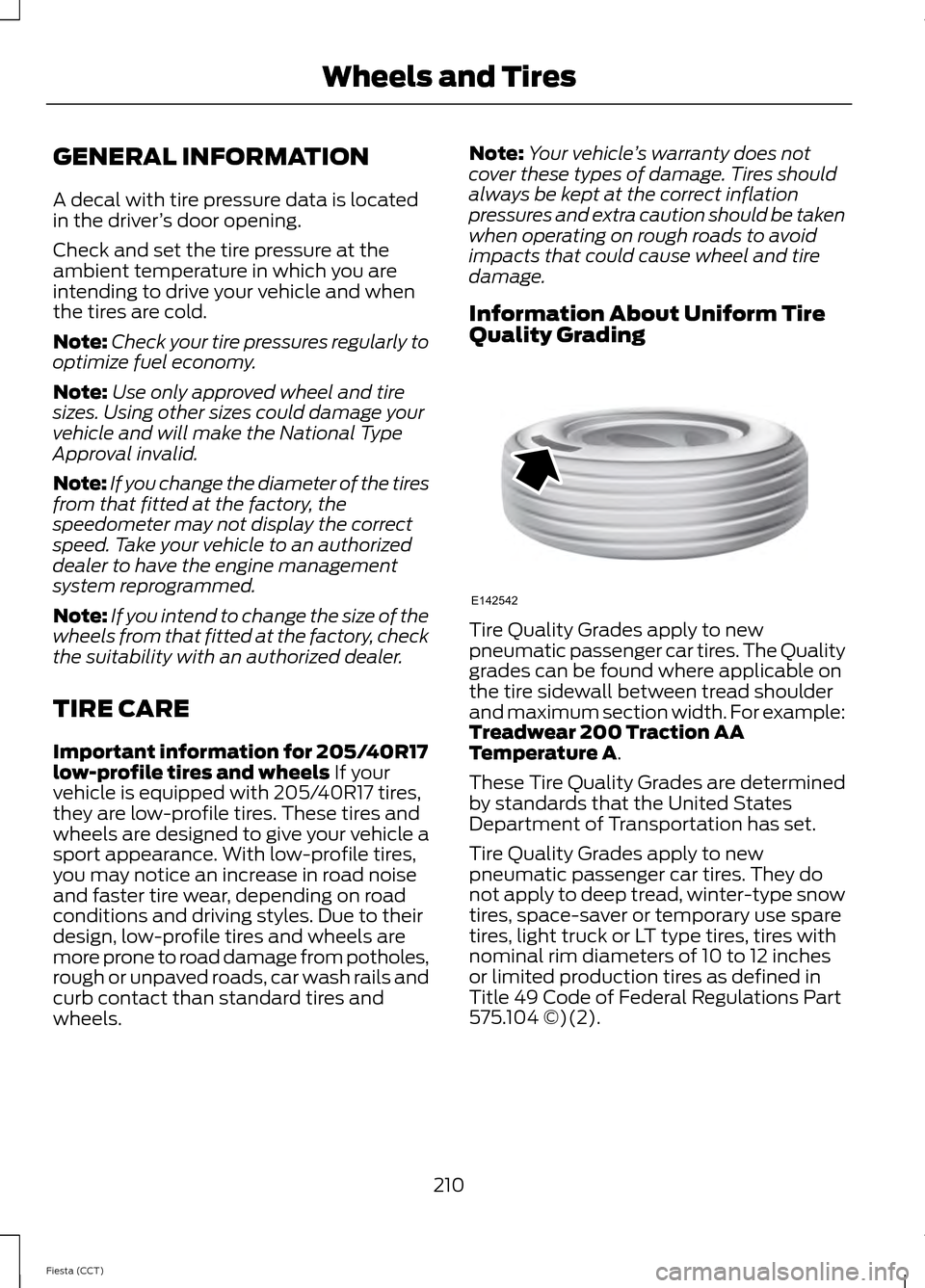
Quality Grading Tire Quality Grades apply to new
pneumatic passenger car tires. The Quality
grades can be found where applicable on
the tire sidewall between tread shoulder
and maximum section width. For example:
Treadwear 200 Traction AA
Temperature A.
These Tire Quality Grades are determined
by standards that the United States
Department of Transportation has set.
Tire Quality Grades apply to new
pneumatic passenger car tires. They do
not apply to deep tread, winter-type snow
tires, space-saver or temporary use spare
tires, light truck or LT type tires, tires with
nominal rim diameters of 10 to 12 inches
or limited production tires as defined in
Title 49 Code of Federal Regulations Part
575.104 ©)(2).
210
Fiesta (CCT) Wheels and TiresE142542
Page 246 of 396
•
MP3 and WMA folder mode represents
a folder structure consisting of one
level of folders. The CD player numbers
all MP3 and WMA tracks on the disc
(noted by the .mp3 or .WMA file
extension) and all folders containing
MP3 and WMA files, from F001 (folder)
T001 (track) to F253 T255.
• Creating discs with only one level of
folders helps with navigation through
the disc files.
If you are burning your own MP3 and WMA
discs, it is important to understand how
the system reads the structures you create.
While various files may be present, (files
with extensions other than mp3 and
WMA), only files with the .mp3 and WMA
extension are played; other files are
ignored by the system. This enables you to
use the same MP3 and WMA disc for a
variety of tasks on your work computer,
home computer and your in-vehicle
system. In track mode, the system displays and
plays the structure as if it were only one
level deep (all .mp3 files play, regardless
of being in a specific folder). In folder
mode, the system only plays the .mp3 files
in the current folder.
AUDIO UNIT - VEHICLES WITH:
AM/FM/CD WARNING
Driving while distracted can result in
loss of vehicle control, crash and
injury. We strongly recommend that
you use extreme caution when using any
device that may take your focus off the
road. Your primary responsibility is the safe
operation of your vehicle. We recommend
against the use of any handheld device
while driving and encourage the use of
voice-operated systems when possible.
Make sure you are aware of all applicable
local laws that may affect the use of
electronic devices while driving. 243
Fiesta (CCT) Audio System
Page 247 of 396

Eject: Press the button to eject a CD.
A
Cursor arrows:
Press a button to scroll through on-screen choices.
B
CD slot:
Where you insert a CD.
C
OK:
Press the button to confirm on-screen selections.
D
Clock:
Press to set the time. Use the H and M buttons outside the audio display
to adjust the hours and minutes. Press OK to finish. (The clock can also be set
by pressing MENU, then scrolling to the clock settings menu.)
E
Tune:
Press the button to manual tune on AM and FM wavebands.
F
Numeric keypad:
Press the button to recall a previously stored station. To
store a favorite station press and hold until the sound returns.
G
Seek up: Press the button to go to the next station up the radio frequency band
or the next track on a CD.
H
On, Off and Volume:
Press the button to switch the audio system on or off.
Turn the dial to adjust the volume.
I
244
Fiesta (CCT) Audio SystemE156613
ED
OF
G
K
L
M
N
JHI
C
A
B