2014 FORD F150 automatic transmission
[x] Cancel search: automatic transmissionPage 6 of 472

Transmission
Automatic Transmission............................147
Four-Wheel Drive
Using Four-Wheel Drive
.............................153
Rear Axle
Limited Slip Differential..............................161
Electronic Locking Differential
.................161
Brakes
General Information
....................................163
Hints on Driving With Anti-Lock Brakes...........................................................163
Parking Brake.................................................164
Hill Start Assist..............................................164
Traction Control
Principle of Operation................................166
Using Traction Control...............................166
Stability Control
Principle of Operation.................................167
Using Stability Control...............................168
Terrain Response
Principle of Operation.................................170
Using Hill Descent Control........................170
Parking Aids
Parking Aid
.......................................................172
Rear View Camera........................................173
Cruise Control
Principle of Operation.................................176
Using Cruise Control
....................................176
Driving Aids
Steering
.............................................................177 Load Carrying
Load Limit
........................................................179
Tailgate.............................................................186
Towing
Towing a Trailer..............................................191
Trailer Sway Control....................................192
Recommended Towing Weights............192
Essential Towing Checks...........................201
Transporting the Vehicle
...........................207
Towing the Vehicle on Four Wheels......208
Driving Hints
Breaking-In......................................................210
Economical Driving
......................................210
Driving Through Water.................................211
Floor Mats.........................................................211
Snowplowing..................................................212
Roadside Emergencies
Roadside Assistance...................................215
Hazard Warning Flashers
..........................216
Fuel Shutoff....................................................216
Jump Starting the Vehicle.........................216
Post-Crash Alert System
...........................218
Customer Assistance
Getting the Services You Need................219
In California (U.S. Only)
............................220
The Better Business Bureau (BBB) Auto Line Program (U.S. Only).......................221
Utilizing the Mediation/Arbitration Program (Canada Only)
........................221
Getting Assistance Outside the U.S. and Canada........................................................222
Ordering Additional Owner's Literature.....................................................223
Reporting Safety Defects (U.S. Only).............................................................223
Reporting Safety Defects (Canada Only).............................................................224
3
F150 (TF6) , enUSA Table of Contents
Page 7 of 472

Fuses
Fuse Specification Chart...........................225
Changing a Fuse
...........................................233
Maintenance
General Information
...................................235
Opening and Closing the Hood..............235
Under Hood Overview -
3.5L
Ecoboost™................................................236
Under Hood Overview - 3.7L....................237
Under Hood Overview - 5.0L..................238
Under Hood Overview -
6.2L...................239
Engine Oil Dipstick
......................................240
Engine Oil Check..........................................240
Engine Coolant Check
................................241
Automatic Transmission Fluid Check...........................................................245
Transfer Case Fluid Check........................245
Brake Fluid Check........................................246
Power Steering Fluid Check....................246
Washer Fluid Check
....................................246
Fuel Filter
........................................................246
Changing the 12V Battery.........................246
Checking the Wiper Blades
.....................249
Changing the Wiper Blades.....................249
Adjusting the Headlamps........................249
Removing a Headlamp
...............................251
Changing a Bulb...........................................252
Bulb Specification Chart...........................254
Changing the Engine Air Filter -
3.5L
Ecoboost™................................................256
Changing the Engine Air Filter -
3.7L/
5.0L/6.2L.....................................................257
Vehicle Care
General Information...................................259
Cleaning Products.......................................259
Cleaning the Exterior
..................................259
Waxing............................................................260
Cleaning the Engine
...................................260 Cleaning the Windows and Wiper
Blades...........................................................261
Cleaning the Interior....................................261
Cleaning the Instrument Panel and Instrument Cluster Lens........................261
Cleaning Leather Seats.............................262
Repairing Minor Paint Damage
..............263
Cleaning the Alloy Wheels.......................264
Vehicle Storage............................................264
Wheels and Tires
General Information...................................266
Tire Care
..........................................................268
Using Snow Chains
.....................................283
Tire Pressure Monitoring System...........283
Changing a Road Wheel...........................289
Technical Specifications
...........................294
Capacities and Specific- ations
Engine Specifications................................296
Motorcraft Parts
..........................................298
Vehicle Identification Number
...............298
Vehicle Certification Label.......................299
Transmission Code Designation...........300
Technical Specifications
............................301
Audio System
General Information...................................306
Audio unit - Vehicles With: AM/FM.......307
Audio unit -
Vehicles With: AM/FM/CD/
SYNC/Satellite Radio...........................308
Audio unit -
Vehicles With: AM/FM/CD/
SYNC/Satellite Radio.............................312
Audio unit - Vehicles With: Sony AM/FM/ CD...................................................................315
Digital Radio...................................................316
Satellite Radio
...............................................318
Audio Input Jack............................................321
USB Port
..........................................................322
Media Hub......................................................322
4
F150 (TF6) , enUSA Table of Contents
Page 54 of 472

Sounding a Panic Alarm
Note:
The panic alarm will only operate
when the ignition is off. Press the button to activate the
alarm. Press the button again or
turn the ignition on to deactivate
it.
Remote Start (If Equipped) WARNING
To avoid exhaust fumes, do not use
remote start if your vehicle is parked
indoors or areas that are not well
ventilated. Note:
Do not use remote start if your vehicle
is low on fuel. The remote start button is on the
transmitter.
This feature allows you to start your
vehicle from outside the vehicle. The
transmitter has an extended operating
range.
Vehicles with automatic climate control
can be set to operate when you remote
start the vehicle. See
Climate Control
(page 106). A manual climate control
system will run at the setting it was set to
when you switch the vehicle off.
Many states and provinces have
restrictions for the use of remote start.
Check your local and state or provincial
laws for specific requirements regarding
remote start systems.
The remote start system will not work if
any of the following occur:
• The ignition is on.
• The alarm system triggers.
• You disable the feature.
• The hood is open. •
The transmission is not in
P.
• The vehicle battery voltage is too low.
• The service engine soon indicator is on.
Remote Starting the Vehicle
Note: You must press each button within
three seconds of each other. Your vehicle
will not remote start and the horn will not
sound if you do not follow this sequence. The label on your transmitter details the
starting procedure.
To remote start your vehicle:
1. Press the lock button to lock all the
doors.
2. Press the remote start button twice. The exterior lamps will flash twice.
The horn will sound if the system fails to
start, unless quiet start is on. Quiet start
will run the blower fan at a slower speed
to reduce noise. You can switch it on or off
in the information display. See
General
Information (page 87).
Note: If you remote start your vehicle with
an integrated keyhead transmitter, you must
switch the ignition on before driving your
vehicle. If you remote start your vehicle with
an intelligent access transmitter, you must
press the
START/STOP button on the
instrument panel once while applying the
brake pedal before driving your vehicle.
The power windows will not work during
the remote start and the radio will not turn
on automatically.
51
F150 (TF6) , enUSA Keys and Remote ControlsE138624 E138625 E138626
Page 88 of 472

Normally, the service engine soon light will
stay on until the engine is cranked, then
turn itself off if no malfunctions are
present. However, if after 15 seconds the
service engine soon light blinks eight times,
it means that the vehicle is not ready for
I/M testing. See Emission Control
System (page 144).
Traction and Stability Control Illuminates when the system is
active. If it remains illuminated
or does not illuminate when you
switch the ignition on, this indicates a
malfunction. During a malfunction the
system will switch off. Have the system
checked by your authorized dealer
immediately. See
Using Stability
Control (page 168).
Traction and Stability Control Off Illuminates when you switch the
system off. It will go out when
you switch the system back on
or when you switch the ignition off. See
Using Stability Control
(page 168).
Transmission Tow/Haul
(If Equipped) Illuminates when the tow/haul
feature has been activated. If the
light flashes steadily, have the
system serviced immediately, damage to
the transmission could occur. See
Automatic Transmission
(page 147).
4X2
(If Equipped) Illuminates momentarily when
two-wheel drive high is selected.
If the light fails to display when
the ignition is turned on, or remains on,
have the system serviced immediately by
your authorized dealer. 4X4 Auto
(If Equipped) Illuminates when the four-wheel
drive system is engaged. If the
light fails to display when the
ignition is turned on, or remains on, have
the system serviced immediately by your
authorized dealer.
4X4 LOW
(If Equipped) Illuminates when four-wheel
drive low is engaged. If the light
fails to display when the ignition
is turned on, or remains on, have the
system serviced immediately by your
authorized dealer.
4X4 HIGH
(If Equipped) Illuminates when four-wheel
drive high is engaged. If the light
fails to display when the ignition
is turned on, or remains on, have the
system serviced immediately by your
authorized dealer.
AUDIBLE WARNINGS AND
INDICATORS
Headlamps On Warning Chime
Sounds when you remove the key from the
ignition and open the driver's door and you
have left the headlamps or parking lamps
on.
Key in Ignition Warning Chime
Sounds when you open the driver's door
and you have left the key in the ignition
with it in the off or accessory position.
85
F150 (TF6) , enUSA Instrument ClusterE138639 E161509 E163173 E166922 E163174 E163175
Page 101 of 472

Transmission indicator display (if
equipped)
The transmission gear indicator displays
in the right side of the information display
when using the SelectShift Automatic
™
transmission feature. These displays will
not be shown in all screen modes. For
example: when programming certain
vehicle features or in certain information
menus. INFORMATION MESSAGES
Note:
Depending on the vehicle options
equipped with your vehicle, not all of the
messages will display or be available.
Certain messages may be abbreviated or
shortened depending upon which cluster
type you have.
Press the RESET button for Type 1 displays
or the OK button for Type 2 displays to
acknowledge and remove some messages
from the information display. Other
messages will be removed automatically
after a short time.
Certain messages need to be confirmed
before you can access the menus.
AdvanceTrac® and Traction Control Action
Message
Displays when the system detects a condition that requires
service. Contact your authorized dealer as soon as possible.
SERVICE ADVAN-
CETRAC
Displayed when the AdvanceTrac® system has been disabled by the driver.
ADVANCETRAC OFF
Displayed when the AdvanceTrac® system has been enabledby the driver.
ADVANCETRAC ON
Displayed when the AdvanceTrac® sport mode has beenenabled by the driver. (SVT Raptor)
ADVANCETRAC SPORT
MODE
Displayed when the traction control has been disabled by thedriver. See Using Traction Control (page 166).
TRACTION CONTROL
OFF
Displayed when the traction control has been enabled by thedriver. See
Using Traction Control (page 166).
TRACTION CONTROL
ON
Airbag Action
Message
Displays when the system detects a malfunction due to a blocked sensor.
REMOVE OBJECTS
NEAR PASSENGER SEAT
98
F150 (TF6) , enUSA Information Displays
Page 121 of 472
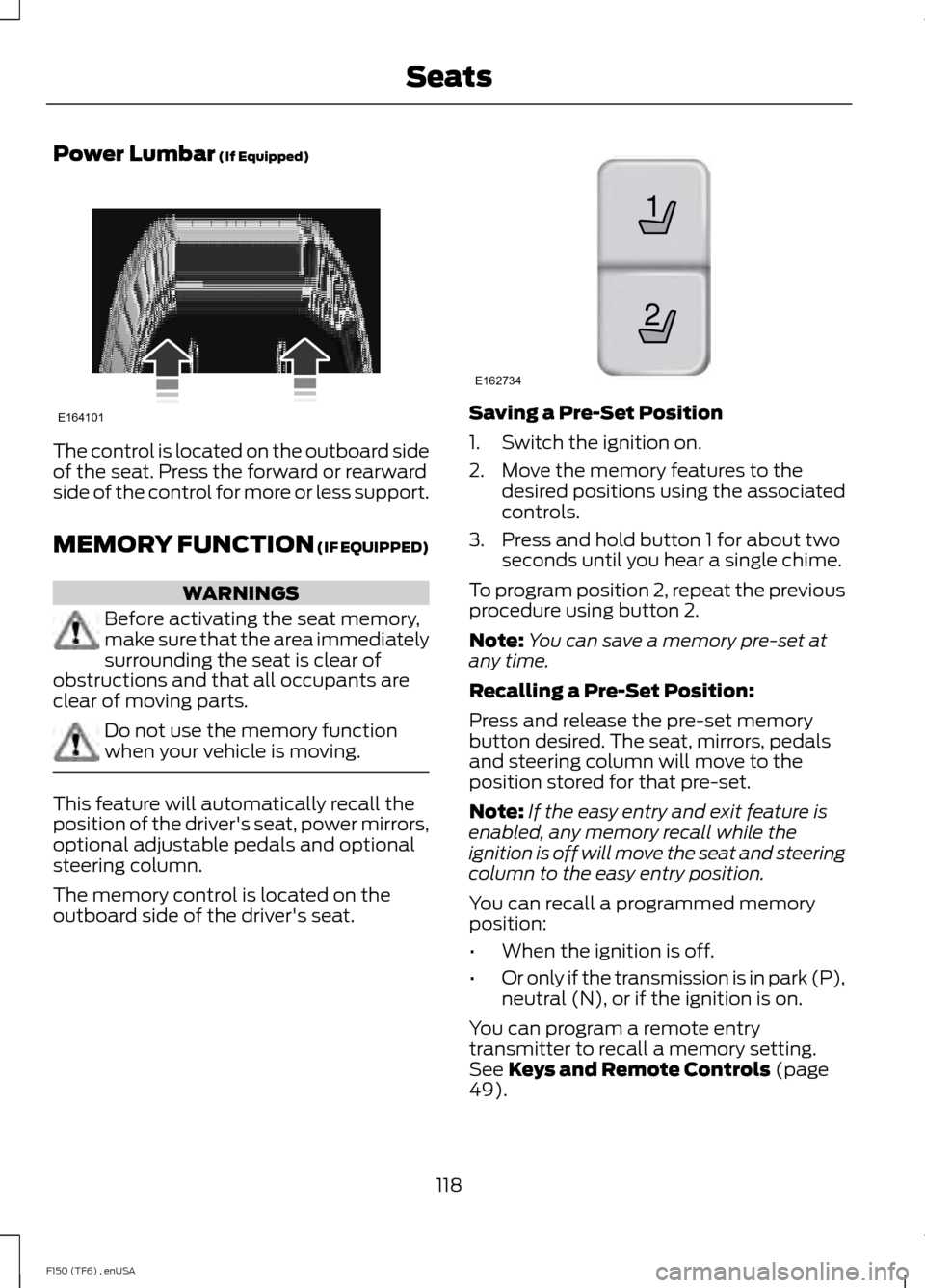
Power Lumbar (If Equipped)
The control is located on the outboard side
of the seat. Press the forward or rearward
side of the control for more or less support.
MEMORY FUNCTION
(IF EQUIPPED)
WARNINGS
Before activating the seat memory,
make sure that the area immediately
surrounding the seat is clear of
obstructions and that all occupants are
clear of moving parts. Do not use the memory function
when your vehicle is moving.
This feature will automatically recall the
position of the driver's seat, power mirrors,
optional adjustable pedals and optional
steering column.
The memory control is located on the
outboard side of the driver's seat. Saving a Pre-Set Position
1. Switch the ignition on.
2. Move the memory features to the
desired positions using the associated
controls.
3. Press and hold button 1 for about two seconds until you hear a single chime.
To program position 2, repeat the previous
procedure using button 2.
Note: You can save a memory pre-set at
any time.
Recalling a Pre-Set Position:
Press and release the pre-set memory
button desired. The seat, mirrors, pedals
and steering column will move to the
position stored for that pre-set.
Note: If the easy entry and exit feature is
enabled, any memory recall while the
ignition is off will move the seat and steering
column to the easy entry position.
You can recall a programmed memory
position:
• When the ignition is off.
• Or only if the transmission is in park (P),
neutral (N), or if the ignition is on.
You can program a remote entry
transmitter to recall a memory setting.
See
Keys and Remote Controls (page
49).
118
F150 (TF6) , enUSA SeatsE164101 21
E162734
Page 122 of 472
You can also program a personal keyless
entry code to recall a memory setting. See
Locks (page 57).
Easy Entry and Exit Feature
(If
Equipped)
If you enable the easy entry and exit
feature, it automatically moves the driver's
seat rearward 2 inches (5 centimeters)
when the transmission selector lever is in
position
P and you remove the key from
the ignition.
If the seat is located less than 2 inches (5
centimeters) from the rear of the seat
track, the seat travel will be less than 2
inches (5 centimeters) rearward.
The driver's seat will return to the previous
position when you put the key in the
ignition.
You can enable or disable this feature
through the information display. See
Information Displays
(page 87).
REAR SEATS
Folding Up the Rear Seats (SuperCab)
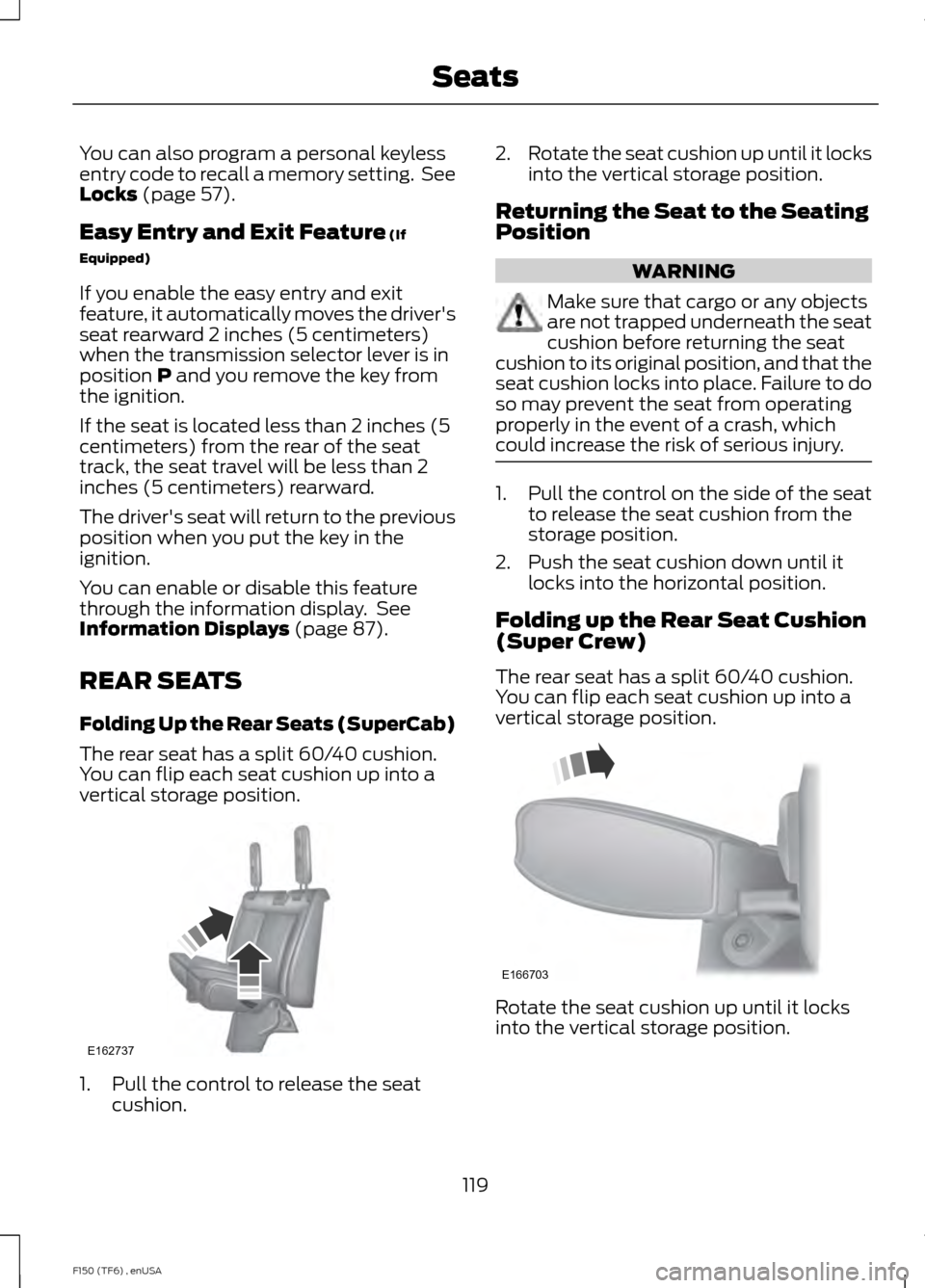
The rear seat has a split 60/40 cushion.
You can flip each seat cushion up into a
vertical storage position. 1. Pull the control to release the seat
cushion. 2.
Rotate the seat cushion up until it locks
into the vertical storage position.
Returning the Seat to the Seating
Position WARNING
Make sure that cargo or any objects
are not trapped underneath the seat
cushion before returning the seat
cushion to its original position, and that the
seat cushion locks into place. Failure to do
so may prevent the seat from operating
properly in the event of a crash, which
could increase the risk of serious injury. 1. Pull the control on the side of the seat
to release the seat cushion from the
storage position.
2. Push the seat cushion down until it locks into the horizontal position.
Folding up the Rear Seat Cushion
(Super Crew)
The rear seat has a split 60/40 cushion.
You can flip each seat cushion up into a
vertical storage position. Rotate the seat cushion up until it locks
into the vertical storage position.
119
F150 (TF6) , enUSA SeatsE162737 E166703
Page 147 of 472
•
Turn the ignition off before fueling; an
inaccurate reading results if the engine
is left running.
• Use the same fill rate
(low-medium-high) each time the tank
is filled.
• Allow no more than two automatic
click-offs when filling.
Results are most accurate when the filling
method is consistent.
Calculating Fuel Economy
Do not measure fuel economy during the
first 1000 miles (1600 kilometers) of
driving (this is your engine ’s break-in
period); a more accurate measurement is
obtained after 2000 miles - 3000 miles
(3200 kilometers - 4800 kilometers). Also,
fuel expense, frequency of fill ups or fuel
gauge readings are not accurate ways to
measure fuel economy.
1. Fill the fuel tank completely and record
the initial odometer reading.
2. Each time you fill the tank, record the amount of fuel added.
3. After at least 3 to 5 tank fill ups, fill the
fuel tank and record the current
odometer reading.
4. Subtract your initial odometer reading from the current odometer reading.
5. Calculate fuel economy by dividing miles traveled by gallons used (For
Metric: Multiply liters used by 100, then
divide by kilometers traveled).
Keep a record for at least 1 month and
record the type of driving (city or highway).
This provides an accurate estimate of the
vehicle ’s fuel economy under current
driving conditions. Additionally, keeping
records during summer and winter show
how temperature impacts fuel economy.
In general, lower temperatures mean lower
fuel economy. Conditions
•
Heavily loading a vehicle or towing a
trailer may reduce fuel economy at any
speed.
• Carrying unnecessary weight may
reduce fuel economy (approximately
1 mpg [0.4 km/L] is lost for every 400
pounds [180 kilograms] of weight
carried).
• Adding certain accessories to your
vehicle (for example bug deflectors,
rollbars/light bars, running boards, ski
racks) may reduce fuel economy.
• Using fuel blended with alcohol may
lower fuel economy.
• Fuel economy may decrease with lower
temperatures during the first 8– 10
miles (12 –16 kilometers) of driving.
• Driving on flat terrain offers improved
fuel economy as compared to driving
on hilly terrain.
• Transmissions give their best fuel
economy when operated in the top
cruise gear and with steady pressure
on the gas pedal.
• Close windows for high speed driving.
EMISSION CONTROL SYSTEM WARNINGS
Do not park, idle, or drive your vehicle
in dry grass or other dry ground cover.
The emission system heats up the
engine compartment and exhaust system,
which can start a fire. Exhaust leaks may result in entry of
harmful and potentially lethal fumes
into the passenger compartment. If
you smell exhaust fumes inside your
vehicle, have your dealer inspect your
vehicle immediately. Do not drive if you
smell exhaust fumes. 144
F150 (TF6) , enUSA Fuel and Refueling