Page 151 of 392

CAUTION!
The TPMS has been optimized for the original
equipment tires and wheels. TPMS pressures and
warning have been established for the tire size
equipped on your vehicle. Undesirable system opera-
tion or sensor damage may result when using re-
placement equipment that is not of the same size,
type, and/or style. Aftermarket wheels can cause
sensor damage. Do not use tire sealant from a can or
balance beads if your vehicle is equipped with a
TPMS, as damage to the sensors may result.
16. Automatic Gearbox Fault
This light will illuminate when there is an
automatic transmission fault.
17. Oil Pressure Warning Light
This light indicates low engine oil pressure. The
light should turn on momentarily when the engine is
started. If the light turns on while driving, stop the
vehicle and shut off the engine as soon as possible. A
chime will sound when this light turns on.
Do not operate the vehicle until the cause is corrected.
This light does not indicate how much oil is in the engine.
The engine oil level must be checked under the hood.
18. Malfunction Indicator Light (MIL)
The Malfunction Indicator Light (MIL) is part of
an onboard diagnostic system, called OBDII, that
monitors engine and automatic transmission con-
trol systems. The light will illuminate when the key is in
the ON/RUN position before engine start. If the bulb
does not come on when turning the key from OFF/LOCK
to ON/RUN, have the condition checked promptly.
4
UNDERSTANDING YOUR INSTRUMENT PANEL 149
Page 152 of 392

Certain conditions, such as a loose or missing gas cap,
poor fuel quality, etc., may illuminate the MIL after
engine start. The vehicle should be serviced if the light
stays on through several of your typical driving cycles. In
most situations, the vehicle will drive normally and will
not require towing.
CAUTION!
Prolonged driving with the Malfunction Indicator
Light (MIL) on could cause damage to the engine
control system. It also could affect fuel economy and
driveability. If the MIL is flashing, severe catalytic
converter damage and power loss will soon occur.
Immediate service is required.
WARNING!
A malfunctioning catalytic converter, as referenced
above, can reach higher temperatures than in normal
operating conditions. This can cause a fire if you
drive slowly or park over flammable substances such
as dry plants, wood, cardboard, etc. This could result
in death or serious injury to the driver, occupants or
others.
19. Engine Temperature Warning Light
This light warns of an overheated engine condi-
tion. The engine coolant temperature indicator
will illuminate and a single chime will sound after
reaching a set threshold.
If the light turns on while driving, safely pull over and
stop the vehicle. If the A/C system is on, turn it off. Also,
shift the transmission into NEUTRAL and idle the ve-
hicle. If the temperature reading does not return to
150 UNDERSTANDING YOUR INSTRUMENT PANEL
Page 153 of 392

normal, turn the engine off immediately and call for
service. Refer to “If Your Engine Overheats” in “What To
Do In Emergencies” for further information.
20. Brake Warning Light
This light monitors various brake functions,
including brake fluid level and parking brake
application. If the Brake Warning Light turns
on it may indicate that the parking brake is
applied, that the brake fluid level is low, or that there is
a problem with the brake system reservoir.
The light will remain on until the cause is corrected.
If brake fault is indicated, immediate repair is necessary.
WARNING!
Driving a vehicle with the red brake light on is
dangerous. You could have a collision. Have the
vehicle checked immediately.
Vehicles equipped with the Anti-Lock Brake System
(ABS), are also equipped with Electronic Brake Force
Distribution (EBD). In the event of an EBD fault, the
Brake Warning Light will turn on along with the ABS
Light. Immediate repair to the ABS system is required.
Operation of the Brake Warning Light can be checked by
turning the ignition switch from the OFF/LOCK position
to the ON/RUN position. The light should illuminate for
approximately two seconds. The light should then turn
off unless the parking brake is applied or a brake fault is
detected. If the light does not illuminate, have the light
inspected by an authorized dealer.
The light also will turn on when the parking brake is
applied with the ignition switch in the ON/RUN posi-
tion.
4
UNDERSTANDING YOUR INSTRUMENT PANEL 151
Page 155 of 392
If the ABS light remains on or turns on while driving, it
indicates that the Anti-Lock portion of the brake system
is not functioning and that service is required. However,
the conventional brake system will continue to operate
normally if the BRAKE warning light is not on.
If the ABS light is on, the brake system should be serviced
as soon as possible to restore the benefits of Anti-Lock
brakes. If the ABS light does not turn on when the
ignition switch is turned to the ON/RUN position, have
the light inspected by an authorized dealer.
24. Door Ajar
This light will turn on to indicate that one or
more doors or the trunk may be ajar.
25. Vehicle Security Light
If during starting, the key code is not correctly
recognized, the Vehicle Security Light comes
on in the instrument panel. In this case, turn
the key to OFF and then to ON/RUN; if it is
still locked, try again with the other keys that come with
the vehicle. Contact a Fiat dealer if you still cannot start
the engine.
If with the engine running the warning light flashes, this
means that the car is not protected by the engine inhibitor
device. Contact Fiat dealer to have all the keys
programmed.
26. Temperature Gauge
The temperature digital scale shows engine coolant tem-
perature. Any reading within the normal range indicates
that the engine cooling system is operating satisfactorily.
4
UNDERSTANDING YOUR INSTRUMENT PANEL 153
Page 177 of 392
WARNING!
Having the volume turned up high can cause the
driver to not be able to hear important traffic sounds,
i.e. sirens, horns, etc. This could cause an accident.
Always adjust the volume so that you can still hear
background noises.
Care And Maintenance
Clean the cover with a soft antistatic cloth only. Cleaning
and polishing products could damage the surface.
CDs
The presence of dirt, scratches or distortions on the CDs
could cause skipping and poor sound quality while it is
playing. For optimal playback conditions, follow these
guidelines:
•Only use branded CDs.
•Clean every CD thoroughly removing any finger
marks or dust using a soft cloth. Hold CDs by the
outside and clean them from the middle outwards.
•Never use chemicals (e.g. antistatics or thinners or
sprays) for cleaning as they could damage the surface
of the CDs.
•After listening to them place CDs back in their boxes to
prevent them from being damaged.
•Do not expose CDs to direct sunlight, high tempera-
tures or moisture for long periods.
•Do not stick labels on the CD surface or write on the
recorded surface with pencils or pens.
•Do not use CDs that are very scratched, flawed,
distorted, etc. Using discs like these will result in
malfunctions or damage to the player.
4
UNDERSTANDING YOUR INSTRUMENT PANEL 175
Page 227 of 392
shut off to circulate coolant through the turbocharger.
Although the pump is rubber-mounted for quiet opera-
tion, it is normal to hear it running during this time.
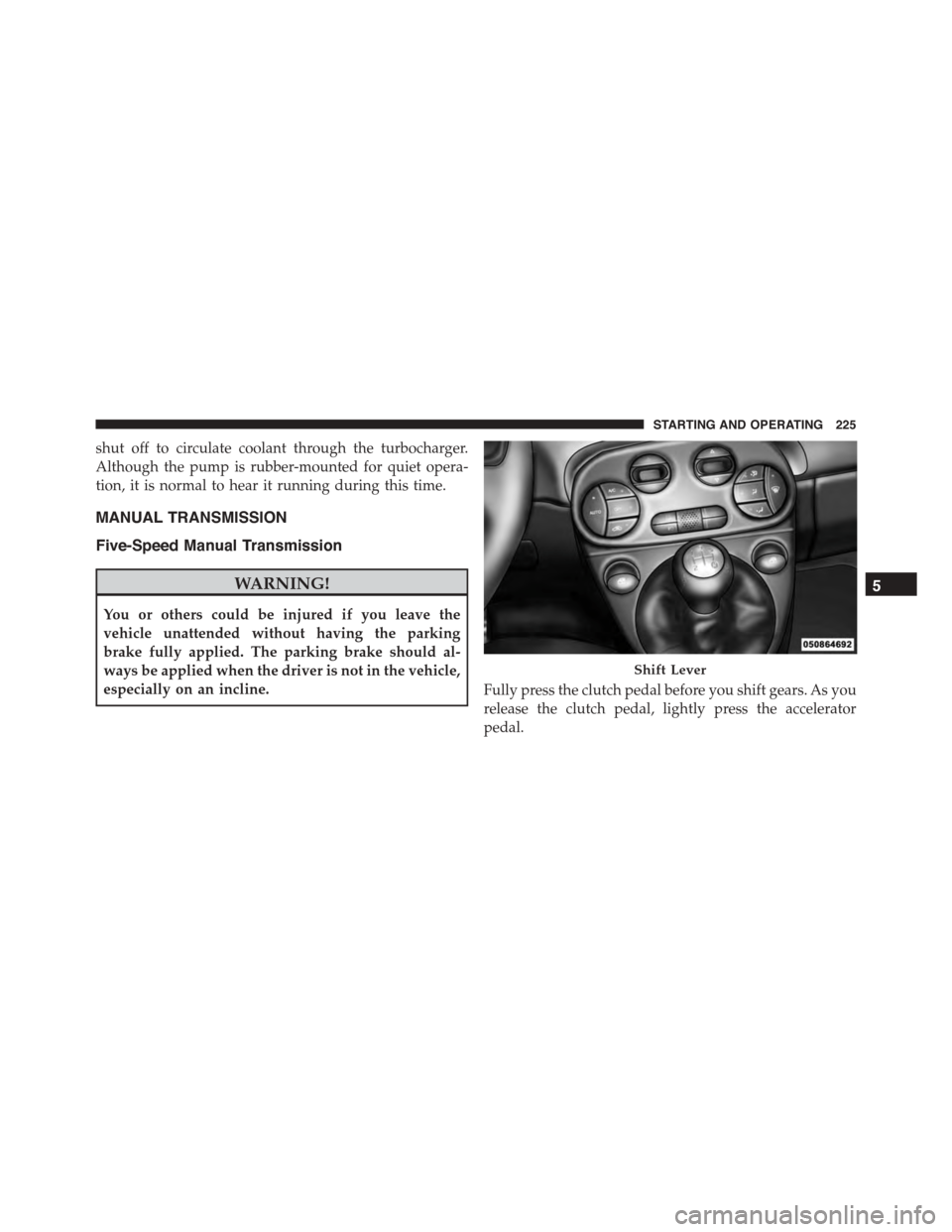
MANUAL TRANSMISSION
Five-Speed Manual Transmission
WARNING!
You or others could be injured if you leave the
vehicle unattended without having the parking
brake fully applied. The parking brake should al-
ways be applied when the driver is not in the vehicle,
especially on an incline.Fully press the clutch pedal before you shift gears. As you
release the clutch pedal, lightly press the accelerator
pedal.
Shift Lever
5
STARTING AND OPERATING 225
Page 232 of 392
CAUTION!(Continued)
•Getting water inside your vehicle’s engine can
cause it to lock up and stall out, and cause serious
internal damage to the engine. Such damage is not
covered by the New Vehicle Limited Warranty.
WARNING!
•Driving through standing water limits your vehi-
cle’s traction capabilities. Do not exceed 5 mph
(8 km/h) when driving through standing water.
•Driving through standing water limits your vehi-
cle’s braking capabilities, which increases stopping
distances. Therefore, after driving through stand-
ing water, drive slowly and lightly press on the
brake pedal several times to dry the brakes.
(Continued)
WARNING!(Continued)
•Failure to follow these warnings may result in
injuries that are serious or fatal to you, your pas-
sengers, and others around you.
POWER STEERING
The electric power steering system will give you good
vehicle response and increased ease of maneuverability
in tight spaces. The system will vary its assist to provide
light efforts while parking and good feel while driving. If
the electric steering system experiences a fault that
prevents it from providing assist, you will still have the
ability to steer the vehicle manually.
230 STARTING AND OPERATING
Page 234 of 392
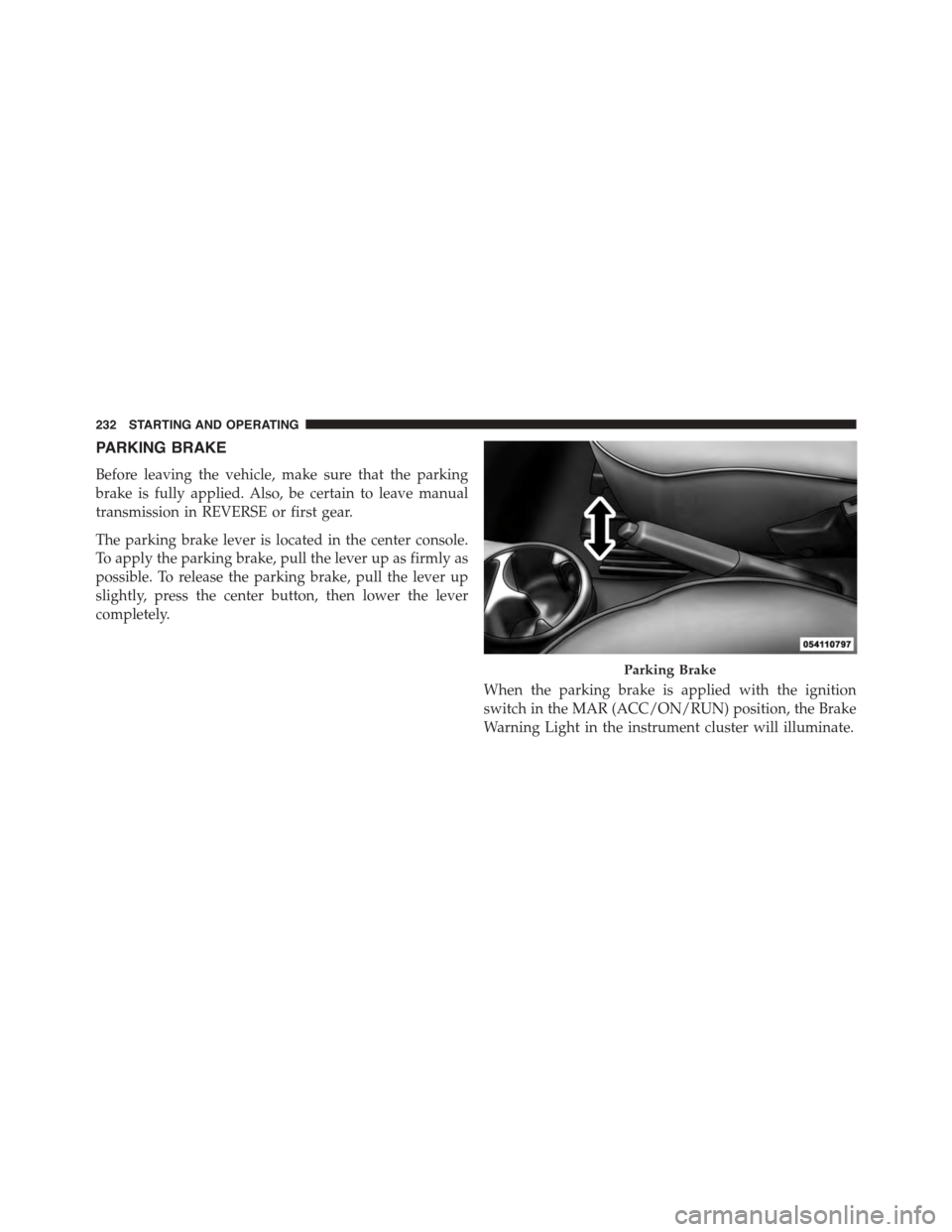
PARKING BRAKE
Before leaving the vehicle, make sure that the parking
brake is fully applied. Also, be certain to leave manual
transmission in REVERSE or first gear.
The parking brake lever is located in the center console.
To apply the parking brake, pull the lever up as firmly as
possible. To release the parking brake, pull the lever up
slightly, press the center button, then lower the lever
completely.
When the parking brake is applied with the ignition
switch in the MAR (ACC/ON/RUN) position, the Brake
Warning Light in the instrument cluster will illuminate.
Parking Brake
232 STARTING AND OPERATING