Page 170 of 284
168
Fuse N°Rating Functions
F1 20 AEngine control unit supply, cooling fan unit control relay,
multifunction engine control main relay, injection pump (
die
sel).
F2 15 AHorn.
F3 10 AFront / rear wash-wipe.
F4 20 A
da
ytime running lamps, LE
d d
aytime running lamps.
F5 15 A
di
esel heater (
di
esel), particle filter additive pump (
di
esel), air
flow sensor (Diesel), fuel pump (1.1i and 1.4i), blow-by heater
and electrovalves (VTi).
F6 10 AABS/ESP control unit, secondary stop switch.
F7 10 AElectric power steering, automatic gearbox.
F8 25 AStarter control.
F9 10 ASwitching and protection unit (Diesel).
F10 30 AFuel heater (Diesel), blow-by heater (1.1i, 1.4i and Diesel),
fuel pump (VTi), injectors and ignition coils (petrol), electronic
thermostat and canister purge electrovalve (1.1i and 1.4i).
F11 40 AHeater blower.
Fuse table
Practical information
Page 178 of 284

176
Towing the vehicle
Access to the tools
The towing eye is installed in the boot under
t h e f l o o r.
To gain access to it:
F
o
pen the boot,
F
r
aise the floor,
F
r
emove the polystyrene storage box,
F
r
emove the towing eye from the holder.
Procedure for having your vehicle towed or for towing another vehicle using a removable towing eye.
General recommendations
observe the legislation in force in your country.
Ensure that the weight of the towing vehicle is higher than that of the towed vehicle.
The driver must remain at the wheel of the towed vehicle and must have a valid driving licence.
When towing a vehicle with all four wheels on the ground, always use an approved towing
arm; rope and straps are prohibited.
The towing vehicle must move off gently.
When towing a vehicle with the engine off, there is no longer any power assistance for
braking or steering.
In the following cases, you must always call on a professional recovery service:
-
v
ehicle broken down on a motor way or fast road,
-
f
our-wheel drive vehicle,
-
w
hen it is not possible to put the gearbox into neutral, unlock the steering, or release
the parking brake,
-
t
owing with only two wheels on the ground,
-
w
here there is no approved towing arm available...
Practical information
Page 179 of 284
177
Towing your vehicle
F on the front bumper, unclip the cover by pressing at the bottom.
F
S
crew the towing eye in fully.
F
I
nstall the towing bar.
F
P
lace the gear lever in neutral (position N
for an electronic or automatic gearbox). F
on t he rear bumper, unclip the cover by
pressing at the bottom.
F
S
crew the towing eye in fully.
F
I
nstall the towing bar.
F
S
witch on the hazard warning lamps on
both vehicles.
F
M
ove off gently and drive for a short
distance only.
Towing another vehicle
Failure to observe this special condition
could result in damage to certain
components (braking, transmission...)
and the absence of braking assistance
the next time the engine is started. F
U
nlock the steering by turning the key one
notch in the ignition switch and release the
parking brake.
F
S
witch on the hazard warning lamps on
both vehicles.
F
M
ove off gently and drive for a short
distance only.
11
Practical information
Page 184 of 284
182
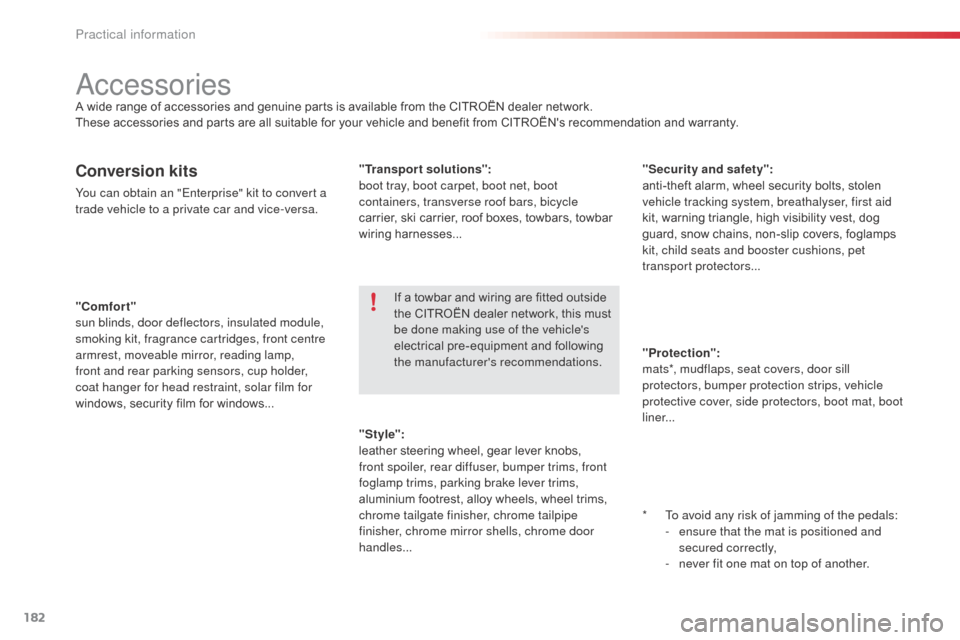
"Comfort"
sun blinds, door deflectors, insulated module,
smoking kit, fragrance cartridges, front centre
armrest, moveable mirror, reading lamp,
front and rear parking sensors, cup holder,
coat hanger for head restraint, solar film for
windows, security film for windows... "Security and safety":
anti-theft alarm, wheel security bolts, stolen
vehicle tracking system, breathalyser, first aid
kit, warning triangle, high visibility vest, dog
guard, snow chains, non-slip covers, foglamps
kit, child seats and booster cushions, pet
transpor t protectors...
Conversion kits
You can obtain an "Enterprise" kit to convert a
trade vehicle to a private car and vice-versa.
"Style":
leather steering wheel, gear lever knobs,
front spoiler, rear diffuser, bumper trims, front
foglamp trims, parking brake lever trims,
aluminium footrest, alloy wheels, wheel trims,
chrome tailgate finisher, chrome tailpipe
finisher, chrome mirror shells, chrome door
handles... "Transport solutions":
boot tray, boot carpet, boot net, boot
containers, transverse roof bars, bicycle
carrier, ski carrier, roof boxes, towbars, towbar
wiring harnesses...
accessoriesA wide range of accessories and genuine parts is available from the CITROËN dealer network.
These accessories and parts are all suitable for your vehicle and benefit from CITROËN's recommendation and warranty.
*
T
o avoid any risk of jamming of the pedals:
-
e
nsure that the mat is positioned and
secured correctly,
-
n
ever fit one mat on top of another.
"Protection":
mats*, mudflaps, seat covers, door sill
protectors, bumper protection strips, vehicle
protective cover, side protectors, boot mat, boot
liner...
If a towbar and wiring are fitted outside
the CITROËN
dealer network, this must
be done making use of the vehicle's
electrical pre-equipment and following
the manufacturer's recommendations.
Practical information
Page 185 of 284

183
"Multimedia": b
luetooth® hands-free kit, support for b
luetooth® hands-free kit, audio systems with
steering controls inter face, portable satellite
navigation system, semi-integral portable
navigation system carrier, mapping updates
for integral navigation system,
d
Vd
player,
auxiliary cable for connecting a portable MP3
player, US
b
b
o
x, Hi-Fi module, speakers, Wi-Fi
on board, rear multimedia support, telephone/
smartphone support, 230 V socket, telephone
charge compatible with iPhone...
Installation of radio
communication
transmitters
before installing any after-market radio
communication transmitter, you can
contact a CITR
oËn
dealer for the
specification of transmitters which can
be fitted (frequency, maximum power,
aerial position, specific installation
requirements), in line with the Vehicle
Electromagnetic Compatibility
Directive
(2004/104/EC).
de
pending on the legislation in force in
the country, certain safety equipment
may be compulsory: high visibility
safety vests, warning triangles,
breathalyzers, spare bulbs, spare fuses,
fire extinguisher, first aid kit, mud flaps
at the rear of the vehicle.
by g
oing to a CITR
oËn
dealer, you can also
obtain cleaning and maintenance products
(interior and exterior) - including ecological
products in the "TECH
n
a
T
URE" range
-
products for topping up (screenwash fluid...),
touch up pens and paint aerosols for the exact
colour of your vehicle, recharges (cartridge for
the temporary puncture repair kit...), ... The fitting of electrical equipment or
accessories which are not recommended
by CITR
oËn
may result in a failure of
your vehicle's electronic system and
excessive electrical consumption.
Contact a CITR
oËn
dealer
for information on the range of
recommended equipment and
accessories.
11
Practical information
Page 199 of 284
197
The system is protected in such a way that it will only
operate in your vehicle.
eMyWay
01 First steps - Control
panel
For safety reasons, the driver must only carry out
operations which require prolonged attention while the
vehicle is stationary.
When the engine is switched off and to prevent
discharging of the battery, the system switches off
following the activation of the energy economy mode.
CONTENTS
02
Steering mounted
controls
03
General operation
04
Navigation
- Guidance
05
T
raffic information
06
Using
the telephone
07
Radio
08
Music media players
09
Audio
settings
10
Configuration
11
Screen menu
map p.
p.
p.
p.
p.
p.
p.
p.
p.
p.
p.
198
200
201
203
216
219
229
232
238
239
240
SATELLITE NAVIGATION SYSTEM
MULTIMEDIA BLUETOOTH
TELEPHONE AUDIO SYSTEM
Frequently asked questions p.
244
Page 202 of 284
02
200R ad I o : select the previous/next preset
station.
Select the next entry in the address book. SRC/TEL button:
change the audio source,
start a call from the address book,
call/end call on the telephone,
press for more than 2 seconds: access
to the address book.
R ad I o : change to the previous radio
station in the list.
Long press: automatic search for a
lower frequency.
C d : select the previous track.
C d : continuous press: fast reverse.
R ad I o : change to the next radio station in the list.
Long press: automatic search for a higher frequency.
C d : select the next track.
CD: continuous press: fast forward play.
Volume increase.
Volume decrease.Mute: press the volume
increase and decrease
buttons simultaneously.
Restore the sound by
pressing one of the two
volume buttons.
STEERING MOUNTED CONTROLS
Page 226 of 284
06
224
USING THE TELEPHONE
Press PHONE twice.
Select "Dial" then confirm.Select "Directory of contacts" then
confirm.
d
ial the telephone number using the
virtual keypad selecting each number
in turn.
Confirm "OK" to make the call. Press TEL or twice on PHONE.
Calling a new number
Calling a contact
Select the desired contact and confirm.
If access was via the PHONE button,
Select "Call" and confirm.
Select the number and confirm to start
the call.
Making a callUse of the telephone is not recommended while driving. We
recommended that you park safely or make use of the steering
mounted controls.


