Page 194 of 522
On steep hills, a greater speed loss or gain may occur so
it may be preferable to drive without Electronic Speed
Control.
WARNING!
Electronic Speed Control can be dangerous where the
system cannot maintain a constant speed. Your ve-
hicle could go too fast for the conditions, and you
could lose control and have an accident. Do not use
Electronic Speed Control in heavy traffic or on roads
that are winding, icy, snow-covered or slippery.
GARAGE DOOR OPENER — IF EQUIPPED
HomeLink® replaces up to three hand-held transmitters
that operate devices such as garage door openers, motor-
ized gates, lighting or home security systems. The
HomeLink® unit is powered by your vehicles 12 Volt
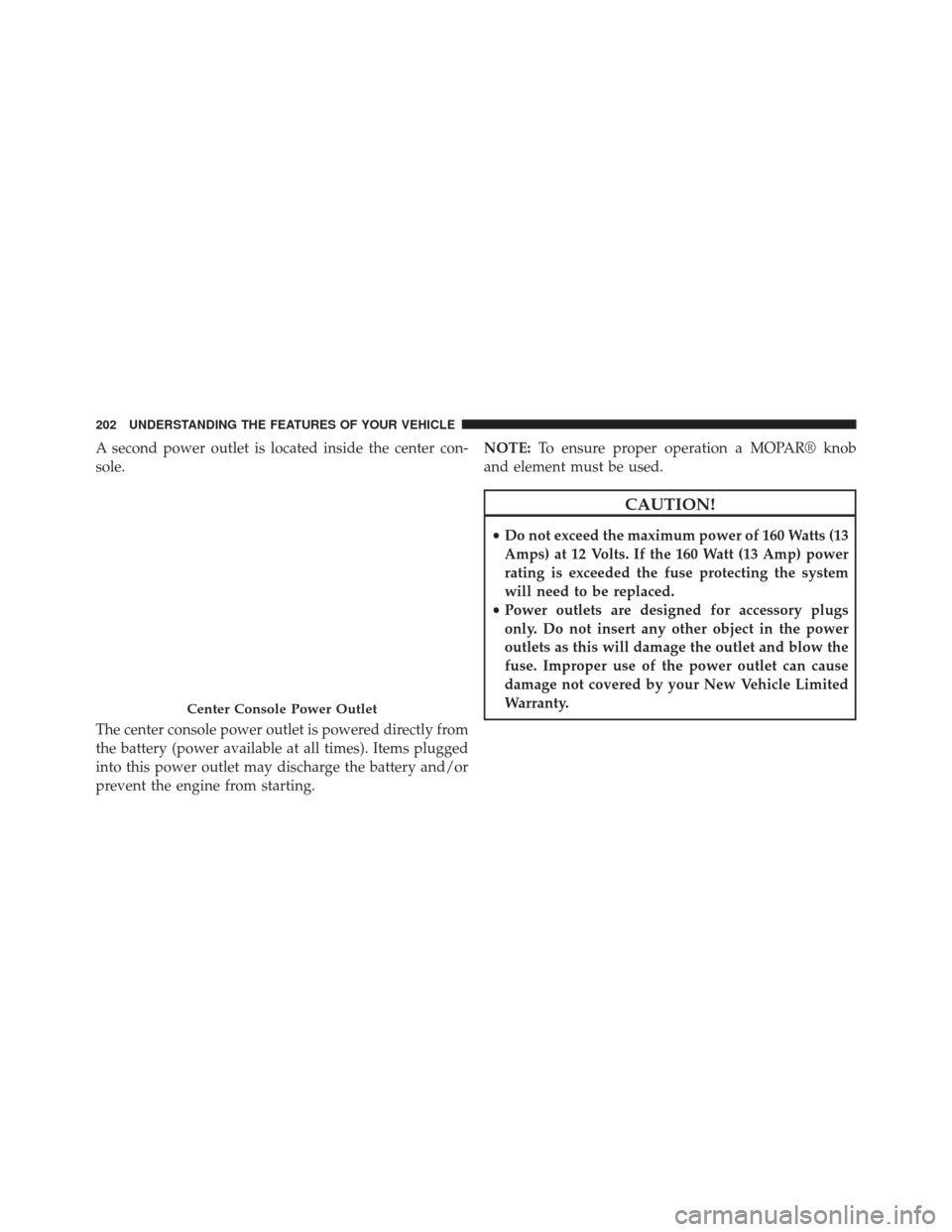
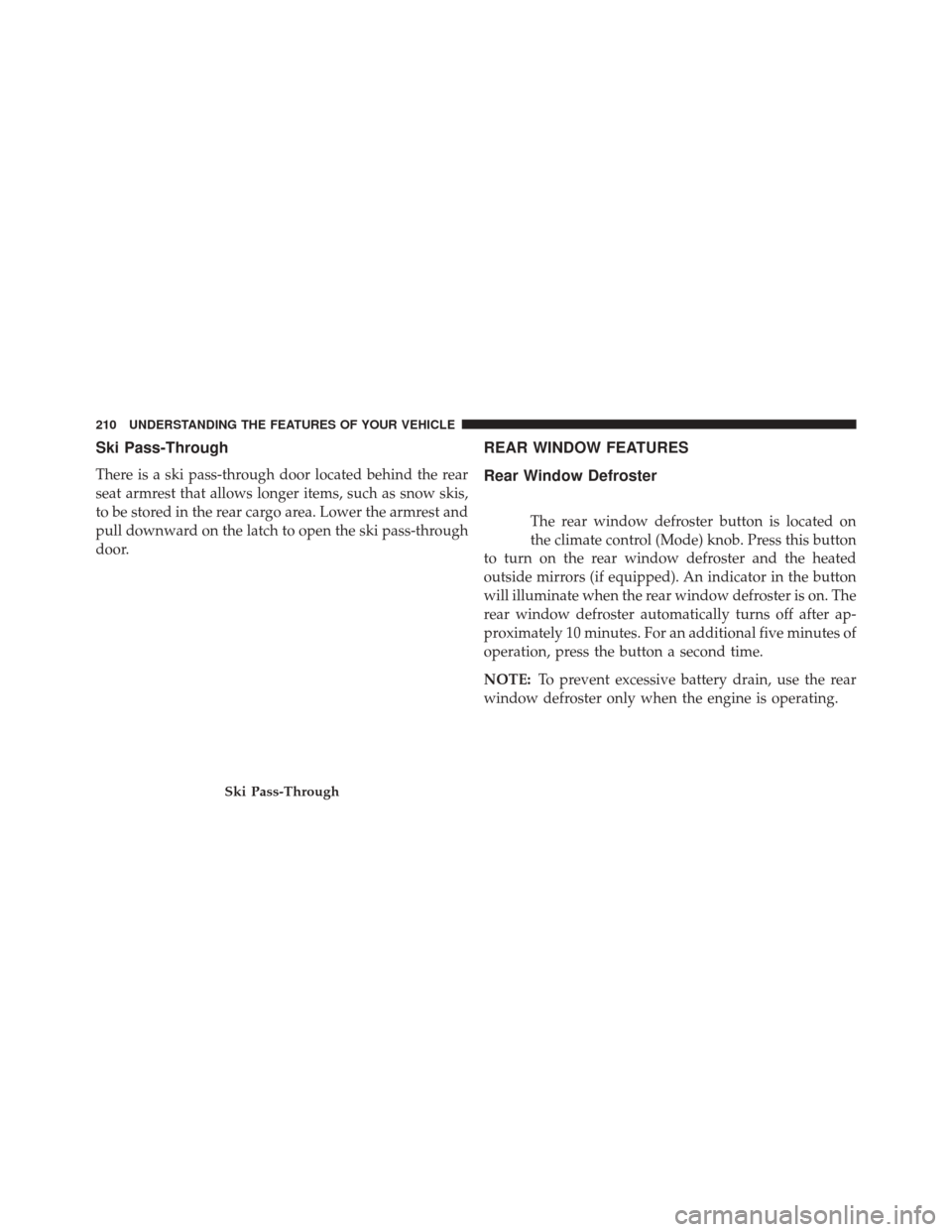
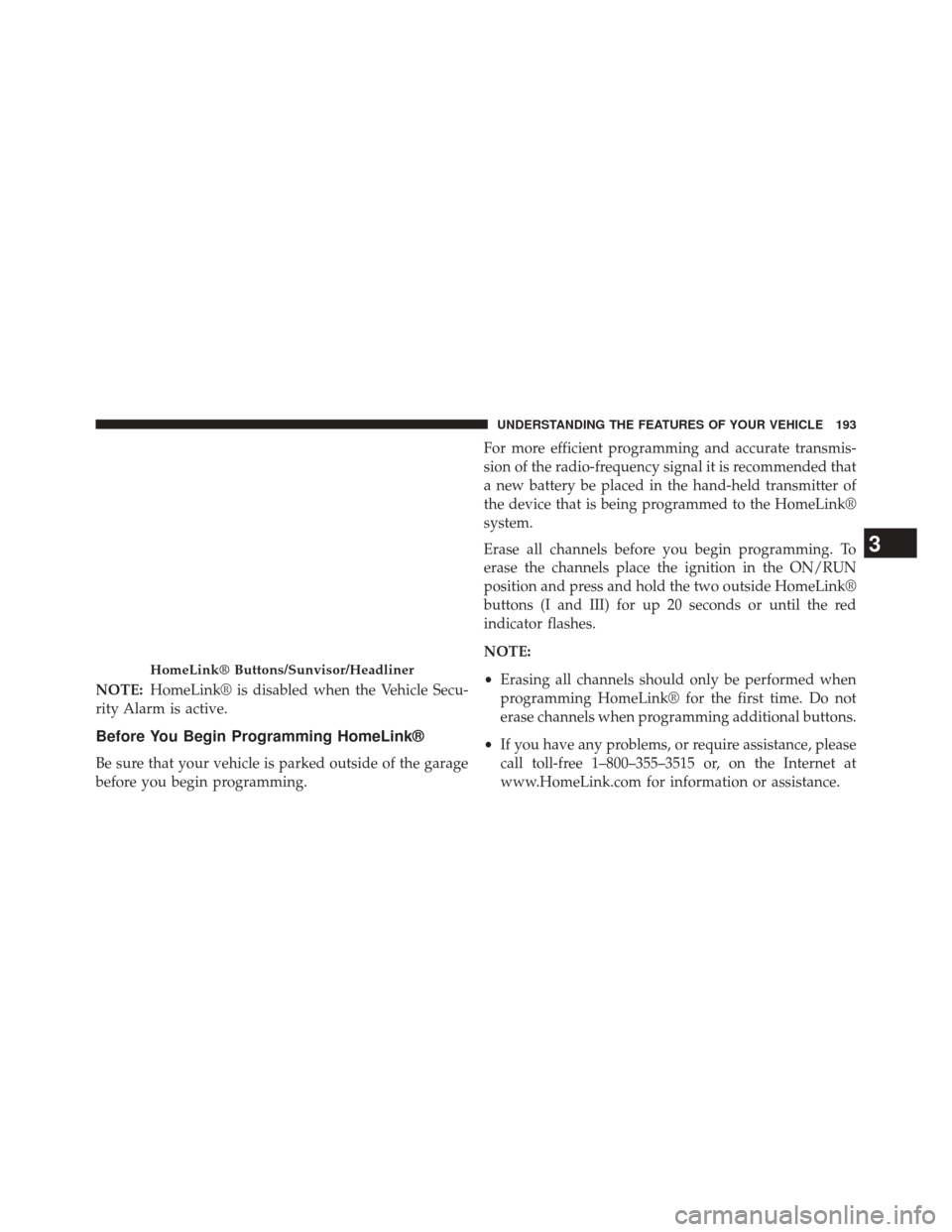
battery.The HomeLink® buttons, located on either the overhead
console, headliner or sunvisor, designate the three differ-
ent HomeLink® channels. The HomeLink® indicator is
located above the center button.
HomeLink® Buttons/Overhead Consoles
192 UNDERSTANDING THE FEATURES OF YOUR VEHICLE
Page 195 of 522
NOTE:HomeLink® is disabled when the Vehicle Secu-
rity Alarm is active.
Before You Begin Programming HomeLink®
Be sure that your vehicle is parked outside of the garage
before you begin programming. For more efficient programming and accurate transmis-
sion of the radio-frequency signal it is recommended that
a new battery be placed in the hand-held transmitter of
the device that is being programmed to the HomeLink®
system.
Erase all channels before you begin programming. To
erase the channels place the ignition in the ON/RUN
position and press and hold the two outside HomeLink®
buttons (I and III) for up 20 seconds or until the red
indicator flashes.
NOTE:
•
Erasing all channels should only be performed when
programming HomeLink® for the first time. Do not
erase channels when programming additional buttons.
• If you have any problems, or require assistance, please
call toll-free 1–800–355–3515 or, on the Internet at
www.HomeLink.com for information or assistance.
HomeLink® Buttons/Sunvisor/Headliner
3
UNDERSTANDING THE FEATURES OF YOUR VEHICLE 193
Page 201 of 522
3.Without releasing the button proceed with
“Canadian/Gate Operator Programming” Step 2 and
follow all remaining steps.
Using HomeLink®
To operate, press and release the programmed
HomeLink® button. Activation will now occur for the
programmed device (i.e., garage door opener, gate opera-
tor, security system, entry door lock, home/office light-
ing, etc.,). The hand-held transmitter of the device may
also be used at any time.
Security
It is advised to erase all channels before you sell or turn
in your vehicle.
To do this, press and hold the two outside buttons for 20
seconds until the red indicator flashes. Note that all
channels will be erased. Individual channels cannot be
erased. The HomeLink® Universal Transceiver is disabled when
the Vehicle Security Alarm is active.
Troubleshooting Tips
If you are having trouble programming HomeLink®,
here are some of the most common solutions:
•
Replace the battery in the original hand-held transmit-
ter.
• Press the LEARN button on the Garage Door Opener
to complete the training for a Rolling Code.
• Did you unplug the device for programming and
remember to plug it back in?
If you have any problems, or require assistance, please
call toll-free 1–800–355–3515 or, on the Internet at
www.HomeLink.com for information or assistance.
3
UNDERSTANDING THE FEATURES OF YOUR VEHICLE 199
Page 204 of 522
A second power outlet is located inside the center con-
sole.
The center console power outlet is powered directly from
the battery (power available at all times). Items plugged
into this power outlet may discharge the battery and/or
prevent the engine from starting.NOTE:
To ensure proper operation a MOPAR® knob
and element must be used.
CAUTION!
• Do not exceed the maximum power of 160 Watts (13
Amps) at 12 Volts. If the 160 Watt (13 Amp) power
rating is exceeded the fuse protecting the system
will need to be replaced.
• Power outlets are designed for accessory plugs
only. Do not insert any other object in the power
outlets as this will damage the outlet and blow the
fuse. Improper use of the power outlet can cause
damage not covered by your New Vehicle Limited
Warranty.
Center Console Power Outlet
202 UNDERSTANDING THE FEATURES OF YOUR VEHICLE
Page 206 of 522
CAUTION!
•Many accessories that can be plugged in draw
power from the vehicle’s battery, even when not in
use (i.e., cellular phones, etc.). Eventually, if
plugged in long enough, the vehicle’s battery will
discharge sufficiently to degrade battery life and/or
prevent the engine from starting.
• Accessories that draw higher power (i.e., coolers,
vacuum cleaners, lights, etc.) will degrade the bat-
tery even more quickly. Only use these intermit-
tently and with greater caution.
• After the use of high power draw accessories, or
long periods of the vehicle not being started (with
accessories still plugged in), the vehicle must be
driven a sufficient length of time to allow the
generator to recharge the vehicle’s battery.
CIGAR LIGHTER AND ASH RECEIVER — IF
EQUIPPED
An optional ash receiver is available from your autho-
rized dealer and will fit in the center console front
cupholder.
The optional ash receiver also comes with a cigar lighter
that can be used with the power outlets. Refer to “Power
Outlets” in “Understanding the Features of Your Vehicle”
for further information.
CUPHOLDERS
Front Seat Cupholder
The cupholder in the center console will accommodate
either two large size cups or two 20 oz. (.5 L) bottles or
cans. The one-piece insert can be removed easily for
cleaning. An optional removable ashtray may be located
in one of the cupholders.
204 UNDERSTANDING THE FEATURES OF YOUR VEHICLE
Page 212 of 522
Ski Pass-Through
There is a ski pass-through door located behind the rear
seat armrest that allows longer items, such as snow skis,
to be stored in the rear cargo area. Lower the armrest and
pull downward on the latch to open the ski pass-through
door.
REAR WINDOW FEATURES
Rear Window Defroster
The rear window defroster button is located on
the climate control (Mode) knob. Press this button
to turn on the rear window defroster and the heated
outside mirrors (if equipped). An indicator in the button
will illuminate when the rear window defroster is on. The
rear window defroster automatically turns off after ap-
proximately 10 minutes. For an additional five minutes of
operation, press the button a second time.
NOTE: To prevent excessive battery drain, use the rear
window defroster only when the engine is operating.
Ski Pass-Through
210 UNDERSTANDING THE FEATURES OF YOUR VEHICLE
Page 239 of 522
•SELECT Button
Press and release the SELECT Button to accept
a selection. The SELECT Button also resets
various Trip Functions.
Electronic Vehicle Information Center (EVIC)
Displays
When the appropriate conditions exist, the EVIC displays
the following messages:
•Turn Signal On (with a continuous warning chime
after one mile traveled)
• Left Front Turn Signal Lamp Out (with a single chime)
• Left Rear Turn Signal Lamp Out (with a single chime)
• Right Front Turn Signal Lamp Out (with a single
chime)
• Right Rear Turn Signal Lamp Out (with a single chime) •
RKE (Remote Keyless Entry) Battery Low (with a
single chime)
• Personal Settings Not Avail – Vehicle Not in Park
• Personal Settings Not Avail – Vehicle in Motion
• Door Ajar (with vehicle graphic showing which door is
open. A single chime sounds if the vehicle is in
motion).
• Doors Ajar (with vehicle graphic showing which doors
are open. A single chime sounds if the vehicle is in
motion).
• Trunk Open (with vehicle graphic showing and open
trunk and A single chime )
• Lights On
• Key In Ignition
• Remote start aborted — Door ajar4
UNDERSTANDING YOUR INSTRUMENT PANEL 237
Page 243 of 522

large metal or metallic objects) until the “CAL” indi-
cator turns off. The compass will now function nor-
mally.
Compass Variance
Compass Variance is the difference between Magnetic
North and Geographic North. To compensate for the
differences, the variance should be set for the zone where
the vehicle is driven, per the zone map. Once properly set,
the compass will automatically compensate for the differ-
ences and provide the most accurate compass heading.
NOTE:Magnetic and battery powered devices, (such as
cell phones, iPod’s, radar detectors, PDA’s and laptops)
should be kept away from the top of the instrument
panel. This is where the compass module is located and
such devices may interfere and cause false compass
readings.
To Change Compass Variance:
1. Turn the ignition switch to the ON position. Leave the shift lever in PARK.
2. Press and release the MENU button until “Personal Settings” displays in the EVIC.
Compass Variance Map
4
UNDERSTANDING YOUR INSTRUMENT PANEL 241