2014 BMW I8 transmission
[x] Cancel search: transmissionPage 128 of 216

Switching on/off
Switching on automatically PDC switches on automatically in the following
situations:▷If selector lever position R is engaged while
the engine is running or in electric mode.
The rearview camera also switches on.▷If equipped with front PDC: when obsta‐
cles are detected behind or in front of the
vehicle by PDC and the speed is slower
than approx. 2 mph/3 km/h.
You may turn off automatic activation:
1."Settings"2."Parking"3.Select setting.
Settings are stored for the profile currently
in use.
Automatic deactivation during forward
travel
The system switches off when a certain driving
distance or speed is exceeded.
Switch the system back on if needed.
With front PDC: switching on/off
manually
Press button.
▷On: the LED lights up.▷Off: the LED goes out.
The rearview camera image is displayed when
the reverse gear is engaged by pressing the
button.
Display
Signal tones When approaching an object, an intermittent
sound indicates the position of the object. E. g.
if an object is detected to the left rear of the
vehicle, a signal tone sounds from the left rear
speaker.
The shorter the distance to the object, the
shorter the intervals.
If the distance to a detected object in the front
is less than approx. 12 in/30 cm and in the rear
less than approx. 20 in/50 cm, a continuous
tone is sounded.
With front PDC: if objects are located both in
front of and behind the vehicle, an alternating
continuous signal is sounded.
The signal tone is switched off:▷When the vehicle moves away from an ob‐
ject by more than approx. 4 in/10 cm.▷When selector lever position P is engaged
on vehicles with Steptronic transmission.
Volume
The volume of the PDC signal tone can be ad‐
justed similar to the sound and volume set‐
tings of the radio.
Settings are stored for the profile currently in
use.
Visual warning
The approach of the vehicle to an object can
be shown on the Control Display. Objects that
are farther away are already displayed on the
Control Display before a signal sounds.
A display appears as soon as Park Distance
Control (PDC) is activated.
The range of the sensors is represented in the
colors green, yellow and red.
When the image of the rearview camera is dis‐
played, the reel can be made to PDC:
"Rear view camera"
System limits
Limits of ultrasonic measurement
Ultrasonic measuring might not function under
the following circumstances:
Seite 112ControlsDriving comfort112
Online Edition for Part no. 01 40 2 957 072 - X/14
Page 135 of 216
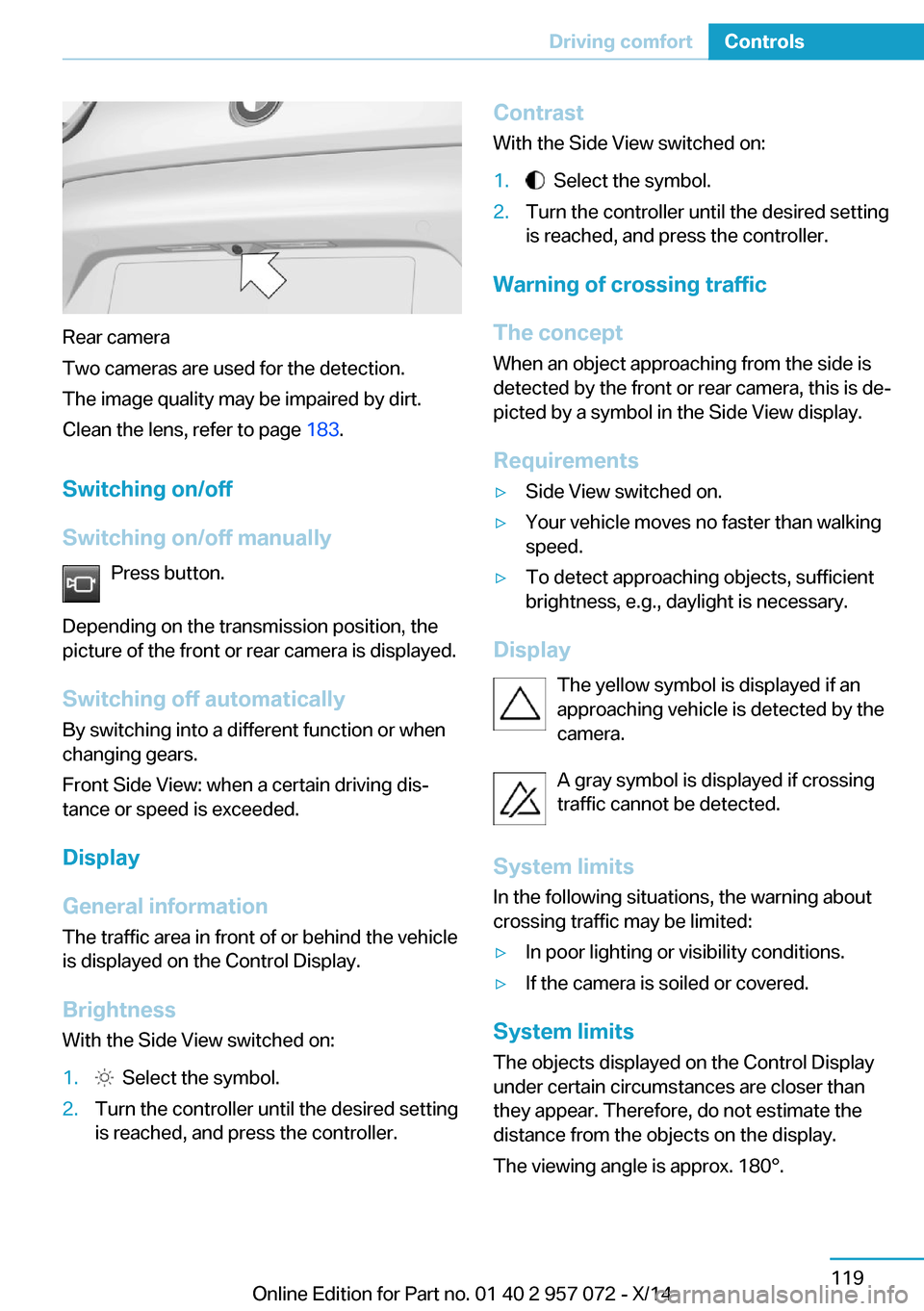
Rear camera
Two cameras are used for the detection.
The image quality may be impaired by dirt.
Clean the lens, refer to page 183.
Switching on/off
Switching on/off manually Press button.
Depending on the transmission position, the
picture of the front or rear camera is displayed.
Switching off automaticallyBy switching into a different function or when
changing gears.
Front Side View: when a certain driving dis‐
tance or speed is exceeded.
Display
General information The traffic area in front of or behind the vehicle
is displayed on the Control Display.
Brightness
With the Side View switched on:
1. Select the symbol.2.Turn the controller until the desired setting
is reached, and press the controller.Contrast
With the Side View switched on:1. Select the symbol.2.Turn the controller until the desired setting
is reached, and press the controller.
Warning of crossing traffic
The concept When an object approaching from the side is
detected by the front or rear camera, this is de‐
picted by a symbol in the Side View display.
Requirements
▷Side View switched on.▷Your vehicle moves no faster than walking
speed.▷To detect approaching objects, sufficient
brightness, e.g., daylight is necessary.
Display
The yellow symbol is displayed if anapproaching vehicle is detected by the
camera.
A gray symbol is displayed if crossing
traffic cannot be detected.
System limits
In the following situations, the warning about
crossing traffic may be limited:
▷In poor lighting or visibility conditions.▷If the camera is soiled or covered.
System limits
The objects displayed on the Control Display
under certain circumstances are closer than
they appear. Therefore, do not estimate the
distance from the objects on the display.
The viewing angle is approx. 180°.
Seite 119Driving comfortControls119
Online Edition for Part no. 01 40 2 957 072 - X/14
Page 150 of 216

Things to remember when drivingVehicle features and options
This chapter describes all standard, country-
specific and optional features offered with the
series. It also describes features that are not
necessarily available in your car, e. g., due to
the selected options or country versions. This
also applies to safety-related functions and
systems.
Breaking-in period
General information Moving parts need time to adjust to one an‐
other (break-in time).
The following instructions will help accomplish
a long vehicle life and good efficiency.
During break-in, do not use the Launch Con‐
trol, refer to page 70.
Engine, transmission, and axle drive Always obey the official speed limit.
Up to 1,200 miles/2,000 km
Do not exceed the maximum engine and road
speed:▷For gasoline engine 4,500 rpm and
100 mph/160 km/h.
Avoid full load or kickdown under all circum‐
stances.
From 1,200 miles/2,000 km The engine and vehicle speed can gradually be
increased.
Tires
Tire traction is not optimal due to manufactur‐
ing circumstances when tires are brand-new;
they achieve their full traction potential after a
break-in time.
Drive conservatively for the first
200 miles/300 km.
Brake system
Brakes require an initial break-in period of ap‐
prox. 300 miles/500 km to achieve optimal per‐
formance between brake discs and brake
pads. Drive moderately during this break-in pe‐
riod.
Following part replacement
The same break-in procedures should be ob‐
served if any of the components above-men‐
tioned have to be renewed in the course of the
vehicle's operating life.
Using eDRIVE efficiently The concept
eDRIVE operates automatically. Proactive driv‐
ing utilizes energy consumption and energy re‐
covery optimally. Energy recovery is used to
charge the high-voltage battery. It is important
for the supply of electrical components and
thus a prerequisite for an extensive range. En‐
ergy consumption and recovery depend very
much, among other things, on your driving
style.
Optimizing driving style
Performance display The driving style can be optimized using the
performance display in ECO PRO mode.Seite 134Driving tipsThings to remember when driving134
Online Edition for Part no. 01 40 2 957 072 - X/14
Page 194 of 216

Screw thread for tow fitting
Press on the mark on the edge of the cover to
push it out.
Tow-starting
Steptronic transmission
Do not tow-start the vehicle.
Tow-starting the engine is not possible due to
the Steptronic transmission.
Have the cause of the starting problems fixed.
Safety of the high-voltage
system
Working on the vehicle Maintenance and repairs
Have maintenance and repair work per‐
formed only by a service center or a workshop
that works according to BMW specifications
with appropriately trained personnel. Other‐
wise, there is the risk of fatal injury from elec‐
trocution due to the high-voltage system's
high voltage.◀
Body work and working on the high-volt‐
age system
Do not perform any modifications or work on
the vehicle, especially maintenance and repair
work on the high-voltage system and the car‐
bon body and avoid retrofitting accessories.
If work is not carried out properly, there is the
risk of fire and fatal injury from electrocution
due to the high-voltage system's high voltage.
Modifications and work on the vehicle may
only be carried out by an authorized BMW i
service center or one that operates according
to BMW i specifications with personnel trained
accordingly.◀
Your vehicle's high-voltage system is a self-
contained system. Safety is ensured as long as
no work is performed on technical components
or on the chassis.
High-voltage system: contact with
water
The high-voltage system is typically safe even
in the following example situations:▷Water in the footwell, for instance after a
rainstorm when sunroof was kept open.▷Vehicle is in water but only up to the al‐
lowed height.▷Liquid eslides in the cargo area.
In these cases there is no risk of injury from
electrocution. Other damage to the vehicle is
possible.
High-voltage system: automatic
deactivation
If an accident occurs, the high-voltage system
is switched off automatically to prevent risk of
danger to occupants and other traffic.
Read the information on What to do after an
accident, refer to page 178.
What to do after an accident Hints After an accident
After an accident, do not touch any high-
voltage components such as orange colored
high-voltage cables or parts that are in contact
with exposed high-voltage cables. Otherwise,
Seite 178MobilityBreakdown assistance178
Online Edition for Part no. 01 40 2 957 072 - X/14
Page 206 of 216

Everything from A to Z
IndexA ABS, Antilock Brake Sys‐ tem 105
Acceleration Assistant, refer to Launch Control 70
Acoustic pedestrian protec‐ tion 62
AC quick charging cable, see Level 2 charging cable 147
Activated-charcoal filter 123
Activate drive readiness 60
Adapting to the course of the road, hybrid system 76
Adaptive brake lights, refer to Brake force display 104
Additives, oil 167
Adjustments, seats/head re‐ straints 48
Adjustments, steering wheel 53
After washing vehicle 181
Airbags 93
Airbags, indicator/warning light 94
Air circulation, refer to Recir‐ culated-air mode 121
Air, dehumidifying, refer to Cooling function 121
Air distribution, manual 122
Air flow, automatic climate control 122
Air pressure, tires 159
Air vents, refer to Ventila‐ tion 123
Alarm system 45
Alarm, unintentional 46
All around the center con‐ sole 16
All around the roofliner 17 All around the steering
wheel 14
All-season tires, refer to Win‐ ter tires 164
Alternating-code hand-held transmitter 126
Alternative oil types 168
Antifreeze, washer fluid 67
Antilock Brake System, ABS 105
Anti-slip control, refer to DSC 105
Approved axle load 187
Approved engine oils 167
Arrival time 84
Artificial engine noise 62
Assistance for the combus‐ tion engine 62
Assistance, Roadside Assis‐ tance 176
Assistance when driving off 108
ASSIST, Hybrid system 62
Assist system, refer to Intelli‐ gent Safety 99
AUTO intensity 122
Automatic car wash 180
Automatic climate con‐ trol 120
Automatic Curb Monitor 51
Automatic deactivation, front- seat passenger airbags 95
Automatic deactivation of the high-voltage system 178
Automatic headlight con‐ trol 90
Automatic locking 45
Automatic recirculated-air control 121 Automatic transmission, see
Steptronic Sport transmis‐
sion 67
AUTO program, automatic cli‐ mate control 122
AUTO program, intensity 122
Average fuel consumption 84
Average speed 84
Axle loads, weights 187
B Backup charging 152
Band-aids, refer to First aid kit 176
Battery, 12 volt 173
Battery replacement, vehicle battery 173
Battery replacement, vehicle remote control 36
Battery state indicator 74
Battery, vehicle 173
Belts, safety belts 50
Beverage holder, cu‐ pholder 131
BMW Assist 6
BMW eDRIVE 31
BMW maintenance sys‐ tem 170
Body work, see Working on the vehicle 178
Bottle holder, refer to Cu‐ pholders 131
Brake assistant 105
Brake discs, break-in 134
Brake force display 104
Brake lights, adaptive 104
Brake lights, brake force dis‐ play 104
Brake pads, break-in 134
Braking, hints 136 Seite 190ReferenceEverything from A to Z190
Online Edition for Part no. 01 40 2 957 072 - X/14
Page 209 of 216

F
Failure message, see Check Control 76
False alarm, refer to Uninten‐ tional alarm 46
Fan, refer to Air flow 122
Filler neck for engine oil 167
First aid kit 176
Fitting for towing, see tow fit‐ ting 177
Flat tire, changing wheels 173
Flat tire, Tire Pressure Moni‐ tor TPM 96
Flat tire, warning lamp 97
Flooding 136
Floor carpet, care 182
Floor mats, care 182
Fold-out position, wiper 66
Foot brake 136
Front airbags 93
Front-end collision warning with City Braking func‐
tion 99
front-seat passenger airbags, automatic deactivation 95
Front-seat passenger airbags, indicator lamp 95
Fuel 157
Fuel consumption, current 84
Fuel consumption, refer to Average fuel consump‐
tion 84
Fuel filler flap 154
Fuel gauge 79
Fuel lid 154
Fuel quality 157
Fuel recommendation 157
Fuel, tank lidacity 187
Fuse 174 G
Garage door opener, refer to Universal Integrated Remote
Control 125
Gasoline 157
Gear change, Steptronic Sport transmission 68
Gear shift indicator 81
Gearshift, see Steptronic Sport transmission 67
General driving notes 135
Glare shield 127
Glove compartment 130
GPS location, vehicle posi‐ tion 87
Gross vehicle weight, ap‐ proved 187
H
Handbrake, refer to parking brake 63
Hand-held transmitter, alter‐ nating code 126
Hazard warning flashers 175
Head airbags 93
Headlight control, auto‐ matic 90
Headlight courtesy delay fea‐ ture 89
Headlight courtesy delay fea‐ ture, remote control 45
Headlight courtesy delay fea‐ ture via remote control 40
Headlight flasher 65
Headlight glass 172
Headlights, care 181
Head restraints 48
Head restraints, front 51
Head-up Display 87
Head-up Display, care 183
Heavy cargo, stowing 139
Height, vehicle 186
High-beam Assistant 91
High beams 65 High beams/low beams, refer
to High-beam Assistant 91
High-voltage battery, charg‐ ing state indicator 74
High-voltage battery, dis‐ charge 135
High-voltage system, auto‐ matic deactivation 178
High-voltage system, contact with water 178
High-voltage system, safety 178
Hills 137
Hill start assistant, refer to Drive-off assistant 108
Hints 6
Holder for beverages 131
Hood 42
Horn 14
Hot exhaust system 136
HUD Head-up Display 87
Hybrid system, adapting to the course of the road 76
Hybrid system, displays 74
Hydroplaning 136
I
Ice warning, see External temperature warning 80
Icy roads, see External tem‐ perature warning 80
Identification marks, tires 160
Identification number, see ve‐ hicle identification num‐
ber 10
iDrive 18
Ignition key, refer to Remote control 36
Increase range 140
Indication of a flat tire 97
Indicator and alarm lamps, see Check Control 76
Indicator lamp, see Check Control 76
Individual air distribution 122 Seite 193Everything from A to ZReference193
Online Edition for Part no. 01 40 2 957 072 - X/14
Page 210 of 216

Individual settings, refer toPersonal Profile 37
Inflation pressure, tires 159
Info display, refer to Com‐ puter 83
Initialize, Tire Pressure Moni‐ tor TPM 97
Instrument cluster 72
Instrument lighting 92
Integrated key 36
Integrated Owner's Manual in the vehicle 29
Intelligent Emergency Re‐ quest 175
Intelligent Safety 99
Intensity, AUTO pro‐ gram 122
Interior equipment 125
Interior lights 92
Interior lights via remote con‐ trol 40
Interior motion sensor 46
Interior rearview mirror, auto‐ matic dimming feature 52
Interior rearview mirror, man‐ ually dimmable 52
Interval display, service re‐ quirements 80
J Jacking points for the vehicle jack 173
Joystick, Steptronic Sport transmission 68
Jump-starting 176
Jump starting, refer to Backup charging 152
K
Key/remote control 36
Keyless Go, refer to Comfort Access 43
Key Memory, refer to Per‐ sonal Profile 37 Kickdown, Steptronic Sport
transmission 68
Knee airbag 93
L
Lamp replacement, see Bulb replacement 172
Language on Control Dis‐ play 86
LATCH child restraint sys‐ tem 55
Launch Control 70
Leather, care 181
LED in the driver's door 39
LEDs, light-emitting di‐ odes 172
Length, vehicle 186
Letters and numbers, enter‐ ing 24
Level 1 Charging 150
Level 1 charging cable 147
Level 2 charging cable 147
Light alloy wheels, care 182
Light-emitting diodes, LEDs 172
Lighting 89
Lighting via remote con‐ trol 40
Light reel 89
Lights 89
Load 139
Loading 138
Lock, door 41
Locking/unlocking via door lock 41
Locking/unlocking with re‐ mote control 39
Locking, automatic 45
Locking, settings 44
Locking via tailgate 43
Longer idle phases 183
Long idle times and long-term vehicle storage 183
Long-term vehicle stor‐ age 183 Low beams 89
Low beams, automatic, refer to High-beam Assistant 91
M
Maintaining charging state 61
Maintenance 170
Maintenance require‐ ments 170
Maintenance, service require‐ ments 80
Maintenance system, BMW 170
Make-up mirror 127
Malfunction displays, see Check Control 76
Manual air distribution 122
Manual air flow 122
Manual mode, transmis‐ sion 69
Manual operation, door lock 41
Manual operation, exterior mirrors 51
Manual operation, fuel filler flap 155
Manual operation, Park Dis‐ tance Control PDC 112
Manual operation, rearview camera 114
Manual operation, Top View 117
Marking on approved tires 163
Master key, refer to Remote control 36
Max eDRIVE, electric driv‐ ing 61
Maximum cooling 121
Maximum speed, display 82
Maximum speed, winter tires 164
Measure, units of 86
Medical kit 176 Seite 194ReferenceEverything from A to Z194
Online Edition for Part no. 01 40 2 957 072 - X/14
Page 212 of 216

Refueling 154
Remaining range 80
Remote control/key 36
Remote control, malfunc‐ tion 40
Remote control, univer‐ sal 125
Replacement fuse 174
Replacing wheels/tires 163
Reporting safety defects 10
RES button, see Cruise con‐ trol 109
Reserve warning, refer to Range 80
Reset, Tire Pressure Monitor TPM 97
Retreaded tires 163
Roadside parking lights 90
RON recommended fuel grade 157
Roofliner 17
Rubber components, care 182
S Safe braking 136
Safety 7
Safety belt reminder for driv‐ er's seat and front passen‐
ger seat 50
Safety belts 50
Safety belts, care 182
Safety of the high-voltage system 178
Safety systems, airbags 93
SAVE Battery, maintaining charging state 61
Screen, refer to Control Dis‐ play 18
Screw thread, see screw thread for tow fitting, screw
thread for tow fitting 178
Seat belts, refer to Safety belts 50
Seat heating, front 49 Seating position for chil‐
dren 54
Seats 48
Selection list in instrument cluster 83
Selector lever, Steptronic Sport transmission 68
Sensors, care 183
Service and warranty 8
Service requirements, Condi‐ tion Based Service
CBS 170
Service requirements, dis‐ play 80
Service, Roadside Assis‐ tance 176
Services, ConnectedDrive 6
SET button, see Cruise con‐ trol 109
Settings, locking/unlock‐ ing 44
Settings, mirrors 51
Settings on Control Dis‐ play 85
Shift paddles on the steering wheel 69
Side airbags 93
Side View 118
Signaling, horn 14
Signals when unlocking 45
Silent Start, electric drive readiness 60
Sitting safely 48
Size 186
Smallest turning radius 186
Snow chains 164
Socket 127
Socket, OBD Onboard Diag‐ nostics 171
SOS button 175
Spare fuse 174
Specified engine oil types 167
Speed, average 84
Speed limit detection, com‐ puter 84 Speed limiter, display 82
Speed Limit Information 82
Speed warning 85
Split screen 23
Sport program, transmis‐ sion 69
Stability control systems 105
Standard charging cable, see Level 1 charging cable 147
Standard charging, see Level 1 Charging 150
Standing air conditioning, re‐ mote control 45
Start/Stop button 58
Start function during malfunc‐ tion 37
Starting the combustion en‐ gine 60
Stationary climate con‐ trol 123
Status control display, tires 96
Status information, iDrive 22
Status of Owner's Manual 7
Steering wheel, adjusting 53
Steptronic Sport transmis‐ sion 67
Storage compartments 130
Storage compartments, loca‐ tions 130
Storage, tires 164
Storing the vehicle 183
Summer tires, tread 162
Sun visor 127
Supplementary text mes‐ sage 78
Surround View 113
Switch for Dynamic Driv‐ ing 107
Switch, refer to Cockpit 14
Symbols 6
Symbols in the status field 22
SYNC program, automatic cli‐ mate control 121 Seite 196ReferenceEverything from A to Z196
Online Edition for Part no. 01 40 2 957 072 - X/14