2014 BMW 335I XDRIVE GRAN TURISMO lumbar support
[x] Cancel search: lumbar supportPage 48 of 240
AdjustingVehicle equipment
All standard, country-specific and optional
equipment that is offered in the model series is
described in this chapter. Therefore, equip‐
ment is also described that is not available in a
vehicle, e. g., because of the selected optional
equipment or country variant. This also applies
for safety-related functions and systems.
Sitting safely The ideal seating position can make a vital
contribution to relaxed, fatigue-free driving.
The seating position plays an important role in
an accident in combination with:▷Safety belts, refer to page 51.▷Head restraints, refer to page 52.▷Airbags, refer to page 95.
Seats
General information Do not adjust the seat while driving
Do not adjust the driver's seat while driv‐
ing, or the seat could respond with unexpected
movement and the ensuing loss of vehicle
control could lead to an accident.◀
Do not incline the backrest too far to the
rear
Also on the front passenger side, do not incline
the backrest on the front passenger side too
far to the rear during driving, or there is a risk of
slipping under the safety belt in the event of an
accident. This would eliminate the protection
normally provided by the belt.◀
Manually adjustable seats
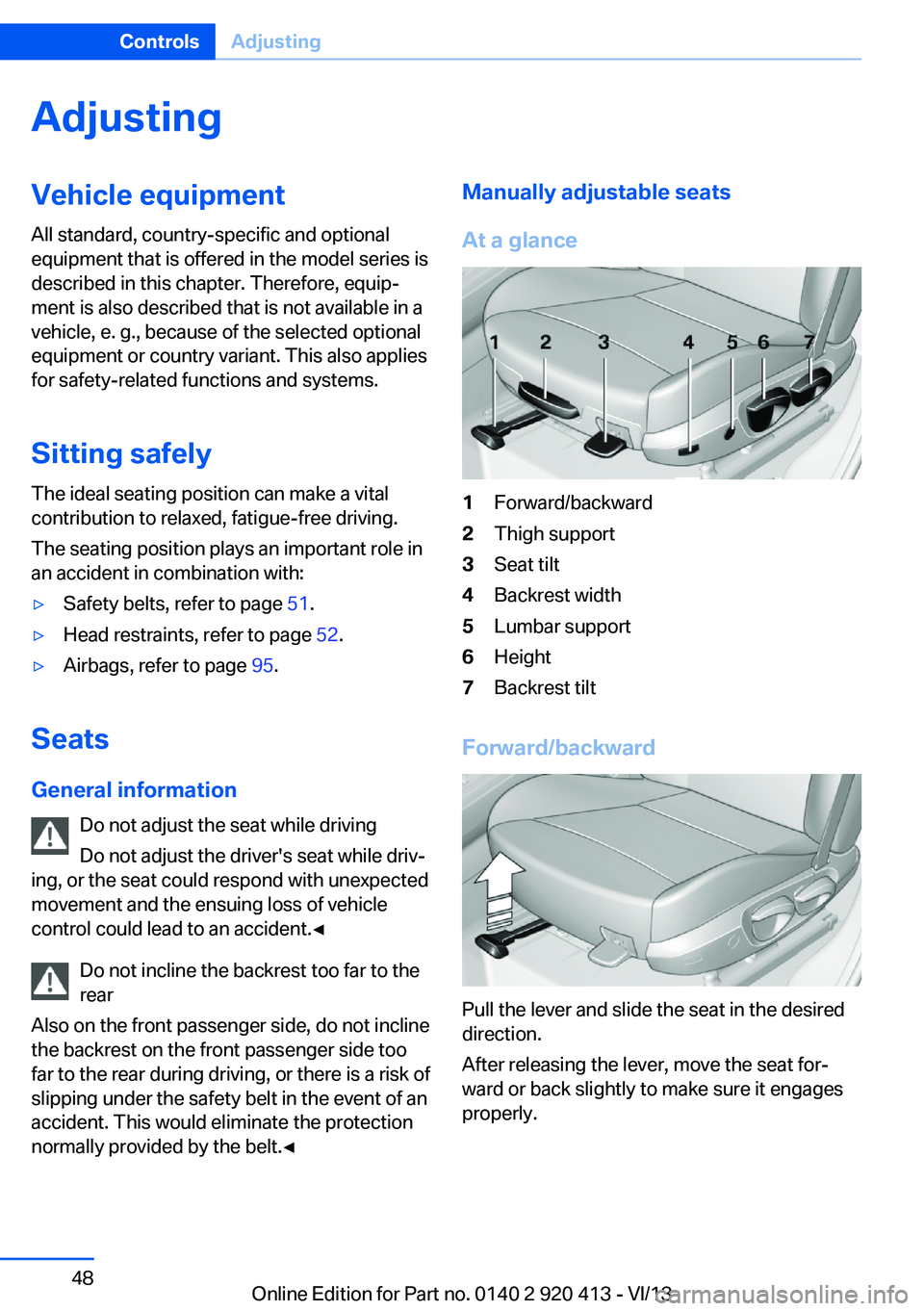
At a glance1Forward/backward2Thigh support3Seat tilt4Backrest width5Lumbar support6Height7Backrest tilt
Forward/backward
Pull the lever and slide the seat in the desired
direction.
After releasing the lever, move the seat for‐
ward or back slightly to make sure it engages
properly.
Seite 48ControlsAdjusting48
Online Edition for Part no. 0140 2 920 413 - VI/13
Page 49 of 240
Height
Pull the lever and apply your weight to the seat
or lift it off, as necessary.
Backrest tilt
Pull the lever and apply your weight to the
backrest or lift it off, as necessary.
Seat tilt
Pull the lever and move the seat to the desired
tilt. After releasing the lever, apply your weight
to the seat or lift it off to make sure the seat
engages properly.
Electrically adjustable seats
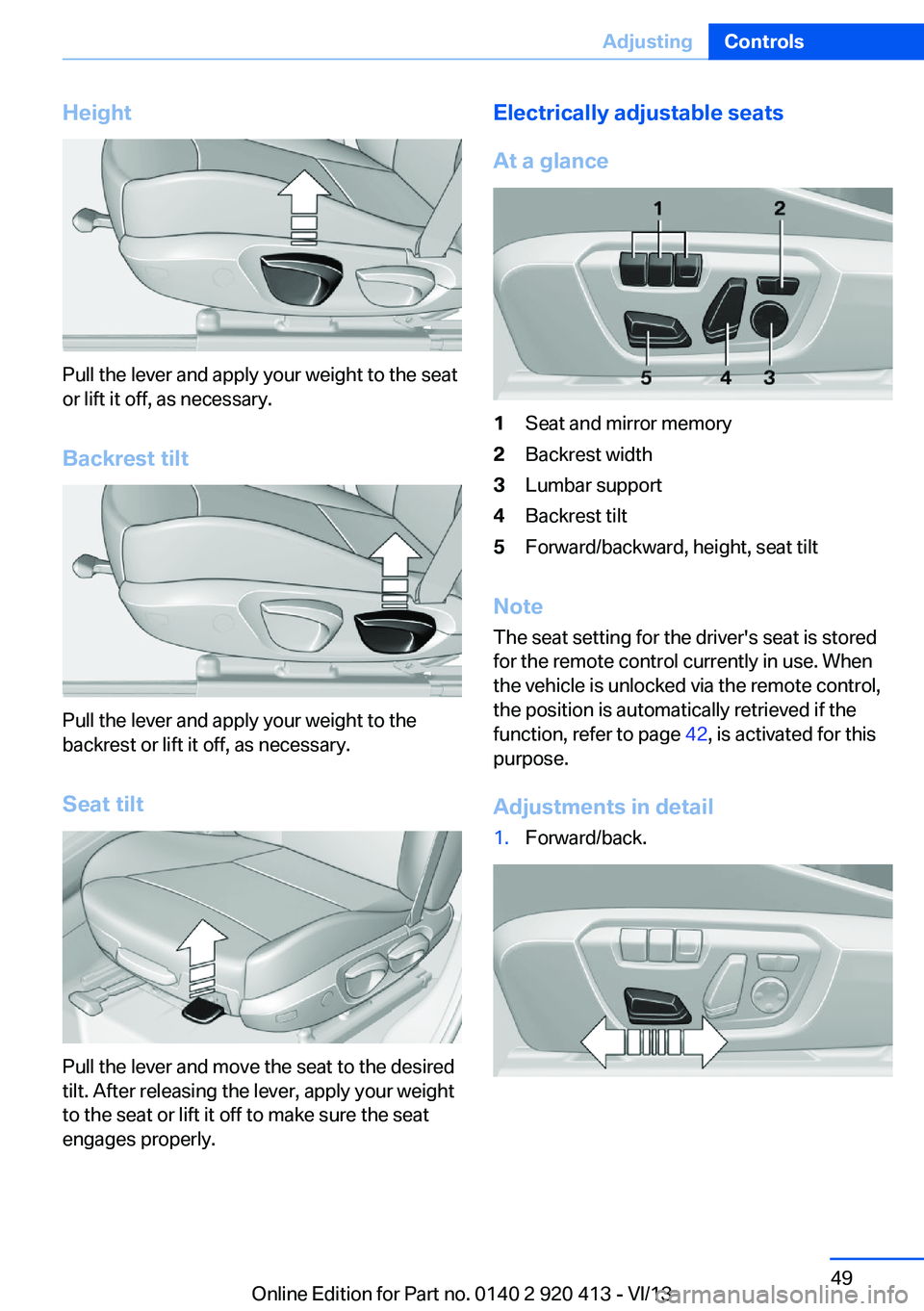
At a glance1Seat and mirror memory2Backrest width3Lumbar support4Backrest tilt5Forward/backward, height, seat tilt
Note The seat setting for the driver's seat is stored
for the remote control currently in use. When
the vehicle is unlocked via the remote control,
the position is automatically retrieved if the
function, refer to page 42, is activated for this
purpose.
Adjustments in detail
1.Forward/back.Seite 49AdjustingControls49
Online Edition for Part no. 0140 2 920 413 - VI/13
Page 50 of 240
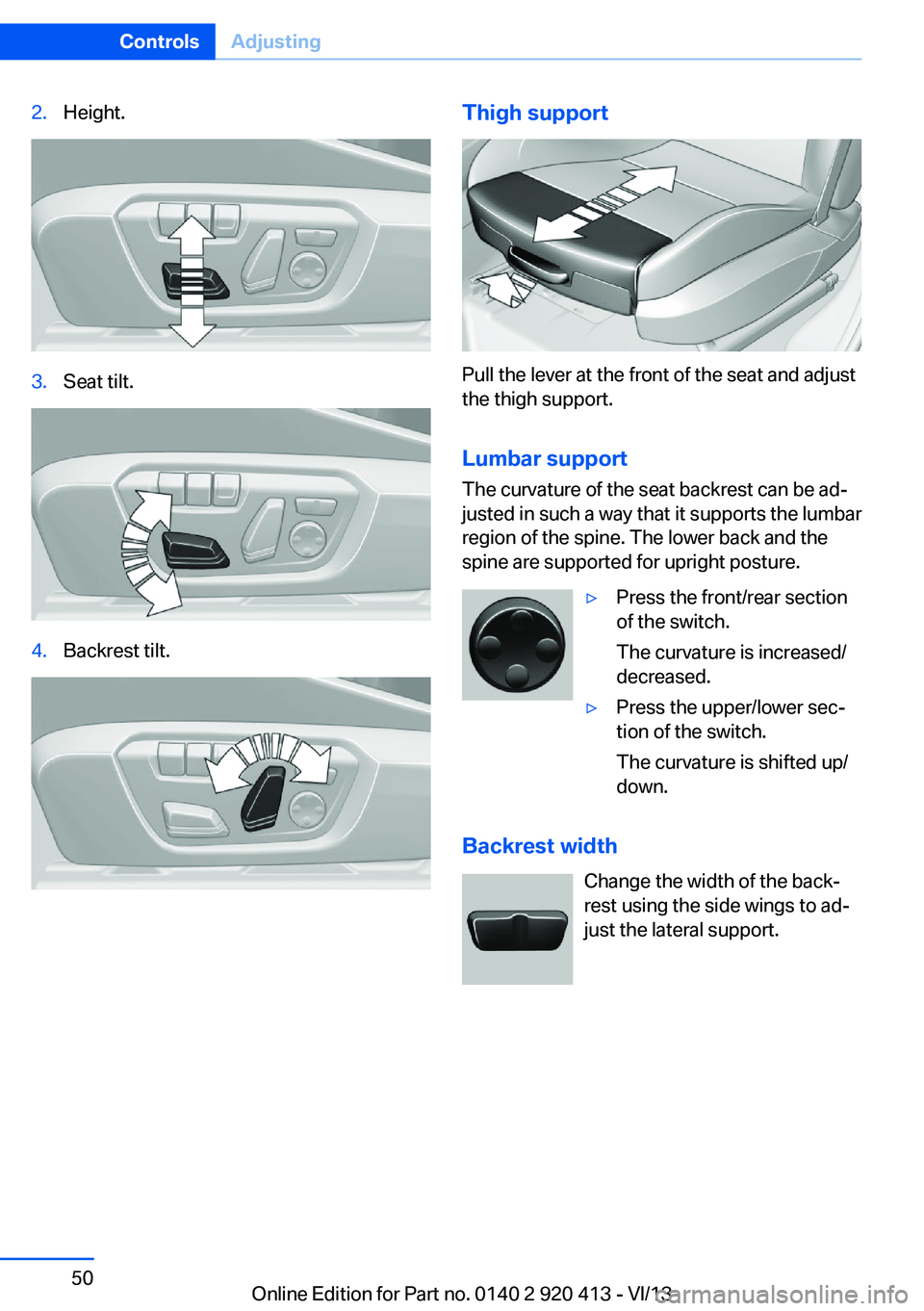
2.Height.3.Seat tilt.4.Backrest tilt.Thigh support
Pull the lever at the front of the seat and adjust
the thigh support.
Lumbar support The curvature of the seat backrest can be ad‐
justed in such a way that it supports the lumbar
region of the spine. The lower back and the
spine are supported for upright posture.
▷Press the front/rear section
of the switch.
The curvature is increased/
decreased.▷Press the upper/lower sec‐
tion of the switch.
The curvature is shifted up/
down.
Backrest width
Change the width of the back‐
rest using the side wings to ad‐
just the lateral support.
Seite 50ControlsAdjusting50
Online Edition for Part no. 0140 2 920 413 - VI/13
Page 54 of 240
RemovingOnly remove the head restraint if no one will be
sitting in the seat in question.
Fold the seat down, refer to page 160, before
removing the head restraint, otherwise the
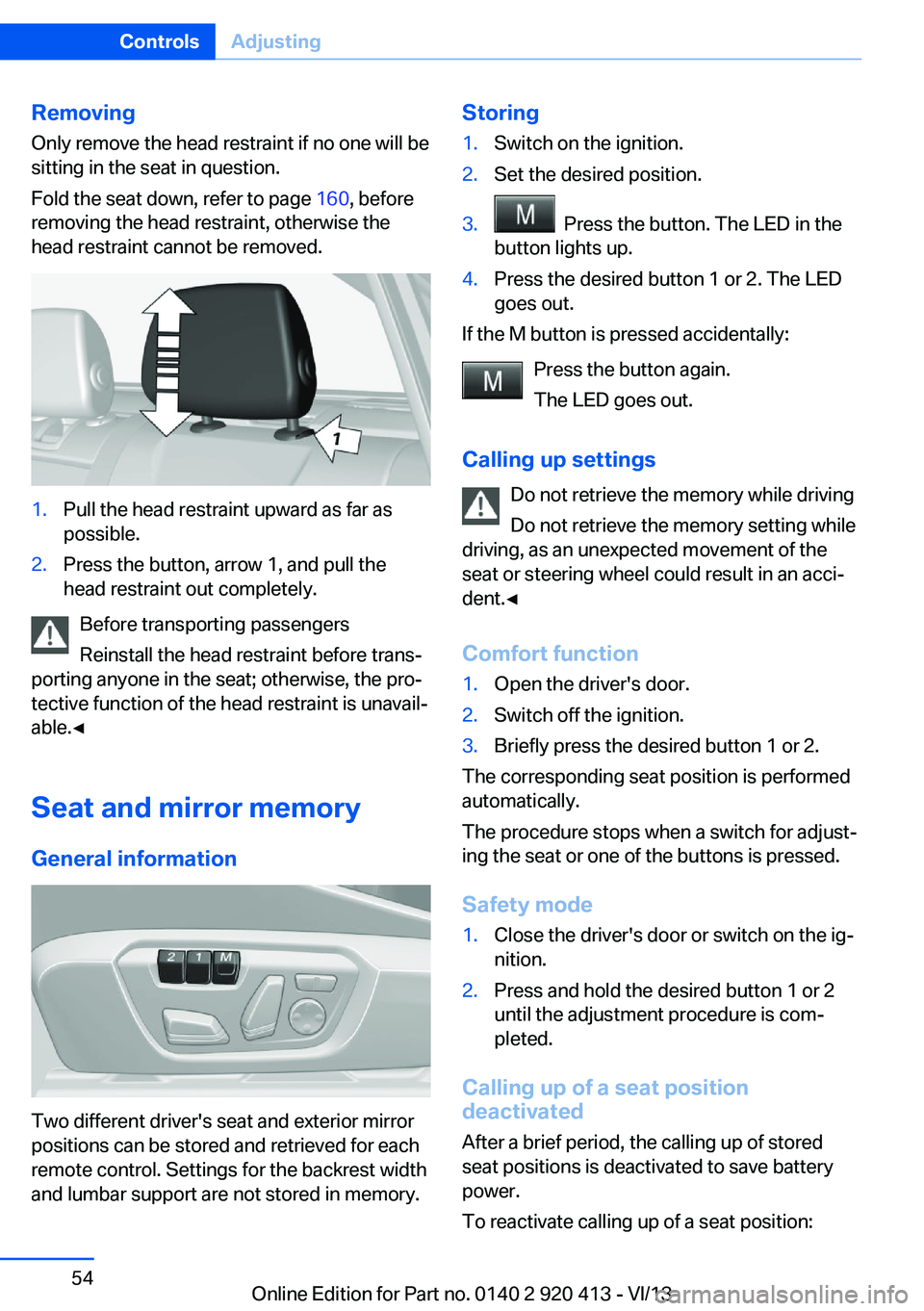
head restraint cannot be removed.1.Pull the head restraint upward as far as
possible.2.Press the button, arrow 1, and pull the
head restraint out completely.
Before transporting passengers
Reinstall the head restraint before trans‐
porting anyone in the seat; otherwise, the pro‐
tective function of the head restraint is unavail‐
able.◀
Seat and mirror memory
General information
Two different driver's seat and exterior mirror
positions can be stored and retrieved for each
remote control. Settings for the backrest width
and lumbar support are not stored in memory.
Storing1.Switch on the ignition.2.Set the desired position.3. Press the button. The LED in the
button lights up.4.Press the desired button 1 or 2. The LED
goes out.
If the M button is pressed accidentally:
Press the button again.
The LED goes out.
Calling up settings Do not retrieve the memory while driving
Do not retrieve the memory setting while
driving, as an unexpected movement of the
seat or steering wheel could result in an acci‐
dent.◀
Comfort function
1.Open the driver's door.2.Switch off the ignition.3.Briefly press the desired button 1 or 2.
The corresponding seat position is performed
automatically.
The procedure stops when a switch for adjust‐
ing the seat or one of the buttons is pressed.
Safety mode
1.Close the driver's door or switch on the ig‐
nition.2.Press and hold the desired button 1 or 2
until the adjustment procedure is com‐
pleted.
Calling up of a seat position
deactivated
After a brief period, the calling up of stored
seat positions is deactivated to save battery
power.
To reactivate calling up of a seat position:
Seite 54ControlsAdjusting54
Online Edition for Part no. 0140 2 920 413 - VI/13
Page 230 of 240
Everything from A to Z
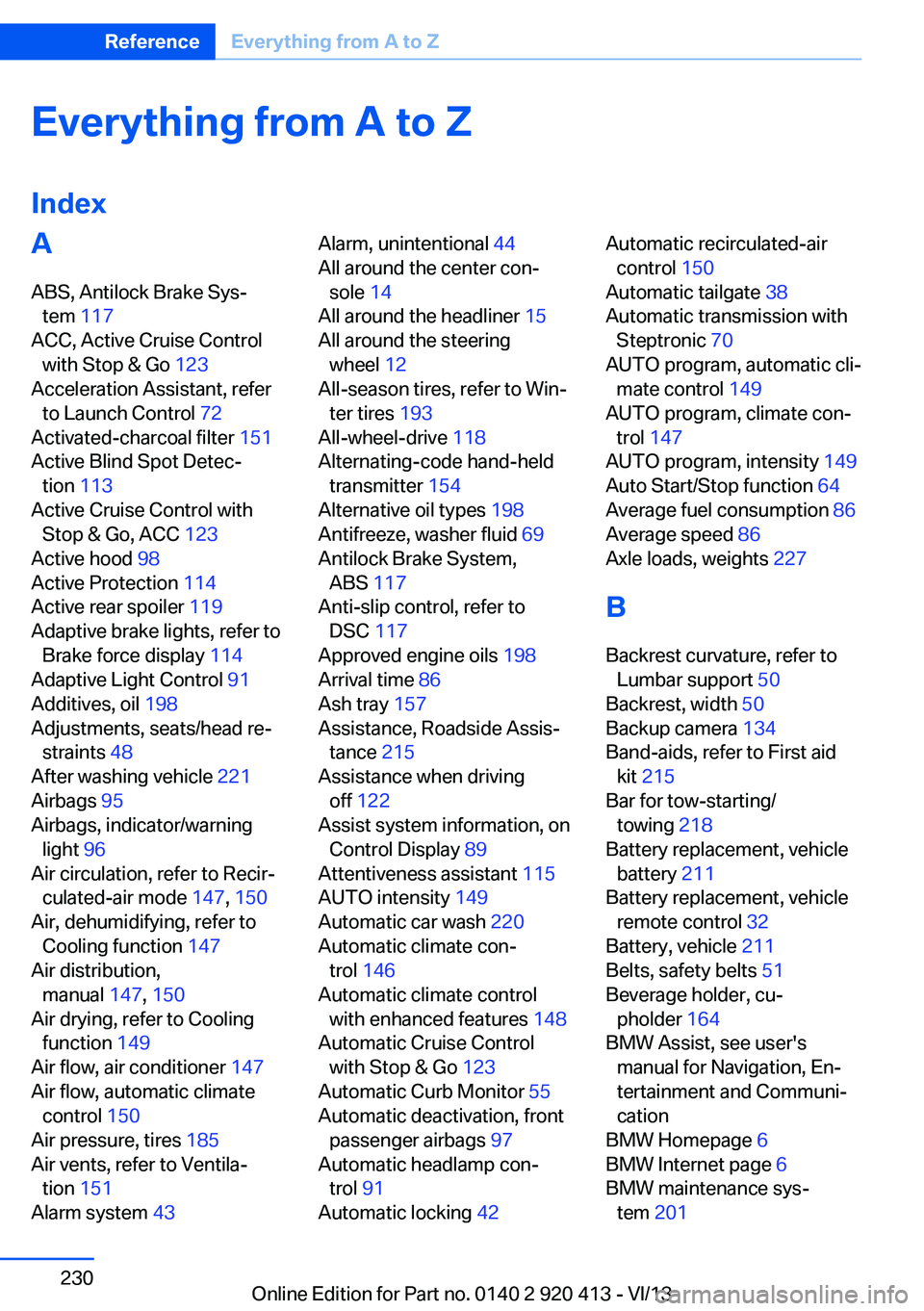
IndexA ABS, Antilock Brake Sys‐ tem 117
ACC, Active Cruise Control with Stop & Go 123
Acceleration Assistant, refer to Launch Control 72
Activated-charcoal filter 151
Active Blind Spot Detec‐ tion 113
Active Cruise Control with Stop & Go, ACC 123
Active hood 98
Active Protection 114
Active rear spoiler 119
Adaptive brake lights, refer to Brake force display 114
Adaptive Light Control 91
Additives, oil 198
Adjustments, seats/head re‐ straints 48
After washing vehicle 221
Airbags 95
Airbags, indicator/warning light 96
Air circulation, refer to Recir‐ culated-air mode 147, 150
Air, dehumidifying, refer to Cooling function 147
Air distribution, manual 147, 150
Air drying, refer to Cooling function 149
Air flow, air conditioner 147
Air flow, automatic climate control 150
Air pressure, tires 185
Air vents, refer to Ventila‐ tion 151
Alarm system 43 Alarm, unintentional 44
All around the center con‐ sole 14
All around the headliner 15
All around the steering wheel 12
All-season tires, refer to Win‐ ter tires 193
All-wheel-drive 118
Alternating-code hand-held transmitter 154
Alternative oil types 198
Antifreeze, washer fluid 69
Antilock Brake System, ABS 117
Anti-slip control, refer to DSC 117
Approved engine oils 198
Arrival time 86
Ash tray 157
Assistance, Roadside Assis‐ tance 215
Assistance when driving off 122
Assist system information, on Control Display 89
Attentiveness assistant 115
AUTO intensity 149
Automatic car wash 220
Automatic climate con‐ trol 146
Automatic climate control with enhanced features 148
Automatic Cruise Control with Stop & Go 123
Automatic Curb Monitor 55
Automatic deactivation, front passenger airbags 97
Automatic headlamp con‐ trol 91
Automatic locking 42 Automatic recirculated-air
control 150
Automatic tailgate 38
Automatic transmission with Steptronic 70
AUTO program, automatic cli‐ mate control 149
AUTO program, climate con‐ trol 147
AUTO program, intensity 149
Auto Start/Stop function 64
Average fuel consumption 86
Average speed 86
Axle loads, weights 227
B Backrest curvature, refer to Lumbar support 50
Backrest, width 50
Backup camera 134
Band-aids, refer to First aid kit 215
Bar for tow-starting/ towing 218
Battery replacement, vehicle battery 211
Battery replacement, vehicle remote control 32
Battery, vehicle 211
Belts, safety belts 51
Beverage holder, cu‐ pholder 164
BMW Assist, see user's manual for Navigation, En‐
tertainment and Communi‐
cation
BMW Homepage 6
BMW Internet page 6
BMW maintenance sys‐ tem 201 Seite 230ReferenceEverything from A to Z230
Online Edition for Part no. 0140 2 920 413 - VI/13
Page 234 of 240
IIce warning, refer to External temperature warning 80
Icy roads, refer to External temperature warning 80
Identification marks, tires 190
Identification number, refer to Important features in the en‐
gine compartment 195
iDrive 16
Ignition key, refer to Remote control 32
Ignition off 62
Ignition on 62
Indication of a flat tire 100 , 103
Indicator and warning lamps 77
Individual air distribu‐ tion 147, 150
Individual settings, refer to Personal Profile 33
Inflation pressure, tires 185
Inflation pressure warning FTM, tires 102
Info display, refer to Com‐ puter 85
Initialize, Tire Pressure Moni‐ tor TPM 100
Initializing, Flat Tire Monitor FTM 103
Instrument cluster 74
Instrument cluster, electronic displays 76
Instrument lighting 93
Integrated key 32
Integrated universal remote control 153
Intelligent Emergency Re‐ quest 214
Intelligent Safety 104
Intensity, AUTO pro‐ gram 149
Interior equipment 153
Interior lamps 93 Interior lamps via remote con‐
trol 36
Interior motion sensor 44
Interior rearview mirror 56
Interior rearview mirror, auto‐ matic dimming feature 56
Interior rearview mirror, com‐ pass 155
Internet page 6
Interval display, service re‐ quirements 81
J Jacking points for the vehicle jack 211
Joystick, automatic transmis‐ sion 71
Jump-starting 215
K Key/remote control 32
Keyless Go, refer to Comfort Access 40
Key Memory, refer to Per‐ sonal Profile 33
Kickdown, automatic trans‐ mission 71
Knee airbag 95
L
Lamp replacement 203
Lamp replacement, front 204
Lamp replacement, rear 209
Lamps 90
Lamps and bulbs 203
Lane departure warning 111
Lane margin, warning 111
Language on Control Dis‐ play 88
Lashing eyes, securing cargo 172
LATCH child restraint fixing system 59 Launch Control 72
Leather, care 221
LEDs, light-emitting di‐ odes 204
Length, vehicle 227
Letters and numbers, enter‐ ing 22
Light alloy wheels, care 222
Light control 91
Light-emitting diodes, LEDs 204
Lighter 157
Lighting 90
Lighting via remote con‐ trol 36
Light switch 90
Load 171
Loading 171
Loading position 161
Lock, door 37
Locking/unlocking from in‐ side 38
Locking/unlocking via door lock 37
Locking/unlocking with re‐ mote control 36
Locking, automatic 42
Locking, central 35
Locking, settings 42
Lock, power window 45
Locks, doors, and win‐ dows 61
Low beams 90
Low beams, automatic, refer to High-beam Assistant 92
Lower back support 50
Luggage rack, refer to Roof- mounted luggage rack 172
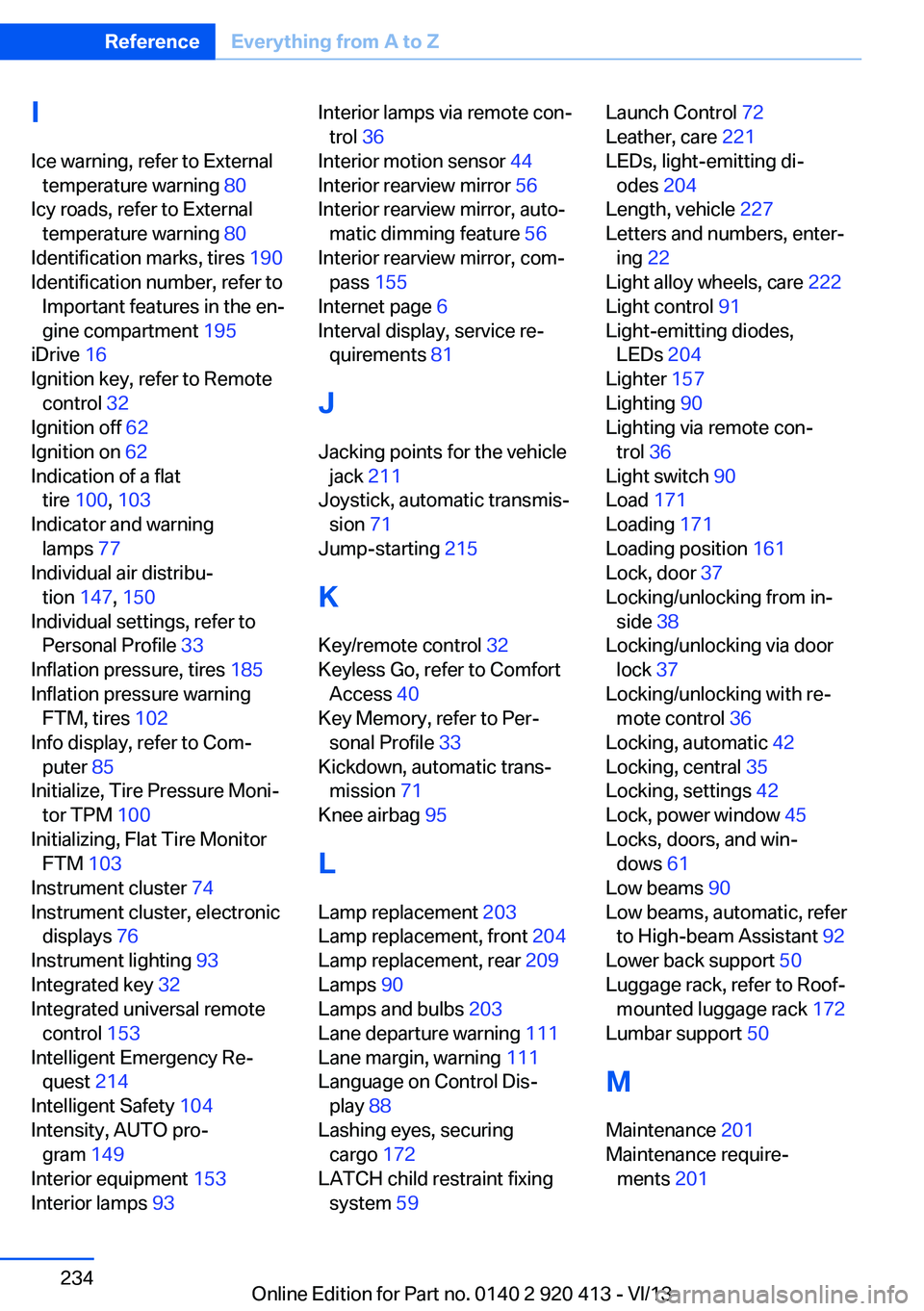
Lumbar support 50
M
Maintenance 201
Maintenance require‐ ments 201 Seite 234ReferenceEverything from A to Z234
Online Edition for Part no. 0140 2 920 413 - VI/13