2014 AUDI RS7 SPORTBACK change time
[x] Cancel search: change timePage 92 of 292
90 Audi acti ve lane a ssi st
Audi active lane assist
Active lane assist
Description
App lies to vehicles: with active lane assist
Active lane assist helps you keep your vehicle
in your lane .
Active lane assist detects lane marker lines
within the limits of the system using a camera
in the windshield . If you are approaching a de
tected lane marker line and it appears likely
that you w ill leave the lane, the system will
warn you by means of corrective steer ing . T he
d river can over ride the correct ive steer ing at
any time. If the veh icle crosses a line, the d riv
er is also warned by a light
vibration in the
steering wheel. The vibration warning must be switched on in the MMI for this to happen.
Active lane ass ist is operable when the line
marking the lane is detected on at least one
side of the vehicle .
If the system is in active standby mode and
the turn signa l is activated before driving over
the lane marker line, the warning does not oc
cur since the system allows for intentional lane changes.
The system is designed for driv ing on free
ways and expanded highways and thus works
only at speeds of 40 mph (65 km/h) or more .
If the vehicle is also equ ipped with Audi adap
tive cruise control*, the corrective steering
will be more specific in regard to the driving
situation . In addition to the lane marker lines,
the system can also take into account other
objects such as guard rails . If they are detect
ed i n close prox imity to the veh icle, Audi ac
tive lane ass ist helps prevent the vehicle from
driving too close to them . There is also pass
ing assistance. The system does not provide
any corrective steering if it detects that you
are passing another vehicle.
A WARNING , ~
- The system warns the driver that the ve
hicle is leaving the lane us ing corrective steer
ing. The driver is always responsible
for keeping the vehicle within the lane .
- The system can assist the driver in keep
ing the vehicle in the lane, but it does
not steer by itself. Always keep your
hands on the steering wheel.
- Corrective steer ing may not occur in cer
tain situat ions, such as dur ing heavy
brak ing .
- The camera does not recognize all lane
marker lines. Corrective steer ing can only
take p lace on the side of the vehicle
where lane marker lines are detected .
- Other road structures or objects cou ld
possibly be identified un intent ional ly as
lane marker lines . As a res ult, correct ive
steer ing may be unexpected or may not
occ ur.
- The camera view can be restricted, for
examp le by vehicles driving ahead o r by
r ai n, snow, heavy spray or light shining
into the camera. T his can result in act ive
lane assist not detecting the lane marker
lines or detect ing them incorrectly .
- Unde r ce rtain condi tions such as ruts in
the road, a banked roadway or cross
winds, the co rrective steering alone may
not be eno ugh to keep the vehicle in the
lane.
- For safety reasons, active lane ass ist
must not be used when there are poor
road and/or weather conditions such as
slippery roads, fog, grave l, heavy rain,
snow and the potential for hydroplaning.
Using act ive lane assist under these con
d itions may increase the risk of a crash.
Page 96 of 292
94 Audi side assist
Side assist functions at speeds above approxi
mately 19 mph (30 km/h).
(D Vehicles that are approaching
I n certain cases, a vehicle will be classified as
cr itica l for a lane change even if it is still
somewhat far away . The faster a vehicle ap
proaches, the sooner the display in the exteri
or mirror will turn on.
@ Vehicles traveling with you
Vehicles traveling with you are indicated in the
exterior m irror if they are classified as critica l
for a lane change. All vehicles detected by
side assist are indicated by the time they en
ter your "blind spot", at the latest.
@ Vehicles left behind
If you slowly pass a vehicle that side assist has
detected (the difference in speed between the
vehicle and your vehicle is less than 9 mph or
15 km/h), the disp lay in the exterior mirror
turns on as soon as the vehicle enters your blind spot.
The display will not turn on if you quickly pass
a vehicle that side assist has detected (the dif
ference in speed between the vehicle and your
vehicle is greater than 9 mph or 15 km/h).
Functional limitations
The radar sensors are designed to detect the
left and right adjacent lanes when the road
lanes are the normal width. In certain situa
tions, the display in the exterior mirror may
turn on even though there is no vehicle locat
ed in the area that is critical for a lane change.
For example:
- if the lanes are narrow or if your are driving
on the edge of your lane. If this is the case,
the system may have detected the vehicle in
another lane that is
not adjacent to your
current lane.
- if you are driving through a curve. Side assist
may react to a veh icle that is one lane over
from the adjacent lane.
- if side assist reacts to other objects (such as
high or displaced guard ra ils). -
In poor weather conditions . The side assist
functions are limited.
Do not cover the rada r senso rs
~ fig. 104 with
stickers, deposits, bicycle wheels or other ob
jects, because this will affect the funct ion . For
information on cleaning, refer to
~ page 203.
A WARNING
-
- Always pay attention to traffic and to the
area around your vehicle. Side assist can
not replace a driver's attention. The driv
er alone is always responsible for lane
changes and similar dr iving maneuvers .
- Improper reliance on the side assist sys
tem can cause coll is ions and serious per
sonal injury:
- Never rely on ly on side assist when
changing lanes.
- Always check rear view mirrors to make
sure that it is safe to change lanes.
- Side assist cannot detect all vehicles un
der all conditions -danger of accident!
- Please note that side assist indicates
there are approaching vehicles, or
vehicles in your blind spot, only after
your vehicle has reached a driving speed
of at least 19 mph (30 km/h).
- In certain sit uations, the system may not
function or its function may be limited.
For example:
- if vehicles are approaching or being left
behind very quickly. The disp lay may
not turn on in time.
- in poor weather conditions such as
heavy rain, snow o r heavy mist.
- on very wide lanes, in tight curves or if
there is a rise in the road surface.
Vehicles in the adjacent lane may not
be detected because they are outside
of the sensor range .
([) Note
The sensors can be displaced by impacts or
damage to the bumper, wheel housing and
u nderbody. This can affect the system. .,..
Page 98 of 292

96 Audi drive select
Audi drive select
Driving settings
Introduction
Aud i d rive select mak es it possible to expe ri
ence diffe ren t types of vehi cle se ttin gs i n o ne
ve hicl e. The dr ive r can se lect th ree
Comfort ,
Auto
and Dynamic modes in the M MI to
switch between a sporty and a comforta ble
driving mo de.
You c an a lso a djust the setti ng according to
your p re ferences in the
Individual mode . F o r
examp le, you ca n combine settings such as a
sporty en gine t uning with comfortab le steer
ing.
A WARNING
Improper use of the A udi drive select can
cause collisions, ot her acc idents and se ri
ous pe rsonal injury.
Description
The vehicle setup in each mode depends on
the veh icl e's featu res. The engine, t ransm is
sion, stee ring, reve rsible sa fe ty belt tension
e rs a nd adap tive air su spension are alw ays in
volved.
Engine and transmission
Depending on the mode, the e ng ine and the
tra nsmission respond quic ker or i n a more bal
an ced manne r to acce le rator pedal move
men ts. In the sporty dyn ami c mode, the
tra nsmission sh ifts at highe r RP Ms.
Air suspension*
The adaptive air suspens ion/adaptive air sus
pension spor t*
(Air suspen sion in the MM I) is
a n e lec tronic ally con trolled air suspension and
da mpi ng sys tem. They are adjus ted depend
ing on the se lected driving mode, the drive r's
steeri ng, braking an d acceleration input and
the road s urface, ve hicle speed and load. A
sporty setting is generally used in ve hicles
with adaptive air suspension sport*. T
he veh icle clearance varies depending on the
se lected mo de an d the speed .
T he highway setti ng is a ct ivated automatic ally
whe n you dr ive above 7 5 mph (120 km/ h) fo r
more than
3 0 seconds in the Auto or Dynamic
mode. The gro und clea rance is increased a uto
matically if the speed drops below
44 mph
(70 km/h) for more than 120 seconds.
Steering
T he s teer ing adap ts in terms of s teer ing effor t
and steering ratios . Indirect stee ring that
moves easily, like the steer ing in comfo rt
mode, is best suited to long drives on a high
way. In contrast, dynamic mode provides sporty, direct steer ing .
The following app lies to veh icles with dynamic
stee ring* : the steer ing rat io changes based on
vehicle speed in order to ma intain optimum
steering effort for the drive r at all times. This
sets the stee ring to be less sens itive at higher
speeds in order to provide improved vehicl e
control. At reduced speeds, howeve r, s te e ring
is mo re dir ect in o rder to keep the stee ring ef
f or t as minima l as possible when the drive r is
mane uveri ng the veh icle. At low and average
speeds, dynamic stee ring ad dit iona lly pro
vides more responsive steering pe rformance .
Adaptive dampers*
The ad aptive dampe rs* use se nsors to re cord
i nforma tion r egarding steering movemen ts,
braking and ac celera tion ope ra tions by the
driver, road surface, d riving speed, and loa d.
T his ma kes it possible to adapt damp ing to
the driving situation v irtually in rea l time.
Drive select also makes it possib le to satisfy
the des ire fo r sporty suspension (Dynamic)
and comfortab le suspens ion (Comfort) with
out giving up ba lance d tuning (Auto) .
Sport differential*
As a component of the all whee l dr ive system
(quattro)
c:> page 195, the Sport d ifferential*
distributes the d riving power to the rear ax le
depe nd ing on the si tuati on. The dis trib ution
of power var ies depend ing on the selected
mode, from balance d (comfo rt) to agile ..,.
Page 106 of 292
104 Automatic Transmission
Automatic
Transmission
tiptronic
Introduction
The automatic transmission is controlled elec
tronically. The transmission upshifts or down
shifts automatically depending on which drive program is selected.
When a
moderate driving style is used, the
transmission selects the most economical driving mode. It will then change up early and
delay the downshifts to give better fuel econ
omy.
The transmission switches to a sporty mode
after a k ick-down or when the driver uses a
sporty driving style characterized by quick ac
celerator pedal movements, heavy accelera
tion, frequent changes in speed and traveling
at the maximum speed.
If desired, the driver can also select the gears
manually (tiptronic mode ) ¢ page 108.
In the tiptronic transmission, power is trans
ferred by a torque converter.
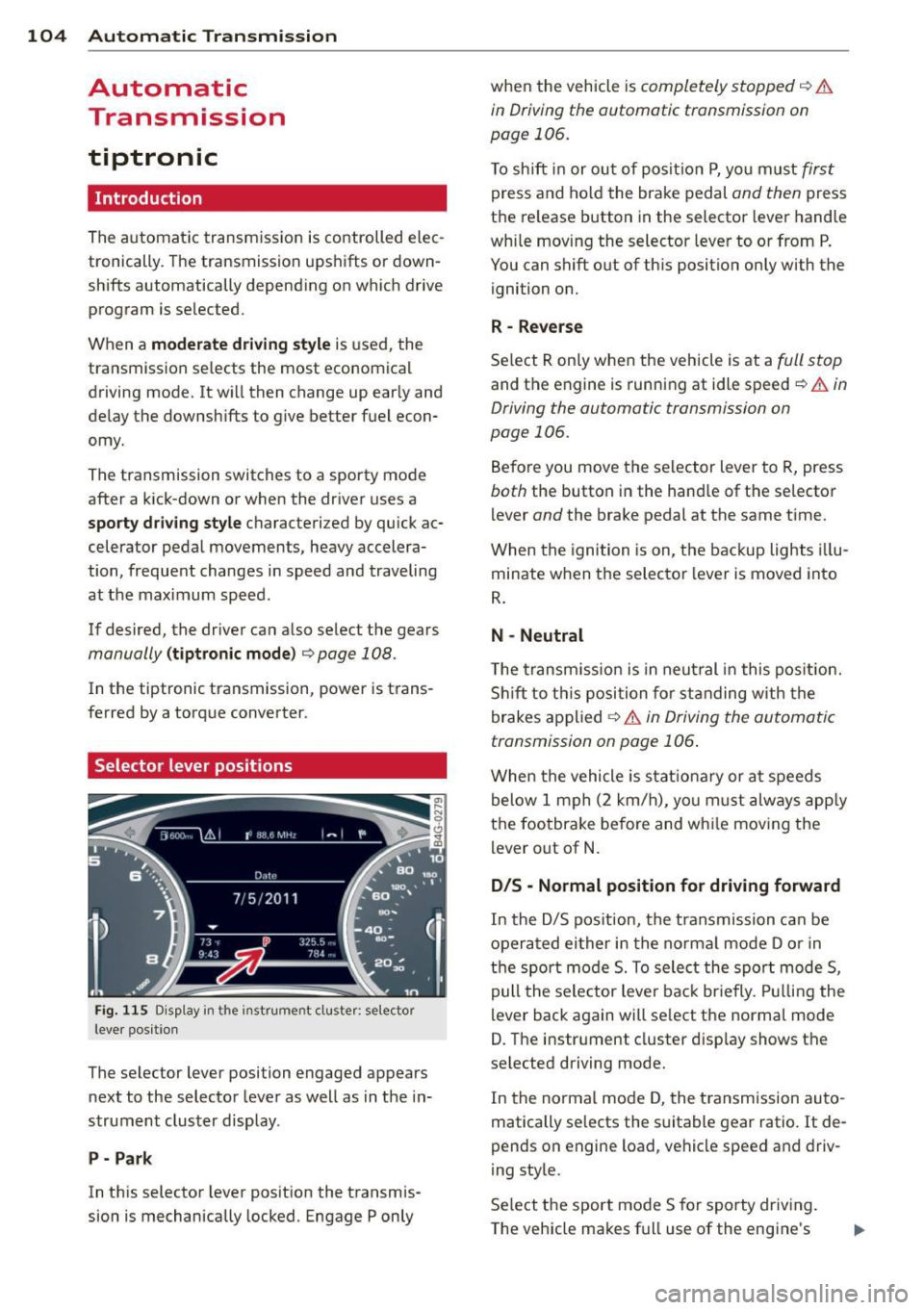
Selector lever positions
Fig . 115 D isp lay in the instrument cluster: selector
leve r pos itio n
The selector lever position engaged appears
next to the selector lever as well as in the in
strument cluster display.
P- Park
In this selector lever position the transmis
sion is mechanically locked. Engage P only when
the vehicle is
completely stopped¢ &
in Driving the automatic transmission on
page 106.
To shift in or out of posit ion P, you must first
press and hold the brake pedal and then press
the re lease button in the selector lever handle
wh ile moving the selector lever to or from P.
You can shift out of this position only with the
ignition on.
R -Reverse
Select R only when the vehicle is at a full stop
and the engine is running at idle speed¢ & in
Driving the automatic transmission on
page 106.
Before you move the selector lever to R, press
both the button in the hand le of the se lector
lever
and the brake pedal at the same time.
When the ignition is on, the backup lights illu
minate when the selector lever is moved into
R.
N -Neutral
Th e transmission is in neutral in this position.
Shift to this position for standing with the
brakes applied
¢ & in Driving the automatic
transmission on page 106 .
When the vehicle is stat ionary or at speeds
below 1 mph (2 km/h), you must always apply
the footbrake before and wh ile moving the
lever out of N.
D/S - Normal position for driving forward
In the D/S position, the transmission can be
operated either in the normal mode D or in
the sport mode 5. To select the sport mode 5,
pull the selector lever back brie fly. Pulling the
lever back again will select the normal mode
D. The instrument cluster disp lay shows the
se lected driving mode.
In the normal mode D, the transm ission auto
matically selects the suitable gear ratio.
It de
pends on engine load, vehicle speed and driv
ing style.
Select the sport mode 5 for sporty driving.
The vehicle makes full use of the engine's
Page 112 of 292
110 Parking system s
Parking systems
General information
A ppl ies to vehicles: with parkin g system plus/rear view
camera/peripheral cameras
Depending on your vehicle's equ ipment, vari
ous parking a ids wi ll help you when pa rk ing
and maneuvering.
The
p ar king sy st e m plu s assists you when
pa rking by audib ly and visually indicat ing ob
jects detected
in front of and behind the vehi
cle
~ page 111.
The rear view ca m era shows the area behind
the vehicle in the Infotainment d isp lay. This
d isplay assists you when you are c ross o r par
allel parking
q page 112. In addit ion, you are
assisted by the functions from the parking
system plus
~ page 111 .
The peripher al cam era s ass ist you with park
ing and maneuvering. You are aided by var ious
cameras depending on the vehicle equipment leve l
¢page 115. In addition, you are assist
ed by the functions from the parking system
plus ¢ page 111.
A WARNING
- Always look for traff ic and check the area
around your vehicle by looking at it di
rectly as well . The parking system cannot
rep lace the d river's attent ion. The dr iver
is always respons ible for safety during
p arki ng and for all other maneuvers.
- Please note that some surfaces, such as
clothing, a re not detected by the system.
- Senso rs and cameras have blind spots in
wh ich peop le and objects ca nnot be de
te cted. Be especially cau tious of children
and animals.
- T he sensors can be displaced by impacts
or damage to the radia to r grille, bumpe r,
wheel housing and the unde rbody. The
par king systems may become impaired
as a resu lt . Have your authorized Audi
dealer or qualified workshop check their
function. -
Make s ure the sensors are not covered by
stickers, deposits or any other obstruc
tions as it may impair the sensor func
tion . For information on cleaning, refer
to
~ page 203 .
(D Note
- Some objects are not detected by the
system under certain c ircumstances:
- Obje cts su ch as ba rrie r chains, trailer
draw bars, vertical po les or fences
- Objects above t he senso rs such as wall
extensions
- Objects w ith specific surfaces or struc
tures su ch as chain link fences or pow
der snow.
- If you conti nue d riving closer to a low- ly
ing object, it may disappea r from the
sensor range. Note th at yo u w ill no lon
ger be warned abo ut this obstacle.
(j) Tips
- T he system may provide a wa rni ng even
t ho ugh the re are no obs ta cl es in the cov
erage a rea in some situa tions, such as:
- certain road surfaces or for long grass.
- externa l ultrasonic sources e.g. from
clean ing vehicles.
- heavy rain, snow or thick vehicle ex
ha ust.
- We recommend that you practice park
ing in a traff ic-free location or park ing
lot to become familiar w ith the system.
When doing this, there should be good light and weather cond itions .
- You can change the volume and pitch of
the s ignals as we ll as the disp lay
¢page 120.
- What appears in the infotainment dis
play is somewhat time-delayed .
Page 156 of 292
154 Airbag sys te m
- Never place or attach accessories or o th
er objects (such as cup holders, tele
phone brackets, large, heavy or bulky ob
jects) on the doors, over or near the area marked "AIRBAG" on the stee ring wheel,
instrument panel, seat backrests or be
tween those a reas and yourself. These
objects co uld cause injury in a crash, es
pecially when the airbags inflate .
- Never recline the front passenger's seat
to transport objec ts. Items can also
move into the area o f the side airbag or
the front airbag during braking or in a sudden maneuver . Objects near the air
bags can become project iles and cause
injury, part icularly when the seat is re
cl ined .
- Never place or transport ob jects on the
front passenger seat. Objects on the
front passenger seat could cause the ca pacitive senso r in the seat to s ignal to
airbag system that the seat is occupied
by a person whe n it in fa ct is not, o r that
the person on the se at is heavie r than he
or she actually is. The change in electric
capacitance because of such objects can
cause the passenger front airbag to be
t u rned on when it sho uld be
off, or can
cause the airbag to work in a way that is
different from the way it wou ld have
wor ked w ithout ob jects on the seat .
- Always make sure that there is nothing
on the front passenger seat that will
cause the capacitive passenge r detection
system in the s eat to s ignal to the A irbag
System that the seat is occupied by a
person when it is not, or to signa l th at it
is occupied by someone who is heavier
than the pe rson actually s itting on the
seat . The prese nce of an object co uld
cause the passenger front a irbag to be
t ur ned on when it sho uld be
off, or co uld
cause the airbag to work in a way t hat is
different from the way it wou ld have
worked w ithout the object on the seat.
A WARNING
The fine dust created when airbags deploy
ca n cause breathing p rob lems for people
with a history of asthma or ot her breath
i ng cond itions .
- To reduce the risk of breath ing problems ,
those wi th asthma o r othe r respiratory
conditions s hou ld get fresh air right
away by getting o ut of th e veh icle or
open ing windows or do ors .
- If you are i n a collision in which airbags
de ploy, was h your h ands and face wi th
mild soap and wate r before eating.
- Be ca reful not to get the dust into your
eyes, o r into any c uts or sc ratches.
- If the res id ue should get into your eyes,
fl ush them w ith wate r.
Monitoring the
Advanced Airbag System
t~i Airbag monitoring indicator light
Two separate indicators monitor the function
of the Advan ced Airbag Sy stem: the airbag
moni toring indicator light and the
PASSEN
GER AIR BAG O FF
light.
The Adva nced A irbag Sys tem ( incl uding the
ele ct ron ic cont ro l u nit , sensor circu its and sys
tem wir ing) is monitored con tinuously to
make sure that it is functioning properly
whenever the ignition is on. Eac h time you
switch on the ignition, the airbag monitor ing
indicator light
fl w ill come on fo r a few sec
onds (self diagnostics) .
The sy stem mu st be in spected when the
indicator light
I :
- does not come on when the ignition is
sw itched on,
- does not go out a few seconds after you
have switched on the ignit ion, or
- comes on while driv ing .
If an airbag system malfunction is detected,
the i ndicator lig ht w ill first sta rt flashing to
catch the drive r's attention and then stay on .,..
Page 159 of 292
cushion with his or her back up against the
backrest and the backrest is not reclined,
- the adult is not taking weight off the seat by
holding on to the passenger assist handle
above the front passenger door or support
ing their we ight on the armrest,
- the safety be lt is being properly worn and
that there is not a lot of slack in the safety
belt webbing,
- there are no aftermarket seat covers or
cushions or other things (such as blankets)
on the front passenger seat that might
cause the capacitive passenger detection
system to miscalculate electrical capac i
tance.
Important safety instructions on
monitoring the Advanced Airbag System
A WARNING
- If the status of the Adva need A irbag Sys
tem has changed wh ile the vehicle is
moving, the
PASSENGER AIR BAG OFF
light b links for about 5 seconds to catch
the driver's attent ion. If this happens, al
ways stop as soon as it is safe to do so
and check the steps described above.
- If the PASSENGER AIR BAG OFF light
does not go off when an adu lt who is not
very small is sitting on the front passen
ger seat after taking the steps described
above, make sure the adult is properly
seated and restrained at one of the rear
seating pos it ions. Have the airbag sys
tem inspected by your authorized Audi
dealer before transpo rting anyone on the
front passenger seat.
A WARNING
An airbag system that is not funct ioning
prope rly cannot provide supplemental p ro
t e ction in a fron tal crash.
- If the airbag indicato r light ~page 18
comes when the vehicle is be ing used,
h ave the system inspected immedi ately
by you r autho rized Aud i dea ler . It is pos
sible that the airba g will inflate when it
A irbag system 157
is not supposed to, or will not inflate
when it should.
A WARNING
If the front airbag inflates, a child without
a child restraint, or in a rearward-facing
chi ld safety seat, or in a forward-facing
chi ld restraint that has not been proper ly
install ed w ill be seriou sly injur ed and can
be killed.
- Even tho ugh yo ur vehicle is equipped
wit h an Advanced A irbag System, make
certain that all children, espec ial ly 12
ye ars and younger, always ride on the
back seat properly rest rained for their
age an d size .
- Always install forward o r rear-facing
child seats on the rear sea t - even with
an Advanced Ai rba g System.
- If you must install a rearwa rd -fa cing
child seat on the front passenger seat because of exceptional circumstances
and the
PASSENGER AIR BAG OFF light
does not appear and stay on, immediate
ly install the rear-facing child seat in a
rear seat ing pos itio n and have the airbag
system inspected by you r Audi dealer.
- If, in exceptiona l circumstances, you
must ins tall a forward-fac ing ch ild re
s traint on the front passenger seat, al
ways move the sea t into its rearmos t po
sition in the seat 's fore and aft adjust
men t range, as fa r away from the a irbag
as possi ble . The backrest must be adjust
ed to an upright pos ition. Make su re that
the
PASSENGER AIR BAG OFF light
comes on and stays on all the time when
ever the ignit ion is switched on.
A WARNING
-
- If the PASSENGER AIR BAG OFF light
does not go out w hen an ad ult is sitting
on the front passenger seat after taking
the steps described above, make su re the
adu lt is prope rly seated and restra ined at
one o f the rea r seat ing pos itions. .,.
•
•
Page 172 of 292
1 70 Child Safety
-Always read and heed all WARNINGS
whenever using a child restraint in ave
hicle
q page 133, Safety belts,
q page 142, Airbag system and
q page 168, Important things to
know.
(D Tips
Always replace child restraints that were
installed in a vehicle during a crash. Dam
age to a child restraint that is not visible
could cause it to fail in another collision
situation.
Advanced front airbag system and children
Your vehicle is equipped with a front "Ad
vanced Airbag System" in compliance with United States Federal Motor Vehicle Safety
Standard (FMVSS) 208 as applicable at the
time your vehicle was manufactured.
The Advanced Airbag system in your vehicle
has been certified to meet the "low-risk" re
quirements for 3- and 6-year old children on
the passenger side and small adults on the
driver side. The low risk deployment criteria
are intended to reduce the risk of injury
through interaction with the airbag that can
occur, for example, by being too close to the
steering wheel and instrument panel when
the airbag inflates . In addition, the system
has been certified to comply with the "sup
pression" requirements of the Safety Stand
ard, to turn
off the front airbag for infants up
to 12 months who are restrained on the front
passenger seat in child restraints that are list
ed in the Standard .
Even though your vehicle is equipped with an
Advanced Airbag system, all children, espe
cially those 12 years and younger, should al
ways ride in the back seat properly restrained
for their age and size. The airbag on the pas
senger side makes the front seat a potentially
dangerous place for a child to ride. The front
seat is not the safest place for a child in a for
ward -facing child safety seat. It can be a very dangerous place
for an infant or a larger child
in a rearward-facing seat.
The vehicle's Advanced Airbag System has a
capacitive passenger detection system in the
front passenger seat cushion that can detect
the presence of a baby or a child in a child re
straint system on this seat.
The capacitive passenger detection system
registers the changes that result in an electri
cal field when a child, a child restraint, and a
baby blanket are on the front passenger seat .
The change in the measured capacitance due
to the presence of a child, a child restraint,
and a baby blanket on the front passenger
seat is related to the child restraint system
resting on the seat. The measured capacitance
of a child restraint system varies depending
on the type of system and specific make and
model.
The electrical capacitance of the various
types, makes, and models of child restraints
specified by the U.S.National Highway Traffic
Safety Administration (NH TSA) in the relevant
safety standard are stored in the Advanced
Airbag System control unit together with the capacitances typical of infants and a 1-year
old child. When a child restraint is used on the
front passenger seat with a typical 1 year-old infant, the Advanced Airbag System compares
the capacitance measured by the capacitive passenger detection system with the data
stored in the electronic control unit. Child restraints and Advanced front
airbag system
Regardless of the child restraint that you use,
make sure that it has been certified to meet
United States Federal Motor Vehicle Safety
Standards and has been certified by its manu
facturer for use with an airbag. Always be sure
that the child restraint is properly installed at
one of the rear seating positions. If in excep
tional circumstances you must use it on the
front passenger seat, carefully read all of the
information on child safety and Advanced Air-
bags and heed all of the applicable .,..