2013 YAMAHA XT1200Z fuel
[x] Cancel search: fuelPage 6 of 108

TABLE OF CONTENTSSAFETY INFORMATION ..................1-1
DESCRIPTION ..................................2-1
Left view ..........................................2-1
Right view ........................................2-2
Controls and instruments.................2-3
INSTRUMENT AND CONTROL
FUNCTIONS .......................................3-1
Immobilizer system .........................3-1
Main switch/steering lock ................3-2
Indicator lights and warning lights ............................................3-4
Multi-function meter unit .................3-8
D-mode (drive mode) ....................3-15
Handlebar switches ......................3-16
Clutch lever ...................................3-18
Shift pedal .....................................3-18
Brake lever ...................................3-19
Brake pedal ..................................3-20
ABS ..............................................3-20
Traction control system ................3-21
Fuel tank cap ................................3-23
Fuel ...............................................3-23
Fuel tank breather hose and overflow hose ............................3-24
Catalytic converter ........................3-25
Rider seat .....................................3-25
Adjusting the rider seat height ......3-26
Windshield ....................................3-28
Adjusting the front fork ..................3-28 Adjusting the shock absorber
assembly ................................... 3-30
Carriers ........................................ 3-31
Luggage strap holders ................. 3-32
Sidestand ..................................... 3-32
Ignition circuit cut-off system ........ 3-33
Auxiliary DC jack .......................... 3-35
FOR YOUR SAFETY –
PRE-OPERATION CHECKS ............. 4-1
OPERATION AND IMPORTANT
RIDING POINTS ................................. 5-1
Starting the engine ......................... 5-1
Shifting ........................................... 5-2
Tips for reducing fuel consumption ............................... 5-3
Engine break-in .............................. 5-3
Parking ........................................... 5-4
PERIODIC MAINTENANCE AND
ADJUSTMENT ................................... 6-1
Owner’s tool kit ............................... 6-2
Periodic maintenance chart for the
emission control system ............. 6-3
General maintenance and
lubrication chart .......................... 6-4
Removing and installing cowlings ...................................... 6-8
Checking the spark plugs ............. 6-10
Engine oil and oil filter cartridge ... 6-11 Final gear oil ................................ 6-14
Coolant ........................................ 6-15
Air filter element ........................... 6-16
Checking the engine idling
speed ........................................ 6-17
Checking the throttle grip free play ........................................... 6-17
Valve clearance ........................... 6-17
Tires ............................................. 6-18
Spoke wheels .............................. 6-20
Clutch lever .................................. 6-20
Checking the brake lever free
play ........................................... 6-21
Brake light switches ..................... 6-21
Checking the front and rear brake
pads .......................................... 6-22
Checking the brake fluid level ...... 6-22
Changing the brake and clutch
fluids ......................................... 6-24
Checking and lubricating the
throttle grip and cable ............... 6-24
Checking and lubricating the brake and shift pedals .............. 6-24
Checking and lubricating the brake and clutch levers ............ 6-25
Checking and lubricating the
centerstand and sidestand ....... 6-26
Lubricating the swingarm pivots ........................................ 6-26
Checking the front fork ................. 6-27
Checking the steering .................. 6-27U23PE3E0.book Page 1 Monday, July 30, 2012 8:44 AM
Page 12 of 108

SAFETY INFORMATION
1-5
1Aftermarket Tires and Rims
The tires and rims that came with your
motorcycle were designed to match the
performance capabilities and to provide
the best combination of handling, brak-
ing, and comfort. Other tires, rims, siz-
es, and combinations may not be
appropriate. Refer to page 6-18 for tire
specifications and more information on
replacing your tires.
Transporting the Motorcycle
Be sure to observe following instruc-
tions before transporting the motorcy-
cle in another vehicle.
●
Remove all loose items from the
motorcycle.
●
Check that the fuel cock (if
equipped) is in the “OFF” position
and that there are no fuel leaks.
●
Point the front wheel straight
ahead on the trailer or in the truck
bed, and choke it in a rail to pre-
vent movement.
●
Shift the transmission in gear (for
models with a manual transmis-
sion).
●
Secure the motorcycle with tie-
downs or suitable straps that are
attached to solid parts of the mo-
torcycle, such as the frame or up-
per front fork triple clamp (and not,
for example, to rubber-mounted
handlebars or turn signals, or parts
that could break). Choose the lo-
cation for the straps carefully so
the straps will not rub against
painted surfaces during transport.
●
The suspension should be com-
pressed somewhat by the tie-
downs, if possible, so that the mo-
torcycle will not bounce excessive-
ly during transport.
U23PE3E0.book Page 5 Monday, July 30, 2012 8:44 AM
Page 13 of 108

DESCRIPTION
2-1
2
EAU10410
Left view
132
76 54
10 9 8
1. Fuel tank cap (page 3-23)
2. Seat lock (page 3-25)
3. Carrier (page 3-31)
4. Final gear oil filler bolt (page 6-14)
5. Final gear oil drain bolt (page 6-14)
6. Coolant reservoir (page 6-15)
7. Shift pedal (page 3-18)
8. Engine oil drain bolt (oil tank) (page 6-11) 9. Engine oil drain bolt (crankcase) (page 6-11)
10.Engine oil filter cartridge (page 6-11)
U23PE3E0.book Page 1 Monday, July 30, 2012 8:44 AM
Page 23 of 108

INSTRUMENT AND CONTROL FUNCTIONS
3-8
3
Try to reset the traction control system
and the lights by following the proce-
dures under “Resetting” on page 3-22.
EAU38624
Immobilizer system indicator light
The electrical circuit of the indicator
light can be checked by turning the key
to “ON”. The indicator light should
come on for a few seconds, and then
go off. If the indicator light does not come on
initially when the key is turned to “ON”,
or if the indicator light remains on, have
a Yamaha dealer check the electrical
circuit.
When the key is turned to “OFF” and 30
seconds have passed, the indicator
light will start flashing indicating the im-
mobilizer system is enabled. After 24
hours have passed, the indicator light
will stop flashing, however the immobi-
lizer system is still enabled.
The self-diagnosis device also detects
problems in the immobilizer system cir-
cuits. (See page 3-14 for an explana-
tion of the self-diagnosis device.)
EAU49606
Multi-function meter unit
WARNING
EWA12422
Be sure to stop the vehicle before
making any setting changes to the
multi-function meter unit. Changing
1. Traction control system switch
2. Traction control system indicator/warning
light “TCS”
3. Engine trouble warning light “ ”
4. Traction control system mode display
4
3
2
1
1. Tachometer
2. Traction control system mode display
3. Coolant temperature display/air intake tem- perature display/instantaneous fuel con-
sumption display/average fuel consumption
display
4. Speedometer
5. Fuel meter
6. Drive mode display
7. Clock
8. Right set button
9. Left set button
10.Odometer/tripmeter/fuel reserve tripmeter
11.Traction control system switch
1
2
3
5
6
78
9
10
4
11
U23PE3E0.book Page 8 Monday, July 30, 2012 8:44 AM
Page 24 of 108

INSTRUMENT AND CONTROL FUNCTIONS
3-9
3settings while riding can distract the
operator and increase the risk of an
accident.
The multi-function meter unit is
equipped with the following:●
a speedometer
●
a tachometer
●
an odometer
●
two tripmeters (which show the
distance traveled since they were
last set to zero)
●
a fuel reserve tripmeter (which
shows the distance traveled since
the last segment of the fuel meter
started flashing)
●
a clock
●
a fuel meter
●
an air intake temperature display
●
a coolant temperature display
●
a fuel consumption display (instan-
taneous and average consumption
functions)
●
a drive mode display (which shows
the selected drive mode)
●
a traction control system mode dis-
play (which shows the selected
traction control system mode)
●
a self-diagnosis device
●
an LCD and tachometer bright-
ness control mode
The left and right set buttons, located
under the display, allow you to control
or change the settings in the multi-func-
tion meter unit.
TIP●
To use the left and right buttons,
the key must be turned to “ON”,
except for the brightness mode.
●
For the U.K. only: To switch the
speedometer and odometer/trip-
meter/fuel consumption displays
between kilometers and miles,
press the left button for at least two
seconds.
Tachometer
The electric tachometer allows the rider
to monitor the engine speed and keep it
within the ideal power range.
When the key is turned to “ON”, the ta-
chometer needle sweeps once across
the r/min range and then returns to zero
r/min in order to test the electrical cir-
cuit.NOTICE
ECA10031
Do not operate the engine in the ta-
chometer red zone.
Red zone: 7750 r/min and above1. Tachometer
2. Tachometer red zone
12
U23PE3E0.book Page 9 Monday, July 30, 2012 8:44 AM
Page 25 of 108

INSTRUMENT AND CONTROL FUNCTIONS
3-10
3
Odometer and tripmeter modes
Pushing the left button switches the dis-
play between the odometer mode
“ODO” and the tripmeter modes “TRIP
1” and “TRIP 2” in the following order:
ODO
→ TRIP 1 → TRIP 2 → ODO
TIPWhen selecting “TRIP 1” or “TRIP 2”,
the display flashes for five seconds.When approximately 3.9 L (1.03 US
gal, 0.86 Imp.gal) of fuel remains in the
fuel tank, the display automatically
changes to the fuel reserve tripmeter
mode “TRIP F” and starts counting the
distance traveled from that point. In that
case, pushing the left button switches the display between the various tripme-
ter and odometer modes in the follow-
ing order:
TRIP F
→ ODO → TRIP 1 → TRIP 2 →
TRIP F
TIPWhen selecting “TRIP 1”, “TRIP 2” or
“TRIP F”, the display flashes for five
seconds.To reset a tripmeter, select it by push-
ing the left button, and then push this
button for at least one second while the
display is flashing. If you do not reset
the fuel reserve tripmeter manually, it
resets itself automatically and the dis-
play returns to the prior mode after re-
fueling and traveling 5 km (3 mi). Clock
The clock displays when the key is
turned to “ON”. In addition, the clock
can be displayed for 10 seconds by
pushing the left button when the main
switch is in the “OFF”, “LOCK” or “ ”
position.
To set the clock
1. Push the left button and right but-
ton together for at least three sec-
onds.
2. When the hour digits start flashing, push the right button to set the
hours.
1. Odometer/tripmeter/fuel reserve tripmeter
2. Left set button
2
1
1. Clock
2. Right set button
3. Left set button
3
2
1
U23PE3E0.book Page 10 Monday, July 30, 2012 8:44 AM
Page 26 of 108

INSTRUMENT AND CONTROL FUNCTIONS
3-11
33. Push the left button; the minute
digits start flashing.
4. Push the right button to set the minutes.
5. Push the left button; the clock starts after the button is released.
Fuel meter
The fuel meter indicates the amount of
fuel in the fuel tank. The display seg-
ments of the fuel meter disappear to-
wards “E” (Empty) as the fuel level
decreases. When the last segment
starts flashing, refuel as soon as possi-
ble.
When the key is turned to “ON”, all dis-
play segments come on once in order
to test the electrical circuit.
TIPThis fuel meter is equipped with a self-
diagnosis system. If a problem is de-
tected in the electrical circuit, all display
segments start flashing. If this occurs,
have a Yamaha dealer check the elec-
trical circuit.Air intake temperature, coolant tem-
perature, instantaneous fuel con-
sumption and average fuel
consumption modes Push the right button to switch the dis-
play between the air intake tempera-
ture mode, the coolant temperature
mode, the instantaneous fuel con-
sumption mode “km/L” or “L/100 km”,
and the average fuel consumption
mode “AVE_ _._ km/L” or “AVE_ _._
L/100 km” in the following order:
air intake temperature
→ coolant tem-
perature → km/L or L/100 km → AVE_
_._ km/L or AVE_ _._ L/100 km → air
intake temperature
For the UK only:
Push the right button to switch the dis-
play between the air intake tempera-
ture mode, the coolant temperature
mode, the instantaneous fuel con-
sumption mode “km/L”, “L/100 km” or
“MPG”, and the average fuel consump-
tion mode “AVE_ _._ km/L”, “AVE_ _._
L/100 km” or “AVE_ _._ MPG” in the fol-
lowing order:
air intake temperature → coolant tem-
perature → km/L, L/100 km or MPG →
1. Fuel meter
1
1. Coolant temperature display/air intake tem-
perature display/instantaneous fuel con-
sumption display/average fuel consumption
display
2. Right set button
2
1
U23PE3E0.book Page 11 Monday, July 30, 2012 8:44 AM
Page 27 of 108
INSTRUMENT AND CONTROL FUNCTIONS
3-12
3
AVE_ _._ km/L, AVE_ _._ L/100 km or
AVE_ _._ MPG
→ air intake tempera-
ture
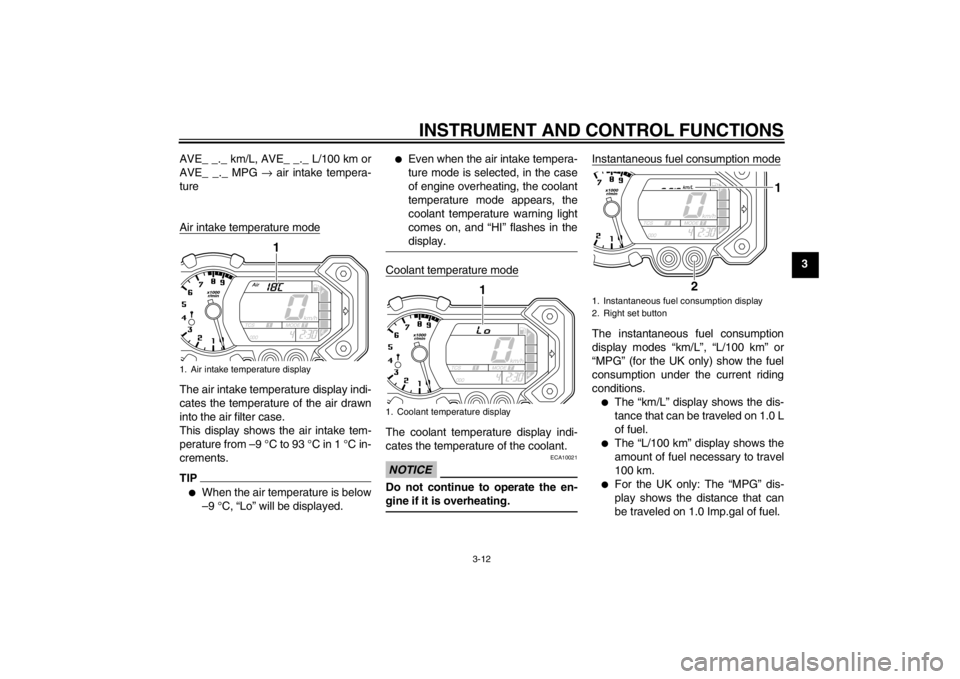
Air intake temperature mode
The air intake temperature display indi-
cates the temperature of the air drawn
into the air filter case.
This display shows the air intake tem-
perature from –9 °C to 93 °C in 1 °C in-
crements. TIP●
When the air temperature is below
–9 °C, “Lo” will be displayed.
●
Even when the air intake tempera-
ture mode is selected, in the case
of engine overheating, the coolant
temperature mode appears, the
coolant temperature warning light
comes on, and “HI” flashes in the
display.
Coolant temperature modeThe coolant temperature display indi-
cates the temperature of the coolant.NOTICE
ECA10021
Do not continue to operate the en-
gine if it is overheating.
Instantaneous fuel consumption modeThe instantaneous fuel consumption
display modes “km/L”, “L/100 km” or
“MPG” (for the UK only) show the fuel
consumption under the current riding
conditions.●
The “km/L” display shows the dis-
tance that can be traveled on 1.0 L
of fuel.
●
The “L/100 km” display shows the
amount of fuel necessary to travel
100 km.
●
For the UK only: The “MPG” dis-
play shows the distance that can
be traveled on 1.0 Imp.gal of fuel.
1. Air intake temperature display
1
1. Coolant temperature display
1
1. Instantaneous fuel consumption display
2. Right set button
2
1
U23PE3E0.book Page 12 Thursday, March 6, 2014 10:46 AM