2013 VOLVO S80 trunk
[x] Cancel search: trunkPage 82 of 372

03 Your driving environment
Instruments and controls
03
80
Reminder – doors not closedIf one of the doors, the hood or trunk lid is not
closed properly, the information or warning
symbol comes on together with an explanatory
text message in the instrument panel. Stop the
vehicle in a safe place as soon as possible and
close the door, hood or trunk.
If the vehicle is driven at a speed
lower than approximately 5 mph
(7 km/h), the information symbol comes on.
If the vehicle is driven at a speed
higher than approximately 5 mph
(7 km/h), the warning symbol comes on.
Road Sign Information (RSI)Road Sign Information (RSI) is a feature that
helps the driver see road signs with information
such as current speed. See page 130 for
detailed information.
Trip odometers
Trip odometers and reset button
Odometer display
Button for toggling between T1 and T2,
and for resetting the odometer
The trip odometers are used to measure short
distances. The distance is shown in the dis-
play. A short press the button toggles between
the two trip odometers
T1 and T2. A long press
(more than 2 seconds) resets the currently dis-
played trip odometer to zero.
Clock
Clock and setting control
Display
Control for setting the clock
Turn the control clockwise/counterclockwise
to set the time. The set time is shown in the
information display.
The clock may be temporarily replaced by a
symbol in conjunction with a message, see
page 183.
Setting the clock in MY CARIn addition to setting the clock manually as
described above, it can also be set in the MY
CAR menu system. See page 185 for addi-
tional information about these menus.
Page 91 of 372

03 Your driving environment
Seats
03
89
CAUTION
To help avoid damage to the upholstery,
there should be no objects on the rear seat
and the seat belt should not be buckled
when the backrest is folded down.
WARNING
•Keep vehicle doors and trunk locked
and keep keys out of a child’s reach.
Unsupervised children could lock them-
selves in an open trunk and risk injury.
Children should be taught not to play in
vehicles.
•On hot days, the temperature in the
trunk or vehicle interior can rise very
quickly. Exposure of people to these
high temperatures for even a short
period of time can cause heat-related
injury or death. Small children are par-
ticularly at risk.
WARNING
•When one or more sections of the back-
rest is returned to the upright position,
check that it is properly locked in place
by pushing and pulling it. The red indi-
cators should also not be visible.
•Return the outboard head restraints to
the upright position.
•Long loads should always be securely
anchored to help avoid injury in the
event of a sudden stop.
•Always turn the engine off and apply the
parking brake when loading/unloading
the vehicle.
•Place the transmission in the Park (P)
position to help prevent inadvertent
movement of the gear selector.
•On hot days, the temperature in the
vehicle interior can rise very quickly.
Exposure of people to these high tem-
peratures for even a short period of time
can cause heat-related injury or death.
Small children are particularly at risk.
Page 97 of 372

03 Your driving environment
Lighting
03
* Option/accessory, for more information, see Introduction.95
SymbolDisplayExplana-
tion
Headlamp
failure
Service
requiredThe system
is not func-
tioning
properly and
should be
inspected/
repaired by
a trained
and qualified
Volvo serv-
ice techni-
cian.
Auxiliary lights*If the vehicle is fitted with auxiliary lights, the
driver can use the MY CAR menu system to
choose to deactivate and turn these lights on
and off along with the high beam headlights
2.
Parking lights
G022907
Headlight control in position for parking lights
The parking lights (the license plate lights also
come on) can be turned on even when the igni-
tion is switched off.
Turn the headlight control to the center posi-
tion (the license plate lighting comes on at the
same time).
In dark ambient lighting conditions, the rear
parking lights also illuminate when the trunk is
opened to alert anyone traveling behind your
vehicle. This happens regardless of the posi-
tion that the headlight control is in or which
mode the ignition is in.
Front fog lights*
G014402
Button for front fog lights
The front fog lights can be switched on
together with high/low beams or the parking
lights. However, the fog lights switch off and
remain off while the high beams are on.
–Press the button to switch the fog lights on/
off. The light in the button comes on when
the fog lights are on.
NOTE
Regulations regarding the use of the front
fog lights may vary, depending on where
you drive.
2The auxiliary lights must be connected to the vehicle's electrical system, which should only be done by a trained and authorized Volvo service technician. See page 185 for more information about
the menu system.
Page 100 of 372

03 Your driving environment
Lighting
03
98
Glove compartment lightingThe glove compartment lighting switches on/
off automatically when the lid is opened/
closed.
Overhead courtesy lightingThe passenger compartment lighting is
switched on and off automatically when button
(3) is in the neutral position.
The lighting comes on and remains on for
30 seconds if:
•the vehicle is unlocked from the outside
with the key or remote control
•the engine is switched off and the ignition
is in mode 0.
The lighting switches off when:
•the engine is started
•the vehicle is locked from the outside.
The lighting comes on and remains on for two
minutes if one of the doors is open.
The passenger compartment lighting can be
switched on and off manually within 30 minutes
after the vehicle has been unlocked.
If the lighting is switched on manually and the
vehicle is locked, the courtesy lighting will
switch off automatically after one minute.
Trunk lightingThe trunk lighting comes on automatically
when the trunk lid is opened.
Home safe lighting
When you leave your vehicle at night, you can
make use of the home safe lighting function to
illuminate the area in front of the vehicle.
1. Remove the key from the ignition slot to put
the ignition in mode 0 (see page 83 for
information about the ignition modes).
2. Pull the turn signal lever as far as possible
towards the steering wheel and release it.
3. Exit the vehicle and lock the doors.
The headlights, parking lights, turn signals,
lights in the door mirrors, license plate lights,
and footwell lighting will illuminate and remain
on for 30
3, 60 or 90 seconds. The time interval
can be set in MY CAR under Settings
Car
settings
Light settingsHome safe light
duration. See page 185 for a description of
the menu system.
Approach lighting
Approach lighting is activated by pressing the
approach light button on the remote key (see
the illustration on page 55).
When the function has been activated, the
parking lights, indicator lights, door mirror
lights, license plate lighting, dome lighting and
door step lighting come on.
The time interval for this lighting can be set by
pressing MY CAR and going to Car settings
Light settingsApproach light
duration. See page 185 for a description of
the menu system.
3Factory setting
Page 174 of 372

04 Driver support
Rear Park Assist Camera (PAC)*
04
172* Option/accessory, for more information, see Introduction.
Introduction
The Park Assist Camera uses the display in the
center console to show the area behind the car
while you are backing up.
PAC also shows guiding lines in the on-screen
image to indicate the direction that the vehicle
will take as it moves rearward, which helps
simplify parallel parking, backing into a tight
space or when attaching a trailer to the vehicle.
NOTE
A trailer hitch whose wiring is integrated
with the vehicle's electrical system will be
included in the measurement of the availa-
ble space behind the vehicle.
WARNING
•PAC is designed to be a supplementary
aid when parking the vehicle. It is not,
however, intended to replace the
driver’s attention and judgment.
•The camera has blind spots where it
cannot detect objects or people behind
the vehicle.
•Pay particular attention to people or ani-
mals that are close to the vehicle.
Function
The driver sees what is behind the vehicle and
if a person or animal should suddenly appear
from the side.
PAC is mounted on the rear of the trunk lid,
near the opening handle.
The camera has built-in electronics that help
reduce the “fish-eye” effect so that the image
shown on the screen is as natural as possible.
This may cause some objects on the screen to
“lean,” which is normal.
WARNING
Objects seen on the screen may be closer
than they appear to be.
Ambient lighting conditionsThe camera automatically monitors the ambi-
ent lighting conditions behind the vehicle and
constantly adjusts sensitivity to light. This may
cause the brightness and quality of the image
on the screen to vary slightly. Sensitivity to light
is increased in dark conditions or in bad
weather, which may affect image quality.
If the image on the screen seems too dark,
brightness can be increased with the thumb
wheel on the lighting panel.
NOTE
In order to function properly, the camera
lens should always be kept clean. This is
particularly important in bad weather. Keep
the lens free of dirt, ice or snow.
Page 177 of 372

04 Driver support
Rear Park Assist Camera (PAC)*
04
* Option/accessory, for more information, see Introduction.175
image is shown on the center console dis-
play.
•When backing up, two solid lines are pro-
jected on the screen to show the path that
the vehicle's rear wheels will take. These
lines are affected by movements of the
steering wheel. The vehicle's approximate
outer dimension are shown by two dashed
lines.
•The graphic lines will not be displayed
when backing up with a trailer that is con-
nected to the vehicle's electrical system.
•Objects on the ground that are closer than
1 ft (30 centimeters) cannot be detected by
the camera.
•The camera is active for approx.
5 seconds after the gear selector is moved
to R or until the vehicle's speed exceeds
6 mph (10 km/h).
•The optional Park Assist sensors and the
parking camera work together and infor-
mation from the sensors is shown graphi-
cally on the display.
•The graphic lines shown on the screen
when the vehicle backs up can be disabled
in the settings menu.
•Manual zoom can be selected in the MY
CAR menu.
•The system can be switched off by press-
ing CAM. By default, the system is acti-
vated when the gear selector is moved toR. This setting can be changed in the MY
CAR menu.
•If there are two cameras installed on the
vehicle*, to switch between cameras, turn
TUNE (at least one of the cameras has to
be active), press CAM repeatedly or use
the center console controls. If the front
camera is on, it overrides the optional park
assist system's visual indicator but there
will still be an audible signal.
Limitations
Even if a fairly small section of the screen image
appears to be obstructed, this may mean that
a relatively large area behind the vehicle is hid-
den and objects there may not be detected
until they are very near the vehicle.
NOTE
Bicycle carriers or other accessories moun-
ted on the trunk may obstruct the camera's
field of view.
Keep in mind
•Keep the camera's lens free of dirt, ice and
snow. Remove ice and snow carefully to
avoid scratching the lens.
•Clean the lens regularly with warm water
and a suitable car washing detergent.
Page 207 of 372
05 Comfort and driving pleasure
Passenger compartment convenience
05
* Option/accessory, for more information, see Introduction.205 Vanity mirror
G021438
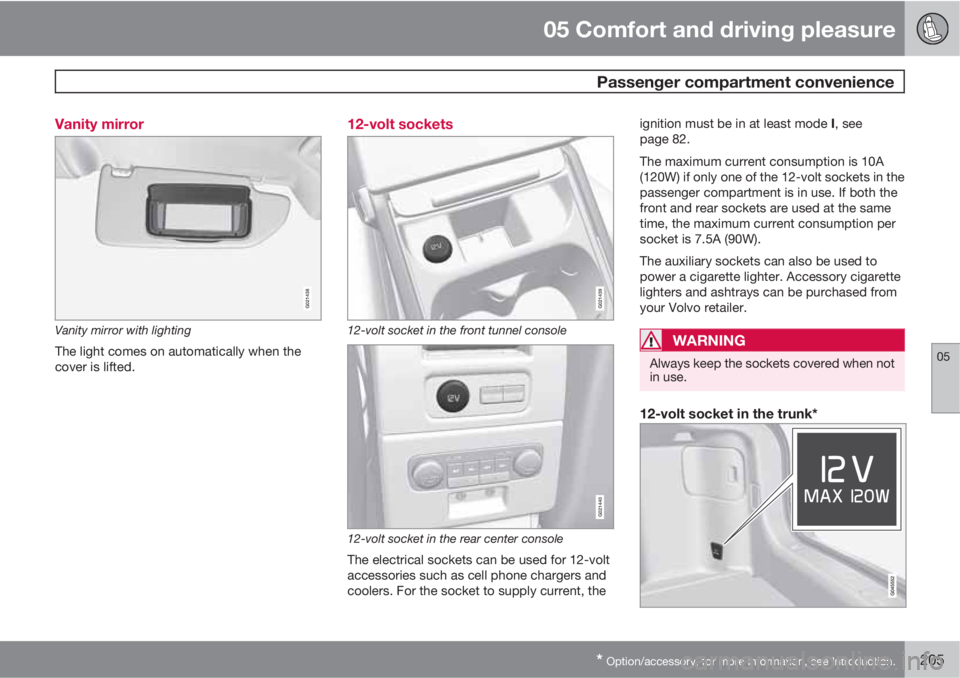
Vanity mirror with lighting
The light comes on automatically when the
cover is lifted.
12-volt sockets
G021439
12-volt socket in the front tunnel console
G021440
12-volt socket in the rear center console
The electrical sockets can be used for 12-volt
accessories such as cell phone chargers and
coolers. For the socket to supply current, theignition must be in at least mode I, see
page 82.
The maximum current consumption is 10A
(120W) if only one of the 12-volt sockets in the
passenger compartment is in use. If both the
front and rear sockets are used at the same
time, the maximum current consumption per
socket is 7.5A (90W).
The auxiliary sockets can also be used to
power a cigarette lighter. Accessory cigarette
lighters and ashtrays can be purchased from
your Volvo retailer.
WARNING
Always keep the sockets covered when not
in use.
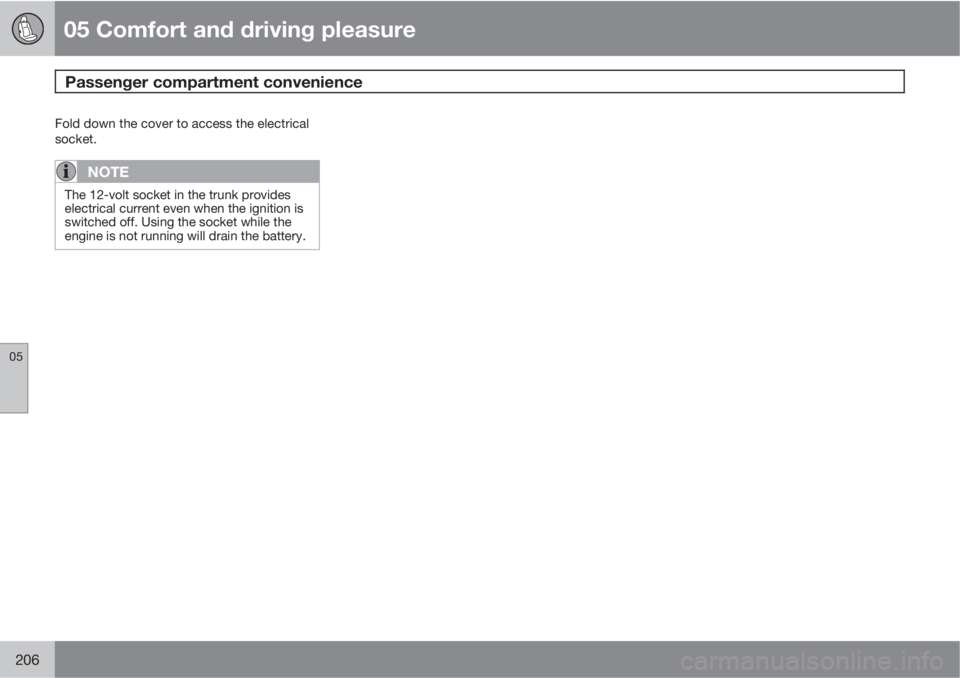
12-volt socket in the trunk*
Page 208 of 372
05 Comfort and driving pleasure
Passenger compartment convenience
05
206
Fold down the cover to access the electrical
socket.
NOTE
The 12-volt socket in the trunk provides
electrical current even when the ignition is
switched off. Using the socket while the
engine is not running will drain the battery.