2013 TOYOTA SIENNA engine will not start
[x] Cancel search: engine will not startPage 6 of 876

TABLE OF CONTENTSIndex
6
SIENNA_OM_OM45472U_(U)
4-1. Maintenance and careCleaning and protecting the vehicle exterior ........... 646
Cleaning and protecting the vehicle interior ............ 651
4-2. Maintenance Maintenance requirements .................... 655
General maintenance ......... 658
Emission inspection and maintenance (I/M)
programs .......................... 662
4-3. Do-it-yourself maintenance Do-it-yourself service precautions ...................... 663
Hood................................... 667
Positioning a floor jack ....... 669
Engine compartment .......... 671
Tires ................................... 688
Tire inflation pressure......... 699
Wheels ............................... 703
Air conditioning filter ........... 706
Wireless remote control/ electronic key battery ....... 709
Checking and replacing fuses ................................ 712
Light bulbs .......................... 725 5-1. Essential information
Emergency flashers ............ 738
If your vehicle needs to be towed ....................... 739
If you think something is wrong ............................ 743
Fuel pump shut off system .............................. 744
5-2. Steps to take in an emergency If a warning light turns on or a warning
buzzer sounds... ............... 745
If a warning message is displayed ....................... 760
If you have a flat tire (vehicles with
run-flat tires) ..................... 761
If you have a flat tire (vehicles with
standard tires) .................. 763
If the engine will not start .... 778
If the shift lever cannot be shifted from P ................... 780
If you lose your keys ........... 782
If the electronic key does not operate properly ......... 783
If the battery is discharged ........................ 786
If your vehicle overheats..... 791
If the vehicle becomes stuck ................................. 794
If your vehicle has to be stopped in
an emergency ................... 796
4Maintenance and care5When trouble arises
Page 43 of 876
43
1-2. Opening, closing and locking the doors
1
Before driving
SIENNA_OM_OM45472U_(U)
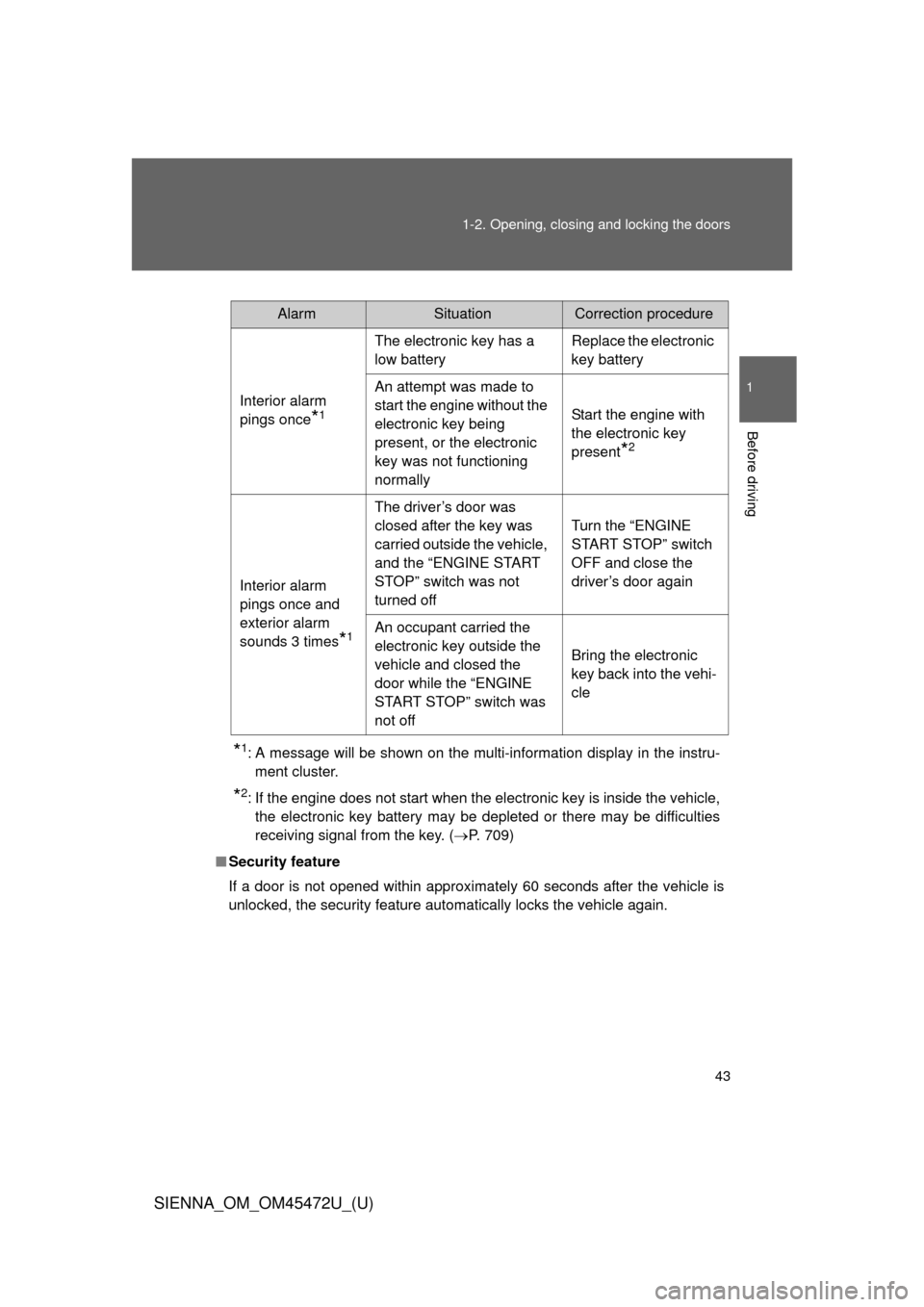
*1: A message will be shown on the multi-information display in the instru-
ment cluster.
*2: If the engine does not start when the electronic key is inside the vehicle,the electronic key battery may be depleted or there may be difficulties
receiving signal from the key. ( P. 709)
■ Security feature
If a door is not opened within approximately 60 seconds after the vehicle is
unlocked, the security feature automatically locks the vehicle again.
AlarmSituationCorrection procedure
Interior alarm
pings once
*1
The electronic key has a
low battery Replace the electronic
key battery
An attempt was made to
start the engine without the
electronic key being
present, or the electronic
key was not functioning
normally Start the engine with
the electronic key
present
*2
Interior alarm
pings once and
exterior alarm
sounds 3 times
*1
The driver’s door was
closed after the key was
carried outside the vehicle,
and the “ENGINE START
STOP” switch was not
turned offTurn the “ENGINE
START STOP” switch
OFF and close the
driver’s door again
An occupant carried the
electronic key outside the
vehicle and closed the
door while the “ENGINE
START STOP” switch was
not off Bring the electronic
key back into the vehi-
cle
Page 44 of 876
44 1-2. Opening, closing and locking the doors
SIENNA_OM_OM45472U_(U)
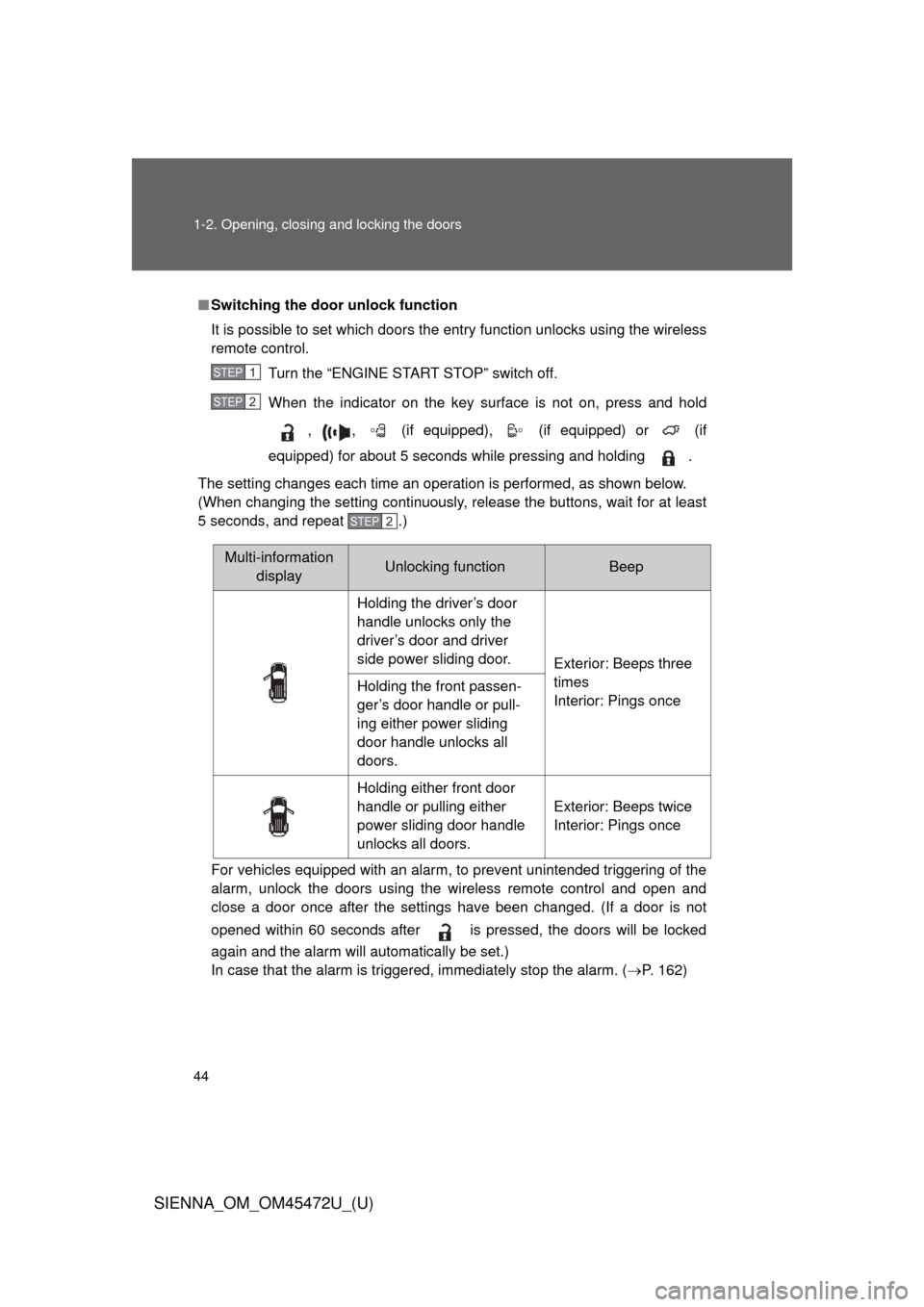
■Switching the door unlock function
It is possible to set which doors the entry function unlocks using the wireless
remote control.
Turn the “ENGINE START STOP” switch off.
When the indicator on the key surface is not on, press and hold
, , (if equipped), (if equipped) or (if
equipped) for about 5 seconds while pressing and holding .
The setting changes each time an operation is performed, as shown below.
(When changing the setting continuously, release the buttons, wait for at least
5 seconds, and repeat .)
For vehicles equipped with an alarm, to prevent unintended triggering of the\
alarm, unlock the doors using the wireless remote control and open and
close a door once after the settings have been changed. (If a door is not
opened within 60 seconds after is pressed, the doors will be locked
again and the alarm will automatically be set.)
In case that the alarm is triggered, immediately stop the alarm. ( P. 162)
STEP1
STEP2
STEP2
Multi-information
display Unlocking functionBeep
Holding the driver’s door
handle unlocks only the
driver’s door and driver
side power sliding door. Exterior: Beeps three
times
Interior: Pings once
Holding the front passen-
ger’s door handle or pull-
ing either power sliding
door handle unlocks all
doors.
Holding either front door
handle or pulling either
power sliding door handle
unlocks all doors. Exterior: Beeps twice
Interior: Pings once
Page 47 of 876
47
1-2. Opening, closing and locking the doors
1
Before driving
SIENNA_OM_OM45472U_(U)
●
If window tint with a metallic content or metallic objects are attached to
the rear window
● Vehicles with AUTO ACCESS SEAT: If the wireless remote control of the
AUTO ACCESS SEAT is operated simultaneously, the AUTO ACCESS
SEAT may not operate properly.
For details, refer to “AUTO ACCESS SEAT OWNER’S MANUAL”.
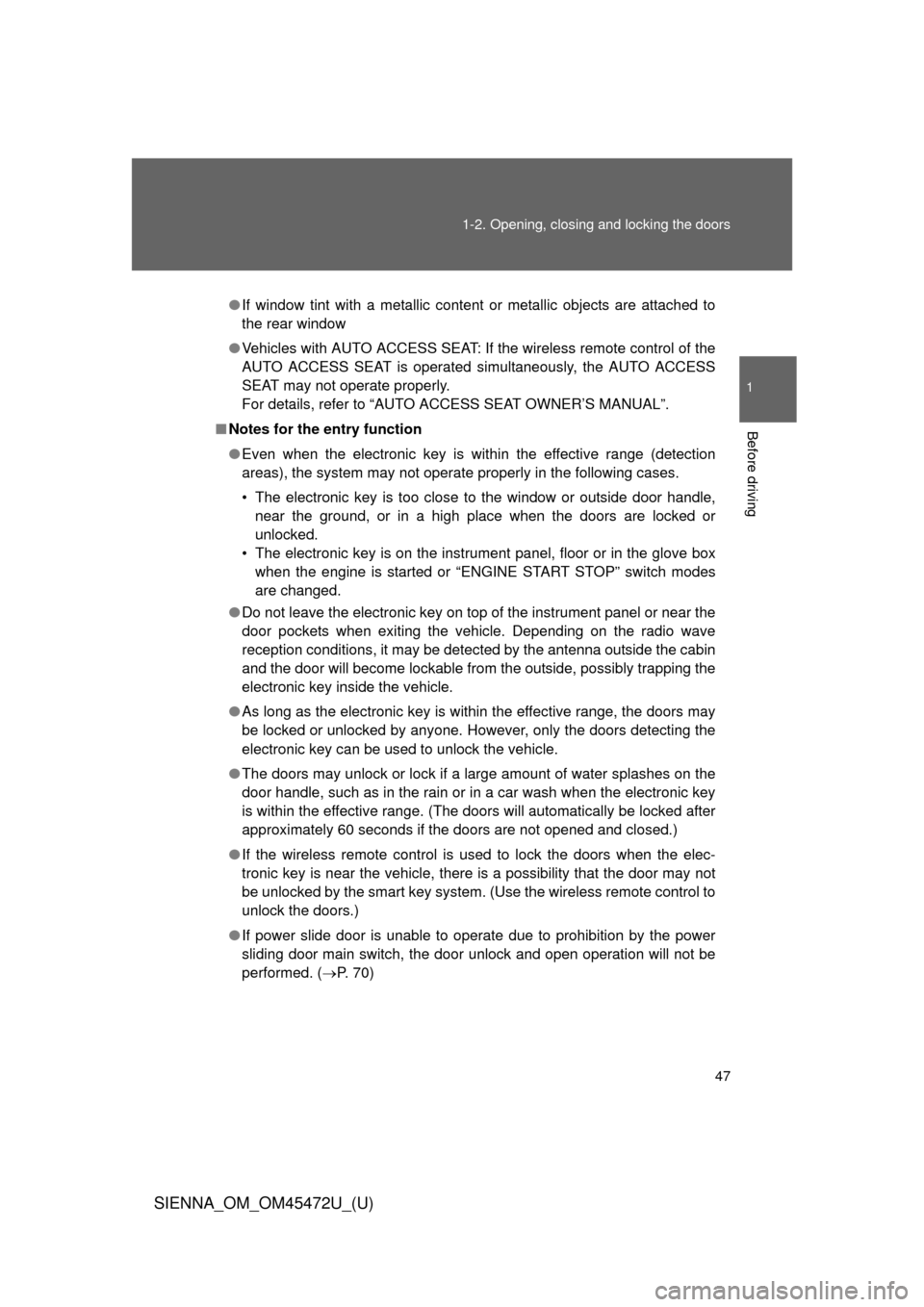
■ Notes for the entry function
● Even when the electronic key is within the effective range (detection
areas), the system may not operate properly in the following cases.
• The electronic key is too close to the window or outside door handle,
near the ground, or in a high place when the doors are locked or
unlocked.
• The electronic key is on the instrument panel, floor or in the glove box when the engine is started or “ENGINE START STOP” switch modes
are changed.
● Do not leave the electronic key on top of the instrument panel or near the
door pockets when exiting the vehicle. Depending on the radio wave
reception conditions, it may be detected by the antenna outside the cabin
and the door will become lockable from the outside, possibly trapping the
electronic key inside the vehicle.
● As long as the electronic key is within the effective range, the doors may
be locked or unlocked by anyone. However, only the doors detecting the
electronic key can be used to unlock the vehicle.
● The doors may unlock or lock if a large amount of water splashes on the
door handle, such as in the rain or in a car wash when the electronic key
is within the effective range. (The doors will automatically be locked after
approximately 60 seconds if the doors are not opened and closed.)
● If the wireless remote control is used to lock the doors when the elec-
tronic key is near the vehicle, there is a possibility that the door may not
be unlocked by the smart key system. (Use the wireless remote control to
unlock the doors.)
● If power slide door is unable to operate due to prohibition by the power
sliding door main switch, the door unlock and open operation will not be
performed. ( P. 70)
Page 72 of 876
72 1-2. Opening, closing and locking the doors
SIENNA_OM_OM45472U_(U)
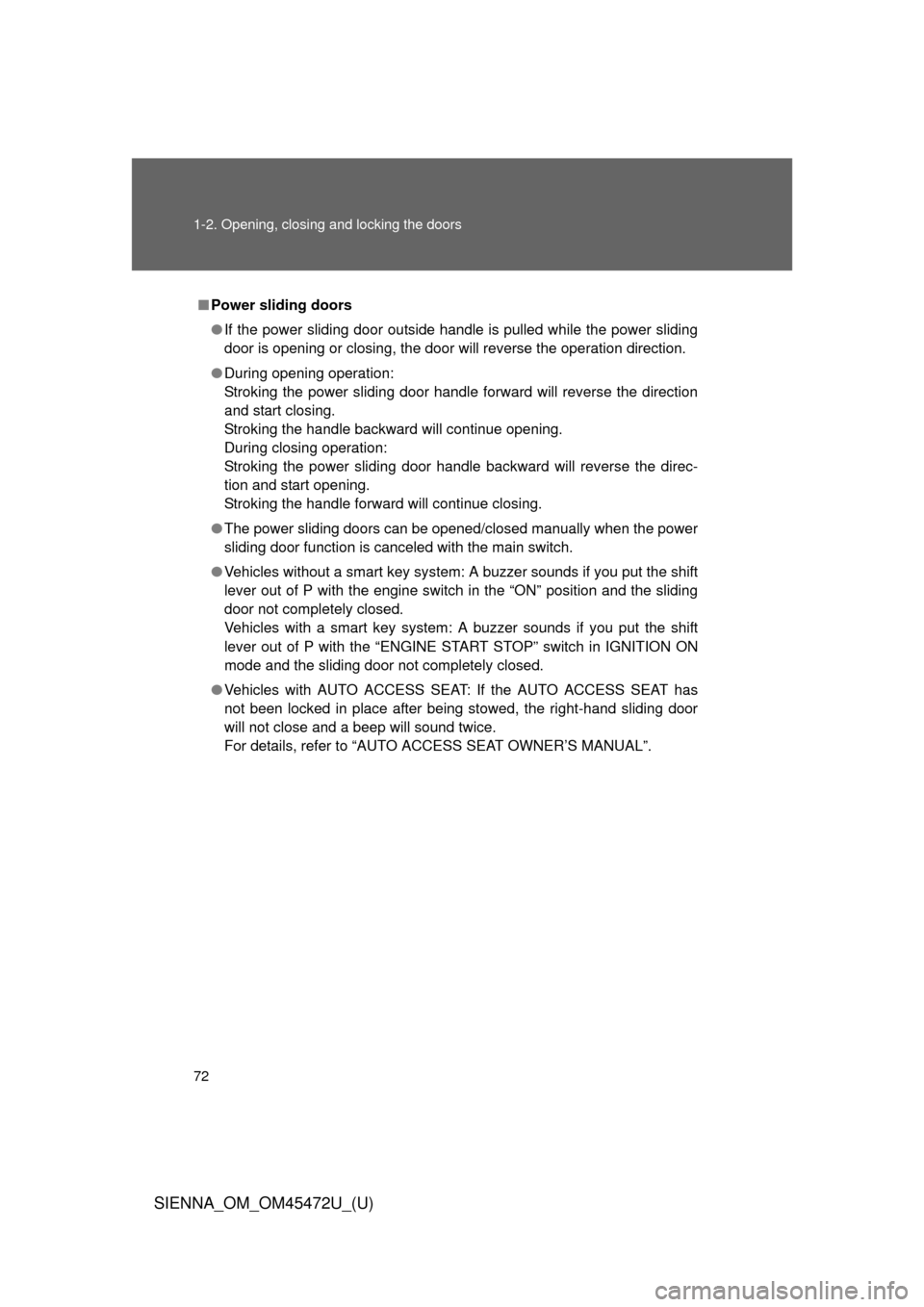
■Power sliding doors
● If the power sliding door outside handle is pulled while the power sliding
door is opening or closing, the door will reverse the operation directio\
n.
● During opening operation:
Stroking the power sliding door handle forward will reverse the direction
and start closing.
Stroking the handle backward will continue opening.
During closing operation:
Stroking the power sliding door handle backward will reverse the direc-
tion and start opening.
Stroking the handle forward will continue closing.
● The power sliding doors can be opened/closed manually when the power
sliding door function is canceled with the main switch.
● Vehicles without a smart key system: A buzzer sounds if you put the shift
lever out of P with the engine switch in the “ON” position and the sliding
door not completely closed.
Vehicles with a smart key system: A buzzer sounds if you put the shift
lever out of P with the “ENGINE START STOP” switch in IGNITION ON
mode and the sliding door not completely closed.
● Vehicles with AUTO ACCESS SE AT: If the AUTO ACCESS SEAT has
not been locked in place after being stowed, the right-hand sliding door
will not close and a beep will sound twice.
For details, refer to “AUTO ACCESS SEAT OWNER’S MANUAL”.
Page 98 of 876
98 1-3. Adjustable components (seats, mirrors, steering wheel)
SIENNA_OM_OM45472U_(U) Entering the vehicle: When
either of the following actions
has been performed, the seat
will move forward (auto return
function):
• Vehicles without a smart key sys-
tem: The engine switch has been
turned to the “ACC” position.
Vehicles with a smart key system:
The “ENGINE START STOP”
switch has been turned to
ACCESSORY mode.
• The driver seat belt has been fas-
tened
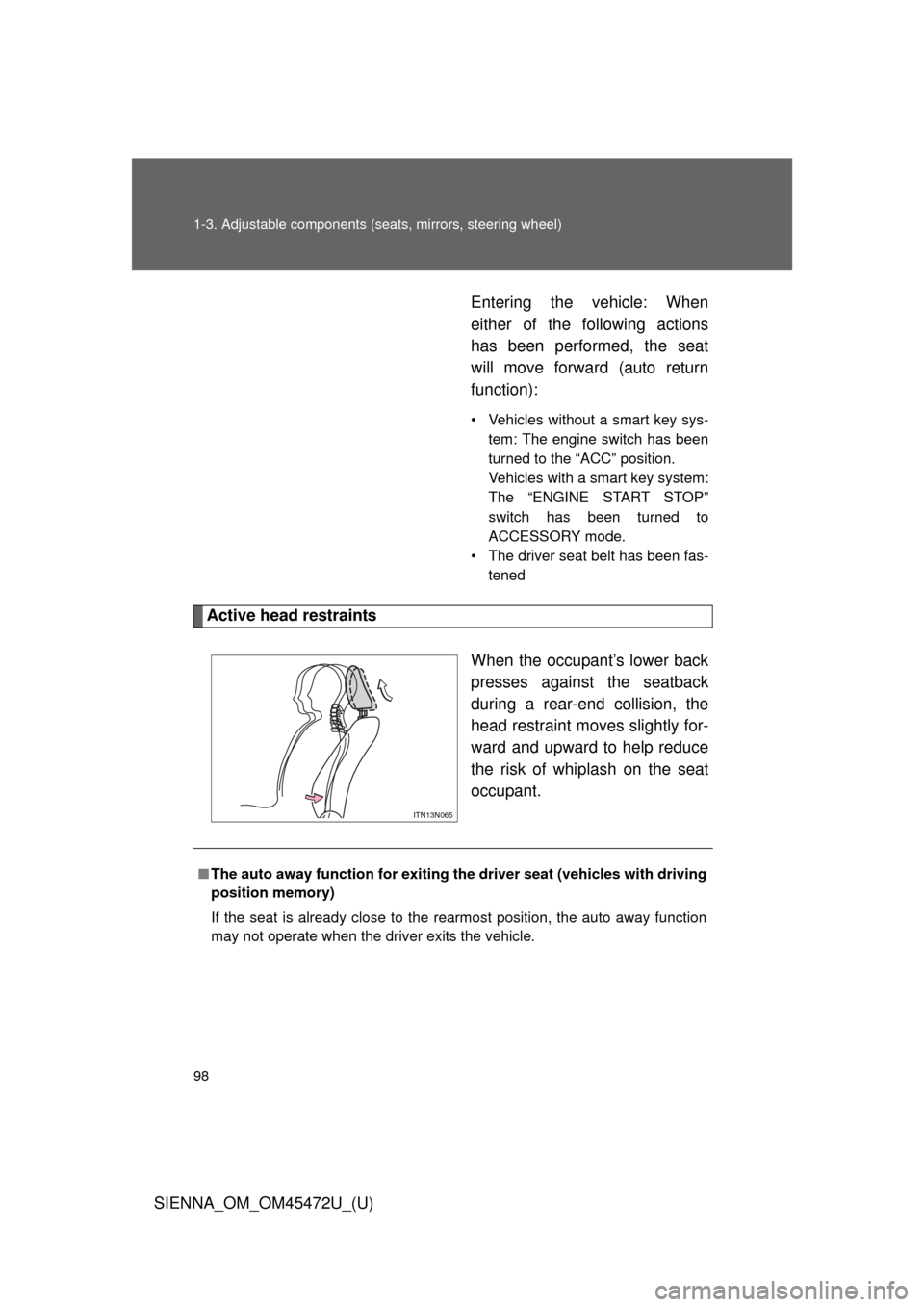
Active head restraints
When the occupant’s lower back
presses against the seatback
during a rear-end collision, the
head restraint moves slightly for-
ward and upward to help reduce
the risk of whiplash on the seat
occupant.
ITN13N065
■The auto away function for exiting the driver seat (vehicles with driving
position memory)
If the seat is already close to the rearmost position, the auto away function
may not operate when the driver exits the vehicle.
Page 115 of 876
115
1-3. Adjustable components (s
eats, mirrors, steering wheel)
1
Before driving
SIENNA_OM_OM45472U_(U)
■Power third seat
● If the indicator light above the switches flashes three times when the fold-
ing/returning switch is pressed, the folding operation will not start. Make
sure the shift lever is in P.
● If any of the following conditions occur while the seat is operating, the
seat operation will stop. The indicator light above the switches will flash
three times and a beep will sound for about 10 seconds:
• An object is caught between the seatback and seat cushion.
• The stowing switch is released.
• Other power third seat switch is pushed while operating the stowing
switch.
• The shift lever is moved from P when the engine switch is turned to the “ON” position (vehicles without a smart key system) or the “ENGINE
START STOP” switch is in IGNITION ON mode (vehicles with a smart
key system).
If the engine is started during operating, the seat operation may also be
stopped.
To continue the folding operation, the seatback must be returned to its
original position first.
■ AUTO ACCESS SEAT (if equipped)
The AUTO ACCESS SEAT cannot be removed.
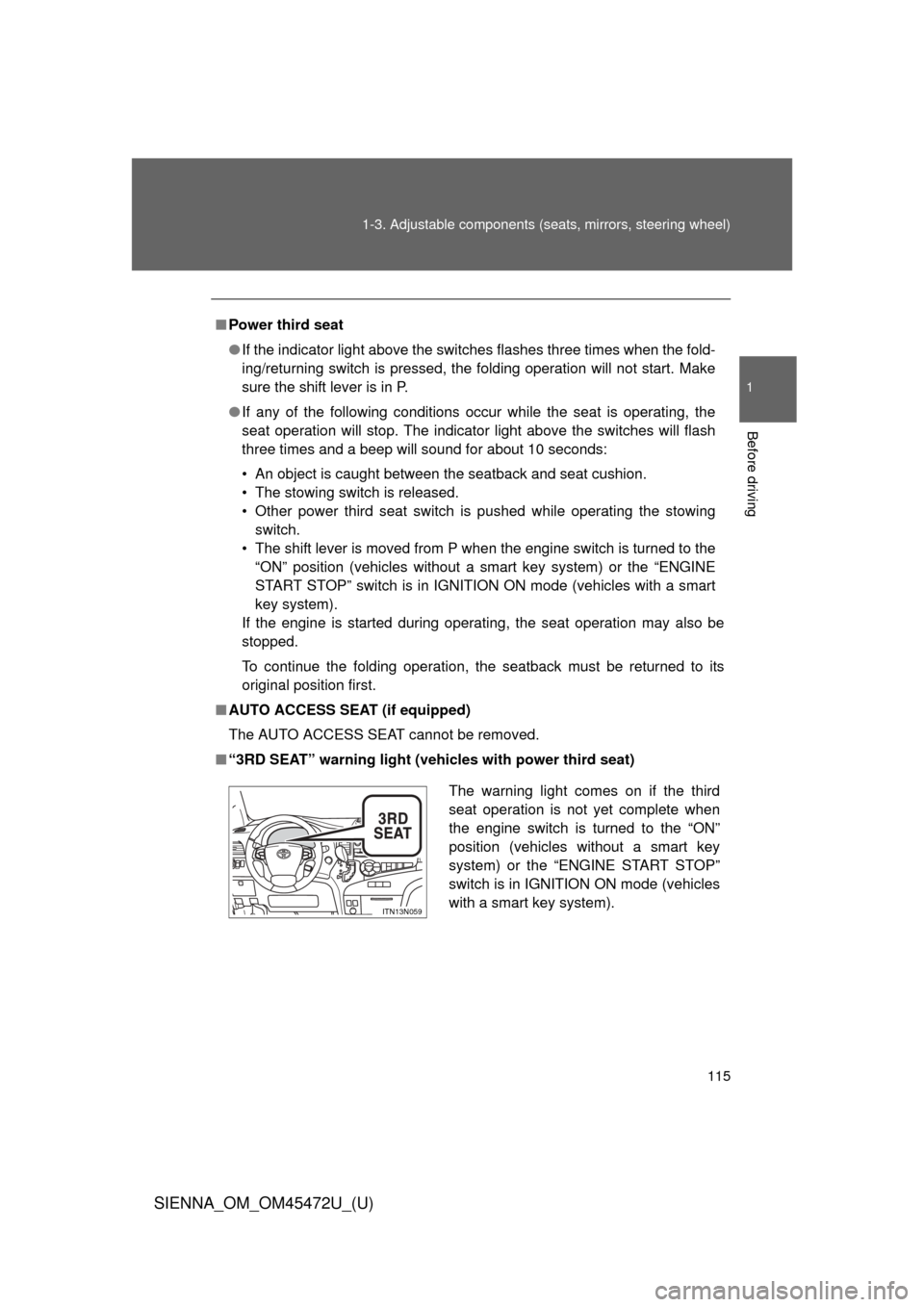
■ “3RD SEAT” warning light (vehicles with power third seat)
The warning light comes on if the third
seat operation is not yet complete when
the engine switch is turned to the “ON”
position (vehicles without a smart key
system) or the “ENGINE START STOP”
switch is in IGNITION ON mode (vehicles
with a smart key system).
ITN13N059
Page 142 of 876

142 1-3. Adjustable components (seats, mirrors, steering wheel)
SIENNA_OM_OM45472U_(U)
■Mirror angle can be adjusted when
Vehicles without a smart key system
The engine switch is in the “ACC” or “ON” position.
Vehicles with a smart key system
The “ENGINE START STOP” switch is in ACCESSORY or IGNITION ON
mode.
■ When the mirrors are fogged up (veh icles with outside rear view mirror
defoggers)
Turn on the mirror defoggers to defog the mirrors. ( P. 419)
■ Automatic adjustment of the mirror angle (vehicles with driving posi-
tion memory)
A desired mirror face angle can be entered to memory and recalled automat-
ically by the driving position memory. ( P. 120)
■ Auto anti-glare function (vehicles with auto anti-glare inside rear view
mirror)
When the anti-glare inside rear view mirror is set to automatic mode, the out-
side rear view mirrors will activate in conjunction with the anti-glare inside
rear view mirror to reduce reflected light. ( P. 138)
■ Linked mirror function when reversing (if equipped)
The outside rear view mirrors will automatically angle downwards when the
vehicle is reversing in order to give a better view of the ground. However,
this function will not operate when the mirror select switch is in the n\
eutral
position (between “L” and “R”).