Page 180 of 876
180 1-7. Safety information
SIENNA_OM_OM45472U_(U)
CAUTION
■SRS airbag precautions
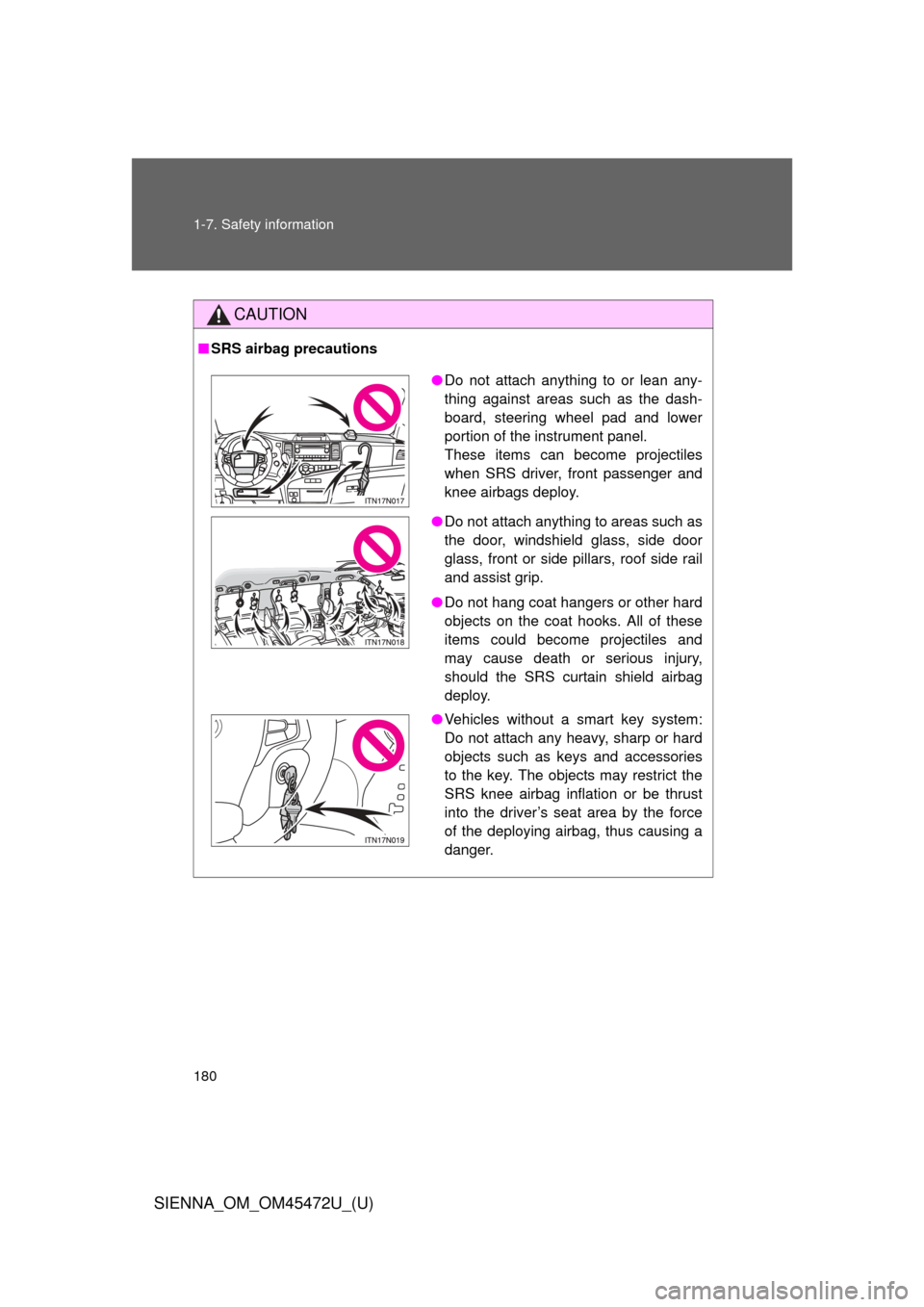
● Do not attach anything to or lean any-
thing against areas such as the dash-
board, steering wheel pad and lower
portion of the instrument panel.
These items can become projectiles
when SRS driver, front passenger and
knee airbags deploy.
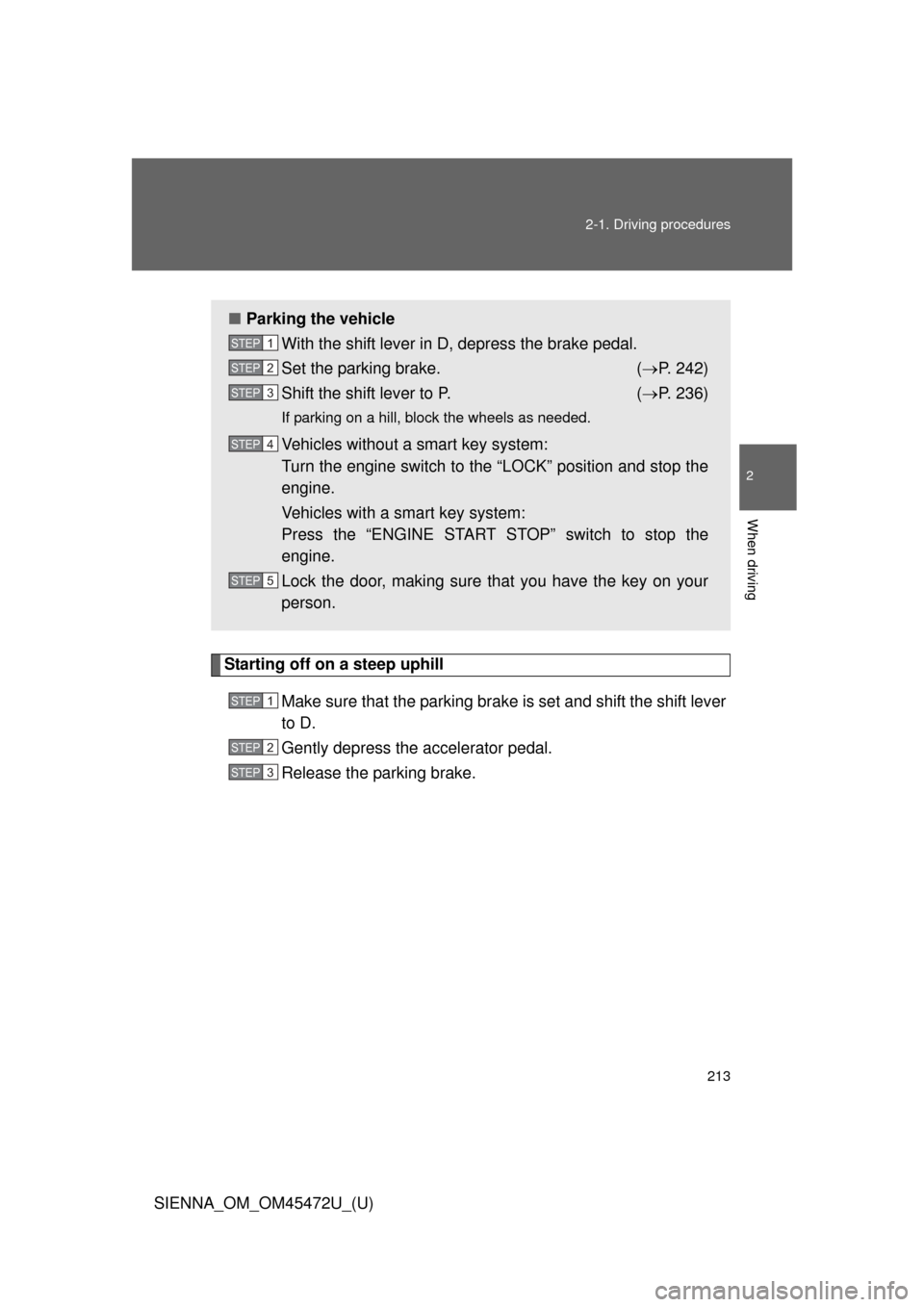
● Do not attach anything to areas such as
the door, windshield glass, side door
glass, front or side pillars, roof side rail
and assist grip.
● Do not hang coat hangers or other hard
objects on the coat hooks. All of these
items could become projectiles and
may cause death or serious injury,
should the SRS curtain shield airbag
deploy.
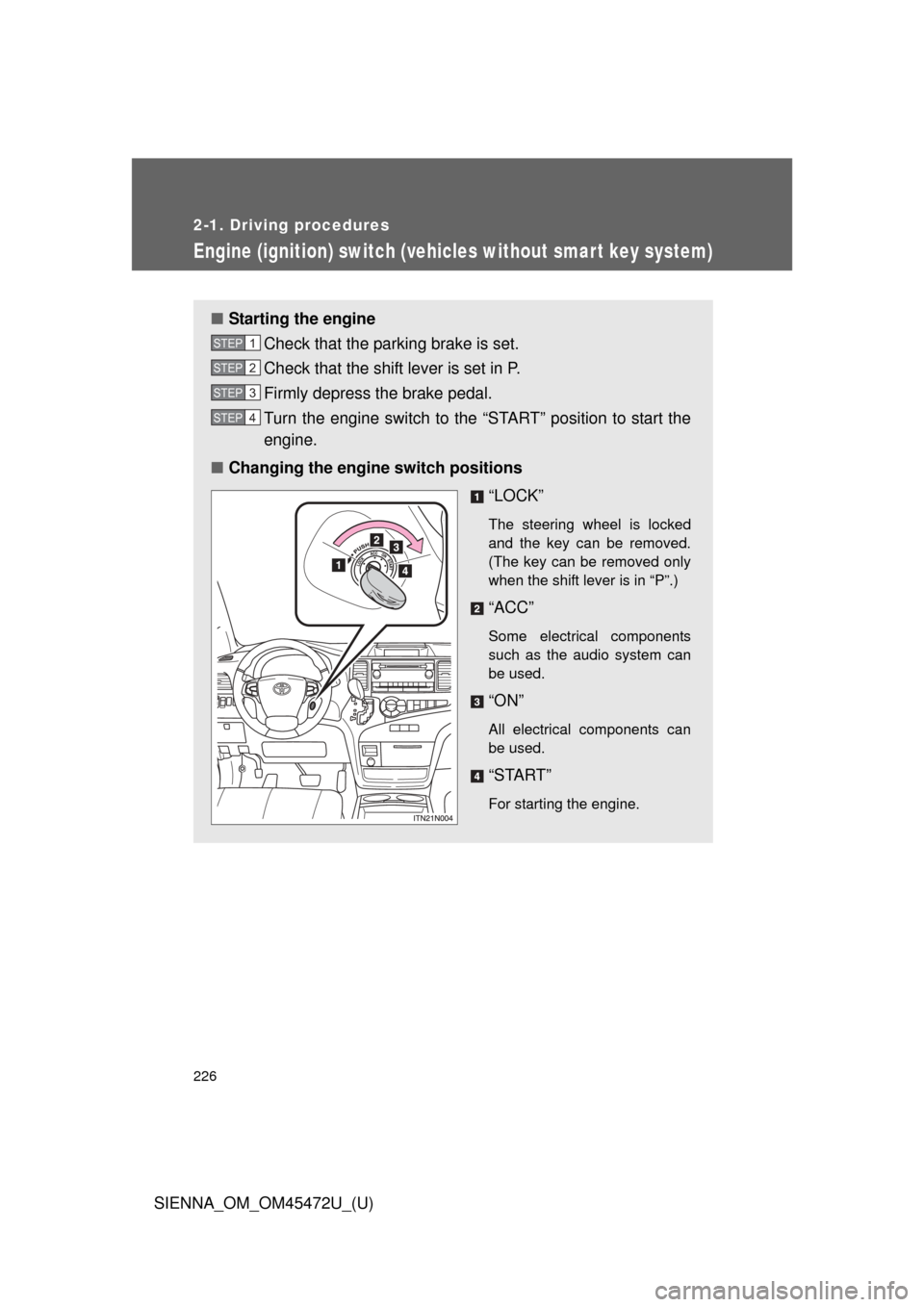
● Vehicles without a smart key system:
Do not attach any heavy, sharp or hard
objects such as keys and accessories
to the key. The objects may restrict the
SRS knee airbag inflation or be thrust
into the driver’s seat area by the force
of the deploying airbag, thus causing a
danger.
Page 211 of 876
When driving2
211
SIENNA_OM_OM45472U_(U)
2-1. Driving proceduresDriving the vehicle............ 212
Engine (ignition) switch (vehicles without smart
key system).................... 226
Engine (ignition) switch (vehicles with smart key
system) .......................... 229
Automatic transaxle ......... 236
Turn signal lever .............. 241
Parking brake ................... 242
Horn ................................. 243
2-2. Instrument cluster and information display
Gauges and meters ......... 244
Indicators and warning lights .............................. 247
Multi-information display............................ 254 2-3. Operating the lights
and wipers
Headlight switch ............... 268
Automatic High Beam ...... 275
Fog light switch ................ 282
Windshield wipers and washer .................... 284
Rear window wiper and washer .................... 292
2-4. Using other driving systems Cruise control ................... 295
Dynamic radar cruise control ............................ 300
Intuitive parking assist...... 316
Rear view monitor system ........................... 323
Driving assist systems ..... 329
Hill-start assist control ...... 335
PCS (Pre-Collision System) .......................... 338
BSM (Blind Spot Monitor) .......................... 346
2-5. Driving information Cargo and luggage .......... 358
Vehicle load limits ............ 366
Winter driving tips ............ 367
Trailer towing (with towing package) .... 371
Dinghy towing .................. 391
Page 213 of 876
213
2-1. Driving procedures
2
When driving
SIENNA_OM_OM45472U_(U)
Starting off on a steep uphill
Make sure that the parking brake is set and shift the shift lever
to D.
Gently depress the accelerator pedal.
Release the parking brake.
■Parking the vehicle
With the shift lever in D, depress the brake pedal.
Set the parking brake. ( P. 242)
Shift the shift lever to P. ( P. 236)
If parking on a hill, block the wheels as needed.
Vehicles without a smart key system:
Turn the engine switch to the “LOCK” position and stop the
engine.
Vehicles with a smart key system:
Press the “ENGINE START STOP” switch to stop the
engine.
Lock the door, making sure that you have the key on your
person.
STEP1
STEP2
STEP3
STEP4
STEP5
STEP1
STEP2
STEP3
Page 226 of 876
226
2-1. Driving procedures
SIENNA_OM_OM45472U_(U)
Engine (ignition) switch (vehicles without smart key system)
■Starting the engine
Check that the parking brake is set.
Check that the shift lever is set in P.
Firmly depress the brake pedal.
Turn the engine switch to the “START” position to start the
engine.
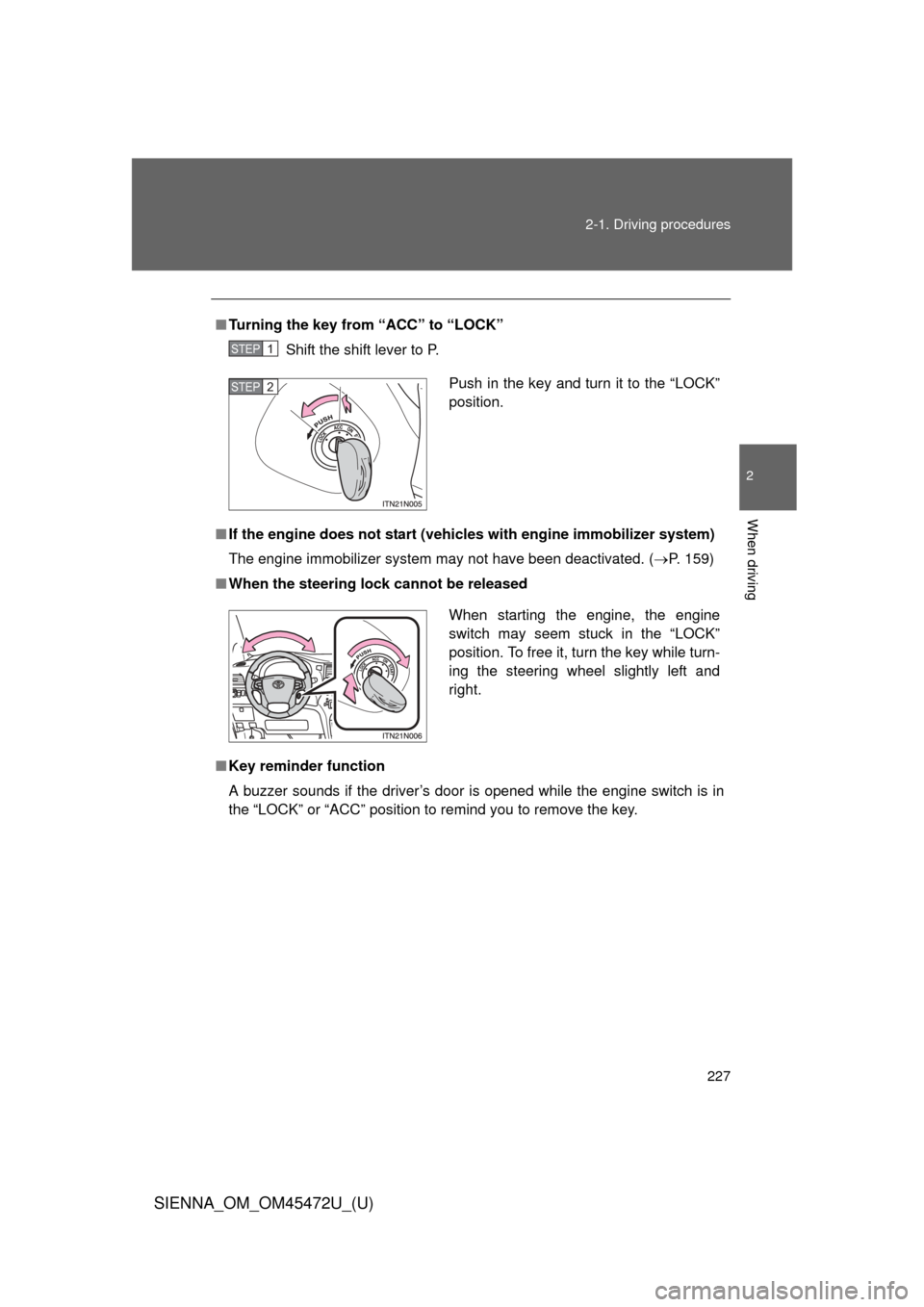
■ Changing the engine switch positions
“LOCK”
The steering wheel is locked
and the key can be removed.
(The key can be removed only
when the shift lever is in “P”.)
“ACC”
Some electrical components
such as the audio system can
be used.
“ON”
All electrical components can
be used.
“START”
For starting the engine.
STEP1
STEP2
STEP3
STEP4
Page 227 of 876
227
2-1. Driving procedures
2
When driving
SIENNA_OM_OM45472U_(U)
■
Turning the key from “ACC” to “LOCK”
Shift the shift lever to P.
■ If the engine does not start (vehic les with engine immobilizer system)
The engine immobilizer system may not have been deactivated. ( P. 159)
■ When the steering lock cannot be released
■ Key reminder function
A buzzer sounds if the driver’s door is opened while the engine switch is in
the “LOCK” or “ACC” position to remind you to remove the key\
.
STEP1
Push in the key and turn it to the “LOCK”
position.STEP2
When starting the engine, the engine
switch may seem stuck in the “LOCK”
position. To free it, turn the key while turn-
ing the steering wheel slightly left and
right.
Page 229 of 876
229
2-1. Driving procedures
2
When driving
SIENNA_OM_OM45472U_(U)
Engine (ignition) switch (vehicles with smar t key system)
Performing the following operations when carrying the electronic
key on your person starts the engine or changes “ENGINE START
STOP” switch modes.
■ Starting the engine
Check that the parking brake is set.
Check that the shift lever is set in P.
Firmly depress the brake pedal.
The “ENGINE START STOP” switch indicator will turn green. If
the indicator does not turn green, the engine cannot be started.
Press the “ENGINE START
STOP” switch.
The engine will crank until it
starts or for up to 30 seconds,
whichever is less.
Continue depressing the brake
pedal until the engine is com-
pletely started.
The engine can be started
from any “ENGINE START
STOP” switch mode.
STEP1
STEP2
STEP3
STEP4
Page 233 of 876
233
2-1. Driving procedures
2
When driving
SIENNA_OM_OM45472U_(U)
■
Electronic key battery depletion
P. 5 0
■ Conditions aff ecting operation
P. 4 6
■ Note for the entry function
P. 4 7
■ If the engine does not start
The engine immobilizer system may not have been deactivated. ( P. 159)
■ Steering lock
After turning the “ENGINE START STOP” switch off and opening and closing
the doors, the steering wheel will be locked due to the steering lock function.
Operating the “ENGINE START STOP” switch again automatically cancels
the steering lock.
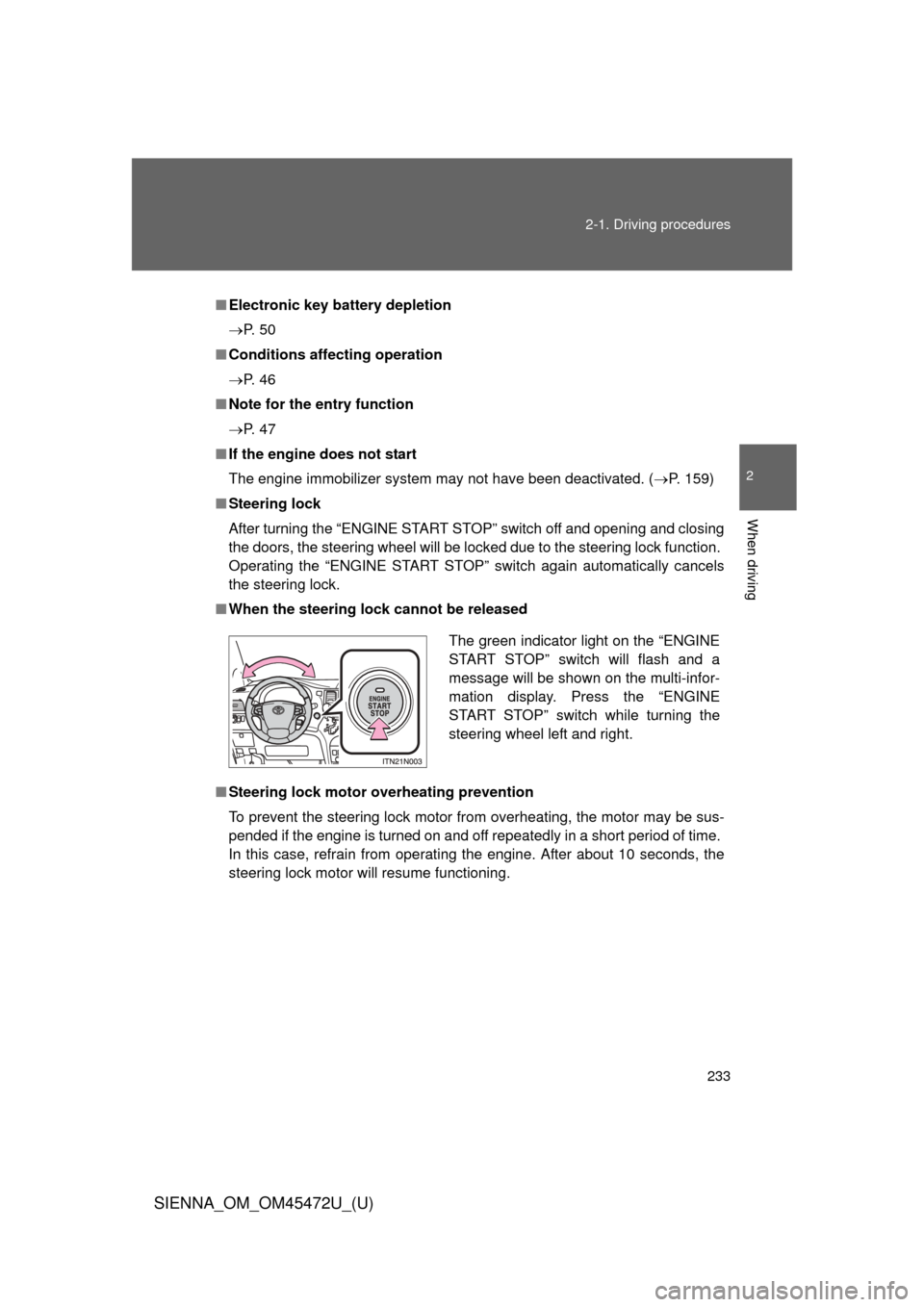
■ When the steering lock cannot be released
■ Steering lock motor overheating prevention
To prevent the steering lock motor from overheating, the motor may be sus-
pended if the engine is turned on and off repeatedly in a short period of time.
In this case, refrain from operating the engine. After about 10 seconds, the
steering lock motor will resume functioning.
The green indicator light on the “ENGINE
START STOP” switch will flash and a
message will be shown on the multi-infor-
mation display. Press the “ENGINE
START STOP” switch while turning the
steering wheel left and right.
Page 234 of 876

234 2-1. Driving procedures
SIENNA_OM_OM45472U_(U)
■When the “ENGINE START STOP” switch indicator flashes in amber
The system may be malfunctioning. Have the vehicle inspected by your
Toyota dealer immediately.
■ If the electronic key battery is depleted
P. 709
CAUTION
■When starting the engine
Always start the engine while sitting in the driver’s seat. Do not depress the
accelerator pedal while starting the engine under any circumstances.
Doing so may cause an accident resulting in death or serious injury.
■ Caution while driving
If the vehicle begins to slide due to engine failure or other circumstances, do
not lock or open the doors until the vehicle reaches a safe and complete
stop. Activation of the steering lock in this circumstance may lead to an acci-
dent, resulting in death or serious injury.
■ Stopping the engine in an emergency
If you want to stop the engine in an emergency while driving the vehicle,
press and hold the “ENGINE START STOP” switch for more than 2 seconds,
or press it briefly 3 times or more in succession. ( P. 796)
However, do not touch the “ENGINE START STOP” switch while driving
except in an emergency. Turning the engine off while driving will not cause
loss of steering or braking control, but the power assist to these systems will
be lost. This will make it more difficult to steer and brake, so you should pull
over and stop the vehicle as soon as it is safe to do so.