Page 162 of 876
162
1-6. Theft deterrent system
SIENNA_OM_OM45472U_(U)
Alarm
: If equipped
The system sounds the alarm and flashes the lights when forced
entry is detected.
■ Triggering of the alarm
The alarm is triggered in the fo llowing situations when the alarm
is set:
● A locked door is unlocked or opened in any way other than
using the entry function, wireless remote control or mechani-
cal key. (The doors will lock again automatically.)
● The hood is opened.
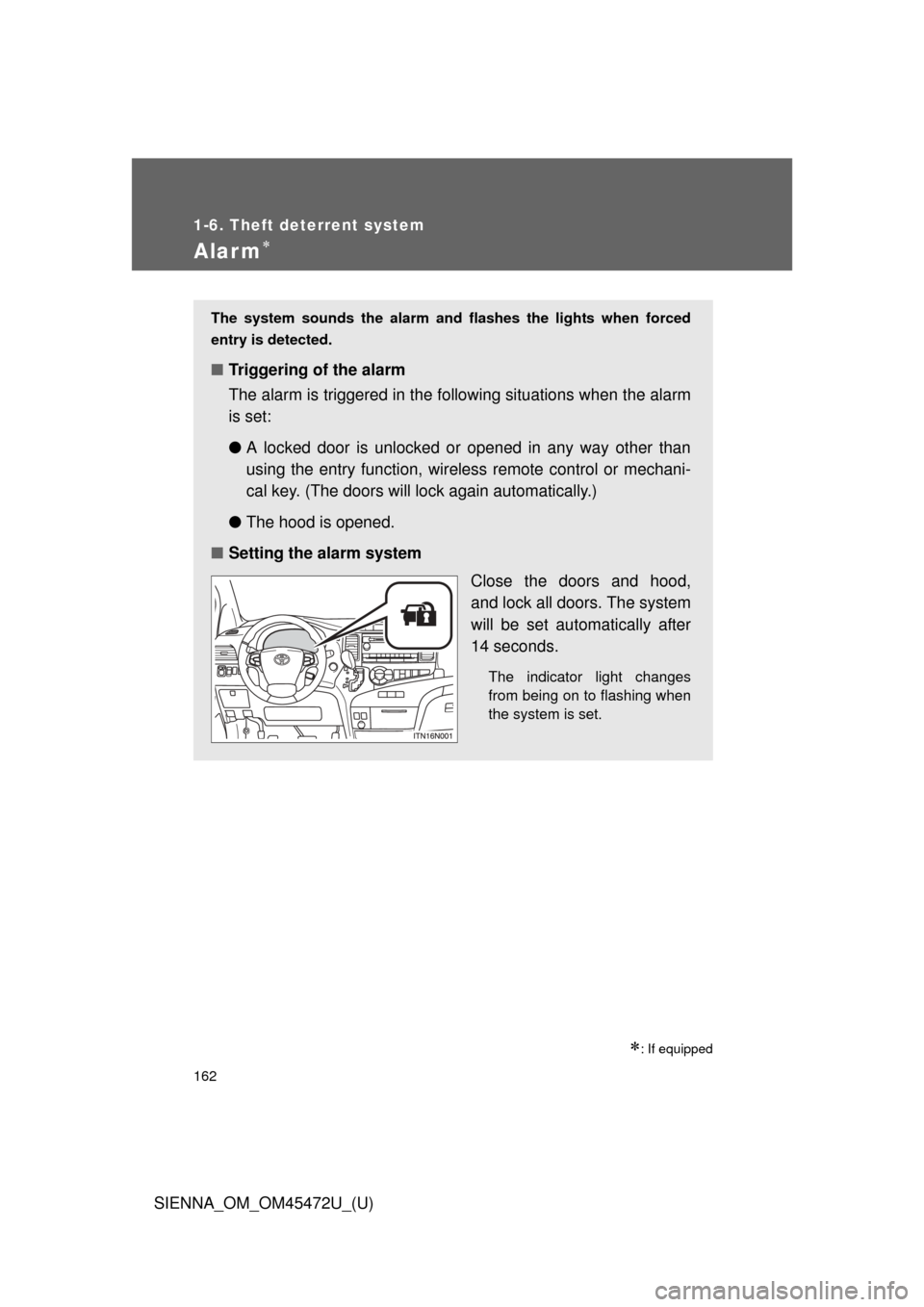
■ Setting the alarm system
Close the doors and hood,
and lock all doors. The system
will be set automatically after
14 seconds.
The indicator light changes
from being on to flashing when
the system is set.
Page 486 of 876
486 3-3. Using the Bluetooth
® audio system
SIENNA_OM_OM45472U_(U)
■Compatible models
● Bluetooth
® specifications:
Ver. 1.2, or higher (Recommended: Ver. 2.0+EDR or higher)
● Following Profiles:
• A2DP (Advanced Audio Distribution Profile) Ver. 1.0 or higher
• AVRCP (Audio/Video Remote Control Profile) Ver. 1.0 or higher
(Ver. 1.3 or higher recommended)
Portable players must correspond to the above specifications in order to be
connected to the Bluetooth
® audio system. However, please note that some
functions may be limited depending on the type of portable player.
Please go to “http://www.toyota.com/bluetooth” to find approved Bluetooth
®
phones for this system.
■ Certification for the Bluetooth
® audio system
FCC ID: AJDK025
IC ID: 775E-K025
MADE IN THAILAND
This device complies with Part 15 of the FCC Rules and RSS-Gen of IC
Rules. Operation is subject to the following two conditions: (1) This device
may not cause harmful interference, and (2) This device must accept any
interference received, including interference that may cause undesired oper-
ation.
Page 505 of 876
505
3-4. Using the rear audio system
3
Interior features
SIENNA_OM_OM45472U_(U)
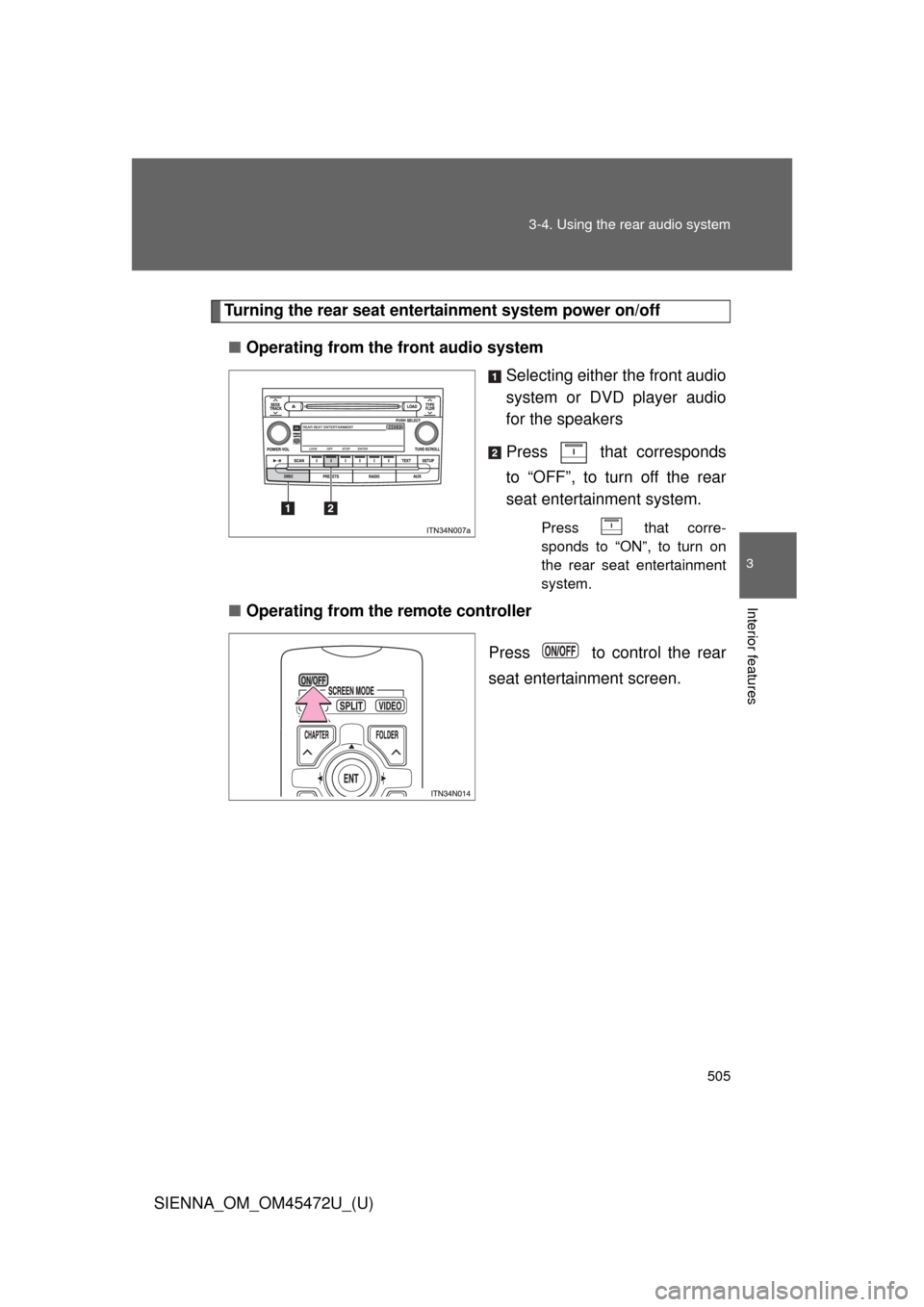
Turning the rear seat entertainment system power on/off
■ Operating from the front audio system
Selecting either the front audio
system or DVD player audio
for the speakers
Press that corresponds
to “OFF”, to turn off the rear
seat entertainment system.
Press that corre-
sponds to “ON”, to turn on
the rear seat entertainment
system.
■Operating from the remote controller
Press to control the rear
seat entertainment screen.
Page 510 of 876
510 3-4. Using the rear audio system
SIENNA_OM_OM45472U_(U)
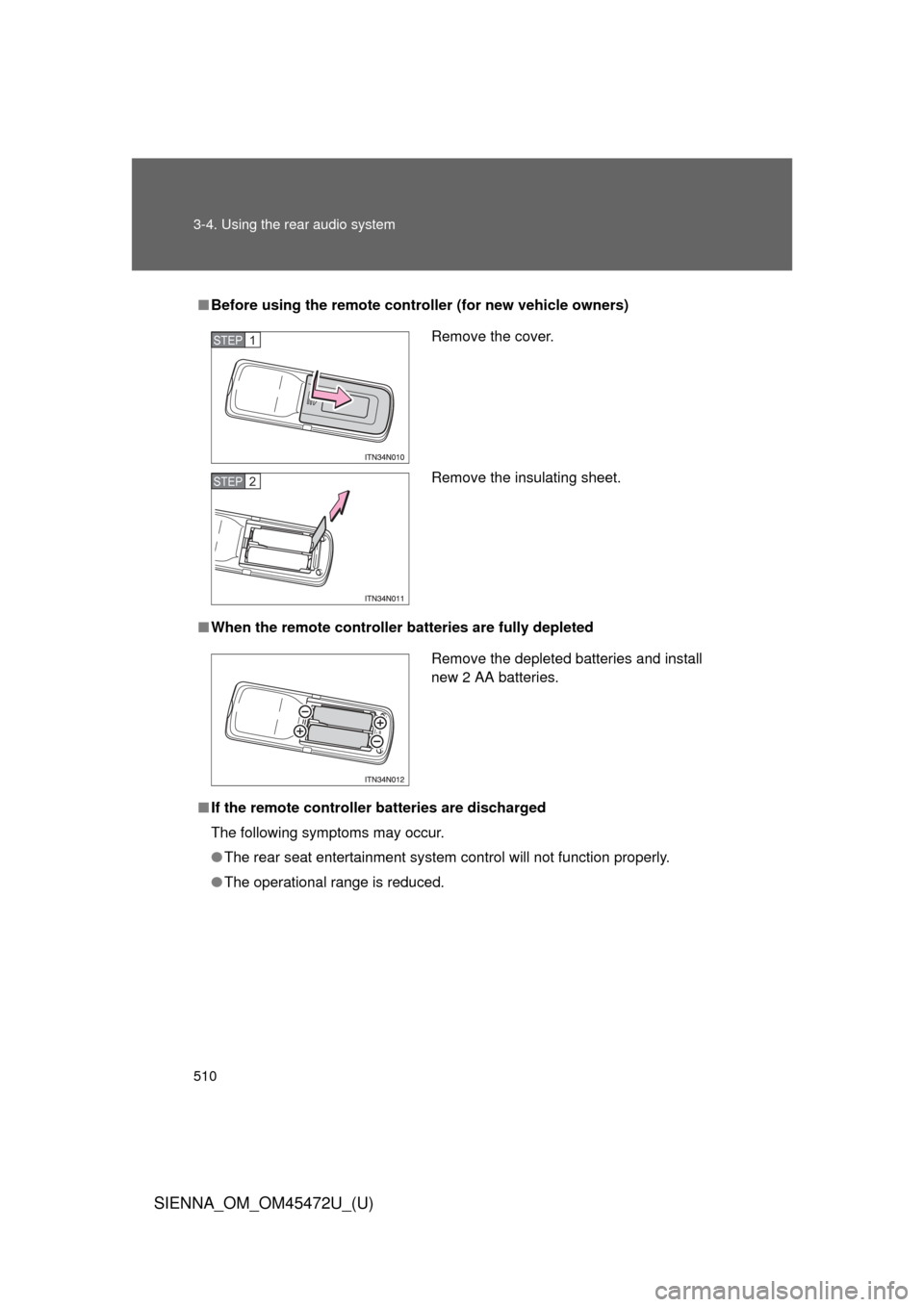
■Before using the remote controller (for new vehicle owners)
■ When the remote controller batteries are fully depleted
■ If the remote controller batteries are discharged
The following symptoms may occur.
● The rear seat entertainment system control will not function properly.
● The operational range is reduced.
Remove the cover.
Remove the insulating sheet.STEP1
STEP2
Remove the depleted batteries and install
new 2 AA batteries.
Page 512 of 876
512 3-4. Using the rear audio system
SIENNA_OM_OM45472U_(U)
CAUTION
■While driving
Do not use headphones.
Doing so may cause an accident, resulting in death or serious injury.
■ When the rear seat entert ainment system is not used
Keep the display closed.
In the event of an accident or sudden braking, the opened display may hit an
occupant’s body, resulting in injury.
■ To prevent accidents and electric shock
Do not disassemble or modify the remote controller.
■ When the remote controller is not used
Stow the remote controller.
Injuries may result in the event of an accident or sudden braking.
■ Removed battery and other parts
Keep away from children. These parts are small and if swallowed by a child
they can cause choking. Failure to do so could result in death or serious
injury.
NOTICE
■For normal operation after replacing the battery
Observe the following precautions to prevent accidents.
● Always work with dry hands.
Moisture may cause the battery to rust.
● Do not touch or move any other components inside the remote controller.
● Do not bend either of the battery terminals.
Page 513 of 876
513
3-4. Using the rear audio system
3
Interior features
SIENNA_OM_OM45472U_(U)
Using the DVD player (DVD video)
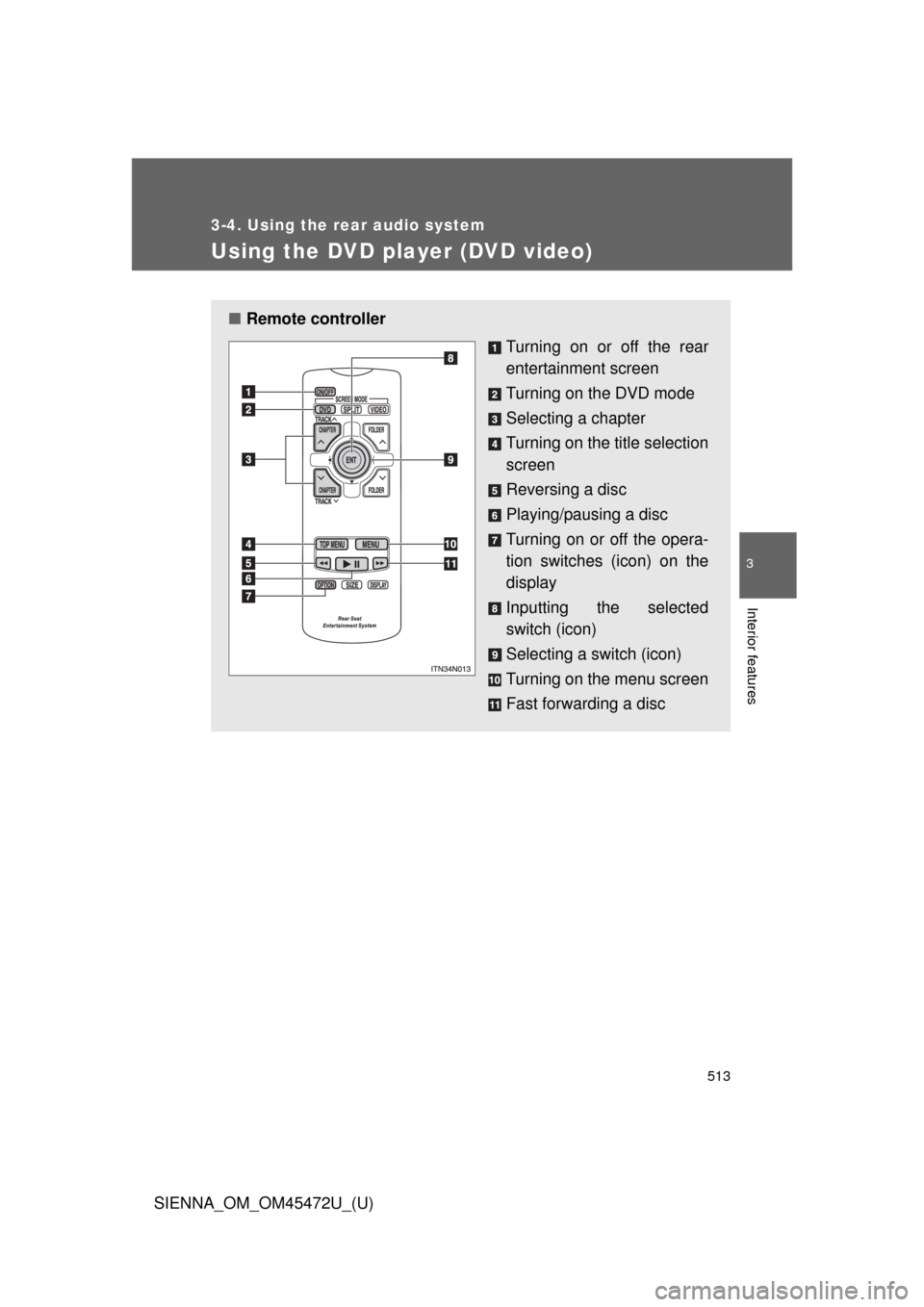
■Remote controller
Turning on or off the rear
entertainment screen
Turning on the DVD mode
Selecting a chapter
Turning on the title selection
screen
Reversing a disc
Playing/pausing a disc
Turning on or off the opera-
tion switches (icon) on the
display
Inputting the selected
switch (icon)
Selecting a switch (icon)
Turning on the menu screen
Fast forwarding a disc
Page 516 of 876
516 3-4. Using the rear audio system
SIENNA_OM_OM45472U_(U)
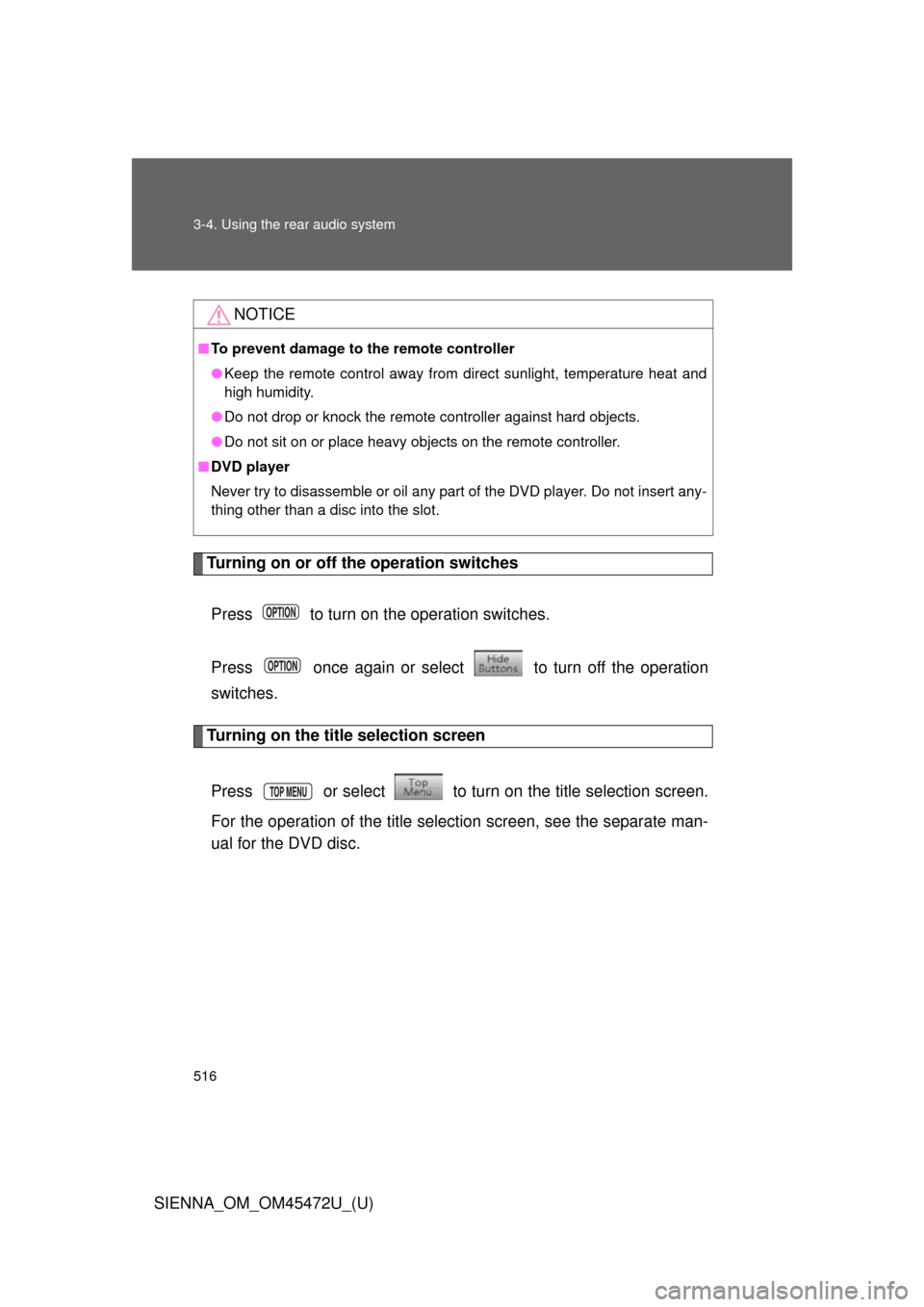
Turning on or off the operation switchesPress to turn on the operation switches.
Press once again or select to turn off the operation
switches.
Turning on the title selection screen
Press or select to turn on the title selection screen.
For the operation of the title selection screen, see the separate man-
ual for the DVD disc.
NOTICE
■ To prevent damage to the remote controller
● Keep the remote control away from direct sunlight, temperature heat and
high humidity.
● Do not drop or knock the remote controller against hard objects.
● Do not sit on or place heavy objects on the remote controller.
■ DVD player
Never try to disassemble or oil any part of the DVD player. Do not insert any-
thing other than a disc into the slot.
Page 523 of 876
523
3-4. Using the rear audio system
3
Interior features
SIENNA_OM_OM45472U_(U)
Using the DVD player (video CD)
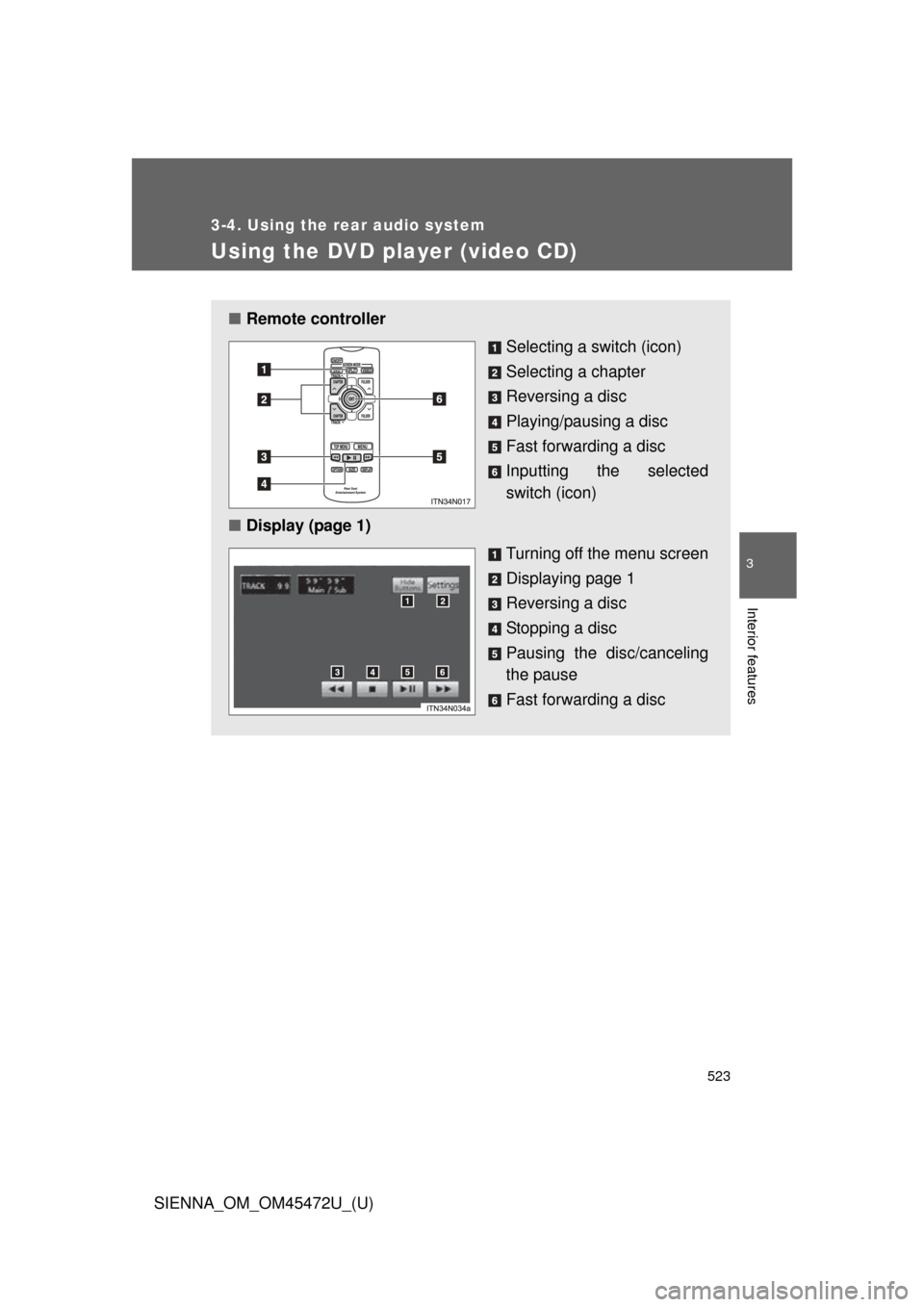
■Remote controller
Selecting a switch (icon)
Selecting a chapter
Reversing a disc
Playing/pausing a disc
Fast forwarding a disc
Inputting the selected
switch (icon)
■ Display (page 1)
Turning off the menu screen
Displaying page 1
Reversing a disc
Stopping a disc
Pausing the disc/canceling
the pause
Fast forwarding a disc