Page 273 of 704
247
2-1. Driving procedures
PRIUS PHV_OM_OM47787U_(U)
2
When driving
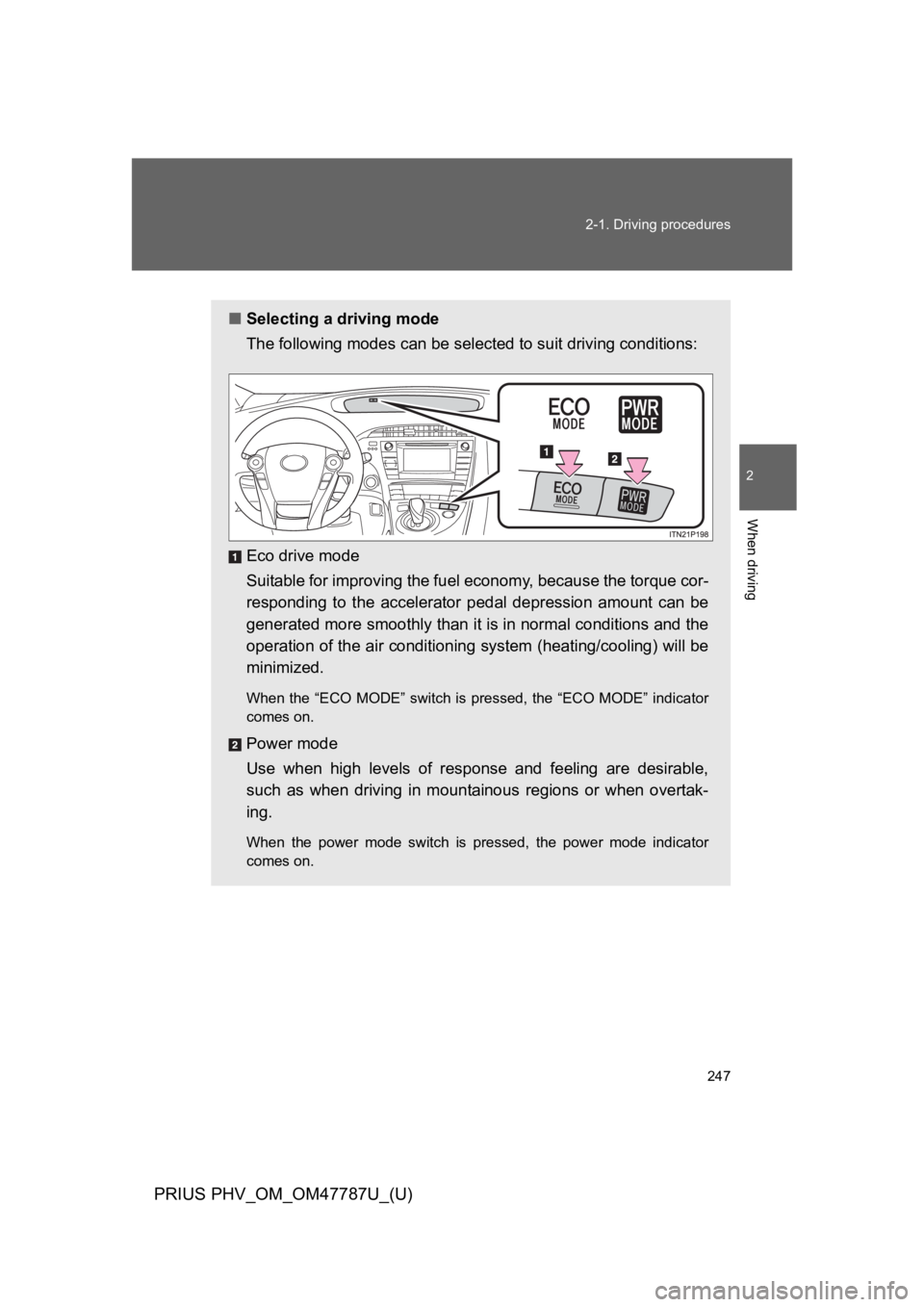
■Selecting a driving mode
The following modes can be selected to suit driving conditions:
Eco drive mode
Suitable for improving the fuel economy, because the torque cor-
responding to the accelerator pedal depression amount can be
generated more smoothly than it is in normal conditions and the
operation of the air conditioning system (heating/cooling) will be
minimized.
When the “ECO MODE” switch is pressed, the “ECO MODE” indicator
comes on.
Power mode
Use when high levels of response and feeling are desirable,
such as when driving in mountainous regions or when overtak-
ing.
When the power mode switch is pressed, the power mode indicator
comes on.
Page 275 of 704

249
2-1. Driving procedures
PRIUS PHV_OM_OM47787U_(U)
2
When driving
■Operation of the air conditioning system in Eco drive mode
Eco drive mode controls the heating/cooling operations and fan speed of the
air conditioning system to enhance fuel efficiency. (→P. 2 4 7 ) To i m p r o v e a i r
conditioning performance, adjust the fan speed or turn off Eco drive mode.
■For the shift positions
●When the “POWER” switch is off, the shift position cannot be changed.
●When the “POWER” switch is in ON mode (the hybrid system is not oper-
ating), the shift position can only be changed to N. The shift position will
be changed to N even if the shift lever is shifted to D or R and held in that
position.
However, immediately after turning the “POWER” switch to ON mode,
the shift position may not change to N.
●When the “READY” indicator is on, the shift position can be changed
from P to D, N or R.
●When the “READY” indicator is flashing, the shift position cannot be
changed from P to other position even if the shift lever is operated. Wait
until the “READY” indicator changes from a flashing to a solid light, and
then operate the shift lever again.
●The shift position can only be changed to B directly from D.
In addition, if an attempt is made to change the shift position by moving the
shift lever or by pressing the P position switch in any of the following situa-
tions, the buzzer will sound and the shifting operation will be disabled or the
shift position will automatically change to N. When this happens, select an
appropriate shift position.
●Situations where the shifting operation will be disabled:
•When an attempt is made to change the shift position from P to other
position by moving the shift lever without depressing the brake pedal.
•When an attempt is made to change the shift position from P or N to B
by moving the shift lever.
•When an attempt is made to change the shift position from P to another
position by moving the shift lever while the charging cable is connected
to the vehicle.
Page 322 of 704

296
2-3. Operating the lights and windshield wipers
PRIUS PHV_OM_OM47787U_(U)
■Headlight control sensor (if equipped)
■Automatic light off system
●When the headlights come on: The headlights and tail lights turn off 30
seconds after a door is opened and closed if the “POWER” switch is
turned to ACCESSORY mode or turned off. (The lights turn off immedi-
ately if on the key is pressed after all the doors are locked.)
●When only the tail lights come on: The tail lights turn off automatically if
the “POWER” switch is turned to ACCESSORY mode or turned off and
the driver’s door is opened.
To turn the lights on again, turn the “POWER” switch to ON mode, or turn the
light switch off once and then back to or .
The sensor may not function properly if
an object is placed on the sensor, or any-
thing that blocks the sensor is affixed to
the windshield.
Doing so interferes with the sensor
detecting the level of ambient light and
may cause the automatic headlight sys-
tem to malfunction.
Air conditioning operation may also be
interrupted.
ITO23P105
Page 376 of 704
350
2-5. Driving information
PRIUS PHV_OM_OM47787U_(U)
■Before driving the vehicle
Perform the following according to the driving conditions:
●Do not try to forcibly open a window or move a wiper that is
frozen. Pour warm water over the frozen area to melt the ice.
Wipe away the water immediately to prevent it from freezing.
●To e n s u r e p r o p e r o p e r a t i o n o f t he climate control system fan,
remove any snow that has accumulated on the air inlet vents
in front of the windshield.
●Check for and remove any excess ice or snow that may have
accumulated on the exterior lights, vehicle’s roof, chassis,
around the tires or on the brakes.
●Remove snow or mud from the bottom of your shoes before
getting in the vehicle.
■When driving the vehicle
Accelerate the vehicle slowly, keep a safe distance between you
and the vehicle ahead, and drive at a reduced speed suitable to
road conditions.
■When parking the vehicle
Park the vehicle and shift the shift position to P and block the
wheel under the vehicle without setting the parking brake. The
parking brake may freeze up, preventing it from being released.
If necessary, block the wheels to prevent inadvertent sliding or
creeping.
Page 383 of 704
358
PRIUS PHV_OM_OM47787U_(U)
3-1. Using the air conditioning system and defogger
Air conditioning system
Airflow and outlets are automatically adjusted according to the tem-
perature setting.
Temperature
control button
Temperature
setting display
Air outlet
display
Fan speed
display
Windshield
defogger button
Off
Automatic
mode
Outside air or
recirculated
air mode
Changes the
air outlets used
Fan speed
control button
Outside temperature display (→P. 394)
Micro dust and
pollen filter
Cooling and dehumidification
function ON/OFF switch
Page 384 of 704
359
3-1. Using the air conditioning system and defogger
PRIUS PHV_OM_OM47787U_(U)
3
Interior features
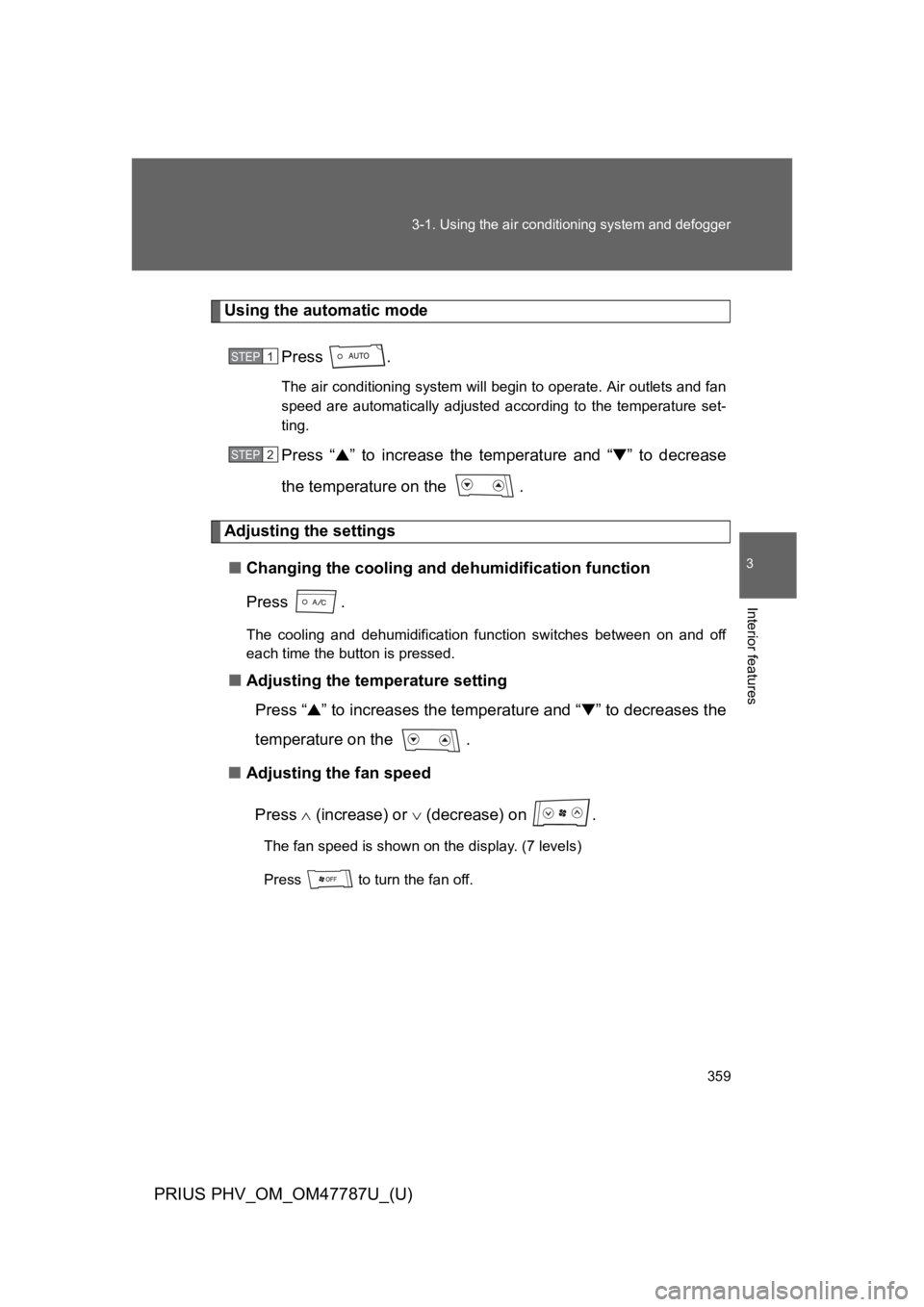
Using the automatic mode
Press .
The air conditioning system will begin to operate. Air outlets and fan
speed are automatically adjusted according to the temperature set-
ting.
Press “▲” to increase the temperature and “▼” to decrease
the temperature on the .
Adjusting the settings
■Changing the cooling and dehumidification function
Press .
The cooling and dehumidification function switches between on and off
each time the button is pressed.
■Adjusting the temperature setting
Press “▲” to increases the temperature and “▼” to decreases the
temperature on the .
■Adjusting the fan speed
Press ∧ (increase) or ∨ (decrease) on .
The fan speed is shown on the display. (7 levels)
Press to turn the fan off.
STEP 1
STEP 2
Page 385 of 704
360
3-1. Using the air conditioning system and defogger
PRIUS PHV_OM_OM47787U_(U)
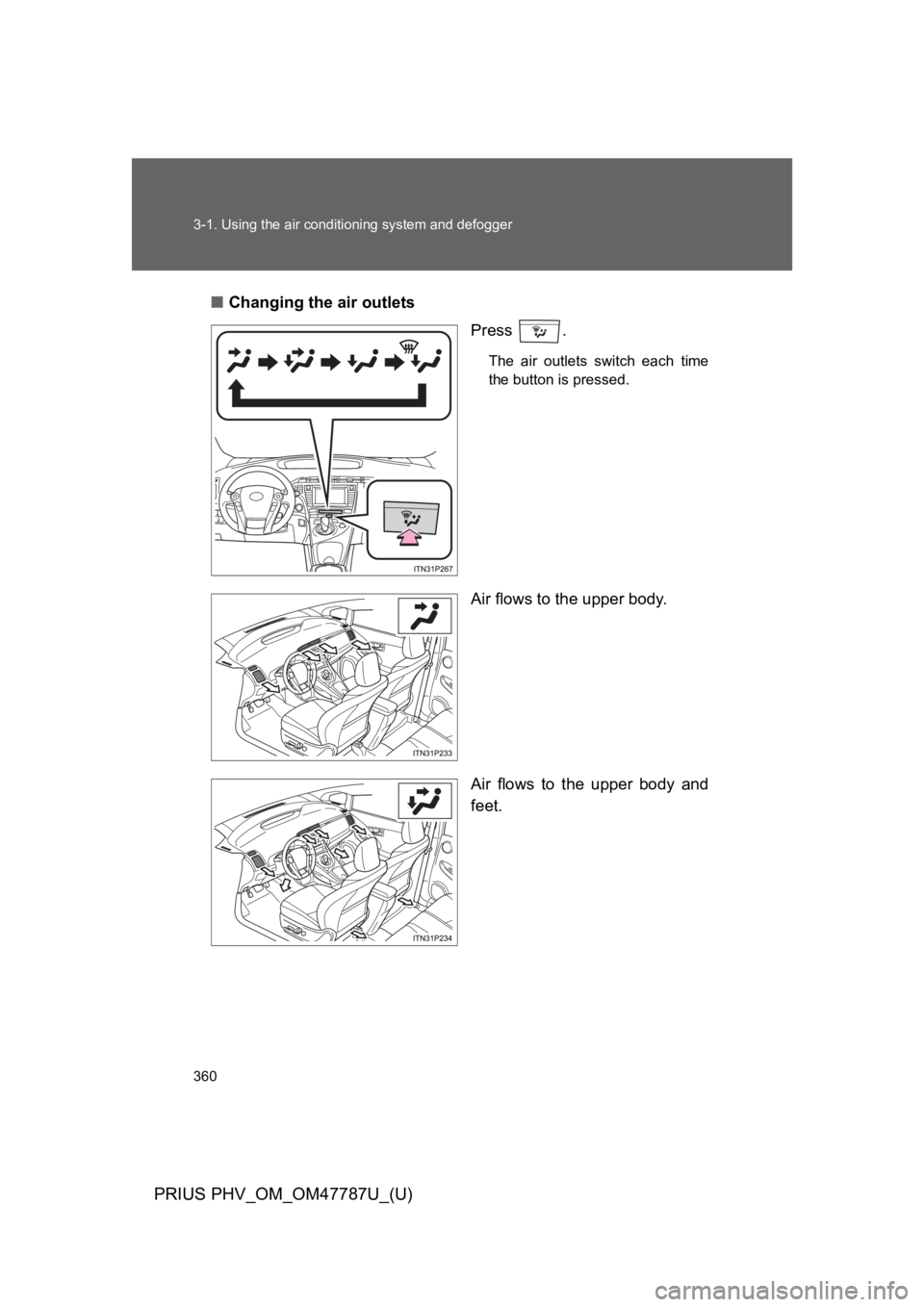
■Changing the air outlets
Press .
The air outlets switch each time
the button is pressed.
Air flows to the upper body.
Air flows to the upper body and
feet.
ITO31P105
Page 386 of 704
361
3-1. Using the air conditioning system and defogger
PRIUS PHV_OM_OM47787U_(U)
3
Interior features
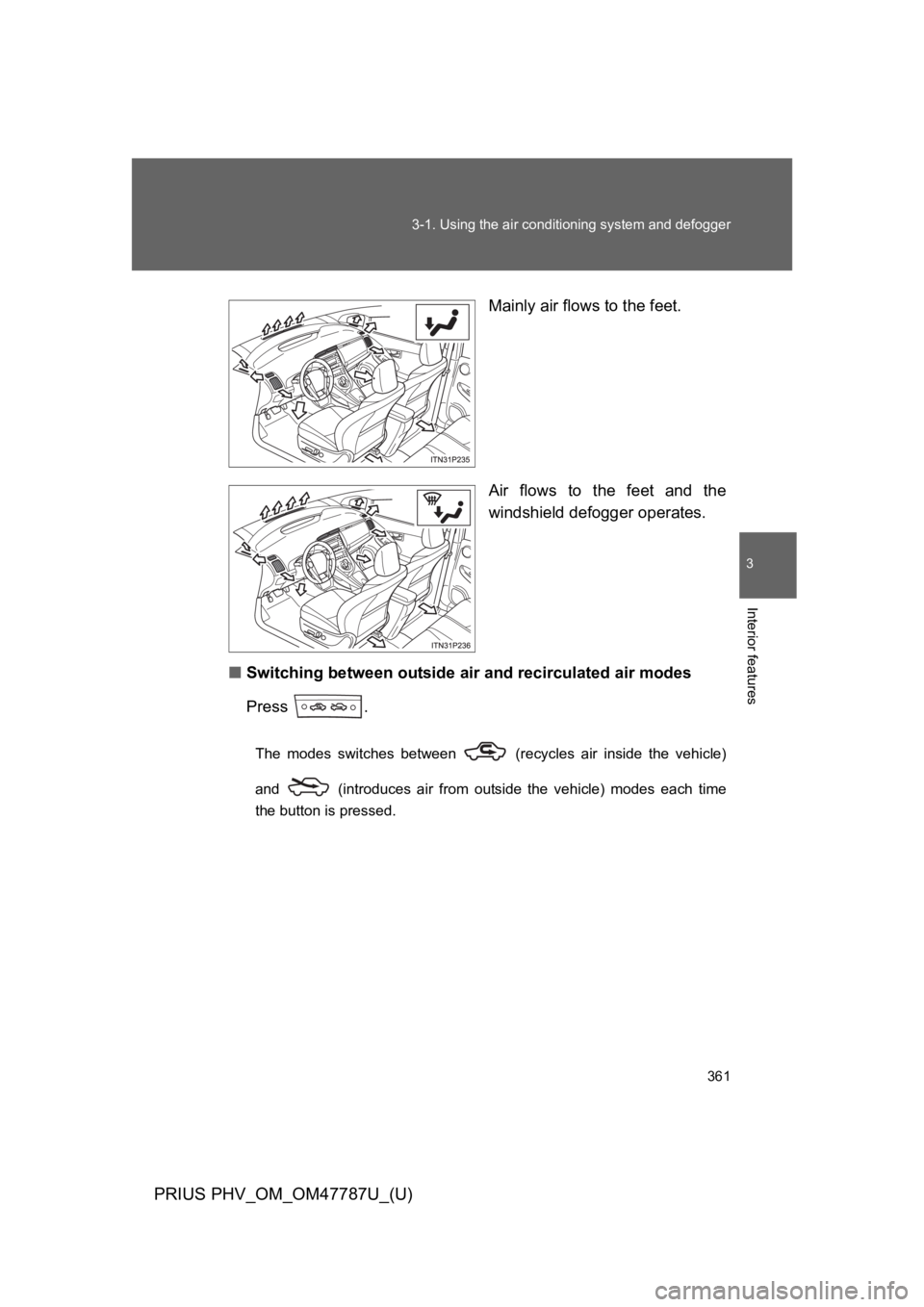
Mainly air flows to the feet.
Air flows to the feet and the
windshield defogger operates.
■Switching between outside air and recirculated air modes
Press .
The modes switches between (recycles air inside the vehicle)
and (introduces air from outside the vehicle) modes each time
the button is pressed.