Page 213 of 556
213
2-3. Operating the lights and wipers
2
When driving
■
The rear window wiper and washer can be operated when
Vehicles without a smart key system
The engine switch is in the “ON” position.
Vehicles with a smart key system
The “POWER” switch is in ON mode.
■ If no washer fluid sprays
Check that the washer nozzle is not blocked if there is washer fluid in the
washer fluid reservoir.
Ty p e B
Intermittent window
wiper operation
Normal window wiper
operation
Washer/wiper dual
operation
Washer/wiper dual
operation
The wipers will automatically
operate a couple of times after
the washer squirts.
Page 214 of 556
214 2-3. Operating the lights and wipers
NOTICE
■When the rear window is dry
Do not use the wiper, as it may damage the rear window.
■ When the washer fluid tank is empty
Do not operate the switch continually as the washer fluid pump may over-
heat.
■ When a nozzle becomes blocked
In this case, contact your Toyota dealer.
Do not try to clear it with a pin or other object. The nozzle will be damaged.
Page 219 of 556

219
2-4. Using other driving systems
2
When driving
Driving assist systems
To help enhance driving safety and performance, the following sys-
tems operate automatically in res ponse to various driving situations.
Be aware, however, that these systems are supplementary and
should not be relied upon too heavi ly when operating the vehicle.
■ABS (Anti-lock Brake System)
Helps to prevent wheel lock when the brakes are applied suddenly, or if
the brakes are applied while driving on a slippery road surface
■Brake assist
Generates an increased level of braking force after the brake pedal is
depressed when the system detects a panic stop situation
■VSC (Vehicle Stability Control)
Helps the driver to control skidding when swerving suddenly or turning
on slippery road surfaces
■TRAC (Traction Control)
Helps to maintain drive power and prevent the drive wheels from spin-
ning when starting the vehicle or accelerating on slippery roads
■Hill-start assist control
P. 222
■EPS (Electric Power Steering)
Employs an electric motor to reduce the amount of effort needed to turn
the steering wheel
Page 226 of 556

226 2-5. Driving information
As shown in the example above, if the number of occupants
increases, the cargo and luggage load will be reduced by an amount
that equals the increased weight du e to the additional occupants. In
other words, if an increase in the number of occupants causes an
excess of the total load capacity (combined weight of occupants plus
cargo and luggage load), you must reduce the cargo and luggage on
your vehicle.
CAUTION
■Things that must not be carried in the luggage compartment
The following things may cause a fire if loaded in the luggage compart-
ment:
●Receptacles containing gasoline
●Aerosol cans
■Storage precautions
Observe the following precautions.
Failure to do so may result in death or serious injury.
●Stow cargo and luggage in the luggage compartment whenever possi-
ble.
●Do not stack cargo and luggage in the luggage compartment higher
than the seatbacks.
Such items may be thrown about and possibly injure people in the
vehicle in the event of sudden braking or in an accident.
●Do not place cargo or luggage in or on the following locations as the
item may get under the brake or accelerator pedal and prevent the
pedals from being depressed properly , block the driver’s vision, or hit
the driver or passengers, causing an accident:
• At the feet of the driver
• On the front passenger or rear seats (when stacking items)
• On the luggage cover (if equipped)
• On the instrument panel
• On the dashboard
Page 230 of 556
230 2-5. Driving information
Selecting tire chainsUse the correct tire chain size when mounting the tire chains. Chain
size is regulated for each tire size.
Side chain
(0.12 in. [3.0 mm] in diameter)
Cross chain
(0.16 in. [4.0 mm] in diameter)
Regulations on the use of tire chains
Regulations regarding the use of ti re chains vary depending on loca-
tion and type of road. Always chec k local regulations before installing
chains.
■ When driving the vehicle
Accelerate the vehicle slowly, keep a safe distance between you
and the vehicle ahead, and drive at a reduced speed suitable to
road conditions.
■ When parking the vehicle
Park the vehicle and move the shift lever to P without setting the
parking brake. The parking brak e may freeze up, preventing it
from being released. If necessary , block the wheels to prevent
inadvertent sliding or creeping.
Page 237 of 556
237
3-1. Using the air conditioning system
and defogger
3
Interior features
Using the automatic air conditioning system
Press .
The air conditioning system beg ins to operate. Air outlets and
fan speed are automatically adjus ted according to the temper-
ature setting.
To adjust the temperature setting, turn clockwise to
increase the temperature and turn counterclockwise to
decrease the temperature.
Adjusting the settings manually
To adjust the fan speed, press “ ” on to increase the
fan speed and “ ” to decrease the fan speed.
Press to turn the fan off.
To adjust the temperature setting, turn clockwise to
increase the temperature and turn counterclockwise to
decrease the temperature.
To change the air outlets, press .
The air outlets used are switched each time the button is pressed.
( P. 238)
STEP1
STEP2
STEP1
STEP2
STEP3
Page 244 of 556
244 3-1. Using the air conditioning system and defogger
■Air conditioning filter
P. 397
■ When operating the steering switches
P. 186
■ Customization
The air conditioning control of Eco drive mode can be changed to the same
setting as that used in normal drive mode.
(Customizable features P. 518)
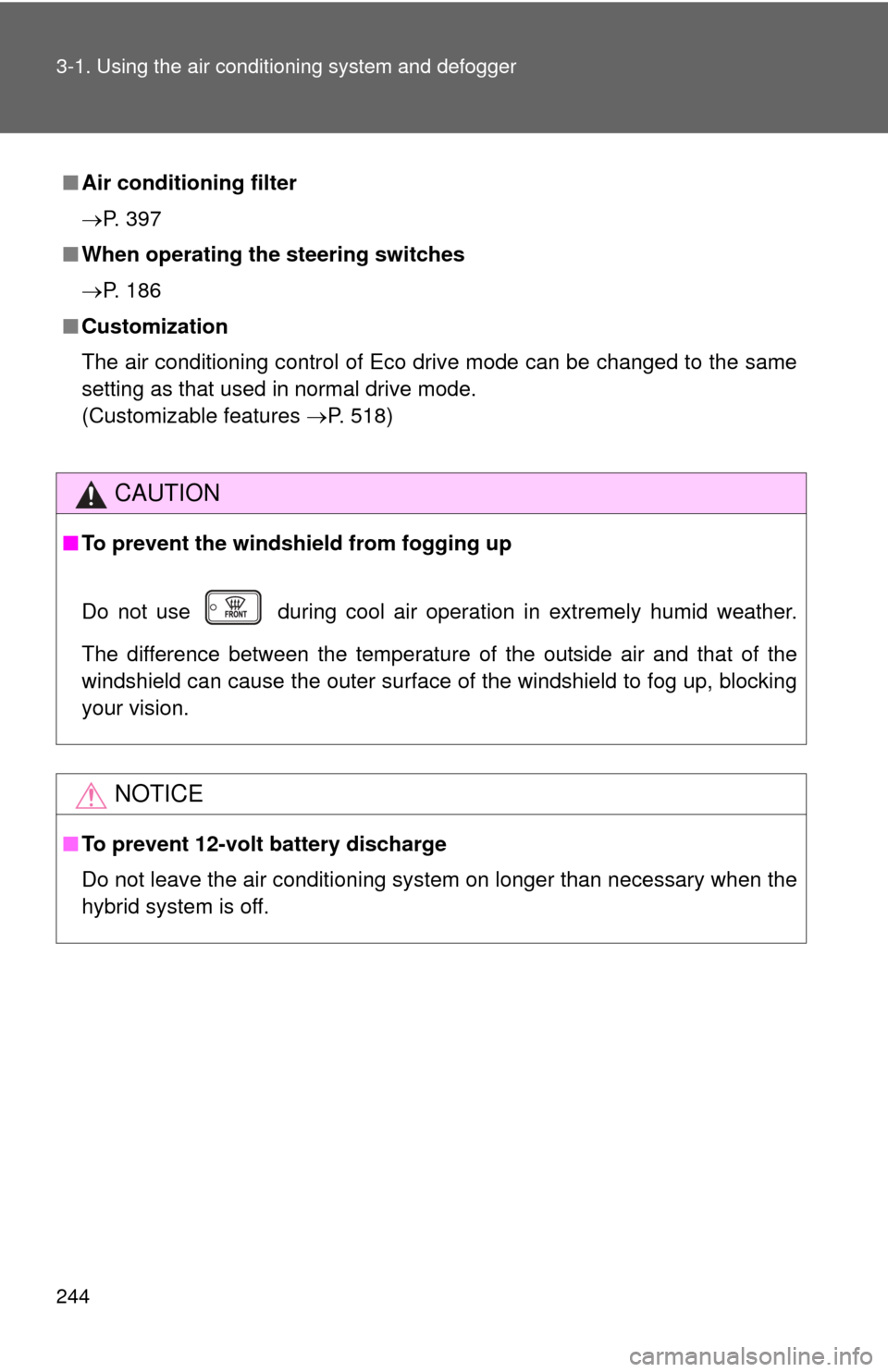
CAUTION
■To prevent the windshield from fogging up
Do not use during cool air operation in extremely humid weather.
The difference between the temperature of the outside air and that of the
windshield can cause the outer surface of the windshield to fog up, blocking
your vision.
NOTICE
■To prevent 12-volt battery discharge
Do not leave the air conditioning system on longer than necessary when the
hybrid system is off.
Page 267 of 556
267
3-2. Using the audio system
3
Interior features
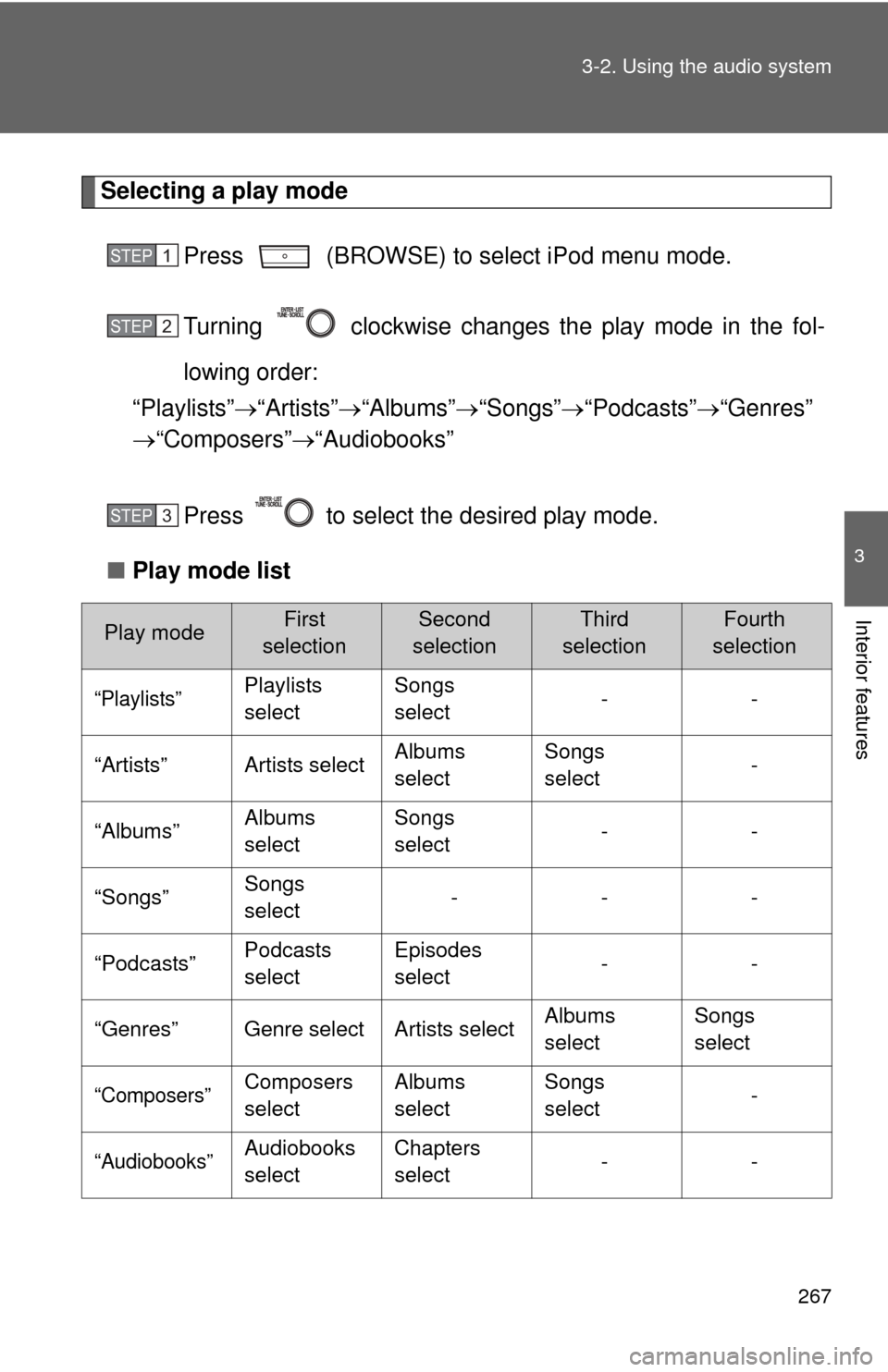
Selecting a play mode
Press (BROWSE) to select iPod menu mode.
Turning clockwise changes the play mode in the fol-
lowing order:
“Playlists” “Artists” “Albums” “Songs” “Podcasts” “Genres”
“Composers” “Audiobooks”
Press to select the desired play mode.
■ Play mode list
Play modeFirst
selectionSecond
selectionThird
selectionFourth
selection
“Playlists”Playlists
select Songs
select
--
“Artists” Artists select Albums
selectSongs
select
-
“Albums” Albums
selectSongs
select
--
“Songs” Songs
select ---
“Podcasts” Podcasts
selectEpisodes
select
--
“Genres” Genre select Artists select Albums
selectSongs
select
“Composers”Composers
selectAlbums
selectSongs
select
-
“Audiobooks”Audiobooks
selectChapters
select
--
STEP1
STEP2
STEP3


![TOYOTA PRIUS C 2013 NHP10 / 1.G Owners Manual 230 2-5. Driving information
Selecting tire chainsUse the correct tire chain size when mounting the tire chains. Chain
size is regulated for each tire size.
Side chain
(0.12 in. [3.0 mm] in diameter](/manual-img/14/6624/w960_6624-229.png "TOYOTA PRIUS C 2013 NHP10 / 1.G Owners Manual 230 2-5. Driving information
Selecting tire chainsUse the correct tire chain size when mounting the tire chains. Chain
size is regulated for each tire size.
Side chain
(0.12 in. [3.0 mm] in diameter")